
The best AI tools for Pinterest in 2026 are not the ones that promise the most automation. They are the ones that fix a specific bottleneck in a Pinterest workflow: a pin that stops the scroll, a schedule that stays consistent, a keyword that matches what people actually search, or a product pin that turns a save into a sale. Pinterest rewards consistency and searchability more than virality, so a tool earns its place here only if it helps a creator publish better pins, more regularly, for the right search terms.
This guide compares 10 tools across four jobs. It does not rank them on a single score, because a pin design tool and a keyword research tool solve different problems. Use the glance table to find your job first, then read only the tools in that group in full. Prices are October 2026 models. Where a vendor does not publish a single headline price, the entry says check checkout rather than guessing a number.
One point is worth stating plainly before the tool list. Pinterest search rewards pins that answer a specific intent, such as a room idea, a recipe variation, a product comparison or a step by step project. A beautiful pin with a vague title will lose to a clear pin with a specific title, even if the second pin looks less polished. That is why this guide treats keyword research as equal in importance to design. The best workflow pairs the two: use search data to choose the topic and the exact phrasing, then use a design tool to make the pin earn the click that the title promises. Creators who skip the first step often blame the design tool for a traffic problem that was really a topic problem.
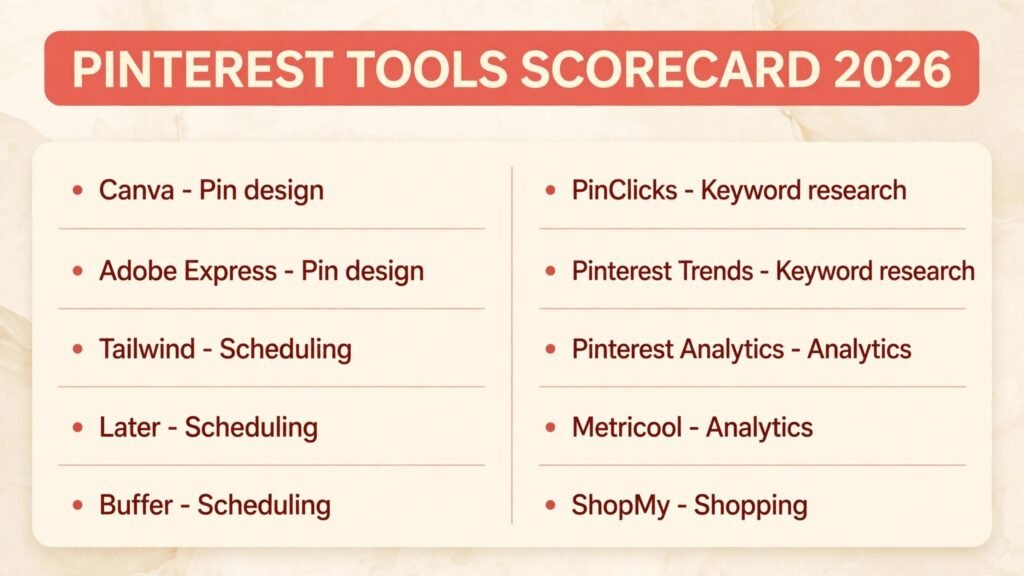
The 10 best AI tools for Pinterest at a glance
| Tool | Best job | Free option | Best for |
|---|---|---|---|
| Canva | Pin design | Yes | Fast, on brand pin templates |
| Adobe Express | Pin design | Yes | Quick branded pins from existing assets |
| Tailwind | Scheduling and automation | Trial | Consistent daily pinning |
| Later | Scheduling and automation | Yes, limited | Visual planning across channels |
| Buffer | Scheduling and automation | Yes, limited | Simple cross channel scheduling |
| PinClicks | Keyword and SEO | Trial | Keyword data for pin titles |
| Pinterest Trends | Keyword and SEO | Yes | Seasonal search trends |
| Pinterest Analytics | Analytics and shopping | Yes | Native pin performance data |
| Metricool | Analytics and shopping | Yes, limited | Analytics plus scheduling in one place |
| ShopMy | Analytics and shopping | Check checkout | Creator product links and shopping |
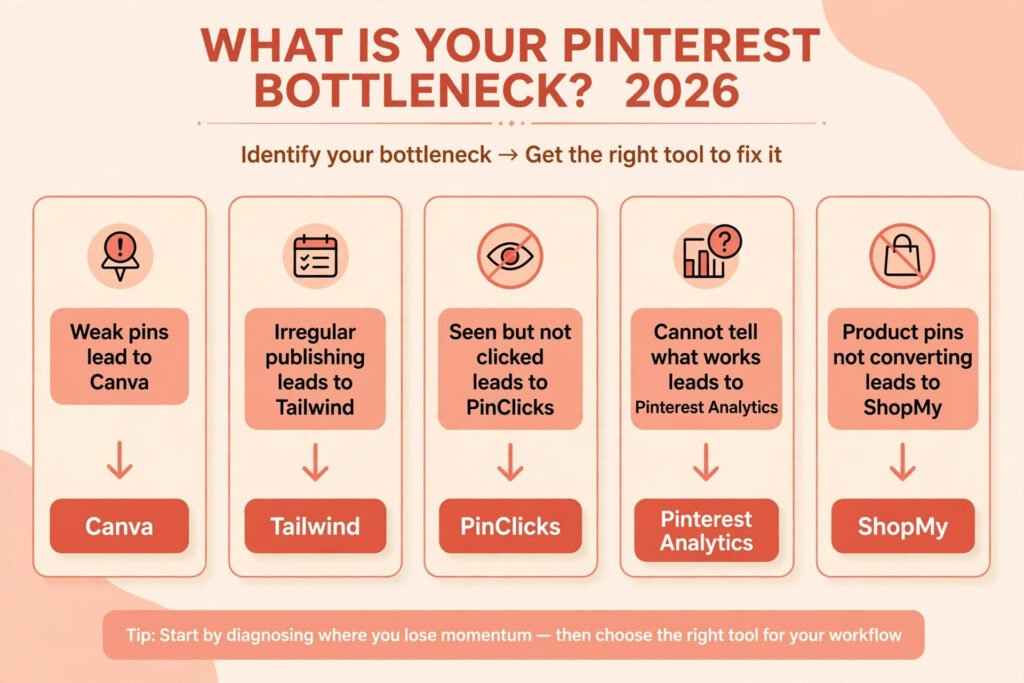
Start here: pick by your bottleneck
| Your bottleneck | Start with | Then add |
|---|---|---|
| Pins look weak next to competitors | Canva | Adobe Express for brand kits |
| Publishing is irregular | Tailwind | Later for visual planning |
| Pins get impressions but few clicks | PinClicks | Pinterest Trends for seasonality |
| You cannot tell what is working | Pinterest Analytics | Metricool for cross channel comparison |
| Product pins do not convert | ShopMy | Canva for shopping ready templates |
Pin design
1. Canva
Canva is the fastest way for most creators to make a Pinterest pin that looks professional. Its template library includes vertical pin formats, and its AI tools can resize a design, remove a background, or suggest a layout from a short prompt. For Pinterest specifically, the useful feature is not generation alone. It is the ability to keep fonts, colours and logo placement consistent across dozens of pins, so a board looks like it belongs to one brand rather than a random collection of images.
Pricing: Free tier, with a paid Pro plan. Check checkout for the current plan price.
Best for: Solo creators and small teams who publish several pins a week and need speed.
Watch out for: Template fatigue. If you publish unedited templates, your pins will look like everyone else’s. Change the headline, the image crop and at least one colour before publishing.
Try it at: https://www.canva.com

2. Adobe Express
Adobe Express suits creators who already use Adobe assets or who want tighter control over brand elements than a template library usually allows. It offers quick actions for resizing, background removal and text effects, plus access to Adobe stock imagery and fonts. For Pinterest, its strength is turning one piece of content, such as a blog hero image or a product photo, into several pin variations quickly.
Pricing: Free tier, with a paid Premium plan. Check checkout for the current plan price.
Best for: Creators with an existing Adobe workflow or a strict brand kit.
Watch out for: The free tier limits some premium templates and stock assets, so check whether the asset you used in a draft is actually free before publishing at scale.
Try it at: https://www.adobe.com/express
Scheduling and automation
3. Tailwind
Tailwind is built specifically for Pinterest and Instagram scheduling, and that focus shows. It offers a smart schedule based on when your audience is active, board lists for distributing pins across relevant boards, and interval pinning so the same pin does not flood a board at once. Its Communities feature, formerly Tribes, also helps smaller creators get early distribution from related accounts.
Pricing: Free trial, with paid plans by account and features. Check checkout for the current plan price.
Best for: Pinterest first creators who pin daily and manage several boards.
Watch out for: Automation does not fix weak pins. Scheduling a poor pin more often only shows more people a pin they will not click. Fix the design and title first.
Try it at: https://www.tailwindapp.com
4. Later
Later is a visual planner that covers Pinterest alongside Instagram, TikTok and other channels. Its drag and drop calendar makes it easy to see a week of pins at once, and its media library keeps approved images in one place. For teams, the approval workflow is the real selling point: a manager can review pins before they go live without passing files around in chat.
Pricing: Free tier, limited, with paid plans by social sets. Check checkout for the current plan price.
Best for: Creators and small teams managing Pinterest as one of several channels.
Watch out for: Later is a general social tool, not a Pinterest only tool, so its Pinterest specific analytics are thinner than a dedicated tool. Pair it with native analytics for pin level decisions.
Try it at: https://later.com
5. Buffer
Buffer is the simplest scheduler in this guide, and that simplicity is its appeal. It offers a clean queue, a browser extension for saving pins and links, and basic analytics. It does not try to be a design tool or a keyword tool, which keeps the workflow short: create the pin elsewhere, queue it in Buffer, and move on.
Pricing: Free tier, limited, with paid plans by channel. Check checkout for the current plan price.
Best for: Creators who want a low friction queue and already have design and keyword tools elsewhere.
Watch out for: Buffer will not tell you which board or keyword deserves the pin. That decision still has to happen before scheduling, or the queue fills with unfocused pins.
Try it at: https://buffer.com
Keyword and SEO
6. PinClicks
PinClicks is a keyword research tool built for Pinterest search. It shows search volume style data, related keywords and trending terms, and it helps creators find the phrases people type into Pinterest search rather than the phrases creators assume they type. That distinction matters because Pinterest behaves more like a search engine than a social feed: a pin with the right keyword in its title and description can keep earning traffic months after publication.
Pricing: Free trial, with paid plans. Check checkout for the current plan price.
Best for: Bloggers and sellers who depend on Pinterest search traffic.
Watch out for: Keyword data is a starting point, not a guarantee. A high volume keyword with weak pin design will still underperform a well designed pin on a smaller, better matched keyword.
Try it at: https://pinclicks.com

7. Pinterest Trends
Pinterest Trends is Pinterest’s own free tool for seeing what people are searching for, broken down by trend, season and demographic interest. It is the most reliable source for seasonality, because the data comes directly from Pinterest searches. Before planning a seasonal board, check whether interest is rising, peaking or already falling, and time pins to publish before the peak rather than during it.
Pricing: Free.
Best for: Seasonal planning and validating a topic before creating a board.
Watch out for: Trends shows interest, not competition. A rising trend may already be crowded, so combine it with a specific angle or niche keyword rather than targeting the broad trend alone.
Try it at: https://trends.pinterest.com
Analytics and shopping
8. Pinterest Analytics
Pinterest Analytics is the native analytics tool inside a Pinterest business account, and it should be the first analytics tool every creator checks. It reports impressions, saves, outbound clicks, audience demographics and top pins, all tied directly to your account without any integration risk. Because the data is first party, it is the most trustworthy source for deciding which pins to repin, which boards to grow and which topics to drop.
Pricing: Free with a business account.
Best for: Every Pinterest creator, as the baseline for all other analytics decisions.
Watch out for: Native analytics tells you what happened, not why. A pin with high impressions and low clicks may have a weak title, a mismatched landing page or the wrong audience, and analytics alone will not separate those causes.
Try it at: https://analytics.pinterest.com

9. Metricool
Metricool combines analytics with scheduling, which makes it useful for creators who want one dashboard for Pinterest and other channels. It tracks pin performance over time, compares periods, and generates reports that are easy to share with a client or a team. Its scheduling side is competent rather than Pinterest specialised, so treat it as an analytics first tool with scheduling as a bonus.
Pricing: Free tier, limited, with paid plans. Check checkout for the current plan price.
Best for: Creators and agencies reporting Pinterest results alongside other channels.
Watch out for: Cross channel reports can hide Pinterest specific detail. Always check native Pinterest Analytics before making a board level decision based on a Metricool summary.
Try it at: https://metricool.com
10. ShopMy
ShopMy is a creator monetisation platform that helps creators share shoppable product links, including links that can be promoted through Pinterest pins. For sellers and affiliate creators, its value is tracking which products and pins actually generate clicks and sales, rather than guessing from saves alone. It also gives brands a way to find and work with creators whose audiences already buy through their links.
Pricing: Check checkout, as pricing varies by creator and brand programme.
Best for: Creators who monetise through product recommendations and affiliate links.
Watch out for: A shopping link does not fix a weak pin. Product pins still need a clear image, a specific benefit and a landing page that matches the promise, or clicks will not convert.
Try it at: https://shopmy.us
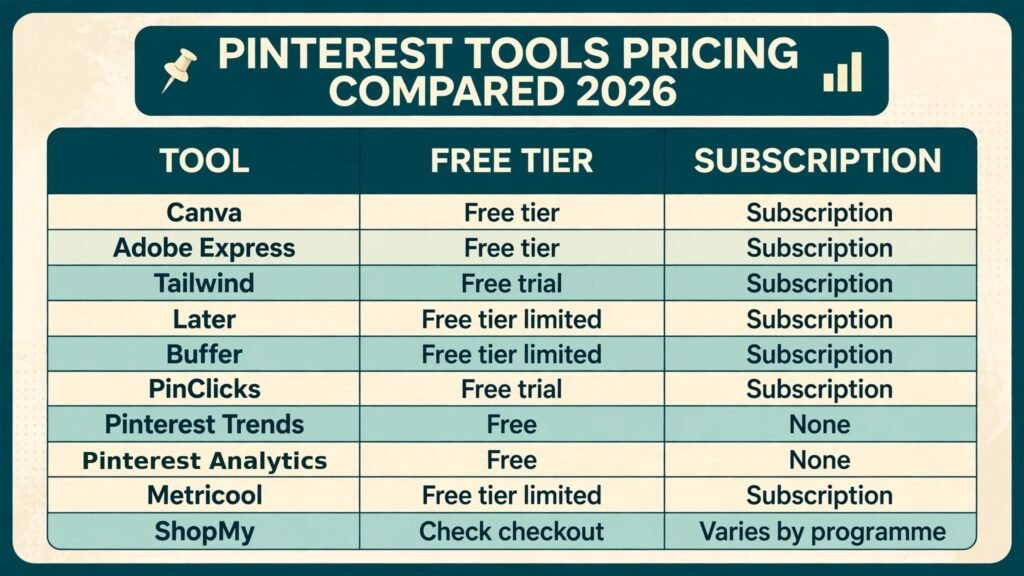
Pricing compared
| Tool | Free option | Paid model |
|---|---|---|
| Canva | Yes | Subscription, check checkout |
| Adobe Express | Yes | Subscription, check checkout |
| Tailwind | Trial | Subscription, check checkout |
| Later | Yes, limited | Subscription, check checkout |
| Buffer | Yes, limited | Subscription, check checkout |
| PinClicks | Trial | Subscription, check checkout |
| Pinterest Trends | Yes | None, free tool |
| Pinterest Analytics | Yes | None, free with business account |
| Metricool | Yes, limited | Subscription, check checkout |
| ShopMy | Check checkout | Varies by programme, check checkout |
The cheapest honest stack for most creators is Pinterest Trends plus Pinterest Analytics (both free) for research and measurement, Canva free for design, and one scheduler, either Tailwind for Pinterest first work or Buffer for a simple queue. Pay only when volume or team workflow makes the free tier a real constraint, not before.
How to Choose
Start from the job, not the tool list. If your pins look weak, start with design. If publishing is irregular, start with scheduling. If pins get seen but not clicked, start with keyword research. If you cannot tell what works, start with analytics. Buying a tool for a job you do not have yet is the most common waste in this category.
Next, run a two week test on one board. Publish at least ten pins with the new tool, keep the topic consistent, and compare outbound clicks per pin against the previous ten pins on a similar topic. Judge at the level of the decision the tool claims to improve: design tools on click rate, scheduling tools on consistency, keyword tools on search impressions, analytics tools on whether you actually changed a decision because of the data.
Finally, check the landing page before blaming the tool. Pinterest traffic is only valuable if the linked page loads fast, matches the pin promise and makes the next step obvious. A pin that sends people to a generic homepage will underperform no matter how good the design or keyword choice was.
Also decide how much time the tool should save versus how much judgement it should replace. A scheduler should save time on publishing, but it should not decide which board deserves a pin. A keyword tool should surface options, but the creator should still choose the angle. A design tool should speed up production, but the creator should still approve the headline and the image. The tools that cause the most trouble are the ones used on full autopilot, because they quietly publish pins that nobody reviewed. Keep a human approval step for every pin, even when the queue is automated, and review the top and bottom performing pins each week so the next batch is based on evidence rather than habit.
For creators who also publish on Instagram, the workflow in Best AI Tools for Instagram pairs well with this guide, because several tools here, including Later and Buffer, cover both channels from one queue.
Mistakes to avoid
Publishing unedited templates. A template is a starting point. Change the headline, the crop and the colours, or your pins will blend into every other account using the same template.
Scheduling before fixing the pin. Automation multiplies whatever you feed it. A weak pin scheduled daily reaches more people who will ignore it, and it teaches you nothing.
Targeting broad keywords only. Broad keywords bring impressions but also competition. Pair one broad term with a specific angle, audience or use case in the title and description.
Ignoring seasonality. Pinterest users plan early for holidays, seasons and events. Pins published during the peak are often too late. Use Pinterest Trends to publish weeks before interest peaks.
Judging pins by saves alone. Saves feel good, but outbound clicks pay the bills for bloggers and sellers. Track clicks per pin, not just saves, when deciding what to make more of.
Sending traffic to a mismatched page. If the pin promises a specific recipe, product or guide, the link must land on that exact page. A homepage link wastes the click the pin worked hard to earn.
Frequently asked questions
Do I need a paid tool to grow on Pinterest?
No. Pinterest Trends and Pinterest Analytics are free, Canva has a free tier, and Tailwind and Buffer offer trials or limited free plans. Pay when a specific limit, such as scheduling volume or team approvals, is actually slowing you down.
What is the best AI tool for Pinterest for beginners?
Start with Canva for design, Pinterest Trends for keyword ideas and Pinterest Analytics for measurement. Add Tailwind only when you are ready to pin consistently every day.
How many pins should I publish per day?
There is no universal number. Consistency matters more than volume. A sustainable pace of a few quality pins a day beats a burst of fifty pins followed by a month of silence.
Are AI generated pins penalised by Pinterest?
Pinterest does not publish a rule against AI assisted design, but low quality, repetitive or misleading pins perform poorly regardless of how they were made. Edit every generated pin and make sure the linked page matches the promise.
Should I use the same pin on every board?
No. Tailor the title and description to each board’s topic where the pin genuinely fits, and avoid pinning the same image to many boards at once. Interval pinning through a scheduler helps here.
How long does it take for Pinterest SEO to work?
Expect weeks, not days. Pinterest search traffic builds as pins accumulate saves and clicks over time, and seasonal pins often perform best in their second season. Judge a keyword strategy over at least a month of consistent publishing.
Conclusion
The best AI tools for Pinterest in 2026 form a short workflow, not a long subscription list: design pins that stop the scroll, schedule them consistently, target keywords people actually search, and measure outbound clicks rather than vanity metrics. Start with the free native tools and one design tool, add a scheduler when consistency becomes the bottleneck, and add a keyword tool when search traffic becomes the goal. That order keeps costs low and makes it clear which tool is actually earning its place.