
An episode stalls in the same place every time. The recording is done, the conversation was good, but the edit takes four hours, the ums pile up, the guest audio is quiet, and the show notes are still blank, and that is the exact pain the best ai tools for podcasters are built to remove. The tools do not replace the host. They remove the production work between a good conversation and a published episode.
This guide compares ten tools that podcasters actually use in 2026, judged on recording quality, editing speed, audio cleanup, and price. Prices here come from vendor pages and comparisons checked in late 2026, so confirm the current price before you commit, because podcast tool pricing changes often.
The ten tools split into four jobs. Riverside and Podcastle record remote guests. Descript edits by transcript. Adobe Podcast and Auphonic clean and master the audio. Otter.ai, Headliner, Opus Clip and Castmagic turn one episode into transcripts, clips and show notes.
Why Editing Eats More Time Than Recording
A one hour episode takes four hours to edit by hand. Filler words, false starts, long pauses and cross talk all need cutting, and each cut needs a listen to check it sounds natural. Most new podcasters quit in the first ten episodes, and the edit is usually the reason.
The second problem is remote recording. A guest on a bad connection sounds like a phone call, and a single combined track means you cannot fix one voice without touching the other. Local recording on each guest device solves this, but only two tools in this list do it well.
The third problem is what happens after the edit. Show notes, chapters, clips and social posts all need making, and each one takes time that could have gone into the next episode. The repurposing tools in this list exist because a show that only publishes audio grows slowly.
The best ai tools for podcasters below are judged on the job each tool does, not on the demo it shows.
The 10 AI Tools for Podcasters at a Glance
The table below is the short version. Read it to narrow the list to two or three tools, then read the detail section before you pay for anything. Use it to shortlist the best ai tools for podcasters worth testing on your own work.
| Tool | Main job | Best for | Starting paid price |
|---|---|---|---|
| Descript | Transcript based editing | All in one editing | about 16 dollars a month billed yearly |
| Riverside | Remote multi track recording | Remote interviews | about 24 dollars a month billed yearly |
| Adobe Podcast | AI speech enhancement | Fixing bad audio | free |
| Auphonic | Automatic post production | Loudness and levelling | about 11 dollars a month |
| Podcastle | Browser studio and editing | All in one on a budget | about 12 dollars a month billed yearly |
| Buzzsprout | Podcast hosting | Publishing and distribution | about 12 dollars a month |
| Otter.ai | Transcription and notes | Accurate transcripts | about 8 dollars a month billed yearly |
| Headliner | Audiograms and promotion | Social promotion | about 20 dollars a month |
| Opus Clip | AI short video clips | Short form growth | about 15 dollars a month |
| Castmagic | Show notes and content | Repurposing episodes | about 23 dollars a month |
The table above narrows the field, but the right answer for most readers is a pair of tools, not one. The detail section shows what each tool actually does, what it costs, and where it falls short, so the choice follows the job rather than the marketing.
Best Pick by Job
| Job type | First pick | Second tool | Why this pair works |
|---|---|---|---|
| Solo show, edit fast | Descript | Adobe Podcast | Transcript editing plus free speech enhancement covers the whole edit |
| Remote interviews | Riverside | Descript | Local multi track recording, then transcript editing on the clean files |
| Bad room, noisy audio | Adobe Podcast | Auphonic | Free cleanup first, then automatic loudness and levelling |
| Weekly show, tight schedule | Descript | Castmagic | One edit plus automatic show notes, chapters and clips |
| Growing audience with clips | Opus Clip | Headliner | AI clips for short video plus audiograms for social feeds |
| Zero budget start | Adobe Podcast | Buzzsprout | Free cleanup plus a simple host with a low entry plan |
A podcaster running the best ai tools for podcasters as a stack gets further than one running a single editor hard. Riverside records clean tracks, Descript edits them by text, Auphonic masters the result, and Castmagic writes the show notes. That combination covers the four jobs that decide whether a show ships weekly.
Hours change the answer. Most tools in this list meter media hours, so a show that publishes two long episodes a week hits ceilings that a monthly show never sees. Check the hour limit on each plan against your real publishing schedule before you pay.
How to Judge the Best AI Tools for Podcasters
Judge every option on recording quality and local capture first. The best ai tools for podcasters are only as good as the audio they start with, so record a test episode with a remote guest before you trust any demo. A tool that records locally on each device saves episodes that a cloud recording loses.
Next, test editing speed on a real episode on your own work. A tool that looks strong on a feature list but stumbles on editing speed on a real episode will cost more time than it saves, so run it on a real task before you compare anything else. The test should use your files, your audience and your deadline, not the vendor demo data.
Then weigh audio cleanup and loudness against repurposing output per episode. A tool that wins on audio cleanup and loudness but fails on repurposing output per episode is a bad buy, and a tool that handles both is worth paying for. Check the audio cleanup and loudness first, because a failure there shows up in the first week, while a failure on repurposing output per episode shows up in the first month.
Finally, model the cost across a month of real episodes. A 16 dollar plan that covers ten hours is cheap for a weekly show and expensive for a monthly one. Count your hours, not your episodes, and buy the plan that covers your busiest month with a small margin.
What to Check Before You Pay for a Podcast Tool
Check the free tier on your real work first. A free tier that covers a full week of real tasks tells you more than any demo, and a free tier that runs out in a day tells you the paid plan is the real price. Run the trial on the job you will actually do, not on the sample data the vendor provides.
The 10 AI Tools for Podcasters in Detail
1. Descript
Descript lets you edit audio and video by editing a transcript. Delete a sentence in the text and it is cut from the recording, and filler word removal and Studio Sound cleanup run in the same workspace.
The free plan covers limited transcription hours, and Hobbyist costs about 16 dollars a month billed yearly. Plans are metered by media hours, so a busy show can hit the ceiling before the month ends.
Descript fits most podcasters who want one tool for editing and publishing. The trade off is the hour meter, which punishes long shows on the cheaper plans.
Edit your next episode in Descript the way the tool promises, by deleting sentences in the transcript and letting filler removal and Studio Sound run in the same workspace. Time the edit against your usual timeline workflow and watch the hour meter while you work. If the episode ships in half the time and the hours fit inside the Hobbyist plan, sixteen dollars a month is well spent. If a long show burns through the monthly hours before the month ends, the meter, not the editor, is the problem.
2. Riverside
Riverside is a remote recording studio in the browser. Each guest is recorded locally on their own device and uploaded as a separate track, so a weak connection does not ruin the audio.
The free plan covers two hours of recording a month, and Pro costs about 24 dollars a month billed yearly. Higher tiers add more hours, 4K video and more transcription.
Riverside fits interview shows where guest audio decides quality. The trade off is price, since the recording quality costs more than a simple editor.
Record your next remote interview on Riverside with a guest on a shaky connection and check the local tracks afterwards. Each guest records on their own device, so the audio should survive a dropout that would have ruined a cloud recording. If the separate tracks come back clean and the edit starts from good audio, twenty four dollars a month is the price of never losing a guest. If your show is solo or in person, you are paying for insurance you never claim.
3. Adobe Podcast
Adobe Podcast is a set of browser tools led by Enhance Speech, which removes echo and background noise and makes a laptop recording sound close to a studio. It is the best free audio rescue available.
Enhance Speech is free with an Adobe account for an hour a day, and Premium costs about 10 dollars a month for more hours and bulk uploads. It cleans audio only, so it pairs with an editor rather than replacing one.
Adobe Podcast fits any podcaster with imperfect recording conditions. The trade off is that it is cleanup only, with no recording or timeline editing.
Take the worst sounding recording you have, a laptop mic in an echoey room, and run it through Enhance Speech. The result should sound close to a studio, and the free hour a day should cover a normal episode. If the rescue works, you have the best free audio fix available and Premium only matters when you need more hours and bulk uploads. If the enhanced audio still sounds processed or thin, no amount of cleanup replaces a better recording setup, and the money belongs in a microphone.
4. Auphonic
Auphonic levels audio, normalises loudness and removes noise automatically, with an API that fits batch workflows. It is the best final polish in this list, and the one most likely to make a home recording sound professional.
The free tier covers about two hours a month, and paid plans start at about 11 dollars a month. It does no recording or timeline editing, so it sits at the end of the workflow.
Auphonic fits shows that publish regularly and need consistent loudness. The trade off is narrow scope, since it masters audio and does nothing else.
Send Auphonic a month of finished episodes and let it level loudness, normalise and remove noise in one batch. The test is consistency. Every episode should come back at the same loudness, sounding professional without you touching a fader. If the batch saves you an evening a month, eleven dollars is cheap for a final polish. If your episodes already sound consistent, or the free two hours cover an occasional show, there is nothing here worth paying for, since Auphonic masters audio and does nothing else.
5. Podcastle
Podcastle records remote guests in the browser, edits by text, and adds AI voices and cleanup in one place. It is the closest budget alternative to Descript plus Riverside combined.
The free plan covers the basics, and Essentials costs about 12 dollars a month billed yearly. The price undercuts the two tool stack it replaces, which is the whole point of it.
Podcastle fits new shows that want one subscription. The trade off is that each feature is slightly behind the specialist, so growing shows may outgrow it.
Produce one full episode inside Podcastle only, from remote recording to text edit to AI cleanup, and see where the single subscription frays. The pitch is Descript plus Riverside for twelve dollars, so the test is whether each feature is good enough on its own. If the episode ships and nothing in it feels like a compromise, you have replaced two subscriptions with one. If the recording is fine but the editing lags the specialist, keep Podcastle for new shows and graduate to the specialists when the audience grows.
6. Buzzsprout
Buzzsprout hosts the show, publishes the RSS feed and submits it to directories, with simple analytics that show where listeners come from. It is the least technical host in this list, and the easiest to set up.
Plans start at about 12 dollars a month, with higher tiers for more hours. Hosting is a separate cost from editing, and it is the smallest line in most podcast budgets.
Buzzsprout fits beginners who want publishing to just work. The trade off is that it hosts and distributes, it does not record or edit anything.
Publish an episode through Buzzsprout and watch what happens after you hit publish. The RSS feed should reach the directories without fiddling, and the analytics should show where listeners actually come from in plain language. If setup takes minutes and publishing just works, twelve dollars a month is the smallest line in a podcast budget for a reason. If you expected it to record or edit as well, you bought the wrong tool, since Buzzsprout hosts and distributes and does nothing else.
7. Otter.ai
Otter.ai transcribes conversations with speaker labels and timestamps, then turns them into summaries and notes. It is the most accurate transcription tool in this list for multi speaker conversations.
The free tier covers limited minutes, and Pro costs about 8 dollars a month billed yearly. The transcript quality on clear speech is high enough to use as show notes with light editing.
Otter.ai fits shows that need reliable transcripts and meeting style notes. The trade off is that it transcribes, it does not edit audio or cut clips.
Record a multi speaker conversation and let Otter.ai transcribe it with speaker labels and timestamps, then turn the result into show notes with light editing. The transcript quality on clear speech should be high enough to use directly, which is the whole value at eight dollars a month. If the notes write themselves from an accurate transcript, keep it. If the speakers blur together or the transcript needs heavy correction, the time you save is imaginary, and a tool built for editing audio is the better buy.
8. Headliner
Headliner turns audio into shareable videos with waveforms, captions and images, which is how a podcast reaches people who never open a podcast app. It also automates episode promotion across social feeds.
A free tier covers basic audiograms, and paid plans start at about 20 dollars a month. The cost is easy to justify for a show that treats social promotion as part of publishing.
Headliner fits shows that grow through social feeds. The trade off is that it promotes audio, it does not improve the audio itself.
Take your latest episode and let Headliner turn it into shareable videos with waveforms, captions and images, then post them where your listeners actually scroll. The test is reach, not looks. If the clips pull people who never open a podcast app toward the full episode, twenty dollars a month is easy to justify for a show that treats promotion as part of publishing. If the audiograms look good and nobody clicks, the problem is the audience or the hook, not the tool.
9. Opus Clip
Opus Clip watches a full episode and cuts the strongest moments into short vertical videos with captions, scored for viral potential. It turns one hour of audio into a week of social content.
Plans start at about 15 dollars a month, with more clip credits on higher tiers. The time saved against manual clip cutting is the whole value, since one episode can produce a dozen clips.
Opus Clip fits shows that grow through short video. The trade off is that the AI picks moments by pattern, so a human still needs to check the picks.
Feed Opus Clip a full hour long episode and see what it cuts. One episode should become a dozen short vertical videos with captions, scored for viral potential, without you scrubbing the timeline yourself. If two or three of those clips are genuinely worth posting, fifteen dollars a month buys a week of social content per episode. If the AI keeps picking moments that fall flat and you end up recutting them all by hand, the pattern matching is not reading your show, and the time saved is zero.
10. Castmagic
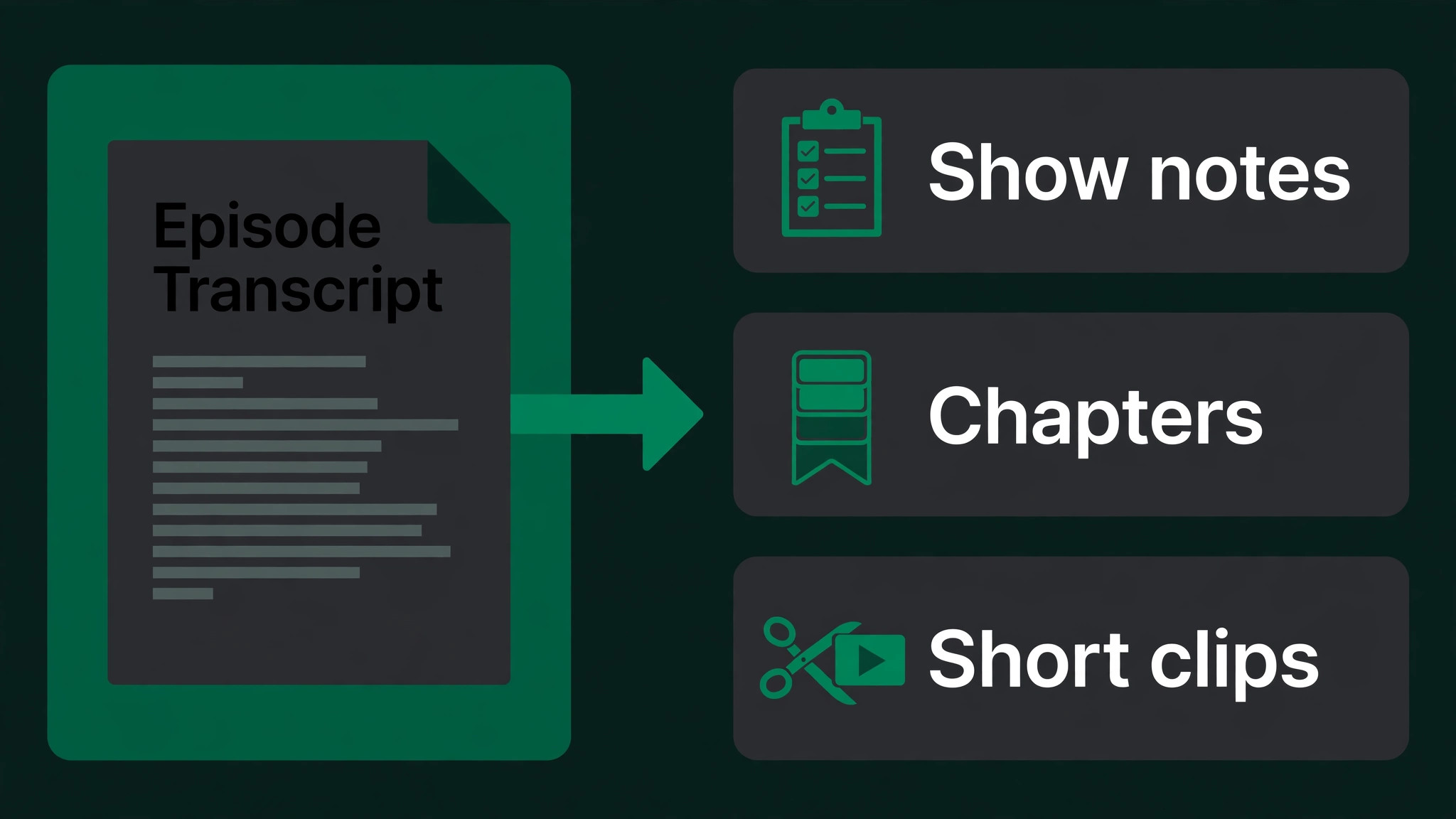
Castmagic turns a finished episode into show notes, chapters, quotes, social posts and newsletters from the transcript. It is the fastest way to squeeze a week of content out of one recording.
Plans start at about 23 dollars a month, which is the most expensive repurposing tool in this list. The price makes sense for a show that publishes the notes and posts it generates.
Castmagic fits busy hosts who publish a lot of companion content. The trade off is price, since the same notes can be drafted slowly by hand for free.
Give Castmagic one finished episode and ask for the full spread, show notes, chapters, quotes, social posts and a newsletter, then publish what it returns. The price is the highest in this list for repurposing, so the test is whether you actually publish the notes and posts it generates. If a week of companion content ships with an hour of your time, twenty three dollars earns its keep. If the output sits in a folder unpublished, you are paying for content nobody sees.
An Episode Workflow That Ships Weekly
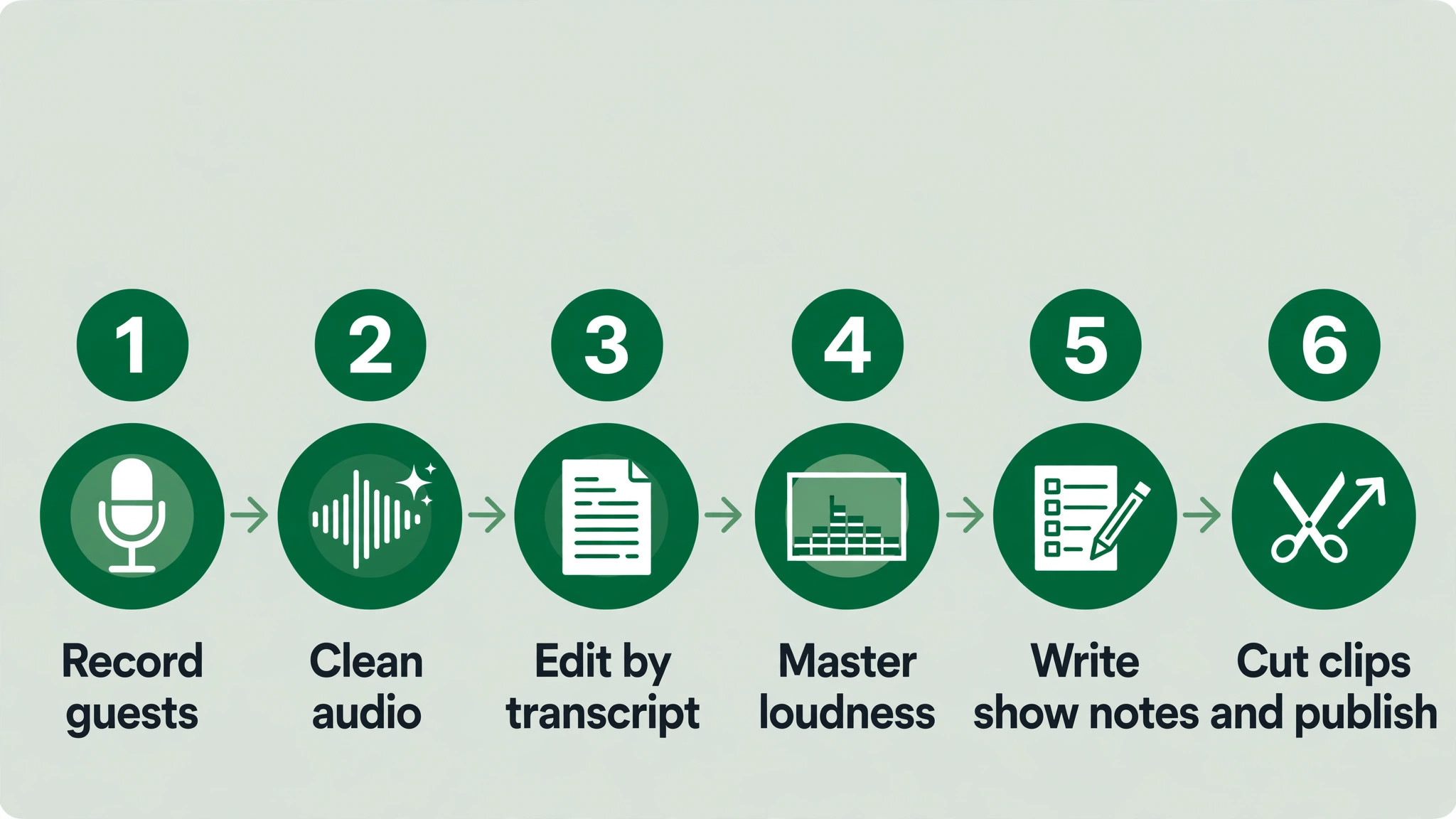
The order matters. Record clean first, edit by transcript second, master third, and repurpose last. A tool used out of order creates rework, so run the steps in sequence. The best ai tools for podcasters that fit your work are the ones that survive this order.
| Step | Job | Best tool | What good looks like |
|---|---|---|---|
| 1 | Record remote guests | Riverside | Local tracks per guest, so a bad connection never ruins audio |
| 2 | Clean the raw audio | Adobe Podcast | Noise and echo removed before the edit starts |
| 3 | Edit by transcript | Descript | Filler words and false starts cut by deleting text |
| 4 | Master loudness | Auphonic | Levelling and loudness matched to platform standards |
| 5 | Write show notes | Castmagic | Notes, chapters and quotes from the finished transcript |
| 6 | Cut clips and publish | Opus Clip | Short video clips plus hosting and distribution |
Run the workflow on one episode before you commit to it. Record, clean, edit, master, write notes and cut clips for a single show, and time each step. The workflow that finishes an episode in two hours will ship weekly. The workflow that takes six hours will slip within a month.
What a Podcast Stack Costs at Real Volume
Prices below use annual billing where it is cheaper, and they assume one host publishing weekly. Hour limits are the real constraint, so check them against your episode length. The best ai tools for podcasters below are priced at real volume, not at headline rates.
| User type | Volume | Tool stack | Monthly cost |
|---|---|---|---|
| Hobbyist, monthly show | 4 hours a month | Adobe Podcast free plus Buzzsprout | About 12 dollars |
| Weekly show, solo host | 4 hours a month | Descript Hobbyist plus Auphonic | About 27 dollars |
| Weekly show, remote guests | 8 hours a month | Riverside Pro plus Descript | About 40 dollars |
| Daily show, heavy output | 20 hours a month | Riverside plus Descript Creator plus Castmagic | About 97 dollars |
| Network, several shows | 40 hours a month | Descript Business plus Auphonic plus Opus Clip | Pricing on the vendor site |
Rule of thumb: free tools handle everything except the edit. A hobbyist can record and publish a monthly show without spending anything, so put the money where the hours go, into editing, because those are the most expensive hours in podcasting, and leave the rest free.

Three Podcasters Setups That Actually Work
A single tool rarely covers the whole job, and the setups below are the pairs that readers actually run. Each one costs less than a single enterprise platform, and each one is easier to learn than a tool that tries to do everything.
Setup 1 fits solo show, edit fast. Descript does the heavy work, and Adobe Podcast covers the gap it leaves. Transcript editing plus free speech enhancement covers the whole edit. Run this setup for a month before you add anything else, because most readers never need a third tool, and the money saved is better spent on the work itself.
Setup 2 fits remote interviews. Riverside does the heavy work, and Descript covers the gap it leaves. Local multi track recording, then transcript editing on the clean files. Run this setup for a month before you add anything else, because most readers never need a third tool, and the money saved is better spent on the work itself.
Setup 3 fits bad room, noisy audio. Adobe Podcast does the heavy work, and Auphonic covers the gap it leaves. Free cleanup first, then automatic loudness and levelling. Run this setup for a month before you add anything else, because most readers never need a third tool, and the money saved is better spent on the work itself.
The common thread across all three setups is the same. Buy the pair that matches the job you do most often, learn it properly, and add a third tool only when a real gap appears. A stack that grows with the work beats a stack bought all at once.
Mistakes to Avoid With Podcast AI
The best ai tools for podcasters fail in the same few ways, and each mistake below costs time or money. Avoid them and the stack works.
Recording guests on a single combined track. One track means one voice cannot be fixed without touching the other. Record locally per guest with Riverside or Podcastle, so a quiet guest, a barking dog or a dropped connection affects one track, not the whole episode.
Publishing without a loudness check. Episodes that are too quiet or too loud get skipped, and platforms normalise inconsistently. Run every episode through Auphonic before publishing, and check the loudness readout rather than trusting your ears on one pair of headphones.
Skipping show notes and chapters. A show without notes is invisible to search, and a show without chapters is hard to navigate. Castmagic or Otter.ai can draft both from the transcript in minutes, and the notes keep working for the show long after the episode airs.
Cutting clips by hand for every episode. Manual clip cutting takes an hour per episode and usually produces one clip. Opus Clip finds the strongest moments automatically, and a show that publishes three clips a week grows faster than a show that publishes none.
First Week Setup Checklist for Podcasters
Use this checklist when you set up your stack, and keep a copy with your project notes. It turns the best ai tools for podcasters into a working setup in a week.
- Record a ten minute test with a remote guest on Riverside.
- Run the test audio through Adobe Podcast Enhance Speech and compare.
- Edit one full episode in Descript and time the whole edit.
- Set your Auphonic preset to your publishing platform loudness target.
- Connect Buzzsprout and submit the show to the main directories.
- Generate show notes and chapters for one episode with Castmagic.
- Cut three clips from one episode with Opus Clip and post them.
- Publish one episode end to end before you plan the next four.
Related Guides
Keep exploring with these guides on Stratilyze:
- Best AI Transcription Tools for Podcasters (15 Tools)
- Best AI Music Generators for Podcasters (8 Tools)
- Descript vs Riverside for Podcasters
Frequently Asked Questions
Which podcast tool is best for a beginner with no budget?
Descript is the best pick for a beginner, because the free plan covers transcript editing and the Hobbyist plan at about 16 dollars a month is enough for a weekly show. Pair it with Adobe Podcast Enhance Speech, which is free, to rescue noisy recordings before you edit them.
How do I record remote podcast guests in high quality?
Use Riverside, which records each guest locally on their own device in up to 4K video and separate audio tracks. A bad internet connection then affects the live call, not the recording, and you get clean tracks to edit. Podcastle offers a similar browser studio at a lower price.
Can AI edit my podcast automatically?
Partly. Descript removes filler words and dead air automatically, and Auphonic levels and masters the audio, but the editorial decisions still need a human. A fully automatic edit sounds clean and dull, while a ten minute human pass on the transcript keeps the personality that listeners come back for.
What is the cheapest way to make a podcast sound professional?
Run every episode through Adobe Podcast Enhance Speech, which is free for an hour a day, then through Auphonic, which is free for two hours a month. That pair fixes noise, echo and loudness, which are the three things that make a home recording sound amateur.
How do podcasters turn one episode into social media clips?
Opus Clip watches the episode and cuts the strongest moments into short vertical videos with captions, ready for short form feeds. Headliner does the same job for audiograms, which are better for audio only promotion. A show that publishes three clips per episode reaches listeners who never open a podcast app.
Do I need a separate host if I use Descript or Riverside?
Yes, for distribution. Descript and Riverside record and edit, but Buzzsprout or a similar host publishes the RSS feed and submits the show to directories. Buzzsprout starts at about 12 dollars a month, and the hosting fee is the smallest line in most podcast budgets.
Our Call for Podcasters, and When the Runner-Up Wins
Our call is Descript for most podcasters, because transcript editing is the single biggest time saving in podcast production, and no other tool in this list does it as well. Pair it with Adobe Podcast for cleanup and Auphonic for mastering, and the stack covers the whole job from recording to release. That is what the best ai tools for podcasters are for, a stack that ships rather than a list that impresses.
The runner-up is Riverside, and it wins when the job is remote interviews. If your show lives or dies on guest audio, local multi track recording matters more than any editing feature. Start there when the guest is the show.