

A song stalls in the same place every time. The melody is there, the lyrics are close, but the mix sounds flat, the vocal take has noise, and the deadline is tomorrow, and that is the exact pain the best ai tools for musicians are built to remove. The tools do not replace the musician. They remove the hours of technical work between the idea and a finished track.
This guide compares ten tools that musicians actually use in 2026, judged on sound quality, creative control, commercial rights, and price. Prices here come from vendor pages and comparisons checked in late 2026, so confirm the current price before you commit, because music tool pricing and licensing change often.
The ten tools split into four jobs. Suno and Udio generate full songs from a prompt. AIVA, Soundraw, Mubert and Boomy generate backing tracks and scores. Moises and LALAL.AI pull apart recordings you already have. LANDR and BandLab finish, master and release the result.
Why Finishing a Track Takes Ten Times Longer Than Starting One
Starting a song is fast now. A prompt gives you a full arrangement in under a minute, and the first listen is exciting. The hard part is everything after that. The vocal sits wrong in the mix, the drums fight the bass, and the track that sounded good on headphones falls apart on speakers.
The second problem is rights. A track made on a free plan often cannot be released commercially, and a track made with a generator trained on other artists raises questions nobody has fully answered yet. A musician who releases without reading the licence is taking a risk with their own catalogue.
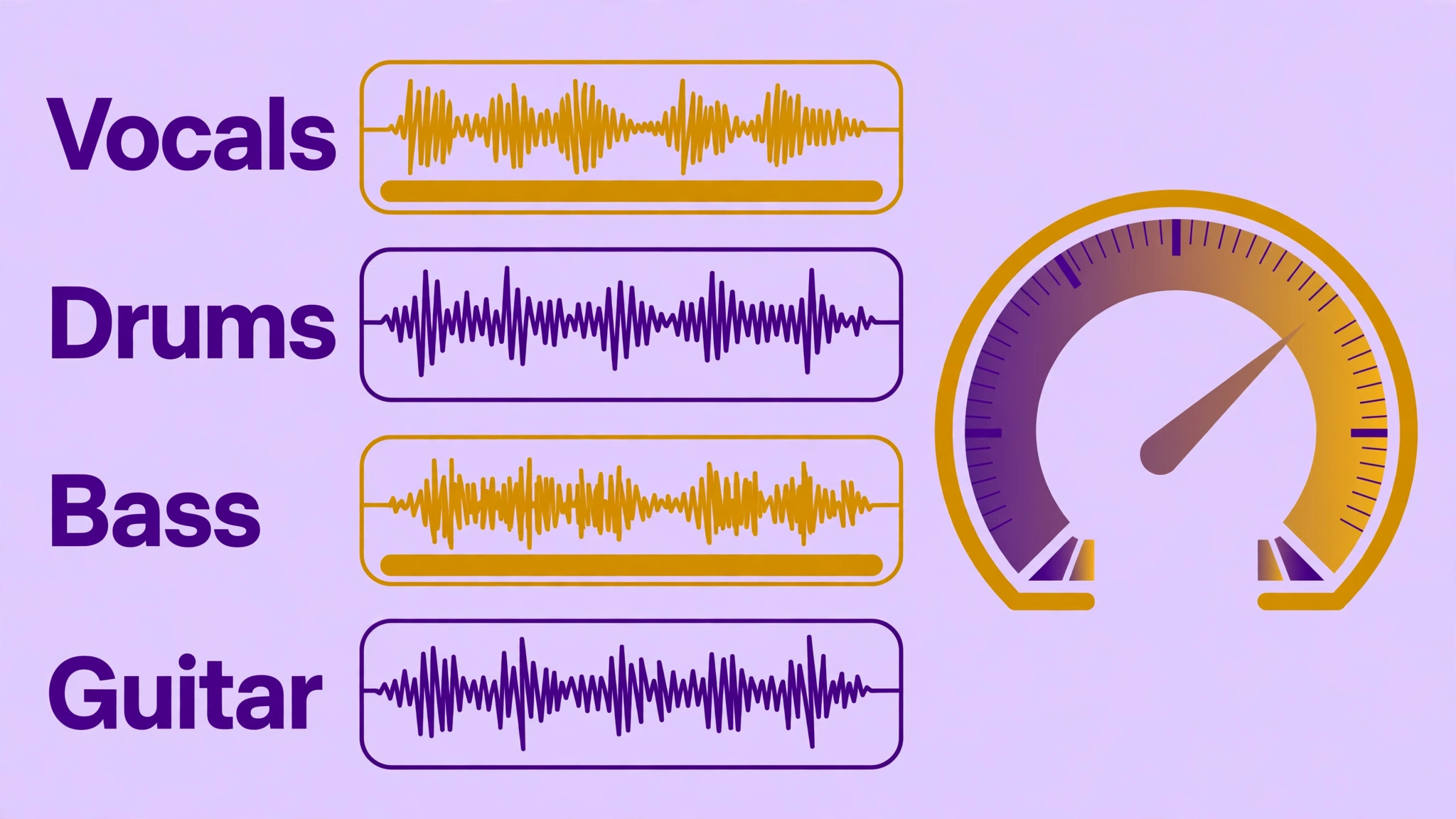
The third problem is the gap between generation and production. A generated song is a stereo file, not a session. You cannot turn down one instrument, fix one lyric, or re-record one bar without the stems, and most generators do not give you stems. That is why the separation and mastering tools in this list matter as much as the generators.
The best ai tools for musicians below are judged on the job each tool does, not on the demo it shows.
The 10 AI Tools for Musicians at a Glance
The table below is the short version. Read it to narrow the list to two or three tools, then read the detail section before you pay for anything. Use it to shortlist the best ai tools for musicians worth testing on your own work.
| Tool | Main job | Best for | Starting paid price |
|---|---|---|---|
| Suno | Full song generation | Songs with vocals | about 10 dollars a month |
| Udio | Full song generation | Experimenting and remixing | about 10 dollars a month |
| AIVA | Orchestral composition | Film and game scores | about 15 dollars a month |
| Soundraw | Royalty free instrumentals | Video and ad music | about 17 dollars a month |
| Mubert | Generative background music | Streams and apps | about 14 dollars a month |
| Boomy | Instant song creation | Beginners and quick releases | about 10 dollars a month |
| LANDR | AI mastering and distribution | Finishing tracks | about 11 dollars a month |
| Moises | Stem separation and practice | Working musicians | about 10 dollars a month |
| LALAL.AI | Stem separation | Cleanest vocal removal | about 15 dollars a month |
| BandLab | Free DAW and release | Releasing on a budget | free |
The table above narrows the field, but the right answer for most readers is a pair of tools, not one. The detail section shows what each tool actually does, what it costs, and where it falls short, so the choice follows the job rather than the marketing.
Best Pick by Job
| Job type | First pick | Second tool | Why this pair works |
|---|---|---|---|
| Full song from a prompt | Suno | Udio | Suno exports finished songs you can release, while Udio currently limits downloads |
| Film and game scoring | AIVA | Soundraw | MIDI and orchestral depth plus royalty free tracks for picture |
| Royalty free background music | Soundraw | Mubert | Mood sliders and unlimited downloads cover video and ad work |
| Practising with real songs | Moises | LALAL.AI | Clean stems plus tempo and pitch control turn any track into a practice room |
| Mastering a finished mix | LANDR | BandLab | One click mastering plus free mastering inside a full release workflow |
| Releasing on a budget | BandLab | Boomy | Free tools from writing to distribution with no upfront cost |
A musician running the best ai tools for musicians as a stack gets further than one running a single generator hard. Suno drafts the song, Moises pulls the stems apart for fixes, and LANDR masters the result. That combination covers the three jobs that decide whether a track is releasable.
Rights change the answer. If you plan to release commercially, pay for a plan that grants commercial use and read the licence before you upload anything. Suno Pro and AIVA Standard both grant it, while free tiers generally do not, and Udio currently blocks downloads on every plan.
How to Judge the Best AI Tools for Musicians
Judge every option on sound quality on your own genre first. The best ai tools for musicians are only as good as they sound in the style you actually make, so generate three tracks in your genre before you trust any demo. A tool that shines on electronic pop may sound thin on acoustic folk.
Next, test stems and editability after generation on your own work. A tool that looks strong on a feature list but stumbles on stems and editability after generation will cost more time than it saves, so run it on a real task before you compare anything else. The test should use your files, your audience and your deadline, not the vendor demo data.
Then weigh commercial rights and licensing against export quality and format options. A tool that wins on commercial rights and licensing but fails on export quality and format options is a bad buy, and a tool that handles both is worth paying for. Check the commercial rights and licensing first, because a failure there shows up in the first week, while a failure on export quality and format options shows up in the first month.
Finally, model the cost across a month of real output. A 10 dollar plan that covers five hundred songs is cheap per track, while a per track mastering fee adds up fast on an album. Count what you actually release, not what you generate, and buy the plan that covers releases with a small margin.

What to Check Before You Pay for a Music AI Tool
Check the free tier on your real work first. A free tier that covers a full week of real tasks tells you more than any demo, and a free tier that runs out in a day tells you the paid plan is the real price. Run the trial on the job you will actually do, not on the sample data the vendor provides.
The 10 AI Tools for Musicians in Detail
1. Suno
Suno turns a text description into a complete song with vocals, instruments and arrangement in under a minute. It covers more styles and vocal ranges than any other generator in this list, which is why it leads the category.
The free tier gives limited daily generations without downloads, while Pro costs about 10 dollars a month and adds commercial use and far more songs. The free tier is fine for testing, but a releasable track needs the paid plan.
Suno fits songwriters and creators who need finished songs fast. The trade off is that you get a stereo file, not stems, so fixes need a separation tool.
Write a song with Suno. Give it a lyric and a style, and listen for whether the vocals and arrangement survive a full play without fixes. If it is close to releasable, ten dollars a month is cheap for a finished song. If every generation still needs stems you cannot get from a stereo file, treat it as a sketchpad and finish the track elsewhere.
2. Udio
Udio generates full songs with strong prompt adherence and section by section remixing, and many listeners rate its production quality slightly above Suno on electronic and pop styles. It is a superb tool for experimenting inside the platform.
The free tier allows limited generations, and Standard costs about 10 dollars a month. The catch in 2026 is that downloads of audio, video and stems are disabled on every plan, so nothing leaves the platform.
Udio fits musicians who want to experiment and remix without releasing. The trade off is total, since a track you cannot export cannot be released or mastered elsewhere.
Judge Udio inside its own walls, because in 2026 nothing leaves the platform. Spend a session remixing a track section by section and see whether the production quality beats what you get elsewhere. If the experimenting is the fun, ten dollars a month buys a good playground. If you need a track you can release or download, walk away now, since no plan in 2026 lets audio out.
3. AIVA
AIVA composes in classical, cinematic and orchestral styles and outputs MIDI and sheet music, which makes it a composition tool rather than a finished audio tool. It is the only tool in this list built for scores that a real orchestra could play.
The free tier covers limited compositions with attribution, and paid plans start at about 15 dollars a month. Full copyright ownership needs the higher tier, so check the plan before using a score commercially.
AIVA fits composers for film, games and trailers. The trade off is that it does not make finished pop songs, so it pairs with a production tool rather than replacing one.
Give AIVA a real cue, a thirty second scene, and ask for the MIDI and sheet music. The test is whether a player could read the score and perform it, and whether the orchestration sounds composed rather than demoed. If the score holds up on paper, the fifteen dollar plan is fair for a composing partner. If the music only works as audio and the notation needs rebuilding by hand, check the higher tier for full copyright first.
4. Soundraw
Soundraw generates royalty free instrumentals you can shape with sliders for genre, mood, energy and tempo. It is built for creators who need a track that fits a video exactly, rather than a song with a mind of its own.
There is no free plan, and the Creator plan costs about 17 dollars a month with unlimited downloads and commercial use. The price is easy to justify for a creator who needs several tracks a month.
Soundraw fits video makers, advertisers and content creators. The trade off is instrumental only, with no vocals, so it never replaces a song generator.
Take a video that needs music to fit a precise length and mood, and shape a Soundraw track with the sliders until it sits under the edit. If the track lands on the cut without a licensing hunt, seventeen dollars a month is fair if you need several tracks a month. If you keep wishing for a vocal, this was never the tool for that job, and no slider will make an instrumental sing.
5. Mubert
Mubert generates endless adaptive music from a text prompt, which suits streams, apps and videos that need hours of background sound without loops. It is the only tool in this list built for music that never repeats.
Free use covers personal listening, and paid plans start at about 14 dollars a month for creators who need commercial use. The per track cost falls to almost nothing on long streams, which is where it beats every other tool here.
Mubert fits streamers and app makers who need continuous music. The trade off is that it makes beds, not songs, so it never carries a melody a listener would hum.
Run Mubert under a stream or a long video for an hour. The music should stay out of the way and never pull attention from the content above it. If an hour passes without a jarring repeat, the fourteen dollar plan is doing what a background bed should do. If you catch yourself noticing the same phrase twice, it has failed at its own job, because noticed background music distracts.
6. Boomy
Boomy builds a full song from a few choices of style and mood, then lets you rearrange it and add vocals. It is the fastest route from zero to a releasable track for someone who has never used a DAW.
The free tier covers a few songs a month, and Pro costs about 10 dollars a month with faster releases and more saves. Distribution through Boomy is included, which removes a separate distributor fee.
Boomy fits beginners and hobbyists who want to release quickly. The trade off is creative depth, since the arrangements follow templates more closely than Suno or Udio.
Start from nothing and try to release a track with Boomy in one sitting, from style choice to vocals. The pitch is speed for someone who has never opened a DAW, so the test is whether the result sounds like a release rather than a template. If you finish the evening with a track you would share, ten dollars a month with distribution is fair. If the arrangements all sound like siblings, you have hit the template ceiling.
7. LANDR
LANDR masters a finished mix with AI that reads the genre and applies EQ, compression and loudness in seconds. It also handles distribution, so a finished track can go to streaming from the same account.
Mastering costs about 10 dollars per track on its own, and Studio subscriptions start at about 11 dollars a month. The subscription wins for anyone mastering more than one track a month.
LANDR fits independent artists who need a releasable master without an engineer. The trade off is that it masters what you give it, so a bad mix comes back as a polished bad mix.
Send LANDR a finished mix and compare the master against your own attempt. The genre aware EQ, compression and loudness should finish the track without flattening it. If the master clearly beats your attempt, the subscription wins once you master more than one track a month, since a single track costs ten dollars on its own. If the master only polishes a mix that was already weak, fix the mix first, because no mastering service rescues a bad recording.
8. Moises
Moises splits a song into vocals, drums, bass, guitar, piano and more, then lets you change tempo and pitch for practice. It turns any track into a practice room, which is why working musicians rate it so highly.
The free tier covers limited processing, and Premium costs about 10 dollars a month with far more minutes. The separation quality on clean modern mixes is strong enough for practice and remixing.
Moises fits musicians who practise, remix or fix real recordings. The trade off is that dense or heavily effected mixes still leave artefacts in the separated stems.
Feed Moises a song you practise with, split out the stems, then slow the tempo and play along. Clean modern mixes should separate well enough to practise against. If a week of practice runs smoother, ten dollars a month is small money. If dense or heavily effected mixes keep leaving artefacts in the stems, keep the free tier for clean tracks and accept that the hard ones still need the original multitrack.
9. LALAL.AI
LALAL.AI separates vocals and instruments with some of the cleanest results in the category, and it sells one time minute packs so you never need a subscription. It is the tool to reach for when one track needs one clean separation.
A free preview shows what the separation will sound like, and paid options start at about 15 dollars a month or a one time pack. The pay once model suits musicians who separate tracks rarely but want the best result.
LALAL.AI fits anyone who needs a single clean stem rather than a monthly tool. The trade off is that it only separates, so it adds nothing to writing or mastering.
Run the free preview on the hardest track you need separated. The preview shows exactly what the paid result will sound like, so never buy blind. If the preview stem is clean, buy the minute pack for that one job and walk away, since a subscription makes no sense for rare use. If the preview still leaves artefacts, no pack size fixes that, and the answer is a different tool rather than more minutes.
10. BandLab
BandLab combines a free browser DAW with AI tools for song ideas, stem splitting and mastering, plus distribution. It is the only tool in this list that covers writing, recording, finishing and releasing without charging anything.
The core tools are free, and Membership costs about 15 dollars a month for extra features and distribution perks. For a musician starting out, the free tier alone covers a full release workflow.
BandLab fits beginners and budget conscious artists. The trade off is that its AI tools are simpler than the specialists, so serious producers outgrow parts of it.
Take one song from idea to release inside BandLab without paying anything, using the browser DAW, the AI tools and the distribution. If the track reaches streaming, the free tier has done something no other tool in this list does. If you keep bumping into the simpler AI tools and wishing for more depth, pay for Membership only when the distribution perks matter, and keep a specialist beside it.
A Song Workflow From Idea to Release
The order matters. Generate first, separate and fix second, master third, and release last. A tool used out of order creates rework, so run the steps in sequence. The best ai tools for musicians that fit your work are the ones that survive this order.
| Step | Job | Best tool | What good looks like |
|---|---|---|---|
| 1 | Draft the song | Suno | A full arrangement to react to, not a blank session |
| 2 | Fix the arrangement | Moises | Stems separated so one part can change without touching the rest |
| 3 | Add a score or bed | Soundraw | Royalty free backing that fits the mood and tempo |
| 4 | Record real parts | BandLab | Vocals and instruments layered over the generated base |
| 5 | Master the mix | LANDR | Loudness and polish matched to streaming standards |
| 6 | Release and distribute | BandLab | Distribution without a separate distributor fee |
Run the workflow on one song before you commit to it. Draft, separate, fix, master and release a single track, and time each step. The workflow that finishes a song in an evening will finish an EP in a month. The workflow that takes a week per song will kill the EP before it starts.
What a Music Stack Costs at Real Volume
Prices below use annual billing where it is cheaper, and they assume one musician releasing a few tracks a month. Mastering fees are per track unless a subscription covers them. The best ai tools for musicians below are priced at real volume, not at headline rates.
| User type | Volume | Tool stack | Monthly cost |
|---|---|---|---|
| Hobbyist, testing ideas | 5 songs a month | Suno free plus BandLab free | 0 dollars |
| Indie artist, one single a month | 1 release a month | Suno Pro plus LANDR Studio | About 21 dollars |
| Content creator, weekly beds | 4 tracks a month | Soundraw Creator | About 17 dollars |
| Producer, stems and practice | 10 sessions a month | Moises Premium plus LALAL.AI packs | About 25 dollars |
| Scoring for video and games | 2 scores a month | AIVA Standard plus Soundraw | About 32 dollars |
Do not pay for anything until a song is ready to leave the studio. Learning, writing and demoing cost nothing on the free tools, and a hobbyist can finish songs there. The one bill that matters is the release itself, because commercial rights and mastering decide whether a track can go out, so spend only where a licence or a loudness standard is on the line.

Three Musicians Setups That Actually Work
A single tool rarely covers the whole job, and the setups below are the pairs that readers actually run. Each one costs less than a single enterprise platform, and each one is easier to learn than a tool that tries to do everything.
Setup 1 fits full song from a prompt. Suno does the heavy work, and Udio covers the gap it leaves. Suno exports finished songs you can release, while Udio currently limits downloads. Run this setup for a month before you add anything else, because most readers never need a third tool, and the money saved is better spent on the work itself.
Setup 2 fits film and game scoring. AIVA does the heavy work, and Soundraw covers the gap it leaves. MIDI and orchestral depth plus royalty free tracks for picture. Run this setup for a month before you add anything else, because most readers never need a third tool, and the money saved is better spent on the work itself.
Setup 3 fits royalty free background music. Soundraw does the heavy work, and Mubert covers the gap it leaves. Mood sliders and unlimited downloads cover video and ad work. Run this setup for a month before you add anything else, because most readers never need a third tool, and the money saved is better spent on the work itself.
The common thread across all three setups is the same. Buy the pair that matches the job you do most often, learn it properly, and add a third tool only when a real gap appears. A stack that grows with the work beats a stack bought all at once.
Mistakes to Avoid With Music AI
The best ai tools for musicians fail in the same few ways, and each mistake below costs time or money. Avoid them and the stack works.
Releasing a free tier track commercially. Free plans rarely grant commercial use, and some block downloads entirely. Check the licence on the plan you actually used to make the track, not the plan you plan to buy later. A release made on the wrong tier is a takedown waiting to happen.
Accepting the first generation as finished. The first generation is a draft, not a song. Generate five versions, pick the best arrangement, then fix the weak bar with stems or a re-record. The musicians who ship good AI assisted tracks are the ones who edit hardest after generation.
Mixing on headphones only. A track that sounds good on headphones can fall apart on speakers, in a car, and on a phone. Check every master on three systems before release, and use the mastering tool loudness readout rather than your ears alone.
Ignoring the licence on samples and stems. A separated stem from a copyrighted song is still that song, and a generated track that imitates an artist too closely is still a risk. Keep your source material clean, and read the terms on every tool that touches a commercial release.
First Week Setup Checklist for Musicians
Use this checklist when you set up your stack, and keep a copy with your project notes. It turns the best ai tools for musicians into a working setup in a week.
- Pick one genre and generate three tracks on Suno to learn its range.
- Test Moises on a song you know well and check the stem quality.
- Read the commercial licence on every plan you use before releasing anything.
- Master one finished mix on LANDR and compare it with your own master.
- Build a Soundraw playlist of ten backing tracks for video and ad work.
- Record one vocal over a generated bed in BandLab to test the workflow.
- Export one track in the highest quality format your plan allows.
- Release one single end to end before you plan an EP or album.
Related Guides
Keep exploring with these guides on Stratilyze:
- Best AI Music Generators for Filmmakers (15 Tools)
- Best AI Music Generators for Podcasters (8 Tools)
- Best AI Transcription Tools for Podcasters (15 Tools)
Frequently Asked Questions
Which AI music tool is best for a singer songwriter?
Suno is the best pick for a singer songwriter, because it generates full songs with vocals from a text prompt in under a minute, and the Pro plan at about 10 dollars a month grants commercial use. Pair it with Moises for stem separation when a lyric or instrument needs fixing, and LANDR for mastering before release.
Can I release AI generated music on streaming platforms?
Yes, on a paid plan that grants commercial use. Suno Pro, AIVA Standard and Soundraw paid plans all grant it, while free tiers generally do not. Read the licence on the exact plan you used, and check the distributor rules on your release platform before you upload.
Is Suno or Udio better for musicians in 2026?
Suno is better for most musicians in 2026, because it still exports finished songs you can release, while Udio has disabled downloads of audio, video and stems on every plan since its label settlement. Udio remains strong for experimenting and remixing inside the platform, but a track you cannot export cannot be released.
What is the cheapest way to master tracks with AI?
LANDR Studio from about 11 dollars a month is the cheapest reliable route, with per track mastering from about 10 dollars if you only need one song. BandLab also offers free AI mastering inside its release workflow, which is enough for demos and early releases.
Can AI separate vocals from a finished song cleanly?
Yes, for most modern mixes. Moises and LALAL.AI both separate vocals, drums, bass and instruments with results good enough for practice and remixing, though dense mixes and heavy effects still leave artefacts. Test both on your own tracks, since separation quality varies by genre.
Do I still need a DAW if I use AI music tools?
Yes, for anything beyond a quick draft. AI tools generate and polish, but a DAW is where you arrange, record real parts, and fix the details a generator cannot reach. BandLab includes a free DAW in the browser, which is enough to start, and most musicians graduate to a full desktop DAW as their work grows.
Our Call for Musicians, and When the Runner-Up Wins
Our call is Suno for most musicians, because it turns an idea into a finished song faster than anything else in this list, and the Pro plan grants the commercial rights that make the result releasable. Pair it with Moises for fixes and LANDR for mastering, and the stack covers the whole job from prompt to release. That is what the best ai tools for musicians are for, a stack that ships rather than a list that impresses.
The runner-up is AIVA, and it wins when the job is scoring rather than songwriting. If you write for film, games or trailers and need MIDI, orchestral depth and sheet music, AIVA gives you compositional control that a song generator cannot. Start there when the score is the product.