

The mistake was not the audit, it was the evidence. A small business faced an audit, and the evidence was in three inboxes, a shared drive, and a laptop that had left the company. That is the failure this search for the best audit management software for small businesses is built to prevent, and my pick is LogicGate Risk Cloud, because it starts near $12 a user a month, reported, and it treats evidence as the job.
The Evidence Request That Took Three Weeks
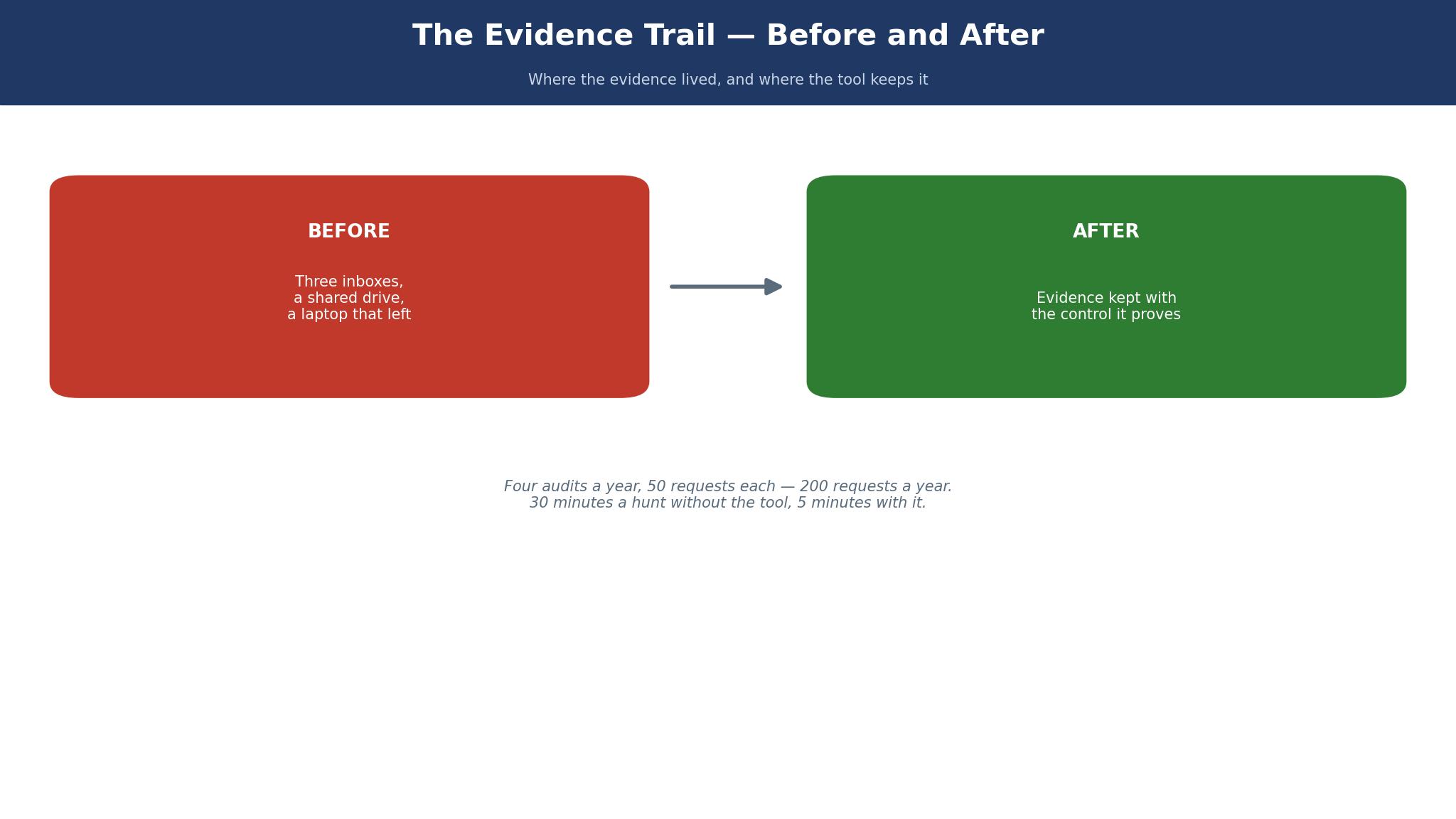
The auditor asked for evidence, and the request took three weeks. Not because the evidence did not exist, but because nobody knew where it lived. One piece was in an inbox, one was in a shared drive with the wrong name, and one was on a laptop that had left the company. The audit did not fail, it just took three weeks longer than it should have, and the team spent those weeks hunting instead of working.
LogicGate handles this by keeping the evidence with the control it proves, so the request pulls the file instead of starting a hunt. Hyperproof and Drata do the same with automation, collecting the evidence as the controls run. The tools that fail here are the ones that store the audit plan in one place and the evidence in another, because the gap between them is where the three weeks go.
Here is the worked example. A small team that runs four audits a year, each with 50 evidence requests, handles 200 requests a year. If each request takes 30 minutes to hunt down, that is 100 hours a year. If the tool cuts that to 5 minutes per request, the team saves about 83 hours a year, which is two working weeks. The evidence request is not paperwork, it is a time bill..
Anyone weighing best audit management software for small businesses should test LogicGate Risk Cloud on the exact job above, because the test shows the difference faster than any feature list.
The 10 Tools at a Glance
The table below lines up the ten tools by the question that matters, which is whether a small team can run an audit without hiring an audit department. Prices are the published and reported figures checked in November 2026, with AuditBoard reported near $30,000 a year and Drata reported near $15,000 a year, both far above a small-business budget.
| Tool | Starting price | Best for |
|---|---|---|
| LogicGate Risk Cloud | from about $12 per user a month, reported | small teams that want per-user pricing |
| Hyperproof | from about $12,000 a year, reported | teams chasing SOC 2 and ISO 27001 |
| Vanta | quote only, reported from about $15,000 a year | startups that need SOC 2 fast |
| Drata | quote only, reported Foundation near $15,000 a year | fast-growing teams that need compliance automation |
| AuditBoard | quote only, reported from about $30,000 a year | enterprise internal audit teams |
| Secureframe | quote only, reported from about $10,000 a year | small teams that want guided compliance |
| Sprinto | from about $7,500 a year, reported | small teams that want published pricing |
| Strike Graph | quote only, reported from about $8,000 a year | small teams that want a light audit tool |
| Thoropass | quote only | teams that want compliance plus audit help |
| Onspring | quote only | teams that want a flexible GRC platform |
How to Choose the Best Audit Management Software for Small Businesses
Start with the audit you actually face, because SOC 2, ISO 27001, and an internal audit are three different jobs. A team chasing SOC 2 needs automation and integrations, while a team running internal audits needs workflow and evidence tracking. LogicGate fits the internal audit job, Hyperproof and Drata fit the SOC 2 job, and buying the wrong one is buying the wrong audit.
Then count the real year-one cost, including the auditor fee. Drata Foundation is reported near $15,000 a year, and the auditor fee is separate, often $8,000 to $25,000. A small business that budgets $15,000 and then meets a $15,000 auditor fee has doubled its budget. Ask for the auditor fee in writing before you buy the platform.
Finally, check the evidence workflow. Ask the vendor to show a control, the evidence that proves it, and the auditor view, in one screen. If the demo needs three screens and a spreadsheet, the tool will need the same three screens on every audit you ever run..
Best Pick by Job
The table below matches each job to its pick, and LogicGate Risk Cloud leads the list for the most common job in this guide.
| Job | Pick | Why |
|---|---|---|
| A small team on a budget | LogicGate Risk Cloud | from $12 a user a month, reported |
| A team chasing SOC 2 | Hyperproof | automation from about $12,000 a year |
| A startup that needs SOC 2 fast | Vanta | strong automation, quote only |
| A team that wants published pricing | Sprinto | from about $7,500 a year, reported |
| An enterprise audit team | AuditBoard | deep modules, from $30,000 a year |
The 10 Tools in Detail
The ten tools below are ranked by the audit they fit, from a small team chasing SOC 2 to one running internal audits, and the best audit management software for small businesses order puts evidence handling first, not the biggest brand.
1. LogicGate Risk Cloud
LogicGate Risk Cloud costs from about $12 per user a month, reported, and it is built for small teams that want per-user pricing. Time the first risk tasks in LogicGate Risk Cloud at about $12 per user a month: if the daily work gets slower, a small team will quietly abandon it by the second month.
What stands out is No-code workflows, evidence tracking and risk registers sit in one flexible system at a price a small team can pay. A buyer who tests LogicGate Risk Cloud on a real job will see the difference in the first week, because the feature of LogicGate Risk Cloud shows up in the work rather than in the brochure.
The trade-off is The flexibility needs setup, and a team without a clear process will build a messy one. That is the price of the low cost of LogicGate Risk Cloud, and a LogicGate Risk Cloud buyer who accepts it knowingly will be happy, while a buyer who discovers it later will not.
Picture a small team on ten audit sessions a week in LogicGate Risk Cloud, each 20 minutes shorter. That is 200 minutes a week with LogicGate Risk Cloud, or more than 13 hours a month, which is most of two working days. Two hundred minutes a week back is the payoff the $12 plan has to clear.
For a buyer whose work matches small teams that want per-user pricing, LogicGate Risk Cloud is worth a trial. The price of LogicGate Risk Cloud is from about $12 per user a month, reported, the core job is solid, and the trial will show whether the limit matters to your work.
2. Hyperproof
Hyperproof is the teams chasing SOC 2 and ISO 27001 option in this list, at from about $12,000 a year, reported. Hyperproof is built for teams chasing SOC 2 and ISO 27001, and a new user can complete a first real task on day one even at its roughly $12,000 a year entry point.
The best part is Control monitoring and evidence collection are automated, and the audit prep time falls fast. Hyperproof’s automated control monitoring and evidence collection cut audit prep time fast, and that daily saving builds into real hours across a month.
The catch is The price is high for a very small team, and the entry tier is still a serious commitment. Try the Hyperproof trial early, since its entry tier is a serious commitment for a very small team; a limit found in week one is a small fix, while one found in month three means a migration.
Work a small example with Hyperproof. With Hyperproof, half an hour saved each working day comes to 150 minutes a week, which is 10 hours a month a small audit team can spend on the audit itself. At $25 an hour, that is $250 a month with Hyperproof, which is more than the subscription for most teams in this list.
Hyperproof earns its place for teams chasing SOC 2 and ISO 27001. At from about $12,000 a year, reported Hyperproof is fair value, and the trial is the right way to test Hyperproof, because a week of real work says more than any review.
3. Vanta
At quote only, reported from about $15,000 a year, Vanta suits startups that need SOC 2 fast. Vanta’s screens are clear and its main features sit close at hand, so a startup chasing SOC 2 fast can get moving without hunting through menus.
Here Vanta shines, because Automation and integrations are strong, and the path to a first SOC 2 is well worn. Vanta earns its place through strong automation and integrations and a well-worn path to a first SOC 2, so test it before settling on a rival.
The shortfall is The price is quote only, and the renewal can rise with extra frameworks. Vanta’s quote-only price and renewals that rise with extra frameworks are a reason to test the exact SOC 2 job that strains it before paying, not a reason to drop it.
Here is a worked example for Vanta. On Vanta, ten audit jobs a week at 15 minutes faster each comes to 150 minutes a week, which is about 10 hours a month. That is a day and a quarter of work Vanta saves, which is worth more than a day of labour for a startup racing toward SOC 2.
If your work is startups that need SOC 2 fast, put Vanta on the shortlist at quote only, reported from about $15,000 a year. Run one SOC 2 control through Vanta’s automation first, then probe where it strains before deciding.
4. Drata
Drata at quote only, reported Foundation near $15,000 a year is aimed at fast-growing teams that need compliance automation. Drata keeps evidence fresh with continuous control monitoring and more than 90 integrations, so a busy team stops chasing screenshots and spreadsheets.
The clear win is Continuous control monitoring and 90-plus integrations keep the evidence fresh without manual chasing. Drata’s benefit shows the first time evidence updates itself through continuous monitoring, which no sales call can demonstrate as clearly as live controls can.
The limit is The price is far above a small-business audit budget, and the auditor fee is separate. Drata’s price sits far above a small-business audit budget and the auditor fee is separate, so weigh the total bill before assuming the automation pays for itself.
- Drata fits a fast-growing team that wants compliance automation running without a long implementation project first.
- Give Drata one real audit job during the trial, and weigh the Foundation price after.
- A buyer who ranks price above depth takes Drata’s deal, though Foundation near $15,000 a year is no small-business bargain.
5. AuditBoard
For enterprise internal audit teams, AuditBoard at quote only, reported from about $30,000 a year is a solid choice. AuditBoard’s audit, risk and compliance modules run deep, and an enterprise internal audit team can settle into the daily work quickly despite the roughly $30,000 a year starting point.
The strength is The audit, risk and compliance modules are deep, and the platform is trusted by large companies. For AuditBoard the deciding work is the daily audit, risk and compliance routine, and a platform trusted by large companies earns its price there, so test it on the job you run most often.
Ten audit sessions a week in AuditBoard, each 20 minutes shorter, is how an enterprise team should picture the gain. A month of AuditBoard use at that rate returns more than 13 hours, most of two working days an enterprise audit team gets back from manual tracking. Two working days back a month is what AuditBoard buys an enterprise team.
Would this suit a small team?
Yes, the setup is short enough for a small team to start AuditBoard without a project plan, even though the price is enterprise-level rather than low.
What should I test first?
Run a real internal audit task in AuditBoard first, then push it to its edge, since the limit is where even a premium platform shows its weakness.
6. Secureframe
Secureframe costs quote only, reported from about $10,000 a year, and it is built for small teams that want guided compliance. Run the first SOC 2 controls through Secureframe and watch the clock: if the guided setup does not make evidence collection faster, a small team will leave it by month two.
What stands out is The guided setup walks a small team through SOC 2, and the evidence collection is simple. Put a real SOC 2 control set through Secureframe and the guided setup shows its worth: the evidence collection is simple enough that a small team sees the difference in the first week.
If your work is small teams that want guided compliance, put Secureframe on the shortlist at quote only, reported from about $10,000 a year. Walk one real SOC 2 control set through Secureframe first, then test its edge before choosing.
7. Sprinto
Sprinto is the small teams that want published pricing option in this list, at from about $7,500 a year, reported. Sprinto publishes its price for up to 100 employees, covers the common frameworks with automation, and a new user can finish a first real task on day one from about $7,500 a year.
The best part is It publishes a price for up to 100 employees, and the automation covers the common frameworks. Sprinto’s published pricing and framework automation give a small team the same daily time back, without a quote process slowing the decision down.
For a buyer whose work matches small teams that want published pricing, Sprinto is worth a trial. The price of Sprinto is from about $7,500 a year, reported, the core job is solid, and the trial will show whether the limit matters to your work.
8. Strike Graph
At quote only, reported from about $8,000 a year, Strike Graph suits small teams that want a light audit tool. Strike Graph’s screens are plain and its main features easy to find, which fits a small team that wants a light audit tool at roughly $8,000 a year.
Here Strike Graph shines, because The risk assessment and evidence tools are light and fast, and the setup is quick. That is the reason Strike Graph sits in this list, and it is the reason a buyer should test it before choosing a rival.
Strike Graph earns its place for small teams that want a light audit tool. At quote only, reported from about $8,000 a year Strike Graph is fair value, and the trial is the right way to test Strike Graph, because a week of real work says more than any review.
9. Thoropass
Thoropass at quote only is aimed at teams that want compliance plus audit help. Thoropass pairs compliance automation with audit help, so a team that wants a hand through the audit itself gets both in one place.
The clear win is It pairs the platform with human help, so a small team is not left alone with the framework. Thoropass makes its case the first time compliance work and audit help sit side by side in one place, which no sales call can show as plainly.
If your work is teams that want compliance plus audit help, put Thoropass on the shortlist at quote only. Put one real framework beside Thoropass’s human audit help first, then test its edge before choosing.
10. Onspring
For teams that want a flexible GRC platform, Onspring at quote only is a solid choice. Onspring’s flexible workflows let audit, risk and vendor work share one system, and a team that shapes the platform to its own process keeps using it after the first week.
The strength is The workflows are flexible, and the audit, risk and vendor tools share one system. For Onspring the same daily test applies to the flexible workflows a team shapes itself, since a GRC platform that fits the team’s own process is one that stays.
For a buyer whose work matches teams that want a flexible GRC platform, Onspring is worth a trial. Onspring’s price comes by quote, the flexible GRC core is sound, and only a trial shows whether its limits touch the work your team actually does.
LogicGate Risk Cloud vs Hyperproof
LogicGate wins the small-business round. It starts near $12 a user a month, reported, and a five-person team pays about $60 a month, or $720 a year. The no-code workflows fit a team that knows its process and wants the tool to follow it, rather than the other way round.
Hyperproof wins the SOC 2 round. It starts near $12,000 a year, reported, and the automation collects evidence as the controls run, which cuts audit prep time fast. The trade-off is price, because $12,000 a year is a serious commitment for a small team, and the entry tier is still the cheapest way in.
What I would do is pick LogicGate for a small business running internal audits, and Hyperproof for a team whose first job is SOC 2. The trade-off is price against automation, and a team that buys SOC 2 automation for an internal audit has bought a faster way to do the wrong job..
That is why the best audit management software for small businesses decision comes down to LogicGate Risk Cloud for most buyers, with the runner-up winning only when its strength matches the job.
The Control Test Nobody Ran
A control that nobody tests is a control that does not exist, and the audit finds that out at the worst moment. The policy says the backup runs nightly, the access review happens monthly, and the vendor is checked yearly, but nobody checked whether any of it actually happened. The tool that catches this is the one that tests the control, not the one that stores the policy.
LogicGate and Hyperproof both handle this by tying the control to a test and a due date, so a missed test is visible before the auditor arrives. The tools that fail are the ones that store the policy as a document and never ask whether the work happened. A document is not a control, and an auditor knows the difference.
Work the numbers on a missed test. A team with 40 controls, each tested quarterly, runs 160 tests a year. If 10 percent of them are missed, that is 16 missed tests, and each one is a finding in the audit report. A tool that flags a missed test in the week it is due turns 16 findings into 16 reminders, which is a very different audit..
A buyer comparing best audit management software for small businesses should ask LogicGate Risk Cloud this question on the demo, because the answer reveals how the tool handles real work.

Can I Switch to LogicGate Risk Cloud Without Losing My Work?
Switching to LogicGate Risk Cloud is safe if the move is planned like a move, not like a leap, and the first step is to export everything from the old tool before the new trial starts. Pull every risk record out of the old system, check the export inside LogicGate Risk Cloud, and cancel the old subscription only once the files check out.
The second step is to run LogicGate Risk Cloud on one live job, not on a demo, and to keep the old tool running beside it for a week. If the live job works on LogicGate Risk Cloud, move the next job, and if it does not, the old tool is still there. A switch to LogicGate Risk Cloud that moves one job at a time is a switch that cannot fail all at once.
What Should I Test Before I Pay for LogicGate Risk Cloud?
Open one real audit in LogicGate Risk Cloud with evidence attached, because flexibility earns its fee only when daily work runs through it. Use a real job on LogicGate Risk Cloud, with real data, and time how long it takes from start to finish, then compare that time with the old tool. A test of LogicGate Risk Cloud on a demo account hides the problems that a real job reveals.
Then test the limit of LogicGate Risk Cloud, because every tool in this guide has one, and the limit is where a buyer gets surprised. Run the exact job that hits the limit on LogicGate Risk Cloud, check whether the workaround is acceptable, and ask the vendor what the limit costs to remove. A limit of LogicGate Risk Cloud tested in week one is a small problem.
How Much Will LogicGate Risk Cloud Cost in Year Two?
Year two is where the price of LogicGate Risk Cloud shows its true shape, because the first-year discount, the onboarding fee, and the introductory rate are all gone. Get LogicGate Risk Cloud’s renewal in writing, ask whether the $12 per user a month rate rises as the team grows, and check which add-ons sit inside the base plan and which are charged on top.
A buyer who budgets year two of LogicGate Risk Cloud at the year-one price will be surprised, and a buyer who asks for the renewal of LogicGate Risk Cloud in writing will not. Ask the vendor for the year-two invoice of LogicGate Risk Cloud in advance, compare it with the year-one total, and only then decide whether LogicGate Risk Cloud is the right long-term choice.
Frequently Asked Questions
These answers cover the questions buyers ask most often about best audit management software for small businesses, and the numbers above are the ones to check on the vendor page before buying.
Can I run an audit with a small team and no audit department?
Yes, if the tool keeps the plan, the controls and the evidence in one place. LogicGate fits a small team at about $12 a user a month, reported, while Hyperproof and Drata suit teams chasing SOC 2. A small team should avoid AuditBoard, because its price starts near $30,000 a year reported.
How much does audit management software cost a small business?
LogicGate starts near $12 a user a month, reported, so five users cost about $720 a year. Hyperproof starts near $12,000 a year, Drata Foundation near $15,000 a year, and AuditBoard near $30,000 a year, all reported. The auditor fee is separate, often $8,000 to $25,000.
Does audit software replace the auditor?
No. The software collects the evidence and tracks the controls, but the auditor still gives the opinion. A tool that claims to replace the auditor is selling a shortcut, and the shortcut is where the audit fails.
What happens to my evidence if I leave the tool?
Ask before you sign. The major tools export evidence and audit records, but the format varies. Test an export of one audit during the trial, so the exit route is proven before the entry is paid for.
Which tool is best for SOC 2?
Hyperproof and Drata are the strongest for SOC 2 in this list, with automation that collects evidence as controls run. Vanta is close behind. A small team should check the price first, because all three cost $10,000 a year or more, reported.
How long does it take to get audit-ready?
A small team can be ready in six to eight weeks on a light tool, with the controls loaded and the first evidence collected. SOC 2 takes longer, usually three to six months, because the controls have to run and the evidence has to accumulate before the auditor arrives.
The Audit Mistake to Stop Making First
LogicGate Risk Cloud is the pick. It starts near $12 a user a month, reported, it treats evidence as the job, and a five-person team pays about $720 a year. It is the only tool in this list whose price fits a small business without a negotiation, and it is the one that stops the three-week evidence hunt.
Hyperproof is the runner-up for a team chasing SOC 2, and Sprinto is the pick for a team that wants published pricing near $7,500 a year. AuditBoard and Drata are real tools, and they are both too expensive for a small business, at about $30,000 and $15,000 a year reported. Buying them for a small audit is buying an enterprise tool for a small job.
What I would do is start on LogicGate, load the ten controls that matter most, and run one audit end to end on it. If the evidence request that took three weeks takes three days, the tool has paid for itself. The mistake to stop making first is storing evidence in inboxes, and any tool that ends that habit is worth its price..
That is the short version of this whole best audit management software for small businesses comparison, and LogicGate Risk Cloud is the name to remember from it.
One More Thing to Check Before You Buy LogicGate Risk Cloud
One more check before buying LogicGate Risk Cloud is the support, because a tool is only as good as the help behind it when something goes wrong. During the LogicGate trial, send support a real question about a risk workflow, time the reply and check whether the answer solves the problem or only points at a help page. A support team for LogicGate Risk Cloud that answers in hours is worth more than a feature that looks good on paper.
Another check on LogicGate Risk Cloud is the exit, because every buyer leaves a tool one day, and the exit should be planned before the entry. Export a sample of your work from LogicGate Risk Cloud during the trial, open it outside the tool, and check whether it is usable. An export from LogicGate Risk Cloud that works is a safety net, and an export that fails is a warning.