
Dance studios lose money in small, quiet ways. A parent forgets to pay tuition on time. A class fills, a waitlist sits on paper, and a free spot stays empty. A teacher covers a class without knowing who paid, who is on trial, and who needs a makeup session. None of these problems feels dramatic on its own, yet together they eat the hours a studio owner should spend on teaching, hiring, and growth. That is why the best booking software for dance studios matters far more than a simple calendar page.
Industry guides put the dance studio software market at about 2.58 billion dollars in 2023, with growth expected toward 5.62 billion dollars by 2030. Those figures describe a whole market, not a promise for one studio, but they explain why so many vendors now chase this niche. More choice is good, but it also means more sales pages that look alike. The job of this guide is to separate the platforms built around terms, levels, recitals, and parent billing from the general booking tools that only handle a timetable.
This guide compares fourteen tools across class booking, tuition billing, parent communication, recital work, and reporting. Prices come from vendor pages and recent published comparisons, and they change often, so check the vendor pricing page before you sign. Test each shortlisted tool with your real timetable, including a full class, a waitlist, a sibling discount, and a makeup booking, because those four cases reveal more than any demo.
Why the Best Booking Software for Dance Studios Pays for Itself
A dance studio is not a gym. Students enroll by level, move through terms, and often stay for years. Parents pay, children attend, and teachers track progress. A general fitness booking tool can sell a class pass, but it often struggles with term enrollment, sibling pricing, costume fees, and recital ticketing. Dance built tools handle those jobs as core features, not as workarounds.
The financial case is simple. Automated tuition billing with reminders and autopay reduces late payments and chasing. Online registration lets parents enroll at midnight without a phone call. Waitlists that fill automatically protect revenue when a student cancels. Attendance tracking shows which classes are truly full and which ones only look busy on paper. A studio that fixes those four leaks often covers the monthly software cost from recovered tuition alone.
The 14 Tools at a Glance
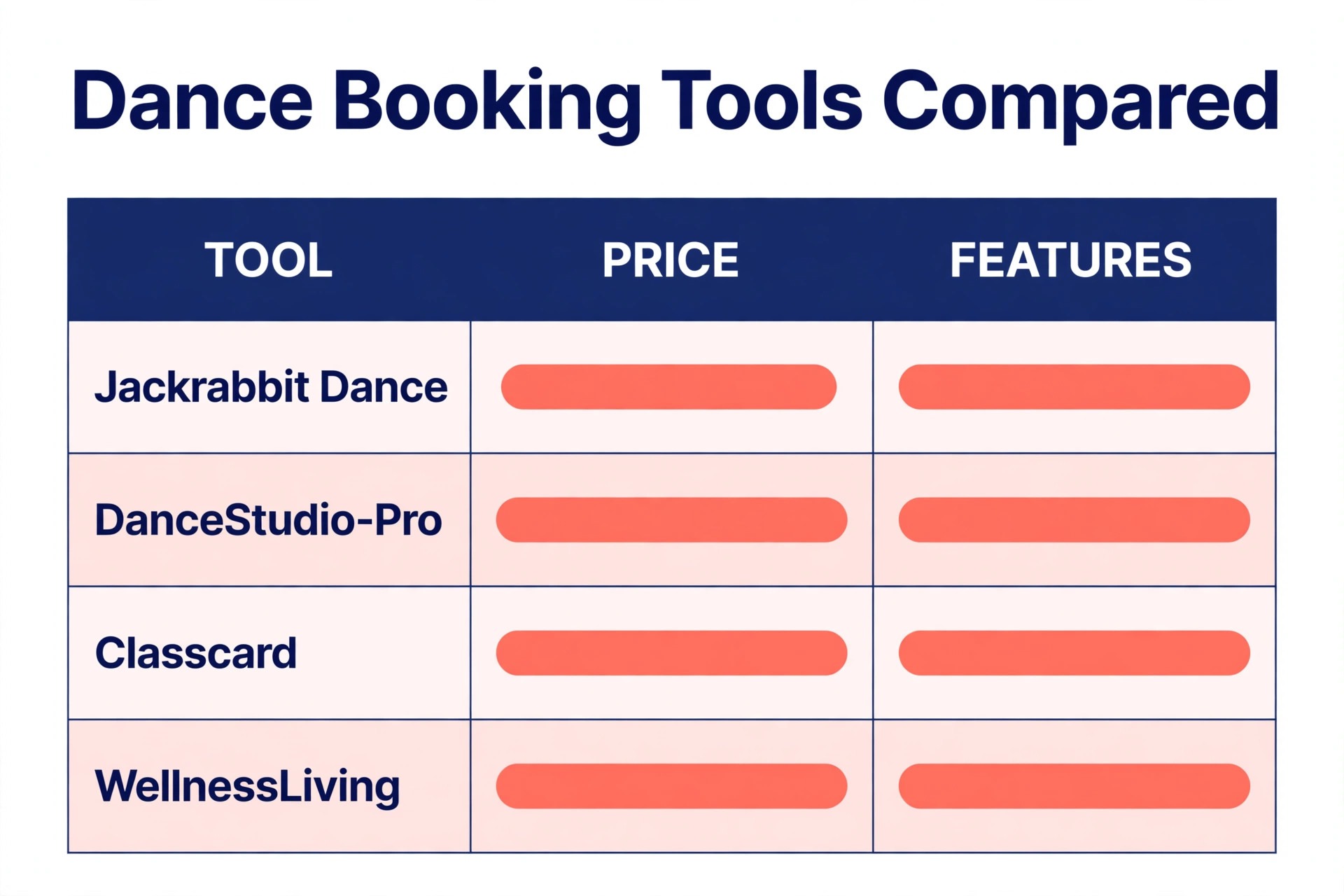
Use this table to shortlist three tools, then read only those full sections in detail. Price notes are starting points from published sources, and the vendor pricing page is the final word.
| Tool | Main job | Starting point | Watch out for |
|---|---|---|---|
| Jackrabbit Dance | Term enrollment and recital work | From 49 dollars a month | Price rises with student count |
| DanceStudio-Pro | Flat rate dance all rounder | From 30 dollars a month | Interface feels older |
| Classcard | Academy model terms and levels | From 99 dollars a month | Higher entry price |
| WellnessLiving | Broad wellness booking | From 69 dollars a month | Entry tier covers one staff member |
| Mindbody | Large platform with marketplace | From 79 dollars a month per location | Higher tiers are quote only |
| Gymdesk | Whole operation in one place | From 75 dollars a month | Website builder is basic |
| Vagaro | Booking first with a large user base | Check the vendor pricing page | Priced per staff member |
| Studio Director | Recital and ticket driven work | From 65 dollars a month | Fewer third party integrations |
| My Best Studio | Flat predictable pricing | From 55 dollars a month | Smaller vendor |
| StudioBookings | Low cost booking for small studios | From 25 dollars a month | Plainer design |
| Class Manager | Low cost class management | From 38 dollars a month | Free tier limits apply |
| Wellyx | Automated check in and retention | From 99 dollars a month | Price rises steeply by tier |
| Sawyer | Class discovery and booking | Commission based | Commission on bookings |
| Spark Membership | Fast setup for new studios | From about 199 dollars a month | Locked to its payment processor |
A studio owner comparing the best booking software for dance studios should price the whole year, not the first month. Add card processing, text message costs, a branded app if you want one, and any per student or per staff charge. A tool that looks cheap at entry level can become the most expensive option once your roster grows past its first tier.
Best Pick by Job
Shortlisting the best booking software for dance studios by studio type keeps the choice practical, because a tool that fits a class based school may frustrate a private lesson teacher.
| Studio type | First pick | Second tool | Why this pair works |
|---|---|---|---|
| Class based studios | Jackrabbit Dance | Classcard | Term structure plus level progression |
| Private lesson studios | StudioBookings | Vagaro | Simple booking plus easy client payments |
| Multi location studios | Mindbody | WellnessLiving | Per location control plus broad booking depth |
Class based studios live or die on term structure. Jackrabbit Dance handles enrollment, sibling discounts, and recital work in one flow, while Classcard adds a clear academy model with levels and progress tracking. A class based studio that runs both a trial pipeline and a term roster will feel the difference in the first enrollment season.
Private lesson studios need a different strength. Booking must be fast, rescheduling must be painless, and payment must be simple for one student at a time. StudioBookings covers that at a low entry price, and Vagaro adds a polished booking experience and a large audience of people already searching for classes. Neither tool forces a term model onto a business built around single lessons.
Multi location studios need control across sites without losing local detail. Mindbody gives per location pricing and marketplace discovery, while WellnessLiving gives broad booking, livestream, and loyalty tools at published tiers. The right choice depends on whether discovery or day to day booking depth matters more for your next location.
The 14 Tools in Detail
Each section below judges the tool on dance specific jobs, not only on booking speed, so you can see where the best booking software for dance studios earns its price and where it does not.

1. Jackrabbit Dance
Jackrabbit Dance is the long established dance specialist in this list, and its depth shows in recital season. Online registration, automated tuition billing with sibling discounts, costume management, class scheduling, attendance tracking, and a parent portal cover the full enrollment cycle. QuickBooks integration helps at tax time, when a studio needs clean tuition records rather than a pile of spreadsheets.
Pricing starts at 49 dollars a month based on student count, with Jackrabbit Plus from 93 dollars a month plus a one time setup fee of 169 dollars, and an enterprise tier from 245 dollars a month with a custom branded app. That student count model is kind to small studios and harder on growing ones, so model the price at your roster size in twelve months, not today. A studio with strong recital and costume work will get more value here than a studio that only needs a timetable.

The main weakness is breadth outside dance. Jackrabbit Dance does not try to be a general customer system, so a studio that also runs fitness classes, camps, and retail may need extra tools. For a pure dance school, that focus is a strength, because every feature maps to a real dance job, from trial classes to costume sizing to recital fees.
2. DanceStudio-Pro
DanceStudio-Pro charges a flat monthly rate regardless of student count, which makes budgeting simple for a growing studio. Features include online registration, a parent portal, class scheduling, tuition and payment tracking, event ticketing, and text and email reminders. It was built by studio owners, and that background shows in the recital tools and the practical way enrollment is handled.
Pricing starts at 30 dollars a month for unlimited students in published comparisons, with a higher premier tier that adds studio chat and Zapier connections. Check the vendor pricing page for the current premier price, because published figures differ across guides. The flat model is the selling point. A studio that doubles its roster does not double its software bill, which is a real advantage in a growth year.
The trade off is polish. The interface feels older than newer platforms, and dance only focus means a studio that diversifies into fitness or wellness classes may outgrow it. For a single location dance school that wants predictable cost and solid recital tools, that trade is usually worth making.
3. Classcard
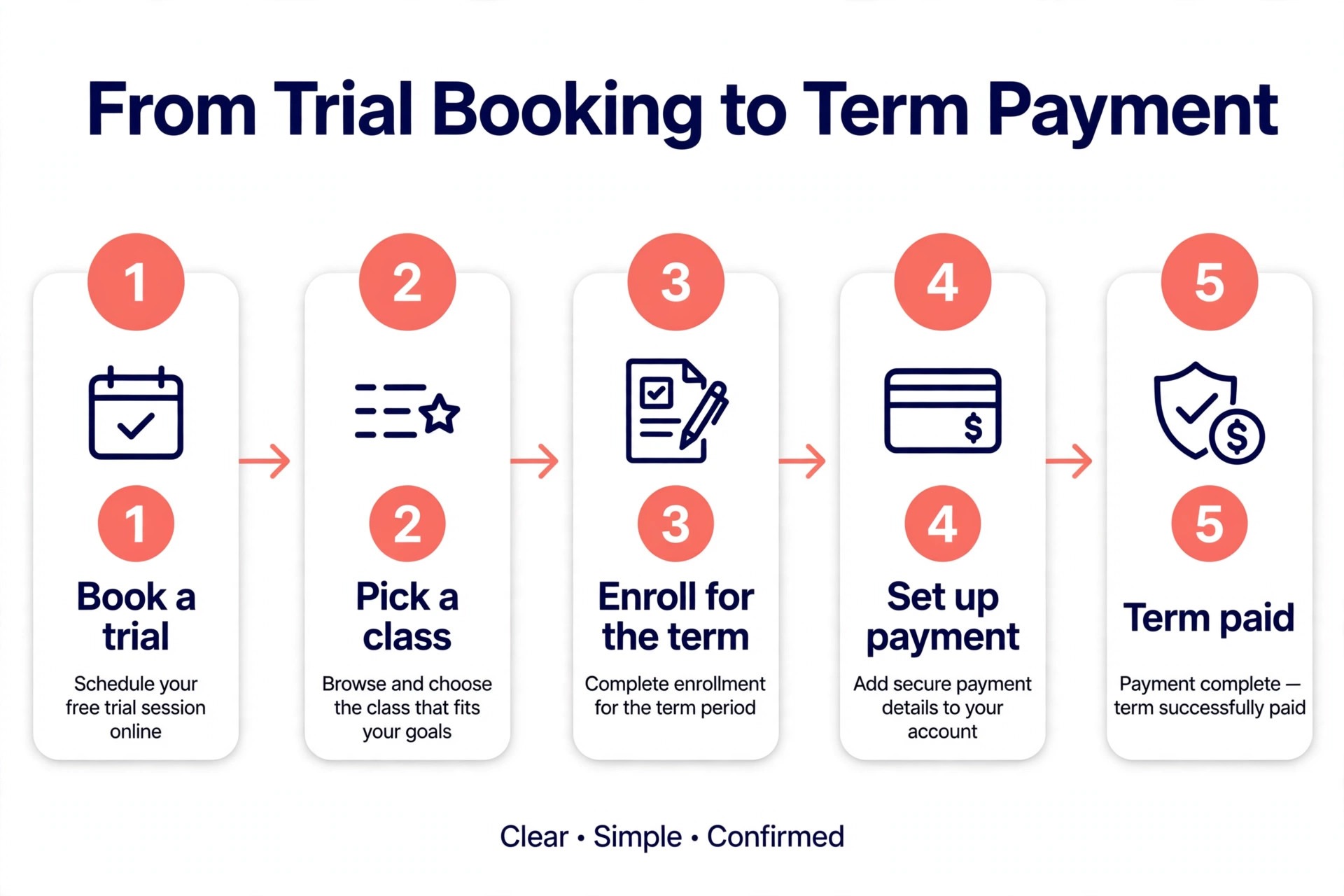
Classcard is built around the academy model, which means terms, levels, and student progression sit at the center, not memberships. Leads move through a pipeline from inquiry to trial booking to enrolled student, with automated follow up messages and task reminders. Parents can self book a trial class, and conversion to an enrolled student carries all data across without retyping.
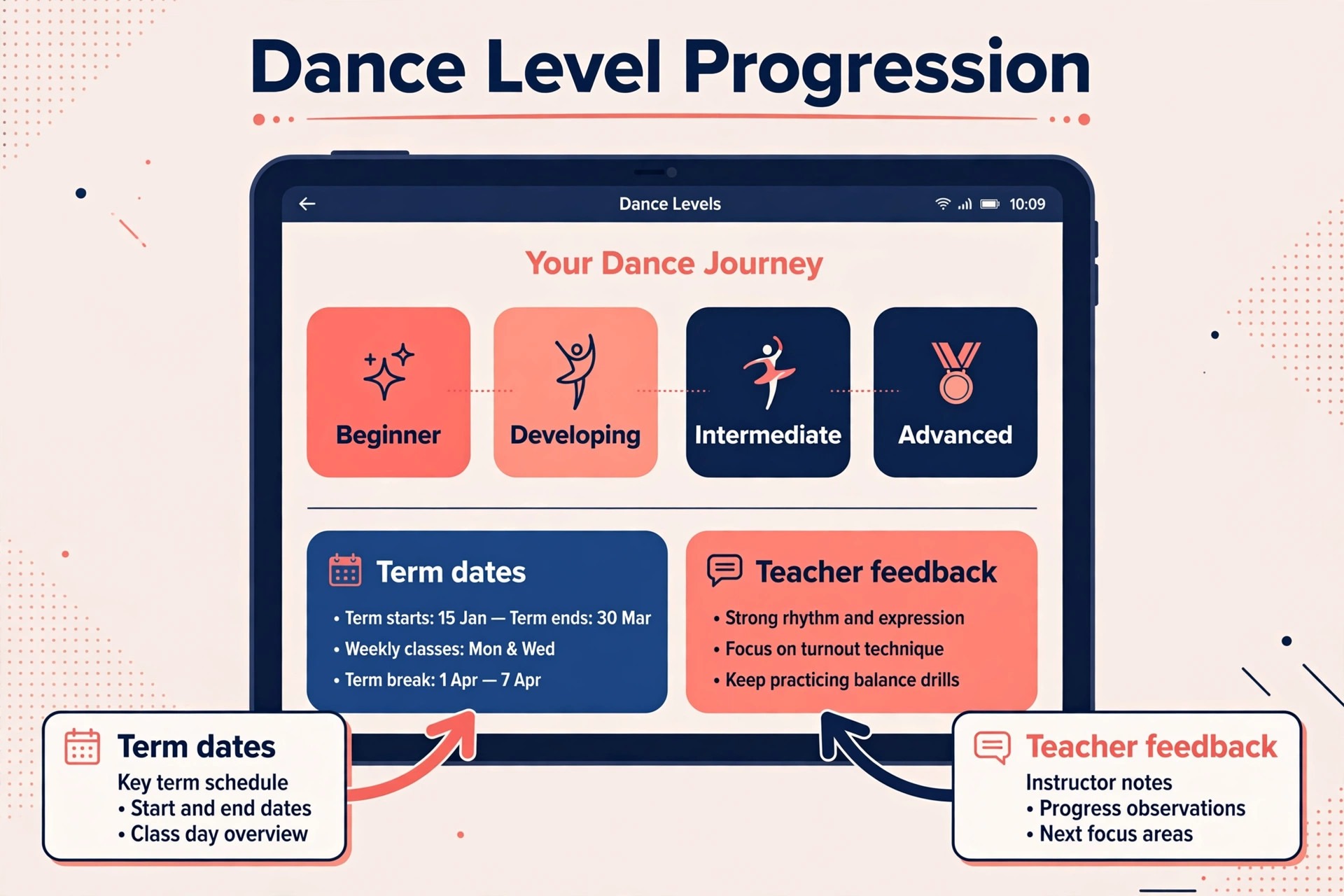
Ongoing class management includes makeup class workflows, term based enrollment, student progress tracking with custom rubrics, and class level feedback. A ballet or technique focused school can show level movement and feedback in a way a generic booking tool cannot.
Pricing starts at 99 dollars a month, with unlimited staff and students on every plan. Higher plans add artificial intelligence assistance, automations, and accounting and payment integrations. The entry price is higher than budget tools, so Classcard fits studios that will actually use progression tracking and lead automation, not studios that only need a booking page.
4. WellnessLiving
WellnessLiving is a broad wellness platform covering fitness studios, spas, salons, and dance. That breadth gives dance studios a large feature set, including online booking, waitlists, recurring classes, livestream, a client app, loyalty tools, and reputation management. A studio that also sells fitness or wellness classes can run everything in one system.
Pricing starts at 69 dollars a month for the starter tier, which covers one staff member, with business at 199 dollars a month and business pro at 349 dollars a month in published comparisons. Annual billing reduces each tier by roughly ten percent. The starter limit matters, because a studio with several teachers will need a higher tier sooner than the headline price suggests.
WellnessLiving suits established studios with room in the budget and a need for marketing and loyalty depth. Smaller dance only studios may find the dance specific tools thinner than Jackrabbit Dance or Classcard, and support quality is the most common complaint in user reviews. Shortlist it when breadth and marketing matter more than pure dance depth.
5. Mindbody
Mindbody is the largest platform in this list, with scheduling, payments, marketing automation, and a consumer marketplace app. That marketplace is the real differentiator, because it can bring new students who are already searching for classes nearby. For an established studio or a multi location operator focused on growth, that discovery channel can justify the price.
Pricing starts at 79 dollars a month per location for the starter tier, with higher tiers quote only. Starter leaves out lead management, email and text marketing, promo codes, spot picking, and a branded app, so price the tier you actually need, not the starter headline. Payment processing rates are unpublished on the pricing page, and marketplace commissions apply to new client first purchases.
Mindbody also carries annual contract terms in many cases, so read the contract before signing. A studio that wants discovery, deep reporting, and multi location control will find value here. A small single room studio will likely pay for breadth it never uses, and should compare StudioBookings or DanceStudio-Pro first.
6. Gymdesk
Gymdesk puts the whole operation in one place with a simple interface, covering member management, class booking, memberships, point of sale, and facility access. Pricing is by active member count, starting at 75 dollars a month for up to 50 members on the micro tier, then 100 dollars, 150 dollars, and 200 dollars a month for larger tiers. Using your own payment processor adds 25 dollars a month, or 40 dollars on the large tier.
The interface is easy to learn, which matters when front desk staff change often. A studio owner can train a new hire on booking, attendance, and payments without a long manual.
The website builder is basic, so a studio that wants a polished marketing site will still need a separate site or a booking widget embedded elsewhere. Gymdesk is a strong pick for studios that want operations in one place and care less about website design, and a weaker pick for studios whose website does most of their selling.
7. Vagaro
Vagaro is a booking first platform with a large user base and a polished booking experience. Clients can discover the studio, book classes or appointments, buy packages, and pay through the app. That discovery and booking polish suits private lesson studios and studios that sell drop in classes, where a fast booking flow converts a browser into a paying student.
Pricing is per staff member, and published figures vary by region and plan, so check the vendor pricing page for the current rate for your staff count. The per staff model is kind to a solo teacher and harder on a studio with many part time teachers, because every teacher on the roster adds cost even if they teach few hours. Model the price with your full teacher list, not only full time staff.
Vagaro is built for many industries, not only dance, so term enrollment and recital tools are thinner than dance built platforms. A studio that needs recital ticketing and costume management should pair Vagaro with a separate process, or choose Jackrabbit Dance instead. A booking led studio will likely prefer Vagaro speed over dance depth.
8. Studio Director
Studio Director is built for event and ticket driven studios, with strong recital and ticketing tools alongside class scheduling and billing. A studio whose year builds toward one or two large shows will feel the benefit in ticket sales, seating, and event communication. The platform handles the show as a project, not as an afterthought to the timetable.
Pricing starts at 65 dollars a month in published comparisons, and check the vendor pricing page for current tiers and any per ticket fees. Ticket fees matter, because a recital with hundreds of seats can turn a small per ticket charge into a large total. Ask for the full fee picture before committing, including card processing and any ticket service charge passed to parents.
For a recital heavy studio that wants event tools at the center, Studio Director is a strong shortlist pick. For a studio that needs deep accounting or marketing integrations, compare Jackrabbit Dance or WellnessLiving first.
9. My Best Studio
My Best Studio offers flat predictable pricing with unlimited students at one price, starting at 55 dollars a month in published comparisons. That model removes the student count anxiety that comes with tiered tools, and it suits a studio in a growth phase that does not want a software bill that rises with every new enrollment. Features cover booking, billing, attendance, and parent communication in a straightforward package.
My Best Studio fits studios that want flat pricing and a simple all rounder without paying for a marketplace or a branded app. It is a sensible middle option between budget tools and large platforms, and it deserves a trial for any studio that values predictable cost over breadth.
10. StudioBookings
StudioBookings is the value pick in this list, with every feature included on every plan and pricing by instructor count. Published comparisons report 25 dollars a month for a solo owner, scaling to 115 dollars a month for fifteen or more instructors, with a fourteen day free trial and no card required. Stripe and Google Calendar integrations cover the payment and calendar essentials.
That all features model is rare and valuable. A small studio does not hit a paywall for reporting, waitlists, or memberships, because those features are already included. The design is plainer than Vagaro or WellnessLiving, and recital tools are not its strength.
StudioBookings suits budget conscious small studios that prioritize function over polish, and private lesson studios that need simple booking and payment. A recital heavy school should still compare Jackrabbit Dance, but a new studio watching every dollar should start its shortlist here.
11. Class Manager
Class Manager offers a low cost route into class management, with published comparisons reporting a starting price of 38 dollars a month and a free tier for very small operations. Features cover class scheduling, enrollment, attendance, and billing basics, which is enough for a studio that has outgrown spreadsheets but is not ready for a large platform price.
The free tier limits matter, so check how many students, classes, and staff it covers before relying on it. Model the paid price at your real roster size, and check whether text reminders and reporting are included or paid extras. Low headline prices often hide paid add ons.
Class Manager fits small studios and new schools that need structure without complexity. It is less suited to multi location operators or recital heavy schools that need costume and ticket depth. Use it as a stepping stone, and revisit the choice when enrollment or recital work grows.
12. Wellyx
Wellyx is a broad studio platform with automated check in, customer retention tools, payment processing, and class management. Clients can check in automatically, which speeds up the front desk at peak times, and retention tools help a studio spot students who have stopped attending before they quietly leave.
Wellyx suits studios that value automated check in and retention tracking, and that run enough volume for those tools to pay back. Smaller studios may find StudioBookings or Class Manager covers the same daily jobs at a lower price, without the retention layer.
13. Sawyer
Sawyer works differently from most tools here, because it combines class management with a discovery marketplace for children’s classes. Parents search, book, and pay through Sawyer, which can bring new students to a studio that otherwise relies on word of mouth.
Published comparisons report that Sawyer charges a commission of twenty percent on bookings in some models, so check the vendor pricing page for the current commission and any subscription fee before listing classes. Commission models change the math, because a full class booked through Sawyer costs more than the same class booked direct. A studio should compare the cost of that commission against the cost of its own marketing.
Sawyer fits studios that want extra enrollment from a marketplace and are happy to pay commission for it. Studios with a full roster from direct enrollment will get less value, and should focus on a direct booking tool instead.
14. Spark Membership
Spark Membership is built for brand new studios that want to stand up fast, with an all in one setup covering booking, memberships, payments, and basic marketing. Published comparisons put the starting price at about 199 dollars a month, which is high for a new studio, but the setup speed and guided onboarding can save weeks of configuration time for an owner opening a first location.
The main catch is payment lock in. Spark Membership requires its own payment processor, so a studio cannot bring a preferred processor or negotiate card rates elsewhere. That matters over time, because card fees on a full roster add up, and a studio that grows will want control over its payment costs.
Spark Membership suits a new studio that values fast setup and a simple all in one system over payment flexibility and low cost. An established studio with a working payment setup and a larger roster will usually find better value in Jackrabbit Dance, WellnessLiving, or Mindbody.
How to Judge a Dance Booking Tool Before You Pay
Start with your enrollment model, because that choice filters the best booking software for dance studios faster than any feature table. the list faster than any feature table. A term based academy needs level progression, sibling billing, and makeup workflows. A drop in studio needs fast booking, class packs, and waitlists. A private lesson studio needs simple appointment booking and easy rescheduling. Write that model down before any demo, and score each tool against it.
Next, run a realistic trial week. Enroll a test family with two children, apply a sibling discount, book a trial class, move a student to a waitlist, fill the freed spot, record attendance, and issue a makeup credit. Then run tuition billing and check that the invoice, the payment, and the parent portal all agree. A tool that passes that week will handle most real weeks.
Finally, price the second year, not the first month. Add processing fees, text costs, extra staff seats, and any branded app fee, and model the price at your expected roster size. Ask about contract length, notice period, and data export, because switching tools later is far harder than choosing well now. A short contract with clean data export is worth more than a small first month discount.
Setup Checklist for a Smooth Switch
Use this sequence when you move to the best booking software for dance studios you chose, and do not skip the payment test.
- Export your current student list, class roster, and outstanding balances, and clean duplicate family records before import.
- Build your term structure first, including levels, class times, room capacity, and teacher assignments.
- Set tuition rules next, including sibling discounts, late fees, payment dates, and makeup policies.
- Connect payments and run a test charge with a real card, then refund it, to confirm the full payment flow.
- Invite a small group of parents to book, pay, and check attendance in the new portal before a full launch.
- Train front desk staff on waitlists, makeup credits, and recital fees, because those three jobs cause most support questions.
- Keep the old system read only for one full term, so no payment or attendance record is lost in the move.
A careful switch protects trust. Parents forgive a new portal quickly if payments are correct and classes are easy to book. They do not forgive a lost payment, a double charge, or a child marked absent who attended. Test payment and attendance twice, and launch only when both are clean.

Frequently Asked Questions
These answers cover the questions studio owners ask most when they compare the best booking software for dance studios.
How much should a small dance studio pay for booking software?
Most small studios pay between 25 dollars and 99 dollars a month for a solid tool, with larger platforms from 199 dollars a month once marketing, branded apps, or multi location features are added. Price the tier you need at your real student and staff counts, and add card processing and text costs. A tool at 25 dollars a month that fits your model beats a tool at 199 dollars a month whose extra features stay unused.
Does dance booking software handle recital tickets and costumes?
Dance built tools such as Jackrabbit Dance, DanceStudio-Pro, and Studio Director handle recital ticketing, costume fees, and event communication as core features. General booking tools may handle tickets through an add on or a separate event tool, which adds cost and extra work. If recitals are a major revenue event, put recital tools on the shortlist criteria before price.
Can parents book and pay without calling the studio?
Yes, when online registration, a parent portal, and autopay are all turned on. Parents can enroll, book trial classes, manage class packs, and pay tuition from a phone. The key is to test the full parent flow during a trial, including a sibling enrollment and a waitlist booking, because a portal that looks simple in a demo can still confuse parents in real use.
What is the difference between class packs and term enrollment?
Class packs sell a set number of classes to use over a period, which suits drop in and adult classes. Term enrollment registers a student for a full term of weekly classes at a set level, which suits children’s academies and technique programs. Many studios use both, with term enrollment for core classes and packs for workshops and adult sessions.
Should a new studio choose a cheap tool or a large platform?
A new studio should usually choose a tool that fits its current size and can grow for two years, rather than the largest platform on day one. StudioBookings, Class Manager, and DanceStudio-Pro give a new studio structure at a low price. Move to a larger platform when discovery, multi location control, or deep marketing tools become real needs, not only future hopes.
How long does it take to switch booking software?
Most studios can switch in two to four weeks, including data import, term setup, payment testing, and staff training. Recital season is the worst time to switch, because ticket and costume work adds pressure to an already busy period. Plan the switch for a quiet gap between terms, and keep the old system read only until the first tuition run is clean.
The Final Verdict for Dance Studios
The strongest all round choice for a class based dance school, and the best booking software for dance studios for that model, is Jackrabbit Dance, because term enrollment, sibling billing, costume work, and recital tools sit together in one system built for dance. Classcard is the better pick for an academy that wants visible level progression and a structured trial pipeline, and StudioBookings is the better pick for a new or budget conscious studio that needs solid booking without a large monthly bill.
Do not choose on price alone, and do not choose on feature count alone. Choose on the enrollment model you run today, the recital workload you carry each year, and the roster size you expect in two years. Shortlist three tools, run the trial week described above, and pick the tool your front desk team can actually run on a busy Saturday. That practical test will tell you more than any sales page, and it will save your studio from a costly switch later.
Read the related guide on Best AI Tools for Dance Studios for ideas on using artificial intelligence alongside booking, and the guide on Use AI for Dance Studio Enrollment Management for enrollment workflow ideas that pair well with a new booking system.