
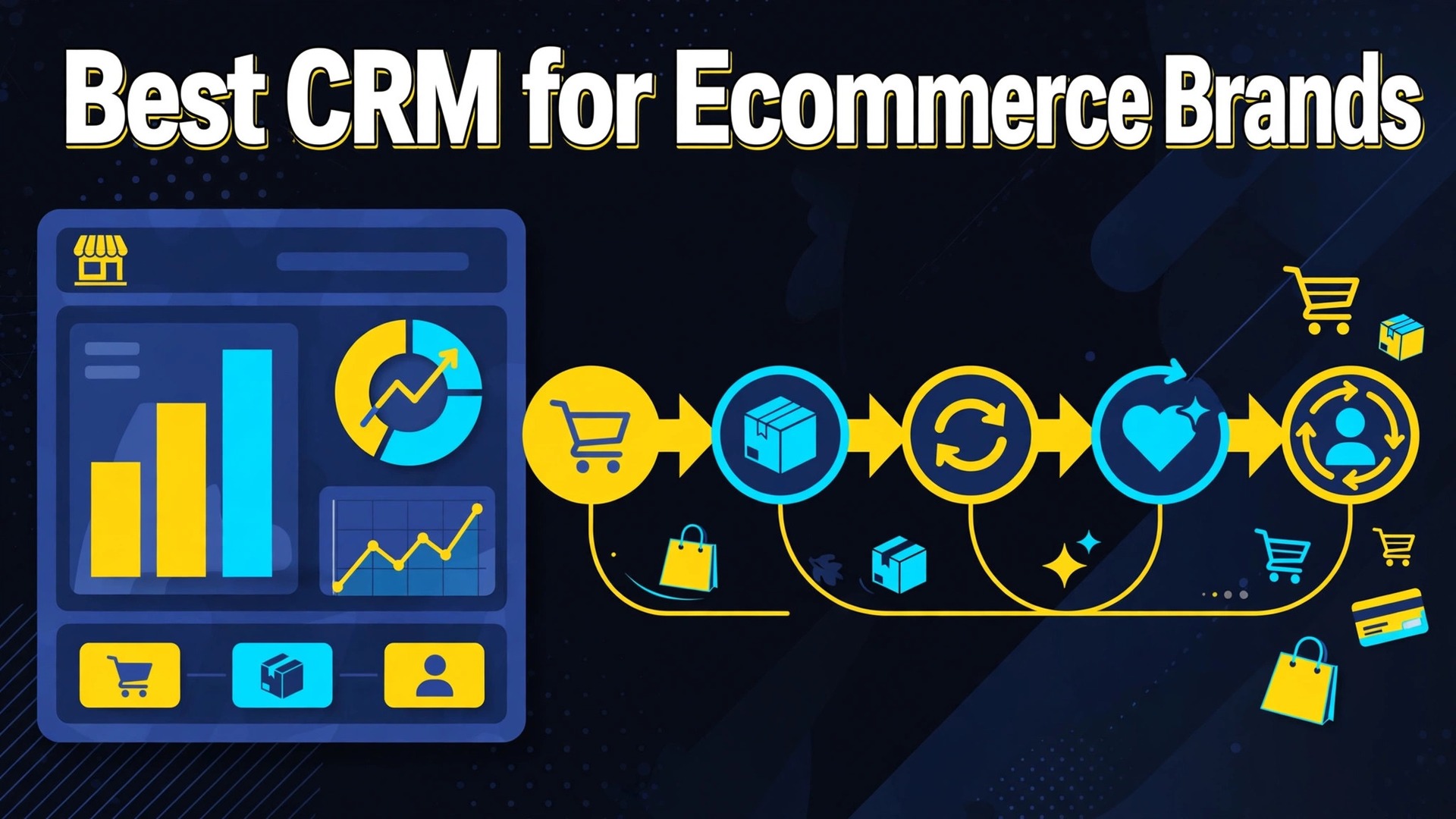
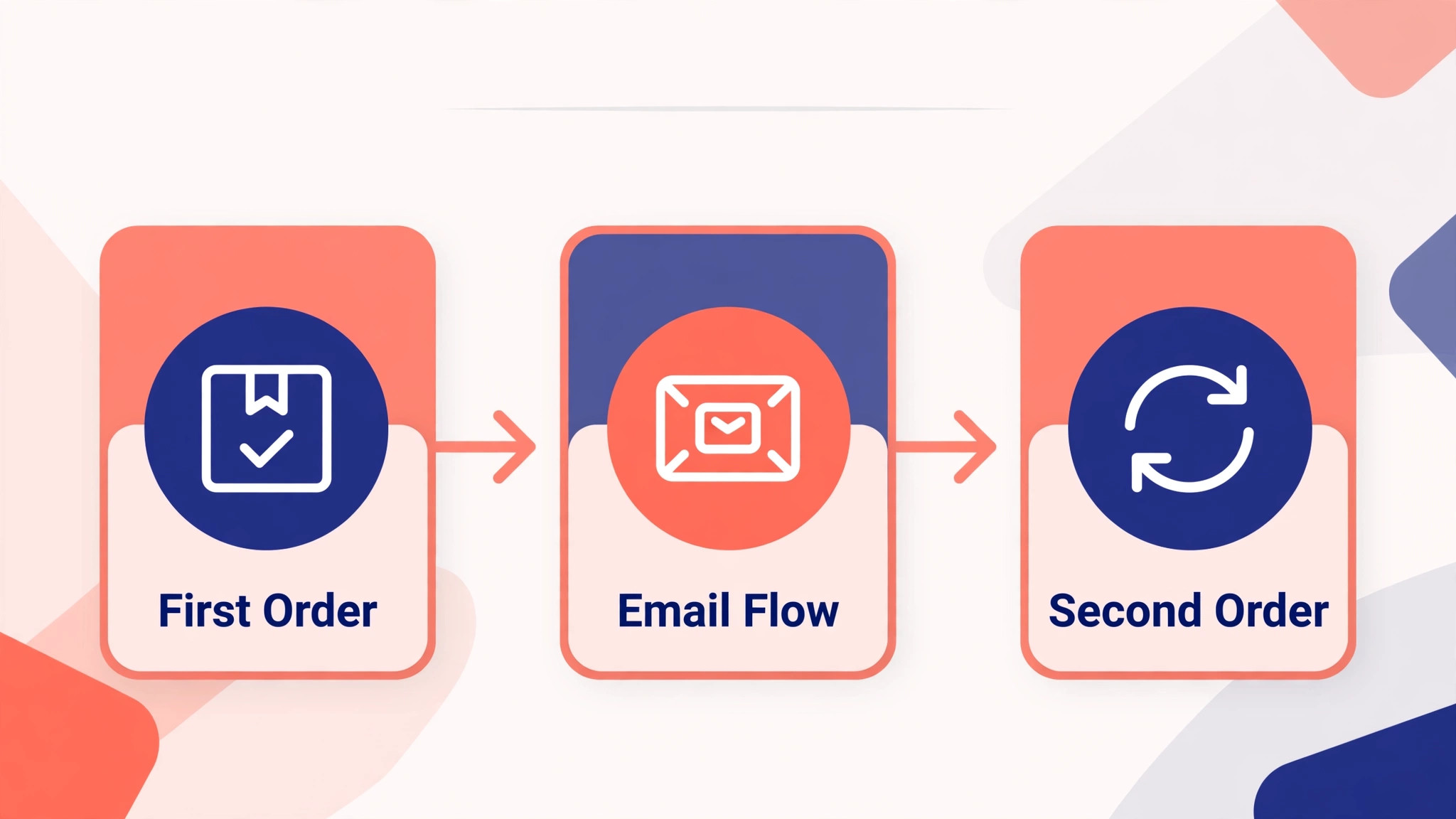
Which system actually grows a store, the email platform or the CRM? The best CRM for ecommerce brands small business is the one that turns a first order into a second order, and most stores discover too late that their tools record orders beautifully while doing nothing to bring buyers back. That gap is where this comparison starts.
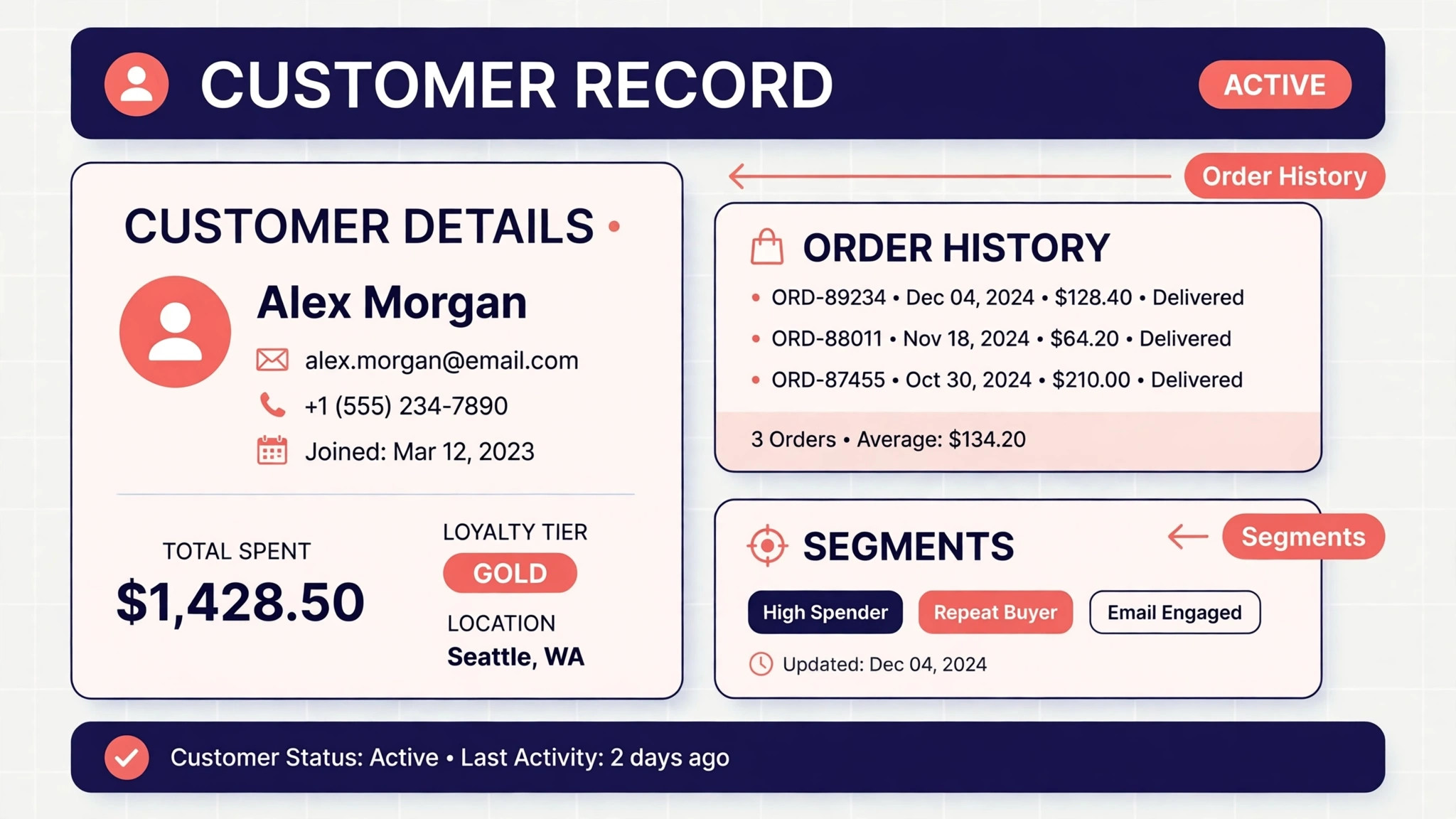
A store CRM has a different job from a sales CRM. It must join order history, browsing behaviour, and email engagement into one customer view, then trigger the right message at the right moment, whether that is a replenishment reminder, a win back offer, or a product recommendation that fits what the customer already bought.
This guide compares six systems on the same questions. Can the tool see order and browsing data without manual imports, does it automate repeat purchase flows, how does pricing grow with the contact list, and what does the full monthly bill become once SMS and reporting add ons are counted. Prices are starting points in recent comparisons, so confirm the current price on the vendor page before you buy.
Six Ecommerce CRMs at a Glance
Read the table as a shortlist, not as a ranking. A cheaper option suits a smaller operation with a simple workflow, while a fuller platform suits an operation whose income already depends on the system. Pick three finalists, then read their full sections before signing a contract.
| Tool | Starting price | Best for |
|---|---|---|
| HubSpot | free CRM with paid Starter plans from $15 a seat a month billed annually in recent comparisons | stores that need sales, marketing, and service under one roof |
| Klaviyo | from $20 a month for email at 500 profiles in recent comparisons | Shopify and direct to consumer brands running email and SMS flows |
| ActiveCampaign | from $15 a month on Starter billed annually in recent comparisons | stores needing advanced automation plus a real CRM |
| Zoho CRM | from $14 a user a month on Standard billed annually in recent comparisons | budget conscious stores that want a traditional sales CRM |
| Drip | from $39 a month for up to 2,500 contacts in recent comparisons | direct to consumer brands that want every feature at one flat price |
| Freshsales | from $15 a user a month in recent comparisons | stores with a sales team beside the storefront |
Why the best CRM for ecommerce brands small business Beats an Order List
An order list tells a store what sold. A working ecommerce CRM tells a store who will buy again, and the difference shows in the abandoned cart flow, the post purchase sequence, and the replenishment reminder. A system that treats those three as core features will outperform a prettier dashboard that only reports revenue.
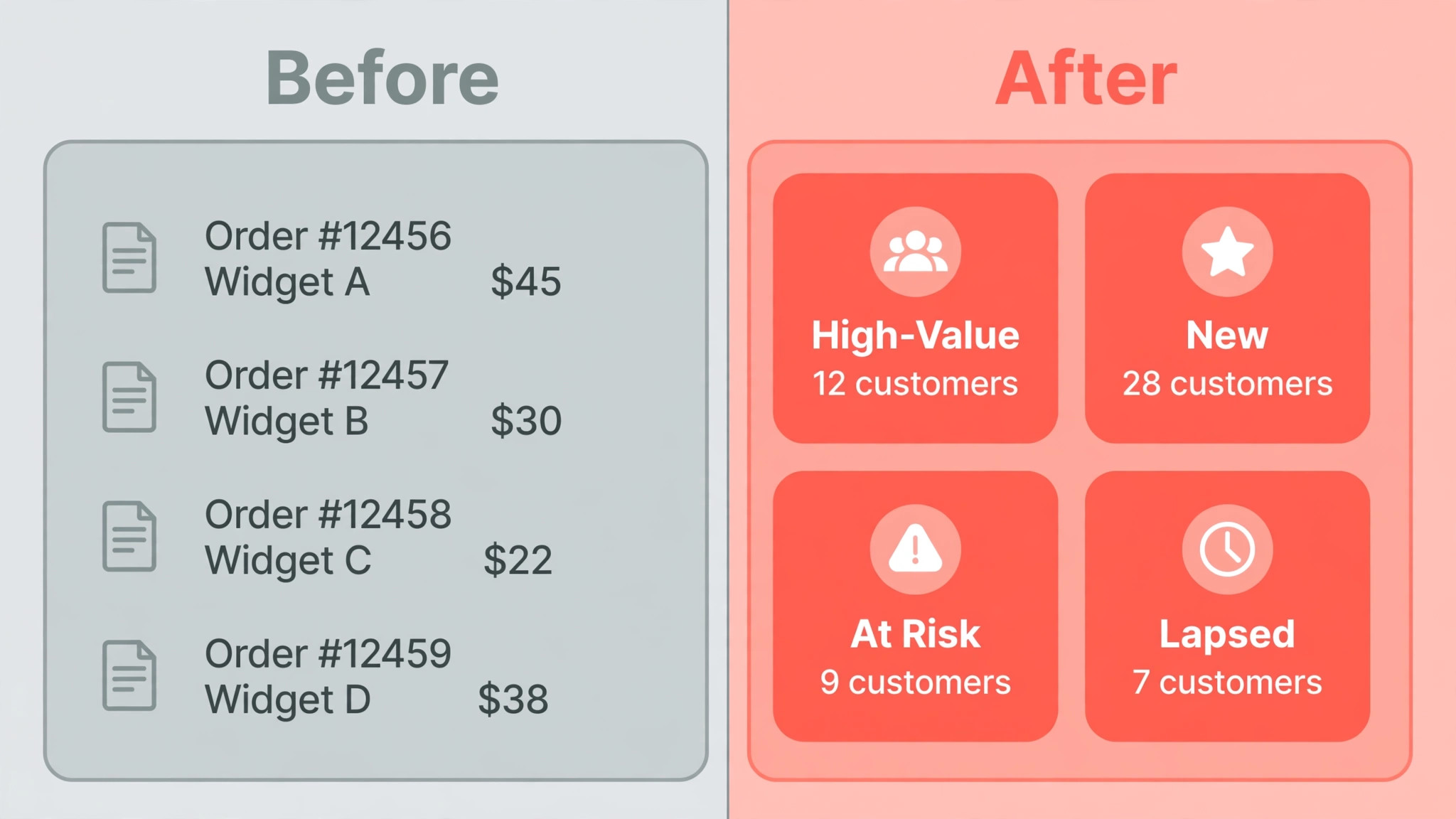
Segmentation is the second test, and it is where cheap tools fail first. A store that emails its whole list with one message will train customers to ignore it, while a store that segments by purchase history, product interest, and engagement can send fewer, better messages. The right CRM makes those segments easy to build and easy to keep clean.
Pricing growth is the third test, and it surprises many small brands. Contact based pricing means the bill grows with the list even when the team stays the same, so a tool that looks cheap at 500 contacts may cost several times more at 10,000. Price every finalist at the list size you expect in twelve months, not at the size you have today.
Six Systems, Reviewed One by One
HubSpot
HubSpot fits stores that need a real CRM beside their marketing, with pipelines, tickets, and a free starting tier. Its Shopify integration brings order data into contact records, and the free CRM lets a small brand organise customers before paying for automation. The starting point is free CRM with paid Starter plans from $15 a seat a month billed annually in recent comparisons, so confirm the live price on the vendor page before you budget.
The limit is that serious ecommerce automation sits on higher tiers, and the jump from Starter to Professional pricing is steep. A store whose main job is email flows should trial a dedicated ecommerce platform beside it before committing.
Klaviyo
Klaviyo is the default pick for many Shopify brands, and the reason is depth. Behaviour based flows, product recommendations, and segmentation built on browsing and purchase data let a small brand run abandoned cart, welcome, post purchase, and win back flows from one system. The starting point is from $20 a month for email at 500 profiles in recent comparisons, so confirm the live price on the vendor page before you budget.
Watch the price curve closely, because contact based billing climbs fast as the list grows. Clean unengaged profiles regularly, and model the bill at 10,000 and 25,000 profiles before judging the entry price.
ActiveCampaign
ActiveCampaign fits stores that need serious automation logic beside a real CRM. Its visual builder handles multi step journeys, conditional splits, and sales pipelines, which suits a brand with a longer buying cycle or a wholesale arm beside its store. The starting point is from $15 a month on Starter billed annually in recent comparisons, so confirm the live price on the vendor page before you budget.
The trade off is that the Starter plan caps each automation at five actions in recent comparisons, so most stores need a higher plan for real flows. Price the plan that actually runs your journeys, not the entry plan that only demos them.
Zoho CRM
Zoho CRM is the value pick for stores that want a traditional CRM on a budget. Pipelines, custom fields, workflow rules, and a wide app ecosystem cover sales, support, and wholesale accounts at a price far below most rivals, and the free tier suits a very small team. The starting point is from $14 a user a month on Standard billed annually in recent comparisons, so confirm the live price on the vendor page before you budget.
Ecommerce depth is thinner than on a dedicated platform, so email flows and product recommendations will need other tools or integrations. A store whose revenue depends on flows should test that integration with real order data during the trial.
Drip
Drip fits direct to consumer brands that want deep behavioural automation at one flat price per list size. Every feature is included at each tier in recent comparisons, with revenue attribution per email, product aware workflows, and unlimited sends, which makes budgeting simple. The starting point is from $39 a month for up to 2,500 contacts in recent comparisons, so confirm the live price on the vendor page before you budget.
The limit is that Drip is an ecommerce marketing platform first, not a full sales CRM. A brand with salespeople, wholesale accounts, or support tickets should pair it with a CRM or choose a system that covers both jobs.
Freshsales
Freshsales suits stores with a sales team beside the storefront, such as a brand selling wholesale or high value products. Pipelines, lead scoring, built in phone and email, and AI assisted insights help a small sales team follow up faster without a separate CRM. The starting point is from $15 a user a month in recent comparisons, so confirm the live price on the vendor page before you budget.
Marketing automation is lighter than on Klaviyo or Drip, so a brand whose growth comes mainly from email flows will need a dedicated email tool beside it. Price that pair honestly before comparing Freshsales alone with an all in one platform.
Ecommerce Picks Matched to the Store
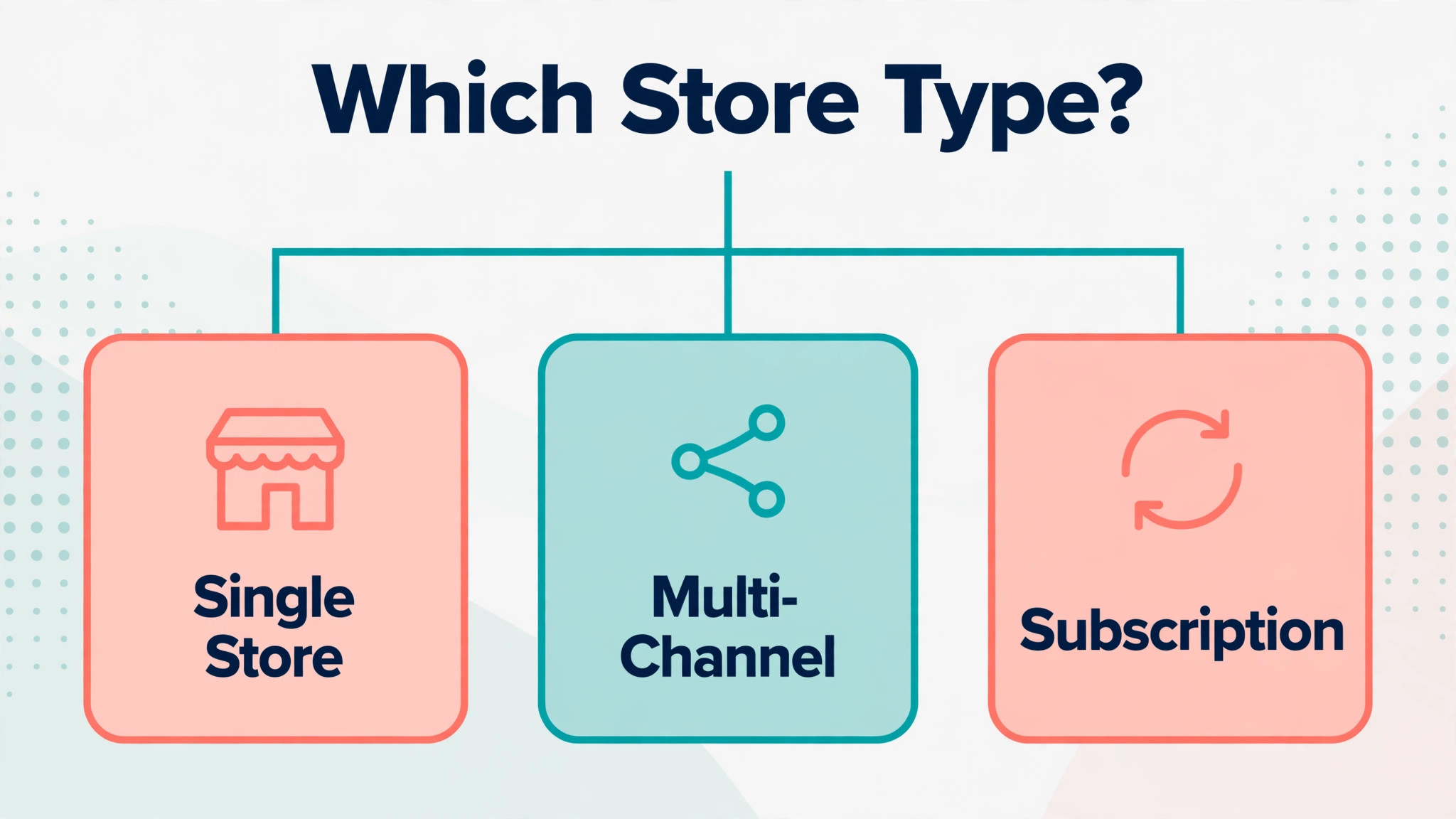
The right pick changes with the job that pays the bills. One job may need speed, another may need depth, and a third may need room to grow. Use this table to match the pick to the job, then confirm the fit by running one real workflow in a trial.
| Job | Best pick | Why it wins |
|---|---|---|
| Single store | Klaviyo | Behaviour flows, segmentation, and Shopify depth in one system |
| Multi-channel brand | HubSpot | CRM, marketing, and service joined across channels and teams |
| Subscription brand | Drip | Replenishment flows and revenue attribution at a flat price per list size |
The Repeat Purchase Checklist Before Launch
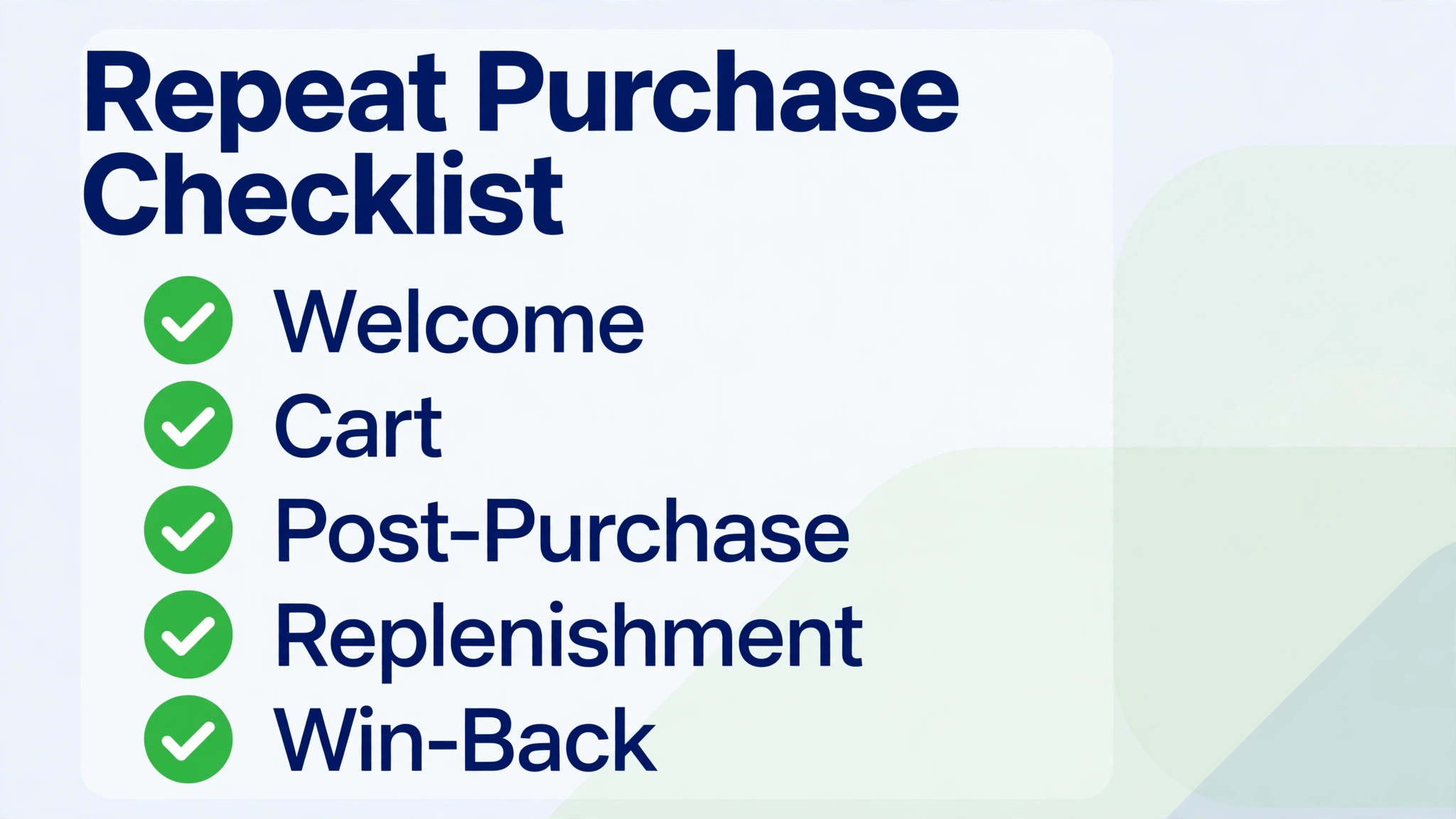
A repeat purchase system only works when it turns a first order into a second order without annoying the customer. Run through this checklist with real order data before you pay for a year, and fix every gap in the trial rather than after launch.
- Connect order history, browsing, and email engagement into one customer record before building any flow.
- Build a welcome flow, an abandoned cart flow, and a post purchase flow before adding advanced campaigns.
- Set a replenishment reminder timed to the product, not to a generic thirty day delay.
- Create a win back flow for customers who have not ordered in twice the normal buying cycle.
- Segment by product bought, order value, and engagement, so offers fit the customer who receives them.
- Test every flow on a phone, including discount codes, product links, and unsubscribe handling.
- Clean unengaged contacts regularly, because contact based pricing charges for profiles that never open.
What an Ecommerce CRM Really Costs Each Month
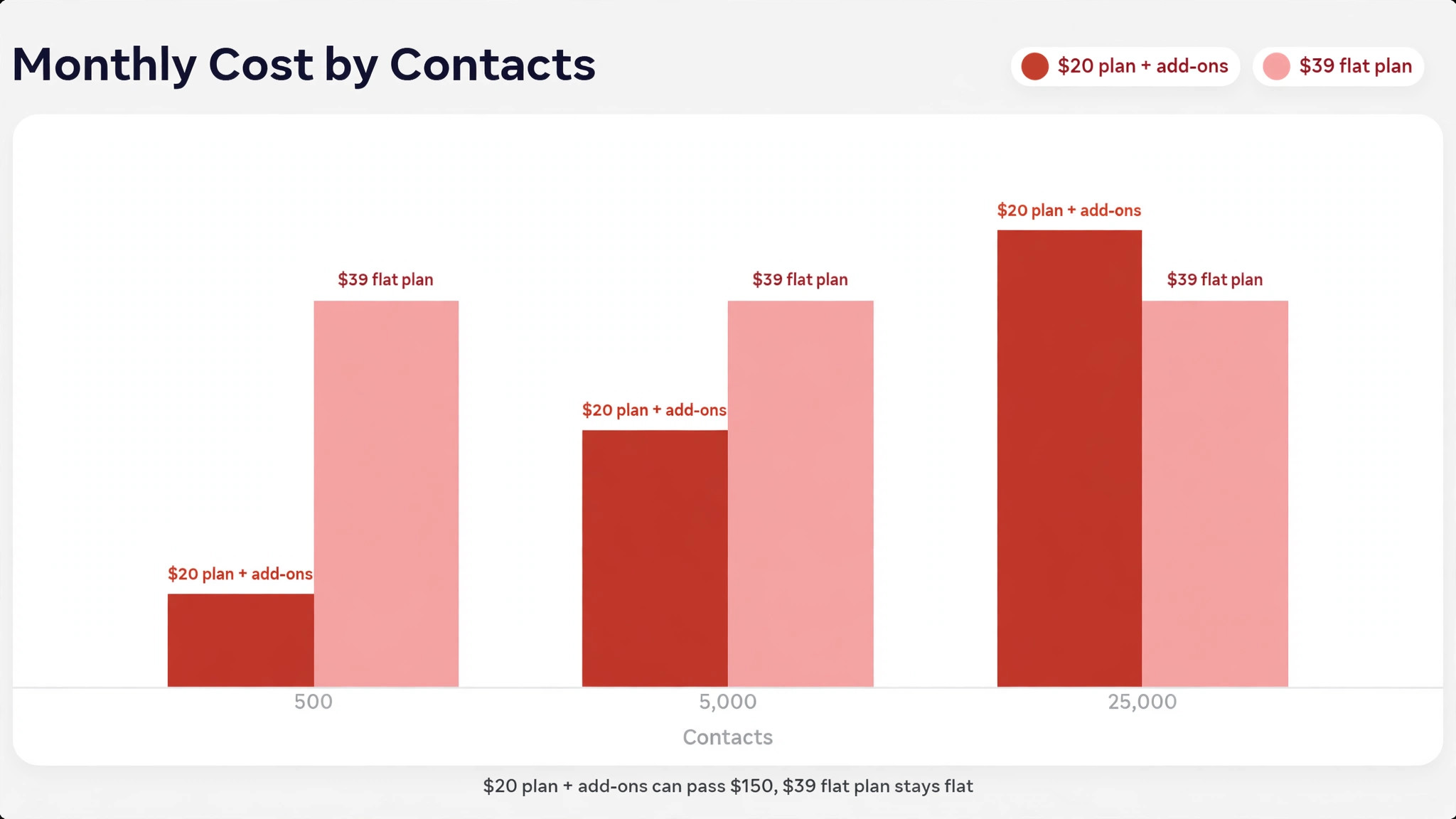
The headline price hides the real decision, because contact growth, SMS credits, and reporting add ons move the total by tens or hundreds each month. A brand on a $20 email plan plus SMS credits and a reporting tool may pay over $150 a month in total, while a brand on a $39 flat plan may pay that single fee and little else. Compare totals at the real list size, not at launch size.
Contact based billing deserves its own line in the budget. Klaviyo, Drip, and ActiveCampaign all price by contacts or profiles in recent comparisons, so unsubscribed, bounced, and duplicate contacts cost money every month. Clean the list before migration, and budget for the list size you expect in twelve months.
Time is the second hidden cost. A system that needs a specialist for every flow change costs more than its subscription suggests, while a system the brand owner can update alone saves both money and delay. Count the hours for one month of flow edits, campaign builds, and list cleaning, and price that time honestly.
Mistakes That Cost Stores Repeat Orders
The most common mistake is choosing on entry price alone. A cheap plan at 500 contacts that triples at 10,000 contacts is not cheap, and a flat price plan that looks expensive at launch may be cheaper at scale. Model the bill at three list sizes before signing, because the list will grow if the store is doing its job.
The second mistake is emailing the whole list with one message. A single blast trains customers to ignore the brand, while segmented flows send fewer, better messages that earn opens and orders. Build segments before campaigns, and let every campaign start from a segment, not from the full list.
The third mistake is launching flows and never checking them. An abandoned cart flow with a broken discount code, a welcome flow with an old product link, or a replenishment flow timed to the wrong product will quietly lose orders. Review every live flow once a month, and test each one with a real order.
A Two Week Trial That Actually Decides Anything
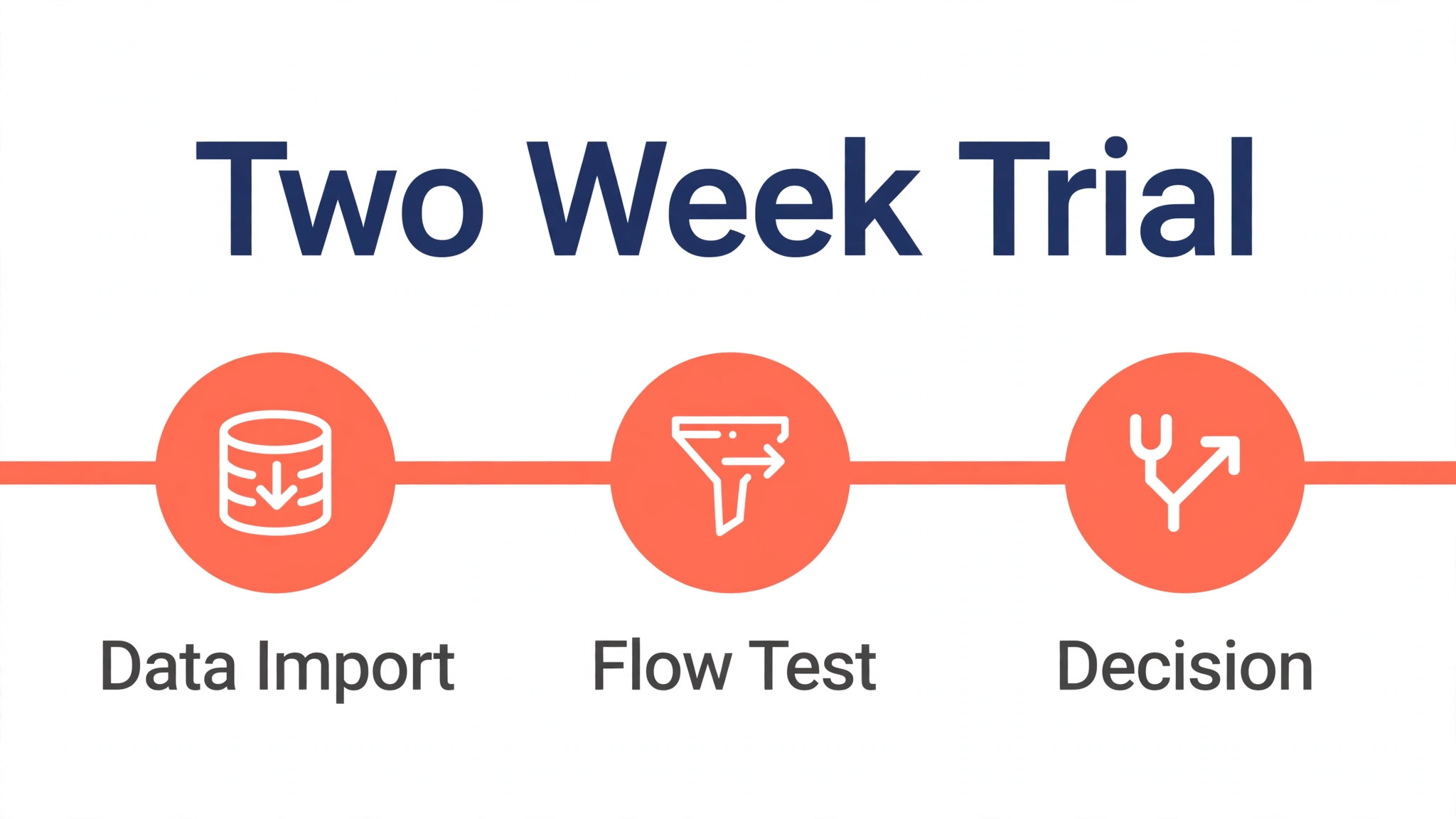
Week one should connect real data, not a demo. Import orders, build one welcome flow and one abandoned cart flow, and send both to test customers. If any step needs a workaround in week one, it will need that workaround every week after launch.
Week two should earn a repeat order, or at least a measurable reply. Send a replenishment or win back message to a small real segment, watch opens, clicks, and orders, and ask two customers who did not buy why they stopped. Their answers will tell you more than any feature list.
Rollout Notes for a Small Ecommerce Brand
Audit the customer record before migration, and decide which fields matter, such as first order date, last product bought, and total spent. A clean record makes segmentation possible, while a messy import makes every later campaign harder.
Write flow messages for one customer each, rather than one generic message for the whole list. A replenishment buyer, a first time buyer, and a lapsed buyer need different reasons to return, and one message cannot serve all three well.
Set sending rules early, such as a maximum number of marketing messages per customer per week. A clear cap protects deliverability and trust, and it forces the team to choose the best message rather than sending every idea.
Plan the first month of campaigns around the buying cycle, not around the calendar. A brand selling consumables should plan replenishment first, while a brand selling gifts should plan seasonal and occasion flows first.
Set a review date three months after launch and judge the system against repeat purchase rate, revenue per email, and list growth, not against how much you enjoyed building flows. If numbers have not moved, fix the offer or the product first, and only change systems when the system itself is the bottleneck.
Check who can update flows when the owner is busy with fulfilment. The right system is one the owner, or a team member, can update in minutes, because a flow that waits for a specialist for every price change will quickly go stale.
Choosing the best CRM for ecommerce brands small business Without Overpaying
A small brand does not need the most expensive system, only the system whose paid features match the revenue that already exists. For a new store, the cheapest system that runs welcome and abandoned cart flows reliably is often the right start, because a new brand has more need for first orders than for advanced scoring. Start with those two flows, a clean list, and one post purchase sequence, and add advanced automation only when repeat revenue can pay for it.
Price the system at the list size you will reach in six months, not at the size you are today, because a plan that fits 500 profiles may strain at 5,000. The right system should still feel affordable when the list doubles, and it should not force a painful move at the exact moment a peak season arrives. Check the next tier price now, and note what triggers it, whether that trigger is profiles, contacts, sends, or users.
Separate the platform fee from the tools that often hide beside it. SMS credits, reporting, loyalty, and review tools can each add a monthly charge, and a system that looks cheap can become expensive once those four are added. Write down the full stack cost for each finalist, including the SMS tool you will actually use, before comparing headline prices.
A trial should prove repeat orders, not just good design. The right system will let a visitor abandon a cart, receive a helpful reminder, and return to buy without confusion, and those flows should be tested with real orders during the trial. Ask two test customers where they hesitated, and fix the hesitation before launch, because a hesitation in a trial becomes a lost order after launch.
Data quality is where an ecommerce CRM earns its keep over time, because clean order and engagement data makes every later campaign smarter. The right system therefore needs imports that run reliably, duplicate handling that works, and segments that update automatically. A system that makes list cleaning a chore will slowly starve the brand of the very targeting that brings repeat orders.
Do not buy a platform for a channel that does not exist yet. For a brand with a proven single store, a flow led system is the right purchase, while for a brand with wholesale and support teams, a full CRM may fit better, and those are different purchases. Buy for the revenue that already exists, and upgrade when the next channel proves itself with real orders.
Finally, judge deliverability as a feature, not as paperwork. Ask how the vendor handles authentication, list hygiene, complaint rates, and dedicated sending options. A system that answers those questions clearly protects the list the brand has worked hard to build, and that protection is part of the service itself.
Start your shortlist for the best CRM for ecommerce brands small business with the job that happens most often, and let rarer features wait until the core job is proven.
The best CRM for ecommerce brands small business that earns its fee is the one that removes a weekly chore, not the one that adds a dashboard nobody opens.
Ask each vendor for the best CRM for ecommerce brands small business price at your next size up, because a plan that fits today can strain within one busy season.
During a trial of the best CRM for ecommerce brands small business, track one outcome only, such as enquiries answered or orders repeated, and let that number decide.
Check the best CRM for ecommerce brands small business for a clear exit path, including exports and notice periods, before the first record is entered.
A good best CRM for ecommerce brands small business choice still makes sense when the team grows by one person, because hiring should not force a system change.
Migration deserves its own week, even when the new tool promises an import button. Export the old lists, clean duplicate records, and map every field before a single record moves, because a rushed import turns small errors into daily confusion. Run the old and new systems side by side for a fortnight, and only switch off the old one when the team trusts the new reports.
Training decides whether a good tool gets used or quietly ignored. Book one short session for each role, not one long session for everyone, and give each person a single real task to complete in the new system during that session. Record the sessions, keep a one page guide for the five most common tasks, and name one internal champion who answers questions in the first month.
Support quality matters more than a feature list once the system is live. Test support before you pay by sending a real question during the trial and timing the reply, then check whether the answer solves the problem or only links to a help article. A vendor that answers slowly during a trial rarely answers faster after the contract is signed.
Contract terms deserve the same attention as features. Check the notice period, what happens to your data at cancellation, whether prices rise at renewal, and whether seats can be reduced mid term. Ask for those answers in writing, because a verbal promise from a sales call is hard to enforce when the renewal invoice arrives.
Measure the first month against the problem that drove the purchase. Count the hours saved, the bookings completed, the payments collected on time, or the follow ups sent, and compare those numbers with the month before the switch. If the numbers have not moved, the problem is usually the workflow or the offer, not the template, so fix the process before changing tools again.
Integrations fail quietly, so test each one with real data rather than trusting a logo on a pricing page. Connect the calendar, the payment tool, and the email system, then run one complete journey from first contact to final payment and check every record it creates. A broken link between two tools creates manual work that nobody budgeted for.
Data ownership should be settled before the first record is entered. Confirm that contacts, payment history, and message history can be exported in a usable format, and test that export during the trial. A tool that locks data behind an expensive export fee becomes very hard to leave, even when a better option appears.
Security and privacy checks take an afternoon and prevent a much longer problem later. Confirm who can see client records, whether access can be limited by role, how passwords and two step sign in work, and what the vendor does after a breach. Small teams often skip this step, and it is exactly the step a careful client will ask about.
Pricing at the size you will reach in six months matters more than pricing at the size you are today. Check the next tier price now, note what triggers it, whether that trigger is contacts, users, records, or transactions, and budget for it. A plan that fits ten clients may strain at fifty, and a forced move at the busiest moment is the most expensive kind of switch.
A trial should prove revenue or time saved, not just good design. Run one real workflow end to end, invite two real clients or customers through it, and ask where they hesitated. Their answers will tell you more than any feature comparison, and they will point to the change that matters most before launch.
Reporting only helps when someone reads it weekly. Pick three numbers that reflect the real goal, put them on one page, and review them at the same time each week. A dashboard with forty charts impresses in a demo and gets ignored in practice, while three honest numbers drive decisions.
Onboarding new team members should take hours, not weeks. Write down the exact steps for adding a user, setting permissions, and handing over open work, and test those steps with a colleague during the trial. A system that only one person understands is a risk, because holidays and departures happen at inconvenient times.
More Reading on Stratilyze
- Best Email Marketing Software for Ecommerce Stores
- Best CRM for Event Planners at a Small Business
- Best CRM Software for Small Business
Frequently Asked Questions
Is Klaviyo a CRM or an email platform?
Klaviyo is an ecommerce marketing platform with strong customer profiles, segmentation, and flows, and many small brands use it as their customer system. A brand that also needs sales pipelines, support tickets, or wholesale account management should pair it with a real CRM or choose a system such as HubSpot that covers both jobs.
How much should a small store budget for a CRM?
For lists under 2,000 contacts, $15 to $39 a month covers the serious options in recent comparisons, plus SMS credits where used. Free plans from HubSpot and Klaviyo work for testing, but their limits arrive fast once a store sends regularly, so budget for the paid tier that runs the real flows.
Should a new store pay for HubSpot Professional straight away?
Usually not, unless marketing automation already drives revenue. A new store should start on a free or Starter tier, prove welcome and abandoned cart flows with real orders, and move to a higher tier when repeat revenue covers the fee. Paying a Professional fee before the first repeat order adds pressure without adding customers.
Can I move my customer data later if I choose wrong?
Contacts, order history, and segments can usually move, but flow structures, templates, and reporting often need rebuilding. Keep copies of all flow logic, copy, and customer lists outside the platform from day one, and check export terms before signing, so a later move is a project rather than a rebuild from scratch.
What is the first flow a store should build?
The abandoned cart flow, because it recovers revenue the store has already nearly earned. Follow it with a welcome flow for new subscribers and a post purchase flow that helps the customer use the product, and only then add win back and replenishment flows.
How often should a store email its list?
Often enough to stay remembered, rarely enough to stay welcome. Most small brands do well with one or two marketing messages a week plus behaviour triggered flows, and the right number depends on the product cycle. Watch unsubscribe and complaint rates weekly, and reduce frequency when either rises.
An Ecommerce Shortlist to Take Into Your Trial
For most small brands starting out, Klaviyo is the sensible first trial for Shopify depth and behaviour flows, and HubSpot is the sensible first trial for a real CRM beside marketing. Brands that want a flat price for deep automation should trial Drip first, and brands on a tight budget with a sales team should trial Zoho CRM beside it. That shortlist is a practical way to choose without paying for a platform you will not use.
Whichever system you shortlist, connect real order data, build one abandoned cart flow, and send one repeat purchase message before you pay for a year. The right system is the one that turns a first order into a second order without manual imports, broken links, or a bill that surprises you at scale. That test, run properly, will choose the system for you.