
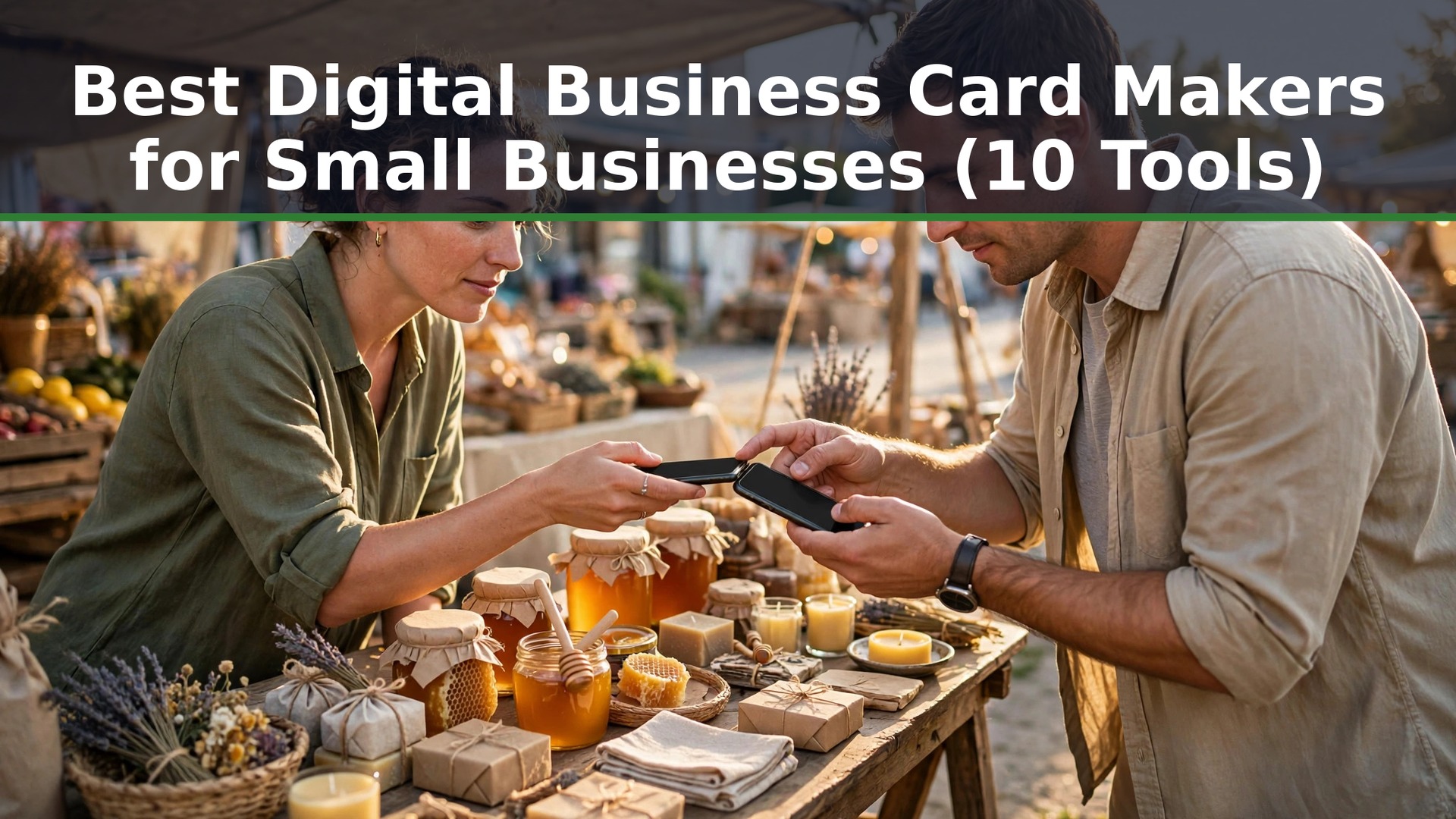
Can I share a digital business card without an app, and do the best digital business card makers for small businesses actually make that easy? HiHello leads this guide, Blinq chases it, and the rest of the list earns its place on one job done well. What follows is the answer to that question, and to the nine others buyers actually ask.
The Questions Buyers Actually Ask
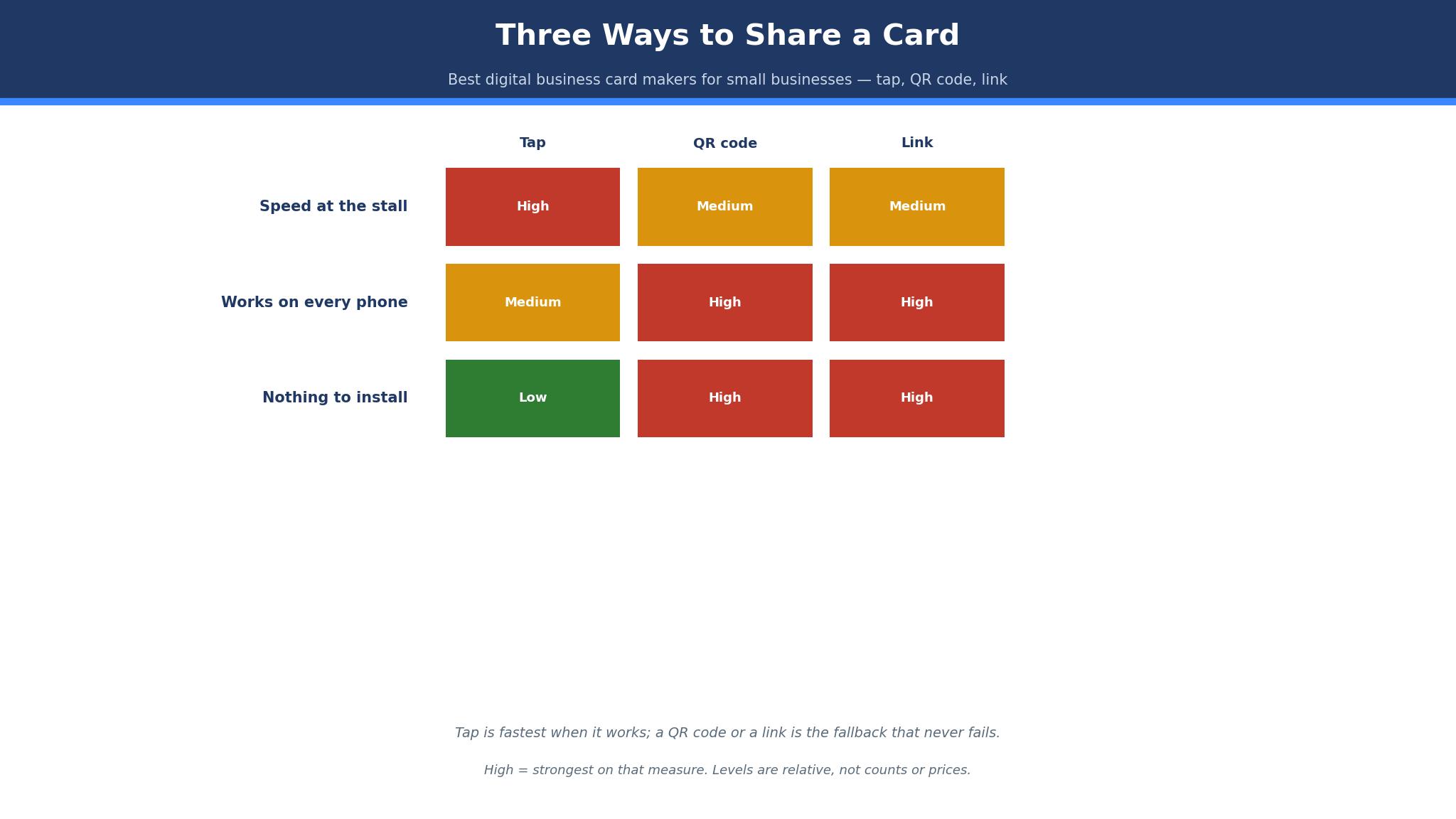
The best digital business card makers for small businesses answer the same ten questions, and the honest answers are shorter than the marketing. A market trader who has sold at the same stall for six years asked them all in one afternoon, and her questions are the ones this guide is built around. The first was the one in the opening above, and the answer is yes, by QR code, by link, or by a tap, and no app is needed on the other person’s phone.
Q. Will older customers use it? A. Most will, if the share takes one tap and the card opens in a browser. The customers who struggle are the ones asked to download an app, and the tools that avoid that step win the older audience.
Q. What happens when my phone dies? A. The card lives on the vendor’s servers, not on your phone, so a dead battery costs you nothing. Log in on any device, or share the printed QR code from the stall, and the card is back.
Q. Does it work on every phone? A. Yes, when the card opens as a web page. QR codes, links and wallet passes work on every modern phone, and the tools that need a special app on the receiving phone are the ones to avoid.
Q. Is it better than a paper card? A. It is better for follow-up, since the customer can tap to call, save the contact or visit the site in one touch. It is worse for the customer who wants something to hold, and that customer still exists.
HiHello vs Blinq
The two leaders among the best digital business card makers for small businesses split on who they are built for. HiHello is the company-wide card, built for a business that wants every employee’s card and email signature to match, with directory sync and single sign-on. Blinq is the personal card that grew into teams, built for one person first and a company second, with a free tier that does real work.
On price, HiHello is cheaper for a team and Blinq is cheaper for one person. HiHello Personal is free, Professional costs $6 a month billed annually, or $72 a year, and Business costs $5 per user a month billed annually, or $60 per user a year, with a minimum of five users.
On features, HiHello wins on company control, with team templates, unlimited cards and scans on Business, CRM integrations and single sign-on. Blinq wins on the individual experience, with a better scanner, AI notes and a free tier that covers two cards with wallet passes. The deciding test is the tap. Share a card from each tool with a colleague, watch which one saves faster, and ask which card you would rather receive.
Best Pick by Job
The table below matches each common job to one pick from the best digital business card makers for small businesses, so you can skip straight to the row that describes your work.
| Job | Pick | Why it wins here |
|---|---|---|
| Whole company, one look | HiHello | Team templates, directory sync, SSO |
| One person, free start | Blinq | Two free cards, wallet pass, scanner |
| Tap to share at events | Popl | NFC tags, fast sharing, event tools |
| Card plus logo in one place | Design.com | One account, shared brand kit |
| Cheapest team plan | Mobilo | Low per-user price, NFC included |
| Simple personal card | Linq | Clean design, easy sharing |
| Small team, low budget | KADO | Team features at a low price |
| Free card with wallet pass | Wave | Free tier, QR and wallet sharing |
| Cheapest paid plan | Knowee | Low monthly price, decent card |
| Paper and digital together | Haystack | Prints cards and manages digital |
When Does Paper Still Win?
Paper still wins when the customer wants something to hold, and that customer has not gone away. The market trader in the opening section keeps a small stack of paper cards beside the QR stand, and about one customer in five takes the paper card instead of tapping the phone. They are usually older, or in a hurry, or the kind of person who keeps cards in a drawer and finds them later. The digital card cannot reach that customer, and the paper card can, so the trader keeps both.
The trade-off is the follow-up. A paper card sits in a drawer until someone remembers it, and most of them are never remembered. A digital card saves itself into the phone in one tap, with the number ready to call and the site one touch away. The businesses that do this well run both, and they never pretend one replaces the other.
The honest limit of this category is the paper card, and it belongs in the open. No digital card tool prints, except the ones that also run a print shop, and Haystack is the only tool on this list that does both properly. The rest of the list assumes the phone is the whole story, and for most customers it is. A business that serves older customers, or sells at markets and fairs, should keep a paper stack beside the QR code, and the best digital business card makers for small businesses will not mind. The card is the point, not the format, and the customer decides which one they want.
The 10 Tools at a Glance
The ten tools below cover every way a small business can share a digital card, from a free personal card to a company-wide system for a hundred people. Each one was judged on how the card is shared, how good it looks on a phone, whether the team stays consistent, and what a year of real use costs. Prices in this guide are vendor list prices in US dollars, read in October and November 2026, and disputed figures are marked reported.
| Tool | Best for | Starting price | Free plan | Watch out |
|---|---|---|---|---|
| HiHello | Whole company | Professional $6 a month | Yes | Free tier caps scans |
| Blinq | One person | Premium $9.99 a month | Yes | Business bills per card |
| Popl | Events and tapping | Pro about $7 a month | Yes | NFC tags cost extra |
| Design.com | Card plus logo | Subscription | Yes | Less depth per tool |
| Mobilo | Cheap team cards | Pro about $4 a month | Yes | Basic design |
| Linq | Simple personal card | Pro about $7 a month | Yes | Fewer team features |
| KADO | Small team budget | About $6 per user a month | Yes | Smaller company |
| Wave | Free wallet pass | Pro about $5.99 a month | Yes | Paid features thin |
| Knowee | Cheapest paid | Pro about 4 euros a month | Yes | Euro pricing |
| Haystack | Paper plus digital | Business about $7.50 a user a month | Yes | Higher entry price |
HiHello wins the glance table on company control, and Blinq wins it on the individual experience. Popl is the pick for events, and Haystack is the pick for a business that still prints. The sections below match each tool to the job it does best.
How to Choose the Best Digital Business Card Makers for Small Businesses
Start with how the card will be shared, because that decides the tool before price ever enters the conversation. A market trader who taps phones all day needs NFC and a QR code, which points to Popl, HiHello or Blinq. A consultant who emails the card needs a link and a wallet pass, which any tool on this list handles.
Then count how many people need a card, because that number picks the price tier before anything else does. One person is fine on the free tier or the cheapest individual plan, and team management would be money thrown away. Five people want a team plan with shared templates, and the per-person figure matters less than the rollout going smoothly.
Finally, test the share with a real phone that is not yours, because the tool that works on your phone can fail on a customer’s. Tap the card, scan the QR code, and open the link on a phone you have never used, and watch what happens. If the card opens in a browser with one tap, the tool is doing its job.
What Happens When Your Phone Dies at an Event?
The phone dies, the stall stays open, and the card has to survive without the phone. The good news is that a digital card lives on the vendor’s servers, not on your device, so a dead battery costs you nothing except the convenience of the tap. Log in on any device, a borrowed phone, a tablet, the laptop in the car, and the card is there, ready to share by QR code or link. The card is not in the phone. The phone is only the way you show it.
The practical fix is a printed QR code, and every serious seller at a market or a trade show should carry one. Print the QR code on a small stand, on the back of a paper card, or on the stall banner, and the card works all day without a battery. HiHello and Blinq both generate a printable QR code in one click, and the stand costs less than a coffee.
The 10 Tools in Detail
The ten tools below are the best digital business card makers for small businesses ranked by what a working week actually demands. HiHello and Blinq lead on different strengths, Popl and Design.com chase on events and breadth, and the rest of the list earns its place on a specific job rather than on overall power. All figures below are vendor list prices in US dollars, checked in October and November 2026, with any disagreement between sources marked reported.
1. HiHello
HiHello is the best company-wide card on this list, and its lead comes from treating the card as part of a company system rather than a personal accessory. Every employee gets a card from a company template, with matching email signatures and video backgrounds, and the whole set stays consistent because the admin controls it. A business with fifty employees can roll out matching cards in a day, and a customer who meets three of them will see the same brand three times.
The price is straightforward. Personal is free, with a small number of digital cards and five card or badge scans a month, though sources disagree on whether the free tier covers two cards or four, so treat that number as reported. Professional costs $6 a month billed annually, or $72 a year, and Business costs $5 per user a month billed annually, or $60 per user a year, with a minimum of five users.
A worked example shows the year-one arithmetic.
A five-person team on Business pays $300 a year, or $60 per person, and gets unlimited cards and scans, team templates, event lead capture, CRM integrations and single sign-on. The same team buying paper cards at a print shop would pay a similar amount for one print run, and the paper cards would be out of date the moment someone changes a phone number.
HiHello also scans paper cards and badges, which matters at events where half the room still hands over paper. The scanner reads the card, creates the contact, and the app keeps the history, so the pile of paper on the desk becomes a list of people to follow up with. The card analytics show who opened the card and when, and the video backgrounds add a personal touch that a paper card cannot match.
2. Blinq
Blinq is the best individual card on this list, and its lead comes from doing the personal job better than anyone else. The free tier covers two cards with unlimited sharing, wallet passes and a contact scanner, and the card itself is clean, fast and easy to share by tap, QR code or link. A solo consultant who meets five new people a week will find Blinq the most pleasant tool to use, and the free tier means the first month costs nothing.
The price splits into personal and team tiers. Premium costs $9.99 a month or $7.33 billed annually, and adds up to five cards, branded QR codes and the AI notetaker.
Pro costs $22.49 a month or $16.58 billed annually, and adds CSV export, AI contact enrichment and unlimited AI notes. Business costs $6.99 per card a month or $4.99 billed annually, with a five-card minimum, and adds CRM sync, templates and the admin platform.
A worked example makes the personal case concrete.
A freelancer on Premium pays $87.96 a year at the annual rate, or about $7.33 a month, and gets five cards, branded QR codes and the AI notetaker that writes a note after every meeting. The same freelancer buying paper cards would pay a similar amount for one print run, and the paper cards would carry no notes, no analytics and no way to update a phone number.
3. Popl
Popl is the events pick, and it earns third place on the tap.
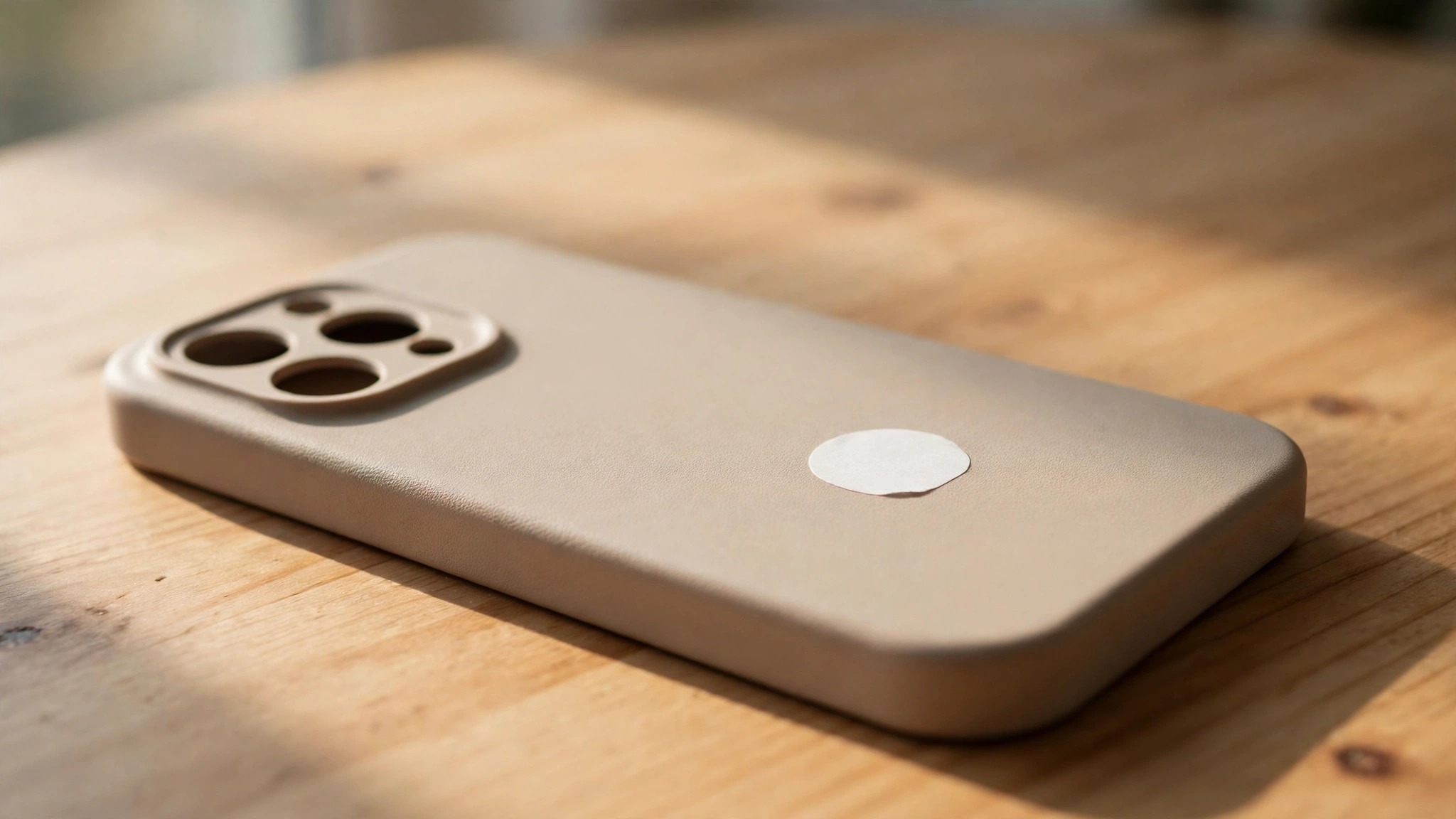
The NFC tag turns a phone tap into a card share in one second, with no QR code to scan and no link to type, and the event tools capture leads, take notes and sync them to a CRM before the conversation is over. A seller at a trade show who meets a hundred people in a day will get more from Popl than from any tool above it, because the tap is faster than any other sharing method.
The price is reported from about $7 a month for the Pro tier, with a free tier for occasional use, so confirm the figure at checkout.
The NFC tags cost extra, and the tag is a physical product that needs to be ordered, which adds a few days to the setup. The card design is clean and modern, the sharing works on every phone, and the team features cover a small sales team well.
4. Design.com
Design.com takes fourth place because the card is the front door to a bigger identity. Buy the subscription and the card, the logo, the kit, the website and the deck all come from the same account, with the same colours and fonts, so nothing needs copying between tools. A business that is building everything at once gets further with that one door than with a card-only tool at twice the price, because the card-only tool stops at the card.
The card maker itself is solid rather than spectacular. It builds a clean digital card with a QR code, a link and a wallet pass, and the design matches the logo and brand kit automatically. It will not out-share Popl or out-manage HiHello, and nobody should buy it expecting that. Its strength is the shared identity.
5. Mobilo
Mobilo is the cheap-team pick, and it earns fifth place on price. The Pro tier is reported from about $4 a month, with NFC tags included in some plans, which makes it the cheapest team card on this list. A five-person team can run on Mobilo for about $240 a year, undercutting HiHello and Blinq by a small margin, and the cards look professional enough for any customer.
The design is basic, and the team features are thinner than HiHello, so a large company will find Mobilo limiting. The card sharing works by tap, QR code and link, and the lead capture covers the basics. The analytics are simple, and the integrations are fewer than the leaders.
6. Linq
Linq is the simple-personal pick, and it earns sixth place on ease. The card is clean, the design is modern, and the sharing works by tap, QR code and link without any setup beyond filling in the form. A solo owner who wants a card that looks good and shares fast will be done in ten minutes, and the result is professional enough for any meeting.
The price is reported from about $7 a month for the Pro tier, with a free tier for occasional use, so confirm the figure at checkout. The team features are fewer than HiHello or Blinq, and the analytics are basic, so a growing business will outgrow it. The strength is the lack of friction. No admin console, no settings to learn, no tutorial to watch. For one person who wants a good card today, Linq is a fair pick, and the free tier means the first card costs nothing.
7. KADO
KADO is the small-team budget pick, and it earns seventh place on value. The team features cover shared templates, lead capture and basic analytics, at a price reported from about $6 per user a month, which puts a five-person team at about $360 a year. The card design is clean, the sharing works by tap and QR code, and the setup takes an afternoon rather than a week.
The company is smaller than HiHello or Blinq, and the integrations are fewer, so a business that needs deep CRM connections will find KADO limiting. The support is personal, the tool is straightforward, and the price is fair for what it does. For a small team on a budget that wants team cards without the enterprise complexity, KADO is a reasonable choice, and the year-one cost is easy to approve.
- KADO in one line. Team digital cards at a low price, for small businesses that want shared templates without enterprise complexity.
- Best moment. A five-person team rolls out matching cards in an afternoon, and every card looks like it came from one business.
- Watch out. The integrations are fewer than the leaders, and the company is smaller.
- Verdict. Pick it for a small team on a budget, skip it when you need deep CRM connections.
8. Wave
Wave is the free-wallet pick, and it earns eighth place on its free tier. The free plan covers a digital card with a QR code and a wallet pass, which is enough for a solo owner who meets people occasionally and wants the card in their phone wallet. The card looks clean, the sharing is fast, and the setup takes ten minutes.
The price is reported from about $5.99 a month for the Pro tier, with the free tier covering the basics. The paid tier is thin where the leaders are deep, and the team controls are basic, so a growing business will outgrow it. The analytics are simple, and the integrations are few.
9. Knowee
Knowee is the cheapest-paid pick, and it earns ninth place on price alone. The Pro tier is reported from about four euros a month, which works out to roughly $50 a year, making it the cheapest paid card on this list. The free tier covers a basic card, and the paid tier adds more designs, more links and the removal of branding.
Q. Who should actually pay for Knowee? A. A very small business that needs a decent card at the lowest possible price, and does not need team features or deep analytics.
Q. What is the drawback? A. The design range is smaller than the leaders, and the tool is less known, so finding help or reviews takes more effort.
Q. When is it the right call? A. When the budget is the deciding factor and the card is simple. A name, a number and a link all work fine.
Q. When does this card stop being enough? A. The day a second person needs a card under the same brand, or the day the team needs shared templates. That is when HiHello or Blinq earns its price.
10. Haystack
Haystack rounds out the list as the paper-plus-digital pick, and it is the only tool here that does both properly. The company prints paper business cards and manages digital cards in the same account, so a business that still hands over paper at events can keep one system for both. The digital card shares by tap, QR code and link, and the paper cards arrive printed and ready to hand out.
The price is reported from about $7.50 per user a month for the Business tier, with a free tier for a single digital card. A five-person team pays about $450 a year, which is more than HiHello or Blinq, and the extra money buys the printing. The digital features are competent rather than remarkable, and the team management is solid without being the best.
Will Older Customers Use a Digital Card?
Most older customers will use a digital card, if the share takes one tap and the card opens in a browser. The customers who struggle are the ones asked to download an app, create an account, or follow three steps to see a phone number. The tools that avoid those steps win the older audience, and the tools that demand them lose it.
The other half of the answer is the offer. An older customer who is offered a tap and a paper card will pick the one they understand, and the seller who offers both never loses the customer. The market trader keeps a paper stack beside the QR stand for exactly this reason, and about one customer in five takes the paper. The digital card is not a replacement for the paper card.
Frequently Asked Questions
Can I share a digital business card without an app?
Yes, and every tool on this list does it. Share by QR code, by link, or by a tap on an NFC tag, and the card opens in the other person’s browser with no app to install. HiHello, Blinq and Popl all work this way, and the card saves into the phone’s contacts in one touch. The tools to avoid are the ones that ask the receiving person to download an app, since most people will not. The best digital business card makers for small businesses share by browser first, and the app is only for the owner.
Do I need an NFC tag to share a digital card?
No, though a tag makes the share faster. A QR code or a link does the same job for free, and every tool on this list generates both. An NFC tag turns the share into a single tap, which matters at a busy trade show, and Popl and Mobilo sell tags for that purpose. A market trader who meets a hundred people a day will find the tag worth the small cost. A consultant who shares cards by email will never need one.
Will my digital card work on every phone?
Yes, when the card opens as a web page. QR codes, links and wallet passes work on every modern phone, and the tools on this list are built around that. The card can fail when it needs a special app on the receiving phone, or when the vendor’s site is down, and both are reasons to pick a well-known tool. Test the share on a phone you have never used before you commit, and the answer will be obvious in ten seconds.
Can I use a digital card and paper cards together?
Yes, and most small businesses should. The digital card is for the customer with a phone in hand, and the paper card is for the customer who wants something to hold. Haystack is the only tool on this list that prints paper cards and manages digital cards in one account, and the rest of the list pairs well with a local print shop. Keep a small paper stack beside the QR stand, and let the customer choose. The card is the point, not the format.
What happens to my card if I cancel?
Your card stops working when the subscription ends, since the card lives on the vendor’s servers, and the QR code and link will stop opening. Export your contacts and save the card details before you cancel, because the vendor has no reason to keep them for you. The paper cards you printed keep working forever, which is one more reason to keep a stack. Cancel on a quiet day, tell the team, and update the QR code on the stall the same afternoon.
Is a digital business card safe to share with strangers?
Yes, with the usual care. A digital card shows only what you put on it, so leave off a home address and a personal mobile number if you would not hand them to a stranger on paper. Use a business number, a business email and a link to the site, and the card is safer than a paper card, since you can update it or turn it off. If a contact turns unwanted, most tools let you change the link, and the old card stops working.
The Verdict: HiHello for Control, Blinq for the Individual
HiHello is the best pick for most small businesses, because it covers the whole company for $5 per user a month on Business, with team templates, directory sync and single sign-on. Blinq is the pick for one person, since its free tier covers two cards and Premium costs $7.33 a month billed annually. Popl is the pick for events, and Haystack is the pick for a business that still prints paper cards.
What I would do, if I were setting up a market stall tomorrow, is start on HiHello free, print the QR code on a small stand, and keep a paper stack beside it for the customers who want something to hold. If the team grows past five people, move to Business at $60 per person a year and stop thinking about it.