
If your wrist hurts after a day at a computer and you have small to medium hands, buy the Logitech Lift Vertical first. It uses the same 57 degree handshake angle as the larger MX Vertical, costs about 70 dollars, weighs less than the larger model in daily use, and comes in a left handed version, which is rare and important for left handed users. If your hands are large, buy the Logitech MX Vertical instead, because the Lift will feel cramped and force your fingers to curl. That verdict is the core of this guide to the best ergonomic mouse for wrist pain, where shape and hand size matter more than DPI, button count or brand loyalty.
The best ergonomic mouse for wrist pain is not the most expensive mouse, nor the mouse with the most features. It is the mouse that lets your forearm rest in a neutral position for hours, without forcing your wrist to twist, your fingers to stretch, or your shoulder to compensate for a shape that does not fit.
Why Hand Size Decides the best ergonomic mouse for wrist pain
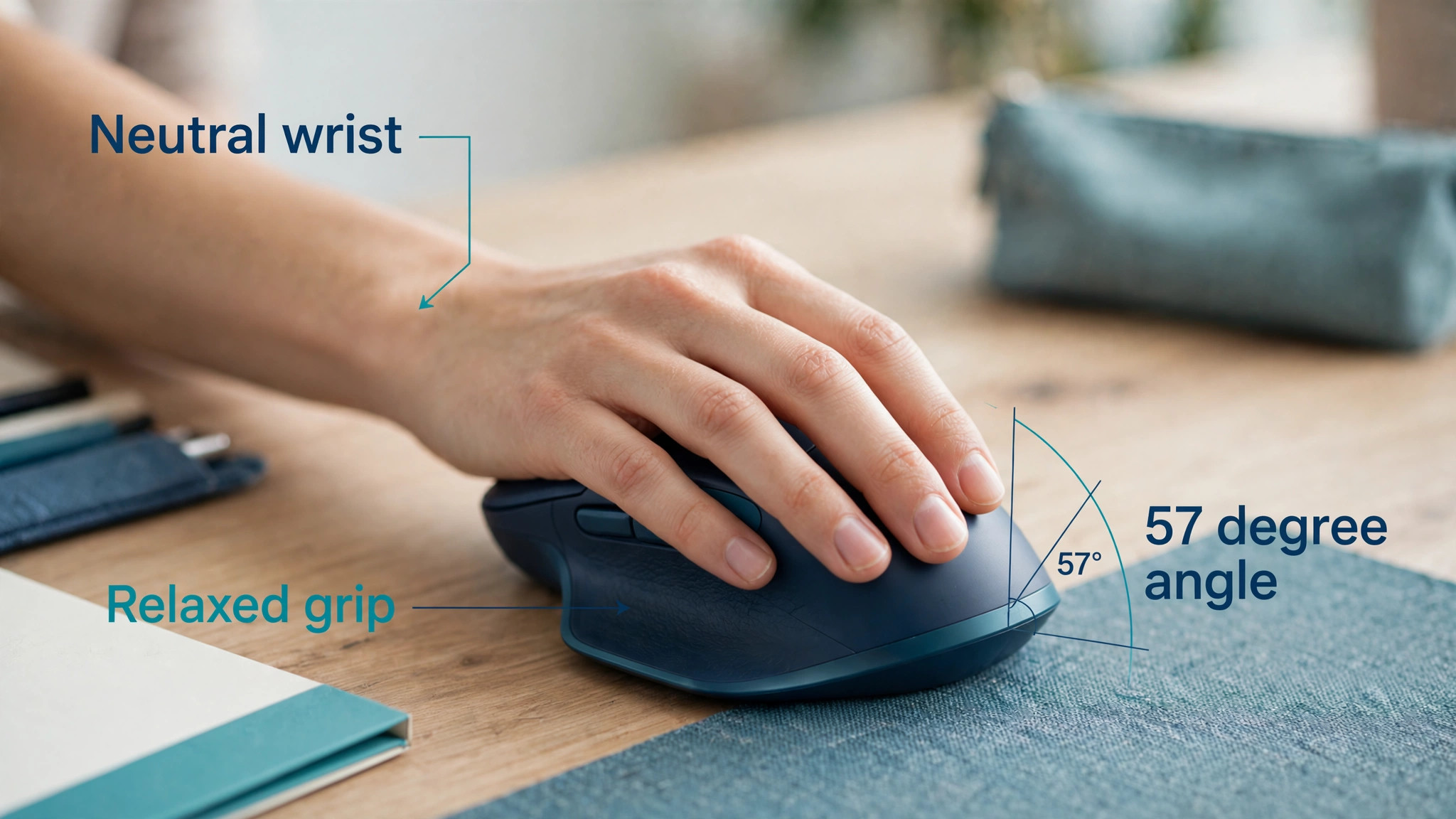
A standard flat mouse forces the forearm into pronation, which means the palm faces down and the forearm twists. Held for hours, that twist puts pressure on the wrist and strain on the muscles and tendons running from elbow to wrist. A vertical mouse rotates the hand into a handshake position, typically at 57 degrees on Logitech vertical models, which reduces that twist. The benefit is real, but it only works if the mouse fits. A vertical mouse that is too large will make a small hand stretch to reach the buttons, which creates new strain in the fingers.
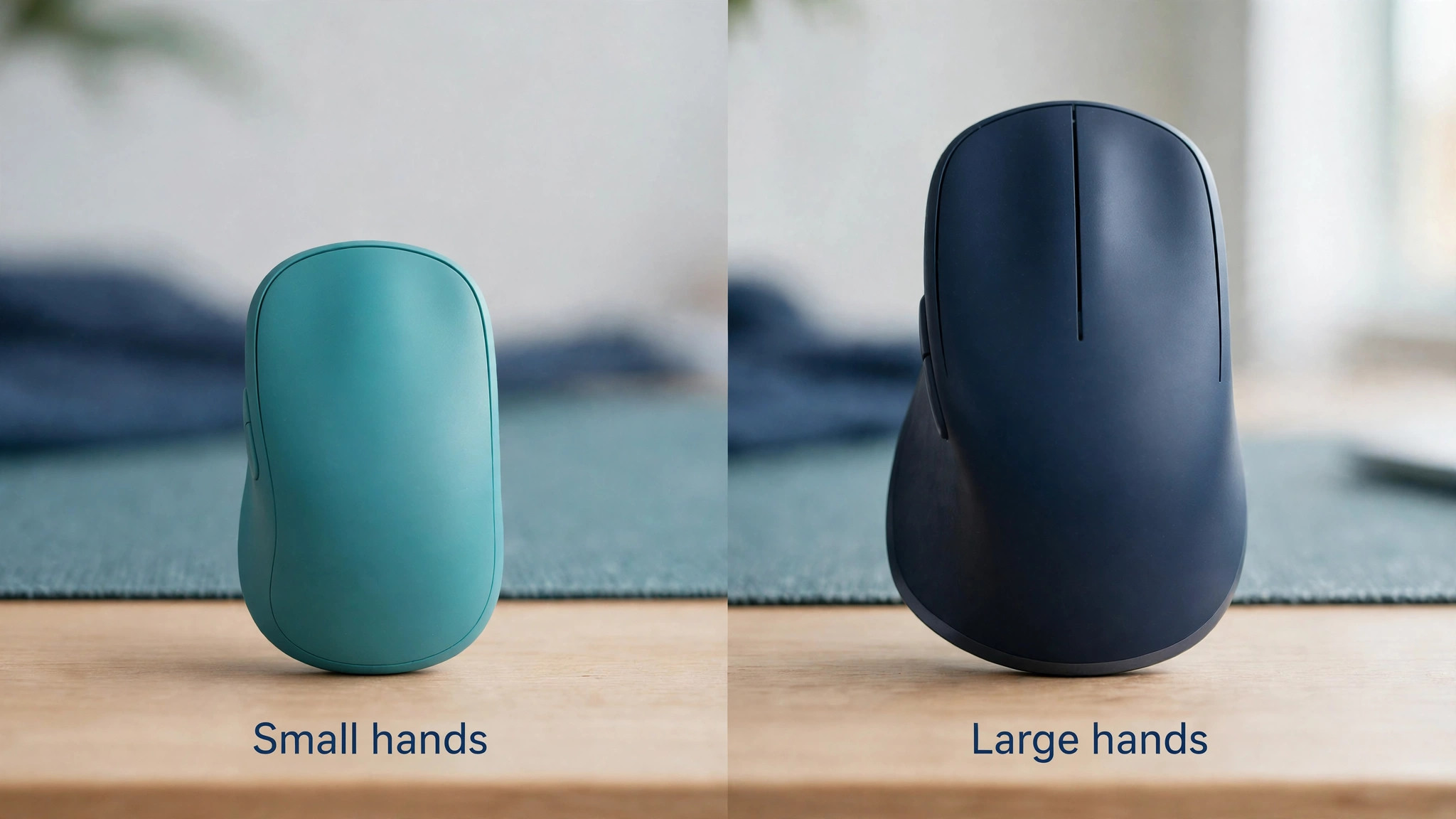
A vertical mouse that is too small will make a large hand curl around it, which creates strain in the palm and knuckles. Measure your hand from wrist crease to fingertip before you buy. Hands under about 19 centimeters usually suit the Lift, while hands over 19 centimeters usually suit the MX Vertical. That one measurement will save more pain than any software setting.
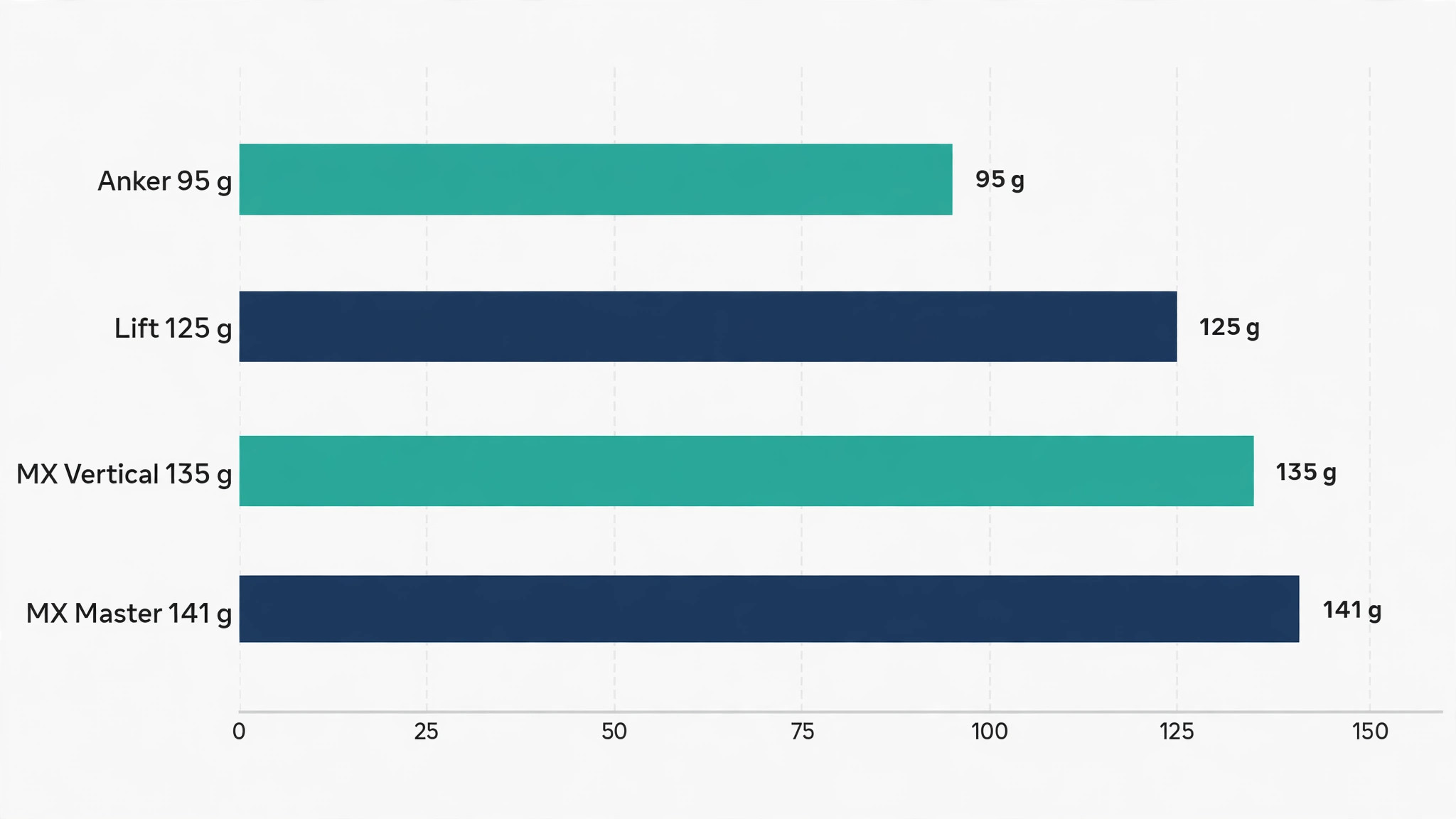
Weight matters for a different reason. A heavy mouse requires more effort to move, and that effort is repeated thousands of times a day. A lighter mouse reduces that load, especially for users who already have wrist or forearm pain. The Lift is lighter and more compact than the MX Vertical, which is part of why it suits smaller hands. The MX Master 3S, by contrast, is heavier at about 141 grams in many listings, but it is not a vertical mouse, so its weight is offset by a contoured shape that supports the hand differently. Do not judge weight alone.
Judge weight together with shape, because a light mouse with a poor shape can still hurt, and a slightly heavier mouse with a shape that supports the hand can feel easier over a full day.
Button count matters less for pain than button position. A mouse with seven buttons is useless if the side buttons force your thumb to stretch or click awkwardly. A mouse with four well placed buttons that you can reach without moving your wrist is better than a mouse with eight buttons that require contortions. For most office work, you need left click, right click, a scroll wheel and two side buttons for back and forward. Extra buttons for DPI switching, gesture control or app switching are bonuses, not essentials, and they should not decide a purchase for wrist pain.
Check whether buttons are quiet, because loud clicks can be tiring in a shared office, and check whether the scroll wheel is smooth or stepped, because a stiff wheel can strain the finger that scrolls all day.
A mouse is also not a medical treatment. If pain is severe, persistent, causes numbness, weakness or night waking, or follows an injury, see a clinician or a hand specialist rather than buying another mouse and hoping. An ergonomic mouse can reduce strain and support recovery, but it cannot diagnose carpal tunnel syndrome, tendon problems or nerve compression. Use the mouse as part of a broader routine that includes breaks, a neutral wrist position, a keyboard at the right height, and movement during the day. A mouse that helps for two hours and hurts after six is still telling you something important about fit, posture or workload, and that signal should not be ignored.
The Seven Mice Compared
The table below compares shape, weight, buttons and street price. Prices move with sales and retailer, so treat them as planning figures and check the exact model and handedness before buying. Weights are approximate from manufacturer and retailer listings, and they vary slightly with battery type.
| Mouse | Shape | Weight | Buttons | Street price |
|---|---|---|---|---|
| Logitech Lift Vertical | Vertical 57 degrees, small to medium | About 125 grams | 4 customizable plus wheel | About 70 dollars |
| Logitech MX Vertical | Vertical 57 degrees, medium to large | About 135 grams | 4 plus wheel and DPI switch | About 100 dollars |
| Logitech MX Master 3S | Contoured horizontal, right hand | About 141 grams | 7 including thumb wheel | About 100 dollars to 120 dollars |
| Anker Vertical Ergonomic | Vertical, medium | About 95 grams | 5 | About 30 dollars |
| Delux M618 Mini | Vertical, small to medium | About 95 grams | 6 | About 37 dollars |
| Logitech Ergo M575 Trackball | Trackball, thumb control | About 145 grams | 5 plus ball | About 50 dollars |
| Microsoft Sculpt Ergonomic | Contoured, angled thumb scoop | About 130 grams | 5 plus scroll and back button | Around 80 dollars typical |
The table shows the central trade off clearly. Vertical mice offer the strongest change in wrist angle, but they require an adjustment period and they suit different hand sizes. Contoured mice offer a gentler change, with a familiar horizontal grip and a shape that supports the hand, but they do not rotate the forearm as much. Trackballs offer a different solution altogether, because the hand stays still while the thumb moves the ball, which can help users whose pain comes from moving the whole arm. The right choice depends on where your pain sits, how large your hands are, and whether you are willing to learn a new grip.
Winners by Hand Size and Pain Type
For small to medium hands, the Logitech Lift Vertical is the winner. It offers the same 57 degree angle as the MX Vertical, quiet clicks, a SmartWheel that shifts between precision and speed scrolling, and a left handed version. For large hands, the Logitech MX Vertical is the winner, because it offers a larger body, a rechargeable battery with USB-C charging, and a high precision sensor, without forcing large fingers to curl.
For users who cannot adapt to a vertical grip, or who need many programmable buttons for creative work, the Logitech MX Master 3S is the best contoured alternative, because it supports the hand well, offers excellent scrolling and multi device switching, but it is heavier and it does not rotate the forearm as much as a vertical mouse.
For users on a tight budget, the Anker Vertical Ergonomic mouse is the value winner, because it offers a vertical grip at about 30 dollars, with a simple button layout and a light body. For users who need a smaller vertical mouse at a low price, the Delux M618 Mini is the compact budget winner, with a rechargeable battery and silent clicks in many listings. For users whose pain worsens when they move their arm to move the cursor, the Logitech Ergo M575 trackball is the movement winner, because the thumb moves the ball while the hand stays still.
For users who want a familiar mouse shape with a more natural angle, the Microsoft Sculpt Ergonomic mouse is the gentle transition winner, because its angled shape and thumb scoop feel less strange than a full vertical mouse, even though it does not offer the same forearm rotation.
The Mice in Detail
Logitech Lift Vertical
The Lift is the mouse most people with wrist pain should try first, provided their hands are small to medium. Its 57 degree angle lifts the wrist into a handshake position, which reduces forearm pronation and takes pressure off the wrist during long sessions. The body is compact, the clicks are quiet, and the SmartWheel feels natural for both precise scrolling through documents and fast scrolling through long pages. Customization through Logi Options Plus lets you assign the side buttons to back, forward, copy, paste or app specific actions, which reduces keyboard reaching. The Lift runs on a single AA battery with a claimed life of up to two years, which is convenient, though some users prefer a rechargeable battery.
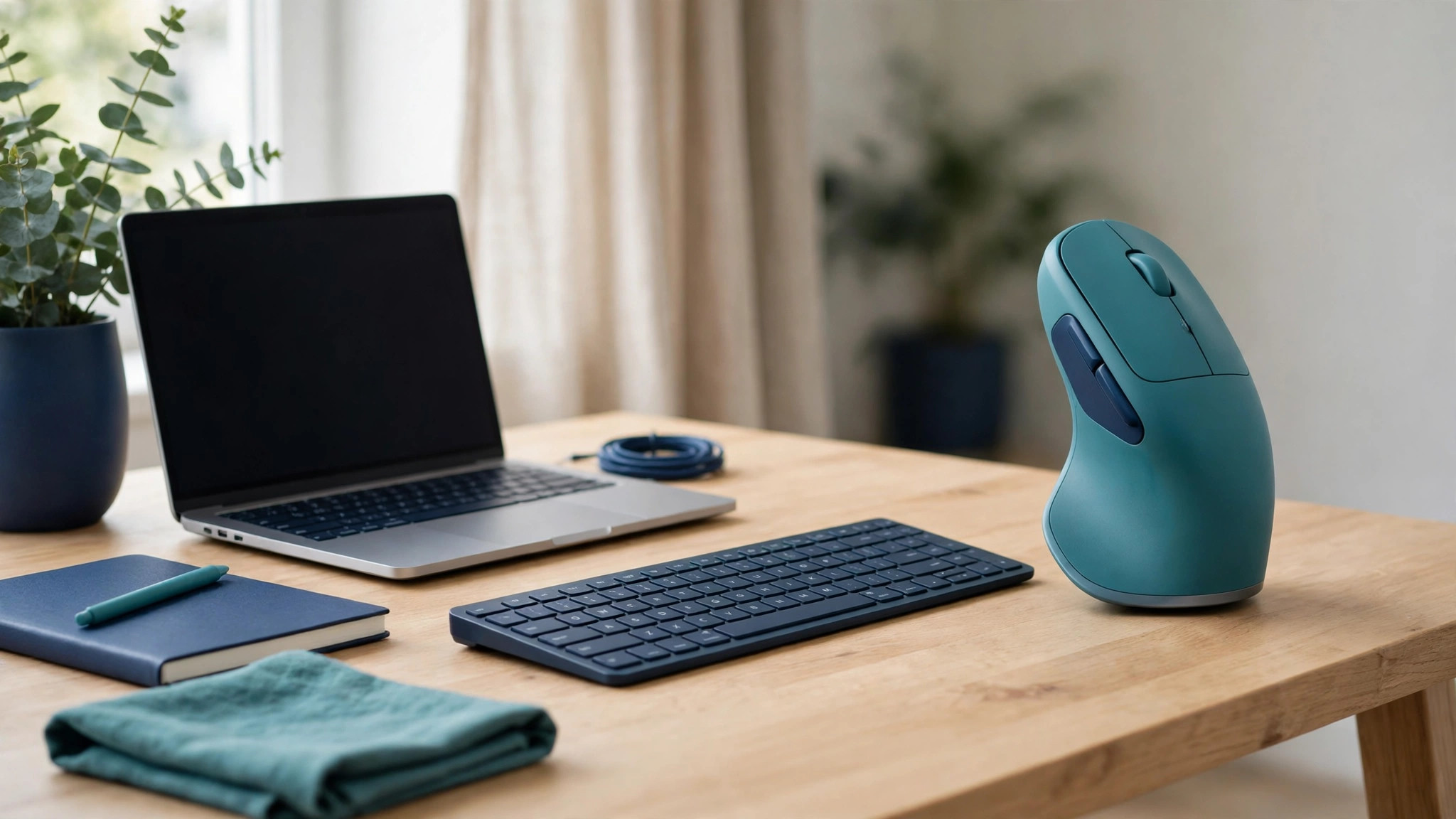
The left handed version is a major advantage, because most vertical mice are right hand only. The main limit is size. Large hands will find the Lift cramped, and users who need a rechargeable battery or a higher DPI sensor for detailed design work may prefer the MX Vertical. For the majority of office users with wrist discomfort, the Lift is the best balance of angle, weight, price and handedness.
Logitech MX Vertical
The MX Vertical is the larger, more powerful sibling of the Lift, and it is the right choice for medium to large hands. It shares the 57 degree angle and handshake position, but its larger body supports a bigger palm and longer fingers without curling. It offers a 4000 DPI high precision sensor, a DPI switch on the top for instant speed changes, and a rechargeable battery with USB-C charging that lasts up to four months on a full charge in manufacturer claims, with a quick charge giving hours of use from a minute of charging. That battery and sensor make it better for power users, designers and anyone who moves between detailed work and fast navigation.
The price, about 100 dollars, is higher than the Lift, and the body is heavier and taller, which can feel bulky on a small desk or in a laptop bag. There is no left handed version, which is a significant limit for left handed users with large hands. If your hands are large, you want a rechargeable battery, and you need precision for detailed work, the MX Vertical justifies its price. If your hands are small, do not buy it simply because it is the flagship model. Fit matters more than flagship status.
Logitech MX Master 3S
The MX Master 3S is not a vertical mouse, and that is both its strength and its limit. Its contoured right hand shape supports the palm and thumb, its MagSpeed scroll wheel offers precise and hyper fast scrolling, and its 8K DPI sensor tracks on almost any surface, including glass in many cases. It offers seven programmable buttons, including a thumb wheel that is useful for horizontal scrolling in spreadsheets, timelines and design apps, and it pairs with up to three devices with easy switching. For users who do a lot of data work, video editing or design work, and who find vertical mice too strange, the Master 3S is an excellent ergonomic upgrade from a standard flat mouse.
It does not, however, rotate the forearm into a handshake position, so it will not reduce pronation as much as a vertical mouse. It is also heavier, at about 141 grams, and it is right hand only, so left handed users and users with severe pronation related pain should look at the Lift or MX Vertical first. Buy the Master 3S for performance and comfort, not as a direct substitute for a vertical mouse.
Anker Vertical Ergonomic Mouse
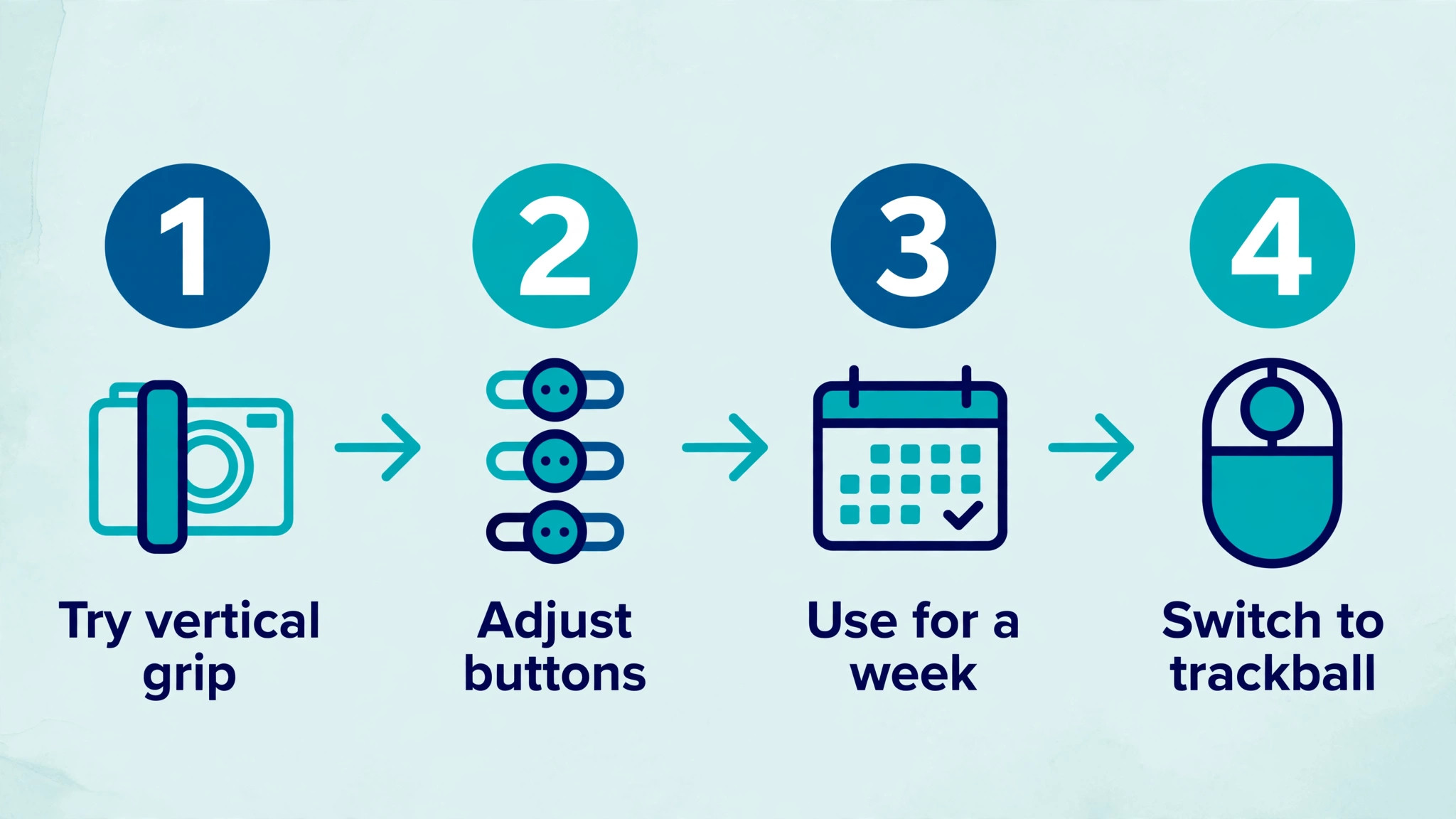
The Anker Vertical Ergonomic mouse is the best way to test a vertical grip without spending 70 dollars or more. At about 30 dollars, it offers a handshake position, a simple five button layout, and a light body that is easy to move. Many users find that a week with this mouse tells them whether a vertical shape helps, even if they later upgrade to a Logitech model for better software, quieter clicks or a more refined sensor. The limits are also clear. Build quality, sensor precision and software customization are more basic than Logitech models, and the shape is a generic vertical design rather than a shape tuned for a specific hand size range.
Some users find the buttons slightly stiffer, and the scroll wheel less refined. For a first vertical mouse, a second mouse for a home office, or a budget buy for a student, the Anker is a sensible purchase. For a user with persistent pain who will use the mouse for eight hours a day, the extra cost of the Lift or MX Vertical usually pays for itself in comfort and durability.
Delux M618 Mini
The Delux M618 Mini suits users who want a small vertical mouse with a rechargeable battery at a low price. It offers a vertical grip, silent clicks in many versions, a compact body for smaller hands, and a price around 37 dollars in recent listings. The rechargeable battery avoids buying AA batteries, and the small size makes it easy to carry in a laptop bag. The sensor, at up to 4000 DPI in some versions, is adequate for office work, documents and web browsing, though it is not a precision tool for detailed design work. The limits include a more generic shape, less refined software support, and a button layout that may feel cramped for larger hands.
Some versions also use a 125 hertz polling rate, which is fine for office work but slower than gaming mice, though that difference is rarely noticeable in documents or spreadsheets. Buy the M618 Mini if you have small hands, want a vertical grip on a budget, and prefer a rechargeable battery. Do not buy it if you need advanced customization, a left handed version, or a shape that has been tested with ergonomists in the way Logitech models have.
Logitech Ergo M575 Wireless Trackball
The Ergo M575 takes a different approach to wrist pain. Instead of moving the mouse, you move a thumb controlled ball, while the hand stays still on a contoured base. That can help users whose pain worsens with arm movement, users with limited desk space, and users who work in a fixed position for long periods. The trackball offers precise cursor control once you learn it, with a large ball that is easy to clean and a shape that supports the hand without gripping. It pairs with Bluetooth or a USB receiver, runs on a single AA battery with long life, and offers five buttons that can be customized. The learning curve is real.
Most users need several days to become accurate with a thumb trackball, and tasks that require fast, sweeping cursor movements, such as gaming or fast video editing, can feel slower at first. The M575 is also not a vertical mouse, so it does not rotate the forearm in the same way. Buy it if arm movement is your main trigger, or if desk space is tight. Try it before committing if possible, because trackball preference is personal and a week of use is a better test than a specification sheet.
Microsoft Sculpt Ergonomic Mouse
The Microsoft Sculpt Ergonomic mouse offers a gentler transition from a standard mouse to an ergonomic shape. Its angled body and thumb scoop encourage a more natural hand position without the full vertical rotation of a Lift or MX Vertical, which makes it easier to adapt to for users who find vertical mice strange. It offers a scroll wheel, a back button, and a shape that supports the thumb and palm during long office sessions. The price, typically around 80 dollars, sits between budget vertical mice and Logitech flagship models.
The limits are that it does not reduce forearm pronation as much as a vertical mouse, it is right hand oriented in its main version, and it has fewer customization options than Logitech models. It is also an older design, so check compatibility with your operating system and availability before buying. Buy the Sculpt if you want an ergonomic improvement without a radical change in grip, or if you have tried a vertical mouse and found it too strange. Do not buy it expecting the same forearm rotation as a vertical mouse, because that is not what this shape is designed to do.
Setting Up a Vertical Mouse Without New Pain
A new vertical mouse can cause temporary discomfort if you switch too quickly. Use it for short sessions at first, such as one or two hours, and keep your old mouse nearby for tasks that feel awkward. Adjust DPI to a setting that lets you move across the screen without large arm movements or tiny finger movements. A DPI that is too low forces you to move your arm a lot, which can strain the shoulder. A DPI that is too high forces fine finger control, which can strain the wrist. Start in the middle range, around 1000 to 1600 DPI for most office work, and adjust in small steps over a few days.
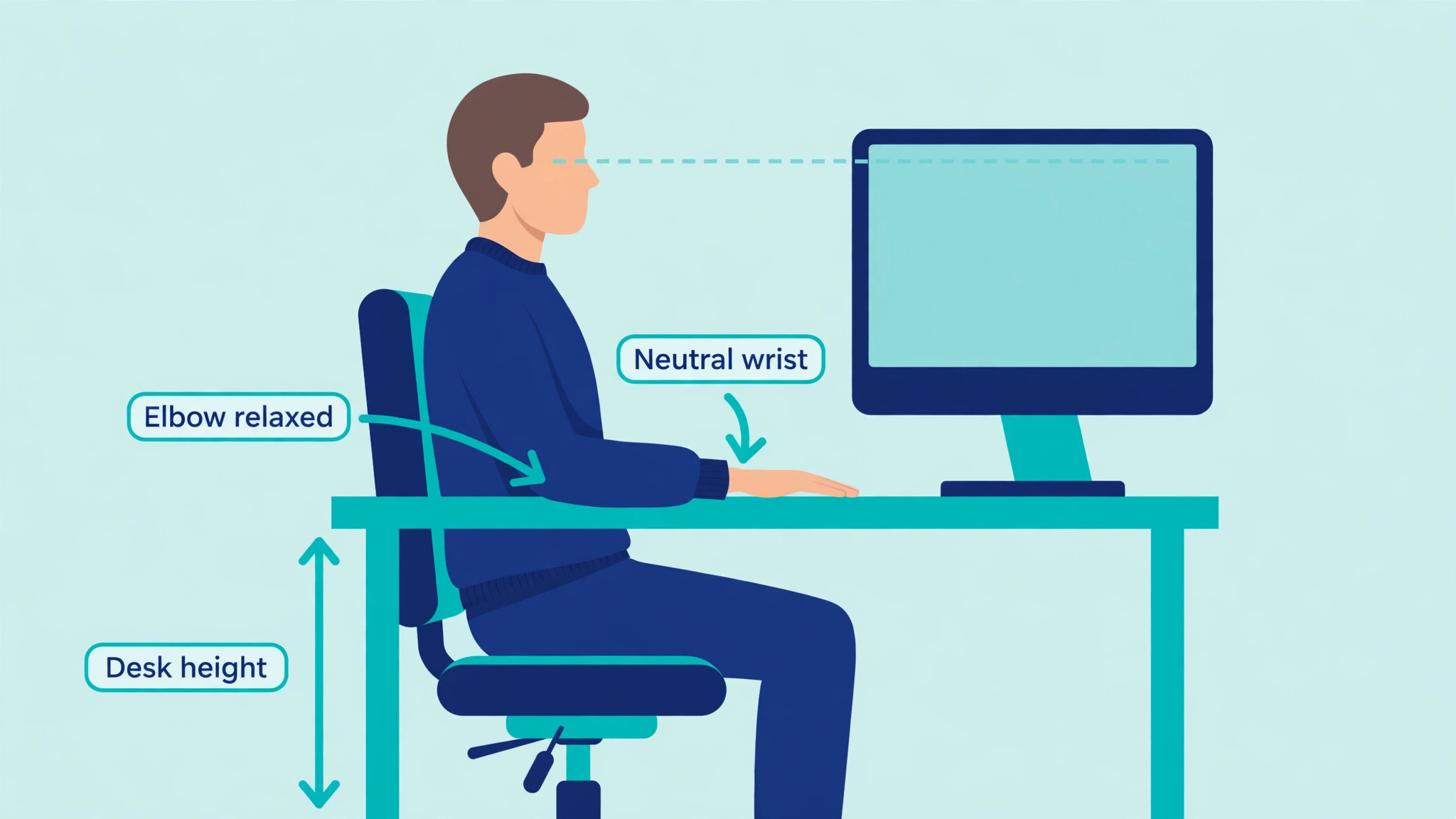
Place the mouse at elbow height, close to the keyboard, so your upper arm hangs naturally and your wrist stays straight. A mouse that is too far away forces you to reach, which creates shoulder strain that can masquerade as wrist pain.
Keyboard height matters as much as mouse shape. If the keyboard is too high, the wrist bends upward. If it is too low, the wrist bends downward. Aim for a neutral wrist, with the forearm roughly horizontal and the hand in line with the forearm. A keyboard tray, a lower desk height, or a chair height adjustment can fix a wrist bend that no mouse can fix alone. Take short breaks every hour, stretch fingers and forearms gently, and change posture during the day. A mouse that helps for eight hours straight without breaks is still part of a routine that needs movement.
If pain increases after switching to a vertical mouse, check fit first, then DPI, then desk height, and then workload. A mouse that is too large, a DPI that is too low, or a desk that is too high can each create new strain, and each has a simple fix.
Why Some Good Mice Still Lose Here
Rejection reasons are part of honest buying advice, because a mouse can be well made and still be wrong for wrist pain. We did not pick the MX Master 3S as the overall winner for wrist pain, despite its excellent sensor and scrolling, because it is heavier and does not rotate the forearm into a handshake position, so it helps comfort more than it helps pronation. We did not pick the Anker Vertical as the overall winner, despite its low price, because its generic shape, basic sensor and limited software make it a test mouse rather than a long term daily tool for most users with persistent pain.
We did not pick the Delux M618 Mini as the overall winner, despite its compact size and rechargeable battery, because its shape is less refined and its customization is limited compared with Logitech models.
We did not pick the Ergo M575 trackball as the overall winner, despite its benefit for arm movement pain, because its learning curve and thumb control make it a specialist choice, not a first mouse for most users. We did not pick the Microsoft Sculpt as the overall winner, despite its gentle transition shape, because it offers less forearm rotation than a vertical mouse and is an older design with limited availability. We also passed over standard flat mice with high DPI and many buttons, because no button count fixes a palm down twist, and we passed over gaming mice with light weight but flat shapes, because speed does not reduce pronation.
The best ergonomic mouse for wrist pain is the one that fits your hand, rotates your forearm, and feels easy after a full week, not just after a first impression in a shop.
Buying Advice and a Simple Test Week
Buy from a retailer with a good return policy, because fit is personal and a specification sheet cannot tell you whether a shape suits your hand. Measure your hand, check handedness, and confirm whether the model uses AA batteries, a rechargeable battery or both. Check connectivity as well. Bluetooth is convenient for laptops, a USB receiver is reliable for desktops, and multi device switching matters if you use a work laptop and a personal computer. Install the customization software, set side buttons to actions you actually use, and set DPI to a comfortable middle range before you judge the mouse. A mouse judged with default settings that do not suit you is not a fair test.
Run a test week. Use the new mouse for most work, note pain at the end of each day on a simple scale, and note any new pain in fingers, shoulder or neck, which can signal a fit or desk height problem. If pain falls by the end of the week and no new pain appears, keep the mouse. If pain stays the same, check desk height, DPI and break routine before giving up. If pain rises, return the mouse and try a different shape or size, or seek clinical advice if pain is severe or persistent. Keep your old mouse during the test week, so you are not forced to use a painful new shape for an urgent deadline.
A test week is cheaper than buying three mice in a row, and it gives you evidence that no review can replace.

A Last Check on Fit Before You Buy
Before you order, confirm hand size, handedness, battery type and return policy in one pass, because those four details decide whether a good mouse becomes a good purchase. A best ergonomic mouse for wrist pain that is too large will hurt in a new way, and a best ergonomic mouse for wrist pain that is right hand only will not help a left handed user at all. Check the exact model name as well, because similar names cover different sizes, and a best ergonomic mouse for wrist pain bought in the wrong size is a return waiting to happen.
If you can, try the shape in a shop for ten minutes, then judge it again after a full test week at home, because the best ergonomic mouse for wrist pain is the one that still feels easy on day seven, not just on day one.
More Reading on Stratilyze
Mouse comfort sits beside the rest of a healthy desk setup, so readers fixing wrist pain usually check the neighbouring comfort guides next. The guide to setting up a laptop stand for an ergonomic desk covers the screen height fix that removes the other half of the strain, the guide to the best chair for a home office in a small space explains the seating side of the same setup, and the guide to the best webcam for remote work meetings shows the meeting gear that completes a desk built for long days.
Frequently Asked Questions
Does a vertical mouse help wrist pain
A vertical mouse can help by rotating the hand into a handshake position, which reduces forearm pronation and wrist pressure during long sessions. The benefit depends on fit, because a vertical mouse that is too large or too small can create new strain in fingers or palm.
How do I know if the Lift or MX Vertical fits me
Measure from wrist crease to fingertip. Hands under about 19 centimeters usually suit the Lift, while larger hands usually suit the MX Vertical. The best ergonomic mouse for wrist pain for a given user is often decided by that measurement more than by price or features.
How long does it take to adjust to a vertical mouse
Most users need several days to a week to feel natural with a vertical grip, and trackball users may need longer. Start with short sessions, adjust DPI gradually, and keep your old mouse nearby during the transition so urgent work does not force you through pain.
Are cheap vertical mice worth buying
Yes as a test, because a budget vertical mouse at about 30 dollars can tell you whether the grip helps before you spend 70 dollars or more. For daily use over many hours, a better shaped, better built mouse usually feels more comfortable and lasts longer.
Can a mouse cure carpal tunnel syndrome
No. A mouse can reduce strain and support comfort, but it cannot diagnose or cure carpal tunnel syndrome, tendon problems or nerve compression. Seek clinical advice if pain is severe, persistent, causes numbness or weakness, or wakes you at night.
Should left handed users buy a different mouse
Yes if possible. The Logitech Lift offers a left handed version, which is rare among vertical mice, while many other models are right hand only. A right hand mouse used in the left hand will force an awkward grip and is likely to increase strain rather than reduce it.
The Final Verdict for Sore Wrists
Start with hand size, not brand. Small to medium hands should start with the Logitech Lift Vertical, large hands should start with the Logitech MX Vertical, and left handed users should check the Lift left handed version first. If a vertical grip feels too strange, try the Microsoft Sculpt for a gentler change, or the MX Master 3S for a contoured performance mouse. If arm movement is the main trigger, try the Ergo M575 trackball. If budget is tight, test the idea with the Anker Vertical or Delux M618 Mini, then upgrade if the grip helps.
The best ergonomic mouse for wrist pain is the mouse that fits, rotates your forearm, and still feels easy after a full week of real work. Measure your hand, run a test week, fix desk height and DPI, and seek clinical advice if pain persists, because a mouse is a tool for comfort, not a substitute for care.