
The Steelcase Gesture and the Herman Miller Aeron are the two chairs most back pain sufferers compare first, and for good reason. The Gesture adapts to how you actually sit, shifting, leaning and reaching, while the Aeron offers breathable mesh, a precise fit in three sizes, and a sacrum support system that many users praise for lower back comfort. Neither chair is universally better, because a chair that fits one spine, height and sitting style can feel wrong for another person, even at the same price. The best office chair for back pain is therefore not a single model for everyone.
It is the chair whose lumbar system matches your lower back curve, whose seat depth fits your legs, and whose adjustments you will actually use every day, at a price you can justify for years of sitting.
How to Judge the best office chair for back pain
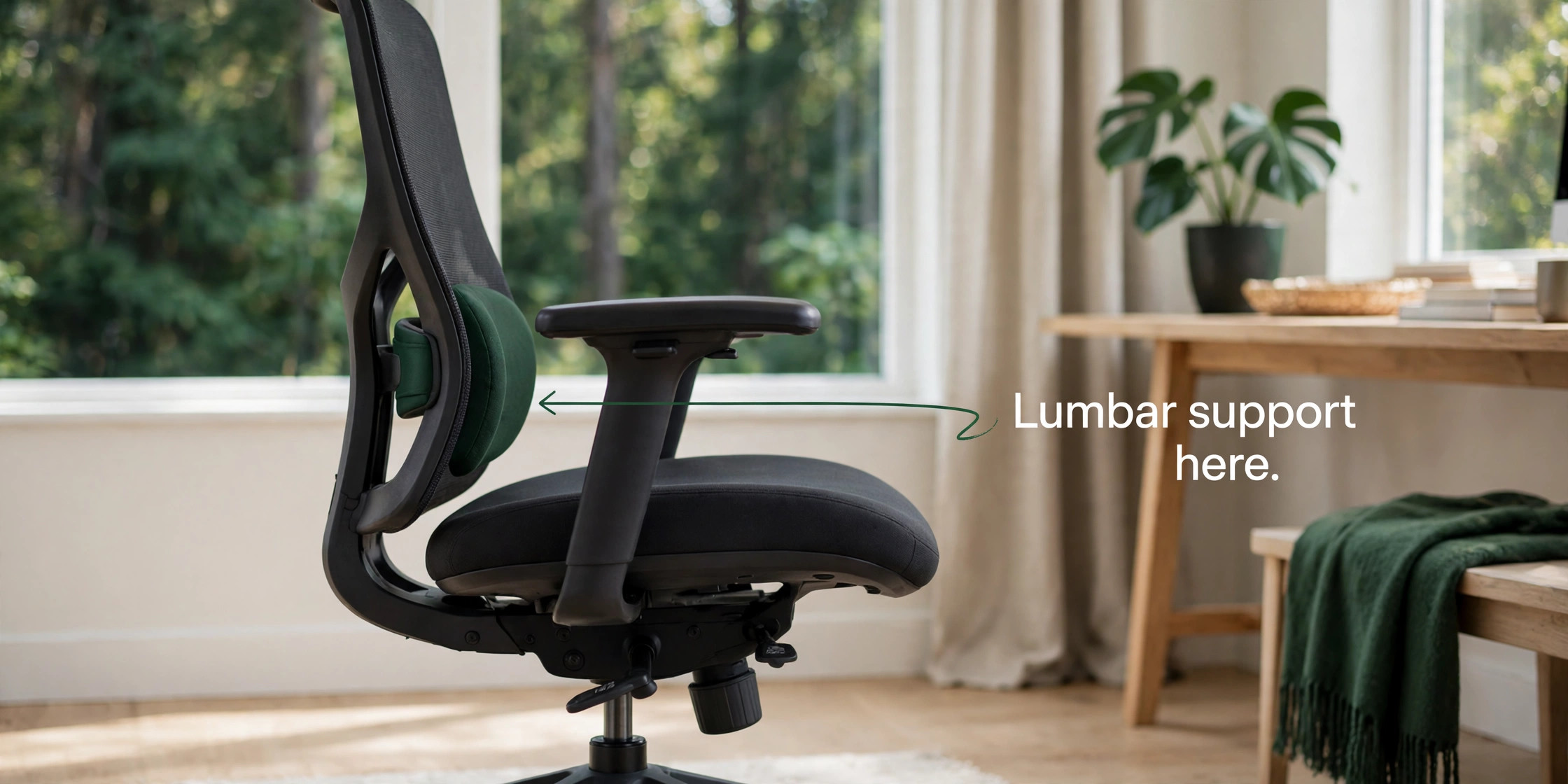
Lumbar support is the first test, and it is more specific than a bump on a chair back. Good lumbar support fills the natural curve of your lower back, without pushing you forward or leaving a gap when you recline. Adjustable lumbar support, in height and in depth or firmness, is far more useful than fixed lumbar support, because lower back curves differ in height and depth from person to person. A chair with a lumbar pad that can be moved up and down, and pressed in or out, can be tuned to your spine in minutes. A chair with a fixed pad that sits too high or too low will feel uncomfortable no matter how expensive the chair is.
When you test a chair, sit with your back against the backrest, feet flat on the floor, and check whether the lumbar area contacts your lower back without forcing you to arch. If you have to perch on the edge of the seat to feel supported, the lumbar system is in the wrong place for you.
Seat depth and height are the second test. Seat depth should leave about two to three fingers of space between the front edge of the seat and the back of your knees, so blood flow to your legs is not cut off. A seat that is too deep forces you to slouch to reach the backrest. A seat that is too shallow leaves thighs unsupported and increases pressure on your sitting bones. Seat height should let your feet rest flat on the floor with knees at roughly a right angle, or on a footrest if your desk is high. Armrests are the third test.
They should support your forearms at elbow height, without forcing your shoulders up or letting your arms hang. Adjustable armrests in height, width, depth and angle, often called 4D armrests, help more than fixed armrests, especially if you switch between typing, writing and using a mouse.
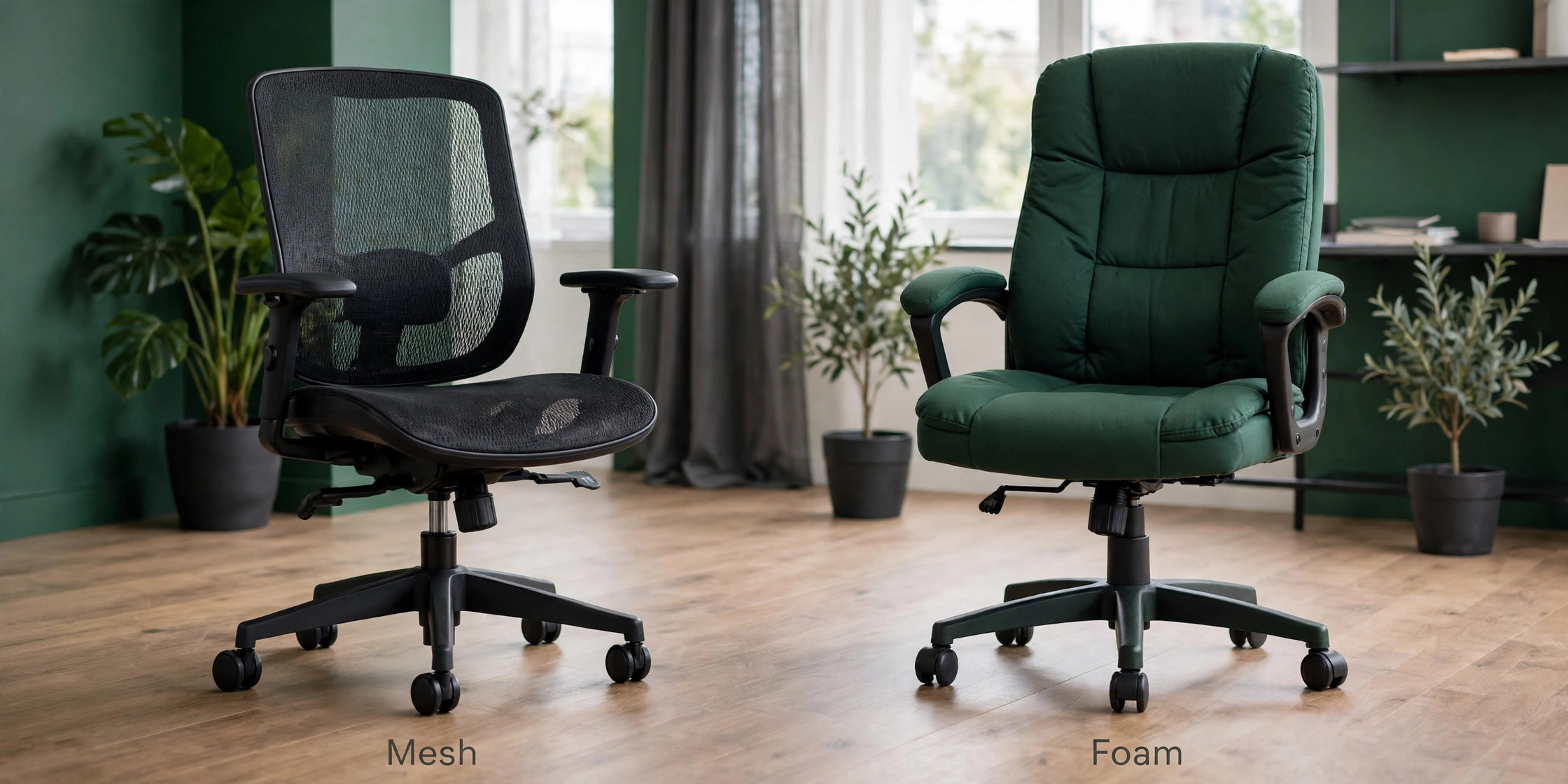
Material matters for comfort over a full day, but it does not replace lumbar support. Mesh breathes well and stays cool, which helps if you run hot or work in a warm room, and mesh does not compress like foam over years. Foam and fabric offer more cushioning and a warmer feel, which helps if you prefer a softer seat or work in a cool room, but foam can compress after two to three years on budget chairs, while premium mesh and dense foam last far longer. Recline and tilt are also important, because a chair that locks you upright all day forces static posture, while a chair that reclines smoothly and supports your back through the recline encourages movement.
Look for a tilt mechanism that matches your weight, with tension you can adjust, and a recline that does not leave your lower back unsupported when you lean back.
Finally, fit and warranty matter as much as features. A chair that comes in sizes, such as the Aeron in sizes A, B and C, needs the right size choice, because the wrong size will feel wrong even with perfect adjustments. A chair with a 12 year warranty, as offered by Steelcase and Herman Miller on many models, signals a build quality that should last, while a chair with a one or two year warranty may need replacement sooner, which raises the true cost per year. Price per year is a useful way to compare.
A 1,500 dollar chair that lasts 12 years costs 125 dollars a year before repairs, while a 300 dollar chair that lasts three years costs 100 dollars a year, plus the hassle of replacement and the risk of poor support in the meantime. A chair for back pain is a health tool as much as furniture, so judge it on fit, support and longevity, not only on sticker price.
The Eight Chairs Compared
The table below compares lumbar support, adjustability and street price. Prices move with configuration, retailer and sales, so check the exact model, size and fabric before buying.
| Chair | Lumbar support | Adjustability | Street price |
|---|---|---|---|
| Steelcase Gesture | 3D LiveBack, flexible spine support | 360 degree arms, seat depth, tilt | About 1400 dollars to 1800 dollars |
| Herman Miller Aeron Remastered | PostureFit SL, sacrum and lumbar pads | Size A B C, tilt, arms, seat depth | About 1500 dollars to 2200 dollars |
| Steelcase Leap V2 | Adjustable lumbar firmness, LiveBack | Seat depth, arms, tilt, lumbar firmness | Under 1500 dollars typical |
| Steelcase Series 1 | LiveBack, weight activated lumbar | Weight activated tilt, 4D arms | Under 500 dollars |
| Sihoo Doro C300 | Self adaptive dynamic lumbar | 4D arms, seat depth, recline to 130 degrees | About 290 dollars to 300 dollars |
| HON Ignition 2.0 | Height adjustable lumbar bar | 4D arms, seat depth, tilt | About 350 dollars |
| Autonomous ErgoChair Pro | Responsive lumbar tension, flexible spine ribs | 5 recline positions to 130 degrees | About 499 dollars |
| Secretlab Titan Evo | 4 way adjustable lumbar pillow system | Arms, recline, seat height | About 519 dollars |
The table shows two clear groups. Premium chairs offer the most refined lumbar systems, the longest warranties and the best build, at prices above 1,400 dollars. Mid range and budget chairs offer strong lumbar features at 300 dollars to 500 dollars, but with shorter warranties, firmer or simpler cushions, and less refined adjustment mechanisms. The right group depends on how many hours you sit, how severe your back pain is, and how long you plan to keep the chair. A person who sits for eight to ten hours a day with chronic pain will notice the difference of a premium lumbar system.
A person who sits for three to four hours a day with mild discomfort may be well served by a mid range chair, provided the fit is right.
Which Chair Wins for Which Back
For most people seeking the best office chair for back pain who sit all day and want the most adaptable support, the Steelcase Leap V2 is the overall winner. It offers adjustable lumbar firmness, a LiveBack system that flexes with the spine, seat depth adjustment, and a price under 1,500 dollars in many listings, which is lower than the Gesture and Aeron while offering back specific adjustability that many users praise. For people who shift positions constantly, lean into phones and laptops, and need armrests that follow every posture, the Steelcase Gesture is the movement winner, because its 3D LiveBack and 360 degree armrests were designed after studying how people actually sit.
For people who run hot, want breathable mesh, and need a precise size fit, the Herman Miller Aeron Remastered is the mesh winner, because its 8Z Pellicle mesh and PostureFit SL support offer firm, consistent support that does not compress like foam.
For buyers who want premium brand support at a lower price, the Steelcase Series 1 is the budget premium winner, because it offers LiveBack, weight activated controls and a 12 year warranty for under 500 dollars, even though its backrest is shorter for taller users and its seat cushion is firm. For buyers who want the strongest lumbar tracking at the lowest price, the Sihoo Doro C300 is the value winner, because its self adaptive lumbar system follows the lower back as you recline, at about 290 dollars to 300 dollars.
For buyers who prefer a contoured foam cushion, especially for sciatica type discomfort, the HON Ignition 2.0 is the cushion winner, because its thick waterfall foam and adjustable lumbar bar reduce sit bone pressure. For buyers who want a full recline and flexible spine support at 500 dollars, the Autonomous ErgoChair Pro is the recline winner. For buyers who prefer a gaming chair look with adjustable lumbar, the Secretlab Titan Evo is the gaming style winner, though it is not the first choice for most back pain sufferers who need a more traditional ergonomic shape.
The Chairs in Detail
Steelcase Gesture
The Gesture is built for people who do not sit still. Steelcase studied how people actually sit, including slouching into phones, leaning into laptops and shifting constantly, and designed a chair with a 3D LiveBack system that mimics the natural movement of the spine. The backrest flexes as you move, so support does not disappear when you lean to one side or reach forward. The armrests adjust in height, width, depth and angle, with 360 degree movement that is wider than most competitors, which helps when you switch between typing, writing, using a tablet and talking on the phone. The seat depth adjusts, the tilt tension adapts, and the overall build feels solid for heavy daily use.
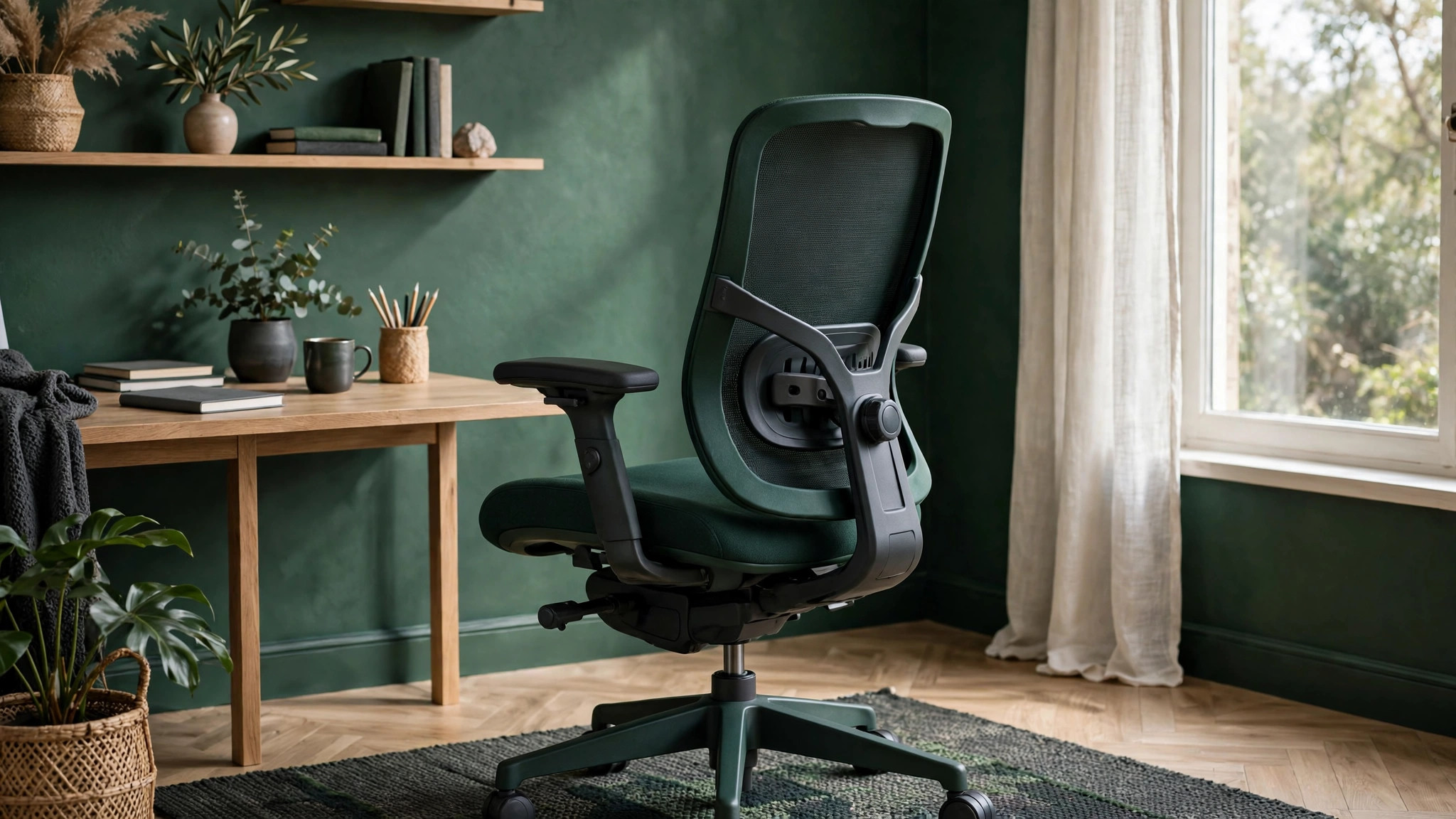
The price, about 1,400 dollars to 1,800 dollars, is high, and the chair is not the lightest or most breathable option, but for a person who moves all day and needs support in many postures, the Gesture is hard to beat. The 12 year warranty also means the cost per year is reasonable for a chair that will be used for a decade or more.
Herman Miller Aeron Remastered
The Aeron Remastered is the classic mesh chair, and its reputation is earned, but it needs the right size to work. It comes in sizes A, B and C, and choosing the wrong size is the most common reason people dislike it. Size B fits most average height and weight users, while size A suits smaller users and size C suits larger users. The 8Z Pellicle mesh is firm at the edges and softer under the thighs, which distributes weight and keeps air flowing, so you do not overheat during long sessions.
PostureFit SL support uses two pads to cradle the sacrum and support the lower back, which many users with lower back pain praise, though some users prefer a single lumbar pad they can move. The Aeron offers tilt, arm and seat depth adjustments, and a build quality that lasts for years in offices. The price, about 1,500 dollars to 2,200 dollars, is high, and the mesh feel is firm, not cushioned, so users who prefer a soft seat may dislike it. If you run hot, like firm support, and choose the correct size, the Aeron is an excellent long term chair for back pain.
Steelcase Leap V2
The Leap V2 is the chair many back pain sufferers end up keeping, because it combines adjustable lumbar firmness with a flexible back that moves with the spine. Unlike a chair with a fixed lumbar bump, the Leap lets you adjust how firm the lumbar support feels, which matters when back pain changes from day to day or when you share the chair. Seat depth, arm height and width, tilt tension and lumbar position all adjust, giving a high degree of tuning without a confusing number of levers. The foam cushion is comfortable for most users, though it will compress slightly over years, and replacement parts are available.
The price, under 1,500 dollars in many listings and often lower through refurbished or corporate sellers, makes it better value than the Gesture or Aeron for back specific features. The 12 year warranty matches premium competitors, which helps justify the price over a decade. The main limits are that it is not a mesh chair, so it runs warmer than the Aeron, and its look is more traditional office than modern design. For chronic back pain, adjustability often matters more than look, and the Leap wins on that test.
Steelcase Series 1
The Series 1 is the chair to buy if you want Steelcase build and warranty without a premium price. At under 500 dollars, it offers LiveBack flexing spine technology, weight activated synchronous tilt that calibrates to your body weight when you sit, and 4D armrests that adjust in height, width, depth and angle, which is rare at this price. Assembly is simple, with no tools required in many guides, and the 12 year warranty is remarkable for a chair in this range. The trade offs are real. The seat cushion is firmer than the Leap or Gesture, which some users love and others find uncomfortable after six hours.
The backrest is shorter, so taller users may find it ends at mid back rather than supporting the shoulders. Armrests can shift laterally when you push off them to stand. Despite those limits, the Series 1 delivers most of the ergonomic benefit of a premium chair at a third of the price, and it is the best choice for a home office, a small team or a buyer who wants a proven brand without spending over 1,000 dollars.
Sihoo Doro C300
The Sihoo Doro C300 is the value champion for lumbar support, because its self adaptive dynamic lumbar system tracks the lower back as you move and recline, without requiring constant manual adjustment. That tracking is the feature users with back pain notice most, because support does not disappear when you lean back. The chair offers a flexible mesh backrest, a waterfall shaped seat cushion to reduce leg pressure, coordinated 4D armrests, and a recline range of 110 degrees to 130 degrees, with a smart weight sensing mechanism for balanced reclining.
The price, about 290 dollars to 300 dollars in recent listings, is far below premium chairs, and the build is sturdy, with a 300 pound capacity and a three year warranty in many listings. The limits are fit and refinement. Reviews note that the chair suits average to slightly above average height and weight best, and may not fit users shorter than about 5 feet 4 inches or taller than 6 feet 2 inches as well. Lumbar and headrest adjustment are less refined than premium models, and armrests can move too easily. For an average sized user with back pain on a budget, the C300 offers lumbar tracking that is hard to match at this price.
HON Ignition 2.0
The HON Ignition 2.0 suits users who prefer a cushioned seat over mesh, especially those with sciatica type discomfort or sit bone soreness. Its thick waterfall molded foam seat reduces pressure at the front edge, while a height adjustable lumbar bar lets you position support at the curve of your lower back. Four dimensional armrests adjust in height, width, depth and angle, and seat depth adjusts to fit different leg lengths. The price, about 350 dollars, makes it a sensible minimum for a chair with real lumbar adjustment, and it is widely available through office suppliers, which helps with returns and parts.
The limits are that foam will compress over years faster than mesh, and the overall adjustment range is less refined than Steelcase models. The look is traditional office, not modern, and the warranty is shorter than premium chairs. If you dislike mesh, want a soft but supportive seat, and need a chair that is available and affordable, the Ignition 2.0 is a strong choice. If you run hot or sit for ten hours a day, a mesh chair may feel better over time.
Autonomous ErgoChair Pro
The ErgoChair Pro offers a full spine approach at about 499 dollars, with flexible spine ribs, responsive lumbar tension control, and five lockable recline positions up to 130 degrees. That recline range and spine flexibility help users who like to lean back during calls, reading or thinking, while still keeping lumbar support in contact. The chair offers adjustable arms, seat height and tilt, and a modern look that suits a home office. The limits are that the lumbar system, while responsive, is less precisely adjustable than the Leap V2, and the overall build, while solid, does not match the 12 year warranty and corporate durability of Steelcase or Herman Miller.
Some users also find the seat firmer than expected, and the chair needs careful setup to get the recline tension right for your weight. For a buyer who wants a reclining ergonomic chair at 500 dollars, with a flexible back and a clean design, the ErgoChair Pro is a good value. For a buyer with chronic, specific lower back pain who needs fine lumbar tuning, the Leap V2 remains the better specialist choice.
Secretlab Titan Evo
The Secretlab Titan Evo is a gaming chair with ergonomic features, and it deserves a place in this list because many back pain sufferers try gaming chairs first. It offers a four way adjustable lumbar system, adjustable armrests, a recline mechanism, and a seat built for long sessions, at about 519 dollars. The build quality, materials and warranty are better than most budget gaming chairs, and the look suits a gaming or streaming setup. The limits for back pain are important.
Gaming chairs often have a bucket seat shape that can restrict hip movement, a backrest that is more upright and padded than an ergonomic office chair, and a lumbar system that relies on a pillow or internal mechanism rather than a flexible spine back. For some users, especially those who prefer a firm, padded seat and a gaming aesthetic, the Titan Evo can be comfortable. For most back pain sufferers who need a chair that flexes with the spine, supports the sacrum, and adjusts seat depth precisely, a traditional ergonomic chair such as the Leap, Gesture or Series 1 will fit better.
Buy the Titan Evo for a gaming setup where look and long session padding matter, not as a first choice for clinical back pain.
Setting Up a Chair for Your Back
A good chair set up badly will still hurt. Start with seat height. Sit with feet flat on the floor, knees at roughly a right angle, and thighs roughly horizontal. If your feet do not reach the floor, use a footrest rather than letting your legs dangle, because dangling legs pull the pelvis forward and flatten the lower back curve. Next, set seat depth so there is a small gap between the seat edge and the back of your knees. Then set lumbar support so it contacts the curve of your lower back without pushing you forward. If the lumbar pad is too high, lower it. If it is too low, raise it.
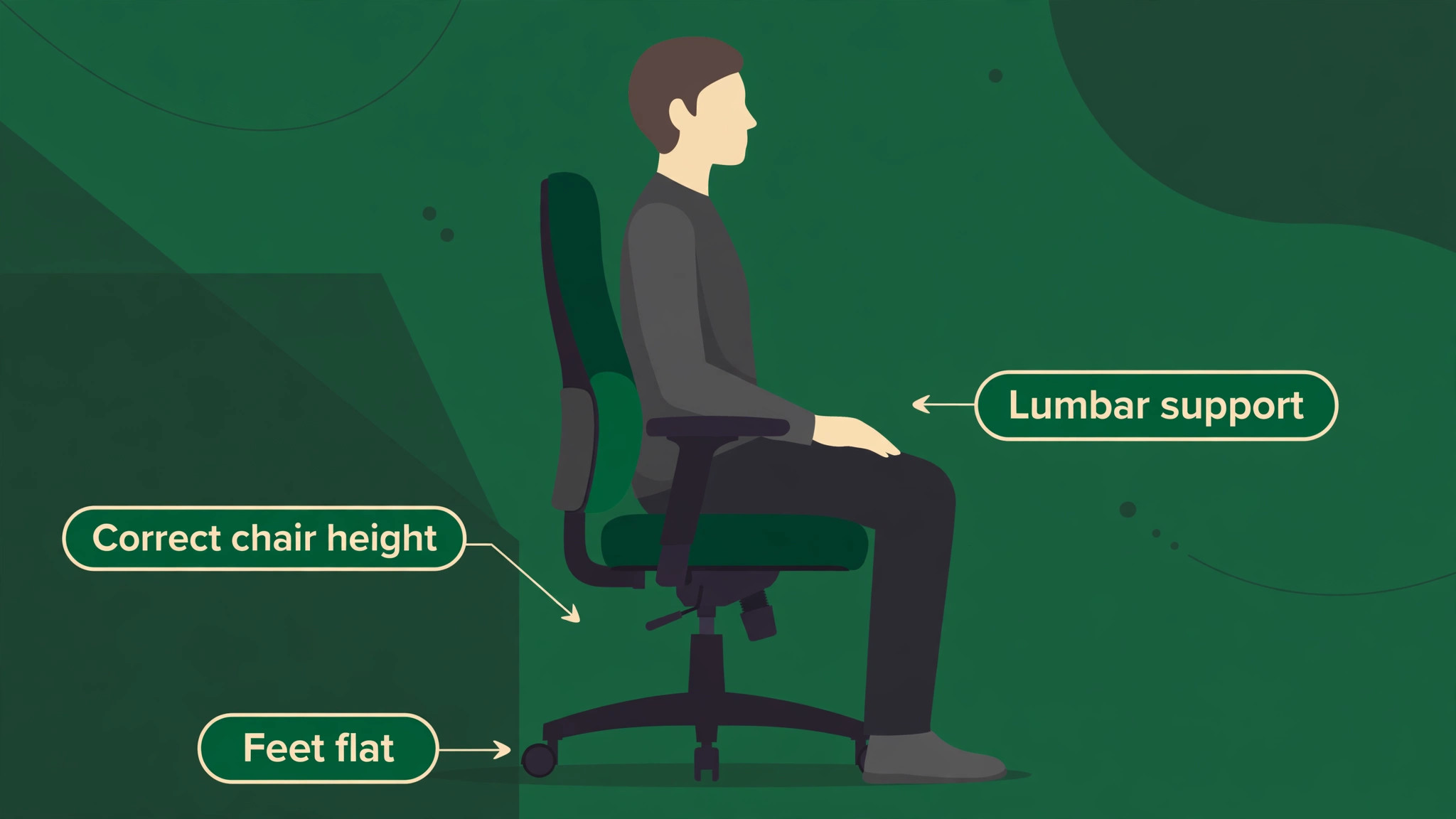
If it is too firm, reduce firmness where the chair allows it, as on the Leap V2, or add a small lumbar roll as a temporary test before buying a new chair.
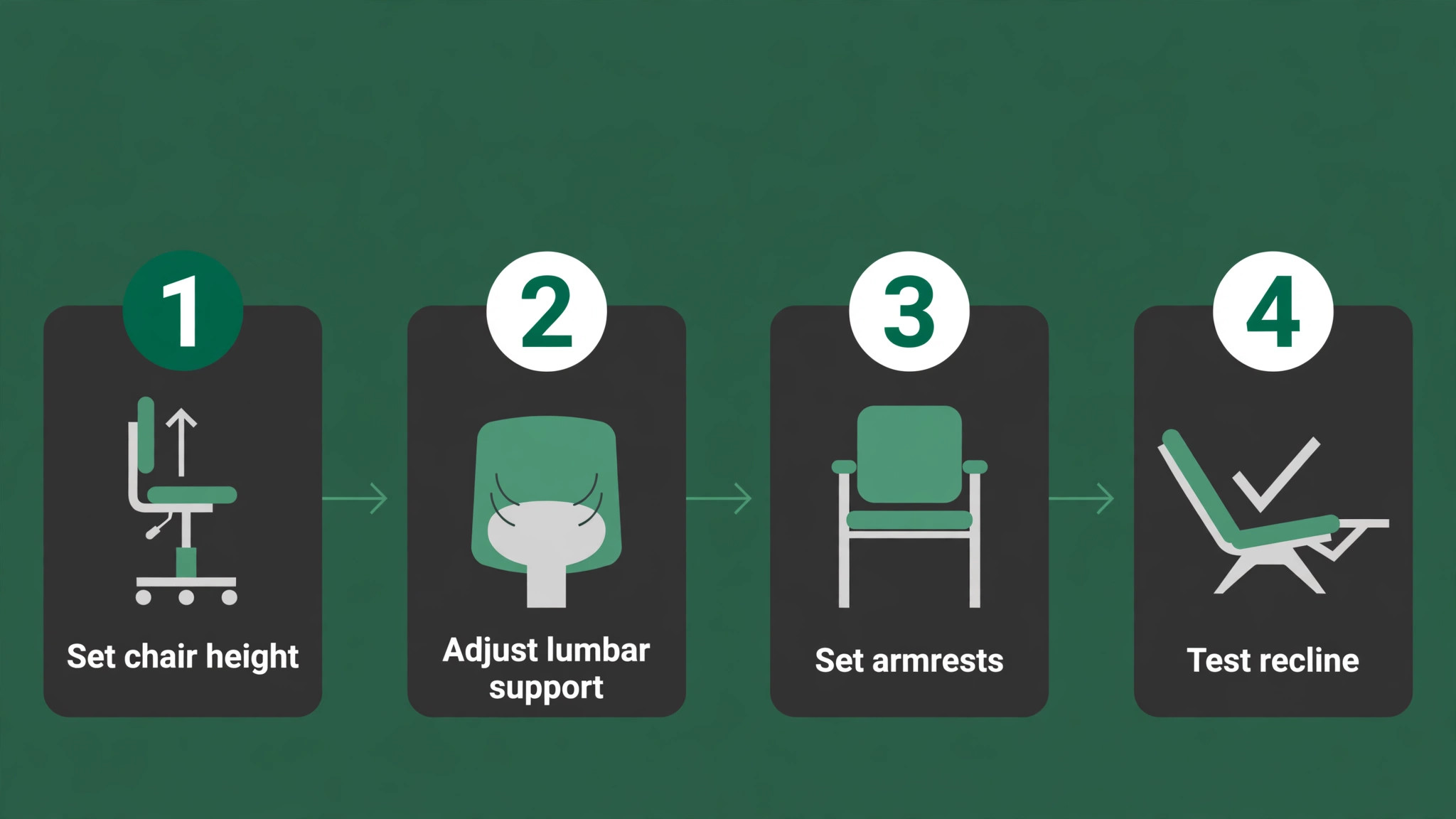
Set armrests so forearms rest at elbow height, with shoulders relaxed, not raised or hanging. If armrests are too high, shoulders rise and neck pain follows. If they are too low, arms hang and shoulders slump. Set tilt tension so the chair reclines smoothly when you lean back, and supports you when you return upright, without a sudden jerk. A chair that locks you upright all day encourages static posture, while a chair that reclines too easily can leave you slumped. Use the recline during calls and reading, and return upright for focused typing, because changing posture during the day is healthier than any single perfect posture held for eight hours.
Finally, set desk and monitor height to match the chair, because a chair at the right height with a monitor too low will still cause neck and upper back pain. The chair, desk and screen work as a system, not as separate purchases.
Why Some Good Chairs Still Lose Here
Rejection reasons are essential for chairs, because a candidate for the best office chair for back pain can be excellent in general and wrong for a specific back. We did not pick the Steelcase Gesture as the overall winner, despite its superb movement support, because its price is higher than the Leap V2 and its advantage is greatest for users who shift constantly, not for users who need the most precise lumbar firmness control. We did not pick the Herman Miller Aeron as the overall winner, despite its mesh and build quality, because its firm mesh feel, high price and size sensitivity make it a poor fit for users who prefer cushioning or who choose the wrong size.
We did not pick the Steelcase Series 1 as the overall winner, despite its value and warranty, because its shorter backrest and firmer cushion limit it for taller users and for very long sitting days.
We did not pick the Sihoo Doro C300 as the overall winner, despite its lumbar tracking and low price, because its fit range is narrower and its adjustment refinement is lower than premium models. We did not pick the HON Ignition 2.0 as the overall winner, despite its cushion comfort, because foam compresses faster than mesh and its adjustment range is less refined. We did not pick the Autonomous ErgoChair Pro as the overall winner, despite its recline range, because its lumbar tuning is less precise than the Leap.
We did not pick the Secretlab Titan Evo as the overall winner, despite its padding and gaming features, because its bucket seat shape and lumbar system are less suited to most back pain needs than a traditional ergonomic chair. We also passed over cheap office chairs under 200 dollars with fixed lumbar bumps and no seat depth adjustment, because they rarely offer the tuning a painful back needs, and we passed over kneeling chairs and balance stools as primary chairs, because they suit short sessions, not full workdays for most users.
The best office chair for back pain is the chair that fits your spine, your height and your sitting hours, not the chair with the highest price or the most features.

What to Check Before You Order
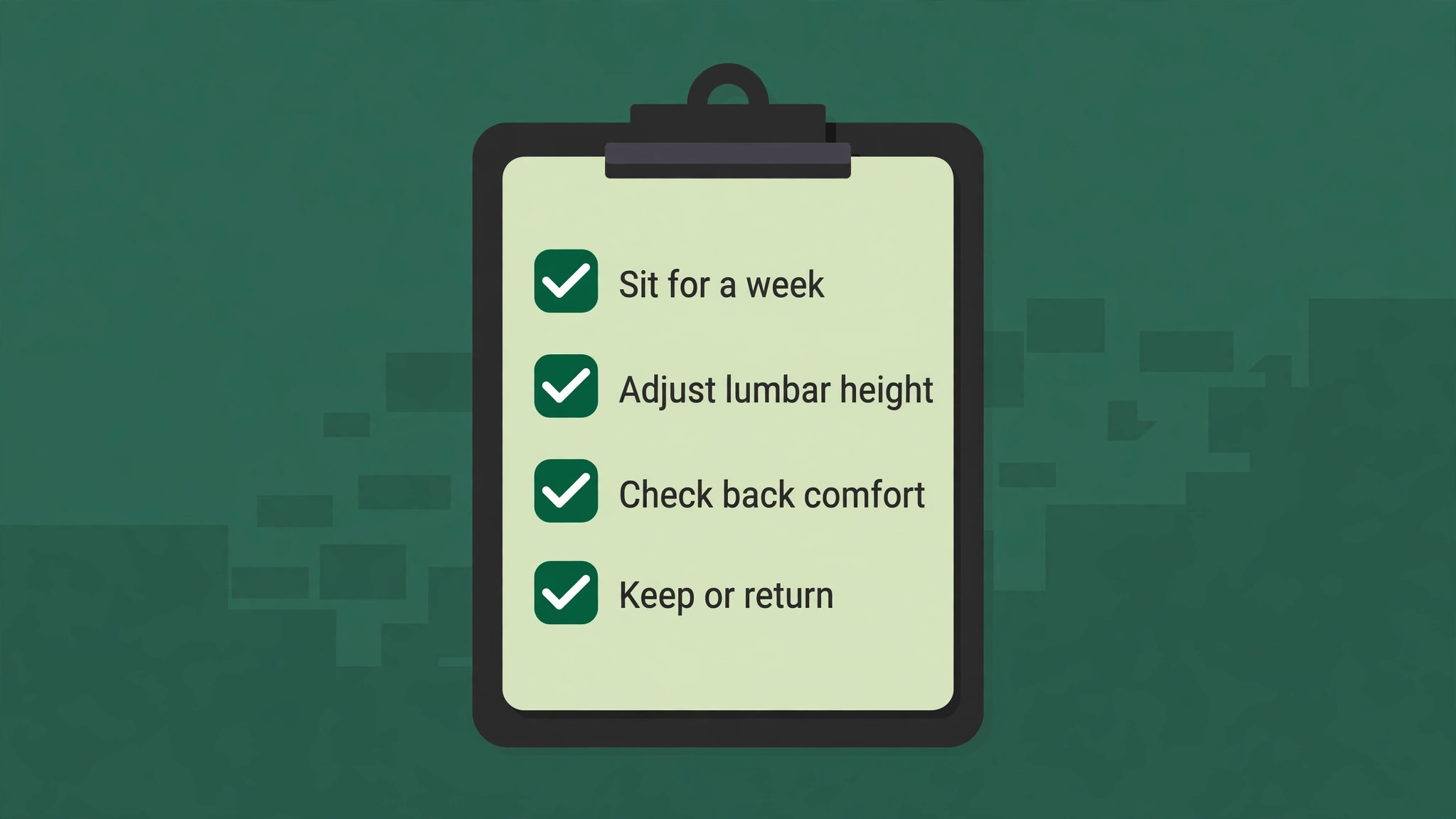
Test a candidate for the best office chair for back pain for at least a week if possible, because a chair that feels good for ten minutes in a shop can feel different after eight hours. Sit in it for a full workday, adjust lumbar, seat depth and armrests, and note back, neck and leg comfort at the end of the day. If you buy online, check return policy, delivery cost and assembly requirements, because a large chair that is hard to return can become a costly mistake.
Consider refurbished premium chairs as a value route. A refurbished Leap V2 or Aeron from a reputable seller can cost 50 percent to 70 percent of retail, with a warranty and a return policy, which makes premium support accessible at a mid range price. Check condition, warranty, and whether parts such as arm pads, casters and gas lifts have been replaced. Consider total cost per year as well. A 1,400 dollar chair with a 12 year warranty costs less per year than a 300 dollar chair replaced every three years, once you include delivery, assembly and time.
Finally, keep the receipt and warranty, register the chair if required, and keep adjustment instructions where you can find them, because a chair that drifts out of adjustment over months can be retuned in minutes if you know how.
More Reading on Stratilyze
Chair comfort sits beside the rest of a back-friendly desk. Readers usually check the best chair for a home office in a small space for compact rooms, setting up a laptop stand for an ergonomic desk for screen height, and the best chair for long study sessions for longer days.
Frequently Asked Questions
Is mesh or foam better for back pain
Both can work if lumbar support is adjustable and fit is right. Mesh breathes better and does not compress like foam, which helps for long, warm sessions. Foam offers more cushioning and a warmer feel, which helps users who prefer a softer seat or who have sit bone discomfort.
How much should I spend on a chair for back pain
A useful range is 400 dollars to 1,500 dollars. Chairs under 300 dollars rarely offer adequate lumbar adjustment, while chairs above 1,500 dollars offer premium build and warranty that matter most for all day sitting over many years. The best office chair for back pain for a given user is often the cheapest chair that fits correctly and offers adjustable lumbar support.
Can a chair cure back pain
No. A chair can support the spine, reduce strain and improve comfort, but it cannot cure a medical condition. Seek clinical advice if pain is severe, persistent, causes numbness or weakness, or follows an injury, and use the chair as part of movement, exercise and desk setup improvements.
Do I need adjustable lumbar support
Yes for most back pain sufferers, because lower back curves differ in height and depth. A chair with height and firmness adjustment, such as the Leap V2, can be tuned to your spine, while a fixed lumbar bump may sit too high or too low and feel uncomfortable.
What size Aeron should I buy
Size B fits most average height and weight users, size A suits smaller users, and size C suits larger users. Check Herman Miller size charts, measure height and weight, and test the size if possible, because the wrong size is the most common reason for Aeron dissatisfaction.
Is a gaming chair good for back pain
Some gaming chairs, such as the Secretlab Titan Evo, offer adjustable lumbar and long session padding, but most gaming chairs have a bucket seat shape and less spine flex than ergonomic office chairs. For most back pain sufferers, a traditional ergonomic chair with seat depth and lumbar adjustment will fit better.
The Final Verdict for Painful Backs
Buy the Steelcase Leap V2 as the best office chair for back pain if you want the most back specific adjustability at a price below the Gesture and Aeron, with lumbar firmness control that adapts to changing pain. Buy the Gesture if you shift constantly, buy the Aeron if you run hot and choose the correct size, and buy the Series 1 or Sihoo C300 if budget matters and fit is right. The best office chair for back pain is the chair that supports your lower back curve, fits your legs and shoulders, and still feels comfortable at the end of a long day.
Test it for a week, adjust it properly, move during the day, and seek clinical advice if pain persists, because a chair is a daily tool for comfort, not a substitute for care, and the right chair, set up well, can make long workdays far easier to bear.