
A salon owner who pays staff late loses staff fast. The beauty industry runs on hourly stylists, chair renters, commission splits, and tips, and a payroll mistake on a Friday afternoon can empty the appointment book by Monday. Industry data puts salon staff turnover above 30 percent a year in many markets, and pay problems are one of the reasons people leave. That is why the best payroll software for salons is not a back-office nicety, it is a retention tool.
Salon payroll is harder than office payroll. One stylist works hourly, the next earns commission on every service, a third rents a chair and pays the salon instead of the other way around, and tips arrive in cash, on cards, and through the booking app. A payroll tool that cannot handle all four will leave the owner doing the math by hand at midnight.
This guide compares eight tools that handle salon payroll, from a dedicated payroll engine to a salon platform with payroll built in. You will see the price, the strengths, the honest limits, and the kind of salon each one suits, so the choice comes down to how your salon actually pays people.
Why Salon Payroll Breaks Generic Tools
A generic payroll tool assumes a simple world. It expects a salary or an hourly rate, a fixed schedule, and a tax filing that looks the same every month. A salon breaks every one of those assumptions before the first pay run, because the team is a mix of employees, booth renters, and commission earners who all work different hours.
Commission is the first complication. A stylist might earn 50 percent of every service, plus a retail commission on products sold, plus tips that need splitting between the stylist and the assistant who washed the hair. The best payroll software for salons tracks those splits automatically, so the owner does not have to keep a spreadsheet beside the booking book.
The reporting side of salon payroll is easy to overlook until tax season arrives. A salon owner needs a record of every pay run, every tip, and every commission split, because the accountant asks for those numbers in January and the staff ask for them whenever a pay slip looks wrong. A tool that stores the history in one place and exports it in a clean file saves a weekend of searching through emails and notebooks, and the owner starts the new year with a clear picture of what the team actually cost.
The 8 Tools at a Glance
Eight tools, two approaches. Some are payroll engines that pair with the booking software a salon already uses, while others are salon platforms with payroll built into the same system. The best payroll software for salons in the table below shows the starting price and the main job of each one.
| Tool | Main job | Best for | Starting price |
|---|---|---|---|
| Gusto | Full payroll plus benefits | Salons wanting benefits too | 49 dollars a month |
| Square Payroll | Payroll for Square users | Salons already on Square POS | 35 dollars a month |
| Homebase | Scheduling, time tracking, payroll | Hourly salon teams | 49 dollars a month |
| OnPay | Flat-rate full-service payroll | Salons wanting one flat price | 49 dollars a month |
| Patriot | Budget full-service payroll | Salons on the tightest budget | 37 dollars a month |
| Mangomint | Salon platform with built-in payroll | Salons wanting one system | 165 dollars a month |
| Vagaro | Salon booking plus commission tracking | Commission and booth-rent salons | 24 dollars a month |
| ADP RUN | Enterprise payroll for growing salons | Multi-location salon groups | Quote |
Best Pick by Job
| Job type | First pick | Second tool | Why this pair works |
|---|---|---|---|
| Hourly team with changing shifts | Homebase | Square Payroll | Homebase ties the schedule to the pay run and Square Payroll suits salons on Square |
| Commission and booth rent mix | Vagaro | Mangomint | Vagaro tracks commission and rent cheaply and Mangomint adds built-in payroll |
| Growing salon needing benefits | Gusto | ADP RUN | Gusto adds benefits and HR tools and ADP RUN scales to many locations |
| Tightest budget | Patriot | OnPay | Patriot costs least for full-service filing and OnPay adds a flat rate with no tiers |
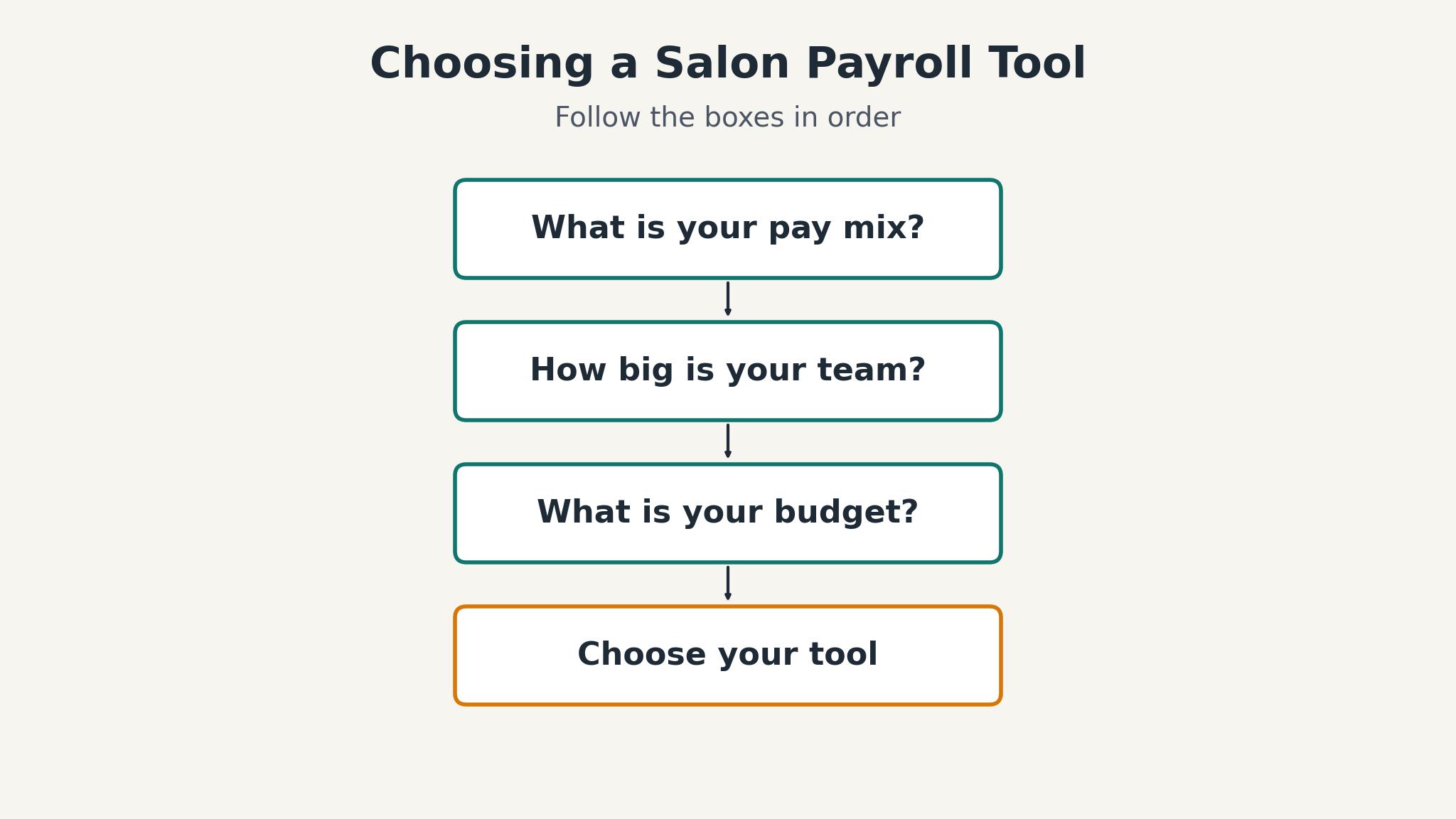
The best payroll software for salons depends on how the salon pays people. A salon with hourly staff needs scheduling tied to payroll, while a salon with chair renters needs commission and rent tracking first. Name the pay mix before you shortlist.
How to Judge the best payroll software for salons
Start with a real pay run, not a demo. Take last month’s hours, commissions, and tips for three stylists, and run them through the tool during the trial. The tools that produce the right numbers without manual fixes are the ones worth paying for, because a payroll tool that needs hand corrections every month is just a spreadsheet with a subscription.
Next, check the tax filing. A full-service payroll files federal, state, and local taxes, sends the year-end forms, and handles new hire reporting, while a self-service plan leaves those jobs to the owner. The price gap between the two looks large until the owner counts the hours spent on filings, and the penalty for a late filing can exceed a year of the dearer plan.
Finally, test the tip handling. Tips arrive in cash, on cards, and through the booking app, and the tool has to record all three, split them correctly, and report them for tax. The best payroll software for salons treats tips as a first-class pay type rather than an afterthought, so run a tip-heavy week through the trial before deciding.
The 8 Tools in Detail
The eight tools below range from a 24 dollar booking platform to a quote-only enterprise payroll. The best payroll software for salons among them is the one that matches your pay mix, your booking software, and your budget at the same time.
1. Gusto
Gusto is the payroll most small businesses pick first, and salons are no exception. The Simple plan runs at 49 dollars a month plus 6 dollars per person, and it covers full-service payroll, tax filings, and year-end forms. The Plus plan at 80 dollars a month plus 12 dollars per person adds time tracking, multi-state payroll, and more HR tools, while Premium at 180 dollars a month plus 22 dollars per person adds dedicated support.
The onboarding flow deserves a mention too. A new hire enters their details through a self-service portal, the owner approves the tax forms, and the first pay run includes the new stylist without a paper form in sight. Direct deposit runs on a two-day or four-day schedule depending on the plan, and the pay slips arrive by email with a clear breakdown of hours, commission, and tips. A salon owner who has run payroll on paper will notice the time saved in the first month, and the staff notice it too, because the pay slip finally answers their questions without a trip to the back office.
The weakness is the price at scale. A salon with fifteen staff on the Plus plan pays 80 dollars a month plus 180 dollars in per-person fees, and the bill climbs with every hire. The time tracking also sits on the Plus tier, so a salon that wants hours to flow into the pay run has to buy the dearer plan.
Gusto fits a growing salon that wants payroll, benefits, and HR in one place. A salon with a mix of hourly and salaried staff will get the most from it, while a tiny salon with three stylists may find the per-person fees hard to justify.
2. Square Payroll
Square Payroll is the natural choice for a salon that already runs Square at the front desk. The full-service plan costs 35 dollars a month plus 6 dollars per person paid, and a contractor-only option charges 6 dollars per contractor with no base fee. Hours clocked in the Square team app flow straight into the pay run, and tips pool and split inside the same system.
The tip handling is what salon owners praise most in reviews. Card tips recorded at the Square terminal flow into the pay run automatically, and the owner can add cash tips from the shift report before the cycle closes. The system splits pooled tips between the stylist and the assistant according to the rule the salon sets, and the pay slip shows the split in plain language. That transparency ends the weekly argument about who earned what, and the owner stops spending Sunday night on a calculator.
The drawback is the dependency on Square. A salon that does not use Square POS gains little from the integration, and the payroll features are thinner than a dedicated HR platform. Benefits administration is limited, and the reporting suits a small salon better than a multi-location group.
Square Payroll fits a salon already running Square at the counter. A small salon with hourly staff and card tips will find it the easiest payroll to run, while a salon on another booking system should look at a standalone engine.
3. Homebase
Homebase starts from the other end, as a scheduling and time tracking app for hourly teams that added payroll. The free tier covers scheduling and time tracking for one location with up to ten employees, and the payroll add-on runs at 49 dollars a month plus 6 dollars per employee. The system ties the schedule, the time clock, and the pay run together in one app.
The team communication tools add a second benefit that payroll alone cannot offer. The owner posts the rota, the stylists swap shifts inside the app, and the manager approves the change without a group chat full of screenshots. Time-off requests, shift reminders, and pay notifications all travel through the same app, so the team stops missing messages. A salon with ten stylists on rotating shifts will feel the difference in the first fortnight, because the rota stops being a source of daily friction.
The weakness is the depth of the payroll itself. Homebase handles the common cases well but offers less HR depth than Gusto, and the paid tiers charge per location, which adds up for a salon group. A salon with salaried managers and complex benefits will outgrow it.
Homebase fits a salon with hourly staff and changing shifts. A single-location salon with ten stylists will get the most from the free scheduling and the payroll add-on, while a salon that needs benefits administration should pair it with a broader HR tool.
4. OnPay
OnPay charges one flat price with no feature tiers, which makes the bill easy to predict. The plan runs at 49 dollars a month plus 6 dollars per person, and every feature is included, from multi-state payroll to HR tools and benefits administration. There is no dearer tier hiding the feature a salon actually needs.
The tax filing is fully handled, which is where the flat price earns its keep. OnPay files federal, state, and local taxes, sends the year-end W-2 and 1099 forms, and handles new hire reporting, all without an extra charge. The owner never sees a tax deadline, because the system files on schedule and keeps the records. A salon that has paid a late-filing penalty before will appreciate the quiet, because the penalty for one missed deadline can exceed a whole year of the subscription.
The trade is the thinner ecosystem. OnPay does not offer salon booking, and its time tracking is a paid add-on rather than a built-in feature, so a salon has to pair it with a scheduling tool. The interface is also plainer than the newer platforms, which matters to owners who want a polished experience.
OnPay fits a salon that wants one flat payroll price and no tier games. A salon with staff in several states will value the multi-state filing, while a salon that wants scheduling and payroll in one app should look at Homebase.
5. Patriot
Patriot is the budget pick, and the price is the headline. The self-service plan starts at 17 dollars a month plus 4 dollars per employee, but it does not file taxes, so most salons need the full-service plan at 37 dollars a month plus 4 dollars per employee. Even at the full-service price, it undercuts the bigger platforms by a useful margin.
The simplicity of the interface is part of the value. Patriot keeps the screens short, the menus few, and the pay run down to a handful of clicks, so an owner who runs the salon floor all day can finish payroll between clients. The system sends reminders before tax deadlines and before the pay run closes, which catches the small slips that cause big problems. A salon owner who has never run payroll software before will find this the easiest of the eight to learn, and the learning curve matters when the owner is also the receptionist, the bookkeeper, and the manager.
The drawback is the thin feature set. Patriot covers payroll and tax filing but offers little in the way of HR tools, benefits, or scheduling, so a salon has to buy those separately. The support is also lighter than the premium platforms, with fewer hours and fewer channels.
Patriot fits a salon on the tightest budget that wants correct tax filing and nothing more. A new salon with a small team will find it the cheapest safe option, while a growing salon that needs HR tools should budget for a broader platform.
6. Mangomint
Mangomint is a salon platform with true built-in payroll, which sets it apart from the booking tools that only track commission. The Essentials plan starts at 165 dollars a month for up to ten professionals, and the payroll add-on costs 50 dollars a month plus 8 dollars per employee. The system handles booking, client records, commission, and payroll in one place.
The client experience is built into the same system. A client books online, receives a reminder, checks in at the front desk, and pays at the end, while the stylist sees the booking, the client history, and the commission in one view. The owner can see which stylist is fully booked, which service brings the most revenue, and which client has not returned in three months. That visibility turns the appointment book into a management tool, and the payroll simply reads the numbers the booking system already collected.
The weakness is the price. At 165 dollars a month before payroll, Mangomint costs more than a booking tool plus a standalone payroll engine, and the payroll add-on lifts the bill further. A small salon may find the total hard to justify until the team grows past five stylists.
Mangomint fits a salon that wants one system for booking and payroll and can pay for it. A mid-size salon with ten stylists will get the most from the integration, while a small salon should start with a cheaper booking tool and a standalone payroll.
7. Vagaro
Vagaro is a salon booking platform that tracks commission, booth rent, and chair rent, which makes it a strong partner for a payroll engine. The One Location plan starts at about 24 dollars a month, and the system handles appointments, client records, and the pay splits that a salon runs every day. Payroll itself usually comes from a paired tool such as Gusto or Square Payroll.
The marketing tools sit beside the booking system and add revenue without a second subscription. Vagaro sends automated reminders, runs email campaigns to clients who have not booked in a while, and offers a marketplace listing that brings new clients to the salon. The owner can sell gift cards and memberships through the same platform, and the revenue from those sales flows into the same reports as the commission. A salon that uses the marketing tools well can cover the cost of the booking platform from the extra appointments alone.
The limit is that Vagaro is not a payroll engine. It tracks what people earned but does not file taxes or run the pay cycle, so the salon still needs a payroll tool. The payroll add-on through a partner costs extra, and the two systems need to stay in sync.
Vagaro fits a salon with a commission and booth-rent mix that needs those splits tracked properly. A salon that pairs it with Gusto or Square Payroll gets the best of both, while a salon that wants payroll built in should look at Mangomint.
8. ADP RUN
ADP RUN is the enterprise payroll for salon groups that have outgrown the small-business tools. The platform covers payroll, tax filing, HR, and compliance for multi-location businesses, with support that answers the phone when a filing goes wrong. Pricing is quoted per salon, based on staff count and locations.
The compliance support is the quiet benefit that only shows its value when something goes wrong. ADP RUN tracks wage and hour rules, keeps the records a labor audit asks for, and updates the tax tables when a state changes its rules. The owner gets a named support contact who knows the account, and the support team answers the phone rather than a chatbot. A salon group that has faced a wage claim or a tax notice will pay for that safety net gladly, because the cost of one mistake dwarfs the subscription.
The drawback is the cost and the sales process. ADP RUN is quote-only, and the price sits well above the small-business tools, with a contract that usually runs a year or more. A single-location salon will find it more system and more money than it needs.
ADP RUN fits a multi-location salon group that needs enterprise payroll and compliance. A growing chain with several sites will value the consistency, while a single salon should stay with a small-business tool.
What Salon Payroll Really Costs Each Month
The monthly bill for salon payroll depends on the staff count more than on the base price. A plan that charges 49 dollars a month plus 6 dollars per person costs 79 dollars for a five-person salon and 139 dollars for a fifteen-person salon, and the difference grows with every hire. The best payroll software for salons in this group ranges from 24 dollars a month for a booking tool to a quote-only enterprise price, so the spread is wide.
Start with a headcount. Count the employees who need a pay run, the contractors who need a 1099, and the chair renters who need no payroll at all, because each group costs a different amount. A salon with five employees and five renters pays for five people, not ten, and a tool that charges per person on the whole team will cost double what it should.
Then add the add-ons. Time tracking, scheduling, and benefits often sit on a higher tier or a paid add-on, and the headline price excludes them. Ask each vendor for the total bill at your headcount in writing, and confirm the number on the vendor page before you pay, because a price on a review site can be months out of date.
A final check is the cost of leaving. Some payroll providers charge a fee to export the full history, and some make the year-end forms hard to retrieve after the contract ends. Ask how the data comes out before you sign, and keep a copy of every pay run and tax filing in your own files, so the salon never depends on a vendor it has already left.

Mistakes That Cost a Salon Its Staff
The first mistake is paying late because the payroll run started too late in the week. A salon that runs payroll on a Friday afternoon will miss the bank cutoff and pay on Monday, and the staff notice. The best payroll software for salons in this group can run a pay cycle in minutes, so set a fixed payroll day midweek and keep it.
The second mistake is getting commission wrong. A stylist who earned 50 percent on a service and 10 percent on retail will check the pay slip, and a mistake of twenty dollars will be remembered longer than a compliment. Run the commission report before the pay run, check it against the booking book, and fix the errors before the money moves.
The third mistake is ignoring the chair renters. A renter who pays the salon is not an employee, and running payroll tax on rent creates a filing problem that takes months to unwind. Keep the rent and the wages in separate systems, and check the tax filing each quarter to make sure the two streams never mix.
The fourth mistake is letting the booking software and the payroll tool drift apart. A stylist who changes hours in the booking app but not in payroll gets paid for the wrong week, and the owner finds out when the stylist complains. Sync the two systems weekly, check the hours against the appointment book before the pay run, and the errors will stay small enough to fix in minutes.
Frequently Asked Questions
Do I need a separate payroll tool if my booking software tracks commission?
A booking tool that tracks commission tells you what each stylist earned, but it does not file taxes or run the pay cycle. Most salons pair a booking tool such as Vagaro with a payroll engine such as Gusto or Square Payroll. A salon that wants one system should look at Mangomint, which builds payroll into the booking platform, and the combined bill is usually lower than two separate subscriptions.
How are tips handled in salon payroll?
Tips arrive in cash, on cards, and through the booking app, and the payroll tool has to record all three. Most tools in this group let the owner enter cash tips, import card tips from the POS, and split pooled tips between the stylist and the assistant. The tips are reported for tax, and the pay slip shows the split so the stylist can check it.
Can a payroll tool handle booth rent?
A payroll tool should not run payroll on booth rent, because a chair renter is not an employee. The right setup keeps rent in the booking or accounting system and payroll in the payroll tool, with no overlap. Vagaro and Mangomint track rent beside the commission, which makes the separation easy to keep.
What does payroll cost for a five-person salon?
A five-person salon usually pays between 57 and 109 dollars a month on a full-service plan, depending on the tool. Patriot sits near 57 dollars, Square Payroll near 65 dollars, and Gusto near 79 dollars. The figure excludes booking software, so a salon that pairs a payroll engine with a booking tool should add both bills together.
How long does it take to switch payroll providers?
A simple switch takes one to two pay cycles, including the data import and the first test run. The new provider usually handles the tax registration and the year-end forms, while the owner supplies the staff details and the pay history. Plan the switch for a quiet week, and run the old and new systems side by side for one cycle.
Do salons need to offer benefits to keep staff?
Benefits help, but pay accuracy and on-time pay matter more. A salon that pays correctly and on time keeps staff longer than one that offers a benefit package with late pay. Gusto and ADP RUN offer benefits administration for salons that want it, while smaller tools focus on getting the pay right first.
The Shortlist for Your Salon
Start with Homebase if your salon runs on hourly shifts and changing rotas, and pair Vagaro with Gusto when the pay mix is commission and booth rent. A salon on the tightest budget should test Patriot first, because the low price makes the experiment cheap and the tax filing is still full-service. The best payroll software for salons is the one that pays your team correctly and on time every cycle, so run last month’s pay through the trial this week and check the numbers yourself before the next pay day arrives.