

Zoom is the best video conferencing software for small businesses pick for most owners, because the Pro plan at 14.16 dollars per user a month billed annually delivers dependable video, 30-hour meetings and AI summaries that work with clients outside the company. Google Meet is the pick for teams living in Gmail and Google Calendar, and Microsoft Teams is the pick for teams already paying for Microsoft 365. The ten tools below compare price, free limits and meeting length, so a small business can buy the video tool that fits its real call volume.
A small business video call has one job. It must connect, sound clear and let the client see the screen, without a download, a password hunt or a frozen frame at the moment the sale closes. A tool that fails that job costs more than its monthly fee, because a failed client call costs a client.
The buying problem is the bundle trap. Google Meet comes inside Workspace at 7 dollars per user a month, Teams Essentials costs 4 dollars a month standalone, and Zoom Pro costs 14.16 dollars a month for video alone. A business that already pays for email should not pay again for video, and a business that needs to call clients outside its own system should not buy a tool that only works inside it.
The 10 Tools at a Glance
| Tool | Main job | Best for | Starting price |
|---|---|---|---|
| Zoom | Dependable standalone video | Most small businesses | 14.16 dollars per user a month |
| Google Meet | Video inside Workspace | Gmail and Calendar teams | 7 dollars per user a month |
| Microsoft Teams | Video inside Microsoft 365 | Microsoft shops | 4 dollars per user a month |
| Cisco Webex | Enterprise-grade video | Regulated industries | 12 dollars per user a month |
| GoTo Meeting | Simple no-frills meetings | Small teams, simple calls | 12 dollars per user a month |
| RingCentral Video | Video plus phone and messaging | Teams wanting one system | 20 dollars per user a month |
| Zoho Meeting | Budget video meetings | Zoho users, tight budgets | 1 dollar per host a month |
| Whereby | Browser video rooms | Quick client calls | 6.99 dollars per user a month |
| Jitsi Meet | Free open-source video | Zero budget, self-hosted | Free |
| Dialpad Meetings | Video with AI notes | Teams wanting AI summaries | Free tier |
Best Pick by Job
| Job type | First pick | Second tool | Why this pair works |
|---|---|---|---|
| Client-facing calls | Zoom | Whereby | Zoom is dependable, Whereby needs no download |
| Team already on Google | Google Meet | Zoom | Meet lives in Calendar, Zoom handles outside clients |
| Team already on Microsoft | Microsoft Teams | Zoom | Teams is bundled, Zoom is the outside standard |
| Tightest budget | Zoho Meeting | Jitsi Meet | Zoho costs 1 dollar, Jitsi costs nothing |
| Regulated or compliance work | Webex | Teams | Webex carries the compliance depth, Teams adds the suite |
A ten-person business that meets clients every day should start with Zoom Pro. The free Basic plan caps group meetings at 40 minutes with up to 100 participants, and Pro at 14.16 dollars per user a month billed annually removes the time limit, adds 30-hour meetings, 10 GB of cloud storage and the AI Companion for meeting summaries, smart chapters and translation across 36 languages. Business at 18.33 dollars a month adds 300 participants and branding.
A business that already pays for Google Workspace should start with Google Meet instead. Business Starter at 7 dollars per user a month billed annually includes Meet with Gmail, Drive and Docs, and the free tier allows 60-minute group calls with 100 participants for any Google account. The meeting link lives in the calendar invite, which is where the team already works.
Which Video Tool Is Best for Client Calls?
Zoom is the best pick for client calls, because every client already knows it, the link works without an account, and the video quality holds up on a weak connection. A client who has to download a new app or create an account before the call will arrive annoyed, and Zoom avoids that problem more often than any other tool in this guide. The AI Companion summaries also help a small team that has no one to take notes.
Whereby is the better pick when the call must start in a browser with no download at all. The room link opens in Chrome, the client joins in seconds, and the host controls the room branding. The entry plan is reported from 6.99 dollars per user a month, which is half the Zoom Pro price, though the feature depth is thinner.
Google Meet is the third option for client calls inside a Google shop. The free tier gives 60-minute group calls, the paid plan is bundled with email, and the browser-first design means no download for most clients. The trade-off is fewer meeting controls than Zoom, and a client on a Microsoft shop may prefer Teams.
How to Choose the Best Video Conferencing Software for Small Businesses
Start with the stack the business already pays for. A team on Google Workspace should use Google Meet at 7 dollars per user a month, because the video is already included. A team on Microsoft 365 should use Teams, with Essentials at 4 dollars a month standalone or Business Basic at 7 dollars a month bundled. The best video conferencing software for small businesses is often the one already paid for, because a second video subscription is the most common waste in this category.
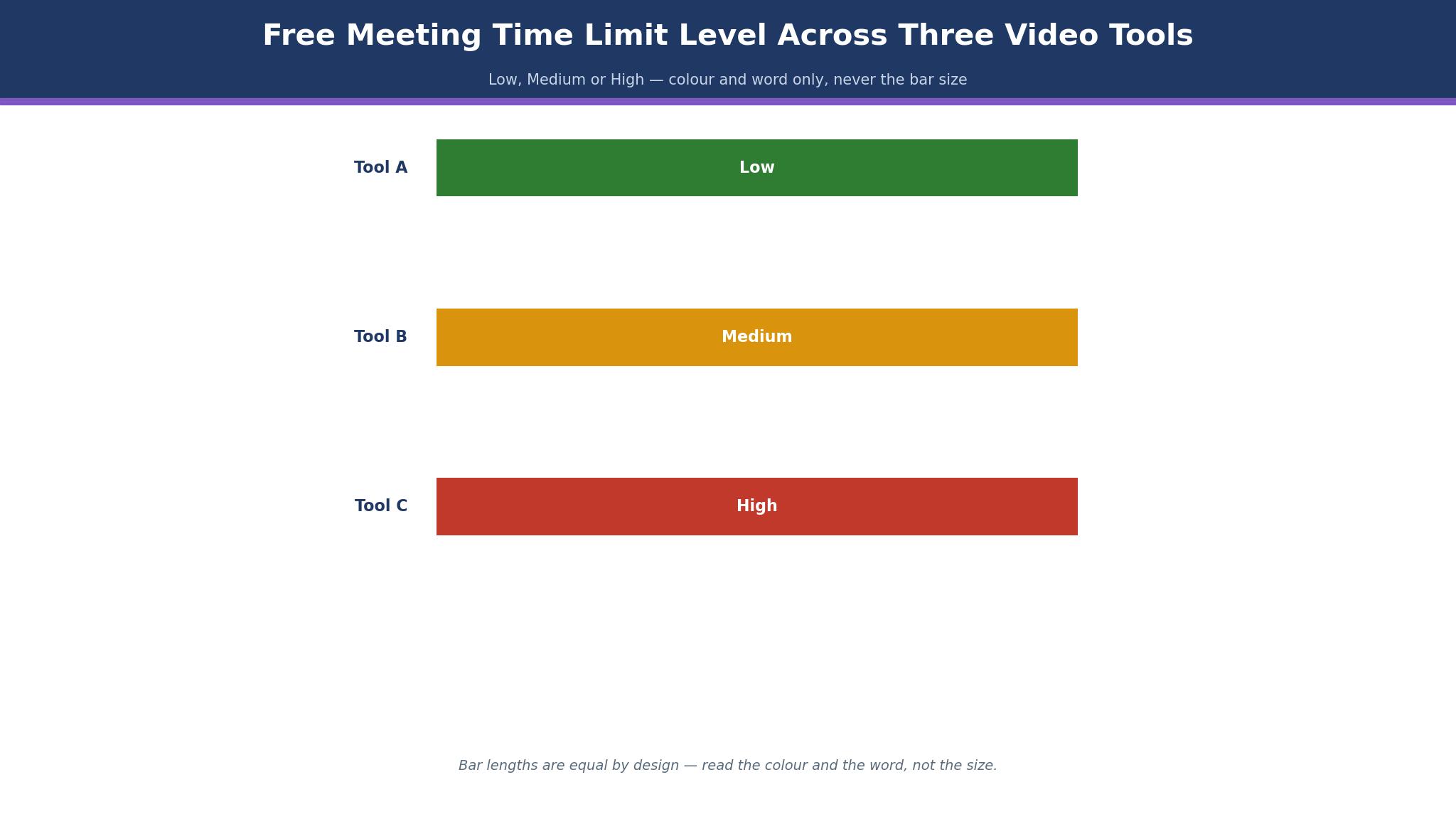
Next, check the free limit honestly. Zoom free stops group meetings at 40 minutes, Google Meet free stops at 60 minutes, and Teams free stops at 60 minutes, all with 100 participants. A business whose client calls run longer than 40 minutes will hit the Zoom free cap every day, and the paid plan is the only fix.
Then look at the AI features. Zoom AI Companion is included on Pro, with summaries and smart chapters. Teams charges for Copilot as a 23.50 dollar per user a month add-on, which changes the price completely. Finally, test the tool on a weak connection, because a tool that fails on hotel Wi-Fi will fail on the call that matters most.
The 10 Tools in Detail
The ten tools below cover standalone video, bundled suites, budget tools and free open-source options. Each one is judged on price, free limits, meeting length and client ease, so this roundup of the best video conferencing software for small businesses stays honest about what each plan actually buys.
1. Zoom
Zoom Workplace is the standalone video standard, and Pro costs 14.16 dollars per user a month billed annually, with Business at 18.33 dollars a month. The free Basic plan covers 40-minute group meetings with up to 100 participants, and one-to-one calls are included.
Pro adds 30-hour meetings, 5 GB of cloud recording on some plans and 10 GB of cloud storage, plus the AI Companion for summaries, smart chapters and translation across 36 languages.
The dependability is the strength. Zoom works across organisations, clients know it, the link needs no account, and the video holds up better than most rivals on a weak connection. The AI Companion summaries save a small team real time, because the notes write themselves after every call.
The weakness is price for video alone. A business that already pays for Workspace or Microsoft 365 pays twice for video if it also buys Zoom, and the Business plan needs a ten-host minimum. It suits most small businesses that meet clients every day. Start on Pro for the hosts who meet clients, and leave the rest of the team on free.
2. Google Meet
Google Meet is the video tool inside Google Workspace, and Business Starter costs 7 dollars per user a month billed annually, with Meet, Gmail, Drive and Docs in the same price. The free tier allows any Google account to run 60-minute group calls with 100 participants, and one-to-one calls run up to 24 hours.
The bundle is the strength. A business that already pays for Workspace gets video for no extra money, the meeting link sits in the calendar invite, and the browser-first design means most guests join without a download. The interface is simple, and the learning curve is zero for a Gmail team.
The limit is depth. Meet carries fewer meeting controls than Zoom, the AI features are thinner, and a client on a Microsoft shop may find Teams more natural. It suits small businesses living in Gmail and Google Calendar. Use the free tier first, and move to Workspace Starter when the team needs the full suite, not just the video.
3. Microsoft Teams
Microsoft Teams is the video and chat tool inside Microsoft 365, and Teams Essentials costs 4 dollars per user a month billed annually as a standalone, or 7 dollars a month inside Microsoft 365 Business Basic. The free tier allows 60-minute group meetings with 100 participants and unlimited chat history, and Essentials raises meetings to 30 hours and 300 participants, with 10 GB of cloud space per user.
The bundle is the strength. A business on Microsoft 365 gets video, chat, file sharing and meetings in one system, and the price is the cheapest paid entry in this guide. The integration with Outlook and OneDrive keeps the meeting, the notes and the files in one place.
The drawback is the AI price. Copilot AI is a 23.50 dollar per user a month add-on, which turns a cheap video tool into an expensive one if the team wants AI summaries. It suits organisations already on Microsoft 365. Buy Essentials if the team only needs video, and check the Copilot price before promising AI notes to the team.
4. Cisco Webex
Cisco Webex is the enterprise video platform in this guide, and Webex Meet costs 12 dollars per user a month billed annually, with the Suite at 14.50 dollars a month and higher tiers above that. The free tier allows unlimited meetings up to 40 minutes with 100 attendees, and the paid plans add 200 participants, 24-hour meetings and 10 GB of cloud recording.
The compliance depth is the strength. Webex carries end-to-end encryption with customer-managed keys on enterprise plans, and it is the choice for government, healthcare and education buyers who must prove their security posture. The noise removal and the meeting controls are strong, and the platform scales to 1,000 participants on Enterprise.
The limit is price for a small business. At 12 dollars a month, Webex costs nearly as much as Zoom while offering less familiarity to outside clients, and the Suite features need the higher tier. It suits regulated industries and enterprises. A small business should only buy Webex when a client or a regulator demands it.
5. GoTo Meeting
GoTo Meeting is a simple no-frills video tool for small teams, and the Professional plan is reported from 12 dollars per user a month. It covers video meetings, screen sharing, recording and dial-in numbers, with a straightforward interface that needs no training. There is no free tier, which is the first difference from the leaders.
The simplicity is the strength. A small team that wants to start a meeting, share a screen and hang up will find nothing in the way, and the audio quality is solid. The tool does the core job without the bundle, the AI or the extra apps that complicate the bigger platforms.
The drawback is the missing free tier and the thin feature list. A business that needs AI summaries, whiteboards or deep integrations will find more in Zoom or Teams, and the 12 dollar price buys less than Zoom Pro at 14.16 dollars. It suits small teams that want a simple tool and will pay for it. Try the trial on real client calls, and compare the experience against Zoom free before paying.
6. RingCentral Video
RingCentral Video is the video module inside the RingCentral communications platform, which combines video with phone, messaging and contact centre tools. The entry price is reported from 20 dollars per user a month, which covers video alongside the wider system. The platform suits a business that wants one vendor for every conversation, not just video.
The single system is the strength. A team can move from a video call to a phone call to a message without switching tools, and the admin manages one account for the whole company. The video quality is solid, and the meeting features cover the basics well.
The limit is price for video alone. At a reported 20 dollars a month, a business that only needs video pays more than Zoom Pro, and the platform is heavier to set up than a standalone tool. It suits teams that want phone, messaging and video together. Ask for a quote for the exact user count, and compare it against Zoom plus a separate phone system before deciding.
7. Zoho Meeting
Zoho Meeting is the budget video tool in this guide, starting from 1 dollar per host a month billed annually, which is the cheapest paid video in this category. It covers video meetings, screen sharing, recording and webinars, with a simple interface and a free tier for basic calls. The tool sits inside the Zoho suite, so a Zoho business gets video alongside its CRM and email.
The price is the strength. A small business can run paid video for a dollar a host, which is less than a coffee, and the features cover the meetings most small teams actually hold. The integration with Zoho CRM lets a sales call flow into the customer record.
The drawback is depth and familiarity. Outside clients may not know Zoho Meeting, the feature list is thinner than Zoom, and the AI tools are lighter. It suits Zoho users and tight budgets. Start on the paid plan for the hosts who meet clients, and keep Zoom free as a backup for clients who ask for it.
8. Whereby
Whereby is a browser-first video room tool, and the entry plan is reported from 6.99 dollars per user a month. It offers personalised meeting rooms, no downloads for guests, screen sharing and recording, with a simple design that suits quick client calls and coaching sessions.
The browser ease is the strength. A client clicks a link and joins in seconds, with no app and no account, which removes the friction that kills a first call. The room branding makes the business look professional, and the host controls who enters.
The limit is scale. Whereby suits small meetings and one-to-one calls, and a business running large team meetings or webinars will find more in Zoom or Teams. It suits coaches, consultants and small teams that meet clients one at a time. Try the entry plan for a month, and measure how many clients join without a problem before committing.
9. Jitsi Meet
Jitsi Meet is a free open-source video tool, and it costs nothing to use, with self-hosting available for a business that wants full control. It covers video meetings, screen sharing, chat and recording, with no account needed for guests and no time limit on the free public service.
The price is the strength. A business with no video budget can run meetings for free, and a business with technical staff can host its own server and control the data completely. The open-source code means no vendor lock-in and no surprise price rise.
The drawback is support and polish. There is no vendor help desk on the free service, the interface is plainer than Zoom, and a business that needs AI summaries or deep integrations will find less here. It suits zero-budget teams and technical businesses that self-host. Use the public service for internal calls, and keep a paid tool for the client calls that matter most.
10. Dialpad Meetings
Dialpad Meetings is a video tool with AI notes built in, and it offers a free tier for basic meetings, with paid plans adding deeper AI features. The platform transcribes meetings, summarises the discussion and highlights action items, which suits a team that meets often and forgets what was agreed.
The AI notes are the strength. A small team that holds ten meetings a week gets a written record of every one without anyone taking notes, and the action items are easy to follow up. The video quality is solid, and the interface is clean.
The limit is familiarity and depth. Outside clients may not know Dialpad Meetings, and the meeting features are thinner than Zoom. Pricing beyond the free tier is set by quote, so the budget conversation needs a sales call. It suits teams that want AI summaries above all else. Try the free tier for a month, and compare the notes against Zoom AI Companion before paying.
Zoom vs Google Meet: Outside Standard Against Bundle Value
The first difference is the audience. Zoom is the outside standard, with every client already knowing the link, the app and the 40-minute free cap, while Google Meet is the inside standard for Gmail teams, with 60-minute free group calls and the meeting link in the calendar invite. A business that meets clients should weigh the outside standard more heavily than the bundle.
The second difference is price. Zoom Pro costs 14.16 dollars per user a month for video alone, while Google Meet costs 7 dollars a month inside Workspace with Gmail, Drive and Docs included. A ten-person team pays about 142 dollars a month for Zoom Pro and about 70 dollars a month for Workspace Starter, and the Workspace price includes the email the team already needs.
The deciding factor is the client list. A business whose clients are mostly outside the company should take Zoom. A business whose meetings are mostly internal, with a Gmail team, should take Google Meet. That split is the cleanest way to read the best video conferencing software for small businesses when the choice narrows to two, and many small businesses end up owning both, with Meet inside and Zoom for clients.
What Does Video Conferencing Cost a Ten-Person Business Each Year?
The yearly cost runs from zero to about 2,400 dollars on the published plans in this guide. Jitsi Meet costs nothing. Zoho Meeting at 1 dollar per host a month costs 12 dollars a year per host. Microsoft Teams Essentials at 4 dollars a month costs 480 dollars a year for ten users. Google Meet inside Workspace Starter at 7 dollars a month costs 840 dollars a year for ten users. Webex Meet at 12 dollars a month costs 1,440 dollars a year. Zoom Pro at 14.16 dollars a month costs about 1,699 dollars a year for ten users. RingCentral Video at a reported 20 dollars a month costs about 2,400 dollars a year.
The number that matters is cost per client call. A business holding 200 client calls a month on Zoom Pro pays about 71 cents per call. The same business on Google Meet pays about 35 cents per call, and on Teams Essentials about 20 cents. The cheapest tool wins on price per call, and Zoom wins on the client experience, which is the trade a small business must make honestly.
The honest way to budget is to count the client calls last month, then price the plan that covers the hosts who run them, not every employee. A business with three people who meet clients needs three paid seats, not ten. That is the discipline the best video conferencing software for small businesses rewards, because the host count, not the headcount, decides the real price.
Can a Small Business Run Video Calls for Free?
Yes, and the path is to use the free tiers deliberately. Zoom free covers 40-minute group meetings, Google Meet free covers 60-minute group calls, and Teams free covers 60-minute group meetings, all with 100 participants. A business whose calls run under 40 minutes can meet clients for free on any of the three, and Jitsi Meet removes the time limit entirely.
The second path is to buy seats only for the hosts. A ten-person business with three client-facing staff needs three Zoom Pro seats at 14.16 dollars a month, which costs about 510 dollars a year, not the 1,699 dollars a full ten seats would cost. The rest of the team joins as guests for free, which is how the licence is meant to work.
The third path is to use the bundle. A business already paying for Workspace or Microsoft 365 should use the video inside it, because the video is already paid for. A small business that pays for Zoom and Workspace and Teams is paying three times for one job, and the fix is to cancel two of them. That is how a free video stack actually works.
A 30-Day Video Setup Plan for a Small Business
Days one to seven are the choice. Count the client calls, check the stack already paid for, and pick one tool for clients and one for the team. Set up the paid seats for the hosts who meet clients, and leave the rest of the team on the free tier or the bundle.
Days eight to twenty-one are the test. Run every client call on the new tool, watch for failed joins, frozen video and bad audio, and ask two clients whether the link was easy. A tool that fails on a real client call is the wrong tool, whatever the price, and the test week is the time to learn that.
Days twenty-two to thirty are the habit. Turn on the AI summaries, save the recordings in one folder, and write the meeting link into every calendar invite automatically. A business that sets the link once never hunts for it again, and a team that reads the AI summary never asks what was agreed. That plan is what a clean video setup looks like.

Frequently Asked Questions
Which video conferencing tool is best for a small business?
Zoom is the best pick for most small businesses, with Pro at 14.16 dollars per user a month billed annually for dependable video, 30-hour meetings and AI summaries. Google Meet is the pick for Gmail teams at 7 dollars a month inside Workspace, and Microsoft Teams is the pick for Microsoft shops at 4 dollars a month for Essentials. That ranking is the short answer to the best video conferencing software for small businesses, and the rest of this guide shows the working behind it.
How long can a free Zoom meeting last?
A free Zoom Basic meeting lasts 40 minutes for group calls with up to 100 participants, and one-to-one calls are included without the cap. Pro at 14.16 dollars per user a month billed annually raises meetings to 30 hours. Google Meet free allows 60-minute group calls, and Teams free allows 60-minute group meetings, both with 100 participants.
Is Google Meet free for small businesses?
Yes, for basic use. Any Google account can run 60-minute group calls with 100 participants for free, and one-to-one calls run up to 24 hours. The paid plan comes inside Google Workspace Business Starter at 7 dollars per user a month billed annually, with Gmail, Drive and Docs included.
Does Microsoft Teams cost 4 dollars a month?
Yes. Teams Essentials costs 4 dollars per user a month billed annually as a standalone, with 30-hour meetings, 300 participants and 10 GB of cloud space per user. Microsoft 365 Business Basic at 7 dollars a month includes Teams with the full Office suite. Copilot AI is a separate 23.50 dollar per user a month add-on.
Can a small business use Jitsi Meet for client calls?
Yes, and it costs nothing. Jitsi Meet is free and open-source, with no account needed for guests and no time limit on the public service. The trade-off is no vendor support and a plainer interface, so many businesses use it for internal calls and keep Zoom for the client calls that matter most.
What is the cheapest paid video tool in this guide?
Zoho Meeting is the cheapest paid tool, starting from 1 dollar per host a month billed annually. Microsoft Teams Essentials at 4 dollars a month is the cheapest full suite, and Whereby at a reported 6.99 dollars a month is the cheapest browser-first room. A business that only needs video should start with Zoho Meeting.
The Small Business Video Verdict
A small business that meets clients every day should buy Zoom Pro at 14.16 dollars per user a month, because dependable video and the AI Companion cover the calls that close sales. A business on Gmail should use Google Meet inside Workspace at 7 dollars a month, and a business on Microsoft 365 should use Teams Essentials at 4 dollars a month, because the video is already paid for.
A business with no budget should use Jitsi Meet for free, and a business with the tightest paid budget should buy Zoho Meeting from 1 dollar a host. Pick the tool that matches the stack, buy seats only for the hosts, and let the client calls decide whether to keep it. That is the whole test for the best video conferencing software for small businesses, and it fits on one line.