
A plant that runs maintenance on paper usually discovers the gap when a machine stops and nobody can say when it was last serviced. A plant that buys an enterprise asset system usually discovers the opposite gap, when the software tracks every asset in the group but the technician on the floor cannot raise a work order from a phone. The best work order software for manufacturers closes both gaps, and the choice between the two approaches decides whether downtime falls or just gets documented better.
The split comes down to who raises the work. A small shop with five technicians needs a mobile-first tool that turns a photo of a broken pump into a work order in a minute. A mid-size plant with fifty machines needs preventive schedules, parts inventory, and reporting that the maintenance manager can defend at a budget meeting. A multi-site manufacturer needs one system across plants, with asset hierarchies and purchasing that scale. Each of these is a different purchase, and the tools below serve them in different proportions.
This guide compares twelve live systems on maintenance work. The prices quoted here are the vendors’ published list prices, read in late 2026 and before tax. Where a vendor sells by quote, the guide says so, and where a plan charges per user, the guide states the basis.
From Breakdown to Prevention, and What Changes
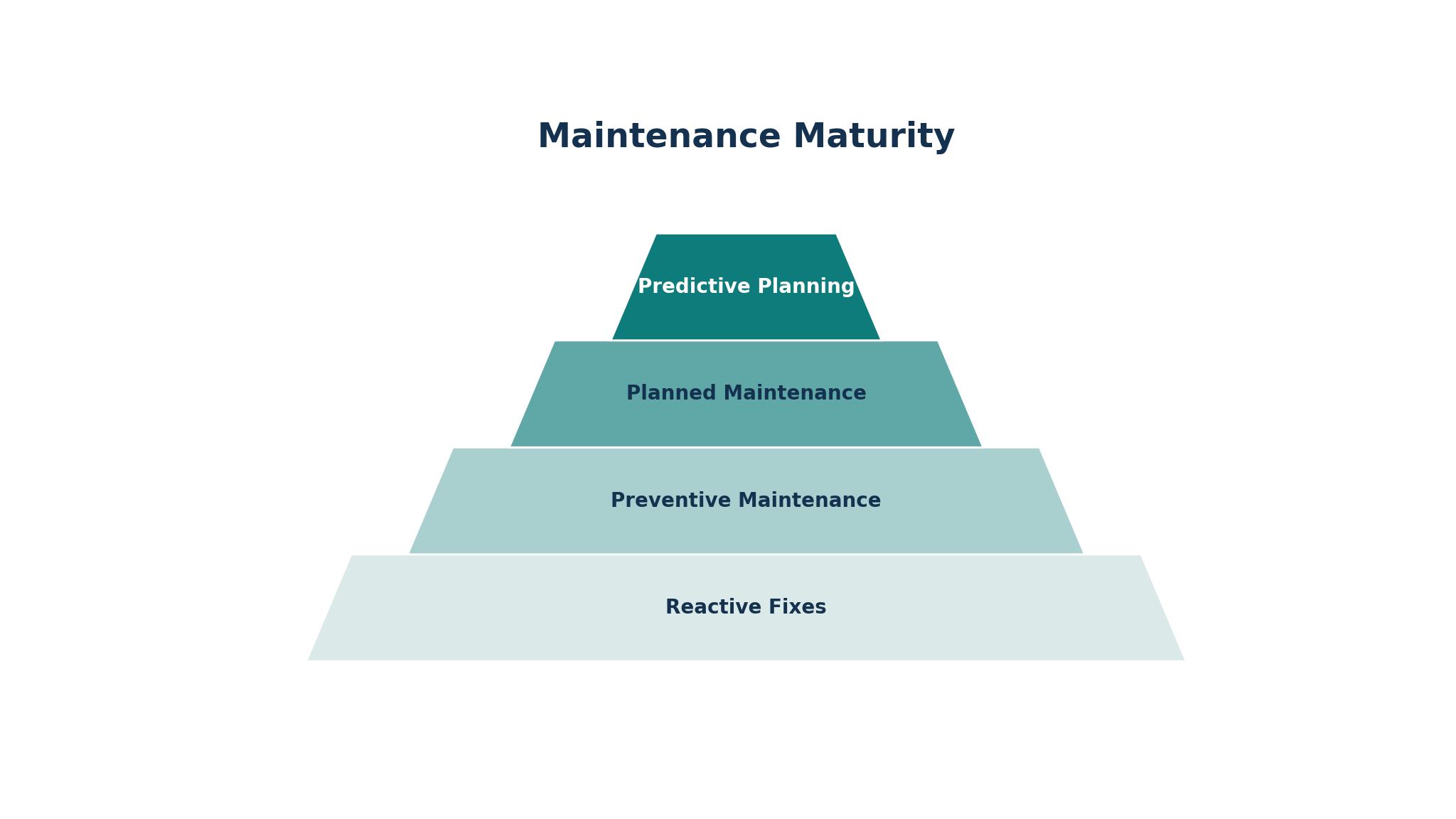
Reactive maintenance waits for the machine to stop, and preventive maintenance stops the machine on a schedule before it fails. The difference is the whole business case for work order software, since an unplanned stop on a production line costs far more than a planned hour of servicing. The best work order software for manufacturers makes the shift visible, with preventive schedules that trigger automatically, meter-based triggers for machines that run by hours, and a backlog list that shows what is overdue.
The schedule has to match how the machines actually run. A calendar-based schedule suits a pump that runs daily, while a meter-based schedule suits a press that runs by cycles, and a condition-based trigger suits a motor whose vibration tells the story. MaintainX, Fiix, and Limble all handle calendar and meter-based preventive work, while eMaint and Fracttal add deeper configuration for plants with complex assets. The test is whether the schedule survives contact with the real plant, since a schedule nobody follows is worse than no schedule at all.
Ask each vendor to build a preventive plan for three real machines in the trial, with different triggers for each, then run the plan for a month. If the work orders appear on time and the technicians close them from a phone, the shift is happening. If the plan needs a planner to chase it, the software is only a calendar with a maintenance label on it.
The Technician’s Phone and the Paper It Replaces
The technician does the work, and the software lives or dies on whether the phone in their pocket helps or hinders. A good mobile app lets a technician see the work order, read the asset history, scan a barcode, attach a photo, record parts used, and close the job without walking back to the office. MaintainX and UpKeep are built for this flow, with mobile-first design that technicians actually like, and Limble follows close behind.
The app has to work where the plant is, which is often a basement, a roof, or a corner with no signal. Offline mode matters here, since a technician who cannot open the work order in a dead zone will go back to paper and enter the data later. The better tools cache the work offline and sync when the signal returns, and the plant should test that in the worst corner of the building.
Check the photo and parts flow in the trial, since those two steps decide whether the record is useful. A photo of the failed part, a note on what was done, and the parts taken from stock should all land in the work order before the technician leaves the machine. If any of those steps needs a second login or a desktop, the record will be incomplete, and the next technician will start from scratch.
Parts, Purchasing, and the Storeroom That Runs Dry
A work order that cannot find its part is a work order that waits, and a storeroom that runs dry stops the line. The software should track parts inventory, link parts to assets, and warn when stock falls below the minimum, so the storekeeper orders before the breakdown rather than after it. Fiix and eMaint handle parts and purchasing deeply, with reorder points and purchase orders, while MaintainX adds parts inventory on its Premium tier.
The purchasing flow has to match how the plant actually buys. A small shop orders from one supplier by phone, while a larger plant runs approvals and purchase orders through a finance team. A system that forces a heavy approval flow on a small shop will slow every repair, while a system with no approvals will let a large plant overspend..
Ask the vendor to show a part from stock to work order to reorder in the trial. Take a bearing from the shelf, assign it to a work order, and watch the stock level fall and the reorder alert appear. If the chain works without manual steps, the storeroom will stay stocked, and if it does not, the plant will keep running out of the part it needs most.
The 12 Tools at a Glance
The table below gives the short version of the best work order software for manufacturers, with each tool, its main job, and its starting price.
| Tool | Main job | Best for | Starting price |
|---|---|---|---|
| MaintainX | Mobile-first work orders | Teams moving off paper | Free plan, from $20 per user per month |
| UpKeep | Mobile CMMS with asset data | Small to mid-size teams | From $24 per user per month |
| Limble | Easy-to-adopt CMMS | Teams wanting fast setup | From $28 per user per month |
| Fiix | Mid-market CMMS, Rockwell | Manufacturers with ERP links | From $45 per user per month |
| eMaint | Configurable CMMS, Fluke | Asset-heavy multi-site plants | From $69 per user per month |
| Fracttal | Flat-price maintenance platform | Flat-fee value for growing teams | From $195 per month |
| Hippo CMMS | Simple web-based CMMS | Small teams wanting simplicity | Custom quote |
| FMX | Facilities and maintenance | Plants with facilities work too | Custom quote |
| EZOfficeInventory | Asset tracking and work orders | Asset-heavy teams tracking gear | Custom quote |
| Asset Panda | Asset management platform | Tracking assets across sites | Custom quote |
| ManagerPlus | Maintenance and asset management | Plants wanting deep history | Custom quote |
| MPulse | CMMS with one-time licence | Teams wanting to own the software | $3,500 one-time licence |
Best Pick by Job
This table matches the best work order software for manufacturers to the job it fits, so a small shop and a multi-site plant do not end up buying the same system.
| Job type | First pick | Second tool | Why this pair works |
|---|---|---|---|
| Small shop moving off paper | MaintainX | UpKeep | MaintainX starts free while UpKeep adds asset reporting |
| Fast setup, easy adoption | Limble | MaintainX | Limble configures in days while MaintainX keeps the mobile flow simple |
| Mid-market manufacturer | Fiix | eMaint | Fiix links to ERP while eMaint adds configuration depth |
| Multi-site asset-heavy plant | eMaint | ManagerPlus | eMaint configures per site while ManagerPlus holds deep asset history |
| Flat fee, many technicians | Fracttal | MPulse | Fracttal charges flat monthly while MPulse sells a one-time licence |
| Simple web CMMS | Hippo CMMS | FMX | Hippo CMMS keeps it simple while FMX adds facilities work |
| Asset tracking first | Asset Panda | EZOfficeInventory | Asset Panda tracks assets across sites while EZOfficeInventory links them to work orders |
How to Choose the Best Work Order Software for Manufacturers
The best work order software for manufacturers proves itself on a real breakdown, not on a demo with sample assets. Take three real machines, with their service history and their parts, and enter them into the trial. Then raise a work order from a phone on the shop floor, assign it, close it with a photo and a part, and produce the history report. The system that handles the whole loop without a desktop is the one the technicians will use.
Check the free tiers first, since MaintainX, Fiix, and Limble all offer free plans, and a small team can start at zero cost. The free tier should cover unlimited work orders and assets, and the paid tier should add the scheduling, parts, and reporting the plant actually needs, rather than locking the basics behind a paywall. A team that starts free and grows into the paid plan learns the tool before paying for it, which is the cheapest way to buy.
Price the whole year on seats, not on the headline. MaintainX Essential at $20 a user a month costs $200 a month for ten technicians, Fiix Basic at $45 costs $450, and eMaint at $69 costs $690, while Fracttal at $195 flat and MPulse at $3,500 once change the maths completely for a large team. Work out the twelve-month total for your actual technician count, then choose on that number.
The 12 Tools in Detail
1. MaintainX
MaintainX is a mobile-first work order platform with a free tier covering unlimited work orders, assets, and messaging, and paid plans from $20 a user a month on Essential billed annually. Its strength is the low-friction start, since a team can move off paper in days, and Premium at $65 a month adds meter-based preventive work, parts inventory, and purchase orders. It is the easiest tool in this list to trial.
The honest drawback is depth at scale. MaintainX suits teams up to fifty technicians well, but a large multi-site plant may find its reporting and configuration thinner than eMaint or Fiix. The per-seat price also climbs fast once the team grows past twenty.
It suits frontline teams moving off paper or spreadsheets fast, especially small to mid-size manufacturers.
Raise a work order from a phone on the shop floor in the trial, attach a photo, and close it with a part used. If the whole loop works without a desktop, the mobile design is doing its job.
2. UpKeep
UpKeep is a mobile-first CMMS starting from $24 a user a month on Essential, with work orders, assets, preventive schedules, and reporting. Its strength is asset performance data, since the reporting shows which machines cost the most to keep running, and the mobile app is clean enough for technicians to use all day. A free trial lets a team test it before paying.
The catch is the free tier. UpKeep offers a trial rather than a lasting free plan, so a team cannot run on it indefinitely without paying, and the price rises through the tiers as the team adds features. Some users also find the reporting less flexible than Fiix at a similar price.
It suits small to mid-size teams digitising maintenance for the first time, especially where asset reporting matters.
Build a preventive schedule for three real machines in the trial and run it for two weeks. Check whether the work orders appear on time and whether the asset report shows the costliest machine. If both work, the system is earning its price.
3. Limble
Limble is a CMMS built for fast adoption, with a free tier covering unlimited assets and work orders, and paid plans from about $28 a user a month on Standard. Its strength is setup speed, since a team can configure it in days rather than weeks, and the interface is the easiest in this list for a technician to learn. Preventive schedules, parts, and reporting are all included.
The honest drawback is price transparency. Limble does not publish a firm price on its site, so budgeting relies on third-party listings, and the paid tiers rise with features. A plant that needs deep ERP integration may also find Limble thinner than Fiix.
It suits small to mid-size maintenance teams that value usability over depth.
Configure the system in the trial with no vendor help and time how long it takes to raise the first work order. If the team is working within a day, the ease of adoption is real.
4. Fiix
Fiix, now part of Rockwell Automation, is a mid-market CMMS starting from $45 a user a month on Basic, with a free tier available. It covers work orders, preventive maintenance, meter readings, and resource-based scheduling, with Professional at $75 adding multi-site management, purchasing, and AI-powered insights. Its strength is manufacturing depth and ERP integration.
The honest drawback is price. At $45 a user a month, Fiix costs more than twice MaintainX for the same team, and the features a plant needs often sit in the Professional tier. A small team will find the price hard to justify, and the setup takes longer than the mobile-first tools.
It suits manufacturers wanting a proven mid-market CMMS with ERP links.
Enter a month of real work orders in the trial and produce the preventive compliance report. If the report shows which schedules were missed and why, the depth is paying for itself.
5. eMaint
eMaint, from Fluke, is a configurable CMMS starting from $69 a user a month on Team, built for asset-intensive operations with an admin to run it. eMaint covers work orders, preventive maintenance, parts, purchasing, and multi-site management, with deep configuration that lets a plant shape the system around its own process. Its strength is flexibility at scale.
The honest drawback is complexity and cost. eMaint needs an administrator to configure and maintain it, and the per-seat price is the highest among the per-user tools here. A small team without an admin will find it too heavy, and the implementation takes weeks.
It suits configurable multi-site maintenance programs, especially asset-heavy manufacturers.
Ask the vendor to configure one real workflow in the trial, from work request to purchase order, and watch how long it takes. If the workflow matches the plant’s process exactly, the configurability is real.
6. Fracttal
Fracttal is a maintenance platform with flat pricing from $195 a month, covering work orders, preventive maintenance, assets, and parts without a per-user charge. Its strength is the flat fee, since a team of thirty technicians costs the same as a team of five, and the platform includes a free tier for small teams. It suits growing teams that want predictable costs.
The honest drawback is depth. Fracttal is simpler than Fiix or eMaint on reporting and integration, and a plant with complex ERP needs may find gaps. The flat price also means a very small team pays more than it would on a per-seat tool.
It suits growing teams that want flat-fee pricing and predictable costs.
Run the trial with the whole technician team at once and check the cost per user against MaintainX. If the flat fee beats the per-seat total, the pricing model is working for the plant.
7. Hippo CMMS
Hippo CMMS is a simple web-based maintenance system sold by quote, covering work orders, preventive schedules, assets, and parts in a clean interface. Its strength is simplicity, since a small team can learn it in an afternoon, and the web design means no app to install and no server to run. It suits teams that want the basics done well.
The honest drawback is price transparency and depth. Hippo CMMS does not publish a price, so budgeting means a sales conversation, and the feature set is lighter than Fiix or eMaint on reporting and purchasing. A plant that needs deep analytics will find gaps.
It suits small teams wanting a simple web CMMS without a learning curve.
Raise and close ten work orders in the trial with the whole team, then produce the monthly report. If the team learned it without training and the report reads cleanly, the simplicity is genuine.
8. FMX
FMX is a facilities and maintenance platform sold by quote, covering work orders, preventive maintenance, assets, and scheduling, with a strong facilities side that suits plants where the building matters as much as the machines. Its strength is the blend, since one system covers the production line and the building around it, from HVAC to lighting.
The honest drawback is manufacturing depth. FMX is a facilities tool first, so its manufacturing features are thinner than a pure CMMS, and the quote-based pricing makes comparison slow. A plant that needs deep machine data will find gaps.
It suits plants with significant facilities work alongside production maintenance.
Enter a facilities job and a machine job in the trial and check that both flow through the same schedule. If they do, the blend is working, and if they do not, the plant needs a purer CMMS.
9. EZOfficeInventory
EZOfficeInventory is an asset tracking platform with work orders, sold by quote, covering asset records, check-in and check-out, maintenance schedules, and parts. Its strength is the asset register, since a plant can see where every piece of equipment is, who has it, and when it was last serviced, all in one place. It suits asset-heavy teams.
The honest drawback is that work orders are secondary to asset tracking. A plant that lives in work orders will find the maintenance side thinner than MaintainX or Fiix, and the quote-based pricing makes budgeting slow. The interface is functional rather than modern.
It suits asset-heavy teams that track gear across sites and need maintenance linked to the asset record.
Track ten assets through the trial, from check-out to service to return, and check the history on each. If the history is complete without extra entry, the asset focus is paying off.
10. Asset Panda
Asset Panda is an asset management platform sold by quote, covering asset tracking, work orders, and reporting across sites, with a mobile app for scanning barcodes and updating records in the field. Its strength is the asset view, since a manufacturer can see the whole fleet, its location, its condition, and its service history in one place.
The honest drawback is maintenance depth. Asset Panda tracks assets brilliantly but handles work orders more lightly than a dedicated CMMS, so a plant that runs on preventive schedules will find gaps. The quote-based pricing also means the total depends on the asset count.
It suits manufacturers tracking assets across sites, especially where the asset register is the priority.
Scan ten assets in the trial with the mobile app and check that the location and history update at once. If they do, the tracking is real, and if they do not, the plant should look elsewhere.
11. ManagerPlus
ManagerPlus is a maintenance and asset management platform sold by quote, with work orders, preventive maintenance, asset history, and reporting. Its strength is history, since it holds deep records on each asset, including every work order, part, and cost over the asset’s life, which helps a plant decide when to repair and when to replace. It suits plants that plan replacement cycles.
The honest drawback is age and price transparency. ManagerPlus is an established product with a dated interface in places, and the quote-based pricing makes comparison slow. A team that wants a modern mobile app may find it less polished than MaintainX.
It suits plants wanting deep asset history and replacement planning.
Pull the lifetime cost report for three real machines in the trial and check whether it shows the repair-against-replace answer clearly. If it does, the history depth is earning its price.
12. MPulse
MPulse is a CMMS sold as a $3,500 one-time licence, aimed at teams that want to own the software rather than rent it. MPulse covers work orders, preventive maintenance, assets, and parts, with a desktop and web interface that has served manufacturers for years. Its strength is the ownership model, since the plant pays once and keeps the system.
The downside is the upfront cost and the pace of change. A $3,500 licence is a capital purchase that needs approval, and the product updates more slowly than the subscription tools. A plant that wants the newest mobile features will find it behind the cloud tools.
It suits teams that want to own their software and dislike subscriptions.
Run a month of real work orders in the trial and produce the preventive compliance report. If the report is clean and the team is comfortable, the one-time price is worth weighing against three years of subscriptions.
What Work Order Software Costs Per Technician
The per-seat price decides the total for the best work order software for manufacturers, and the range in this list is wide. MaintainX Essential at $20 a user a month costs $200 a month for ten technicians, UpKeep at $24 costs $240, Limble at $28 costs $280, Fiix at $45 costs $450, and eMaint at $69 costs $690, all for the same ten people. Fracttal at $195 flat costs less than MaintainX for a team of ten, and far less for a team of thirty, while MPulse at $3,500 once costs less than any subscription over three years for a stable team.
Free tiers change the start. MaintainX, Fiix, and Limble all offer free plans, so a small team can begin at zero and pay only when it needs the paid features. The free tier should cover unlimited work orders and assets, and the paid tier should add scheduling, parts, and reporting. A team that starts free learns the tool before paying.
Work out the three-year total for your actual technician count, including any implementation and training fees. Then compare it with the cost of one unplanned stop on the line, since a single breakdown often costs more than a year of software. The tool that prevents the most downtime per dollar is the right one, and the headline price will not show it.
Getting Technicians to Use It Every Day
Software that technicians do not use is a cost, not a tool, and adoption is the part most plants underestimate when buying the best work order software for manufacturers. The fix is to make the mobile app the easiest way to do the job, not an extra step after it. A technician who can raise a work order from the machine, with a photo and a part, in under a minute will use it. A technician who has to walk to the office, log into a desktop, and retype the same details will go back to paper within a week.
Start with one line or one area, not the whole plant. Pick the area with the most breakdowns, put its machines and its technicians on the system first, and let the rest of the plant see the results before rolling it out further. A pilot that shows fewer repeat breakdowns in a month will win over the sceptics faster than any training session, and the pilot gives the plant a real cost per work order to judge the full rollout on.
Measure the backlog, not the login count. A system with every technician logged in and a backlog that never shrinks is not working, while a system with a shrinking backlog and fewer repeat failures is. Review the backlog weekly with the team and ask the technicians what slows them down. Their answers will tell the plant what to fix.

Frequently Asked Questions
Which work order software is best for a small manufacturer?
Among the best work order software for manufacturers, MaintainX is the strongest answer for a small manufacturer, since the free tier covers unlimited work orders and assets, and the paid plan starts from $20 a user a month. UpKeep at $24 a month and Limble at $28 a month are close seconds, and the choice comes down to whether the plant values mobile ease, asset reporting, or fast setup most. A small team should start on a free tier and pay only when the paid features are needed.
Is a free CMMS really enough for a plant?
Yes, for a small team moving off paper, since MaintainX, Fiix, and Limble all offer free tiers covering unlimited work orders and assets. The free tier suits a team that needs to raise, assign, and close work orders without paying, and the paid tier adds preventive scheduling, parts, and reporting when the plant grows. A plant should check what the free tier excludes before relying on it, since the exclusion is usually the feature it needs next.
How much does work order software cost per month?
Most plants in this guide pay between $20 and $69 per user per month, before implementation and training. A team of ten on MaintainX pays $200 a month, on Fiix pays $450 a month, and on eMaint pays $690 a month, while Fracttal charges $195 flat regardless of team size. The three-year total for the actual technician count is the number that matters, not the headline price.
Can work order software really cut downtime?
Yes, when the plant moves from reactive to preventive work, since scheduled servicing prevents the breakdowns that stop the line. The software helps by triggering preventive work on time, tracking which machines fail most, and showing the backlog clearly, but the plant still has to do the work. A plant that schedules preventive work and follows the schedule will see downtime fall within a quarter, while a plant that only records breakdowns will not.
What is the difference between a CMMS and work order software?
A CMMS is the wider system, covering work orders, preventive maintenance, assets, parts, and purchasing, while work order software is the narrower job of raising, assigning, and closing work orders. Most tools in this guide are both, since they cover the full CMMS job, and the terms are used interchangeably in the market. A plant should check whether the tool covers preventive schedules and parts, since those are the features that separate a CMMS from a simple ticketing tool.
Should a manufacturer buy per-seat or flat-fee software?
A manufacturer should buy per-seat software when the team is small, since $20 a user a month for five technicians costs less than a $195 flat fee. A manufacturer should buy flat-fee software when the team is large, since Fracttal at $195 a month beats $20 a seat once the team passes ten technicians.
The Verdict for Manufacturers Choosing Work Order Software in 2026
MaintainX is the best pick among the best work order software for manufacturers for most small to mid-size manufacturers, since the free tier and the $20 entry price make it the cheapest honest start. Limble is the best pick for a plant that wants the fastest setup, and Fiix is the best pick for a manufacturer that needs ERP links and mid-market depth. Fracttal is the best pick for a large team that wants flat pricing, and MPulse is the best pick for a team that wants to own its software.
Raise a real work order from a phone on the shop floor, close it with a photo and a part, and produce the history report. The system that handles the whole loop without a desktop is the right one for the plant, and the rest is marketing.