

An agent who sends a purchase agreement as a PDF attachment usually discovers the gap when the buyer prints it, signs one page, and photographs it back at an angle the title company cannot read. An agent who buys a full transaction management platform usually discovers the opposite gap, when the signing is flawless but the simple referral agreement takes ten clicks to send. The top 10 e-signature software for real estate agents closes both gaps, and the choice between the two approaches decides how fast a deal moves from offer to close.
The split comes down to what the agent signs most. A residential agent lives in association forms, disclosures, and multi-party purchase agreements, and needs templates that match the local forms exactly. A commercial agent lives in leases, LOIs, and amendments, and needs bulk send and approval workflows. A solo agent with five deals a month needs a cheap, fast signing tool, while a team with fifty deals needs audit trails, compliance checks, and a transaction file that a broker can review. Each of these is a different purchase, and the tools below serve them in different proportions.
This guide compares ten live systems on real estate signing work, not on generic e-signature checklists. All prices below are the vendors’ published list prices as read in late 2026, before tax. Where a vendor sells by quote, the guide says so rather than guessing a number, and where a plan caps envelopes or signers, the guide states the cap so the cost can be worked out honestly.
Association Forms, Disclosures, and the Multi-Party Packet
A residential closing sends a packet of sixty to one hundred and eighty pages through six or seven inboxes, buyer, seller, both agents, lender, and escrow, plus a notary when the deed needs one. The signing tool has to route that packet in the right order, collect each signature in turn, and produce a certificate of completion that the title company accepts without question. A generic signing tool can collect signatures, but it cannot manage the routing, and the agent ends up chasing signers by phone.
Dotloop is built for this packet, with association forms, transaction management, and compliance tracking in one place, and DocuSign Rooms covers the same ground for teams already standardised on DocuSign. The difference shows up when a form changes mid-deal, since a transaction platform updates the packet and notifies every party, while a simple signing tool leaves the agent to resend the whole packet and hope nobody signs the old version.
Test this with a real deal from last quarter. Load the full packet, set the signing order, and send it to three test signers, then change one form and see what the system does. The top 10 e-signature software for real estate agents will update the packet, void the old signatures cleanly, and show the broker exactly where the deal stands. A system that cannot do that will cost the agent a delay at the worst moment of the transaction.
Envelopes, Caps, and the Price of a Busy Month
E-signature pricing hides its real cost in envelope caps. DocuSign Personal starts from $15 a month but caps the agent at five envelopes a month, which an active agent burns through in a week. The Standard plan at $25 a month allows one hundred envelopes per user per year, while Business Pro at $40 a month adds bulk send and payment collection. An agent who counts envelopes before buying will not be surprised, while an agent who buys on the headline price will hit the cap mid-month and pay to upgrade under pressure.
PandaDoc and signNow price differently, with PandaDoc offering a free e-sign plan and paid plans from $19 a month, and signNow starting from $20 a month with a Business Premium tier at $30 a month. Dropbox Sign and Zoho Sign both start from $15 and $10 a month respectively, and both suit an agent who signs business agreements rather than full transaction packets. The right comparison is cost per closed deal, not cost per month, since a tool that costs $40 a month and closes ten deals costs $4 a deal.
Work out the envelope maths before signing. Count the deals last month, multiply by the average number of envelopes per deal, and compare that total with the cap on each plan. The plan that covers the busiest month without an upgrade is the cheapest plan, even when its headline price is higher than the plan below it.
Mobile Signing, Identity Checks, and the Client Who Never Opens Email
Most signers open the signing request on a phone, often while standing in a kitchen or sitting in a car, and the signing flow has to work there first. A tool that forces a download, a login, or a desktop browser will lose signers, and the agent will be back on the phone explaining how to sign. DocuSign, Dotloop, and PandaDoc all offer mobile apps with a clean signing flow, and the better tools let a signer finish without creating an account.
Identity checks matter more as the deal value rises. SMS authentication, knowledge-based checks, and remote online notarisation all add a layer of proof that the right person signed, and some states require notarisation for deeds. DocuSign offers first-party remote notarisation where states allow it, and PandaDoc offers integrated notarisation on its higher plans. An agent handling high-value closings should check which identity options each plan includes, since the cheapest plan often excludes them.
Test the mobile flow as a buyer would, on a phone, with no account and no app installed. Open the request, sign, and check the certificate that comes back. If the whole flow takes under three minutes and the certificate shows the time, the IP address, and the authentication method, the tool is doing its job for the client and for the file.
The 10 Tools at a Glance
The table below gives the short version of the top 10 e-signature software for real estate agents, with each tool, its main job, and its starting price.
| Tool | Main job | Best for | Starting price |
|---|---|---|---|
| DocuSign | E-signature and transaction rooms | The recognised default | From $15 per month |
| Dotloop | Transaction management and signing | End-to-end residential deals | From $31.99 per month |
| PandaDoc | Proposals, documents, and signing | Branded documents and CRM sync | Free plan, from $19 per month |
| signNow | E-signature with templates | Low-cost signing at volume | From $20 per month |
| Adobe Acrobat Sign | E-signature inside Acrobat | Teams already on Adobe | Custom quote |
| Dropbox Sign | Simple e-signature | Fast one-off signing | From $15 per month |
| Zoho Sign | E-signature in the Zoho suite | Zoho CRM users | From $10 per month |
| Signeasy | Mobile-first e-signature | Agents signing from a phone | From $10 per month |
| eversign | E-signature with templates | Small teams on a budget | Free plan, from $10 per month |
| Sertifi | Secure signing and payments | High-value closings | Custom quote |
Best Pick by Job
This table matches the top 10 e-signature software for real estate agents to the job it fits, so a solo agent and a large brokerage do not end up buying the same system.
| Job type | First pick | Second tool | Why this pair works |
|---|---|---|---|
| Solo residential agent | Dotloop | DocuSign | Dotloop runs the whole deal while DocuSign covers the signing name everyone trusts |
| Team with fifty deals a month | DocuSign | PandaDoc | DocuSign Rooms manages the file while PandaDoc handles branded documents |
| Branded proposals and contracts | PandaDoc | signNow | PandaDoc designs the document while signNow signs it cheaply |
| Low-cost signing at volume | signNow | eversign | signNow keeps the per-month cost low while eversign offers a free start |
| Mobile-first agent | Signeasy | DocuSign | Signeasy signs cleanly from a phone while DocuSign covers the formal packet |
| Zoho CRM user | Zoho Sign | DocuSign | Zoho Sign lives inside the CRM while DocuSign covers counterparties who ask for it |
| High-value closings | Sertifi | DocuSign | Sertifi adds secure payments while DocuSign adds notarisation where allowed |
How to Choose the Top 10 E-Signature Software for Real Estate Agents
The top 10 e-signature software for real estate agents proves itself on a real deal, not on a demo with sample documents. Take one purchase agreement from last quarter, with its disclosures and addenda, and send it through the trial to three test signers in the right order. Then change one form mid-flow and check what the system does with the signatures already collected. The tool that handles the change cleanly is the one that will save the agent when a real deal changes at the last minute.
Check what the brokerage already pays for before buying anything. Many brokerages provide Dotloop or DocuSign Rooms free to their agents, and an agent who buys a second tool is paying twice for the same job. Ask the broker which platform the office uses, which plan the office covers, and what the agent would pay for anything beyond it. The answer often decides the purchase before the trial starts.
Price the whole year on envelopes, not on the monthly headline. Count the deals, multiply by envelopes per deal, and compare the total with the cap on each plan, then add any notarisation or identity-check fees the plan excludes. The plan that covers the busiest month without an upgrade is the cheapest plan, and the tool that the counterparty recognises without question is worth a small premium on top.
The 10 Tools in Detail
1. DocuSign
DocuSign is the e-signature name counterparties never question, with plans from $15 a month for Personal, $25 for Standard, and $40 for Business Pro per user. The Real Estate plan at $45 a month adds multi-party signing, agent-to-agent sharing, and property templates, while DocuSign Rooms covers transaction management and first-party remote notarisation lets a closing happen in one place where states allow it.
The weak spot is the envelope cap. Personal allows five envelopes a month, which an active agent exhausts in days, and Standard caps at one hundred envelopes per user per year, so a busy agent pays for Business Pro or a higher tier. The price rises fast once the caps are counted honestly.
It suits agents and teams who need the recognised default, especially when the counterparty is a lender or a title company that expects DocuSign. A team closing many deals will get the most from Rooms, while a solo agent with few deals will find Personal too small and Standard the realistic floor.
Send a real purchase agreement through the trial to three test signers in order, then check the certificate of completion. If the routing, the timestamps, and the audit trail all read cleanly, the brand premium is paying for trust.
2. Dotloop
Dotloop is transaction management built for real estate, starting from about $31.99 a month for an individual agent, with unlimited transactions on the Premium tier. It covers association forms, e-signature, compliance tracking, and the transaction file in one place, and many brokerages provide it free to their agents. Its strength is the end-to-end residential deal, from listing to close.
The honest drawback is flexibility. Dotloop handles real estate documents brilliantly but does little outside them, and its workflow automation stops short of conditional logic and triggered follow-ups. An agent who also signs business agreements will need a second tool for those, and the per-agent pricing scales poorly for a large team.
It suits residential agents and brokerages that want one system for the whole transaction. A solo agent buying their own tool will get the most from it, while a commercial agent will find it too residential in shape.
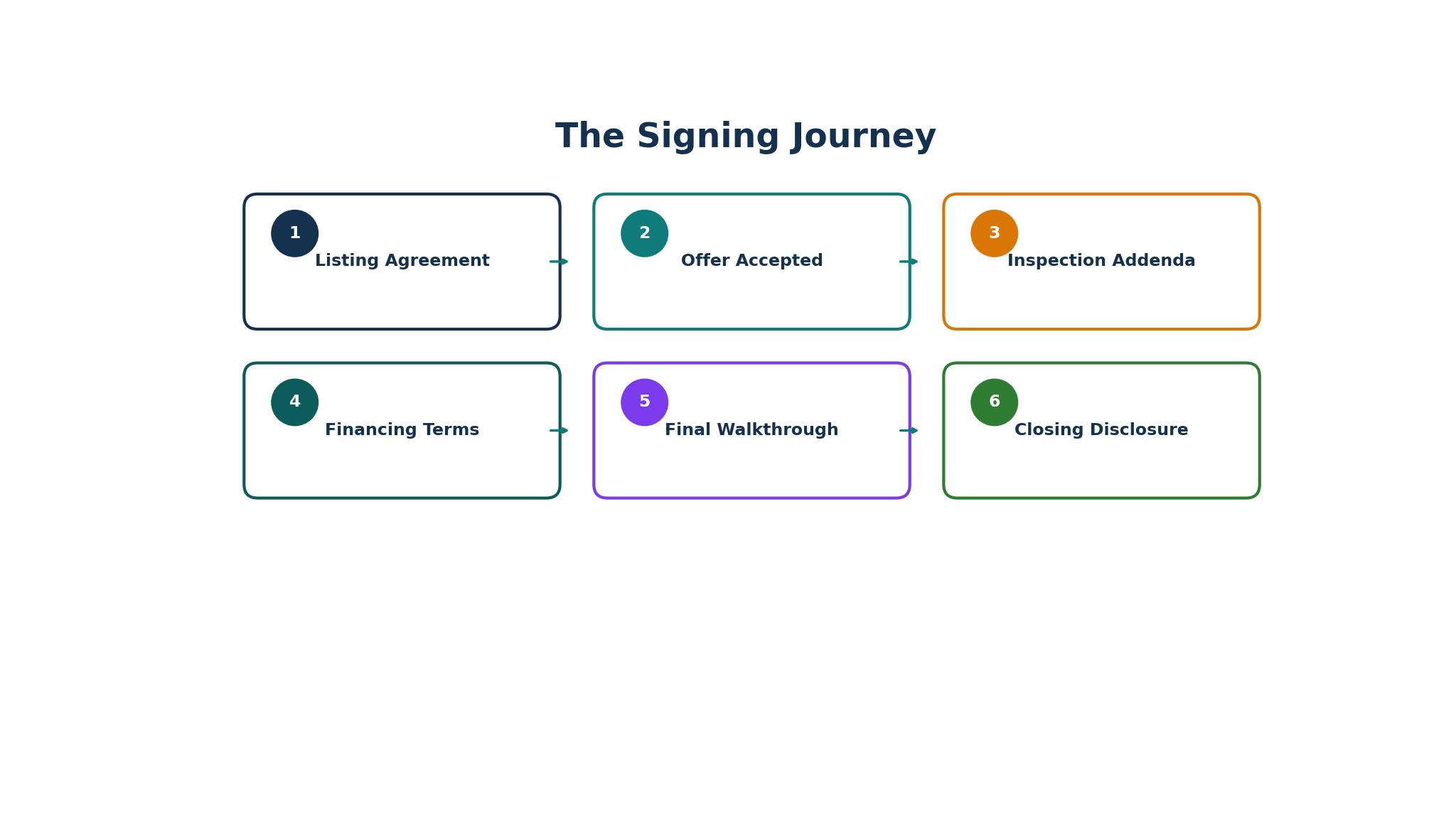
Load a full transaction in the trial, from listing agreement to closing disclosure, and run the compliance checklist. If the broker can review the file without asking the agent for missing documents, the platform is doing its job.
3. PandaDoc
PandaDoc combines document creation with e-signature, offering a free e-sign plan and paid plans from $19 a month per user. The editor builds branded proposals and contracts, the content library keeps clauses consistent, and CRM integrations with HubSpot, Salesforce, and Pipedrive sync the document with the deal. Business at $49 a month adds approval workflows and bulk send.
The honest drawback is overhead for fixed forms. PandaDoc is a document editor first, so an agent working with fixed MLS forms will find the editor unnecessary, and the free tier caps recipients at two per document, which fails for a residential deal with three or more parties. The brand premium is real against cheaper signing tools.
It suits agents who sell with branded documents, commercial agents, and teams that need CRM sync. A commercial leasing agent will get the most from it, while a residential agent working only with association forms will find it the wrong shape.
Build a branded listing presentation in the trial, send it for signature, and check the CRM sync. If the document, the signature, and the deal record all update together, the editor is earning its price.
4. signNow
signNow is a low-cost e-signature platform starting from $20 a month, with a Business Premium tier at $30 a month that adds bulk send and more templates. It covers signing, templates, audit trails, and mobile apps, and its strength is value, since it does the core signing job for less than DocuSign or Dotloop. Teams on a budget often land here.
The honest drawback is real estate depth. signNow has no transaction management, no association forms, and no compliance tracking, so an agent running full residential deals will pair it with another system. The interface is functional rather than polished, and some clients will notice the difference.
It suits agents who need cheap signing at volume and already have a transaction system elsewhere. A team that signs many business agreements will get the most from it, while a residential agent wanting one system will not.
Send ten documents through the trial in a day, including one with five signers, and check the audit trail on each. If the trails are complete and the mobile signing works cleanly, the low price is not a compromise.
5. Adobe Acrobat Sign
Adobe Acrobat Sign is the e-signature layer inside Acrobat, sold by quote for teams and bundled with Adobe plans for many users. Its strength is the document, since agents who already work in PDF can send for signature without leaving Acrobat, and the audit trail and compliance options suit enterprise teams. It integrates with Microsoft and Salesforce.
The honest drawback is price transparency and real estate focus. Acrobat Sign sells by quote, so budgeting means a sales conversation, and it has no transaction management or association forms. An agent who needs a real estate workflow will pair it with Dotloop or Rooms, which means two systems.
It suits teams already on Adobe, especially enterprises and brokerages with Microsoft or Salesforce in place. An agent who lives in PDF all day will get the most from it, while a solo agent wanting a cheap signing tool will find it the wrong shape.
Send a PDF contract from Acrobat in the trial and check the signing flow on a phone. If the signer can finish without installing anything and the audit trail reads cleanly, the Acrobat link is paying off.
6. Dropbox Sign
Dropbox Sign, formerly HelloSign, is a clean, low-friction signing tool starting from $15 a month, with templates, reminders, and an audit trail. Its strength is simplicity, since a signer can finish in a minute without an account, and the interface is friendly enough for clients who sign rarely. It integrates with Dropbox, Google Drive, and HubSpot.
The honest drawback is depth. Dropbox Sign signs documents well but does not manage transactions, track compliance, or handle complex routing, so a residential agent will need a second system for the deal file. The per-user price also climbs for a team, and the feature set is thinner than PandaDoc at a similar price.
It suits agents who need fast one-off signing, especially for referral agreements, vendor terms, and listing paperwork. A solo agent signing a few documents a week will get the most from it, while an agent running full transactions will not.
Send a referral agreement in the trial to a test signer with no account and time the flow. If the signer finishes in under two minutes and the audit trail is complete, the simplicity is earning its price.
7. Zoho Sign
Zoho Sign is the e-signature tool inside the Zoho suite, starting from $10 a month, with templates, reminders, and an audit trail. Its strength is the suite, since a Zoho CRM user can send a document for signature from the deal record and see the signed copy land back in the CRM without extra steps. It suits teams already standardised on Zoho.
The honest drawback is recognition and depth. Counterparties outside the Zoho world may not know the brand, and Zoho Sign has no transaction management or association forms, so a residential agent will pair it with another tool. The feature set is solid but not leading in any single area.
It suits Zoho CRM users, small teams, and brokerages that run their business on Zoho. An agent already paying for Zoho will get the most from it, while an agent on another CRM will find the integration less valuable.
Send a document from the Zoho CRM record in the trial and check that the signed copy returns to the record automatically. If it does, the suite link is paying off, and if it does not, the agent is paying for a standalone signer.
8. Signeasy
Signeasy is a mobile-first e-signature tool starting from $10 a month, built for signing from a phone. Its strength is the mobile flow, with a clean app, offline signing, and templates that an agent can send from the car between showings. It covers the core signing job without the weight of a transaction platform.
The honest drawback is scope. Signeasy signs well but does not manage transactions, track compliance, or handle complex multi-party routing, so an agent running full deals will need a second system. The brand is less recognised than DocuSign, and some counterparties will ask what it is.
It suits mobile-first agents who sign on the move and need speed over depth. A solo agent doing showings all day will get the most from it, while a team running fifty deals a month will need more structure.
Send a document from the phone app in the trial while offline, then reconnect and check the audit trail. If the signature syncs cleanly and the trail is complete, the mobile design is doing its job.
9. eversign
eversign is a low-cost e-signature platform with a free plan and paid plans from $10 a month, covering templates, reminders, audit trails, and team management. Its strength is value, since the free plan lets a small team start signing without a card, and the paid plans stay cheap as the team grows. It suits small teams on a budget.
The honest drawback is real estate depth and recognition. eversign has no transaction management and no association forms, so a residential agent will pair it with another tool, and the brand is less known than DocuSign, which matters when a lender asks what was used. The interface is functional rather than polished.
It suits small teams that need cheap signing and already have a transaction system. A team signing business agreements and simple contracts will get the most from it, while a residential agent wanting one system will not.
Send five documents through the free plan in the trial and check the audit trails. If the trails are complete and the templates save time on the second send, the free start is genuine value.
10. Sertifi
Sertifi is a secure signing and payment platform for high-value closings, sold by quote, with e-signature, identity verification, and payment collection in one flow. Its strength is trust, since it combines the signature with a verified payment, which suits commercial deals and high-value residential closings where the money and the paper move together.
The downside is price and scope. Sertifi sells by quote, so budgeting means a sales conversation, and it aims at high-value transactions rather than everyday signing, so an agent with many small deals will find it too heavy. A residential agent will still need a transaction platform alongside it.
It suits commercial agents, luxury agents, and brokerages handling high-value closings where payment and signature must move together. A team closing large deals will get the most from it, while a solo agent with small deals will not need the payment depth.
Run a test closing in the trial with a signature and a payment together, then check the audit trail and the payment record. If both read cleanly and the client found the flow simple, the secure pairing is earning its price.
What E-Signature Software Costs Per Closed Deal
The monthly price misleads agents comparing the top 10 e-signature software for real estate agents, since the real cost is per closed deal. DocuSign Business Pro at $40 a month closes ten deals for $4 a deal, while Personal at $15 a month closes two deals before the envelope cap forces an upgrade, which costs more per deal and more in hassle. Dotloop at $31.99 a month with unlimited transactions costs about $3 a deal for an agent closing ten a month, which is why its price looks high until the cap is counted.
Free plans change the maths only for the lightest users. PandaDoc free covers sixty documents a year with two recipients each, which suits an agent signing referral agreements but fails for a residential deal with three or more parties. eversign free covers a small team starting out, but the paid plan follows as soon as volume grows. The free plan is a trial, not a business plan, and an agent should budget for the paid tier from the first month of real volume.
Work out the cost per closed deal for your actual volume, then add notarisation and identity-check fees where the plan excludes them. The tool that costs least per deal and that the counterparty recognises without question is the right one, and the monthly headline will not show it.

Keeping the Transaction File Clean for the Broker
The broker reviews the file, and the top 10 e-signature software for real estate agents decides whether that review takes ten minutes or two hours. A clean file has every form signed in order, every disclosure dated, and a certificate of completion for each envelope, all in one place. Dotloop and DocuSign Rooms are built for this review, with compliance checklists that flag what is missing before the broker asks.
The agent should run the compliance check before submitting the file, not after the broker returns it. A tool that shows the missing items in one list saves a round trip, while a tool that hides them in separate envelopes costs the agent a day. The checklist is the feature that matters most to a busy broker, and it is the feature agents notice least in a demo.
Train the team on the file standard, not on the software manual. Every agent should know which forms the file needs, in which order, and what the certificate should show, since the software only enforces a standard the team already understands. A team with a clear standard and a simple tool will produce cleaner files than a team with a complex tool and no standard.
Frequently Asked Questions
Which e-signature tool is best for residential real estate?
Among the top 10 e-signature software for real estate agents, Dotloop is the strongest answer for residential real estate, since it combines association forms, transaction management, and compliance tracking in one system built for the residential deal. DocuSign is the strongest answer when the counterparty is a lender or title company that expects the recognised name, and many brokerages provide one of the two free. The agent should check what the brokerage already covers before buying anything.
Does DocuSign Personal work for a busy agent?
No, DocuSign Personal caps the agent at five envelopes a month, which a busy agent exhausts in a week. Standard at $25 a month allows one hundred envelopes per user per year, and Business Pro at $40 a month adds bulk send and payment collection. A busy agent should budget for Standard at minimum, and for Business Pro when the deal count passes ten a month.
How much should an agent pay for e-signature software?
Most agents in this guide pay between $10 and $45 a month for the signing tool, before notarisation and identity-check fees. A solo agent on signNow or Zoho Sign pays $10 to $20 a month, a residential agent on Dotloop pays about $32 a month, and a team on DocuSign Business Pro pays $40 a month per user. The cost per closed deal, not the monthly price, is the number that matters.
Can clients sign on a phone without an account?
Yes, when the tool offers a clean mobile flow without a forced account or download. DocuSign, Dotloop, PandaDoc, and Dropbox Sign all let a signer finish on a phone without creating an account, and Signeasy is built for exactly that flow. An agent should test the mobile flow as a buyer would, since a signer who cannot finish on a phone will call the agent instead.
What is remote online notarisation and does an agent need it?
Remote online notarisation lets a notary verify identity and witness a signature over video, and it is allowed for some documents in many states. DocuSign offers first-party remote notarisation where states allow it, and PandaDoc offers integrated notarisation on higher plans. An agent handling deeds and high-value closings should check which documents in their state allow it, since not every document can be notarised remotely.
Should an agent buy Dotloop or DocuSign?
An agent should buy Dotloop when the residential transaction file matters most, since it manages the whole deal from listing to close. An agent should buy DocuSign when the counterparty’s trust matters most, since lenders and title companies recognise it without question. Many agents end up with both, using Dotloop for the file and DocuSign for the signing, and the brokerage often provides one of them free.
The Verdict for Real Estate Agents Choosing E-Signature Software in 2026
Dotloop is the best pick for most residential agents, since it runs the whole transaction from listing to close at a clear price. DocuSign is the best pick for agents who need the recognised name, especially with lenders and title companies. PandaDoc is the best pick for commercial agents who sell with branded documents, and signNow is the best pick for an agent who needs cheap signing at volume.
Send a real purchase agreement through the trial to three test signers, change one form mid-flow, and check what happens to the signatures already collected. The system that handles the change cleanly is the right one for the agent, and the rest is marketing.