

A small business picks a meeting tool for one reason, and then discovers the price was never the hard part. Calls drop, clients cannot join without downloading software, recordings vanish, and the team ends up paying for a second tool to cover what the first tool promised. The cost of Webex for small business monthly matters, but only inside that larger problem, because a cheap meeting tool that clients struggle to join costs more in lost deals than a dearer tool that simply works. Webex, built by Cisco for enterprise reliability, sells that reliability to small businesses too, at a price that depends on whether the team needs meetings only or meetings plus calling.
The pricing question itself is confusing, because Webex sells several products under one name. Webex Meetings, Webex Suite, Webex Calling and Webex Contact Center are different licences, and a small business usually needs only the first two. This guide prices Meet and Suite, the two plans a small team will actually buy, explains what calling adds, and works out monthly totals for a three host team and a ten host team. Everything else, including contact centre pricing per agent, is enterprise territory and is noted only where it affects a small business decision.
Prices in this guide are United States list prices reported in 2026, before tax, and Webex changes prices and promotions often. Sources differ slightly on Webex figures, with some listings showing Meet at $13.50 and Suite near $20, and others showing Meet at $12 annual and Suite at $22.50 annual, so treat every figure here as a starting point and check the vendor page at checkout. Where figures vary, this guide uses the most commonly reported annual and monthly pair and flags the variation plainly.
The Meeting Problem Webex Is Trying to Solve
Small businesses do not buy meetings, they buy reliable conversations with clients, staff and partners. A sales call that drops, a training session that caps at forty minutes, or a client who cannot share a screen all cost credibility, and credibility is hard to price but easy to lose. Webex Free already answers part of that problem, with unlimited meetings for up to 100 participants and fifty minutes per meeting, plus whiteboards and screen sharing. That free tier suits occasional calls, but it caps the very meetings a growing business depends on, namely longer client sessions and team workshops.
Paid Meet removes the duration and capacity limits that bite first. It supports meetings with up to 200 participants for up to twenty four hours, with HD video, screen sharing, recordings, breakout rooms and AI features. That capacity covers almost any small business need, from a client presentation to a staff training day, and it is the reason Meet is the default paid choice for a team that only needs meetings. A business that also needs a phone system should look at Suite instead, because buying Meet and then adding calling separately costs more than buying the bundle.
Reliability is Webex’s selling point, and reviews consistently rate its call quality and stability highly, especially in large meetings and on constrained networks. The trade off is a heavier interface that some users find less intuitive than newer rivals, with more settings and a steeper learning curve for advanced features. A small business should therefore trial Webex with real clients before committing, because reliability that staff cannot operate easily is only half a solution. Use the free plan or a trial for that test, with the exact meeting types the business runs every week.
Meet Versus Suite, What Each Plan Actually Contains
Meet is the meetings plan. It includes premium meeting features, messaging, polling, whiteboards and the AI Assistant in current bundles, with up to 200 participants and long meeting durations. It does not include a cloud phone number, phone menus or extensions, which are calling features. A business whose team already has phone service elsewhere, or whose clients are reached mainly by video, can run happily on Meet without paying for calling it will not use.
Suite, also described as Meet plus Call, bundles meetings with calling. It includes everything in Meet plus a cloud based phone number for each licence, phone menus, extensions and calling features, plus messaging, so one licence covers video, chat and phone. That bundle suits a business replacing a traditional phone system, a business whose staff need a business number on their mobile, or a business that wants one vendor for all collaboration. The price step from Meet to Suite is the cost of that phone system, and it should be compared with a standalone phone bill, not with nothing.
Calling alone is also sold as a separate plan, commonly reported near $15.30 per user per month on annual billing, with unlimited domestic calling, auto attendant and extensions, while international calls bill per minute. A business that needs calling but not premium meetings could price that plan, but most small businesses needing both will find Suite cheaper than buying Meet and Call separately. Enterprise is priced through sales and adds advanced security, compliance and analytics for larger organisations, and it is not a small business plan in any practical sense.

The Fee Breakdown, Per Host Pricing Explained
Webex prices per user, which for a small team means per host, because the people who schedule and host meetings hold the licences. Attendees joining a meeting do not need a licence, which is an important distinction from per participant pricing. A ten person team where only three people host meetings needs three licences, not ten, and that single fact can cut the bill by two thirds. Count hosts, not headcount, before budgeting, because headcount pricing is the most common overestimate in meeting tool budgets.
Meet is commonly reported at $12 per user per month on annual billing, or $14.50 on monthly billing. Suite is commonly reported at $22.50 per user per month on annual billing, or $25 on monthly billing. Annual billing therefore saves about 17 percent on Meet and about 10 percent on Suite compared with monthly billing, which is a meaningful saving for a settled team and a reasonable premium for a team still testing. Some listings show slightly different figures, such as Meet at $13.50 and Meet plus Call at $20, which is why the vendor page at checkout is the final authority for the exact licence the business buys.
Taxes sit on top of list prices, and the card charge will exceed the monthly equivalent shown on the pricing page. A small team will barely notice the difference, while a ten host team will see it clearly, so keep the first invoice and budget from it rather than from the pricing page. Promotions appear from time to time, but a promotion should not be budgeted as a permanent price, because renewal usually returns to list pricing unless the business renegotiates.
Worked Monthly Totals for 3 and 10 Host Teams
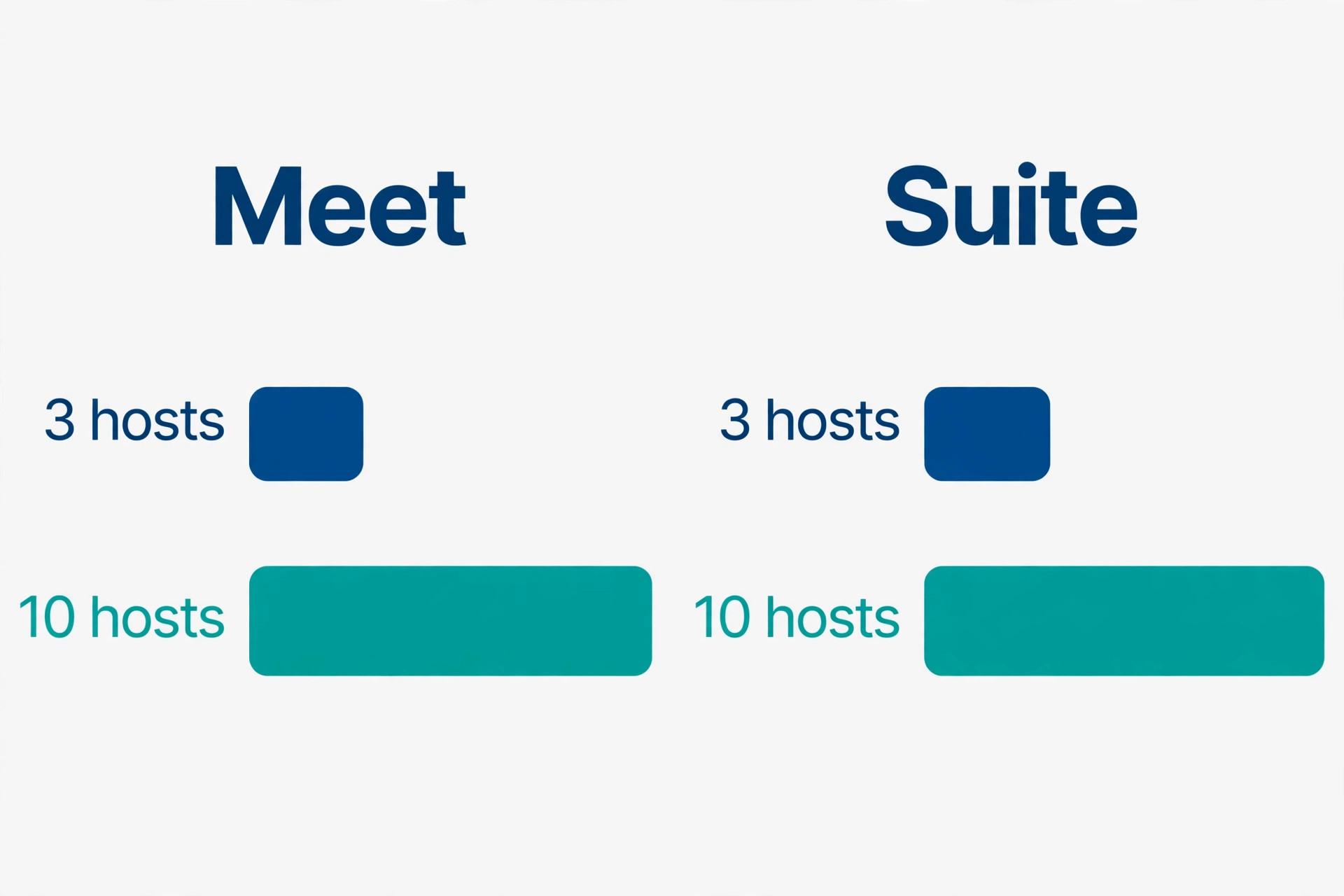
A three host team is the typical small business case, meaning an owner plus two staff who run client calls. On Meet annual billing the team pays $36 a month in equivalent terms, or $432 for the year, paid up front. On Meet monthly billing it pays $43.50 a month, or $522 over a year. On Suite annual billing it pays $67.50 a month equivalent, or $810 a year, and on Suite monthly billing $75 a month, or $900 a year. The step from Meet to Suite at this size is $31.50 a month on annual billing, which should be compared with whatever the business currently pays for phone service, because Suite replaces that service for the three hosts.
A ten host team is a larger small business, perhaps a consultancy, a training provider or a multi location service business. On Meet annual billing the team pays $120 a month equivalent, or $1,440 a year. On Meet monthly billing it pays $145 a month, or $1,740 a year. On Suite annual billing it pays $225 a month equivalent, or $2,700 a year, and on Suite monthly billing $250 a month, or $3,000 a year.
The annual saving at this size is $300 a year on Meet and $300 a year on Suite, which is worth claiming once the team is settled, and the Meet to Suite step is $105 a month on annual billing, which is a phone system decision, not a meeting decision.
| Hosts | Meet annual per month | Meet monthly per month | Suite annual per month | Suite monthly per month |
|---|---|---|---|---|
| 3 hosts | $36 | $43.50 | $67.50 | $75 |
| 10 hosts | $120 | $145 | $225 | $250 |
A team with hosts and non hosts should price both views. A twenty person business with five hosts pays the five host price, not the twenty person price, which on Meet annual billing is $60 a month, not $240. That distinction is where many quotes go wrong, because a vendor quote that prices every employee will look far dearer than the licence the business actually needs. Ask explicitly how many host licences are required, and confirm that attendees join free, before approving any quote.
Calling extras are the first hidden cost for Suite buyers. Unlimited domestic calling is commonly included, but international calls bill per minute, toll free numbers add variable costs, and advanced calling features can sit in higher tiers. A business calling clients overseas regularly should price its actual call pattern, not assume unlimited means unlimited everywhere. Check the calling plan details for the countries the business calls most, because a single market with per minute rates can add a noticeable monthly line.
Devices and hardware are the second hidden cost. Webex Room Kits, desk devices and boards are sold separately, with one time hardware costs and optional support subscriptions, and a business fitting out a meeting room can spend far more on hardware than on a year of licences. A team meeting from laptops needs no hardware spend, while a team building a hybrid meeting room should budget hardware separately and test it before committing to a room full of kit. Professional services for onboarding, integration and deployment are also commonly quoted separately for larger setups, although a small team can usually self serve.
Webinars and large events are the third hidden cost. Meet covers up to 200 participants, and Suite covers similar meeting capacity, but large scale event hosting for thousands of attendees requires separate licensing or capacity add ons. A business running occasional large webinars should check event capacity before assuming the meeting plan covers it, because an event that exceeds capacity on the day is a public failure. Price the largest event of the year, not the average meeting, when choosing a plan.

Who Each Plan Fits, Honestly
Free fits a business with occasional short calls, a freelancer testing Webex, or a team whose longer meetings happen on another tool. Its fifty minute limit and 100 participant cap are generous for casual use and restrictive for client work, because a client session that runs long will hit the limit at the worst moment. Free does not fit a business running paid training, long consultations or regular team workshops, because those meetings need the duration and capacity that only paid plans guarantee.
Meet fits most small businesses that need reliable video meetings without replacing their phone system. A consultancy, a training provider, a service business with remote clients, or a team running internal meetings and client presentations will find Meet sufficient, and the $12 annual price per host is competitive with rivals at similar capacity. Meet does not fit a business that also needs business phone numbers, menus and extensions, because those are calling features, and buying them separately will cost more than Suite.
Suite fits a business consolidating phone and meetings with one vendor. A business replacing an ageing phone system, a team whose staff need business numbers on mobiles, or a business with a small call handling need such as menus and extensions will find Suite the cleaner choice. Suite does not fit a business that already has a good phone system it likes, because paying for calling twice is waste, and it does not fit a business that only meets occasionally, because the Suite premium buys phone features that sit idle.
When to Upgrade Webex, and When to Hold
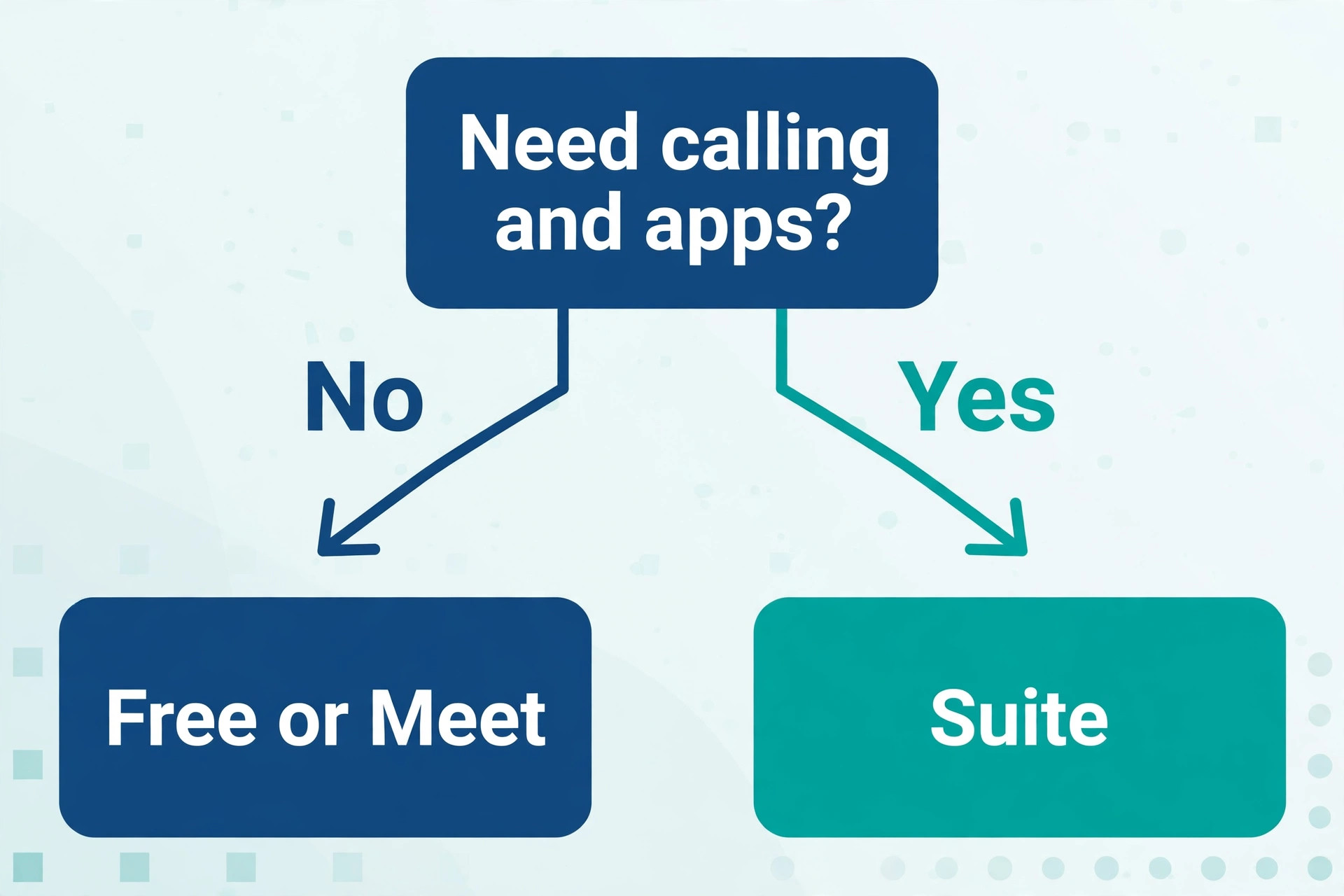
Upgrade from Free to Meet when meeting duration, participant capacity or recording needs limit real work. The trigger is usually a meeting cut short, a training session that needed breakout rooms, or a client call that needed recording for follow up. Upgrade from Meet to Suite when the business needs business phone numbers, menus or extensions, or when the current phone bill exceeds the Meet to Suite step, because at that point Suite saves money while simplifying vendors. Upgrade for a named job, not for a feature list.
Hold on Meet when meetings work well and the phone system works well separately, because consolidating vendors for its own sake rarely improves either service. Hold on Free when calls are short, occasional and low stakes, because paying for capacity the business never uses is the most common waste in collaboration tools. Review the plan at each renewal against real usage, meaning hosts active, meetings held, participants reached and calling minutes used, rather than against a feeling that a bigger plan must be safer.
Downgrading from Suite to Meet saves about $10.50 per host per month on annual billing, and it is worth doing if the business moves its phone service elsewhere or stops needing business numbers. Check first that no client-facing number, menu or extension depends on Suite, because losing a published business number breaks client contact. Downgrading to Free should be treated as an exit, because meeting duration and capacity fall sharply, and any scheduled long meetings should be moved or shortened first.
Switching Away From Webex, and What It Costs
Leaving Webex costs little in fees and more in habits. Recordings, meeting links, scheduled meetings and integrations must move, and clients accustomed to Webex links will need new links on the new system. A business with many recurring meetings should plan the move around those recurrences, sending new links well ahead and keeping Webex live until the new system proves itself in a busy week. Overlap for a month is insurance, not waste, because a failed client meeting during cutover costs more than a month of licences.
Phone numbers deserve special care on a Suite exit. Business numbers, menus and extensions built on Webex Calling must be ported or replaced, and porting takes time and coordination with the new provider. Start the port early, confirm the new number works for inbound and outbound calls, and only then cancel Suite, because a business without a working phone number is unreachable. A meetings only exit from Meet is far simpler, because attendees need only a new link, while a Suite exit is a phone migration as well as a meeting migration.

Verdict for a Small Business Budget
For a team that only needs meetings, Meet on annual billing at $12 per host per month is the sensible default, with monthly billing at $14.50 for teams still testing. For a team that also needs a phone system, Suite on annual billing at $22.50 per host per month replaces two bills with one, with monthly billing at $25.
A three host team therefore budgets $36 a month for Meet or $67.50 for Suite on annual billing, and a ten host team budgets $120 or $225. The cost of Webex for small business monthly stays fair when the business counts hosts rather than headcount, prices calling extras honestly, and checks the vendor page at checkout, because the licence price is only the first line of the real meeting budget.
A business that does those things buys reliability it can trust for client calls, without paying for phone features it does not need or event capacity it will never use. A business that does not will either overpay for licences it never hosts with, or discover on the day of a large event that its plan does not cover it. Count hosts, test with real clients, and let the largest meeting of the year, not the average meeting, decide the plan.

What the Cost of Webex for Small Business Monthly Means Over a Full Year
A full year view changes how Webex pricing feels, because the annual bill is paid up front while the benefit arrives week by week. The cost of Webex for small business monthly on Meet annual billing for a three host team is $432 for the year, which looks large as a single payment and small as a monthly equivalent.
A business with tight cash flow should weigh that lump sum against monthly billing at $522 over the year, because the $90 saving from annual billing is real, but only if the lump sum does not strain the month it is paid. Cash flow and total cost both matter, and the right choice depends on which the business can least afford to sacrifice.
Year one also includes setup costs that year two does not. Staff need time to learn the interface, recurring meetings need to be scheduled, clients need new links, and any phone numbers on Suite need to be set up and tested. Those hours are not on the Webex invoice, but they are part of the year one cost, and a business that ignores them will judge Webex unfairly. Year two, by contrast, is mostly licence cost plus calling extras, because habits are formed and links are stable. Judge Webex on year two running costs, not only on year one setup effort.
Growth changes the year view in a predictable way. A business that adds hosts during the year will add licences mid term, and the billing for added licences should be checked before hiring, because some vendors bill added licences for the remainder of the term while others align them to the renewal date. The cost of Webex for small business monthly therefore rises with hiring, which is fair, but the timing of that rise should not surprise the owner. Ask how mid term additions are billed at signup, and note the answer with the contract, so a hiring round does not produce an unexpected invoice.
Seasonal demand also shapes the year. A training business busy in spring and quiet in winter pays the same licence cost in quiet months as in busy months, because Webex licences are not seasonal. That flat cost is fine if busy months earn enough to carry quiet months, and it is wasteful if the business only meets for a few months a year. A seasonal business should consider monthly billing for its busy season and a pause or downgrade for quiet months, checking whether pausing preserves recordings and settings, because a pause that deletes work is not a saving.
Comparison over a full year should include rival costs on the same basis. A rival that looks cheaper per month but caps participants, limits duration or charges for recordings may cost more in workaround tools, second subscriptions or lost client goodwill. The cost of Webex for small business monthly should be compared as a total meeting cost, meaning licence plus calling extras plus hardware plus any second tool needed to cover gaps, against the same total for rivals. That total comparison is harder than comparing headline prices, and it is the only comparison that reflects what the business actually spends to meet well.
Finally, renewal discipline matters as much for Webex as for any subscription. Note the renewal date, check host counts before renewal, confirm whether the business still needs Suite calling or could drop to Meet, and verify that no event capacity or hardware subscription renews unnoticed. The cost of Webex for small business monthly stays controlled when someone owns the renewal, and it drifts when nobody does, because licences renew for hosts who left and features renew for events that never happened. Assign that ownership to a named person, not to the team in general.
Meeting etiquette also affects whether the licence earns its keep. A team that runs meetings without agendas, records everything without reviewing recordings, and invites everyone to every call will waste the capacity it pays for, however good the tool. Set a simple rule that every recurring meeting has an owner, an agenda and a decision record, and review recurring meetings quarterly to cancel the ones that no longer earn their hour. That discipline turns a meeting tool from a cost into a productivity gain, because the same licence serves fewer, better meetings.
Recording habits deserve the same attention. Record client calls and training sessions that need follow up, store recordings where the team can find them, and delete test recordings promptly so storage stays manageable. A recording nobody watches is storage without value, while a recording that settles a client dispute or trains a new hire is worth many months of licence fees. Treat recordings as business records with an owner and a retention habit, not as files that pile up by default.
Finally, keep a one page record of hosts, licences, phone numbers and renewal dates where the whole team can find it. That record prevents the common situation where only one person knows how meetings and phones are set up, and it makes handover, renewal and troubleshooting far faster when that person is away.
Frequently Asked Questions
How much does Webex cost per month for a small business?
A small business pays $0 on Free, about $12 per host per month for Meet on annual billing or $14.50 on monthly billing, and about $22.50 per host per month for Suite on annual billing or $25 on monthly billing. A three host team therefore pays $36 a month for Meet or $67.50 for Suite on annual billing, while a ten host team pays $120 or $225.
Does every employee need a Webex licence?
No, only hosts who schedule and run meetings need licences, while attendees join free. A twenty person business with five hosts pays the five host price, not the twenty person price, so count hosts before budgeting. Confirm host requirements on any vendor quote, because pricing every employee overstates the bill sharply.
What is the difference between Webex Meet and Webex Suite?
Meet covers premium meetings, messaging and AI features for up to 200 participants, while Suite adds calling, including a cloud phone number, menus and extensions for each licence. Choose Meet for meetings only, and Suite when the business also needs a phone system, because buying calling separately usually costs more than the bundle.
Is Webex Free enough for a small business?
Free suits occasional short calls, with unlimited meetings for up to 100 participants and fifty minutes per meeting, plus whiteboards and screen sharing. It does not suit paid training, long consultations or regular workshops, because those meetings need the longer durations, larger capacity and recordings that paid plans provide.
What extra costs should a small business add to a Webex licence?
Add international calling per minute charges, toll free number costs, webinar or large event capacity beyond meeting limits, and any meeting room hardware such as room kits or desk devices, which are sold separately. Professional onboarding for larger setups may also be quoted separately, although most small teams can self serve.
How can a small business lower its Webex bill?
Count hosts rather than headcount, pay annually once settled for a saving of roughly 10 to 17 percent, and drop from Suite to Meet if business phone features sit unused. Avoid buying event capacity or hardware for meetings the business never runs, and check the vendor page at checkout, because listings vary slightly on Webex prices.
More Reading on Stratilyze
– Cost of Zoom for Small Business Monthly – Best Video Conferencing Tool for Hybrid Classes – Cost of Google Workspace for Small Business Monthly – Cost of Microsoft 365 for Small Business Monthly – Cost of Slack for Small Teams Monthly