

Compare two course sellers and the pricing lesson becomes obvious. One sells $500 of courses a month and pays $64 a month all in on the Basic plan, while the other sells $3,000 a month and pays $189 on the same plan, which is $70 more than the Pro plan would cost. The subscription did not change between them, but the transaction fee did, and that fee is the real story behind the cost of Teachable for small business monthly. Teachable charges both a subscription and, on cheaper tiers, a percentage of every sale, so the cheapest plan on paper can become the dearest plan in practice once sales grow.
That two part pricing catches many small firms by surprise, because most software bills only a subscription. A course business must therefore budget differently, treating the platform fee as a cost of goods sold that rises with revenue, rather than as a fixed overhead. A seller who prices a course without accounting for the platform fee will discover the gap only when payouts arrive smaller than expected, which is a painful way to learn a pricing lesson. This guide works through the subscription, the fee, and the crossover point where upgrading saves money.
Prices in this guide come from vendor pricing pages and reputable comparison listings checked at writing time. Teachable changes prices and plan names from time to time, so treat every figure as a starting point and confirm the current price on the vendor page before buying. Annual billing figures are used as the main comparison, with monthly billing shown alongside, because the gap between the two is large enough to change the decision for a small seller.
What the Cost of Teachable for Small Business Monthly Looks Like on Each Tier
Teachable sells a free plan and three main paid tiers, plus a custom Business tier above them. The free plan costs nothing per month but takes $1 plus 10 percent of every sale, which makes it expensive the moment sales become regular. Basic costs $39 a month on annual billing or $59 a month billed monthly, and takes a 5 percent transaction fee. Pro costs $119 a month on annual billing or $159 a month billed monthly, and takes no transaction fee. Pro+ costs $199 a month on annual billing or $249 a month billed monthly, and also takes no transaction fee, adding more products and custom user roles.
| Plan | Annual billing | Monthly billing | Transaction fee |
|---|---|---|---|
| Free | $0 a month | $0 a month | $1 plus 10 percent per sale |
| Basic | $39 a month | $59 a month | 5 percent per sale |
| Pro | $119 a month | $159 a month | 0 percent |
| Pro+ | $199 a month | $249 a month | 0 percent |
Product limits matter as much as fees, because they cap how much a seller can build. Basic allows five published products of each type, covering courses, coaching products, and digital downloads, plus one membership tier and two admin seats. Pro lifts that to fifty products of each type, unlimited membership tiers, and five admin seats, while adding affiliate marketing, upsells, and removable branding. Pro+ lifts the limit again to two hundred products of each type with custom user roles. A seller with one flagship course will never feel the Basic limit, while a seller with a growing catalogue will hit it within a year.
When owners ask what the cost of Teachable for small business monthly really means, the answer is the subscription plus the fee plus card processing, and only the first two are set by Teachable. Card processing through the platform payment rail runs at standard card rates, such as 2.9 percent plus 30 cents per sale in the United States, and it applies on every tier, including the zero fee Pro plans. A seller who forgets processing will understate every total in this guide, so all worked totals below show the platform cost first and processing separately where it matters.
The Fee Crossover Every Seller Should Calculate
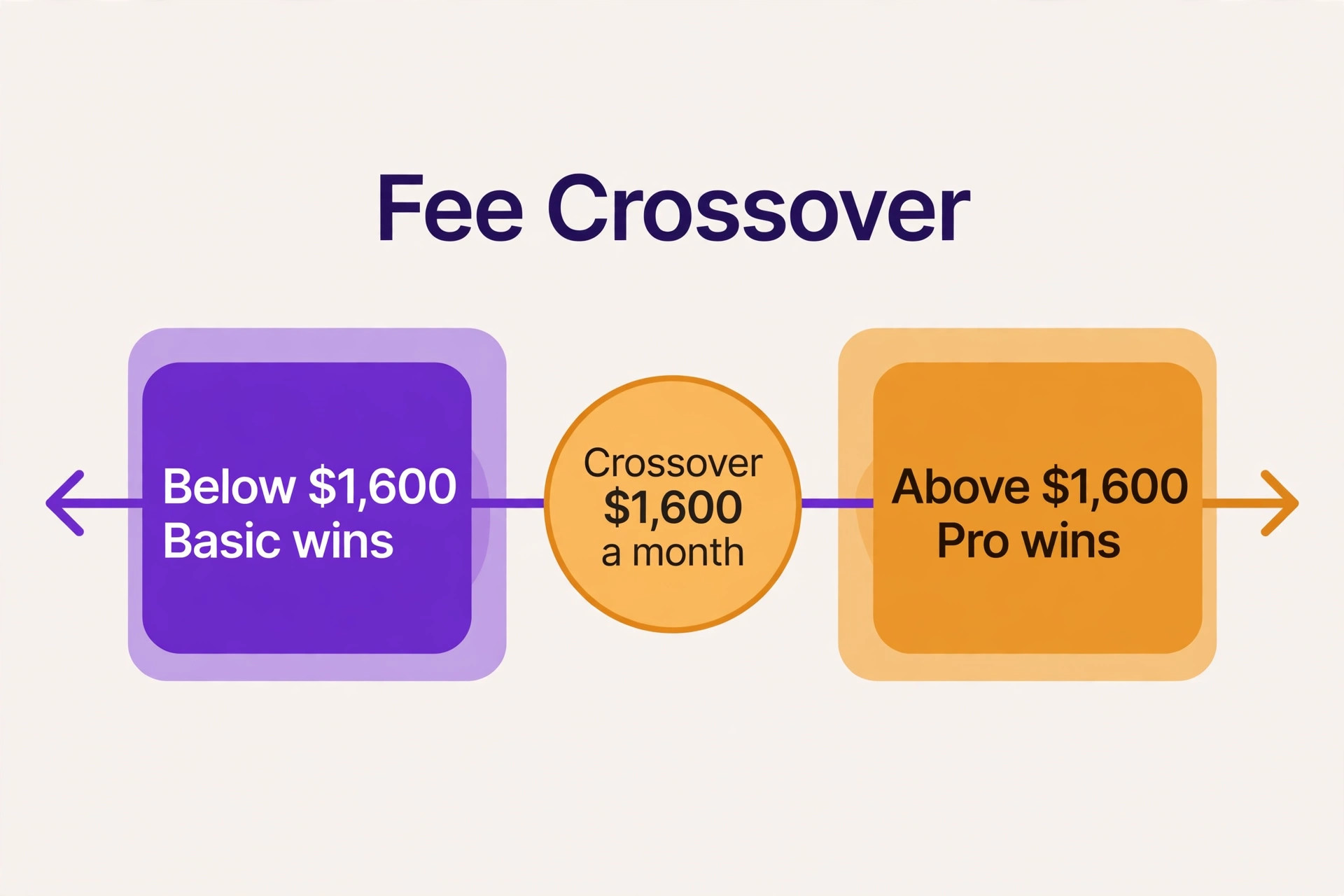
The crossover point is the monthly sales figure where Pro becomes cheaper than Basic, and it is easy to calculate. Take the subscription gap between Pro and Basic on annual billing, which is $80 a month, and divide it by the fee difference, which is 5 percent. The result is $1,600 a month in sales. Below $1,600 a month, Basic costs less in total. Above $1,600 a month, Pro costs less, because the fee saving outweighs the higher subscription. Every seller should run this calculation with their own sales figure before choosing, because it replaces guesswork with a single number.
That crossover also explains why the free plan is a trap for anyone past the validation stage. At $500 a month in sales across ten sales of $50 each, the free plan fee is $10 in fixed charges plus $50 in percentage fees, or $60 a month, which already exceeds the Basic subscription before its own fee is added. At $1,000 a month, the free plan fee passes $100, which is close to the Pro subscription for a far weaker plan. Free is the right price for testing an idea with a handful of sales, and the wrong price for a business that has found buyers.
The same logic applies to monthly billing, though the crossover moves. On monthly billing, the gap between Pro at $159 and Basic at $59 is $100 a month, so dividing by 5 percent gives a crossover of $2,000 a month in sales. A seller on monthly billing therefore needs higher sales before Pro pays, which is one more reason to take annual billing once the business is proven. Annual billing lowers both the subscription and the crossover, so it helps twice, while monthly billing only helps with flexibility.
That crossover maths is the most useful part of judging the cost of Teachable for small business monthly, because it turns a vague feeling about fees into a single testable number. A seller who knows their average monthly sales can place themselves on one side of the line in seconds, and a seller near the line can plan the upgrade for the month when sales are expected to cross it. Revisit the calculation whenever pricing changes, since a subscription rise or a fee change moves the line, and a tier that was right last year may be wrong this year.
Worked Monthly Totals at Low and Steady Sales
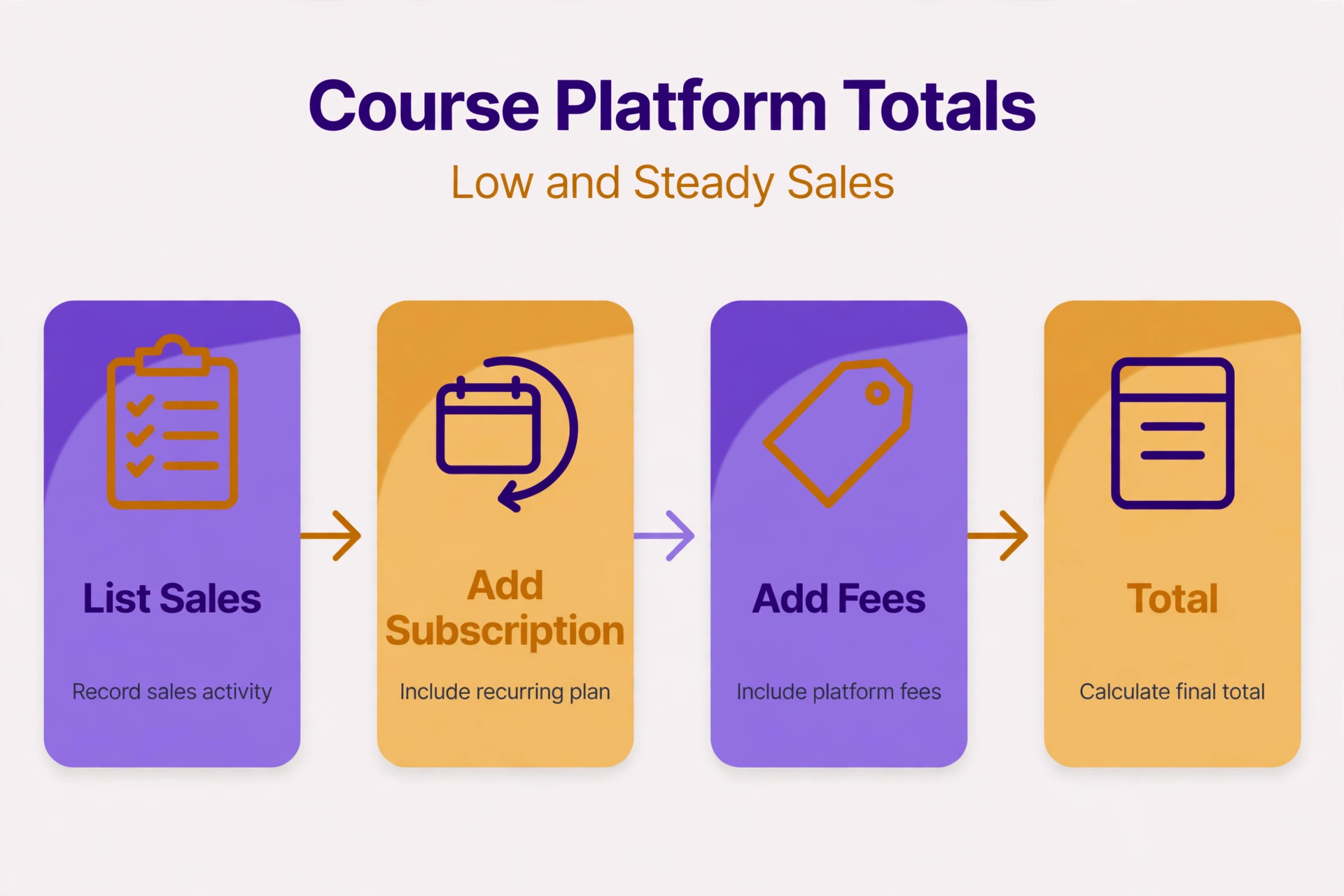
At low sales of $500 a month, Basic on annual billing costs $64 a month in platform charges, made up of the $39 subscription plus a $25 fee at 5 percent. Pro on annual billing costs $119 a month, with no fee, so Basic is $55 a month cheaper at this level. The free plan at the same sales level costs about $60 in fees alone, assuming ten sales, which is barely cheaper than Basic while offering far fewer products, no custom domain, and weaker tools. Low sales therefore favour Basic clearly, and the free plan only wins when sales are near zero.
At steady sales of $3,000 a month, the picture reverses completely. Basic on annual billing costs $189 a month, made up of the $39 subscription plus a $150 fee at 5 percent, while Pro costs $119 a month with no fee. Pro is $70 a month cheaper, or $840 over a year, which is a substantial saving for a small business. A seller who stays on Basic at this level out of habit is effectively paying a loyalty penalty of $70 a month for the privilege of not upgrading, and that penalty grows with every additional sale.
At $1,000 a month, Basic costs $89 a month against Pro at $119, so Basic still wins by $30 a month. At $1,600 a month, both plans cost $119 a month, which is the crossover point calculated above. At $2,000 a month, Basic costs $139 a month against Pro at $119, so Pro wins by $20 a month. Those three checkpoints give a seller a quick sense of where they stand without a spreadsheet, and the rule is simple. Under $1,600 a month, choose Basic. Over $1,600 a month, choose Pro. Near $1,600 a month, choose on product limits and growth expectations rather than on a few dollars either way.
Card processing sits on top of all of these totals, and it is worth showing once so that no seller is surprised. At $3,000 a month across thirty sales of $100 each, processing at 2.9 percent plus 30 cents per sale adds $87 plus $9, or $96 a month, on top of the platform cost. That processing applies on Basic and Pro alike, so it does not change which tier wins, but it does change the payout the seller actually receives. Budget payouts net of both platform fees and processing, and price courses with both in mind from the start.
A seller who budgets that way will see why the cost of Teachable for small business monthly must be quoted as a range, not as a single subscription figure. At low sales the range is narrow, because fees are small, while at steady sales the range widens, because the fee gap between tiers becomes the largest line in the budget. Quote the subscription, the fee, and the processing together in any business plan, and the course price that follows will be honest rather than hopeful.
Who Each Teachable Tier Actually Fits
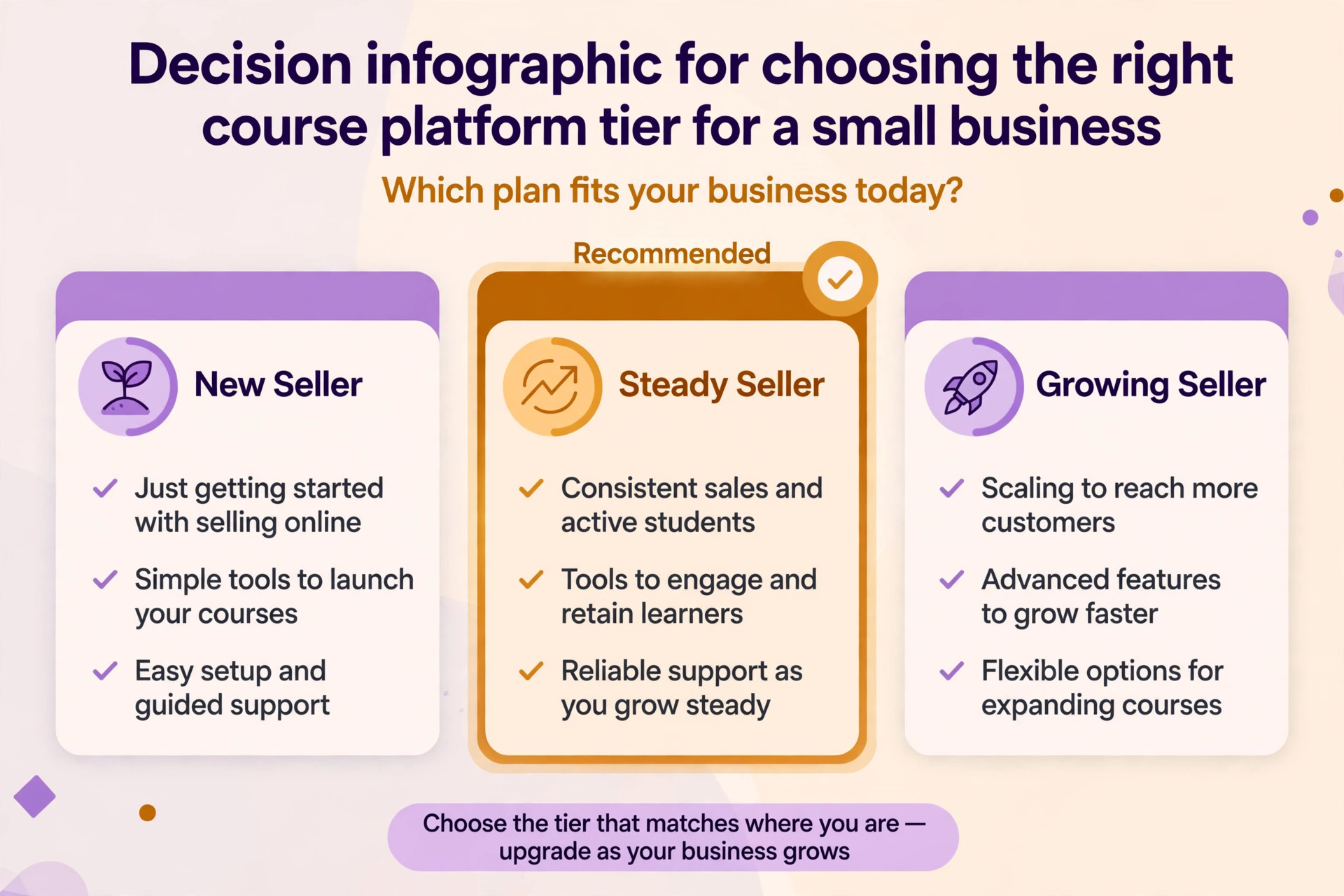
The free plan fits a seller validating a first course idea with a tiny audience and no budget. It allows one product of each type, a no code builder, integrated payments, and student referrals, which is enough to test whether anyone will pay. It does not fit a seller with regular sales, because the $1 plus 10 percent fee quickly exceeds the Basic subscription, and the product limits block growth. Treat free as a trial with real buyers, not as a business plan, and move to Basic as soon as sales become regular.
Basic fits a new seller with one to five products, steady but modest sales under $1,600 a month, and a need for a custom domain, coupons, email marketing, and one membership tier. It fits a coach, a consultant, or a trainer selling a flagship course plus a couple of downloads, without needing affiliates or upsells yet. Basic also fits a seller who wants to keep fixed costs low while sales are uncertain, because $39 a month on annual billing is easy to carry through a slow month. It does not fit a seller with a large catalogue, a team of admins, or sales past the crossover, and those sellers should not delay the move to Pro.
Pro fits an established seller with sales past $1,600 a month, a growing catalogue of up to fifty products per type, or a need for affiliate marketing, upsells, and removable branding. It fits a small business that treats courses as a real revenue line rather than a side project, because the zero fee structure makes revenue predictable and scaling painless. Pro also fits a seller with a small team, since five admin seats cover a founder, an assistant, and a contractor without extra negotiation. The $119 monthly price looks high beside Basic, but it is the cheaper plan for any seller past the crossover, which is the only comparison that matters.
Pro+ fits a fast growing business with a large catalogue approaching two hundred products per type, or a team that needs custom user roles to control who can do what. It fits a multi product school, a training company with many instructors, or a seller whose catalogue growth would otherwise force awkward workarounds on Pro. Pro+ does not fit a seller who simply wants a premium badge, because its $199 monthly price buys catalogue room and role control, not better selling tools for a single course. A seller with under fifty products gains nothing from Pro+ except a larger bill, and should stay on Pro until the catalogue genuinely demands more.
The catalogue test is a useful second lens on the cost of Teachable for small business monthly, because sales alone do not decide the tier. A seller with modest sales but many products may need Pro for room alone, while a seller with high sales but one flagship course needs Pro for the fee saving. Check both numbers, sales and product count, before choosing, because a tier chosen on sales alone can still block the next course the seller wants to build.

Teachable Costs Outside the Subscription
The subscription and the fee are only the platform lines of the real budget. The largest outside cost is course production itself, covering recording, editing, worksheets, and platform setup time, which can run into hundreds or thousands of dollars for a quality course before a single sale. A seller who budgets only the $39 or $119 subscription will be shocked by production costs, yet production is what makes the course sellable in the first place. Treat production as a one off investment per course, amortised over expected sales, rather than as a monthly surprise.
A second outside cost is marketing, without which even a good course sells slowly. Email tools beyond the built in basics, advertising, webinar software, and affiliate payouts all sit outside the Teachable bill, and affiliate payouts in particular deserve attention. Pro enables affiliate marketing, but affiliates are paid from the seller’s revenue, typically at a percentage the seller sets, so a successful affiliate programme can cost more than the platform fee it replaced. Price courses with affiliate margins included, or the seller will celebrate growing sales while keeping a shrinking share of them.
A third outside cost is payment and tax handling at scale. Teachable’s integrated payment rail handles tax calculation and payouts, which saves the seller from building that machinery, but sellers with complex tax situations, multiple currencies, or enterprise clients may still need accounting help. That help costs money, though far less than building a payment system from scratch. A seller should also check payout timing, because a platform that holds funds for days affects cash flow, especially for a small business that pays contractors or advertisers from course revenue.
Those outside costs explain why the cost of Teachable for small business monthly looks small beside the full cost of running a course business, yet still deserves careful calculation. Production, marketing, affiliates, and accounting can each exceed the subscription, so a seller who only compares subscription prices is comparing the smallest lines in the budget. List every cost line before launch, including the platform fee at expected sales, and the course price that follows will cover the real business, not just the platform.

When the Teachable Upgrade Pays and When It Does Not
Upgrade from free to Basic when sales become regular, even at low volume, because Basic’s $39 subscription plus 5 percent fee is usually cheaper than free’s $1 plus 10 percent fee once sales pass a few hundred dollars a month, and Basic adds a custom domain, more products, and marketing tools. The trigger is regularity, not a single good month, because a single sale does not justify a subscription. Two or three months of steady sales is enough evidence, and waiting longer only pays more in fees while gaining nothing.
Upgrade from Basic to Pro when monthly sales pass $1,600 on annual billing, when the five product limit blocks a new course, or when affiliate marketing or upsells become part of the sales plan. Each of those is a concrete trigger, and any one of them justifies the move, because the fee saving, the catalogue room, or the selling tools directly increase revenue or cut costs. Do not upgrade on the hope that sales will reach $1,600 soon, because hope does not pay the $80 monthly gap, while actual sales do. Upgrade when the number is real, and the decision will never feel risky.
Upgrade from Pro to Pro+ when the catalogue approaches fifty products per type, or when custom user roles become necessary for a growing team. The $80 monthly gap between Pro at $119 and Pro+ at $199 buys room and control, not selling power, so a seller with a small catalogue gains nothing from it. Do not upgrade for prestige, for a feature list, or because a competitor uses the top tier, because none of those reasons increase revenue. Upgrade when a product or a role cannot be created on Pro, and the need is immediate rather than hypothetical.
The upgrade rule that ties all three steps together is evidence over ambition, and it applies just as well to the cost of Teachable for small business monthly as to any other subscription. Free to Basic follows regular sales, Basic to Pro follows the $1,600 crossover or a product limit, and Pro to Pro+ follows catalogue size or role needs. A seller who upgrades only on those triggers will never pay for a tier the business has not yet grown into, and will never delay an upgrade the business has already earned.

What Leaving Teachable Would Cost Later
Switching away from Teachable carries a heavier cost than switching a scheduler, because courses, students, and sales history live inside the platform. Video lessons, quizzes, drip schedules, and student progress rarely transfer cleanly, so a migration means rebuilding courses, re enrolling students, and losing historical data or accepting gaps in it. A seller with one short course can migrate in days, while a seller with dozens of courses and thousands of students should budget weeks, plus a period when both platforms run together. That overlap means paying two subscriptions at once, which buyers forget when they compare headline prices.
The deeper switching cost is student disruption. Students mid course must be moved without losing progress, login details must be reissued, and support queries will spike during the move, all of which damage trust if handled badly. A seller who migrates for a small saving may lose more in refunds and reputation than the saving ever returns. Plan the migration course by course, communicate it early, and keep the old school open until every active student has finished or moved, because a rushed migration punishes the very customers the business depends on.
There is also a sales cost to price in, because landing pages, checkout links, affiliate links, and email sequences all point at Teachable pages. Every link must be found, replaced, and tested, and affiliate partners must be moved to the new system with their tracking intact. That work is tedious and easy to underestimate, and a missed link means lost sales that nobody notices until the month end report. Count the links before deciding to switch, and weigh the repair time honestly against the saving that motivated the move.
A seller who counts those links will usually conclude that the cost of Teachable for small business monthly is a poor reason on its own to switch platforms. The subscription saving from a cheaper platform can look attractive, yet the rebuild of courses, the re enrolment of students, and the repair of links consume weeks and risk revenue. Switch only when the new platform offers a genuinely better fit for the catalogue, the team, or the selling model, because a switch motivated only by price often costs more than it saves.

The Teachable Verdict for a Small Business
For a new seller under $1,600 a month in sales, Basic on annual billing at $39 a month is the sensible default, with the free plan kept only for validation and Pro waiting until sales cross the line. For an established seller past $1,600 a month, Pro on annual billing at $119 a month is cheaper than Basic and removes the fee drag on every future sale, which makes it the better business decision even though its subscription looks higher. For a large catalogue business, Pro+ at $199 a month buys room and roles that Pro cannot offer, and it should be bought on catalogue size rather than on ambition.
The cost of Teachable for small business monthly is therefore not a single price but a ladder tied to sales, and the right rung follows revenue, not hope. Buy the tier that matches this month’s sales and this year’s catalogue, and let the crossover calculation, not optimism, decide each step up.
Buy the tier that matches this month’s sales and this year’s catalogue, recalculate the crossover every quarter, and upgrade the moment the numbers say so rather than waiting for a renewal date. Price courses net of platform fees and card processing from the start, so that growth increases profit rather than merely increasing the fee bill. When those habits hold, Teachable earns its fee as a selling machine that handles hosting, payments, and delivery while the seller teaches. When they do not, even the cheapest tier becomes an expensive lesson in pricing, and the fix is arithmetic, not a different platform.
More Reading on Stratilyze
For a head to head comparison, read Kajabi vs Teachable and Teachable alternatives. For a migration plan, see migrate Teachable to Thinkific for course creators and cost of online course creation breakdown.
Frequently Asked Questions
How much does Teachable Basic cost per month
Basic costs $39 a month on annual billing or $59 a month billed monthly, plus a 5 percent transaction fee on every sale. At $500 a month in sales, the total platform cost on annual billing is $64 a month, made up of the $39 subscription plus a $25 fee. Card processing sits on top of that total at standard card rates, so payouts will be lower than the sales figure by both amounts combined.
At what sales level does Teachable Pro become cheaper than Basic
Pro becomes cheaper than Basic at $1,600 a month in sales on annual billing, because the $80 subscription gap divided by the 5 percent fee difference equals $1,600. Below that figure, Basic costs less in total. Above it, Pro costs less, and the saving grows with sales, reaching $70 a month at $3,000 a month in sales. On monthly billing, the crossover rises to $2,000 a month, because the subscription gap is larger.
Does Teachable Pro really charge zero transaction fees
Yes, Pro and Pro+ charge no Teachable transaction fee, which means Teachable takes no percentage of sales beyond the subscription. Card processing still applies, at standard rates such as 2.9 percent plus 30 cents per sale in the United States, because that charge belongs to the payment network rather than to Teachable. A seller should therefore budget Pro as subscription plus processing, not as subscription alone.
How many courses can a seller publish on Teachable Basic
Basic allows five published products of each type, covering courses, coaching products, and digital downloads, plus one membership tier. That is enough for a flagship course, a mini course, and a few downloads, but it blocks a growing catalogue within a year for an active seller. Pro lifts the limit to fifty products of each type, while Pro+ lifts it to two hundred, so catalogue size should drive the tier choice alongside sales.
Is the Teachable free plan worth using for a small business
The free plan is worth using only to validate a first course idea with a handful of sales, because it charges $1 plus 10 percent per sale and limits the seller to one product of each type. Once sales become regular, even at a few hundred dollars a month, Basic usually costs less in total while offering a custom domain, more products, and marketing tools. A business with regular sales should not stay on free out of habit, because the fee quickly exceeds the Basic subscription.
What happens to students and courses if a seller leaves Teachable
Courses, student progress, and sales history do not transfer cleanly to another platform, so a seller must rebuild courses, re enrol students, and accept gaps in historical data. Students mid course need careful handling to avoid lost progress, and checkout, affiliate, and email links must all be replaced and tested. That migration cost is the main reason to choose the right tier early and to grow inside Teachable, rather than switching for a small headline saving later.