

Learning how to do keyword research with AI used to mean paying $99+/month for a traditional SEO suite and still doing the strategic thinking yourself. In 2026 the economics flipped: a free ChatGPT or Claude account plus a handful of free SEO tools can produce a genuinely good keyword map — seed keywords, topic clusters, search-intent labels, and a realistic difficulty read — in about an hour, for zero dollars. The catch is that the AI won’t do the thinking for you. It does the expanding, sorting, and drafting at inhuman speed; you still supply the topic knowledge and the final judgment.
This guide is the exact free workflow we use, with copy-paste prompts for every step and a worked mini-example (a fictional coffee-equipment blog) so you can see real inputs and outputs, not theory. By the end you’ll have a prioritized keyword sheet you can start publishing from.
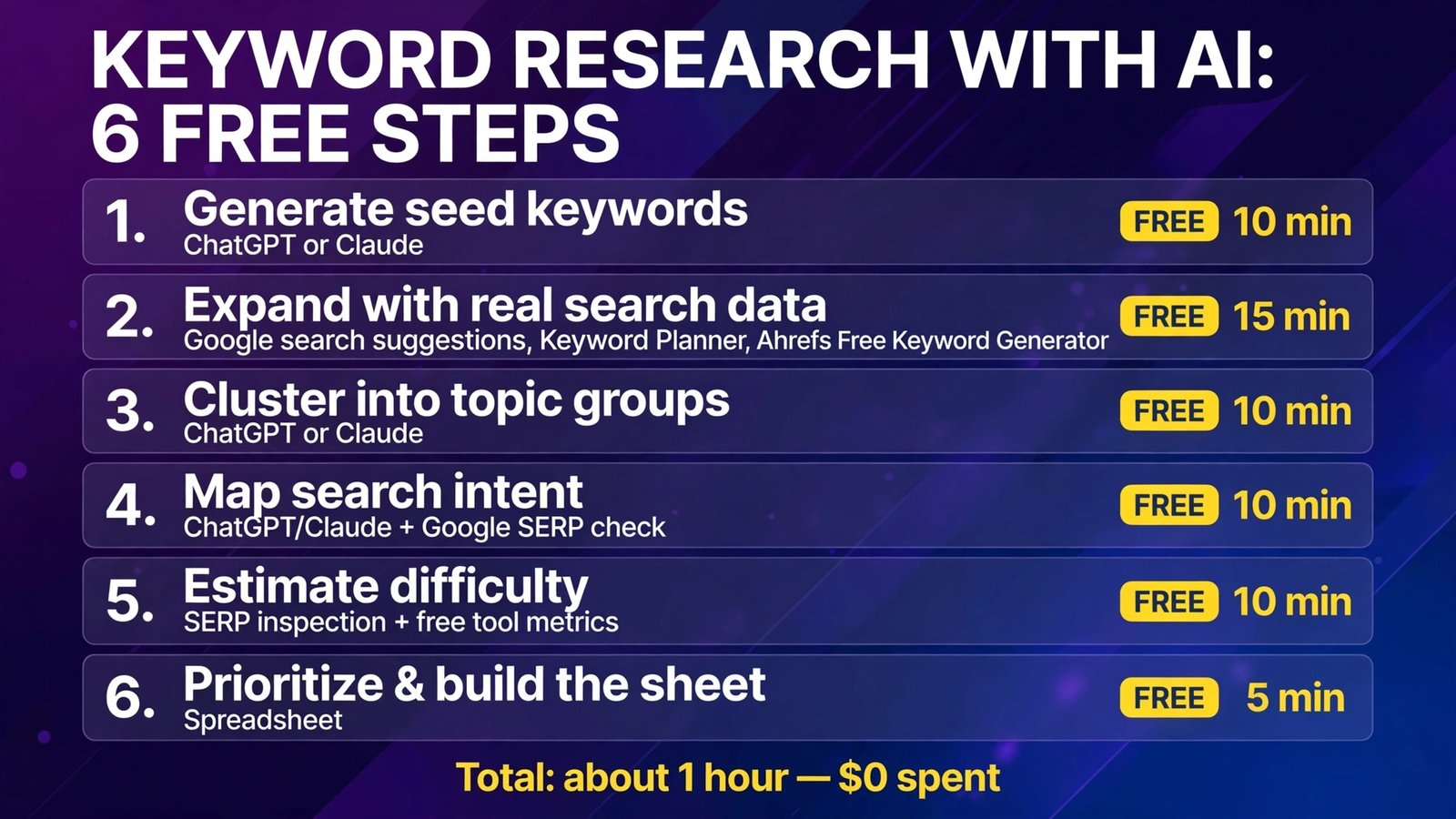
The 6-Step Map
| Step | What you do | Tool | Cost | Time |
|---|---|---|---|---|
| 1 | Generate seed keywords | ChatGPT or Claude (free) | Free | 10 min |
| 2 | Expand with real search data | Google autocomplete, Keyword Planner, Ahrefs Free Keyword Generator | Free | 15 min |
| 3 | Cluster into topic groups | ChatGPT or Claude (free) | Free | 10 min |
| 4 | Map search intent | ChatGPT/Claude + Google SERP check | Free | 10 min |
| 5 | Estimate difficulty | SERP inspection + free tool metrics | Free | 10 min |
| 6 | Prioritize & build the sheet | Spreadsheet | Free | 5 min |
Bottom line: AI replaces the brainstorming and spreadsheet grunt work of keyword research — expansion, clustering, intent labeling — but it cannot see live search volume or ranking difficulty. Pair AI generation with free data sources (Keyword Planner ranges, Google Trends, the actual SERP) and you get 80% of a paid suite’s output for $0. The remaining 20% is why tools in our best AI SEO tools roundup exist.
What You Need Before You Start
- A free ChatGPT or Claude account. Either works; the prompts below are model-agnostic. Free tiers are enough for a single site’s research session.
- A Google Ads account (free to create, no ad spend required) for Keyword Planner volume ranges.
- Free data tabs: Google Trends, Google search (for autocomplete and SERP checks), and the Ahrefs Free Keyword Generator or Semrush’s free lookups for a second opinion on difficulty.
- A spreadsheet (Google Sheets is fine) with columns: Keyword | Cluster | Intent | Volume signal | Difficulty signal | Priority | Target URL.
One mindset note before the prompts: never ask an AI for search volumes or keyword difficulty numbers and believe them. Language models don’t have live access to that data and will confidently invent figures. Every prompt below asks the AI to do language work — expanding, grouping, judging intent — and we verify numbers only against real data sources.
Step 1: Generate Seed Keywords with AI
Start from what you know: your niche, your audience, and the problems you solve. The AI’s job is to widen that into angles you’d never brainstorm alone — different audiences, different phrasings, different stages of the journey.
Copy-paste prompt — seed generation:
You are an SEO strategist. My website is about [TOPIC] for [AUDIENCE].
We publish [CONTENT TYPE, e.g., how-to guides and product comparisons]
to help readers [OUTCOME].

Give me 40 seed keyword ideas, organized into these buckets:
1. Beginner questions (people new to the topic)
2. Comparisons and "best X" queries
3. How-to and problem-solving queries
4. Buying/commercial queries
5. Advanced/niche queries

Rules: use the exact phrasing a real person would type into Google,
not marketing language. Prefer long-tail phrases (4+ words) in buckets
1 and 3. No invented statistics. Just the list.
Worked example. For our fictional coffee blog — “home espresso equipment for beginners, how-to guides and comparisons, to help readers make café-quality espresso at home” — the output included seeds like: best espresso machine for beginners under 500, how to dial in espresso grind, why is my espresso sour, espresso machine vs superautomatic, how often to descale espresso machine. Forty seeds in about thirty seconds, roughly two-thirds of them usable — which is a normal hit rate. Delete the duds without mercy; volume comes in the next step.
Follow-up prompt — audience angles:
Now give me 15 more seed keywords for each of these sub-audiences,
phrased the way THEY would search:
- [SUB-AUDIENCE A, e.g., complete beginners who just bought a machine]
- [SUB-AUDIENCE B, e.g., upgraders with a $1,000 budget]
- [SUB-AUDIENCE C, e.g., small apartment / limited counter space]
Step 2: Expand Seeds with Real Search Data
AI-generated seeds are hypotheses. Now ground them in what people actually type.
- Google autocomplete: type each strong seed into Google and harvest the suggestions — those are real queries. Add the “People also ask” questions too; they’re free FAQ and heading material.
- Keyword Planner: paste your seed list (it accepts batches) and pull the avg. monthly search ranges. Free accounts see ranges (e.g., 1K–10K), not exact numbers — that’s fine. You’re sorting into big / medium / small, not doing accounting.
- Ahrefs Free Keyword Generator / free suite lookups: run your top seeds for a second volume opinion and a rough difficulty (KD) score. Free tiers limit how many you can check, so spend the lookups on your finalists.
- Google Trends: for any seasonal or trend-sensitive topic, check the 5-year view before prioritizing. A keyword that spikes every December and dies in February needs a publishing date, not just a priority score.
Copy-paste prompt — turning raw suggestions into a clean list:
Here is a raw list of search queries from Google autocomplete and
keyword tools. Clean it: remove duplicates and near-duplicates
(keep the most natural phrasing), remove anything off-topic for
[TOPIC/AUDIENCE], and sort what remains alphabetically within
groups of the same core topic. Output a simple table I can paste
into a spreadsheet.
[PASTE RAW LIST]
Worked example. Autocomplete on why is my espresso sour returned gold the AI never suggested: why is my espresso sour and watery, why is my espresso sour but not bitter, why is my espresso sour breville. That last one — a brand-specific troubleshooting query — became one of the highest-priority keywords in the final sheet, precisely because no AI brainstorm invents it.
Step 3: Cluster Keywords into Topic Groups
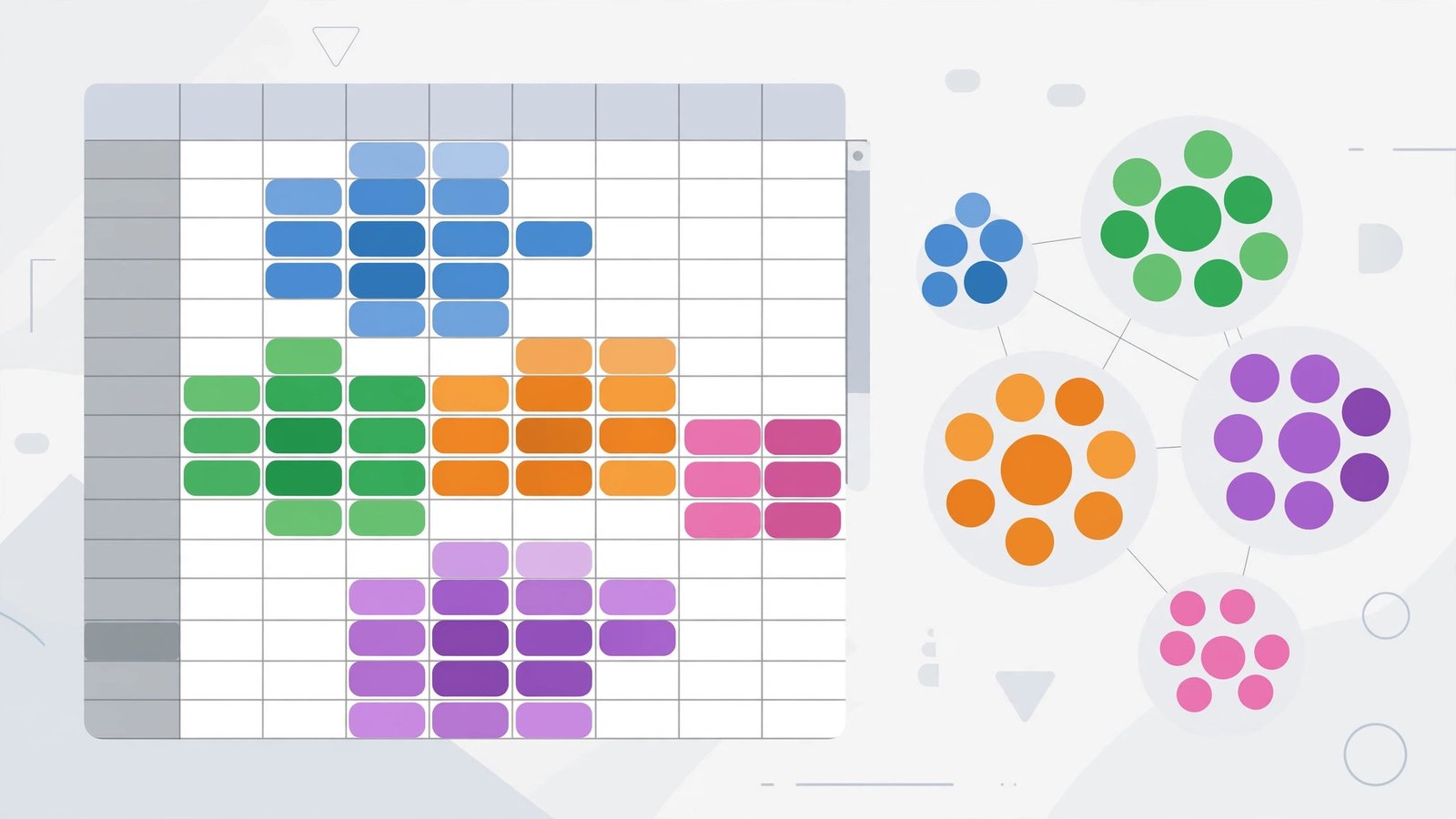
A list of 150 keywords is not a content plan. Clusters are: groups of keywords that one strong article (or a hub page plus supporting posts) can target together. This is where AI saves the most tedious hour in the whole process.
Copy-paste prompt — clustering:
Cluster these keywords into topic groups for a content plan.
Rules:
- Each cluster = one future article. Keywords in a cluster must
  share the same search intent and could satisfy a searcher with
  a single page.
- Name each cluster with a short topic label.
- Name the "primary keyword" of each cluster: the phrase that best
  represents it.
- Flag any keyword that doesn't fit a cluster as "standalone" and
  say why in 5 words or fewer.
- Output as a table: Cluster | Primary keyword | Keywords in cluster.

[PASTE KEYWORD LIST]
Worked example. Our coffee list clustered into 11 groups, including: Espresso troubleshooting (sour, bitter, watery, channeling — primary: why is my espresso sour), Beginner machine buying (primary: best espresso machine for beginners), Grind science (primary: how to dial in espresso), and Maintenance (primary: how often to descale espresso machine). The AI’s clustering was right about 85% of the time. The mistakes were instructive: it put espresso machine vs superautomatic in Buying (correct) but also dragged superautomatic maintenance cost into Maintenance, when the intent is clearly pre-purchase. Review every cluster. Two minutes of human judgment here prevents months of mis-targeted articles.
Step 4: Map Search Intent for Every Cluster
Intent is the filter that decides format: a “best X” cluster needs a comparison post, a “why is my…” cluster needs a diagnostic guide, a “how to” cluster needs steps. Get intent wrong and the article won’t rank no matter how good it is — Google simply won’t put a blog post where searchers want a product page.
Copy-paste prompt — intent mapping:
For each keyword cluster below, label the dominant search intent:
INFORMATIONAL (learn), COMMERCIAL (compare/evaluate before buying),
TRANSACTIONAL (ready to buy/do), or NAVIGATIONAL (find a specific
site/brand).
Then recommend the content format that matches: guide, comparison
post, how-to tutorial, review, checklist, or landing page.
One row per cluster: Cluster | Intent | Recommended format | Why (one line).

[PASTE CLUSTERS]
Then verify with the SERP, not the AI’s opinion: search the primary keyword yourself and look at what Google actually shows. If the top 10 is all comparison posts, your cluster is commercial whatever the AI said. If featured snippets and videos dominate, note that as your format target. This two-minute check per cluster is the highest-value habit in this whole workflow.
Worked example. how to dial in espresso came back labeled informational/how-to — correct. best espresso machine for beginners came back commercial/comparison — correct. The interesting one: espresso grinder vs machine upgrade first — intent is genuinely mixed, and the SERP confirmed it, mixing forum threads and comparison posts. Mixed intent = write the comparison post with a strong “short answer” up top.

Step 5: Estimate Difficulty Without Paid Tools
You can’t get a true KD score for free, but you can get a decision-grade estimate by reading the SERP like an analyst:
- Who ranks? Top 10 full of niche sites and forums → winnable. Top 10 full of Wirecutter, Amazon, and the brands themselves → hard for a small site.
- How good are the ranking pages? Thin, outdated, or off-intent results in the top 5 signal an opening, whatever the domain names say.
- Free KD second opinion: spend your limited free Ahrefs/Semrush lookups on the finalist keywords from your top clusters.
Copy-paste prompt — structured difficulty judgment:
I will paste the top 5 Google results (title + site type) for a
keyword. Assess ranking difficulty for a small niche blog (not a big
brand) as LOW / MEDIUM / HIGH, based on: authority of ranking sites,
how completely their content covers the topic, and whether any
result looks weak or mismatched to the intent. Explain in 3 lines.
Then tell me what a page would need to beat the weakest result.

KEYWORD: [keyword]
RESULTS: [paste titles + site names]
Worked example. For why is my espresso sour breville, the SERP was Reddit threads, two thin brand support pages, and one decent blog post — difficulty LOW, and the AI’s read matched ours. For best espresso machine for beginners, the SERP was review giants end to end — difficulty HIGH, parked for later despite the volume. That pair of decisions is the whole game: publish where you can win now, bank the hard keywords for when your site has authority.

Step 6: Prioritize and Build the Publishing Sheet
Final pass: score every cluster Impact (volume signal × business value) against Effort (difficulty + how hard the article is to produce). Publish the high-impact/low-effort quadrant first.
Copy-paste prompt — prioritization:
Here is my clustered keyword sheet: cluster, primary keyword,
intent, volume range, difficulty estimate.
Sort the clusters into a publishing order for a small blog that can
publish 2 posts per week. Weight winnable (low difficulty),
high-intent commercial clusters early, but mix in informational
clusters for topical authority. Give me the top 10 in order with a
one-line reason each.

[PASTE SHEET]
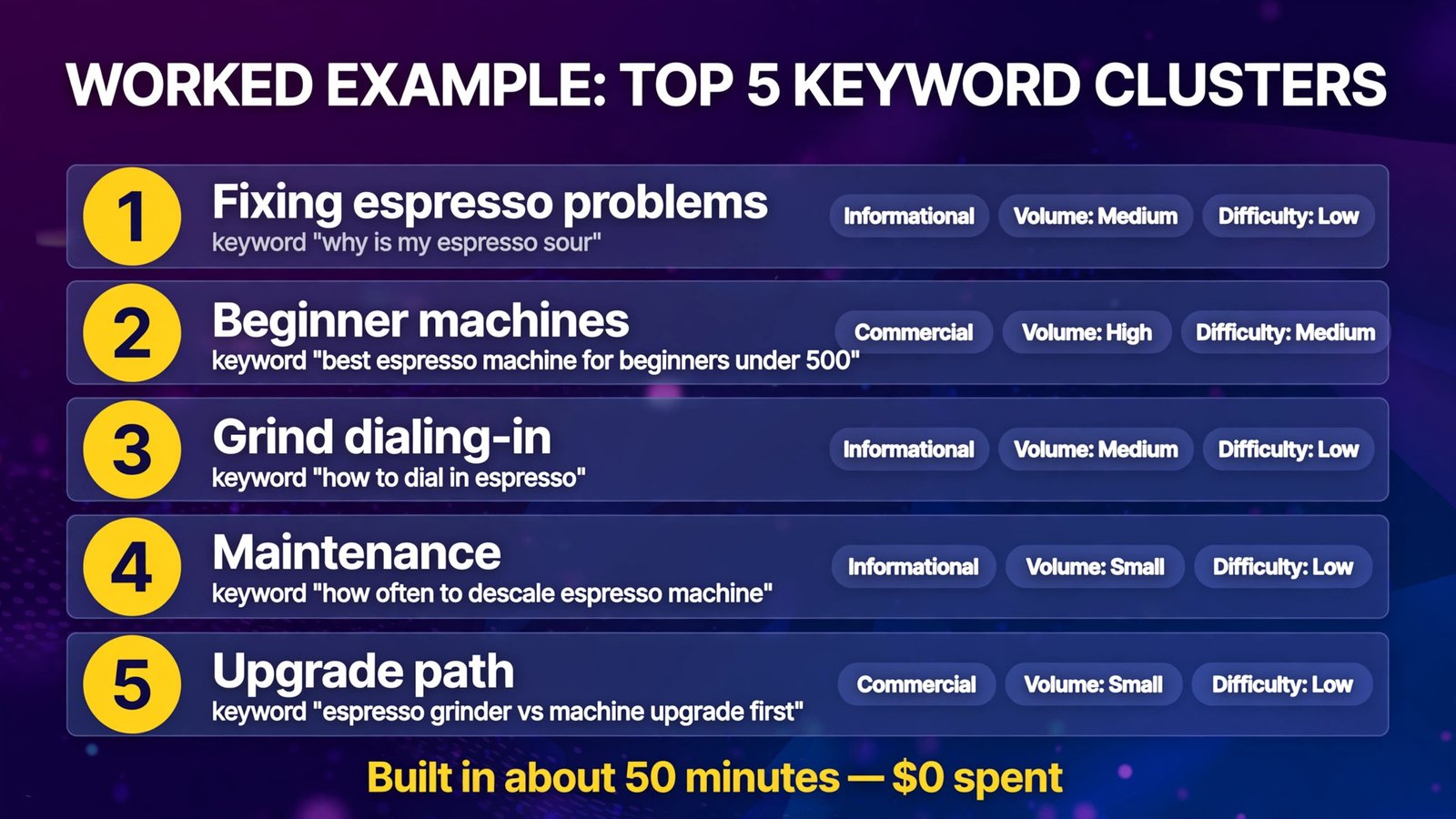
Worked example — the finished mini-sheet (top 5 of 11 clusters):
| Priority | Cluster / primary keyword | Intent | Volume signal | Difficulty | Format |
|---|---|---|---|---|---|
| 1 | Espresso troubleshooting — why is my espresso sour | Informational | Medium | Low | Diagnostic guide |
| 2 | Beginner machines — best espresso machine for beginners under 500 | Commercial | High | Medium | Comparison post |
| 3 | Grind dialing-in — how to dial in espresso | Informational | Medium | Low | Step-by-step how-to |
| 4 | Maintenance — how often to descale espresso machine | Informational | Small | Low | Guide + checklist |
| 5 | Upgrade path — espresso grinder vs machine upgrade first | Commercial | Small | Low | Comparison post |
Total elapsed time for the mini-example: about 50 minutes, $0 spent.
The Workflow at a Glance
| Phase | AI does | You do | Free data source that keeps it honest |
|---|---|---|---|
| Seeds | Brainstorms 40–80 angles in seconds | Supply niche, audience, outcome; delete duds | Your own topic knowledge |
| Expansion | Cleans and dedupes raw lists | Harvest autocomplete + People Also Ask | Google search, Keyword Planner |
| Clustering | Groups 150 keywords into article-sized topics | Review borderline assignments | — |
| Intent | Labels intent + recommends format | Verify against the live SERP | Google top 10 |
| Difficulty | Structures a SERP-based judgment | Collect the top 5 results; final call | Free Ahrefs/Semrush KD lookups |
| Prioritizing | Drafts a publishing order | Set the business-value weights | Google Trends (seasonality) |
How to Get Started
- Pick one topic area, not your whole site. Run this workflow on a single content pillar (e.g., “espresso troubleshooting,” not “coffee”). Depth beats breadth at the research stage; you can repeat the workflow per pillar.
- Do Steps 1–2 in one sitting. Seeds and expansion feed each other — AI seeds suggest autocomplete checks, autocomplete results suggest better AI prompts. Budget 25 minutes.
- Cluster and map intent the same day. The prompts in Steps 3–4 take ten minutes each. Your job is the review pass: fix mis-clustered keywords and confirm intent against real SERPs for your top clusters only.
- Estimate difficulty only for finalists. Don’t SERP-check 150 keywords. Difficulty analysis (Step 5) is for the 10–15 clusters that survive prioritization.
- Publish the top of the sheet, then re-run quarterly. Keyword research decays: new products, new phrasings, shifting SERPs. A quarterly 30-minute refresh of Steps 2 and 5 keeps the sheet honest — and each refresh gets faster because your clusters already exist.
- Know when free stops being enough. If you’re publishing at scale or competing in a commercial niche, the paid layer earns its keep: exact volumes, site-level competitor gaps, and content optimization. That’s the jump covered in our guides to the best AI SEO tools and dedicated comparisons like Surfer vs Frase vs Clearscope — the free workflow builds the plan; paid tools sharpen it.
Frequently Asked Questions
Can ChatGPT do keyword research by itself?
It can do the language half: seed generation, clustering, intent labeling, and prioritization frameworks — all genuinely well. It cannot give you trustworthy search volumes or difficulty scores, because it has no live access to that data and will invent plausible numbers if you ask. Always pair it with Keyword Planner, autocomplete, Trends, or free SEO tool lookups for the data half.
Is free keyword research good enough for a small blog?
Yes — for most small sites, decisively. The free workflow above produces a prioritized, intent-mapped content plan, which is what actually drives results. Paid suites add precision (exact volumes, competitor gap analysis, rank tracking), which matters most in competitive commercial niches and at larger publishing volumes.
Which AI is better for keyword research, ChatGPT or Claude?
For this workflow, they’re interchangeable — both handle expansion, clustering, and intent prompts well on their free tiers. Claude tends to produce tidier structured tables; ChatGPT tends to brainstorm wider. Use whichever you already have open; the prompts in this guide work in both.
How many keywords should one article target?
One primary keyword (the cluster’s representative phrase) plus the cluster’s supporting variations woven in naturally. The cluster model in Step 3 is built on this: a single strong article per cluster, targeting the primary phrase in the title/H1 and answering the cluster’s related queries in its sections — which is also exactly what the FAQ and “People also ask” harvest in Step 2 feeds.
How do I check keyword difficulty for free?
Read the SERP: niche sites and forums in the top 10 mean it’s winnable; big review sites and brands wall-to-wall mean it’s hard for a small blog. Cross-check with the limited free KD lookups in the Ahrefs Free Keyword Generator or Semrush’s free tier, and use the Step 5 prompt to structure your judgment. Treat any single number — free or paid — as a signal, not a verdict.
How often should I redo keyword research?
Quarterly for an active blog. Refresh volumes and SERPs for existing clusters, and re-run seed generation whenever you enter a new topic area or a trend shifts (Google Trends will show you when). The initial full workflow takes about an hour; refreshes take about 30 minutes once your clusters and sheet exist.
Conclusion
Keyword research with AI is a division of labor: the AI brainstorms, expands, clusters, and labels at machine speed, and free data sources — autocomplete, Keyword Planner ranges, Trends, the live SERP, rationed free KD lookups — keep every claim honest. Follow the six steps and you’ll finish with something most paid-tool beginners never build: a prioritized, intent-mapped publishing sheet where every article has a reason to exist.
Do it once for one topic pillar, publish the top of the sheet, and let real Search Console data from those first posts guide round two. Research is a loop, not a gate.
Next step: open a free ChatGPT or Claude tab right now, run the Step 1 seed prompt for your niche, and spend 25 minutes on Steps 1–2. You’ll end the half hour with a real keyword list — and the rest of this workflow turns it into a content plan.