
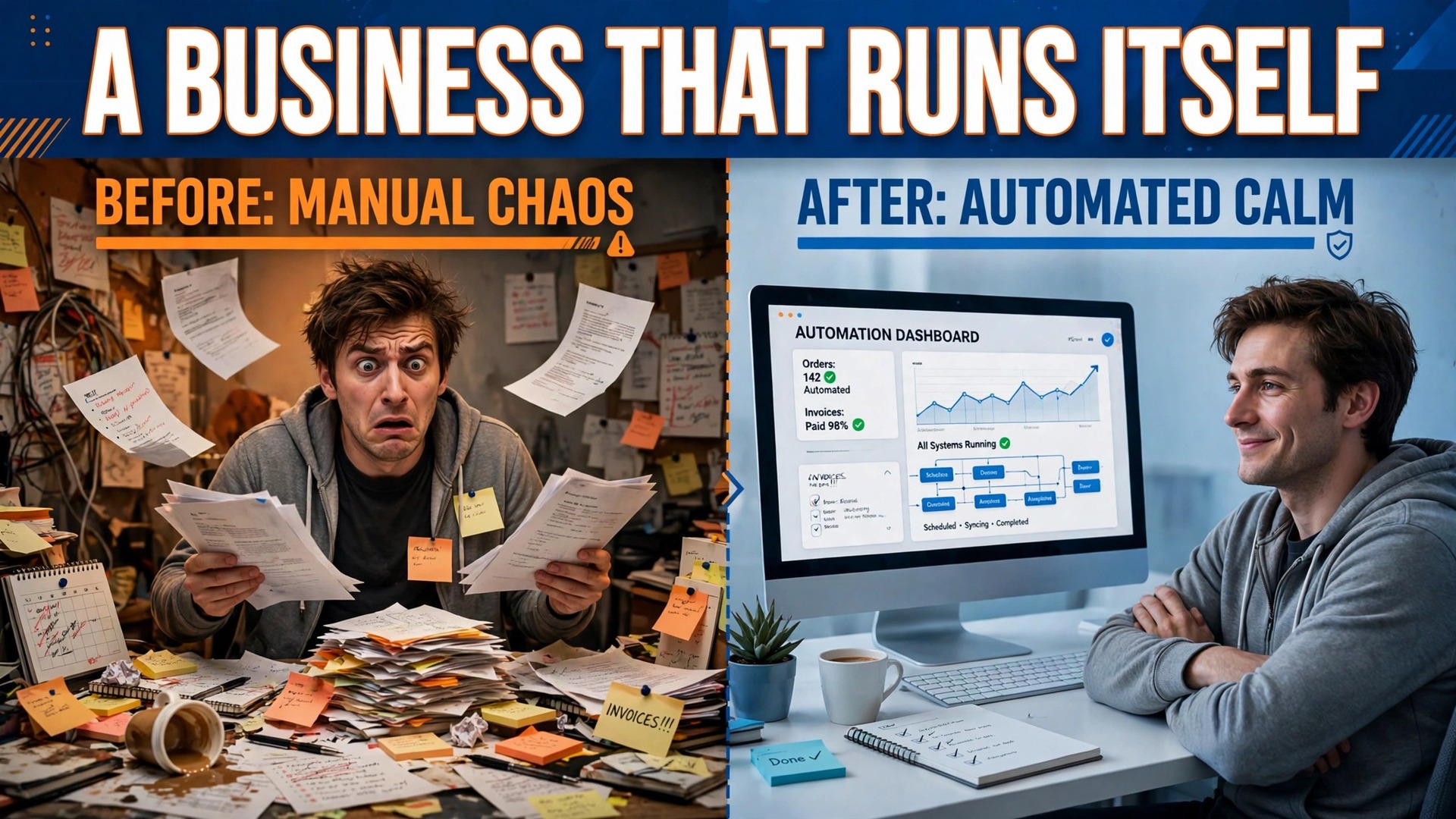
The verdict is simple. If your business stops when you stop, you do not own a business. You own a job with overheads. The way out is not working harder, hiring faster, or buying new software. It is turning the work you already do into a system other people can run, which is exactly what how to systemize a service business small business owners build step by step means in practice. A system is a documented, repeatable way of doing important work that does not depend entirely on one person’s memory, energy, or availability. Build it one process at a time, and the business starts to run without you in the middle of every task.
Systemizing matters because founder dependence is the ceiling on every small service firm. While every decision, every client conversation, and every quality check passes through you, growth adds hours to your week rather than revenue to your business. Worse, quality becomes inconsistent, because work done from memory varies with mood, fatigue, and time pressure. Clients notice that variation before you do, and they describe it as unreliability, which is the most expensive reputation a service firm can earn. A system fixes both problems at once. It frees your time, and it makes the work consistent no matter who performs it.
The progression that works is gradual, and skipping steps is why most systemizing efforts fail. First you do the work. Then you repeat it until it is stable. Then you document it. Then you standardize it, so everyone does it the same way. Then you measure it, so you know whether it works. Then you improve it, based on what the measurement shows. Only then do you automate parts of it, and delegate the parts others can own. Firms that jump straight to automation or delegation, before the work is documented and stable, automate chaos and delegate confusion. The order matters more than the tools.
What Systemizing Actually Means in a Small Firm
Systemizing is often misunderstood as bureaucracy, and that misunderstanding stops many owners before they start. It does not mean a shelf of binders nobody reads, or a corporate manual for a five person firm. It means that the recurring work of the business is written down clearly enough that someone else can do it to the same standard, without asking you. That is the whole definition, and it is far smaller than most owners fear. A one page checklist that a new hire can follow is a system. A short video showing how you onboard a client is a system. Perfection is not required. Usability is.
Think in three layers, because the layers keep documents manageable. Systems are the big areas of the business, such as sales, delivery, support, and finance. Processes are the major workflows inside a system, such as client onboarding inside delivery, or invoicing inside finance. Procedures, usually called SOPs, are the step by step instructions for one task inside a process, such as sending the welcome email, or reconciling the week’s payments. When a tool changes, only the affected procedure needs updating, not the whole system. When a role changes, only the procedures that role owns move. That structure is what lets a small firm keep systems current without a full time administrator.
Start with the work that repeats most and hurts most when it goes wrong. Client onboarding, delivery checklists, invoicing, and complaint handling are the usual first candidates, because they happen often, clients judge you on them, and errors in them are expensive. Do not start with the rare, complex work, even if it feels more important. Rare work is hard to document well and rarely repays the effort. Frequent work repays documentation immediately, because every repetition after the first uses the document instead of your time. That quick payback is what builds the habit of systemizing across the team.
How to Systemize a Service Business Small Business Owners Build Step by Step
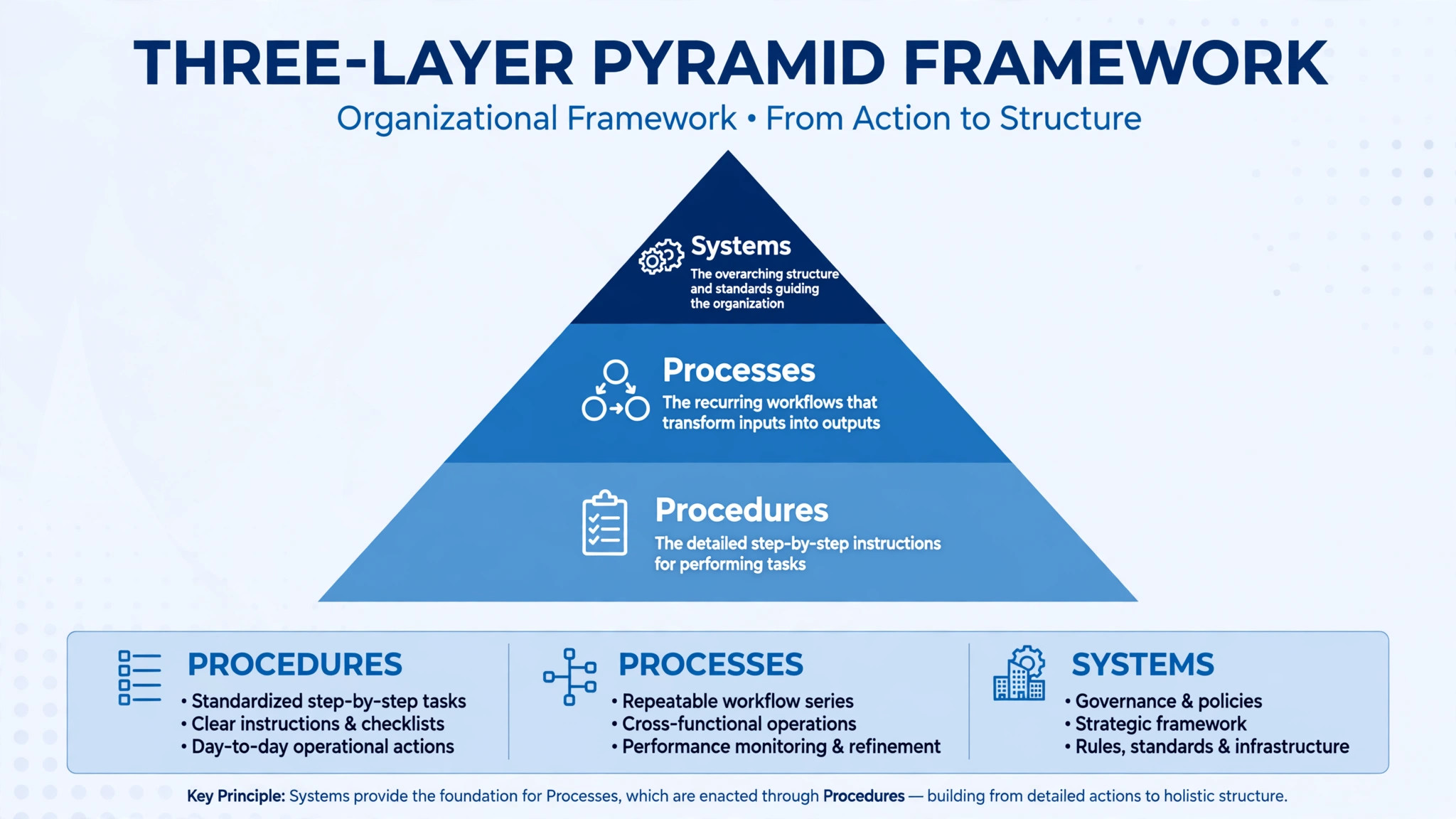
Here is the method in order, and it is deliberately slow at the start. Step one, take a service inventory, listing every recurring task, who does it, how often, and how long it takes. Step two, pick the single most repeated task and capture it as an SOP, using the record and write method described below. Step three, test the SOP by having someone else follow it without your help, and fix every gap the test reveals.
Step four, build a delegation map that assigns each documented task to an owner, with a backup owner for the critical ones. Step five, add quality checks at the points where errors cost the most. Step six, set a review cadence so systems stay current. Step seven, automate only the steps that are already stable.
Notice what is missing from that sequence. There is no step that says buy software, hire a manager, or redesign the business. Those moves come later, once the work is documented and the delegation map shows where the gaps actually are. Software bought before documentation usually gets shaped around undocumented habits, which preserves the chaos in a more expensive form. Hiring before documentation means the new person learns by shadowing you, which costs your time and produces a second copy of your habits, good and bad, rather than a better system.
Work through the sequence one task at a time, not one department at a time. A firm that tries to systemize everything at once produces a pile of half finished documents and a team that has stopped believing in the project. A firm that systemizes one task a week produces fifty working systems in a year, each tested, each owned, each actually used. The pace feels slow in month one and transformative by month six, because the benefits compound. Each documented task frees a little of your time, and that freed time funds the next documentation.
Take a Service Inventory Before You Document Anything
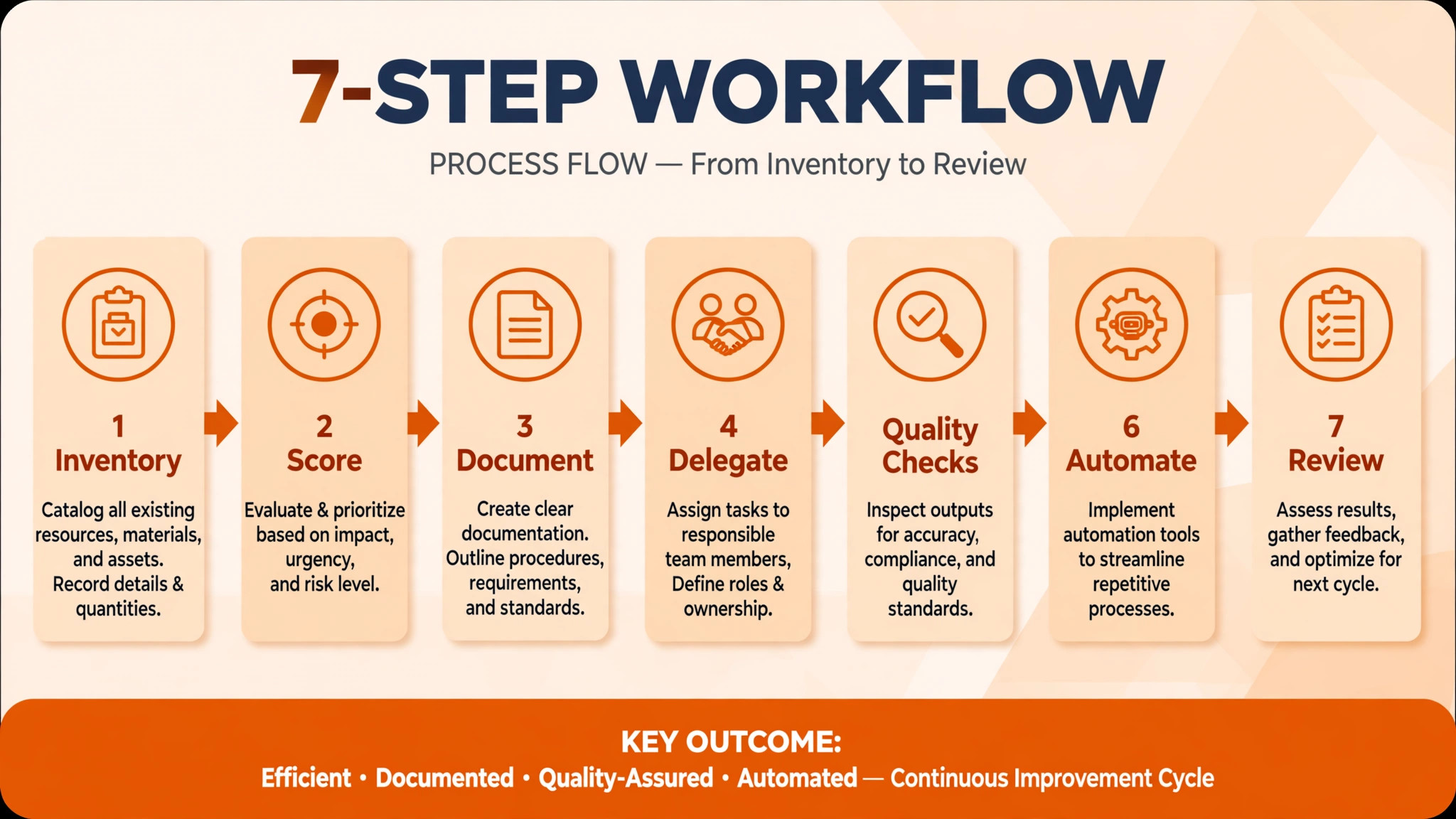
The inventory is the map of everything the business does repeatedly, and it prevents the most common systemizing error, which is documenting the wrong things first. Set aside two hours, and list every recurring task you can think of, from answering the phone to sending the monthly report. For each task, note four facts. Who does it now. How often it happens. How long it takes. And whether it can be delegated, meaning whether someone else could do it with a good SOP and reasonable training. Do not filter while listing. A task that looks trivial, such as confirming appointments, may happen forty times a week and consume more hours than a monthly task that feels far more important.
Score the list by three criteria, and document in that order. Frequency first, because frequent tasks repay documentation fastest. Pain second, meaning tasks where errors cost clients, money, or reputation. Delegability third, meaning tasks someone else could realistically own soon. A task that scores high on all three is your first SOP. A task that scores high on frequency but low on delegability, such as a founder led sales call, goes later, after the easy wins have built momentum and freed time for the harder work.
Involve the team in the inventory, because they know tasks you have forgotten and pain points you never see. Ask each person to list their own recurring tasks for a week, and compare lists. The overlap reveals the core work of the business, and the gaps reveal work that only one person knows how to do, which is the riskiest work in the firm. Single person knowledge is a system failure waiting for a holiday, an illness, or a resignation. The inventory turns that hidden risk into a visible list, and a visible list can be fixed in priority order.
Capture SOPs the Fast Way. Record, Write, Test
The fastest reliable way to capture an SOP is to record yourself doing the task, then write it up, then test it. Record a screen share or a phone video the next time you do the task, describing what you are doing and why as you go. The recording takes no extra time beyond the task itself, and it captures details you would forget when writing from memory, such as the order of clicks, the exception you check for, and the judgment call you make halfway through. A short video plus a written checklist is often enough, and it is far better than a long document nobody reads.
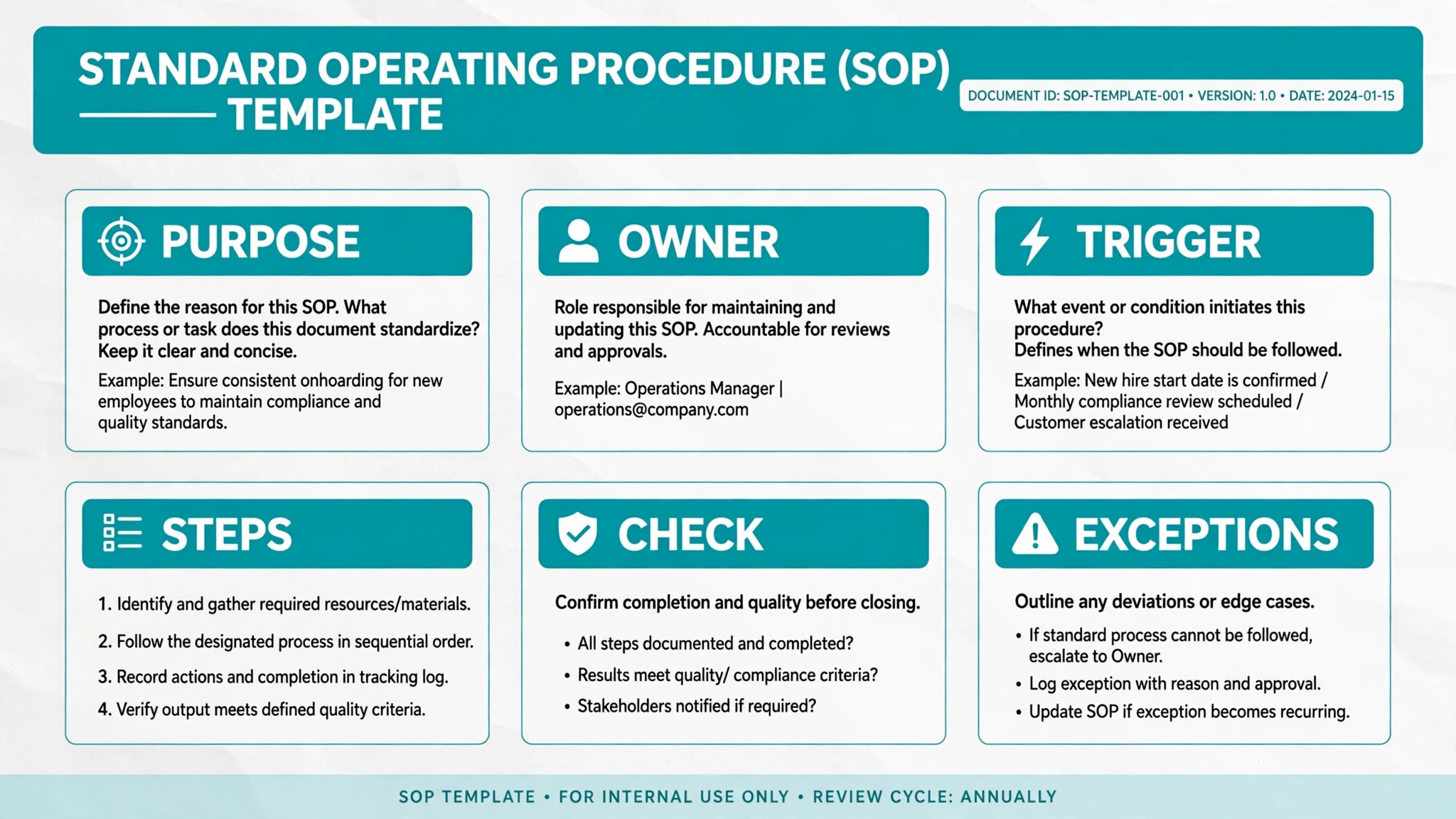
Write the SOP from the recording, using a consistent format so every SOP in the firm feels familiar. A workable format has six parts. Purpose, in one sentence. Owner, meaning who performs it. Trigger, meaning when it starts. Steps, numbered, in order, with the expected result of each step where it matters. Quality check, meaning how the performer knows it was done right. And exceptions, meaning what to do when the usual path fails. Keep steps short and imperative, using plain verbs. A step that says check the payment status and confirm the receipt was sent is usable. A step that says handle payments appropriately is not, because it tells the performer nothing they did not already know.
Test every SOP before you call it done. Hand it to someone else, or to a colleague in another role, and ask them to follow it without your help, while you watch silently.
Every place they hesitate, ask a question, or guess is a gap in the SOP, and each gap gets fixed before the SOP goes live. That test takes thirty minutes and prevents weeks of errors, because an untested SOP is a guess about how work happens, while a tested SOP is a record of how work actually happens. Store finished SOPs in one place, with version dates, so nobody follows an old copy. A single shared folder, with one owner per SOP, beats a scattered collection every time.
Guides to how to systemize a service business small business owners trust return to this record, write, test loop constantly, because it is the only capture method that survives contact with real work.
Build the Delegation Map. Who Owns What
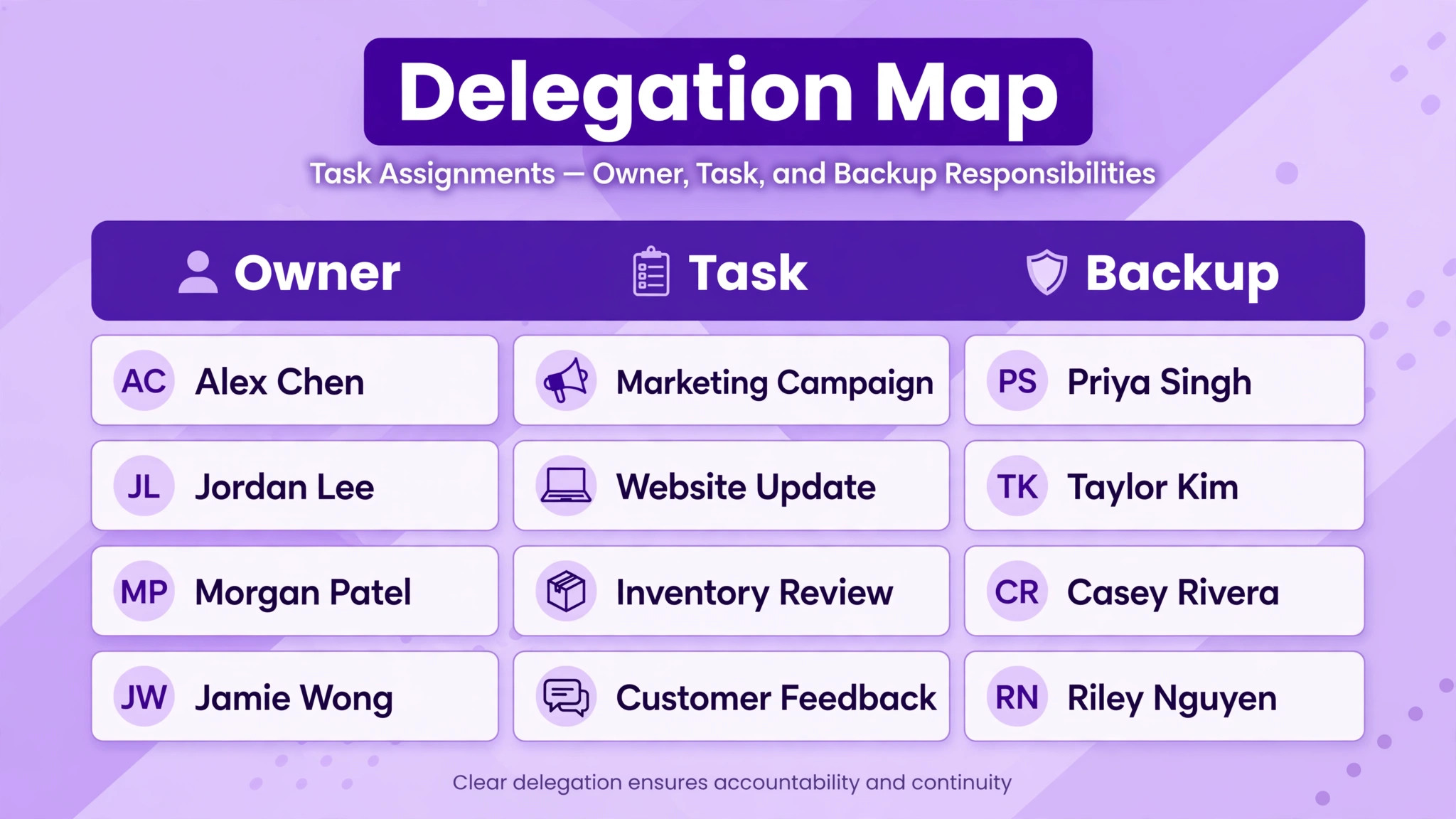
An SOP without an owner is a document, not a system. The delegation map turns documents into accountability by assigning every recurring task to one owner and, for critical tasks, one backup owner. Draw it as a simple table. Task, owner, backup, frequency, and the SOP that describes it. Share it with the whole team, so everyone can see who owns what, and so gaps become visible. A task with no owner is a task that will be missed. A task with two owners is a task nobody owns, because each assumes the other will do it. One owner per task, always.
Delegate in stages, not in leaps. First, hand over the task with the SOP and a period of shadowing, where the new owner performs it while you watch. Then move to checked independence, where the new owner performs it alone and you review the result. Then move to full ownership, where the new owner performs it, checks it against the quality check in the SOP, and reports only exceptions. That progression protects quality while building genuine ownership, and it avoids the two classic delegation failures. Dumping a task with no SOP, which produces errors and resentment. And hovering forever, which produces dependence and no time saved.
Choose what to delegate by the same criteria as the inventory. Delegate frequent, well documented, low judgment tasks first, because they free the most time with the least risk. Keep founder led work, such as key client relationships and strategic decisions, until the system around them is strong enough to support a handover. And delegate outcomes, not just activities. An owner who is responsible for the result, such as every new client onboarded within two days, will improve the process. An owner who is only responsible for following steps will follow steps, even when the steps stop working. Ownership of the outcome is what turns a task holder into a system keeper.
That outcome ownership is the human core of how to systemize a service business small business owners sustain, because systems kept by owners outlive systems kept by documents alone.
Quality Checks That Catch Problems Before Clients Do
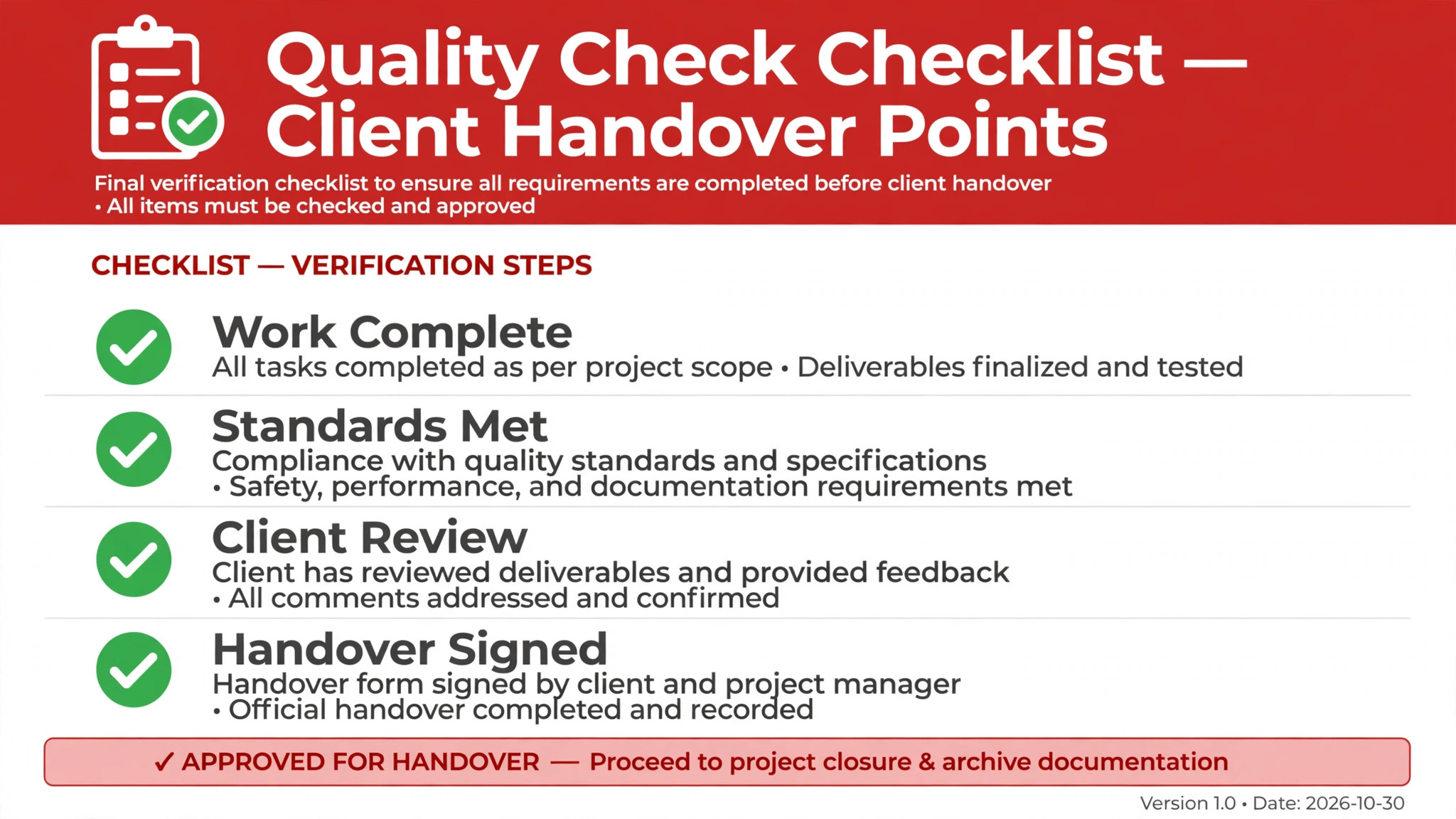
Systems without quality checks produce consistent errors, which is worse than inconsistent work, because nobody notices until a client does. A quality check is a short verification at the point where an error costs the most, and it belongs inside the SOP, not as an afterthought. For client facing work, the most valuable checks are usually at handover points. Before a deliverable goes to the client. Before an invoice goes out. Before a response goes to a complaint. A five minute check at those points catches the errors that cost hours of repair and damage to trust.
Design checks as specific questions, not general reminders. A check that says review carefully catches nothing, because careful is not a test. A check that says confirm the client’s name, the agreed scope, and the delivery date match the proposal catches the three errors that actually occur. Build the check from real mistakes. Every time an error reaches a client, add a check for it to the relevant SOP, so the system learns from the failure instead of merely apologising for it. Over time, the checks become the firm’s accumulated experience, written down where the next person can use it.
Decide who checks, because self checking has limits. For routine work, the performer checks their own work against the SOP’s quality check, which is fast and sufficient. For high stakes work, such as a proposal, a client deliverable, or a payment run, a second person checks, even briefly. That second pair of eyes is the cheapest insurance a small firm owns, and it is far cheaper than the rework, refunds, and apologies that follow an unchecked error. Record the check, with initials and date, on work where accountability matters, because a recorded check is a habit that survives busy weeks, while an unrecorded check is a good intention that fades.
That recorded check is a small habit inside how to systemize a service business small business owners run reliably, and reliability is what clients pay for.
Automate Only What Is Already Stable
Automation tempts every owner, because it promises to remove work entirely. The rule that prevents disappointment is simple. Automate only steps that are already stable, documented, and measured, because automation multiplies whatever it touches. Automating a stable step multiplies efficiency. Automating a chaotic step multiplies chaos, faster and at greater scale. That is why the sequence in this guide puts automation near the end, after documentation, standardisation, and measurement, rather than at the start where most owners want it.
Good first candidates for automation are narrow, repetitive, and rule based. Appointment reminders. Invoice generation from a template. Status updates to clients at defined milestones. Data transfer between tools that already agree on format. Each of these has clear inputs, clear outputs, and a clear rule for what happens when something goes wrong. Poor candidates are judgment heavy, exception rich, or still changing, such as custom quoting, complaint handling, or any process the team still argues about. Automating those before they are stable produces a system that confidently does the wrong thing at scale.
Start with one automation, measure it for a month, and only then add the next. The measurement matters, because automation that nobody checks drifts. A reminder system that silently stops sending, or an invoice template that pulls the wrong rate, can run for weeks before anyone notices, and the damage grows with every cycle. Assign an owner to each automation, with a monthly check that it still works and still matches the current SOP. Automation without an owner is a system that will fail quietly, and quiet failures are the ones clients discover first.
An automation with an owner is the safe form of how to systemize a service business small business owners scale, because someone notices when it drifts.
A 90 Day Systemizing Plan for a Small Team
Days one to thirty are for the inventory and the first four SOPs. Run the two hour inventory, score the list by frequency, pain, and delegability, and capture one SOP per week using the record, write, test loop. By day thirty you should have four tested SOPs, one shared folder, and a first taste of time saved, because the most repeated tasks are now documented. That first month is the fastest start to how to systemize a service business small business owners complete rather than abandon, because the wins are visible before the effort feels large.
Days thirty one to sixty are for ownership and checks. Build the delegation map for the documented tasks, assign backup owners for the critical ones, and add a quality check to each SOP at its most expensive error point. Run the first monthly review in the regular team meeting, fixing whatever the month revealed. If a task is still undocumented and still causes pain, it becomes next month’s first SOP. The habit matters more than the count, because a team that reviews monthly will keep systems alive long after the initial enthusiasm fades.
Days sixty one to ninety are for depth and measurement. Document the next four tasks, add backup owners across the map, and automate exactly one stable step, with an owner and a monthly check. Then measure. Compare hours spent on the documented tasks with the same tasks before the plan, count errors reaching clients, and note how many days the business ran without you answering a routine question. That measurement is the evidence that justifies continuing, and it is the shape of how to systemize a service business small business owners finish in ninety days and keep improving after.
The Review Cadence That Keeps Systems Alive
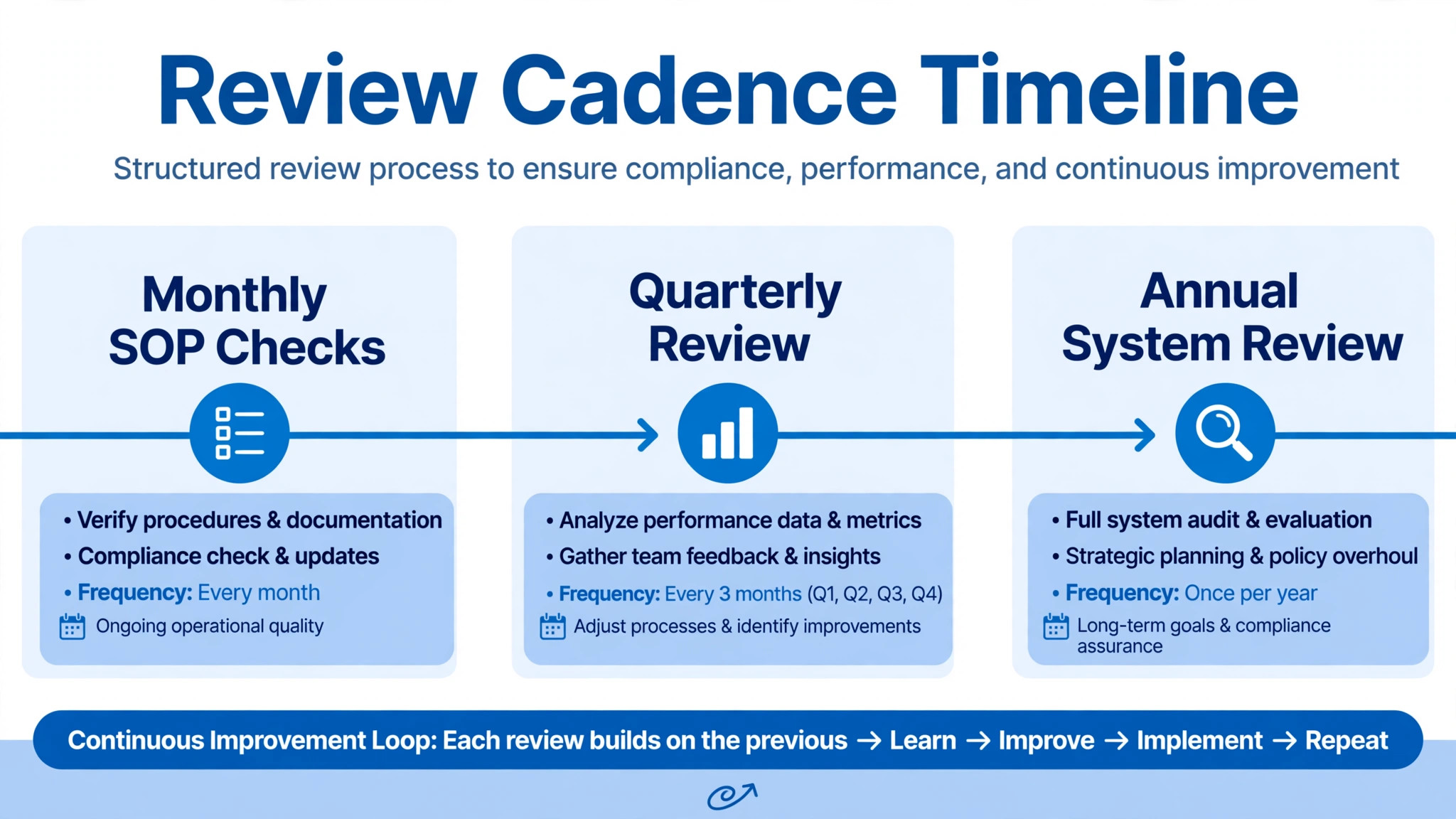
A system that is never reviewed decays, because tools change, clients change, and the business learns. The review cadence is what keeps systems alive, and it needs to be light enough to survive busy periods. Run three rhythms. A monthly check of the SOPs used most, asking whether each still matches reality. A quarterly review of the delegation map, asking whether owners are still right and backups still exist. And an annual review of the whole system, asking which processes should be retired, which should be improved, and which new recurring work needs documenting.
Make reviews part of existing meetings rather than new ones. Add ten minutes to a monthly team meeting for SOP review, and rotate which SOPs are reviewed, so the whole set is covered across the year without a special project. When a review finds a gap, fix the SOP in the meeting, update the version date, and tell the team what changed. A review that produces no change to any document was not a review. It was a conversation, and conversations do not update systems.
Treat client feedback as review input, not as a separate stream. Every complaint, every confused question, and every repeated request for clarification points to a gap in a system, usually a missing step, an unclear check, or an SOP nobody followed because it was out of date. Log feedback against the relevant SOP, and review the log in the monthly check. Firms that do this find their systems improving steadily without grand initiatives, because the improvement is driven by real evidence rather than by opinion about what should change.
Guides to how to systemize a service business small business owners maintain over years stress this cadence above all else, because a system that is reviewed monthly stays useful, while a system written once and forgotten becomes a museum piece within a year.
Mistakes That Kill Systems in Small Firms
The first mistake is documenting everything at once. A firm that tries to systemize every task in a month produces a pile of untested documents and a team that has stopped believing in the project. One task a week, tested and owned, beats fifty documents nobody uses. The second mistake is writing SOPs nobody can find, or that live in three places at once. One shared folder, one owner per SOP, and version dates solve this, and the discipline of a single source of truth is worth more than any template.
The third mistake is building systems around the founder’s preferences rather than around the work. An SOP that describes how you like things done, rather than how they need to be done to satisfy the client, will be ignored by anyone who does not share your preferences. Write SOPs from the client’s outcome backward, and keep the founder’s quirks out unless they genuinely affect quality. The fourth mistake is delegating without ownership, handing tasks to people without the authority to improve them. An owner who cannot change a broken step will follow the broken step faithfully, and the system will faithfully produce the same error.
The fifth mistake is treating systemizing as a project with an end date. Systems are not finished. They are maintained, like a vehicle, and a firm that declares its systems done will watch them decay within a year. The review cadence exists to prevent that, and it needs protecting in busy periods most of all, because busy periods are when undocumented shortcuts multiply fastest. The sixth mistake is keeping systems secret from the team. A system built alone, without the people who will use it, will be resisted, because people resist imposed change and adopt change they helped shape. Involve the team in the inventory, the capture, and the review, and the system becomes theirs, not yours.
Frequently Asked Questions
How long does it take to systemize a service business?
Expect meaningful change in six months and a transformed business in a year, at a pace of one documented, tested task per week. Faster attempts usually produce untested documents that nobody uses. The pace feels slow in month one, because only a few tasks are documented, and transformative by month six, because the benefits compound as each documented task frees time for the next.
What is the difference between a system, a process, and a procedure?
A system is a big area of the business, such as delivery or finance. A process is a major workflow inside a system, such as client onboarding inside delivery. A procedure, usually called an SOP, is the step by step instruction for one task inside a process, such as sending the welcome email. Keeping the three layers separate lets you update one procedure without rewriting the whole system.
Should I buy software before or after documenting my processes?
After. Software bought before documentation usually gets shaped around undocumented habits, which preserves chaos in a more expensive form. Document the process, standardize it, and measure it first, then choose software that fits the documented process. That order also makes software selection easier, because you know exactly which steps need support.
How do I systemize a service business small business teams actually follow?
Involve the team in the inventory, the capture, and the review, and keep every SOP short, tested, and stored in one place. A system built alone will be resisted, because people resist imposed change and adopt change they helped shape. Test every SOP by having someone else follow it without help, and fix every gap the test reveals before the SOP goes live.
What should I delegate first?
Frequent, well documented, low judgment tasks first, because they free the most time with the least risk. Examples include appointment confirmations, invoice generation, and routine status updates. Keep founder led work, such as key client relationships and strategic decisions, until the system around them is strong enough to support a handover. Delegate outcomes, not just activities, so the owner improves the process rather than merely following steps.
How often should systems be reviewed?
Monthly for the most used SOPs, quarterly for the delegation map, and annually for the whole system. Make reviews part of existing meetings, ten minutes in a monthly team meeting, rotating which SOPs are covered. A review that produces no change to any document was not a review. Treat client feedback as review input, since complaints and repeated questions point directly to gaps in a system.
More Reading on Stratilyze
– How to Onboard Your First Employee as a Small Business – How to Create an Employee Handbook for a Small Business – How to Write a Scope of Work as a Small Business – How to Handle Refund Requests as a Small Business