

A five person team signs up for Notion because the free plan looks generous, builds its whole operation inside it, and then discovers the bill is not one number but a set of per member charges that grow with every hire. That surprise is the reason notion pricing for small business deserves a careful read before you commit. The headline figures are simple, four plans from zero to a custom quote, but the real cost depends on how many members you pay for, whether you need the AI features, and which limits push you into the next tier.
This guide works through every Notion plan with the prices as published on the vendor pricing page in late 2026, checked against several independent pricing roundups from the same period. Prices here are stated in US dollars, per member per month, with the annual billing rate as the headline and the monthly billing rate beside it. Notion changes prices and plan features from time to time, so check the vendor pricing page before you pay, especially if you are reading this months after publication.
The short version is that most small teams land on one of two plans. Plus at 10 dollars per member per month billed annually covers collaboration without AI. Business at 20 dollars per member per month billed annually adds the full AI set, single sign on, and finer permissions. The gap between those two is the decision that matters, because it doubles the bill, and this guide shows exactly what the extra 10 dollars buys and who actually needs it.
Notion Pricing for Small Business at a Glance
| Plan | Annual billing | Monthly billing | Page history | File uploads | AI |
|---|---|---|---|---|---|
| Free | 0 dollars | 0 dollars | 7 days | 5 MB per file | Limited trial |
| Plus | 10 dollars per member | 12 dollars per member | 30 days | Unlimited | Limited trial |
| Business | 20 dollars per member | 24 dollars per member | 90 days | Unlimited | Full AI included |
| Enterprise | Custom quote | Custom quote | Unlimited | Unlimited | Full AI included |
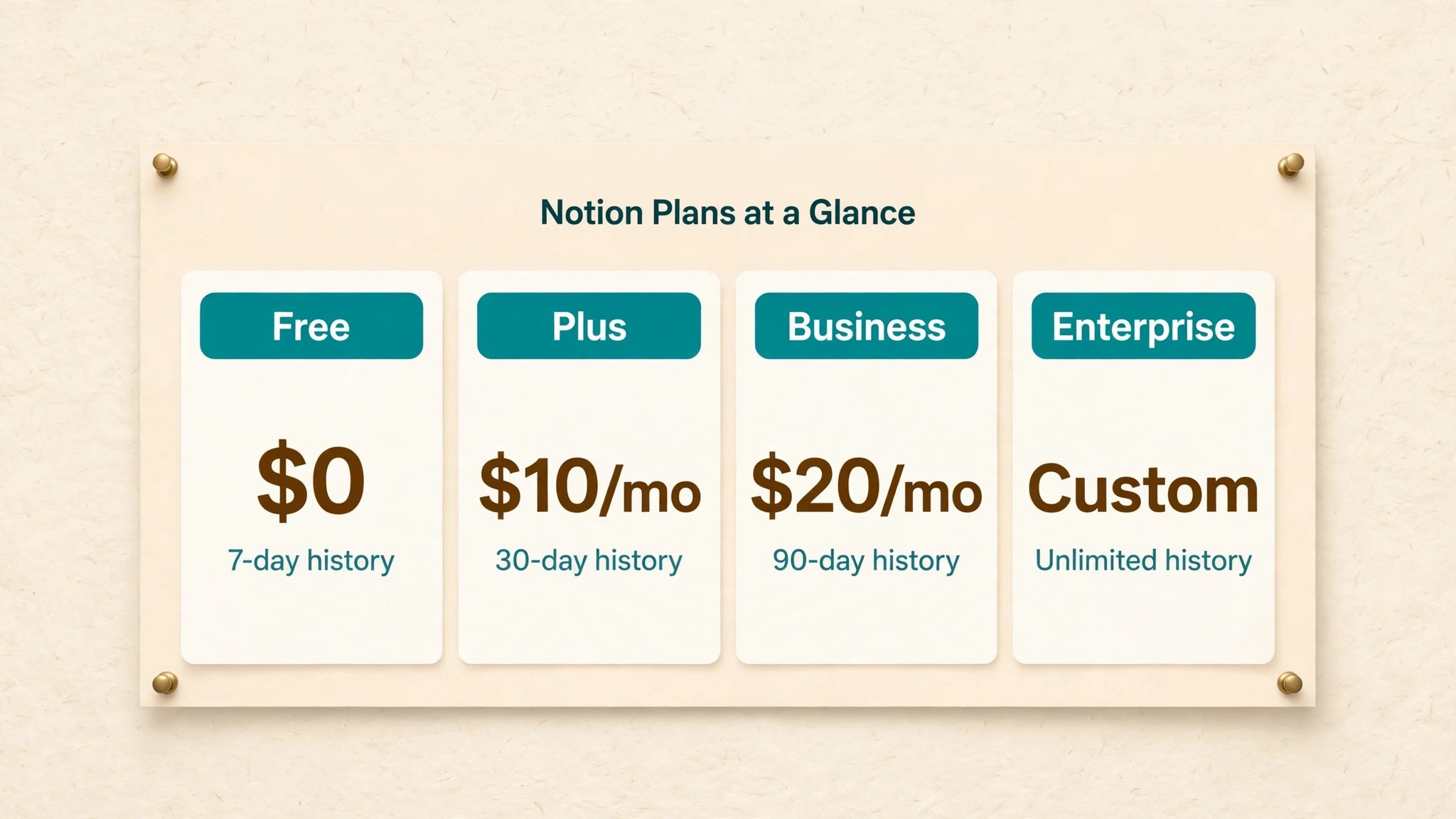
The table above shows the four plans as Notion lists them, and the first thing to notice is how much of the difference sits in limits rather than features. Every plan gives you the same core product, pages, databases, and the calendar. What changes as you pay more is how far back your history goes, how large your files can be, how many guests you can invite, and whether AI is a trial or a full part of the product. A team that never hits a limit has no reason to pay for the next tier.
The second thing to notice is the billing rhythm. Annual billing saves about 17 to 20 percent against monthly billing on Plus and Business, which is real money across a year. A five person team on Plus pays 600 dollars a year billed annually against 720 dollars billed monthly, and the same team on Business pays 1,200 dollars a year against 1,440 dollars monthly. If you are sure Notion is your home for the next year, annual billing is the cheaper path, but only take it after a proper trial, because Notion charges for seats until renewal even if someone leaves.
Guests are free on every plan, within limits, and that detail matters more than it looks. Contractors, clients, and part time collaborators can work in shared pages as guests without a paid seat, which keeps the bill tied to your actual team rather than everyone who ever touches a document. The free plan allows 10 guests, while paid plans raise that ceiling substantially. A small business that works with outside people regularly should design its workspace around guests from day one.
The Free Plan and Where It Stops
The free plan is genuinely useful for one person, and that is exactly how Notion intends it. A solo owner can run unlimited pages and blocks alone, use the calendar, build basic forms and sites, and try the AI features on a limited trial. For a freelancer testing whether Notion fits their brain, the free plan costs nothing and asks for no card, which makes it the right place to start.
The limit arrives the moment a second member joins. With two or more members, the free workspace is capped at 1,000 blocks, which sounds like a lot until a real business starts living in it. A block is a paragraph, a table row, a checkbox, or a heading, so a single busy project page can hold hundreds. Teams that try to run a whole business on the free plan usually hit the cap within weeks, and the fix is a paid plan, not cleverness with blocks.
File uploads are the other early wall. The free plan caps each file at 5 MB, which rules out most design files, long PDFs, and video clips. Page history lasts only 7 days, so a mistake discovered a week later cannot be undone from history. None of this makes the free plan bad. It makes it a solo plan, and a small business with two or more people should treat it as a trial, not a home.
Plus at 10 Dollars a Month
Plus is the plan most small teams actually buy, and the price is 10 dollars per member per month billed annually, or 12 dollars billed monthly. For that money the block cap disappears, file uploads become unlimited, page history stretches to 30 days, and the guest limit rises well beyond the free plan. You also get custom forms and sites, charts, and basic connections to tools like Slack and Google Drive.
What Plus does not include is the full AI set. Free and Plus both get only a limited AI trial, which means a handful of AI responses to test the feature before it stops. Notion retired the old standalone AI add on in May 2025, so there is no way to bolt full AI onto Plus any more. If your team wants AI writing, the agent, meeting notes, or enterprise search as a daily habit, Plus cannot give it to you at any price.
That sounds like a flaw, but for many teams it is the right trade. A team that uses Notion as a wiki, a project tracker, and a client portal does not need AI inside Notion, because it already has a chat tool for writing help. Paying 10 dollars per member instead of 20 saves a five person team 600 dollars a year, and that saving buys a separate AI subscription with money left over. Judge Plus on whether your team needs AI inside the workspace, not on whether AI sounds good in general. That single judgement is the heart of notion pricing for small business, because it decides whether you pay 10 dollars or 20 dollars per member.
Business at 20 Dollars a Month
Business costs 20 dollars per member per month billed annually, or 24 dollars billed monthly, and it is the plan where Notion becomes an AI product rather than a notes product. Full Notion AI is included, with the agent that can search your workspace and act on it, AI meeting notes, and enterprise search across your connected tools. Single sign on through SAML arrives here too, along with private teamspaces, granular database permissions, and 90 day page history.
The AI set is the reason to pay the extra 10 dollars per member, so it deserves a hard look before you upgrade. Notion Agent can draft, summarise, and fill databases from your own pages, and AI meeting notes turn calls into structured records without anyone typing. For a team that holds many meetings and writes many briefs, those features save hours a week. For a team that mostly tracks tasks and stores documents, they save almost nothing, and the upgrade is wasted money.
Business also triples the API speed, from 180 requests a minute per connection to 600, which matters if you connect Notion to other software through automations. That speed jump is easy to miss in notion pricing for small business discussions, yet it decides whether heavy automations run smoothly or keep hitting limits. Custom database automations and premium connections to tools like GitHub and Asana sit here as well. A team that automates heavily will feel the difference. A team that uses Notion by hand will not, and should be honest about which one it is before paying double.
Enterprise Pricing and When It Makes Sense
Enterprise has no published price. You request a quote from the Notion sales team, and independent reports put the typical range around 20 to 35 dollars per member per month for larger organisations. The plan adds SCIM provisioning, an audit log, advanced security controls, domain management, a customer success manager, and zero data retention with the language model providers that power the AI features.
A small business almost never needs Enterprise, and the sales process itself is a signal. The plan is built for organisations with compliance duties, regulated data, or hundreds of users, and the minimum team sizes and contract terms reflect that. If your business has fewer than 50 people and no regulator asking for audit logs, Enterprise is not your plan, and a sales call will only confirm it.
The one exception is a small team in a regulated field, such as health, finance, or legal work, where a client contract demands audit logs or data retention guarantees. In that case the quote is worth requesting, because the compliance features cannot be bought any other way. Even then, compare the quote against the Business plan plus a separate compliance tool, because the Enterprise premium is large and the features are narrow.
Notion AI and the Real Cost of the Business Plan
The AI story changed in May 2025, and older articles still describe a world that no longer exists. Until that date, Notion sold AI as a 10 dollar per member add on that any plan could buy. That add on is gone. Today the only way to get full AI is the Business plan at 20 dollars per member per month billed annually, which means the floor for a team that wants AI inside Notion is double the Plus price.
Work the arithmetic for a real team. Five members on Plus cost 50 dollars a month billed annually. The same five on Business cost 100 dollars a month. The AI therefore costs the team 50 dollars a month, or 600 dollars a year, and that figure should be judged against what the AI actually does for you. If it drafts client reports, summarises meetings, and fills databases every day, 600 dollars is cheap. If it writes the occasional paragraph, it is expensive, and a separate AI subscription at 20 dollars a month does the same job for less.
There is a second AI cost hiding behind the first. Custom agents run on Notion credits, priced at 10 dollars per 1,000 credits as an add on for Business and Enterprise, and heavy agent use can add a meaningful line to the bill. Most small teams will never touch custom agents, but a team that builds them should track credit use monthly for the first quarter. The credit meter is the kind of cost that surprises people precisely because the headline plan price looked complete.
What Notion Costs at Your Team Size
| Team size | Plus, annual | Plus, monthly | Business, annual | Business, monthly |
|---|---|---|---|---|
| 2 members | 20 dollars a month | 24 dollars a month | 40 dollars a month | 48 dollars a month |
| 5 members | 50 dollars a month | 60 dollars a month | 100 dollars a month | 120 dollars a month |
| 10 members | 100 dollars a month | 120 dollars a month | 200 dollars a month | 240 dollars a month |
| 20 members | 200 dollars a month | 240 dollars a month | 400 dollars a month | 480 dollars a month |
The table makes the scaling obvious, and the scaling is the whole story of notion pricing for small business. Notion charges per member with no volume discount below Enterprise, so every hire adds the same amount to the bill. A ten person team pays exactly twice what a five person team pays, and a twenty person team pays four times as much. There is no point where the per person price falls, which means the bill grows in a straight line with headcount.
That straight line is worth comparing with tools that charge per workspace or per business, where adding people costs nothing. If your team doubles from five to ten in a year, your Notion bill doubles too, and that growth should be in the budget forecast, not discovered at renewal. A finance lead who models software cost as a fixed line will be caught out. Model it as a per head cost, the same way you model payroll taxes, and the renewals stop surprising anyone.
Annual billing is the one discount available, and it is worth about two months free on each plan. A ten person team on Business saves 480 dollars a year by paying annually instead of monthly, which is real money, but the saving comes with a catch that Notion states in its billing help pages. Seats are charged until the next renewal even if a member leaves, so a team that shrinks mid year keeps paying for empty chairs. Pay annually only when headcount is stable, and pay monthly during a hiring or restructuring phase, even though the monthly rate is higher.
Guests deserve a second look here, because they are the legitimate way to keep the member count low. A contractor who needs access to two project pages can be a guest, not a member, and guests are not billed. The discipline is to audit the member list every quarter and move anyone who no longer needs full workspace access down to guest status. Teams that skip this audit slowly accumulate paid seats for people who left months ago, and the waste is invisible until someone finally checks.

The Hidden Costs Nobody Budgets For
The subscription is only the first line of the bill, and three smaller lines catch small teams by surprise. The first is the custom domain charge for published sites. Putting a Notion site on your own domain, with your own branding, costs 8 dollars a month per domain billed annually, or 10 dollars billed monthly. A business that publishes a help centre, a client portal, and a public roadmap on three domains pays 24 dollars a month on top of the subscription, which is nearly half the Plus bill for a five person team.
The second hidden line is Notion credits for custom agents, at 10 dollars per 1,000 credits. Most teams will never buy credits, but the teams that do tend to be the ones who adopted Business specifically for AI, which means the most enthusiastic users are the ones most likely to hit the meter. Set a monthly credit budget before anyone builds an agent, and review the first invoice line by line. A credit charge that nobody expected is a sign the agent is doing more than anyone asked it to do.
The third hidden cost is not a Notion charge at all. It is the time spent building and maintaining the workspace. Notion is a blank canvas, which means every database, template, and dashboard must be designed by someone on your team. A business that buys Notion and then spends forty hours building its operating system has paid far more than the subscription, in staff time. Budget that build time honestly, or buy a ready made template pack, and treat the template cost as part of the first year price.
There is also the cost of leaving. Notion exports exist, but a workspace full of linked databases does not move cleanly to another tool, and the export formats lose relations and rollups.
That lock in is part of notion pricing for small business in the honest sense, because the true price of a tool includes what it costs to walk away from it one day. That lock in is not a reason to avoid Notion, since every serious workspace tool has the same property, but it is a reason to be deliberate. Choose Notion because it fits how your team thinks, not because the free plan made starting easy, because starting easy and leaving hard is the oldest pattern in software.
How to Pick the Right Plan
Start with a headcount of people who genuinely need a member seat, not everyone who will ever open a page. Count full time staff and regular part timers who edit daily. Everyone else, clients, contractors, advisors, and occasional collaborators, should be guests. That count is the multiplier for every price in this guide, and getting it right is the single most valuable step in the whole decision.
Next, run a two week trial on the free plan with real work, not a demo. Build the pages your team actually needs, import a real project, and invite two colleagues. Watch where the free plan stops you. If the block cap is the only wall and nobody misses AI, Plus is your plan. If the team keeps opening a separate AI tool to draft inside Notion pages, or keeps asking for meeting notes nobody has time to write, Business is worth testing. A trial that uses fake data tells you nothing, because fake data never hits real limits.
Then decide the billing rhythm. If headcount is stable and the trial went well, annual billing saves real money. If you are hiring, restructuring, or unsure the team will stay on Notion, pay monthly for a quarter first. The monthly premium is the price of flexibility, and for a team in flux it is money well spent. Revisit the choice at each renewal, because a team that was growing last year may be stable this year.
Finally, write down the decision and the reason for it, and review it in six months. Software decisions drift when nobody remembers why they were made, and a team that chose Plus for a good reason should not drift into Business because one person liked a demo. The review takes ten minutes, and it is the simplest habit in notion pricing for small business, because it keeps the plan matched to the team instead of matched to a sales page.

Mistakes Small Teams Make With Notion Pricing
The first mistake is paying for members who should be guests. A business invites a client to a shared page, Notion offers to add them as a member, and nobody notices the difference until the invoice arrives. The fix is simple and boring, which is why it works. One person owns the member list, reviews it monthly, and moves anyone who only reads a few pages down to guest status. A five minute monthly check can save hundreds of dollars a year.
The second mistake is buying Business for AI that nobody uses. The demo is impressive, the agent writes a beautiful summary, and the team upgrades on the strength of that moment. Three months later, nobody has opened the agent since week one, because the real bottleneck was never drafting, it was deciding what to write. Before upgrading, give the AI trial to the two people who write the most, and ask them after two weeks whether it saved them real time. Their answer is worth more than any feature list.
The third mistake is treating the free plan as a permanent home for a team. Two people can share a free workspace for a while, but the 1,000 block cap and the 5 MB file limit will force a move at the worst moment, usually in the middle of a busy project. Plan the upgrade before the cap hits, and move on a quiet week, not during a launch. A planned upgrade costs the same as a panicked one, but it costs far less in stress.
The fourth mistake is forgetting the renewal. Annual billing renews automatically, and a team that bought seats for people who have since left pays for those seats for another year. Put the renewal date in the calendar with a reminder two weeks before it, and use that reminder to audit seats, check whether the plan still fits, and cancel anything unused. Software renewals are where small businesses quietly lose the most money, and notion pricing for small business is no exception to that rule.
Notion Against the Alternatives
Notion is not the only workspace tool a small business can buy, and the comparison clarifies what its price actually buys. Asana Starter costs about 10 dollars and 99 cents per user per month billed annually, which is close to Notion Plus, but Asana is a task tracker first and a wiki second. ClickUp and Monday sell similar per user prices with different strengths, and Google Workspace sells a bundle of mail, docs, and storage that many small teams already pay for. The right comparison is never price alone, because the tools do different jobs.
The honest way to compare is to list the jobs your team needs done and price the stack that does them. If Notion replaces a wiki, a project tracker, and a client portal, then its 10 or 20 dollars per member replaces three subscriptions, and it is cheap. If your team already pays for Asana and Google Docs and only uses Notion as a pretty wiki, then it is an extra cost on top of tools that already do the job, and it is expensive. Count the subscriptions Notion kills before you judge its price.
There is also the question of depth against breadth. Notion is broad, and a broad tool is rarely the best at any single job. A team that needs serious project management will find Asana deeper. A team that needs serious documents will find Google Docs smoother. Notion wins when the value is in having everything connected in one place, with pages that link to databases that link to tasks. If that connected feeling is what your team is missing, the price is fair. If your team just needs a better to do list, buy a to do list.
Related Guides
Keep exploring with these guides on Stratilyze:
- Square Pricing for Small Business
- Sprout Social Pricing for Small Business
- Mailchimp Pricing for Small Business
Frequently Asked Questions
Is Notion free for small business?
Notion is free for a solo owner, and the free plan is genuinely usable for one person with unlimited blocks. The moment a second member joins, the workspace is capped at 1,000 blocks, file uploads are limited to 5 MB per file, and page history lasts only 7 days. A team of two or more will almost always need Plus at 10 dollars per member per month billed annually, so budget for the paid plan from the start rather than treating free as a team plan.
How much does Notion cost for a team of 5?
A five person team pays 50 dollars a month on Plus billed annually, or 60 dollars billed monthly. On Business the same team pays 100 dollars a month billed annually, or 120 dollars billed monthly. Guests are not billed, so contractors and clients who only need access to shared pages do not add to the bill. Check the vendor pricing page before you pay, because prices and plan features change from time to time.
Does Notion Plus include AI?
Plus includes only a limited AI trial, which gives a handful of AI responses to test the feature. Full AI, including the agent, AI meeting notes, and enterprise search, is included only on Business and Enterprise. Notion retired the old standalone AI add on in May 2025, so there is no way to add full AI to Plus. A team that wants AI inside Notion must pay for Business at 20 dollars per member per month billed annually.
What is the difference between Plus and Business?
Plus costs 10 dollars per member per month billed annually and covers unlimited blocks, unlimited file uploads, 30 day page history, custom forms and sites, and basic connections. Business costs 20 dollars and adds full AI, single sign on, private teamspaces, granular database permissions, 90 day page history, custom database automations, and faster API access. The extra 10 dollars is essentially the AI and governance price, so choose Business only if your team will use those features weekly.
Can I use Notion for free with my team?
You can, but the limits make it impractical for real team work. The 1,000 block cap with two or more members, the 5 MB file limit, and the 7 day page history will slow a team down within weeks. Treat the free plan as a trial for a team, use it to test whether Notion fits, and move to Plus once the test succeeds. The paid plan is the team plan, and the free plan is the solo plan.
Does Notion charge for guests?
No, guests are not billed on any plan, within the plan guest limits. The free plan allows 10 guests, and paid plans allow substantially more. A guest can view and edit the specific pages they are invited to without a paid seat, which makes guests the right choice for clients, contractors, and advisors. Audit the member list regularly and move occasional collaborators to guest status to keep the bill tied to your real team.
Is Notion Enterprise worth it for a small business?
Almost never. Enterprise is a custom quote built for large organisations with compliance duties, audit log requirements, and hundreds of users. A small business with fewer than 50 people and no regulator demanding audit logs will not use the features that justify the price. The one exception is a small team in a regulated field where a client contract demands those controls, in which case a quote is worth requesting and comparing against Business plus a separate compliance tool.
A Final Word Before You Pay
The right Notion plan is the cheapest one your team will not outgrow in six months, and for most small teams that is Plus. It gives you unlimited blocks, unlimited uploads, and a month of page history for 10 dollars per member per month billed annually, which is a fair price for a workspace your whole team lives in. Business is the right call only when AI or single sign on is a weekly need rather than a nice idea, because it doubles the bill for features that many teams never open.
Whatever you choose, start with a real trial, count members honestly, use guests for everyone outside the team, and put the renewal date in the calendar. Notion pricing for small business is simple once you see it clearly, per member, per month, with AI as the dividing line between the two plans that matter. Make the decision on your team actual habits, not on a demo, and the bill will stay fair for years.