

Buffer charges per channel, Sprout Social charges per seat, and that one difference decides whether the move makes sense for a small team. A team paying a few dollars per channel on Buffer can face a bill ten times higher on Sprout Social, while gaining a unified inbox, approval chains, and reporting depth Buffer never offered. The comparison is therefore not about which tool is better in general. It is about whether a small team needs enterprise grade workflow enough to pay an enterprise grade seat price, and this guide helps a team answer that question honestly before it starts a move to switch Buffer to Sprout Social small team publishing.
Pricing figures in this guide come from comparison pages and pricing guides checked at writing time, and Sprout Social prices have been reported differently across sources, so confirm the current price on the vendor page before buying. Where a figure is reported rather than published on the vendor pricing page, the text says so plainly. The migration itself is straightforward in concept. Channels reconnect, queues rebuild, and reports redesign. The hard part is the cost decision and the approval workflow, and both get full treatment below.
The Comparison That Decides the Move
Buffer starts with a free plan covering three channels and ten posts per channel, and its paid Essentials plan is reported at 6 dollars per channel a month. Team plans add unlimited team members at no extra seat cost, which is why small teams love Buffer. One person or ten people can share the same account without the bill multiplying, and the interface stays simple enough that a new hire learns it in an afternoon.
Sprout Social starts at a reported 79 dollars per seat a month on Essentials with annual billing, or 99 dollars billed monthly. Standard is reported at 199 dollars per seat a month with annual billing, Professional at 299 dollars, and Advanced at 399 dollars. Every additional user pays the full seat price, so a three person team on Professional pays a reported 897 dollars a month with annual billing. That figure should sit at the top of any business case, because it is the number that surprises teams most.
What the seat price buys is depth. Sprout Social adds a Smart Inbox that gathers comments, mentions, and direct messages across networks into one queue, social listening as a paid add on, competitor benchmarking on Professional and higher, and custom reporting with presentation ready templates. Buffer offers a community inbox for comments and basic analytics with CSV exports, but no listening, no competitor benchmarking, and no multi step approvals. A team that only schedules posts gains nothing from Sprout Social depth. A team that answers customers, defends brand reputation, and reports to stakeholders gains a great deal.
The honest comparison therefore runs on two axes, not one. On cost per person, Buffer wins by a wide margin. On workflow depth, Sprout Social wins by a wide margin. A small team should move only when the second axis matters more than the first, meaning the team already feels pain from missing approvals, scattered inboxes, or thin reports. If the team feels no such pain, the move buys expensive depth for a problem it does not have.
When a Small Team Should Not Switch
A team of one or two people managing fewer than five channels should usually stay on Buffer. The Sprout Social seat price buys collaboration features a tiny team cannot use, and the reporting depth exceeds what a two person team can act on. A team with a tight marketing budget should also stay, because the money saved on Buffer can fund content creation, which improves results more than a better dashboard does.
A team that schedules posts but rarely answers messages should stay too. The Smart Inbox is Sprout Social strongest feature, and a team that does not live in the inbox pays for its best asset without using it. Similarly, a team that reports only to itself, with no clients or executives asking for polished reports, gains little from Sprout Social reporting templates. Buffer analytics plus a simple spreadsheet covers that need at a fraction of the price.
The team that should switch looks different. It has at least three people touching social, including someone who drafts and someone who approves. It answers customer messages daily and loses track of replies across networks. It manages a brand where a wrong post carries real risk, so approval chains matter. Or it reports to clients or leadership and spends hours assembling reports from screenshots. If two or more of those sentences describe the team, the seat price starts to look like an investment rather than an indulgence.
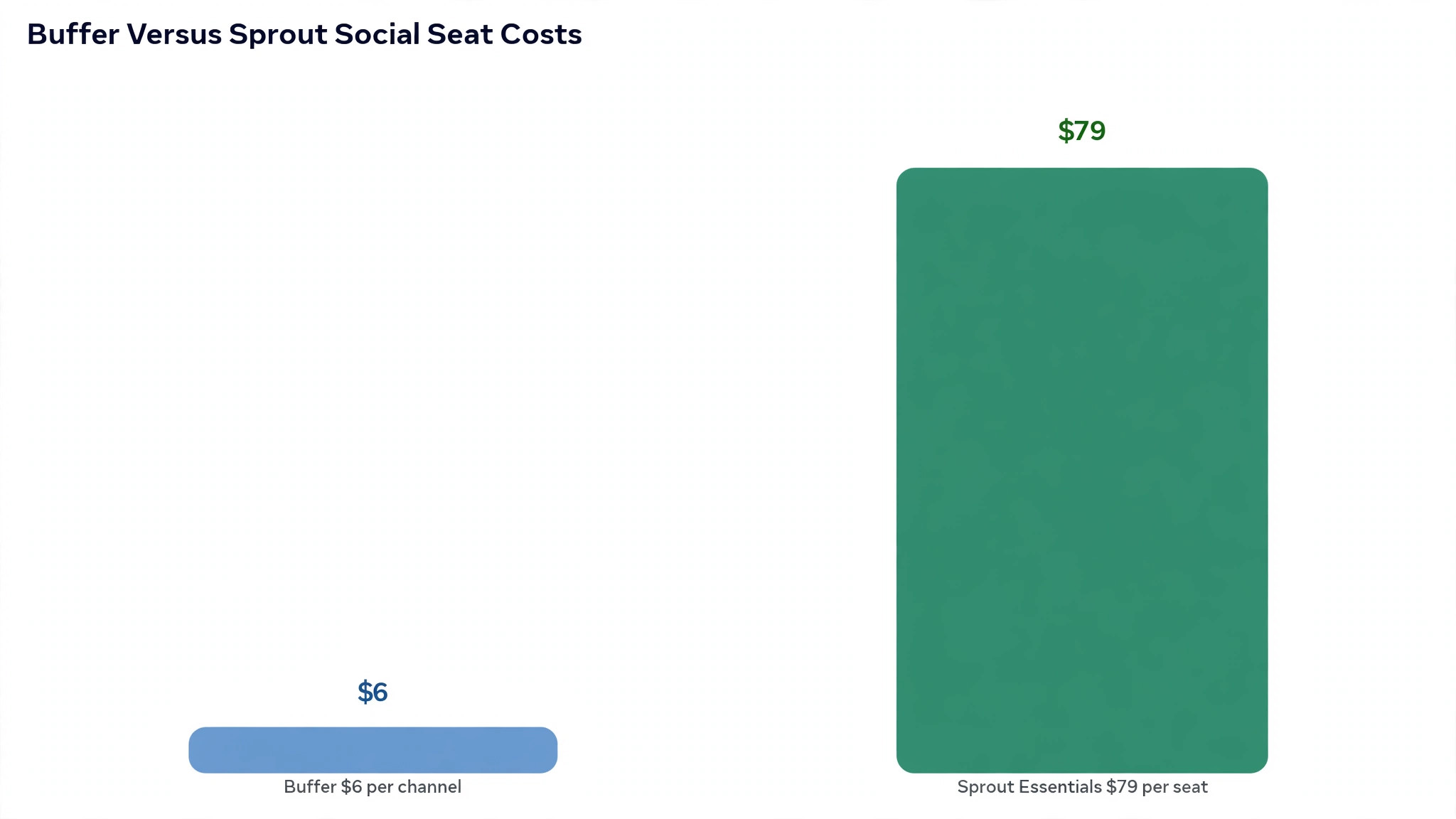
Seat pricing rewards careful counting and punishes casual invites. Every person who publishes, approves, or answers messages needs a paid seat, and the monthly total is the seat price multiplied by the seat count, with no free extra users as Buffer Team plans offer. The table below uses reported annual billing rates, and every figure should be confirmed on the vendor page before buying, since Sprout Social prices have been reported differently across sources.
| Seats | Essentials at 79 dollars | Standard at 199 dollars | Professional at 299 dollars |
|---|---|---|---|
| 1 seat | 79 dollars a month | 199 dollars a month | 299 dollars a month |
| 3 seats | 237 dollars a month | 597 dollars a month | 897 dollars a month |
| 5 seats | 395 dollars a month | 995 dollars a month | 1,495 dollars a month |
Read the table against the Buffer bill it replaces. A small team paying for a handful of channels on Buffer may spend under 50 dollars a month, and the same team on Professional faces nearly 900 dollars a month for three seats. That gap is the real decision, and it should be written into the business case in plain numbers rather than softened with phrases about investment and growth. Leadership should see both totals side by side, plus the cost of any add ons such as listening or premium analytics, which sit outside the seat price.
The seat count also needs a rule. Decide who gets a full seat, who reviews through an external approver arrangement where the plan allows it, and who simply reads reports without logging in. A team that hands a seat to every stakeholder, including people who check social once a month, inflates the bill for no benefit. Review seats quarterly, remove anyone who has not logged in for thirty days, and treat each new seat as a hiring decision with a monthly cost attached. When a team plans to switch Buffer to Sprout Social small team seats, that discipline matters more than any discount negotiation, because seat creep quietly adds hundreds of dollars a month.
Monthly billing raises every figure further, with Essentials reported at 99 dollars per seat a month billed monthly, Standard at 249 dollars, and Professional at 399 dollars. A team unsure about headcount should still prefer annual billing only once seat count is stable, because the monthly premium buys flexibility that a stable team does not need. A team whose headcount changes often should accept the monthly premium for a quarter, then switch to annual billing once the team settles.
One final cost check belongs in every business case. Add the price of any add on the team genuinely needs, such as listening or premium analytics, and compare that full total with the Buffer total, not the seat price alone. A business case that quotes the seat price and forgets the add ons understates the real bill by hundreds of dollars a month, and leadership will notice the gap on the first invoice. Write the full total down, get it approved, and let the migration proceed on honest numbers.
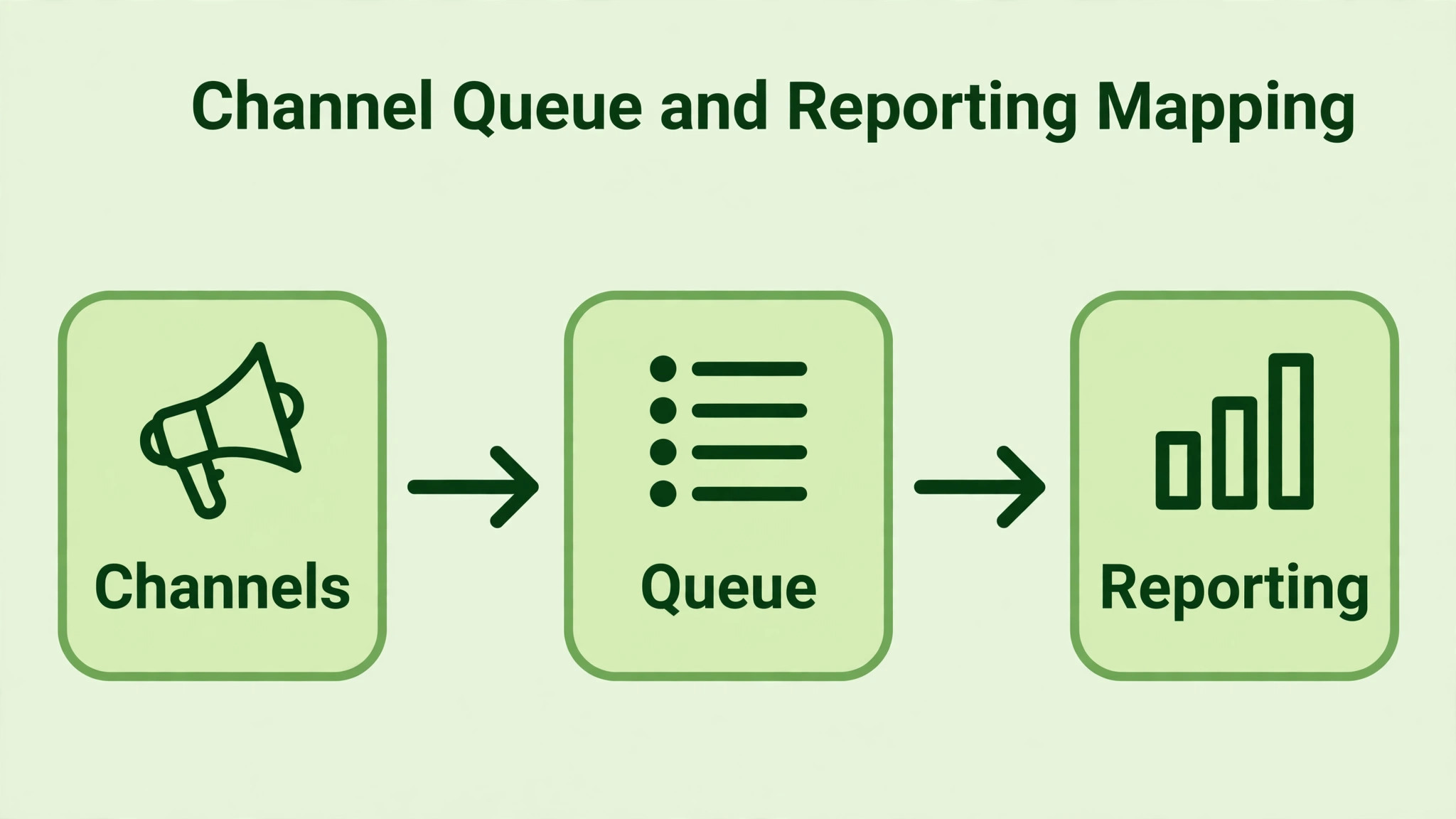
The mapping table below is the working document for the move. Fill it in during week one, and use it to check the new Sprout Social setup channel by channel. Each row names the Buffer item, its Sprout Social destination, and the action required.
| Buffer item | Sprout Social destination | Migration action |
|---|---|---|
| Social channel | Social profile | Reconnect each channel in Sprout Social, since channels do not transfer |
| Channel group | Group | Recreate groups for brands, clients, or regions |
| Queue, scheduled posts | Publishing calendar, drafts or scheduled posts | Export scheduled posts, recreate them in Sprout Social, check times |
| Queue, drafts | Drafts | Copy draft text and media by hand, since drafts do not export cleanly |
| Posting schedule, per channel | Queue plan or ViralPost schedule | Rebuild posting times per profile, test ViralPost on one profile first |
| Evergreen content | Asset library or campaign | Rebuild evergreen rotations as a campaign or a saved set |
| Idea or draft note | Draft with internal note | Move notes into Sprout Social drafts or a shared document |
| Team member, unlimited on Team | Seat, paid per user | Buy a seat for each person who publishes, approves, or answers messages |
| Approval, single step on Team | Message approval workflow | Rebuild on Professional or higher, since approvals need that plan |
| Analytics, per channel | Profile report | Download Buffer reports before cancelling, rebuild key reports in Sprout Social |
| Analytics, cross channel | Cross network report | Rebuild as a Sprout Social report, add competitor reports on Professional or higher |
| Hashtag set | Saved replies or asset note | Recreate hashtag sets as saved text the team can paste |
| Link in bio page | External link tool or bio link | Recreate the bio link page in a dedicated tool, since Sprout Social has no native equivalent |
| Campaign tag | Campaign or tag | Recreate tags, and check that historical tagging cannot be backfilled |
| Engagement, comments | Smart Inbox | Reconnect profiles, assign inbox duties, set up inbox rules on Advanced where needed |
| Start Page or landing page | External landing page | Rebuild outside Sprout Social if the team used Buffer Start Page |
Two rows in that table carry the most risk. The first is scheduled posts. Buffer queues do not export into a format Sprout Social can import, so the team must recreate scheduled posts by hand or through a spreadsheet pass, and every recreated post needs its time, media, and caption checked. The second is approvals. Buffer offers single step approval on its Team plan, while Sprout Social offers multi step approval workflows on Professional and higher, so the team must redesign its approval chain rather than copy it, and must confirm the plan covers the workflow it designs.
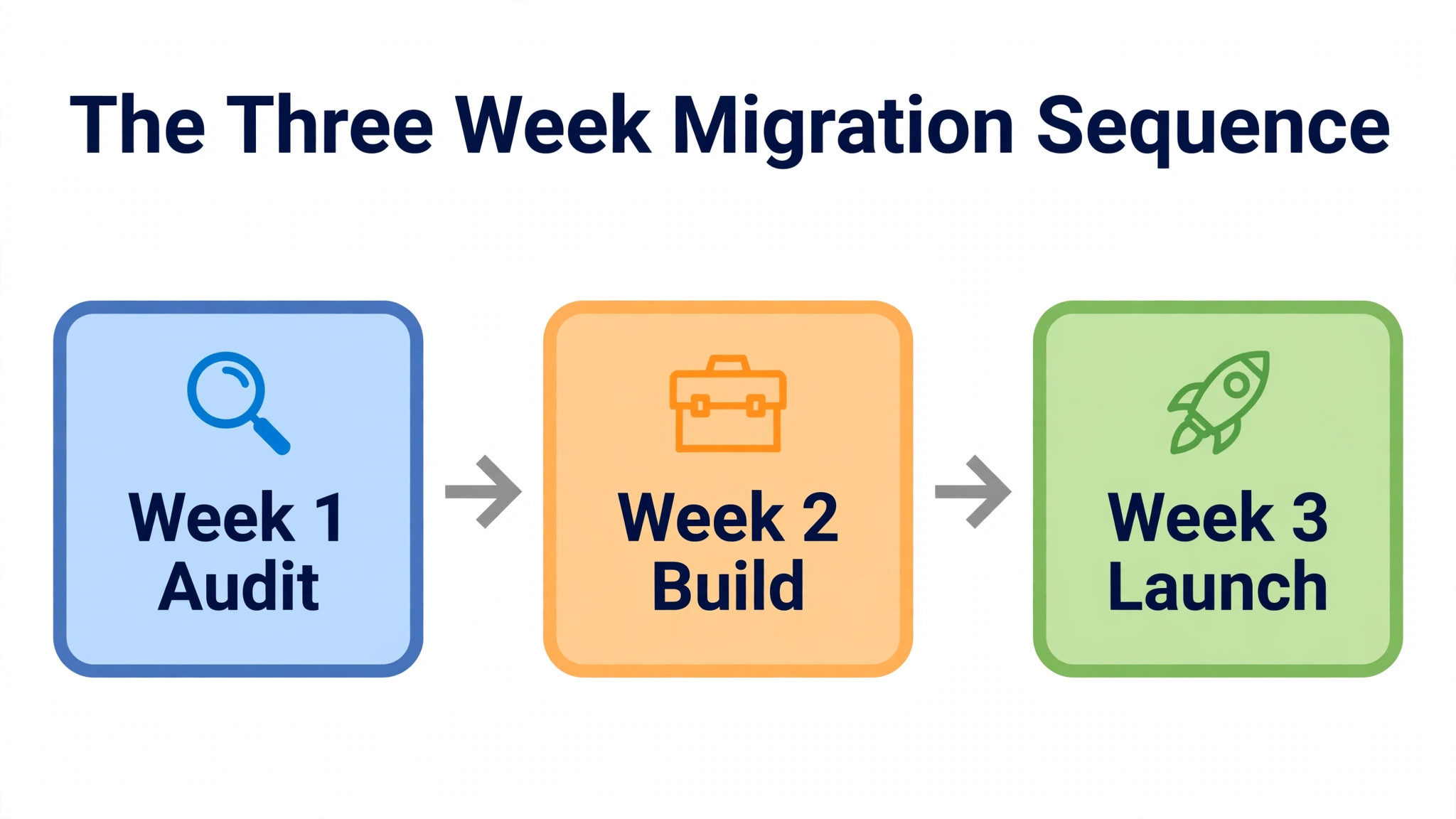
A small team migration fits into three weeks, with the first week spent on decisions and the second and third on building and testing. Rushing the sequence compresses the approval workflow design, which is exactly the part that must not be rushed.
1. Decide the plan from the workflow, not the price list. Confirm that approvals, inbox, and reporting needs sit on the chosen plan, especially approvals, which need Professional or higher according to comparison sources. Confirm the current price and plan contents on the vendor page before buying. 2. Start the 30 day Sprout Social trial. Connect one brand or one set of profiles first, not every channel at once, and let the team learn publishing and inbox handling on a small surface before the full move. 3. Export everything from Buffer. Download scheduled posts, drafts, and historical analytics reports, because Buffer data becomes harder to reach after cancellation. Save media files in a shared folder organised by campaign. 4. Reconnect channels in Sprout Social. Reconnect each social profile, confirm permissions, and check that publishing works on every network with a test post. Fix permission errors now, while Buffer still runs. 5. Rebuild queues and schedules. Recreate posting times per profile, rebuild evergreen content as campaigns, and recreate the next thirty days of scheduled posts by hand. Check each post for correct media, caption, link, and time. 6. Design and build the approval workflow. Work from the checklist in the next section, assign approvers, set notification rules, and test the workflow with real draft posts before it governs live content. 7. Set up the Smart Inbox. Assign inbox owners per profile, create saved replies for common questions, and define response time targets. If the team uses inbox rules or chatbots, note that advanced inbox features sit on higher plans. 8. Rebuild reports. Recreate the weekly and monthly reports the team actually uses, add competitor reports if the plan includes them, and run the new reports alongside Buffer reports for two weeks to check the numbers agree. 9. Train the team. Run one session on publishing and approvals and one on inbox and reporting, and give each person a practice week where mistakes carry no risk. A team that first touches approvals on launch day will publish late or publish unapproved. 10. Cut over and cancel carefully. Move all scheduling to Sprout Social, keep Buffer read only for two weeks while the team checks for missed posts, then cancel Buffer. Never cancel Buffer before the Sprout Social queue covers the next thirty days.
The parallel running period in step ten deserves emphasis. Two weeks of overlap feels untidy, and it prevents the classic migration failure, which is discovering a missed campaign or a broken schedule after the old tool is gone. Overlap costs one more month of Buffer, which is small against the Sprout Social bill, and it buys a safety net the team will be glad to have.
The Approval Workflow Migration Checklist
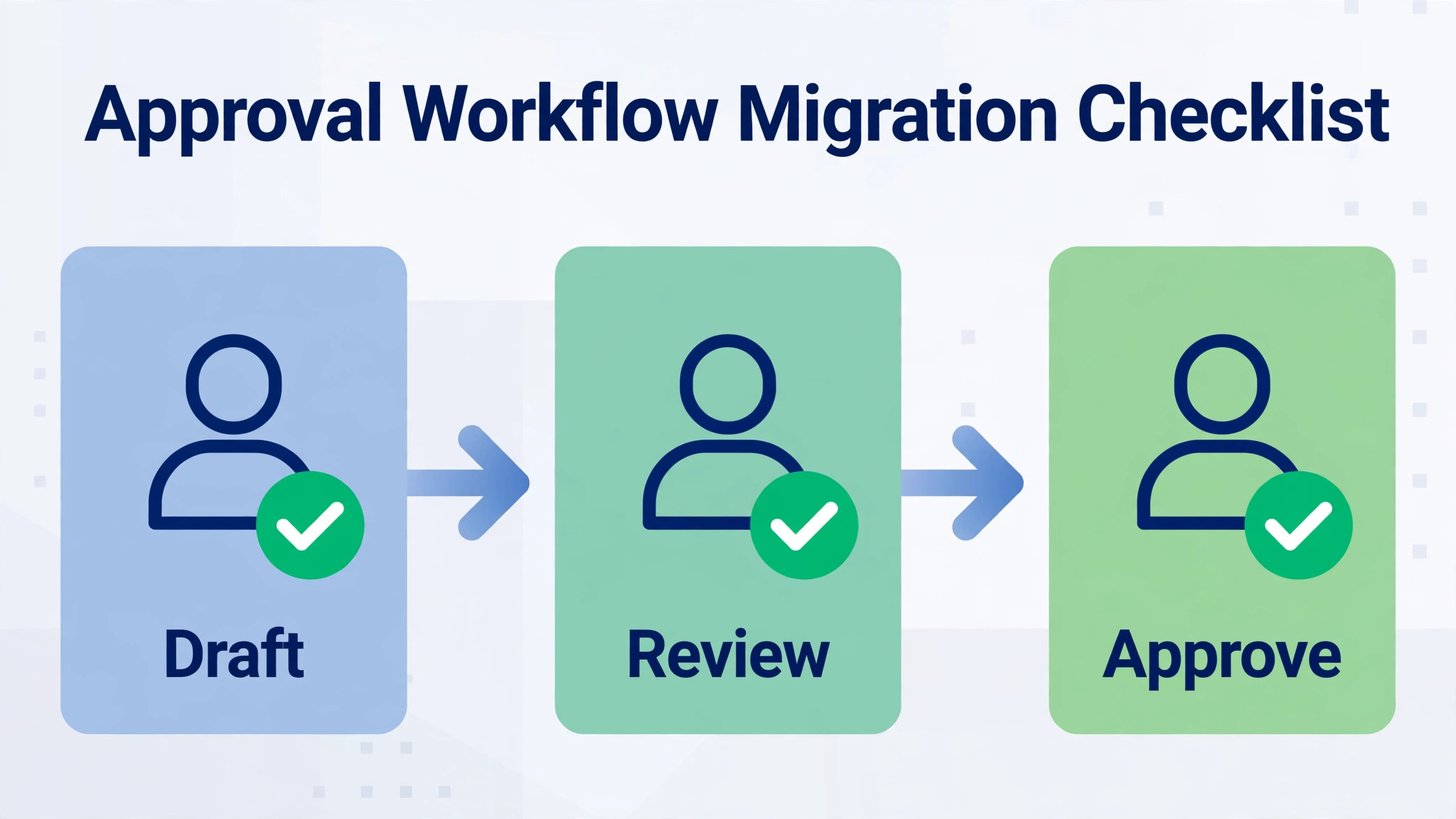
Approval workflows are where Sprout Social earns its price, and where a careless migration creates either a bottleneck or a bypass. Design the workflow on paper before building it in the tool, and test it with the people who will actually use it.
– [ ] List every Buffer approval step, including who drafts, who approves, and what happens on rejection – [ ] Confirm the Sprout Social plan supports the workflow, since message approval needs Professional or higher – [ ] Decide whether approval is single step or multi step, and name each step owner – [ ] Define what needs approval and what does not, such as routine posts versus campaign launches – [ ] Set approval deadlines, so a draft does not sit unapproved past its scheduled time – [ ] Decide the rejection path, including who rewrites the post and who re approves it – [ ] Turn on notifications for approvers, and test that they arrive on the device approvers actually check – [ ] Create a backup approver for holidays and sick days, so approval never depends on one person – [ ] Test the workflow with three real drafts, including one rejection and one urgent post – [ ] Train drafters on what approvers check, so fewer drafts get rejected – [ ] Document the workflow in one page the whole team can see, not only in the tool settings – [ ] Review approval times weekly in the first month, and simplify any step that adds delay without adding quality – [ ] Decide whether external approvers are needed, noting that external approvers sit on Advanced according to comparison sources – [ ] Check that scheduled posts cannot publish while still awaiting approval – [ ] Confirm that approvers can edit a post directly, or must send it back, and train the team on the chosen rule
One checklist item matters more than the rest. Define what does not need approval. A workflow that routes every post, including routine reposts and simple announcements, through two approvers will slow the team to a crawl and teach drafters to work around it. Reserve multi step approval for campaign launches, sensitive topics, and client content, and let routine posts move on a single approval or none at all.
What Breaks When Buffer Queues Become Sprout Queues
Posting habits break first. Buffer users think in queues, where posts wait in a line and publish at set times. Sprout Social users think in a calendar, with drafts, approvals, and scheduled posts visible as a plan. The calendar view is more powerful, and it confuses queue thinkers for the first week. Train the team on the calendar early, and show them how to see the whole week at a glance, because that view is the payoff for the change.
Analytics break second, in a useful way. Buffer reports show per channel performance with simple exports, while Sprout Social reports combine networks, add competitor context, and offer custom templates. Old Buffer numbers cannot be pasted into new Sprout Social reports, so the team should download Buffer history before cancelling and set a new reporting baseline in the first month. Tell stakeholders about the baseline change in advance, so a new report format reads as an upgrade rather than a discrepancy.
Inbox habits break third. Buffer teams often answer comments inside each native app, because Buffer has no unified inbox comparable to Sprout Social Smart Inbox. Moving inbox work into Sprout Social changes daily routines, and the team needs clear ownership per profile, or messages will sit unanswered while everyone assumes someone else replied. Assign inbox owners on day one, and review unanswered messages daily in the first two weeks.
What to rebuild, in priority order, starts with publishing queues and approval workflows, because those decide what goes live. Next comes the Smart Inbox setup, then reports, then listening keywords if the team buys the listening add on, and finally the refinements such as saved replies, campaigns, and ViralPost tuning. A team that rebuilds in that order can publish safely even if listening setup slips by a week.

The first mistake is buying seats before designing the workflow. Teams sign up for Professional, invite everyone, and only then discover that nobody agreed who approves what. Approvals stall, drafters work around the system, and the expensive workflow sits unused while posts publish late. Design approvals on paper first, name the approvers, and only then buy the seats the design requires.
The second mistake is recreating the Buffer queue exactly, post for post, without using the calendar, the inbox, or the reports. A team that copies its old queue into a new tool and changes nothing else pays a premium for a prettier calendar. Use the migration as a reason to prune weak content, rebuild evergreen rotations as campaigns, and set posting times from Sprout Social data rather than from old Buffer habits. The third mistake is forgetting the inbox. Teams focus on publishing and launch with no inbox owners, so customer messages sit unanswered in the Smart Inbox while the team celebrates a smooth publishing cutover. Assign inbox ownership before launch, not after the first complaint.
The fourth mistake is skipping the seat audit. Teams that switch Buffer to Sprout Social small team accounts often invite stakeholders, interns, and former team members, then wonder why the bill climbs. Audit seats in week four and every quarter after, and remove anyone who does not publish, approve, or answer messages. A quarterly seat audit takes an hour and can save more than any feature optimisation in the tool.
Week one is for publishing confidence. Check every scheduled post daily, confirm that posts publish at the right times with the right media, and fix any profile permission errors immediately. Watch approval times, and simplify any step that delays posts without improving them. Week two is for inbox discipline. Review unanswered messages each morning, refine saved replies from real questions, and adjust inbox ownership if one person carries too much load.
Week three is for reporting. Run the first full weekly report, compare it with the old Buffer numbers, and present it to stakeholders with a note about the new baseline. Add competitor reporting if the plan includes it, and check whether the insights change any posting decisions. Week four is for cost review. Count seats honestly, including anyone who only reviews or approves, and remove seats for people who never log in. Sprout Social charges per seat, so a seat audit is a budget action, not housekeeping.
That thirty day rhythm matters because Sprout Social rewards teams that use its depth and punishes teams that pay for depth and work as before. A team that publishes, answers, and reports in the new tool within a month will know whether the price is justified. A team that still works in old habits after a month is paying a premium for a calendar it could have kept on Buffer.
Buy Sprout Social when the team needs approvals, a unified inbox, or stakeholder grade reporting badly enough to pay per seat pricing, and when at least three people will use those features daily. Stay on Buffer when the team mainly schedules posts, when the budget is tight, or when the extra depth would sit unused.
For small teams ready to switch Buffer to Sprout Social small team workflows, the migration in this guide turns a simple scheduler into a real social workflow, with approvals that protect the brand and reports that prove the work. For teams in the second group, the honest advice is to stay on Buffer, spend the savings on content, and revisit Sprout Social when the team grows into its depth.

More Reading on Stratilyze
For a related team tool comparison, read Asana alternatives and Asana versus Monday. For a different small business system, see project management software for interior designers.
Frequently Asked Questions
No, Buffer queues do not export into a format Sprout Social can import directly, so scheduled posts must be recreated by hand in Sprout Social. Export the Buffer queue first, save media in a shared folder, and recreate the next thirty days of posts with their times, captions, and media checked. Keep Buffer running until the Sprout Social queue covers a full month.
Message approval workflows sit on Professional and higher according to comparison sources, while lower plans cover publishing and basic reporting without approvals. A small team that needs approvals should therefore budget for Professional seats, not Essentials seats. Confirm the current plan contents on the vendor page before buying, since plan features have changed in the past.
The gap is large, because Buffer charges per channel while Sprout Social charges per seat. A three person team on Sprout Social Professional is reported at 897 dollars a month with annual billing, while a comparable Buffer setup costs a fraction of that amount. A decision to switch Buffer to Sprout Social small team publishing is justified only when approvals, inbox, or reporting depth solve a real pain, not when the team only needs scheduling.
Can I keep my Buffer analytics history after switching
Download Buffer reports before cancelling, because historical analytics do not transfer into Sprout Social. Save per channel and cross channel reports as files, and set a new reporting baseline in the first month on Sprout Social. Tell stakeholders about the baseline change, so the new report format reads as an upgrade rather than a discrepancy.
No, Sprout Social has no free plan, but it offers a 30 day free trial according to comparison sources. Use the trial to connect a small set of profiles, test publishing, approvals, and inbox handling, and confirm the plan covers the workflow the team needs before committing to seat pricing. A trial that only tests scheduling will not reveal whether approvals work.
What happens to my Buffer data after I cancel
Scheduled posts, drafts, and analytics become harder to reach after cancellation, so export everything before cancelling, including media files and historical reports. Keep Buffer read only for two weeks after cutover while the team checks for missed posts, then cancel once the Sprout Social queue covers the next thirty days. That overlap prevents the classic failure of discovering a missed campaign after the old tool is gone.