
Trello wins on simplicity. A new team member opens a board, reads the lists from left to right, and understands the work in about a minute. ClickUp wins on depth. It adds dependencies, workload views, dashboards, docs, goals, and time tracking in one workspace, at the cost of a steeper setup curve. The decision to switch Trello to ClickUp is therefore not a verdict on which tool is better in general. It is a verdict on which ceiling your team has actually hit, and whether the extra structure will pay for the extra admin it demands.
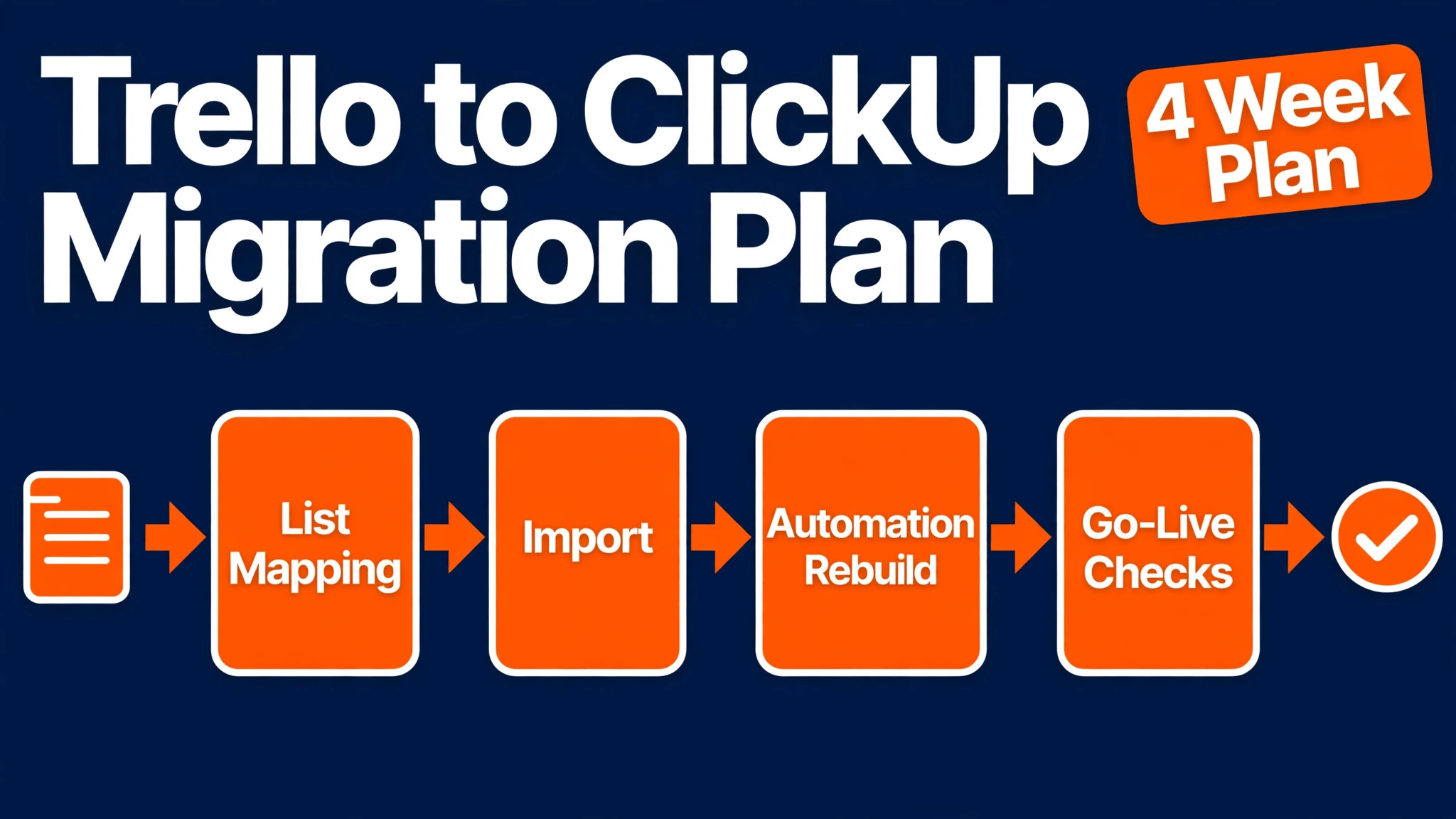
This guide gives you a migration plan you can run in four weeks, not a sales pitch for either side. You will map boards, lists, cards, labels, custom fields, Butler rules, members, and guests to their ClickUp equivalents, price the move at real team sizes, rebuild automations in the right order, and cut over without losing history or confusing the team. Prices quoted here come from vendor pricing pages checked in October 2026. Check checkout before you pay, because both vendors change rates and limits.
The Trello Ceiling That Pushes Teams to Move
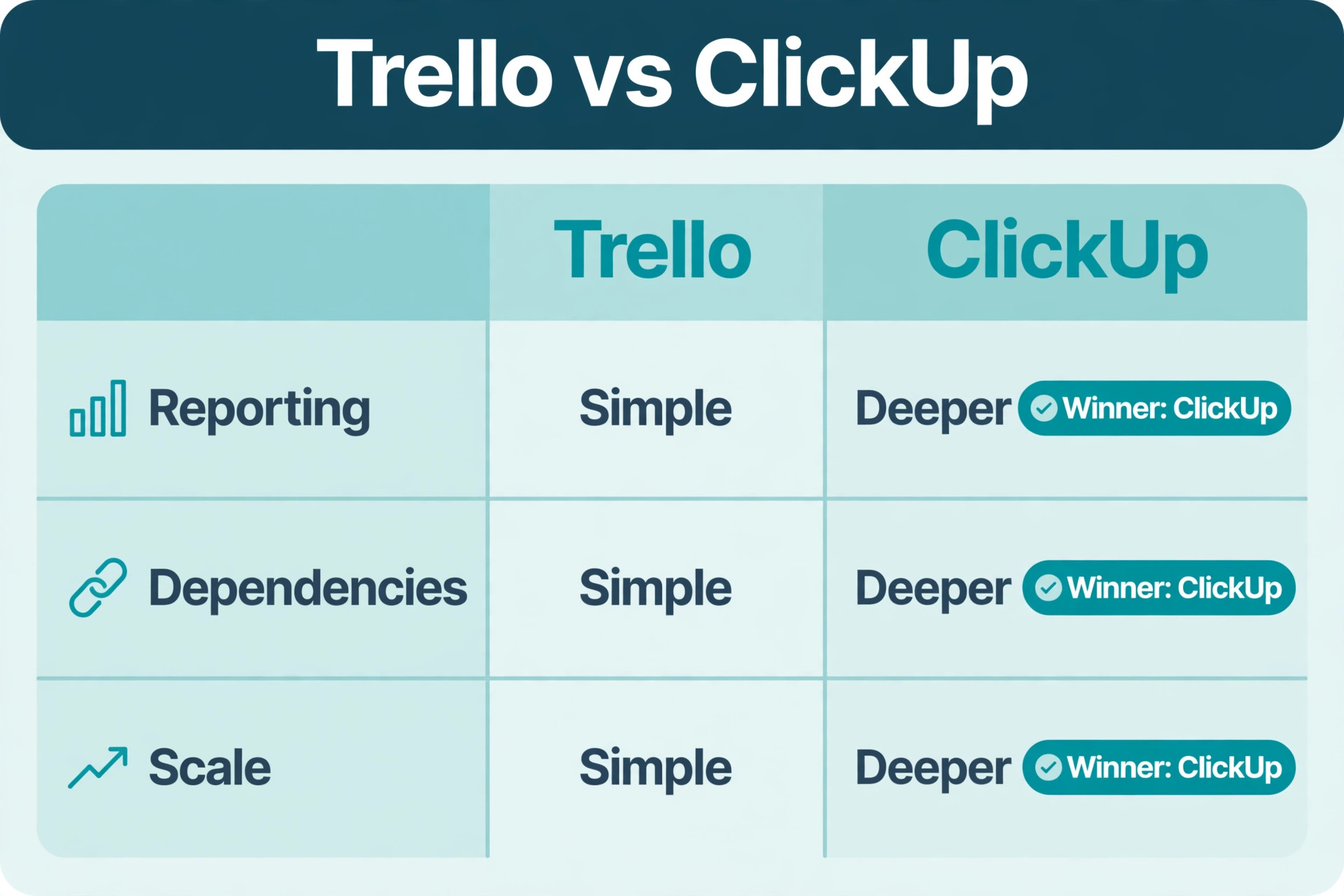
Most teams do not leave Trello because they dislike it. They leave because one specific limit starts costing time every week. The most common trigger is reporting. Trello shows one board well, but it struggles to answer questions that span boards, such as which projects are late, who is overloaded across five boards, or how much work is stuck in review. Premium adds dashboard views, yet a team that needs portfolio reporting and workload planning usually finds ClickUp gives it more of that reporting in one place.
The second trigger is sequencing. Trello has no built in dependency system that shifts dates when an earlier card slips. Teams work around it with due dates, checklists, and card links, and those workarounds hold up while work is simple and linear. They break when a launch has twenty linked tasks, a delayed design review pushes development, and nobody can see the knock on effect until the deadline is already missed. ClickUp handles dependencies as a first class feature, with Gantt and timeline views that show the chain.
The third trigger is scale. A free Trello workspace holds up to 10 collaborators, guests and pending invites included, and up to 10 boards per workspace. Standard removes the board cap and adds custom fields, but large boards still become unwieldy, and cross board visibility stays thin. ClickUp has no board cap on its free plan, and its hierarchy of workspace, Space, Folder, and List lets larger teams organise dozens of projects without one giant board. That hierarchy is also the main risk, because a team that copies every board into ClickUp without designing it will recreate the same mess with more clicks.
Not every team should move. If your work is a sequence of stages on a few boards, if nobody asks for cross board reporting, and if your team updates Trello without being chased, staying on Trello Standard or Premium may be cheaper and calmer. For teams weighing whether to switch Trello to ClickUp, the honest test is a two week trial with one real project, a real deadline, and a real report. If it does not produce a report or dependency view Trello could not, you have not hit the ceiling yet.
How to switch Trello to ClickUp Without Losing Work
Start with a freeze rule, not with the import button. Pick a cutover date, and from that date onward, no new boards are created in Trello and no Butler rules are edited. Existing work continues in Trello until the pilot board is verified in ClickUp, and only then do teams move board by board. A big bang migration, where every board moves on one weekend, hides errors until Monday morning, when the whole team discovers them at once. A staged migration finds errors on one board, when they are cheap to fix.
The import itself is straightforward. When you switch Trello to ClickUp, the ClickUp Trello importer copies boards into Spaces or Folders, cards into tasks, lists into statuses or groups depending on your mapping, and carries over assignees, descriptions, due dates, comments, checklists, tags, priorities, and custom fields. Attachments transfer with a 1GB per file size limit, and cover images are not supported, so check covers on high visibility boards before you import. Your Trello boards stay intact, because the importer creates a copy rather than deleting the original. That safety net matters, because a failed import costs time, not history.
Before you import anything, clean Trello. Archive done cards that have sat in a Done list for months, close boards nobody has opened in a quarter, merge duplicate labels, and rename lists that mean different things on different boards. A list called Review may mean design review on one board, legal review on another, and final approval on a third. If you import those as one status, your ClickUp reporting will mix three stages into one bucket, and nobody will trust the dashboard. Cleaning takes an afternoon for a small team, and it is the highest value hour in the whole migration.
Map members before you map cards. Trello members, board guests, and observers do not all become the same thing in ClickUp, and importing cards assigned to people who have no ClickUp account yet creates orphan tasks that look assigned but are not. Invite the core team first, confirm their email addresses match where possible, and decide guest rules in advance. Run the pilot on your messiest real board, not your tidiest one. After the pilot import, count tasks, check ten random cards end to end, verify due dates and assignees, and open attachments on three cards. If the counts match and the spot checks pass, you have a template for the remaining boards.
Board, List and Card Mapping That Actually Works
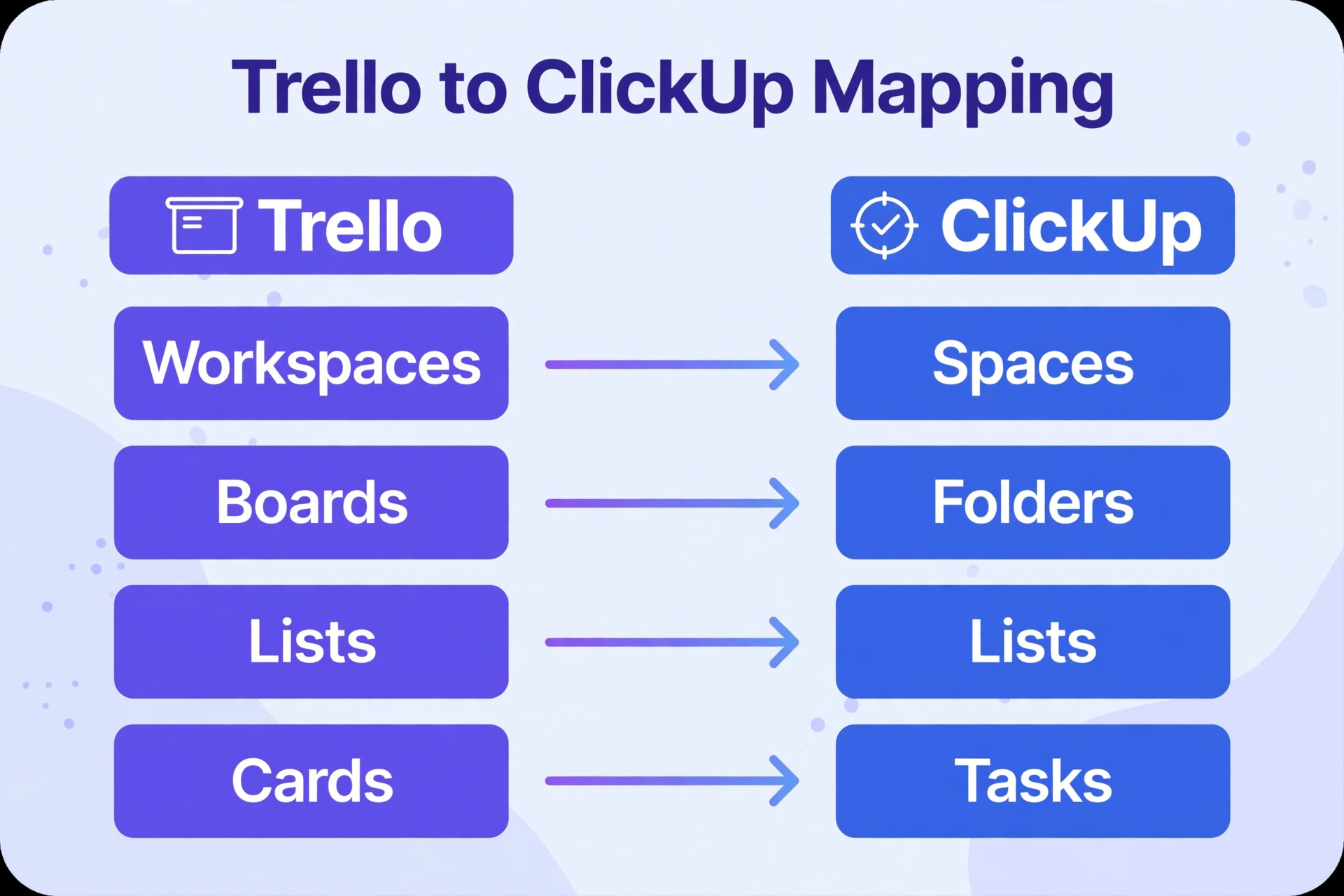
When you switch Trello to ClickUp, note that Trello and ClickUp do not use the same words for the same ideas, and that vocabulary gap causes most migration confusion. A Trello workspace becomes a ClickUp workspace or a Space, depending on size. A Trello board becomes a ClickUp List or Folder. A Trello list becomes a status group in a List view, or a status in a Board view.
A Trello card becomes a ClickUp task, a checklist becomes a task checklist or subtasks, and a label becomes a tag, a status, or a custom field, depending on what the label actually means. Work through the table below board by board with the board owner, because label and list meanings differ by board, and only the owner knows which ones matter.
| Trello element | ClickUp equivalent | Migration decision to make |
|---|---|---|
| Workspace | Workspace or Space | One Space per team or department, not one Space per board |
| Board | List or Folder | A Folder holds related Lists, a List holds one project |
| List | Status group in Board view | Merge lists that mean the same stage, split lists that hide two stages |
| Card | Task | Keep title, description, and due date intact on import |
| Checklist | Checklist inside the task | Convert only checklists that are real steps, archive the rest |
| Label | Tag, status, or custom field | Priority labels become priority, type labels become tags |
| Custom field | Custom field | Map field types before import, text to text, dropdown to dropdown |
| Member | Member or guest | Full members for staff, guests for clients and contractors |
| Attachment | Attachment on the task | Check files over the size limit and reattach them manually |
| Comment | Comment on the task | Verify comments on the pilot board, then trust the import |
| Butler rule | ClickUp Automation | Rebuild by hand, never assume a rule transferred |
| Power-Up | Native feature or integration | Replace each Power-Up with a named feature or integration |
Status design deserves special attention, because it is where Trello simplicity and ClickUp power collide. Trello lists are visible and forgiving. ClickUp statuses drive reporting, automations, and workload views, so a status list with fifteen stages will produce dashboards nobody reads and automations that fire at the wrong moment. Aim for five to seven statuses per List, with a clear done state, and put nuance in custom fields rather than in new statuses. Keep a status called In Review, and add a custom field for review type, rather than creating separate statuses for design, legal, and client review.
Custom fields need a naming freeze before import. Trello custom fields often grow organically, with fields called Priority, Urgency, and Importance on different boards all meaning the same thing. In ClickUp, those three fields will appear as three separate columns, and reporting across boards becomes impossible. Agree on one field name, one set of options, and one owner for each field, then map the Trello variants to that single ClickUp field during import. The same rule applies to tags. A tag set with forty tags, half of them used once, is not a taxonomy. It is clutter that will slow every task creation after the move.
Automations. Rebuild Butler Rules as ClickUp Automations
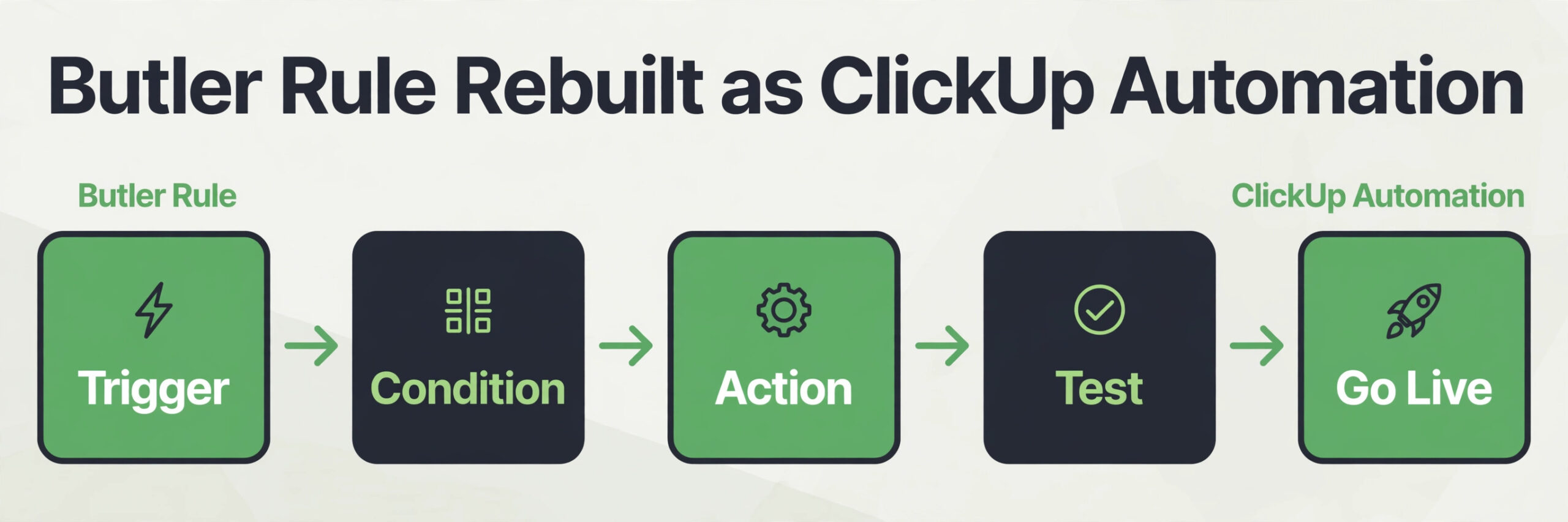
Butler rules do not transfer. That sentence should be printed on the migration plan, because it is the assumption that causes the most damage. The importer moves cards, comments, and fields, but it does not move the logic that moved cards, assigned people, or sent reminders. Every Butler rule must be rebuilt as a ClickUp Automation, tested, and counted against the automation limits of your ClickUp plan. Teams that skip this step discover the gap weeks later, when a card that should have been escalated sits untouched in a list nobody watches.
Start by listing Butler rules board by board, and sorting them into three buckets. The first bucket is rules that ClickUp handles natively without an automation, such as due date reminders and recurring tasks. The second bucket is rules that map directly to an Automation recipe, such as moving a task when its status changes, or assigning a reviewer when a status changes. The third bucket is rules that need redesign, because they relied on Trello specific behaviour, such as triggering on a Power-Up field that has no ClickUp equivalent. The third bucket is where migration time goes, so estimate it honestly and do not promise the team that every rule will work on day one.
| Butler pattern in Trello | ClickUp rebuild | Watch out for |
|---|---|---|
| When a card moves to Done, archive it | When status changes to Done, close the task | Decide whether Done means archived or closed for reporting |
| When a due date arrives, notify the assignee | When due date arrives, notify assignee | Limit reminders to overdue and due today, or volume explodes |
| When a label is added, assign a member | When tag is added, assign a person | A misspelled tag will not fire the rule |
| When a card is created, add a checklist | When task is created, apply a task template | Templates save more time than per task automations |
| When a checklist is complete, move the card | When checklist is complete, change status | Test with a task that has two checklists, not one |
| Every Monday, create a recurring card | Recurring task on a weekly schedule | Recurring tasks need a clear owner, or they pile up unowned |
| When a card is overdue, move it to escalation | When task becomes overdue, change status and notify a manager | Overdue rules need a countable status, not just a list move |
| When a custom field changes, move the card | When custom field changes, change status or assign | Field triggers fire on every edit, so guard them with conditions |
Automation limits decide which plan you need, and they are easy to underestimate. ClickUp lists executions per month by plan, with Free at 100, Unlimited at 1,000, Business at 5,000, and Enterprise at 250,000. A team running ten rules across fifty tasks can burn through 1,000 executions in a busy week, because each status change and assignment counts. Count expected runs before you choose a plan, using rules times tasks times triggers per task per month, plus a buffer of at least fifty percent. Trello limits differ too, with Free at 250 runs a month, Standard at 1,000, and Premium unlimited, so a team moving from Trello Premium to ClickUp Unlimited may lose automation headroom. Price that surprise in advance.
Rebuild automations in priority order, not in board order. The first rules to rebuild are the ones that protect deadlines and ownership, such as overdue notifications and reviewer assignment. The second group is the rules that save daily clicks, such as status moves and template application. The third group is nice to have rules, such as celebratory comments and board tidying. If time runs short, the first group must work, the second group should work, and the third group can wait until week three.
Test every automation on a copy of a real task, not on a blank test task, because blank tasks hide edge cases such as tasks with no assignee, tasks with two assignees, and tasks that already sit in the target status.
Permissions, Guests and Admin Controls Compared
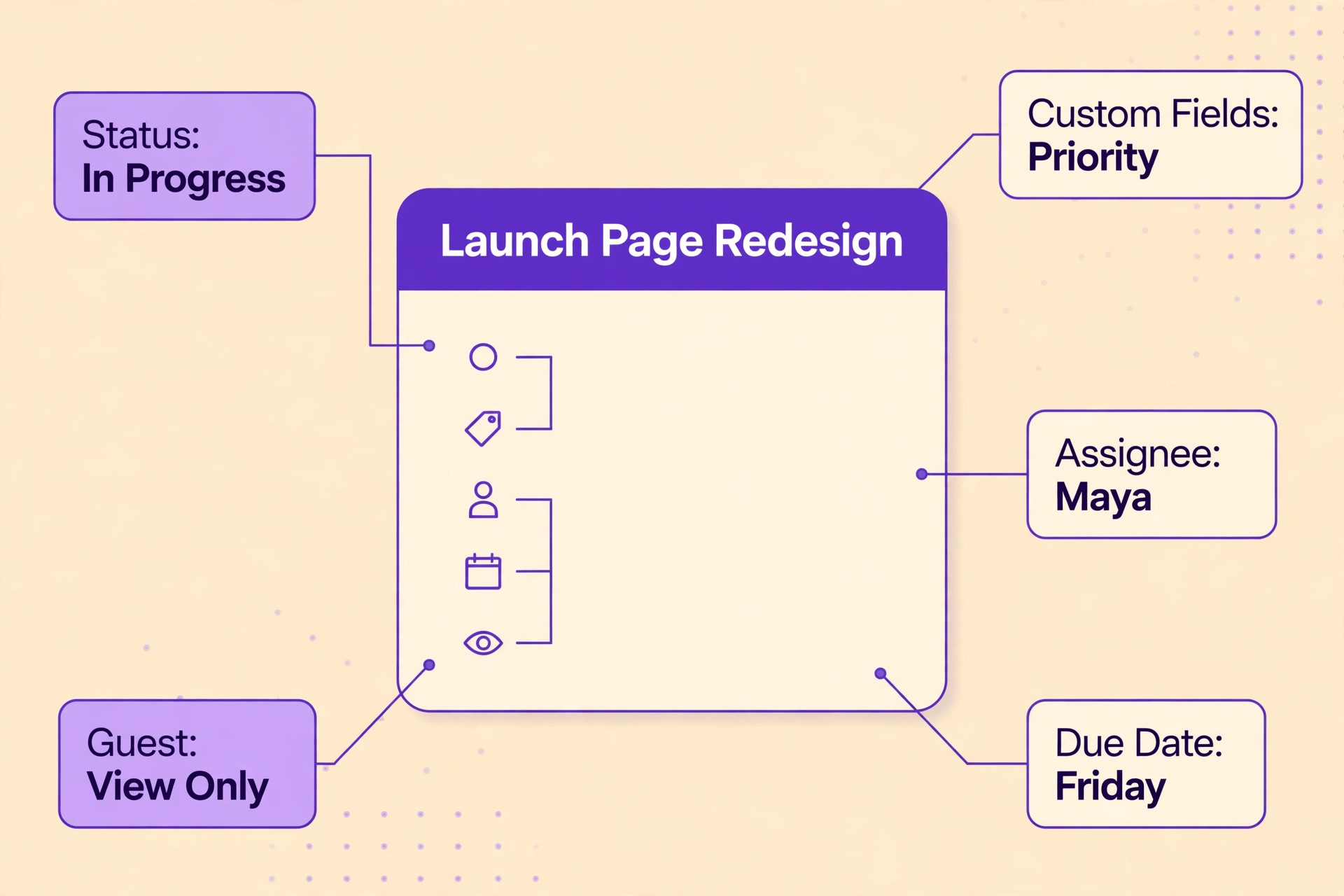
When you switch Trello to ClickUp, permissions are where a careless migration creates a real business risk, because Trello and ClickUp draw the guest line in different places. In Trello, a board guest can see one board, and multi board guests on paid workspaces can count toward billing in ways that surprise teams. In ClickUp, guests can be given access at Folder or List level, can be assigned tasks, and can comment, depending on the plan. That flexibility helps client work, but it also means a guest invited to one List by mistake may see more than intended if the Folder permission is broader. Check both levels before you invite anyone.
Start with a permission audit in Trello. List every board, member, guest, and observer, and note what each person actually does. Staff who create and move work become ClickUp members. Clients who only need to see progress become guests with view or comment access, not full members. Contractors who own tasks become guests with task access on the Lists they work on, and nothing else. People who have not opened a board in ninety days do not get invited in week one. They can be added later in two minutes, while removing someone who saw confidential work by mistake takes far longer.
ClickUp permission levels reward a simple rule. Give the smallest access that lets a person do their job, and expand it only when they ask and their manager agrees. Admins own workspace structure, Spaces, and permission templates. Team leads own their Space or Folder, including statuses and templates inside it. Guests see only the Lists they are invited to, and internal discussion should stay in comments guests cannot see, or in a separate internal task linked to the client facing one.
Security features also differ by plan. ClickUp Business adds Google single sign on and stronger permissions, while Enterprise adds SAML single sign on, SCIM provisioning, custom roles, and audit logs. If your team needs single sign on or audit logs, price that security tier first, then check whether the task features you need are included in it.
Pricing and Plan Choice for the Move
Pricing for this move is a seat maths problem, not a headline rate comparison. Trello Standard costs about $5 per user a month on annual billing, or $6 month to month. Trello Premium costs about $10 per user a month on annual billing, or $12.50 month to month. Trello Enterprise costs about $17.50 per user a month on annual billing, with a 50 seat minimum.
ClickUp pricing lists Free at $0, Unlimited costs about $7 per user a month on annual billing, or $10 month to month, Business costs about $12 per user a month on annual billing, or $19 month to month, and Enterprise is quoted on request. Check checkout before you commit, because monthly billing, taxes, and seat rules change the real bill.
The table below prices the same team on both platforms at three sizes, using annual billing and the plan most migrating teams actually need. Trello Premium is the comparison point for Trello, because teams migrating for reporting usually come from Premium, and ClickUp Business is the comparison point for ClickUp, because workload and higher automation limits live there.
| Team size | Trello Premium annual | ClickUp Unlimited annual | ClickUp Business annual |
|---|---|---|---|
| 5 users | About $50 a month | About $35 a month | About $60 a month |
| 10 users | About $100 a month | About $70 a month | About $120 a month |
| 25 users | About $250 a month | About $175 a month | About $300 a month |
Those numbers tell a clear story, and it is not the story either vendor leads with. ClickUp Unlimited is cheaper than Trello Premium at every size shown, but it caps automations at 1,000 executions a month, which a busy team can exceed. ClickUp Business costs more than Trello Premium at every size shown, but it raises the cap to 5,000 a month and adds workload management and unlimited dashboards.
When you switch Trello to ClickUp, the right plan is therefore decided by automation volume and reporting need, not by the seat rate. A team with light automation saves money on Unlimited. A team with heavy automation should price Business from day one, rather than starting on Unlimited and migrating plans mid quarter.

The Four Week Migration Plan
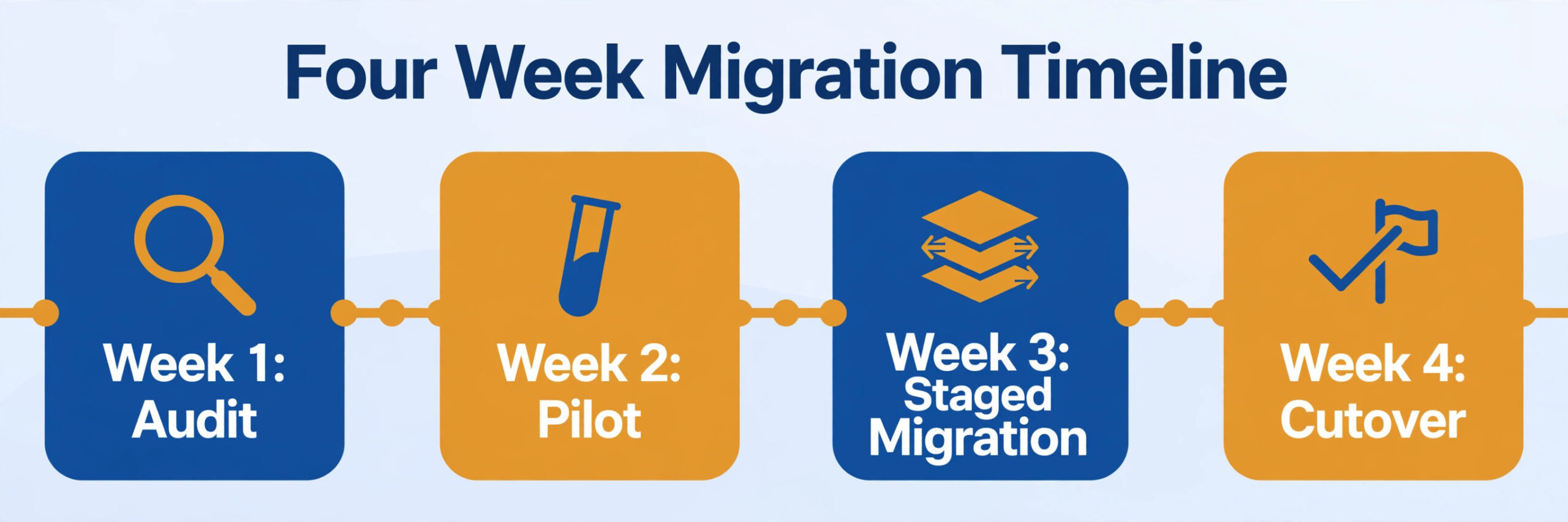
A migration plan without dates is a wish list. When you switch Trello to ClickUp, the table below gives you a week by week plan for a team of five to twenty five people with up to twenty boards. Larger teams should stretch week two to two weeks and add a second pilot board, but keep the sequence the same, because the order of audit, pilot, rebuild, and cutover matters more than the exact calendar.
| Week | Focus | Key tasks | Done when |
|---|---|---|---|
| Week 1 | Audit and design | Clean Trello, map statuses and fields, audit members and guests, choose the plan, design Spaces and Folders | A signed mapping sheet exists for every board |
| Week 2 | Pilot and rebuild | Import one messy board, verify counts and spot checks, rebuild priority automations, test permissions with a guest account | The pilot passes counts, and deadline automations fire correctly |
| Week 3 | Staged migration | Import remaining boards in batches by team, rebuild remaining automations, train each team, run Trello and ClickUp in parallel | Every board is imported, and every team has had training |
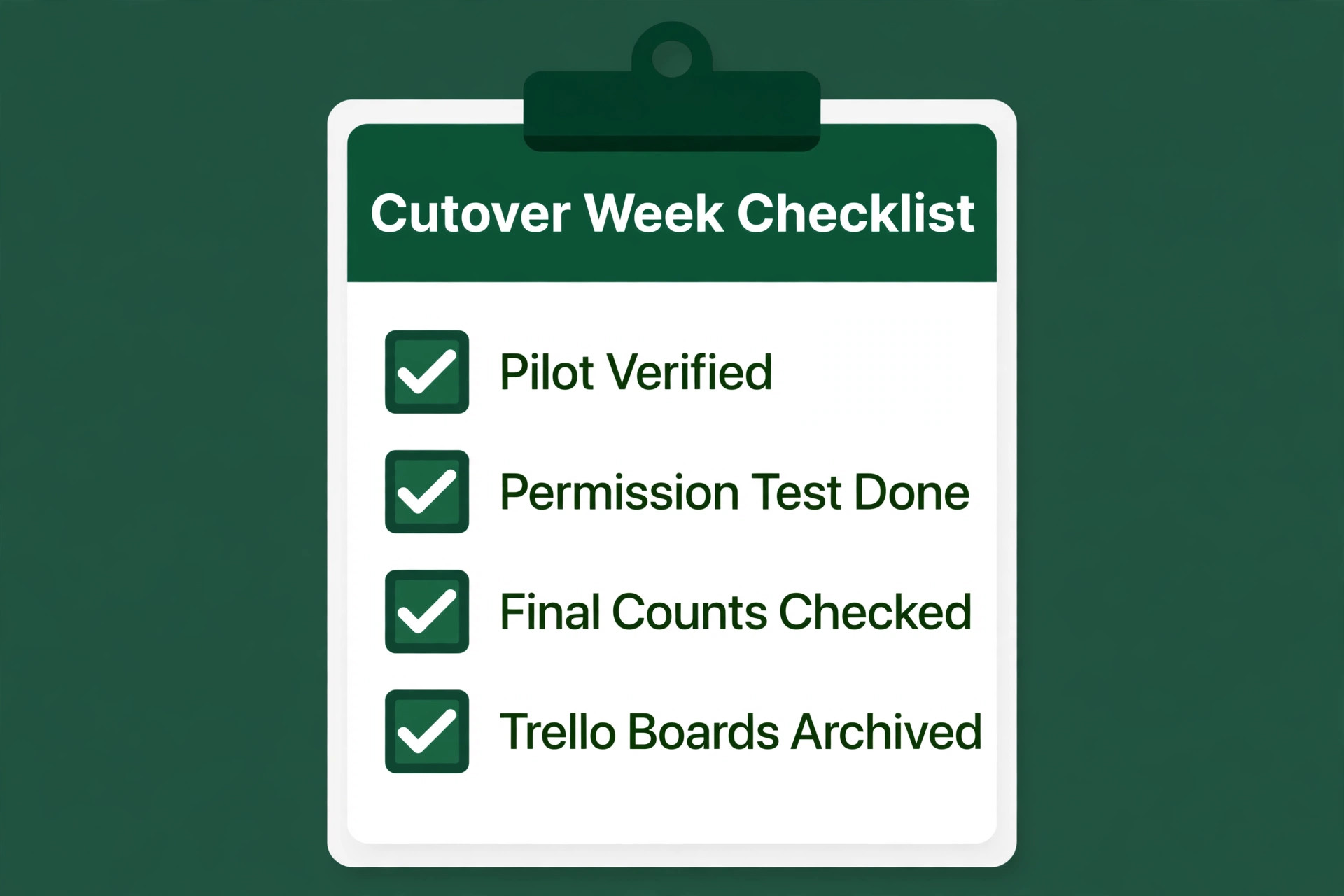
| Week 4 | Cutover and cleanup | Freeze Trello edits, verify final counts, switch daily work to ClickUp, archive Trello boards | The team works a full week in ClickUp without returning to Trello |
Week one should feel slow. Clean boards, merge labels, agree on statuses, freeze custom field names, audit members and guests, and design the Space and Folder hierarchy on paper before anyone clicks import. Name Spaces by team, Folders by programme or client, and Lists by project, and write that rule down. Week two is the pilot. Import the messiest board, verify it, rebuild deadline automations first, and let the pilot team work in ClickUp for three days while the rest of the team stays in Trello. Their questions will reveal gaps a larger rollout would multiply. Fix those before week three.
Errors That Send Teams Back to Trello
The first mistake is importing everything, including dead boards, dead cards, and dead labels, and then wondering why ClickUp feels cluttered on day one. Archive first, import second. The second mistake is letting every team design its own statuses, fields, and tags, which makes cross board reporting impossible and turns ClickUp into twenty small Trello boards with extra steps. Appoint an admin, agree on templates, and protect status names and field names. The third mistake is rebuilding automations in board order rather than priority order, so deadline protection is still missing when the team goes live, while tidy up rules work perfectly.
The fourth mistake is inviting everyone as a member, including clients, which inflates the bill and exposes internal work. Use guests for clients and contractors, members for staff, and check Folder level permissions before you invite anyone. The fifth mistake is skipping the permission test with a guest account, which is how a client first sees an internal dashboard. The sixth mistake is turning on every view and dashboard on day one, which overwhelms a team still learning the hierarchy.
Start with Board and List views, add Calendar view in week two, and add Gantt and dashboards only when a specific question needs them. The seventh mistake is treating cutover as the end of the project. Without a thirty day owner, a retro, and a fix list, the workspace will drift, and by month three the team will be asking whether to move again.
How to Choose Your Cutover Style
Not every team should cut over the same way. A small team with five boards and one department can cut over in a single week, with a pilot on Monday, imports on Wednesday, and a freeze on Friday. A larger team with twenty boards and multiple departments should use the four week staged plan above, moving team by team, because a single week cutover creates too many questions at once for one owner to answer. An agency with client boards should cut over client by client, starting with the most forgiving client, because a client facing mistake is more costly than an internal delay.
A parallel running period helps, but only with a hard end date. Two weeks of parallel running, where new work goes in ClickUp and Trello stays read only for reference, gives teams confidence without double entry. Parallel running where teams update both systems daily is not confidence. It is double work, and it guarantees the two systems will disagree, because someone will always update one and forget the other. If your team insists on double entry, shorten the parallel period to three days and increase training instead, because the problem is confidence, not data, and confidence comes from a working pilot.
If you compare migration helper tools, keep the set small. The native ClickUp Trello importer covers most moves, and it is free inside ClickUp. Zapier and Make can sync the two tools during a longer transition, but they add a subscription and a second system to maintain, so use them only for a defined transition window, not as a permanent bridge. That is a tool count of three helpers in total, including the native importer, and for most teams the native importer alone is enough. When you switch Trello to ClickUp with a clear cutover date, that discipline matters more than any helper tool.
For related reading, best ai tools for project managers covers the wider project tool field, best ai workflow automation tools small business helps with the automation rebuild, and automate small business with ai is useful if the migration is part of a broader automation push. Those guides help you judge whether ClickUp is the right destination at all, before you spend four weeks moving into it.
Frequently Asked Questions
Will my Trello boards, cards, and comments transfer to ClickUp?
Yes, for the core data. The ClickUp Trello importer copies boards into Spaces or Folders, cards into tasks, and carries over assignees, descriptions, due dates, comments, checklists, tags, priorities, and custom fields. Attachments transfer with a 1GB per file limit, and cover images are not supported, so check covers and large files on the pilot board. Butler rules and Power-Up settings do not transfer, and must be rebuilt by hand.
Do Butler automations transfer to ClickUp automatically?
No. Butler rules must be rebuilt as ClickUp Automations, tested on real tasks, and counted against your plan automation limit. Free allows 100 executions a month, Unlimited allows 1,000, Business allows 5,000, and Enterprise allows 250,000. Rebuild deadline and ownership rules first, daily convenience rules second, and tidy up rules last, so cutover never launches without deadline protection.
How long does a Trello to ClickUp migration take?
A small team with up to five boards can complete a pilot, import, and cutover in one to two weeks. A team with twenty boards and multiple departments should plan four weeks, with week one for audit and design, week two for the pilot, week three for staged imports, and week four for cutover. Larger teams should stretch week two, not skip it, because the pilot is where mapping errors are cheapest to fix.
Which ClickUp plan should a migrating team choose?
Choose Unlimited if automation volume is light, reporting needs are simple, and your team is under the 1,000 execution monthly cap with a buffer. Choose Business if you need workload management, unlimited dashboards, or more than 1,000 executions a month. Price the plan on automation volume and reporting need, not on the seat rate alone, and check checkout before you pay.
Can guests and clients keep access after the move?
Yes, with a permission redesign. Staff become members, clients and contractors become guests with access at Folder or List level, and internal comments stay separate from client visible work. Test guest visibility with a test account before inviting a real client, and check Folder level permissions as well as List level permissions, because a broad Folder permission can expose more than a narrow List invitation intends.
Should we keep Trello running after we move to ClickUp?
Keep Trello read only for ninety days as an archive, so the team can retrieve an old attachment, comment, or board link without panic. Do not keep Trello as a second live system, because double entry guarantees the two systems will disagree. Delete Trello boards only after ninety days of clean ClickUp use, and cancel duplicate tool subscriptions only after two full weeks of proven ClickUp use.
The System Only Works If the Team Opens It
A migration is not a data transfer. It is a change in how a team plans, reports, and owns work, and the import is the easiest part. Status discipline, permission design, the automation rebuild, and thirty days of ownership after cutover decide whether ClickUp feels like an upgrade or like Trello with extra clicks. Teams that audit first, pilot on a messy board, rebuild deadline automations first, and test guest access before inviting clients will get the reporting and dependency views that justified the move.
Start this week with the audit, not with the import button. Clean one board, map its statuses and labels, list its Butler rules in priority order, and run a pilot import. If the pilot passes its counts and spot checks, you have a template for the rest of the migration. If it fails, you have learned that on one board, when the fix is cheap. When you switch Trello to ClickUp on that evidence, rather than on a feature list, the move has a reason the team can remember after the novelty fades.