
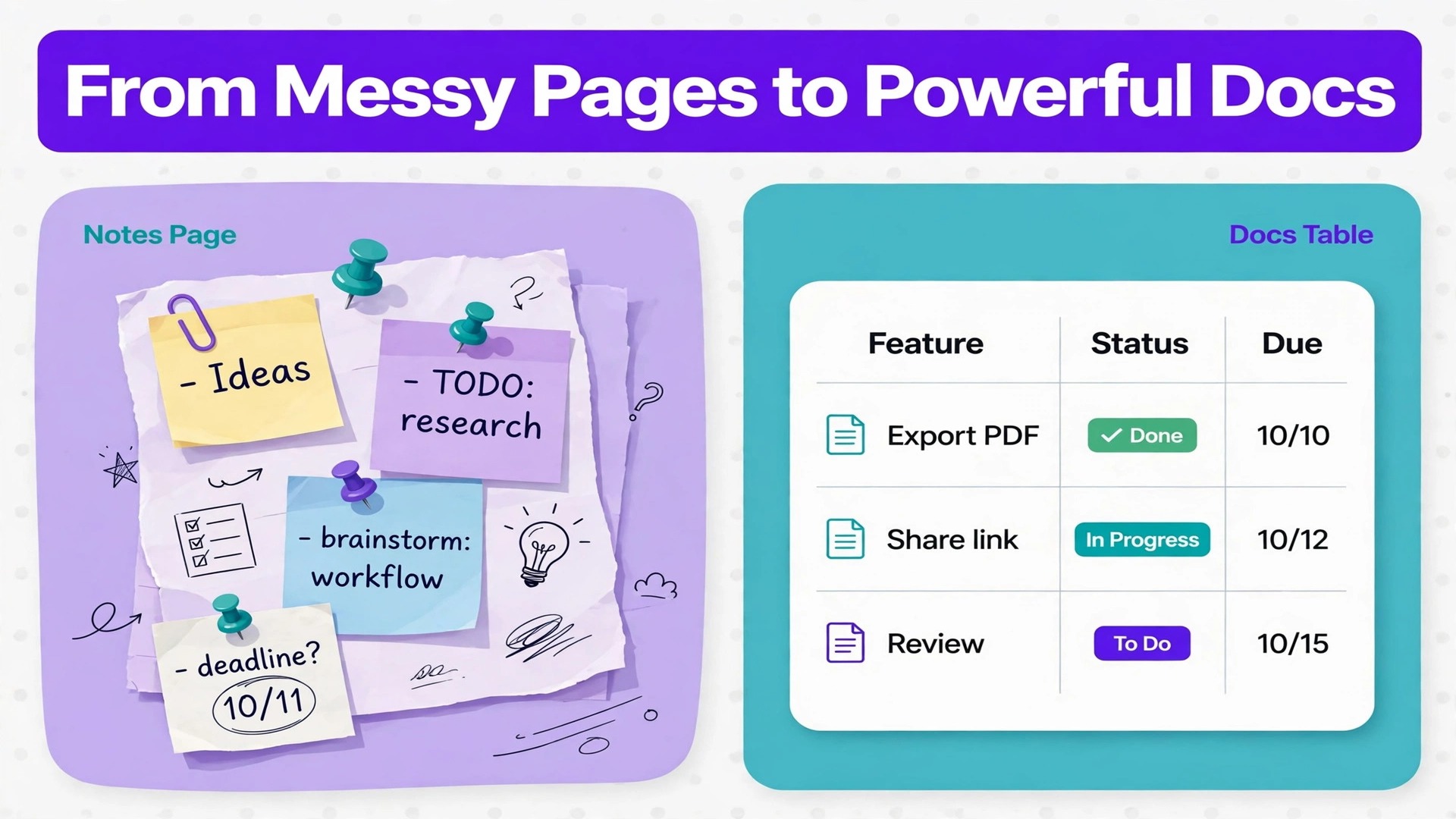
The verdict first. A small team should switch Notion to Coda small team work only when its daily work is driven by tables, buttons, and automations rather than by long form notes, because Coda is stronger where work lives in structured rows and weaker where work lives in pages of prose. Teams that move for the wrong reason, usually a vague wish for something newer, pay for the move twice, once in rebuild time and again in weeks of hunting for pages that used to be obvious.
This guide treats the move as a rebuild with a plan, not as a file transfer. Notion exports pages as Markdown or HTML and databases as comma separated files, and Coda imports those files into docs and tables, but formulas, views, relations, and automations do not survive that journey intact. Knowing that before you start changes the budget, the timeline, and the mood of the team.
If your team runs projects from a task database, tracks clients in a table, and wants buttons that change row states and notify people, Coda can be a genuine upgrade. If your team mostly writes, reads, and links notes, the move buys complexity without a matching payoff, and staying put is the better professional call.
How to Switch Notion to Coda Small Team Leaders Can Follow
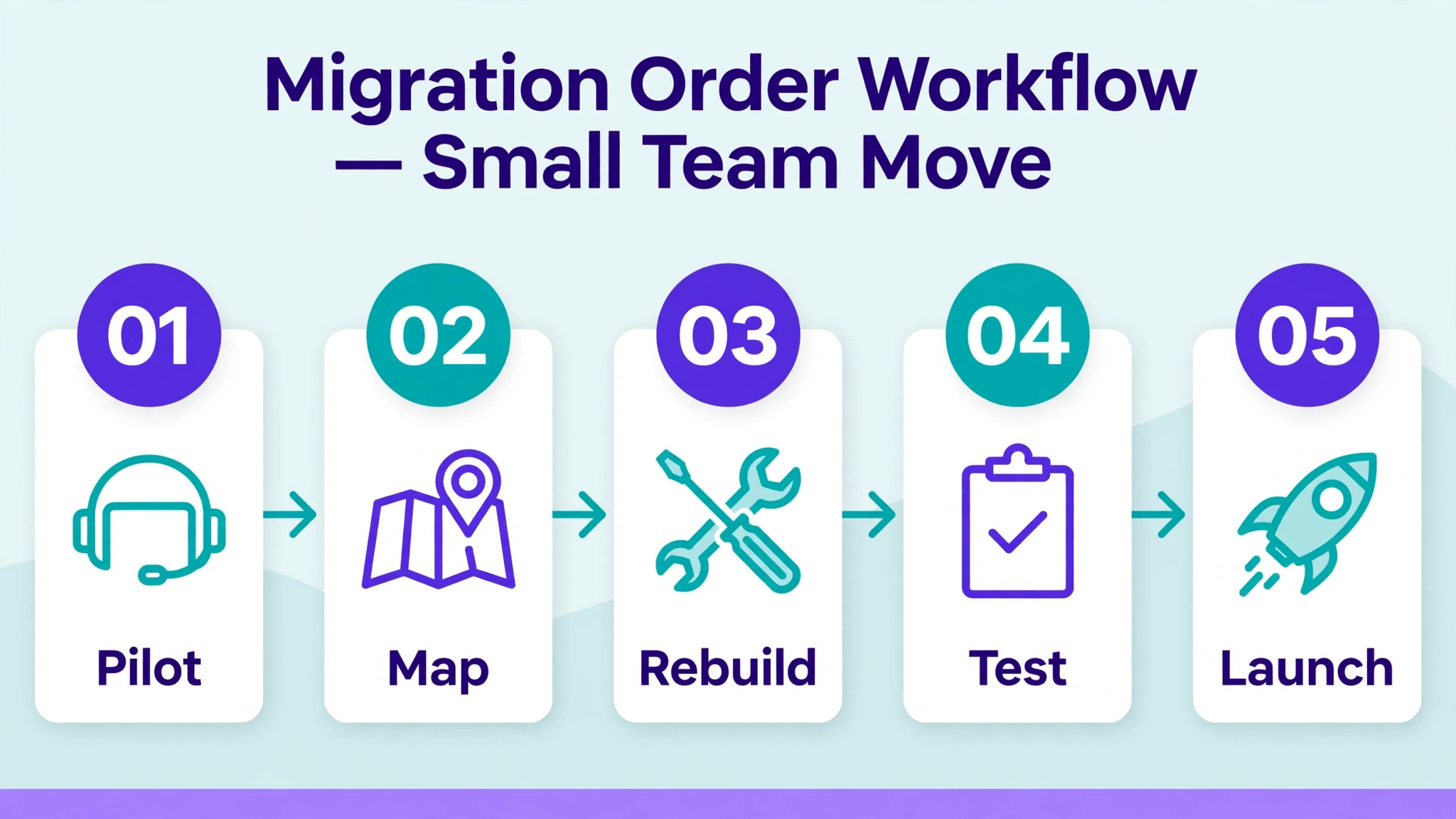
Begin with an audit that fits on one page. List every workspace, every database that matters, every automation that runs without a human, and every integration that feeds data in or out. Most small teams discover that ten percent of their workspace does ninety percent of the work, and that discovery sets the migration order better than any page count.
Next, pick one pilot doc, not one pilot page. A doc in Coda is the container that holds pages, tables, and automations together, so a pilot doc should mirror one real workflow end to end, for example client onboarding from intake form to task list to status update. If the pilot workflow feels worse in Coda, you have learned something cheap. If it feels better, you have a template for the rest.
Then freeze the old workspace in stages rather than all at once. Move one workflow, run it in Coda for a week while Notion stays readable, and only then move the next workflow. A staged freeze keeps the team working while the move happens, and it gives every workflow a fallback that does not require a panicked rebuild.
Notion and Coda Compared as Working Models
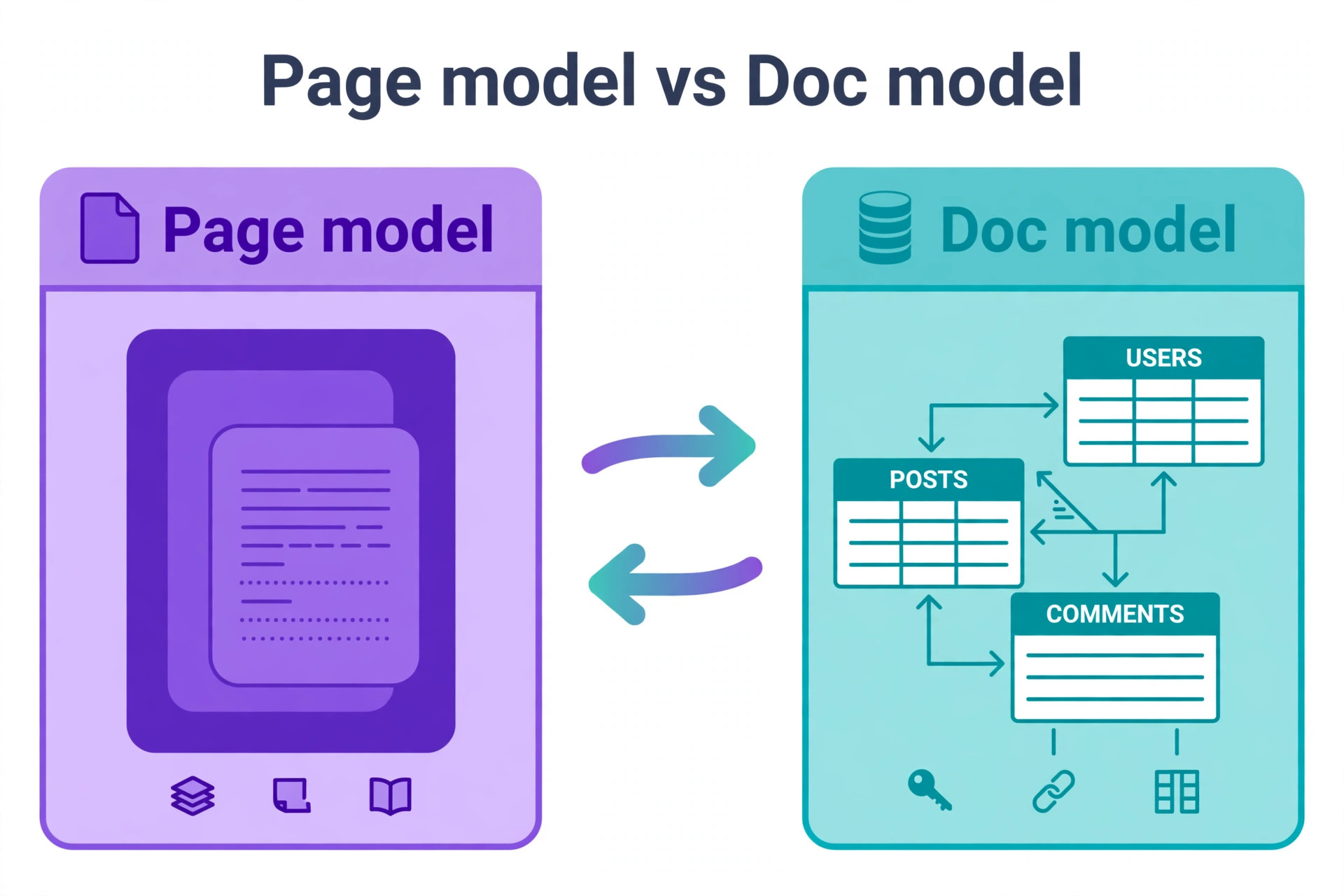
The two tools look similar on a screenshot and think differently underneath. Notion organises work as pages inside workspaces and teamspaces, with databases living as a special kind of page. Coda organises work as docs inside folders, with pages and subpages inside each doc, and tables as the working core of the doc. That difference shapes everything from search to sharing.
Sharing follows the container. Notion shares at page level, so a single page can go to one person while the rest stays private. Coda shares at doc level, so everyone with access to a doc sees its pages and subpages, subject to the controls that doc offers. A team that shares single pages with clients will need a new sharing design in Coda, usually one doc per client or one doc per audience, rather than one workspace with scattered shared pages.
| Area | Notion model | Coda model |
|---|---|---|
| Container | Workspace, teamspace, page | Workspace, folder, doc, page |
| Structured data | Database as a page type | Table inside a doc |
| Simple tables | Table block | Grid, with fuller tables preferred |
| Formulas | Calculated properties | Formulas that can also take actions |
| Views | Database views | Table views inside the doc |
| Sharing unit | Page | Doc |
| Automations | Native automations and integrations | Automations, buttons, and Packs |
| Page reuse elsewhere | Links and mentions | Sync pages embedded in other docs |
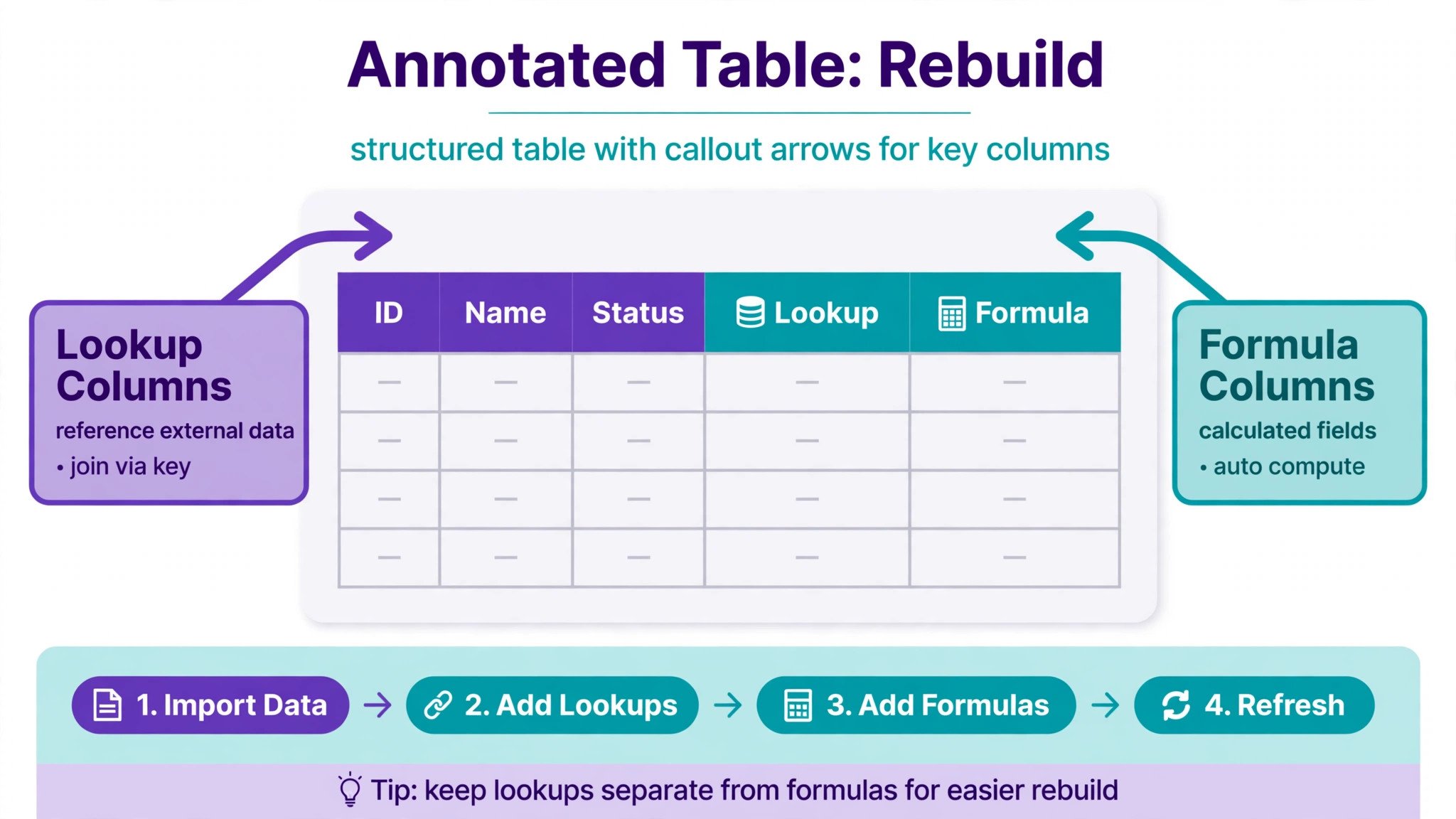
Formulas deserve a plain explanation because they are the feature teams misunderstand most. Notion formulas calculate values. Coda formulas can also trigger actions, such as adding a row, creating a page, or notifying a teammate. That power is why Coda suits operational workflows, and it is also why a formula copied from Notion rarely works unchanged. Expect to rewrite formulas in Coda language, and budget review time for every formula that drives a decision.
When you switch Notion to Coda small team leaders should test the sharing model on the pilot doc before promising clients anything. A sharing design that works for an internal team can leak awkwardly when a client doc contains an internal page, and the fix after launch is messier than the fix during the pilot.
What Transfers Cleanly and What Must Be Rebuilt
Text transfers well. Headings, paragraphs, lists, and basic formatting survive a Markdown or HTML export in recognisable form, though some polish will need touching up. Tables transfer as data, meaning rows and columns arrive, but views, filters, sorts, and grouping do not arrive as settings. Images need care, because large or numerous images in imported records have caused trouble in community reports, and attachment limits vary by plan, so confirm at checkout.
The table below is the honest version of the move. Use it to estimate time, and add a review pass for every row in the rebuild column.
| Item | What happens | Work required |
|---|---|---|
| Page text and headings | Exports as Markdown or HTML | Light cleanup after import |
| Simple lists and checklists | Usually survive | Spot check nested lists |
| Database rows and columns | Export as comma separated files | Import into new Coda tables |
| Database views and filters | Do not transfer as settings | Recreate each view by hand |
| Relations between databases | Do not transfer as links | Rebuild as Coda lookups |
| Formulas | Do not transfer unchanged | Rewrite in Coda formula language |
| Automations | Do not transfer | Rebuild with automations and buttons |
| Permissions | Model differs, page versus doc | Redesign sharing per doc |
| Comments and history | Not carried in a file export | Archive the old workspace instead |
| Embedded files and images | Varies by size and plan | Check limits and reattach where needed |
A practical consequence follows. Do not delete the old workspace at cutover. Keep it readable as an archive, because comments, version history, and old decisions live there and no export carries them faithfully. An archive costs little and saves the team from the day someone asks why a decision was made and the only record is gone.
When you switch Notion to Coda small team budgets should count rebuild time, not just licence cost. A team with five live databases and twenty automations is buying days of careful rebuild work, while a team with two databases and no automations can move in a long weekend. Both are fine, but only one of those budgets survives contact with a manager if it was promised as a click.
Export Routes That Actually Work
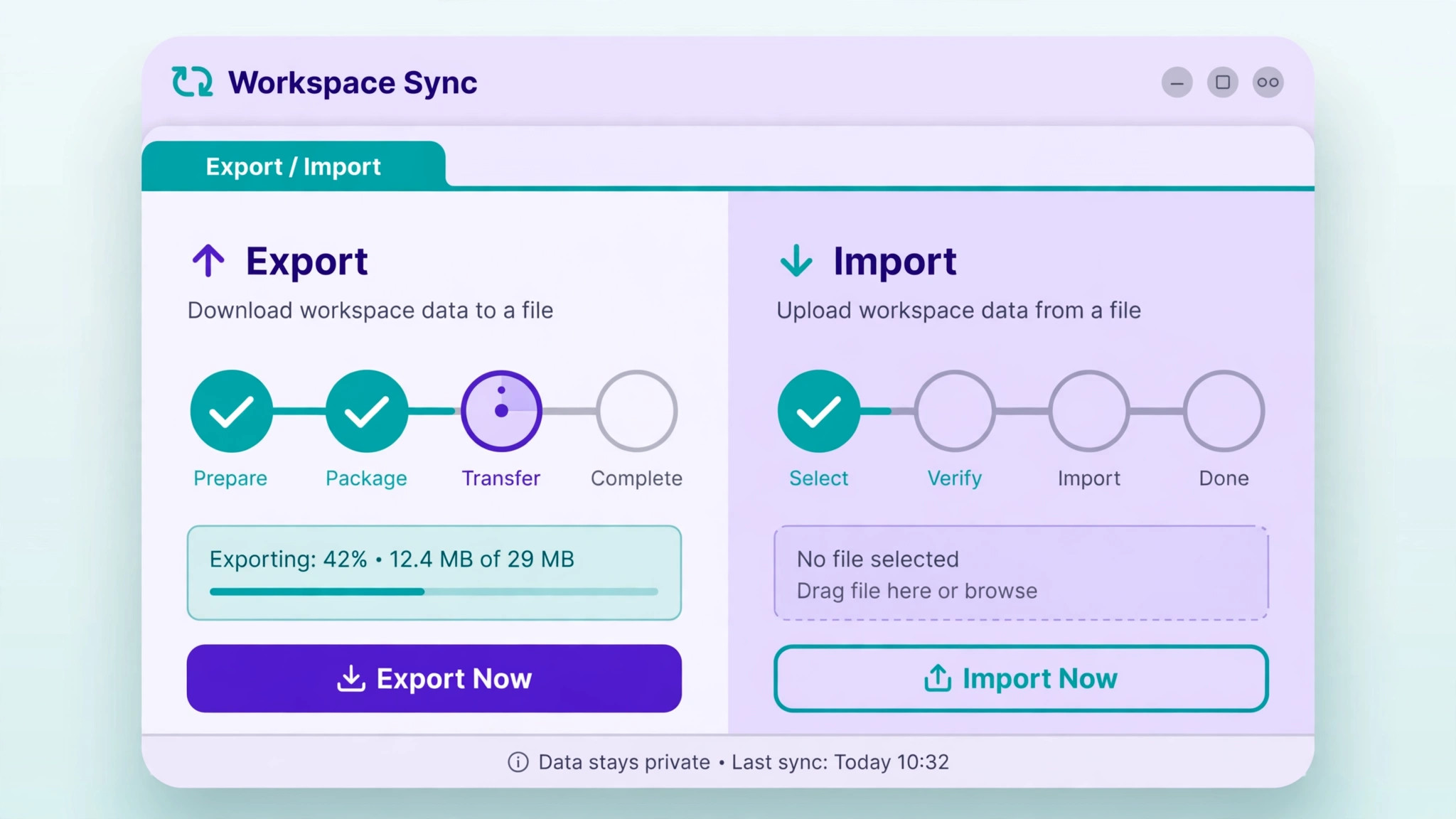
There are two export routes, and choosing the wrong one wastes a day. The whole workspace export produces an archive of pages, usually as HTML with subpages included, and it can take hours to prepare for a large workspace, with reports of waits up to a day. That route suits an archive and a text migration, but it does not carry databases as live structures.
The per database route is the working route for operational teams. Export each important database as a comma separated file, then import that file into a new Coda table and map each column to the right Coda column type. Dates, selects, people, and numbers all need checking, because a column that imports as text will break every formula that expects a date. Test one database end to end before exporting twenty, because a mapping mistake repeated twenty times is twenty fixes.
File hygiene matters more than it should. Long filenames have broken imports on some systems, so shorten names before export where they look risky. Keep a simple map document that records, for each Notion database, the Coda doc and table that replaces it, plus the person who checked the import. That map becomes the migration record, and it answers the question every team asks in week two, which is where a given table went.
Images and attachments need their own pass. Check the plan limits for total attachment size and per file size before importing records that carry many images, because a limit hit mid import looks like a failed import and wastes a troubleshooting afternoon. Where images matter, import a small sample first, confirm they arrive, and only then run the full set.
Rebuilding Tables, Relations, and Formulas
Rebuild tables in dependency order, starting with the tables that other tables point to. A client table should exist before a project table that looks up clients, and a project table should exist before a task table that looks up projects. Rebuilding in the wrong order forces placeholder links that later need untangling, and untangling is where errors creep in.
Relations become lookups in Coda, and the design question is which direction the team actually uses. A project that shows its client is one lookup, while a client that shows all its projects is a reverse view of the same relationship. Build the direction the team opens daily, then add the reverse view once the first direction is proven. Teams that build both directions at once often build neither well.
Views are where the team will judge the migration, so rebuild the three views each table actually needs before adding clever extras. A team usually needs an open work view, a my work view, and a done or archived view, and everything beyond that can wait until week two. A table with twelve half finished views impresses nobody and confuses everybody.
Formulas need a rewrite pass with examples, not just a translation. Take five real rows, compute the expected result by hand, and confirm the new formula matches on all five before trusting it on five hundred rows. Pay special attention to dates, because date arithmetic differs between tools in small ways that only show up at month boundaries and in time zones. A formula that passes on ordinary rows and fails on month end rows is a classic migration bug.
Buttons are the new capability worth learning properly. A button can change a row state, create a follow up task, and notify the next owner in one press, which replaces a chain of manual steps that used to depend on someone remembering. Build buttons for the two or three transitions that happen most, such as moving a task to review or marking a client as onboarded, and leave rarer transitions manual until the team asks for them.
Automations and Integrations Rebuilt
Zapier
Zapier connects Coda to tools that lack a native Pack, and it is the practical bridge for teams with an existing automation stack. Rebuild automations in Zapier only where a native Coda automation or button cannot do the job, because every external step is a step that can fail silently. Log automation runs for the first month, and check the log weekly rather than waiting for a missing task to reveal a break.
Slack
Slack notifications are the automation teams notice first when they break, because a missing notification feels like a missing task. Coda can notify through automations and through Packs, but notification content differs from Notion, and community reports note that showing old and new values in a message can require workarounds. Decide what each notification must contain, test it with a real change, and rewrite any message that arrives without the context to act on it.
When you switch Notion to Coda small team automations should be rebuilt one workflow at a time, with the old automation left running until the new one proves itself. Running both in parallel for a week risks duplicate tasks, so the safer pattern is to pause the old automation for one workflow, run the new one, check its outputs daily, and only then move to the next workflow. Duplicate tasks are worse than a slow migration, because they teach the team to distrust the system.
Packs deserve a short, honest note. Coda Packs connect docs to outside tools, and they cover many common needs, but a Pack is not a promise that every field syncs both ways. Check the sync direction for each Pack you rely on, especially for tools where the team edits on both sides. A one way sync used as if it were two way is a data loss story waiting for a busy week.
Permissions and Sharing Redesigned
Sharing redesign starts with audiences, not with pages. List the audiences that need access, such as the core team, contractors, and clients, and give each audience its own doc or set of docs. A single doc shared with everyone and tidied by hope is how internal notes reach a client, and no apology fully repairs that.
Within a doc, use pages and subpages to organise, and use sync pages where one page genuinely belongs in two docs. Sync pages let a team show a page inside another doc without duplicating it, which keeps a single source of truth. Use them sparingly, because a doc full of synced pages becomes hard to reason about, and a new team member will struggle to tell which doc owns what.
Row level privacy needs a frank conversation. Community feedback from recent migrants notes that row level and page level controls are limited, so sensitive rows should not sit in a shared doc on the assumption that a view hides them. If a table holds confidential rows, split it, or keep that workflow in a separate doc with a smaller audience. A view is a filter, not a permission, and treating it as a permission is the most consequential mistake in this section.
Contractor access follows the same rule. Give contractors the doc for their workflow and nothing else, and review that access when the engagement ends. Access reviews are boring, and they are also the cheapest security control a small team owns. Put a quarterly review on the calendar during migration week, while the sharing design is still fresh.
Migration Checklist for a Small Team
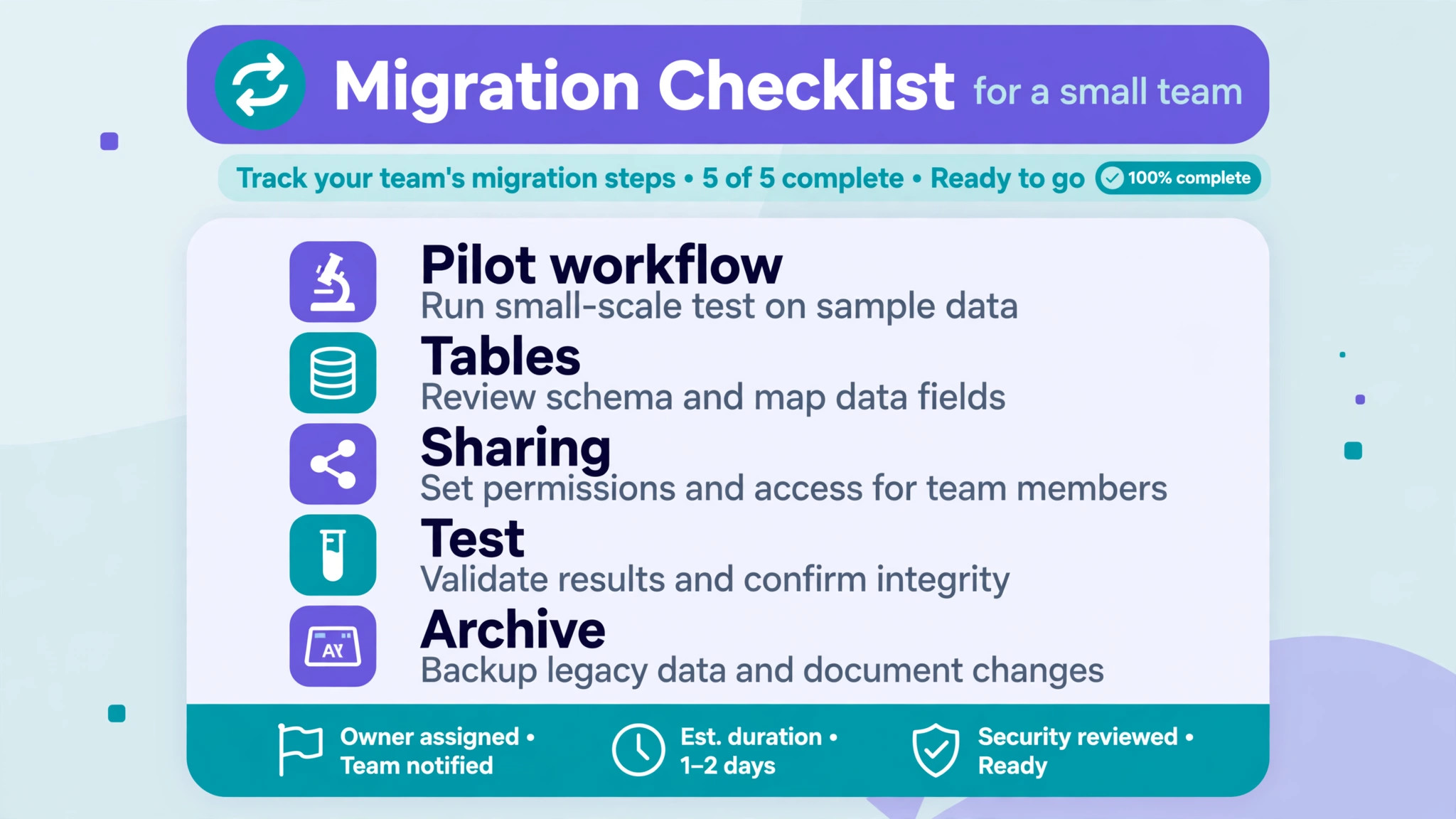
Work this list in order, and keep the map document beside it. A checklist without a map is a list of good intentions, while a checklist with a map is a record of what actually moved.
- Audit workspaces, databases, automations, and integrations on one page
- Choose one pilot doc that mirrors a real workflow end to end
- Export the pilot database as a comma separated file and import it as a test
- Rebuild the pilot tables, views, lookups, and formulas with example rows
- Redesign sharing per doc and confirm no internal page sits in a client doc
- Rebuild automations one workflow at a time with daily output checks
- Test buttons for the most common transitions with real team members
- Run the pilot workflow in Coda for a full week beside readable Notion
- Move workflows one at a time, freezing each old workflow as it moves
- Keep Notion readable as an archive and record the archive location
- Train the team on docs, tables, buttons, and the new sharing rules
- Review access, automation logs, and formula results after thirty days
The checklist also serves as a progress report for anyone who asks how the migration is going. A list with dates beside each item answers that question without a meeting, and it shows a manager that the slow pace is deliberate staging rather than drift.
First Week Cutover Plan
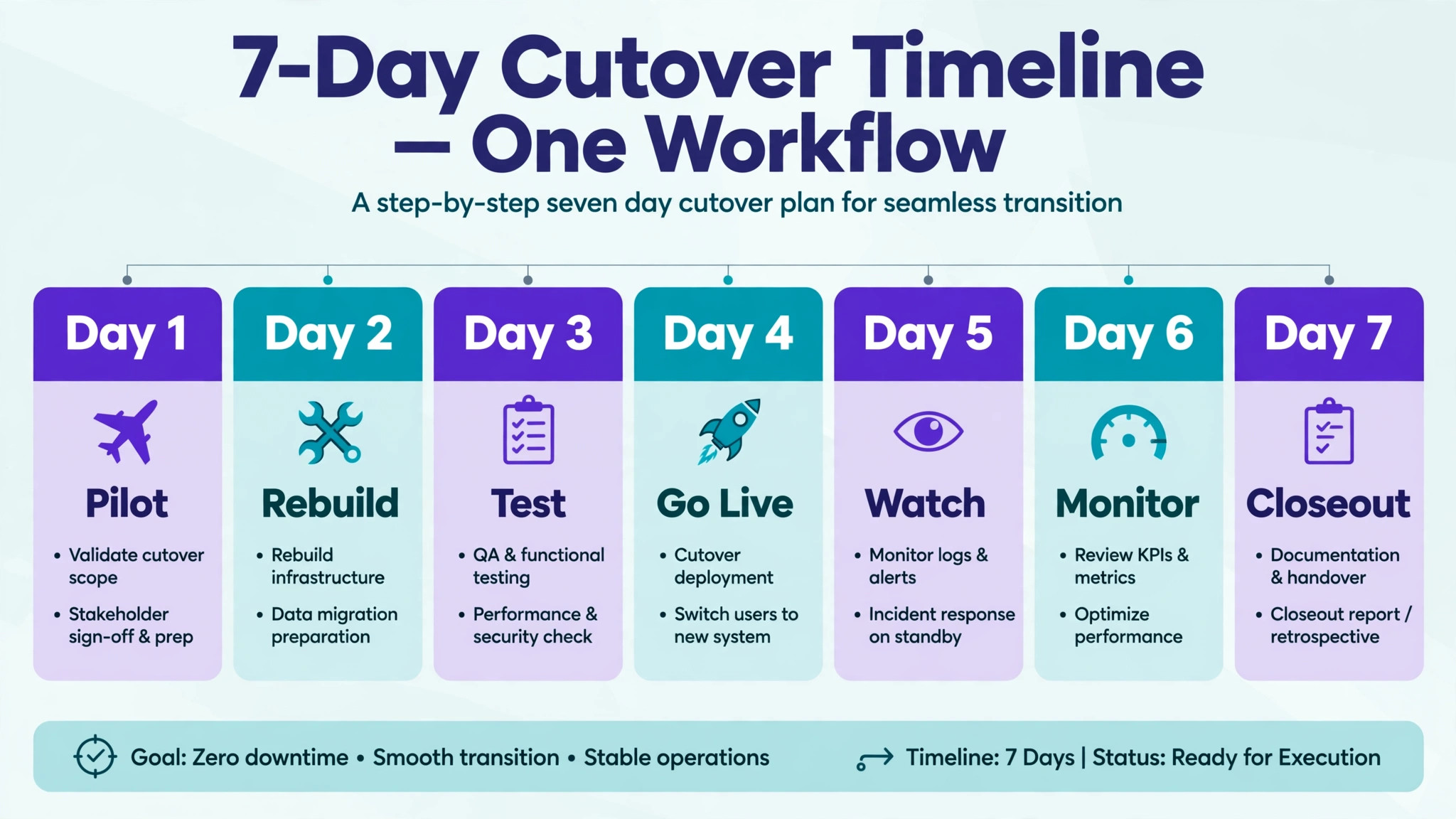
Cutover week for one workflow is a contained experiment, and the same pattern repeats for each workflow that follows. Day one moves the workflow and its tables, day two tests it with real work, and the rest of the week watches for the failures that only real work reveals.
| Day | Action | Check |
|---|---|---|
| Day one | Move one workflow into Coda | Tables, views, and lookups open correctly |
| Day two | Run real tasks through the new doc | Buttons and formulas match expected results |
| Day three | Check automations and notifications | Every expected message arrived with context |
| Day four | Confirm sharing with each audience | No internal page visible to clients |
| Day five | Review the week with the team | List fixes before the next workflow moves |
| Day six | Fix the top three friction points | Retest with the people who reported them |
| Day seven | Freeze the old workflow in Notion | Archive link recorded in the map document |
When you switch Notion to Coda small team cutover weeks should stay boring on purpose. A boring week means the pilot workflow survived contact with real work, and the next workflow can move on the same pattern. An exciting week means something broke, and the fix belongs in the pattern before the next workflow moves, not after.
Communication during cutover week is short and specific. Tell the team which workflow moved, where its new home lives, what changed about sharing, and where to report a problem. A message that says everything moved invites confusion, while a message that names one workflow invites a useful reply.
Rollback Advice if the Move Goes Wrong
Rollback here is simple because the old workspace stays readable. Rolling back a workflow means returning to the Notion version for that workflow and pausing the Coda version, not rebuilding anything. That simplicity is the reward for staged migration, and it is why a big bang move is the riskier choice even when it feels faster.
Set rollback triggers before the pilot starts. A sensible set is a formula error that changes decisions, a sharing mistake that exposes internal content, or a week where the team completes less work in Coda than it did in Notion for the same workflow. Any one of those justifies pausing the move for that workflow while the team fixes the cause.
If a rollback happens, keep the Coda pilot doc and write down what failed, because a second attempt with the same design will fail the same way. Most failed pilots fail on sharing design, formula dates, or an automation that was rebuilt from memory rather than from its actual behaviour. All three are fixable, and all three are cheaper to fix in a pilot than after a full move.
Mistakes Small Teams Make on This Move
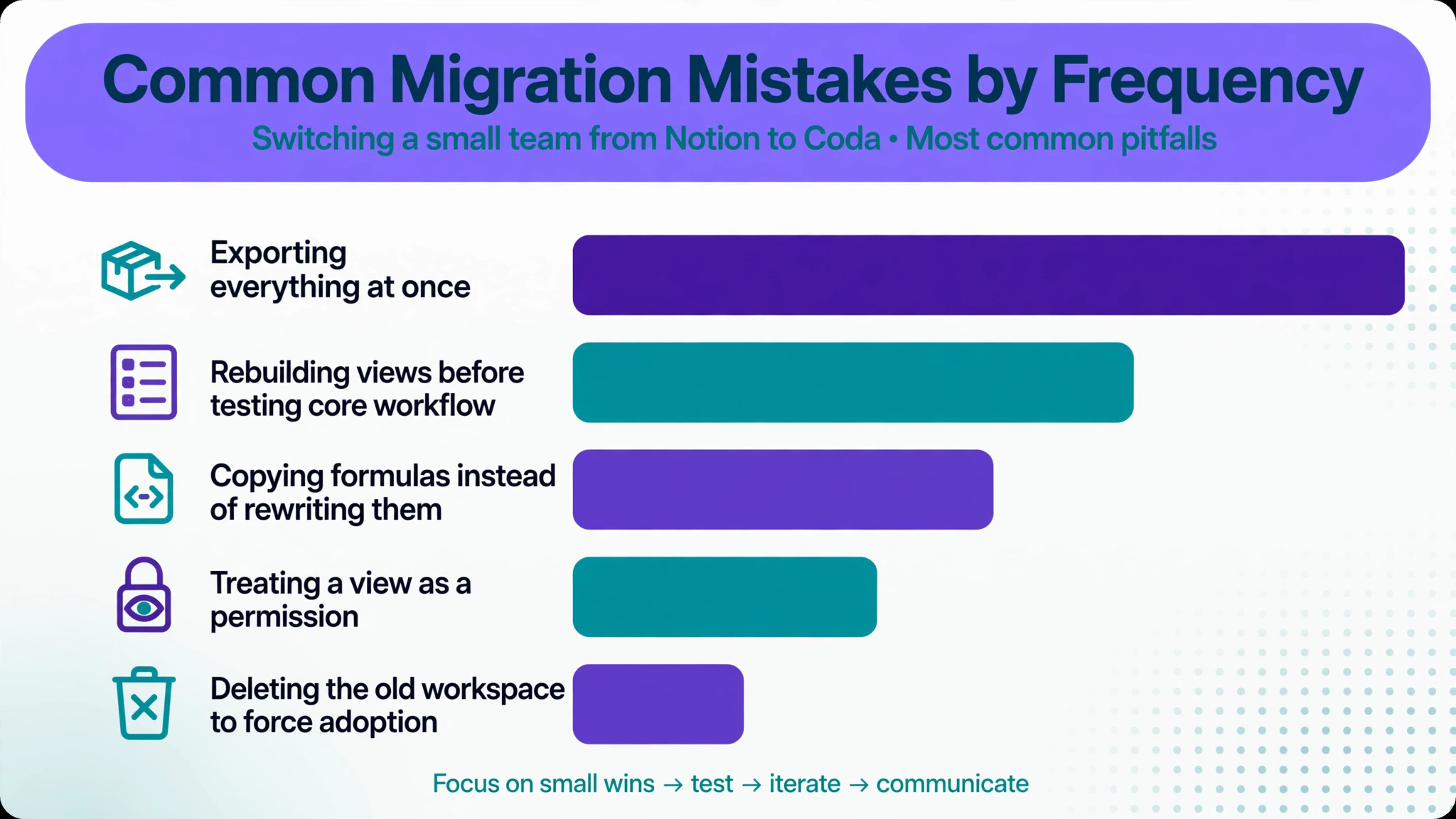
The most common mistake is exporting everything at once and importing it into a pile of docs that nobody owns. A pile of imported pages feels like progress and behaves like clutter, because no one knows which doc is current. The second mistake is rebuilding every view and automation before testing the core workflow, which spends the budget on polish while the tables underneath are still wrong.
The third mistake is copying formulas instead of rewriting them with examples. A copied formula that looks right and computes wrong is worse than a missing formula, because the team trusts it. The fourth mistake is treating a view as a permission, which risks exposing sensitive rows to an audience that should never see them. The fifth mistake is deleting the old workspace to force adoption, which destroys the archive and the fallback in one act. Adoption forced by deletion breeds resentment, while adoption earned by a better workflow lasts.
Training the Team on the New Model
Training should teach the model, not the clicks. A team that understands docs, tables, and buttons can find any feature, while a team that only memorised a click path gets stuck at the first changed screen. Start with the container change, because everything else follows from it. In the old tool, work lived in pages. In the new tool, work lives in docs that hold pages and tables together, and sharing follows the doc. One clear explanation of that change prevents most support questions in week one.
Use real work for training, not a demo doc that nobody cares about. Give each person a real task in the pilot doc, such as updating a project row, pressing a button to move it to review, and finding the client it belongs to. A task completed in real work teaches more than a tour of features, and it surfaces the exact points where the new design confuses people. Collect those points and fix the doc, because a doc that confuses three people in training will confuse thirty people in production.
When you switch Notion to Coda small team training should also cover what not to do. Do not duplicate a table to make a personal copy, because the copy will drift from the original within days. Do not paste sensitive rows into a shared doc to save time, because a view is not a permission. Do not build a private automation that only one person understands, because that automation becomes a single point of failure. Short rules like these, written in the team doc, protect the system better than a long manual nobody reads.
Keep training short and repeat it for each workflow that moves. A single all hands session before a staged migration teaches workflows that do not exist yet, and the knowledge fades before it is used. A short session per workflow, timed to the week that workflow moves, lands exactly when the team needs it. When you switch Notion to Coda small team leaders who train per workflow also learn which workflows the team resists, and resistance is useful information, because it usually points at a design flaw rather than a training failure.
Frequently Asked Questions
Can Coda import my Notion workspace in one click?
No single import carries pages, databases, views, formulas, and automations intact. Pages import as text, databases import as comma separated files into new tables, and the rest is rebuilt by hand. That is slower than a marketing page suggests, and it is the reason this guide budgets rebuild time rather than promising a transfer.
Will my Notion formulas work in Coda?
No, formulas must be rewritten in Coda formula language, and some will gain new powers, such as triggering actions, that Notion formulas do not have. Rewrite with example rows, check dates at month boundaries, and confirm results on real data before trusting a formula on a full table.
What happens to comments and version history?
They do not travel in a file export, so keep the old workspace readable as an archive. Comments often hold the reasoning behind a decision, and version history often holds the earlier wording of a policy. An archive preserves both without pretending the new doc holds them.
How should I handle client sharing in Coda?
Give each audience its own doc, because sharing in Coda applies at doc level rather than page level. A client doc should contain only what that client should see, and internal notes should live in a separate team doc. Check sharing with a test account that has only client access before inviting a real client.
Is Coda more expensive than Notion for a small team?
Pricing depends on how many doc makers a team needs and which plan limits apply, so confirm at checkout rather than trusting a single headline figure. Coda charges around doc makers rather than every viewer, which can help a team with many readers and few builders, but the honest comparison needs your real maker count and your real attachment needs.
How long does a small team migration take?
A team with two databases and few automations can move in a long weekend plus a week of watching, while a team with many databases, formulas, and automations should allow several weeks of staged moves. The rebuild is the fast part, and the slow part is testing, sharing redesign, and letting each workflow prove itself before the next one moves.
Should we move every workflow or only some?
Move only the workflows that gain from tables, buttons, and automations, and leave note heavy workflows where they are if the team is happy. A hybrid setup is not a failed migration, it is a sensible division of labour between tools. Revisit the remaining workflows once the moved ones have proven themselves for a month.
What is the single biggest risk in this migration?
Sharing design is the biggest risk, because a doc level sharing mistake can expose internal content, while a formula mistake usually only affects numbers. Audit audiences, split sensitive tables into separate docs, and test with a limited account before launch. A careful sharing review costs an afternoon and prevents the mistake that matters most.
Verdict for a Small Team
Move the workflows that live in tables, and move them one at a time, with a pilot, a map, and an archive. Leave note heavy work alone unless the team has a concrete reason to move it, and never delete the old workspace to force the issue. When you switch Notion to Coda small team work improves only when the new doc is genuinely easier to run than the old page, and that test is decided by a week of real tasks, not by a setup afternoon.
If the pilot week feels better, keep going workflow by workflow. If it feels worse, you have spent a week learning something valuable, and the old workspace is still there, readable and intact. Either outcome beats a rushed move that nobody trusts.