
A Saturday in a barbershop runs on a queue that nobody can see. Three barbers are cutting, two clients are waiting by the window, and the phone keeps ringing with people asking how long the wait is. The top 10 scheduling software for barbershops exists because that queue decides how much money the shop makes, and a paper book cannot show it to anyone.
The honest verdict is that no tool wins for every shop. Booksy leads when new clients matter most, Squire leads when the shop wants its own branded app, and Square Appointments leads when the shop already takes Square payments. The rest of this guide sorts the ten tools by the job they actually do, so a solo barber, a four-chair shop, and a small chain can each find a different winner.
Prices below come from vendor pricing pages checked in November 2026, and several tools change prices or commission rates without notice, so confirm the figure on the vendor page before you pay. The top 10 scheduling software for barbershops in this guide is ranked on the total cost of running the shop, not the headline monthly price, because marketplace commissions and card fees usually cost more than the subscription.
Why the Chair Schedule Breaks First
A barbershop day is not a salon day. Half the clients book ahead and half walk in, and the two groups share the same chairs in the same hours. Software built for salons assumes every client has an appointment, so walk-ins become an afterthought, and the shop ends up running two systems at once, one on screen and one in the barber’s head.
The second problem is the no-show. A missed Saturday cut is not a small loss, because that chair cannot be sold twice and the client who would have taken it has already gone elsewhere. Deposits and cards on file fix most of it, but only when the tool makes them easy to set up, and several tools in this guide hide them behind a higher tier.
The third problem is the phone. Clients call to ask how long the wait is, and every call pulls a barber away from a cut. A booking page that shows real availability and a live queue cuts those calls in half, and that is worth more than any marketing feature. The tools below are judged on those three jobs first, and on everything else second.
The 10 Tools at a Glance
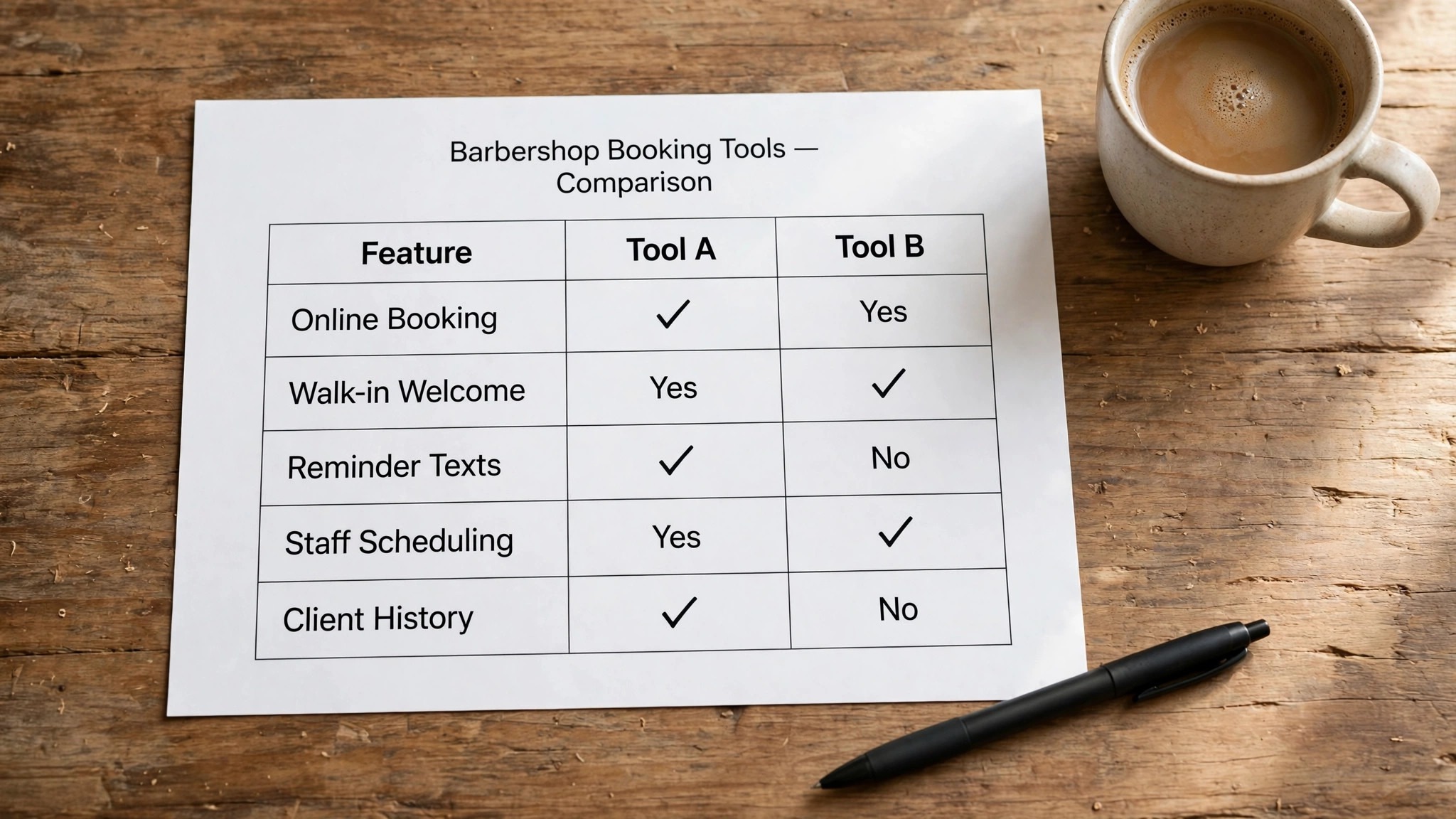
The table below puts the whole shortlist on one page, so a barbershop owner can weigh the monthly starting price against the job each tool does best before reading the detail entries. Marketplace fees sit outside these prices, so read the cost section before you decide on a marketplace tool.
| Tool | Main job | Best for | Starting price |
|---|---|---|---|
| Booksy | Booking plus marketplace | Shops wanting new clients | from about 30 dollars a month |
| Squire | Barbershop-only suite | Premium shops wanting a branded app | from 30 dollars a month |
| Fresha | Booking plus marketplace | Budget shops wanting a low subscription | from about 20 dollars a month |
| Square Appointments | Booking plus payments | Shops already on Square | free, paid from 49 dollars a month |
| Vagaro | All-in-one salon suite | Growing teams wanting a capped bill | from 30 dollars a month |
| GlossGenius | Booking plus payments | Solo barbers and small teams | from 24 dollars a month |
| Boulevard | Booking plus client management | Shops wanting a polished client flow | pricing on the vendor site |
| Zenoti | Enterprise salon platform | Multi-location shops and chains | pricing on the vendor site |
| theCut | Barber booking plus marketplace | Barbers wanting client discovery | pricing on the vendor site |
| SupaDay | Booking plus walk-in queue | Walk-in heavy shops | from 14 dollars a month per barber |
No single row in this table picks your tool, because a solo barber and a four-chair shop need different things from the same category. A solo barber needs the cheapest workable booking page, while a four-chair shop needs deposits, commissions, and a queue that clients can trust.
Best Pick by Job
| Job type | First pick | Second tool | Why this pair works |
|---|---|---|---|
| Solo barber, tight budget | Square Appointments | Fresha | Free booking plus the payments you already use |
| New clients every week | Booksy | Fresha | Marketplace discovery plus full booking |
| Premium shop, own app | Squire | Boulevard | Branded experience without per-barber fees |
| Walk-in heavy shop | SupaDay | Squire | A real queue plus shop management |
| Growing team, capped bill | Vagaro | GlossGenius | Predictable pricing as chairs are added |
How to Judge the Top 10 Scheduling Software For Barbershops
Start with the walk-in queue, because that is where most barbershop software fails first. A salon tool treats every booking as a planned appointment, but a barbershop day is half appointments and half walk-ins, and the software must keep both in one fair order. Ask for a live demo of the walk-in list before you pay, and watch how a walk-in joins the queue when three barbers are cutting at once.
Next, price the tool per chair, not per shop. A plan that looks cheap at 30 dollars a month can cost 90 dollars once three extra barbers are added, while a flat per-shop plan stays the same as the team grows. The top 10 scheduling software for barbershops in this guide splits into per-chair plans and flat plans, and the right one depends on whether your team is still growing or settled.
Finally, test the no-show protection on a real booking. Deposits, cards on file, and cancellation fees are the features that pay for the software, and some tools only include them on higher tiers. Book a test appointment, cancel it, and see what the client is charged and what the barber is told. A tool that cannot protect a chair is a calendar with a price tag.
The 10 Tools in Detail
The ten tools below are the ones that matter for barbershops in 2026. Each entry covers what the tool does best, what it costs, and where it falls short, so you can match the tool to your shop and your budget. Start with the entries that match your shop, and skim the rest.
1. Booksy
The strongest reason to pick Booksy is discovery. Millions of clients open the Booksy app to find a barber, which means listing your shop there is advertising and booking software in one. The consumer app carries a very high rating, and repeat clients can rebook in seconds, which keeps the book full between new-client visits.
Booksy starts at about 30 dollars a month plus 20 dollars for each extra team member, with all features included. The catch is the Boost program, which costs 30 percent of a new client’s first visit, capped at 100 dollars. Best for shops that need new clients more than a low bill.
The verdict is simple. A shop that needs new clients every week should start with Booksy, because the marketplace fills chairs that would otherwise sit empty. A shop with a full book already should look elsewhere, because the commission buys discovery it does not need.
2. Squire
Squire is the only tool here built only for barbershops, and it shows in the workflows. Commission tracking, booth rent management, and a branded client app are built in rather than added on, and the flat per-shop price means adding a barber does not raise the bill. That flat price is the main reason growing shops pick it.
Squire starts at 30 dollars a month for a solo barber, with tiers at 50, 150, and 250 dollars a month as features are added. The top tier adds a branded app and multi-location support. Best for premium shops that want their own app and a bill that does not grow with the team.
The verdict is simple. A premium shop that wants its own app and a bill that stays flat as the team grows should start with Squire. A solo barber should not, because the higher tiers buy features a single chair will never use.
3. Fresha
Fresha wins the headline price contest and loses the total cost contest for busy shops. The subscription is the cheapest here, and card fees are among the lowest, but the 20 percent commission on every new marketplace client is the real price. A shop gaining thirty new marketplace clients a month at a 40 dollar ticket pays roughly 240 dollars in commissions on top of the subscription.
Fresha starts at about 20 dollars a month for a solo bookable member, with team plans at about 15 dollars per member. The free messaging allowance is small, so busy shops pay for extra messages. Best for early-stage shops that need discovery more than cost predictability.
The verdict is simple. A new shop with a small book should start with Fresha, because the subscription is the cheapest here and the marketplace brings the first clients. A busy shop should model the commission first, because it grows with every new client.
4. Square Appointments
Square Appointments is the only real free tier in this guide, and it is genuinely usable for a solo barber. Online booking, calendar sync, and email reminders cost nothing, with unlimited barber calendars, and the tool fits naturally into a shop that already takes Square payments at the chair.
Square Appointments starts at free, with Plus at 49 dollars a month per location and Premium at 149 dollars. Plus adds a waitlist and commission tracking, while Premium lowers the card rate. Best for shops already running Square for payments or retail.
The verdict is simple. A shop that already takes Square payments should start here, because the free tier covers booking and reminders with no new bill. A shop that needs a marketplace should look at Booksy instead, because Square brings no new clients.
5. Vagaro
Vagaro packs a long feature list into its base plan, which is why growing teams pick it. Booking, payments, marketing, and payroll sit in one place, and the price is capped, so a shop can add staff without the bill climbing without limit. That ceiling is the feature that matters most once the team passes five barbers.
Vagaro starts at 30 dollars a month for one bookable calendar, with 10 dollars a month per extra calendar, and the total is capped. A 30-day trial is reported by third parties. Best for growing teams that want a predictable bill and a deep feature list.
The verdict is simple. A growing team that wants a deep feature list and a capped bill should start with Vagaro, because the ceiling protects the shop as chairs are added. A solo barber will find the feature list heavier than it needs.
6. GlossGenius
GlossGenius suits solo barbers and small teams that want one predictable bill. Booking, payments, and client messaging run in one clean tool, and the annual price undercuts most rivals. The interface is simple enough that a barber can learn it between cuts, which is more valuable than a long feature list.
GlossGenius starts at 24 dollars a month billed annually, or 28 dollars month to month, for the Standard plan. Higher tiers add more users and features. Best for solo barbers and two to nine person teams that want simplicity.
The verdict is simple. A solo barber or a small team that wants one clean tool and one predictable bill should start with GlossGenius. A shop that needs a marketplace or a branded app should look at Booksy or Squire instead.
7. Boulevard
Boulevard earns its place here because the client flow is the most polished in this guide. Booking feels like a premium service rather than a form, and the client management tools help a shop remember preferences, notes, and history across visits. That polish suits shops that charge premium prices and want the booking to match.
Boulevard does not publish a starting price, so ask for a quote before you compare it on cost. The sales process is aimed at established shops rather than solo barbers. Best for shops where the client experience is part of the price.
The verdict is simple. A shop that charges premium prices and wants the booking to feel premium should start with Boulevard, because the client flow is the best here. A budget shop should not, because the price is quoted and the value is in the polish.
8. Zenoti
Zenoti is the enterprise option in this list, built for multi-location shops and chains. It handles complex scheduling across locations, deep reporting, and integrations with the rest of a larger business, which is more than a single shop needs and exactly what a chain does need.
Zenoti does not publish pricing, and implementation is a project rather than a signup. A single shop will find it heavy and expensive, while a chain will find the reporting worth the effort. Best for multi-location operators only.
The verdict is simple. A multi-location chain that needs deep reporting and cross-location scheduling should start with Zenoti, because it is built for that job. A single shop should not, because the implementation alone will cost more than a year of a simpler tool.
9. theCut
theCut is built for barbers rather than adapted from salon software, and its marketplace adds discovery for barbers who want new clients. The booking flow is barber first, with chair-side tools that fit how a barber actually works through a day of cuts.
theCut does not publish a single starting price on its public pages, so check the vendor site for the current plan before you compare it. Best for barbers who want a barber-built tool with a marketplace attached.
The verdict is simple. A barber who wants a barber-built tool with a marketplace attached should start with theCut, because the booking flow fits how a barber actually works. A shop that needs deep management features should look at Squire or Vagaro instead.
10. SupaDay
SupaDay is the walk-in specialist in this guide. Its queue with QR check-in and a turn tracker is the only one here built for walk-in heavy shops, and commissions run from 14 dollars a month per barber, capped at 99 dollars. That cap keeps the bill predictable even as the team grows.
SupaDay starts at about 14 dollars a month per barber with a 99 dollar cap for the shop. The walk-in queue is the reason to pick it, and shops with mostly booked appointments will get less from it. Best for walk-in heavy shops.
The verdict is simple. A walk-in heavy shop should start with SupaDay, because the queue is the only one here built for walk-ins rather than added on. A shop with mostly booked appointments will get less from it, because the queue is the whole point.
What to Test Before You Pay for a Barbershop Tool
Book a test appointment on your own phone before you pay for anything. The booking page is the first thing a client sees, and a page that asks for too much information will lose bookings before they start. Count the taps from the service list to the confirmation screen, and keep the number under five, because every extra tap loses a client who was ready to book.
The top 10 scheduling software for barbershops in this guide all claim to handle walk-ins, but the claim is only worth what the demo shows. Ask the vendor to show a walk-in joining the queue while three barbers are cutting, and watch whether the turn order stays fair. A tool that cannot show that demo is a tool that has not solved the walk-in problem.
Test the deposit flow with a real card before the trial ends. Book a Saturday slot, pay the deposit, cancel it, and check what the client is charged and what the barber is told. A deposit system that works smoothly will pay for the software within a month, while a deposit system that confuses clients will cost you bookings every week.
What a Four-Chair Shop Pays in a Year
| Cost band | What it covers | Who it fits |
|---|---|---|
| Free to about 30 dollars a month | Booking, reminders, one or two chairs | Solo barbers starting out |
| About 50 to 90 dollars a month | Four chairs, payments, deposits | Small shops with a steady book |
| About 100 to 250 dollars a month | Branded app, commissions, multi-location | Growing shops and small chains |
| Marketplace fees on top | Commission on new clients from the app | Shops buying discovery |
The subscription is the smallest part of the bill for most shops. A four-chair shop on a 90 dollar plan still pays card processing on every payment, and a marketplace plan adds a commission on each new client it brings in. At 20 percent on a 40 dollar first cut, ten new marketplace clients a month cost 80 dollars, which nearly doubles the monthly bill.
The top 10 scheduling software for barbershops in this guide shows the same pattern at every price level, which is why the cost table above separates the subscription from the fees that sit on top of it. Model a normal month for your shop, count the chairs, the average ticket, and the new clients you expect from the marketplace, and the true cost appears quickly.
A shop that already runs Square for payments will often find the free tier the cheapest real option, because the processing rate is the same tool the shop already pays. A shop that needs new clients more than it needs a low bill will find the marketplace fee worth paying, because an empty chair costs more than a commission on a filled one.

Booking Mistakes That Empty Chairs
The first mistake is letting clients book without a deposit on a Saturday. Saturdays are the highest value day in a barbershop week, and a free booking that never shows up wastes the best chair in the shop. Take a deposit on weekend slots first, even if weekday slots stay free, and watch the no-show rate fall within a month.
The second mistake is hiding the walk-in queue. Clients who walk in and see no list assume the wait is short, then leave when it is not. A visible queue with a fair turn order keeps walk-ins in the shop, and it protects barbers from arguments about who was next. The queue is a fairness tool before it is a feature.
The third mistake is choosing software by the monthly price instead of the per-chair price. The top 10 scheduling software for barbershops splits cleanly on this point, and a shop that hires a fifth barber can see the bill jump by 20 dollars a month with no warning. Read the per-staff line in the pricing page before you sign, and model the cost at the team size you plan to reach.
The fourth mistake is never asking clients to rebook at the chair. The best retention tool in a barbershop is a barber who books the next cut before the client stands up, and the software should make that a ten second job. If rebooking takes four taps and a new login, it will not happen, and the shop will keep paying for reminders to win back clients it already had.
What Owners Learn After the First Month
Owners who switch software twice learn that the first list is always too clever. The tools that survive a month of real Saturdays are the plain ones, the ones a barber can use with wet hands and a client waiting, and the booking page a client can use without calling the shop. Keep the shortlist small, test it on a busy day, and let the tool earn its place instead of defending a favourite.
The second lesson is that the reminder settings matter more than the brand name. A shop that sends a text two days before and a text two hours before will see fewer no-shows than a shop with the prettiest app and no reminders at all. Set the reminders on the first day, before you import a single client, because every day without them is a day of empty chairs.
The third lesson is that the client list is the asset, not the software. Export the client list every month and keep a copy outside the tool, because a shop that cannot leave its software cannot negotiate with it. The export button is the most honest feature on the pricing page, and a tool that hides it is telling you something about its business model.
Your First Month With the New System, in Eight Steps
- Pick two finalists and run each one on a real Saturday before you pay.
- Import the client list and check that phone numbers and notes survive the move.
- Set deposits on weekend slots and a cancellation fee that clients can see at booking.
- Turn on text reminders two days before and two hours before every appointment.
- Put the walk-in queue where clients can see it and train every barber on the turn order.
- Connect the card reader and test a payment, a tip, and a refund at the chair.
- Ask three regulars to book online and watch where they get stuck.
- Export the client list at the end of week one and keep the copy outside the tool.
Related Guides
Keep exploring with these guides on Stratilyze:
- Best AI Scheduling Tools for Coaches (12 Tools)
- Best Scheduling Software for Veterinary Clinics (12 Tools)
- Best Scheduling Apps in 2026: 18 Tools for Work, Teams and Business
Frequently Asked Questions
Which scheduling software is best for a solo barber in a barbershop?
Square Appointments is the strongest start for a solo barber, because the free plan covers booking, reminders, and unlimited calendars, and it fits a shop that already takes Square payments. GlossGenius is the best paid alternative at 24 dollars a month billed annually, with a cleaner client experience. Try the free tier first and pay only when you need a waitlist or commission tracking. The top 10 scheduling software for barbershops in this guide puts Square Appointments first for a solo barber because the free tier is genuinely usable, not a trial in disguise.
How much does Booksy really cost a four-chair barbershop each month?
Booksy costs about 90 dollars a month for four barbers, at 30 dollars for the first plus 20 dollars for each extra team member, before card processing. Boost adds 30 percent of each new marketplace client’s first visit, capped at 100 dollars, so ten new clients at a 40 dollar ticket add 120 dollars. Check the vendor page for the current figure before you commit.
Does Fresha still offer a free plan for barbershops?
No, the old free-forever plan has ended, and Fresha now charges from about 20 dollars a month for a solo bookable member. The subscription looks cheap, but the 20 percent commission on new marketplace clients is the real cost for a busy shop. Model a normal month of new clients before you decide.
What is the best scheduling software for a barbershop with mostly walk-in clients?
SupaDay is the best fit for walk-in heavy shops, because its queue with QR check-in and a turn tracker is built for walk-ins rather than added on. Squire is the second choice, with a waitlist from its Pro tier and a flat per-shop price. Avoid tools with no real queue, because walk-ins will leave when the wait is unclear.
Can a barbershop take deposits through scheduling software?
Yes, most tools in this guide support deposits or cards on file, but the feature is not on every tier. Booksy and Square Appointments include deposit handling on paid plans, while some tools reserve it for higher tiers. Test a deposit booking during the trial and check what the client is charged when they cancel.
Is Squire worth 150 dollars a month for a growing barbershop?
Squire Executive at 150 dollars a month is worth it when the shop needs commission tracking, booth rent collection, and text marketing in one place, because buying those separately costs more. A shop that does not need rent collection should stay on the 50 dollar Pro tier. The flat per-shop price is the real saving as the team grows.
Book the Chair Before You Buy the Software
A barbershop runs on chairs, not on features, and the right software is the one that keeps chairs full on a Saturday. Start with the queue, price the tool per chair, and test the no-show protection on a real booking before you pay for a year. The top 10 scheduling software for barbershops in this guide gives you ten honest options, and the winner is the one that fits your shop, not the one with the longest feature list.
Pick two finalists, run each one on a busy Saturday, and let the barbers vote. The tool they will actually use is the tool that will pay for itself, and the one they ignore will cost you money every week, whatever the monthly price says.