
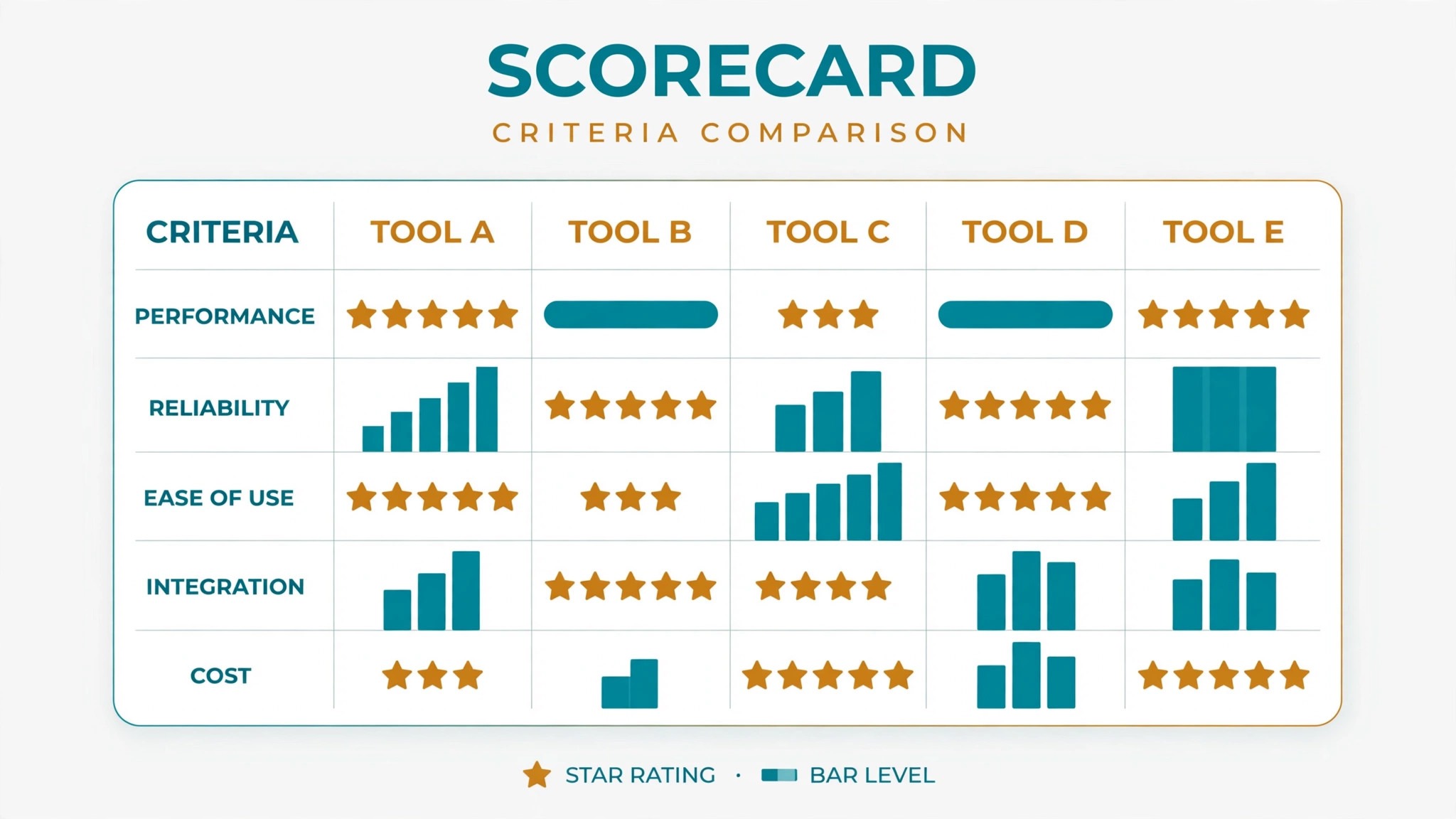
Here is the scorecard for the top 10 shift scheduling software for hourly teams, and it marks every tool on five things a rota manager actually feels by Friday. The five marks are free start, time off handling, shift swaps, labour cost view, and payroll sync, each scored from 1 to 5. Homebase tops the list for most small teams, not because it wins every mark, but because it wins the marks a small team feels first.
Picture a cafe manager called Rosa, running one shop with 12 people on the rota. Monday morning she copies last week, swaps two shifts, approves a day off, and checks that nobody is heading for overtime before she publishes. That whole morning is the test this guide runs.
The Scorecard: How Every Tool Is Marked
A 5 means the job is done inside the tool, on a phone, with no workaround. A 3 means it works, but only from a desktop, or only with a manual step tacked on. A 1 means the job is missing, or it lives in a spreadsheet beside the tool. This is how the top 10 shift scheduling software for hourly teams is judged here, mark by mark.
A 5 means the job is done inside the tool, on a phone, with no workaround. A 3 means it works, but only from a desktop, or only with a manual step tacked on. A 1 means the job is missing, or it lives in a spreadsheet beside the tool.
The scores table below is the whole guide on one page. Read it, then read the cards for the proof behind any mark you doubt.
| Tool | Free start | Time off | Swaps | Labour cost | Payroll sync | Total |
|---|---|---|---|---|---|---|
| Homebase | 5 | 4 | 4 | 4 | 3 | 20 |
| Deputy | 3 | 5 | 5 | 5 | 5 | 23 |
| 7shifts | 5 | 4 | 4 | 5 | 3 | 21 |
| When I Work | 4 | 4 | 4 | 3 | 3 | 18 |
| Connecteam | 4 | 3 | 3 | 3 | 4 | 17 |
| Sling | 5 | 3 | 4 | 3 | 2 | 17 |
| ZoomShift | 4 | 3 | 3 | 2 | 2 | 14 |
| Planday | 2 | 5 | 4 | 4 | 5 | 20 |
| Shiftboard | 2 | 4 | 5 | 4 | 4 | 19 |
| Humanity | 2 | 4 | 4 | 5 | 4 | 19 |
| Skedulo | 2 | 3 | 3 | 3 | 4 | 15 |
| TimeForge | 2 | 3 | 3 | 5 | 4 | 17 |
Homebase still leads because the marks are not equal for a 12 person team, and the free start plus the flat price matter more to Rosa than forecasting she will never open. Weight the marks to your team, and the winner changes.
Free Start: What Does Free Actually Cover?
Homebase and 7shifts and Sling all earn a 5 for free start, but the three free plans are not the same free. Homebase Free covers one location with up to 10 team members, and it includes scheduling, the time clock and messaging. Sling Free covers up to 30 users, which is three times the headcount, and it includes scheduling, messaging and time tracking. 7shifts Free, the Comp plan, covers one location with up to 15 employees, and it is built for restaurants, with tip tracking in the mix.
So the honest question in the top 10 shift scheduling software for hourly teams is not which free plan exists, but which free plan still fits when your team grows by five people. Rosa has 12 people, so Homebase Free already stops fitting her, and she would pay $24.95 a month for Essentials. A team of 25 would still be free on Sling, and a restaurant of 14 would still be free on 7shifts. The free mark is a 5 for all three, yet the free plan that fits you longest is the one that matches your headcount today and next year.
When I Work earns a 4, with no free plan in the same sense, only a clear low start at $2.50 per user a month for scheduling, or $4 with the time clock. ZoomShift earns a 4 for the same reason, starting from $2 per user a month, reported. Connecteam earns a 4, with a free plan for small teams and paid plans from $29 a month. The quote based tools earn a 2, because a price you have to ask for is not a start, it is a sales call.
Here is the first worked number. A 12 person team pays $24.95 a month on Homebase Essentials, nothing on Sling Free, $30 a month on When I Work Essentials for scheduling alone, $48 with the time clock, and about $24 a month on ZoomShift at the reported $2 per user rate. Deputy at the older $4.50 per user rate would cost $54 a month for 12 people, and $60 to $108 on the newer 2026 tiers of $5 to $9 per user. Free is only free until the headcount crosses the line, and the line is printed above.
Homebase vs Deputy: Free Start Against Per User Power
Homebase Free covers one location with up to 10 team members for nothing, and Essentials at $24.95 a month is a flat rate, so the bill stays the same whether the team has 11 people or 40. Deputy charges per user, with scheduling at $4.50 per user a month in older sources, or $5 to $9 per user a month on the newer 2026 tiers, so the bill grows with every hire. Confirm the Deputy rate at checkout, because the two price lists disagree and the checkout price is the one that lands.
The cost gap in the top 10 shift scheduling software for hourly teams is wide at every size. A 20 person team pays $24.95 a month on Homebase Essentials against $90 to $180 a month on Deputy, depending on the tier. A 50 person team pays $24.95 on Homebase against $225 to $450 on Deputy. That gap buys a lot of forecasting, but only if the forecasting is used, and a single location cafe that runs the same rota every week will not use it.
Deputy earns its 5s on time off, swaps, labour cost and payroll sync because it forecasts demand from sales, handles multi location scheduling, and ties hours to payroll in more depth. Homebase earns its 5 on free start and its 4s on time off, swaps and labour cost because the core jobs are covered simply. The trade is plain. Homebase is cheaper, but you lose demand forecasting and deep multi location control. If forecasting matters more than the saving, buy Deputy, and the extra $65 to $155 a month at 20 people is money well spent.
What I would do, if I were Rosa with one cafe and 12 people, is start on Homebase Essentials and stay there for a year. I would copy last week every Monday, publish from my phone, and watch the overtime warnings before I hit publish. I would only move to Deputy the month I opened a second location, because that is when forecasting starts paying for itself.
Time Off and Shift Swaps: Which Tool Handles a Swap Without a Phone Call?
The swap test is simple, and you should run it on any tool before you pay. Request a day off, approve it, find a replacement, swap the shift, and check whether the rota updates itself. Homebase, Deputy, 7shifts, When I Work, Sling and ZoomShift all let staff request time off and swap shifts from a phone, with manager approval built in. The larger platforms handle the same jobs through a more formal process, with leave balances and open shifts that any qualified staff member can claim.
The difference is what happens at 9 p.m. on a Friday, when a server calls in sick for Saturday. On Homebase or 7shifts, the manager posts the open shift and a qualified team member claims it from a phone, and the rota updates. On a formal system like Planday or Shiftboard, the same swap goes through leave balances and seniority rules, which is right for a union roster and slow for a cafe.
Time off has the same split. Deputy and Planday earn 5s because leave balances, approvals and payroll all stay in one place. Homebase and 7shifts earn 4s because the request and approval flow is smooth, but the deeper leave accounting is thinner. Sling earns a 3 because the flow works, yet the balances and reporting are simpler.
Here is the second worked number. A team that swaps shifts ten times a month, at ten minutes of manager time per swap by phone, loses about 100 minutes a month to swaps. A tool that lets staff swap from a phone with one approval tap cuts that to about 20 minutes, which is roughly 80 minutes a month back.
Best Pick by Job
| What you weight most | First pick | Second tool | Why this pair works |
|---|---|---|---|
| Free start and flat price | Homebase | Sling | Both start free, Homebase is flat rate when you pay |
| Restaurant rota and tips | 7shifts | Homebase | 7shifts is built for kitchens, Homebase covers the basics |
| Multiple locations and forecasting | Deputy | Planday | Both manage many sites, Deputy forecasts demand |
| Tightest budget, up to 30 people | Sling | Homebase | Sling Free covers 30 users, Homebase Free covers 10 |
| Retail labour cost control | TimeForge | When I Work | TimeForge tracks cost live, When I Work is simpler |
| Complex rosters and union rules | Shiftboard | Humanity | Both handle rules a simple scheduler cannot |
Read that table as a weighting table, not a ranking. If you weight the free start most, Homebase wins. If you weight forecasting most, Deputy wins. If you weight restaurant fit most, 7shifts wins. The pick follows the weight, and the weight follows the team.
A small team with under 10 people should start with Homebase Free, because the scheduling, time clock and messaging cover the jobs a small team needs, and the price is zero for one location. A restaurant or cafe should take 7shifts instead, because the free Comp plan covers one location with up to 15 employees, and the restaurant features fit a kitchen better.
The 12 Tools in Detail
The cards below carry the proof behind the scores in the top 10 shift scheduling software for hourly teams. Each card opens with its five marks, then the evidence in plain words, and the cards are different lengths on purpose.
1. Homebase
Scores: free start 5, time off 4, swaps 4, labour cost 4, payroll sync 3. Total 20.
Homebase is the scheduling and time clock platform most hourly teams should start with, because the free plan covers one location with up to 10 team members, and the Essentials plan at $24.95 a month adds scheduling, time clock and messaging. The platform handles shift scheduling, time tracking, team messaging, hiring and payroll, with a mobile app that staff can use to check shifts, clock in and request time off.
The strength is the free start and the flat price. A small team can run scheduling, time clock and messaging for nothing, and the upgrade to Essentials is a flat $24.95 a month rather than a per user fee. At 20 people Homebase costs $24.95 a month, When I Work costs $50 for scheduling alone, and Deputy costs $90 to $180.
The trade is the depth, because Deputy forecasts demand better and Planday handles HR in more detail, though Homebase covers the core jobs well. Payroll sync earns only a 3, because the deeper payroll and compliance work sits with Deputy or Planday. Homebase suits a small team, a cafe or a shop that wants the cheapest honest start.
2. Deputy
Scores: free start 3, time off 5, swaps 5, labour cost 5, payroll sync 5. Total 23.
Deputy is the scheduling and workforce platform for a team across multiple locations, because the per user pricing and the demand forecasting scale better than a flat rate tool. Scheduling costs $4.50 per user per month in older sources, though newer 2026 tiers list Lite at $5, Core at $6.50 and Pro at $9 per user per month, so confirm the rate at checkout. The platform handles scheduling, time tracking, leave management, payroll integration and demand forecasting, with a mobile app for staff and managers.
The strength is the forecasting. Deputy predicts how many staff each shift needs based on sales and demand, so the manager does not overstaff or understaff. A 20 person team pays $90 to $180 a month depending on the tier, and a 50 person team pays $225 to $450, which is more than Homebase Essentials, though the forecasting and compliance tools are stronger.
3. 7shifts
Scores: free start 5, time off 4, swaps 4, labour cost 5, payroll sync 3. Total 21.
7shifts is the restaurant scheduling platform for a cafe or restaurant, because the free Comp plan covers one location with up to 15 employees, and the Essentials plan at $39.99 a month per location on annual billing adds forecasting, labour cost tracking and integrations. The platform handles scheduling, time tracking, tip tracking, team messaging and sales forecasting, with a mobile app that restaurant staff can use to check shifts and swap them.
- Restaurant fit: sales forecasting, tip tracking and kitchen rosters built in
- Free start: one location, up to 15 employees, at no cost
- Limit: built for restaurants and cafes, so a retail or field team should take a general tool instead
7shifts suits a restaurant or cafe that wants a free start and restaurant specific scheduling, and its labour cost 5 is the mark that matters most in a kitchen.
4. When I Work
Scores: free start 4, time off 4, swaps 4, labour cost 3, payroll sync 3. Total 18.
When I Work is the scheduling and time clock platform for a small team that wants simple per user pricing. Essentials costs $2.50 per user per month for scheduling, or $4 with the time clock, so a 20 person team pays $50 a month for scheduling alone or $80 with the time clock. The platform handles scheduling, time tracking, team messaging and shift swaps. The strength is the simplicity, and the trade is the depth, because Deputy forecasts demand better and Homebase Essentials is cheaper at 20 people.
5. Connecteam
Scores: free start 4, time off 3, swaps 3, labour cost 3, payroll sync 4. Total 17.
Connecteam is the workforce management platform for a deskless team, because it combines scheduling, time tracking, communication, training and HR in one app. Pricing starts from $29 a month, with a free plan for small teams and a per user price on higher tiers. The platform handles shift scheduling, clock ins, team chat, forms, checklists and training, with a mobile app that field staff can use for everything.
The strength is the breadth. A team that needs scheduling, training, forms and communication in one place will find Connecteam covers more than any other tool in this guide, though the scheduling is simpler than Deputy or 7shifts. The trade is the focus, because Connecteam is a workforce app first and a scheduler second, so a team that needs deep scheduling should take Deputy instead.
6. Sling
Scores: free start 5, time off 3, swaps 4, labour cost 3, payroll sync 2. Total 17.
Sling is the scheduling and communication platform for a team on the tightest budget, because the free plan covers up to 30 users, and paid plans start from $1.70 per user per month. The platform handles scheduling, time tracking, team messaging, task management and shift swaps. The strength is the free plan, and the trade is the depth, because the forecasting and labour cost tools are simpler than Deputy or 7shifts. Sling suits a team on the tightest budget that wants a free start with up to 30 users.
7. ZoomShift
Scores: free start 4, time off 3, swaps 3, labour cost 2, payroll sync 2. Total 14.
ZoomShift is the scheduling and time clock platform for a team that wants simple scheduling without extra features. Pricing starts from $2 per user per month, reported, so a 20 person team pays about $40 a month, and the buyer should confirm the rate at checkout. The platform handles scheduling, time tracking, team messaging and shift swaps. The strength is the simplicity, and the trade is the depth, because the forecasting, labour cost and payroll tools are weaker than Deputy or Homebase.
8. Planday
Scores: free start 2, time off 5, swaps 4, labour cost 4, payroll sync 5. Total 20.
Planday is the scheduling and HR platform for a larger team that needs scheduling, payroll and HR in one system. Pricing is quote based, and the buyer should expect a per user monthly fee that depends on the team size and the modules. The platform handles scheduling, time tracking, leave management, payroll, HR and reporting, with a mobile app for staff and managers.
The strength is the HR depth. A team that needs contracts, leave balances, payroll and compliance in one system will find Planday covers more than any scheduler in this guide, though the setup takes longer than Homebase or Sling. The trade is the price and the complexity, because Planday is built for larger teams.
9. Shiftboard
Scores: free start 2, time off 4, swaps 5, labour cost 4, payroll sync 4. Total 19.
Shiftboard is the workforce scheduling platform for a team with complex rosters, because it handles shift bidding, seniority rules, union compliance and multi location scheduling. Pricing is quote based. The platform handles scheduling, time tracking, shift bidding, compliance and reporting. The strength is the complexity, and the trade is the price and the setup, because Shiftboard is built for complex operations and the implementation takes time.
10. Humanity
Scores: free start 2, time off 4, swaps 4, labour cost 5, payroll sync 4. Total 19.
Humanity is the scheduling and time tracking platform for a shift based team that needs forecasting and compliance. Pricing is quote based. The platform handles scheduling, time tracking, leave management, forecasting and reporting, with a mobile app for staff and managers. The strength is the forecasting, and the trade is the price, because the buyer should get a written quote before comparing.
11. Skedulo
Scores: free start 2, time off 3, swaps 3, labour cost 3, payroll sync 4. Total 15.
Skedulo is the field workforce scheduling platform for a mobile team that works at customer sites. Pricing is quote based. The platform handles scheduling, dispatch, route optimisation, time tracking and mobile job management, with a mobile app that field staff can use to see jobs, navigate and clock in. The strength is the field focus, because dispatch and route optimisation save hours every day. The trade is the scope, because Skedulo is built for field teams rather than shift teams.
12. TimeForge
Scores: free start 2, time off 3, swaps 3, labour cost 5, payroll sync 4. Total 17.
TimeForge is the scheduling and labour cost platform for a retail or grocery store, because it tracks labour cost against sales in real time. Pricing is quote based, and the buyer should expect a price that depends on the team size and the modules.
The platform handles scheduling, time tracking, labour cost, sales forecasting and HR, with a mobile app for staff and managers. The strength is the labour cost control, because the manager sees the cost as the schedule is built. The trade is the scope, because TimeForge is built for retail and grocery, so a restaurant or field team should take a different tool.
How to Choose the Top 10 Shift Scheduling Software for Hourly Teams
Start with the team size, not the price. Homebase Free covers one location with up to 10 team members, and Essentials at $24.95 a month covers one location with more staff. Sling is free for up to 30 users, with paid plans from $1.70 per user per month, so a 20 person team pays nothing on the free plan and about $34 a month on the paid tier. ZoomShift starts from $2 per user per month, reported, so a 20 person team pays about $40 a month.
Run the numbers for your own headcount first, since the cheapest plan for twenty people is rarely the cheapest for two hundred. Deputy scheduling costs $4.50 per user per month in older sources, though newer 2026 tiers list Lite at $5, Core at $6.50 and Pro at $9 per user per month, so confirm the rate at checkout.
Then check the features that matter. Ask whether the tool handles time off, shift swaps, overtime warnings, labour cost tracking and payroll integration. Homebase, Deputy, 7shifts, When I Work and Connecteam handle all five, while Sling and ZoomShift handle the first three and track labour cost more simply.
Finally, test the staff experience on a phone. Most hourly staff check their shifts, request time off and swap shifts from a phone, and an app that is hard to use on a small screen will slow the whole team down. Homebase, 7shifts and Deputy have the best mobile apps in this guide. A team whose staff cannot check a shift from a phone is a team that will call the manager instead.
Labour Cost: What Does a Week of Shifts Really Cost?
The software bill is the small number in the top 10 shift scheduling software for hourly teams. The labour bill is the big one, and the tool earns its labour cost mark by showing the big number while the rota is still being built. TimeForge earns a 5 because it tracks labour cost against sales in real time, so the manager sees the cost as the schedule is built. 7shifts earns a 5 because the sales forecasting suggests how many staff each shift needs, so the manager does not guess the headcount. Deputy and Humanity earn 5s because their forecasting and reporting tie demand to cost before the week starts.
Homebase earns a 4 because the labour cost view is clear and the overtime warnings work, but the forecasting is thinner than Deputy. When I Work and Connecteam earn 3s because the cost tracking is present yet simpler. ZoomShift earns a 2 because the cost tools are the weakest in this guide. A manager who only looks at the software bill will pick the cheapest tool and keep paying the expensive rota.
Here is the third worked number, built only from the software prices in this guide. A 20 person team pays $24.95 a month on Homebase Essentials, $50 a month on When I Work Essentials for scheduling alone, $39.99 a month per location on 7shifts Essentials, and $29 a month on Connecteam.
Sling costs nothing on the free plan at 20 people, because the free tier covers up to 30 users. Deputy costs $90 to $180 a month at the same size. The gap between the cheapest and the dearest honest price at 20 people is $180 a month, which is real money, yet it is less than one badly staffed Saturday, so let the labour view decide, not the subscription.
The hidden cost is overtime. A team that schedules without overtime warnings will pay overtime every week, while a team that uses a tool with overtime alerts will catch the problem before the rota is published. Homebase, Deputy, 7shifts, When I Work and Connecteam warn the manager when a rota would push a staff member over the overtime threshold, so test the alerts on your own rota before you commit.
Frequently Asked Questions
Which tool is best for a restaurant with 14 staff?
7shifts is the best fit, because the free Comp plan covers one location with up to 15 employees, and the restaurant features such as tip tracking and sales forecasting fit a kitchen better than a general scheduler. Homebase is the second choice, because Essentials at $24.95 a month is cheaper than 7shifts Essentials at $39.99 a month per location, though it lacks the restaurant depth.
Can staff swap shifts on their phones?
Yes. Homebase, Deputy, 7shifts, When I Work, Sling and ZoomShift all let staff swap shifts from a phone, with manager approval built in. Test it before you buy by requesting a day off, approving it, finding a replacement and checking that the rota updates itself.
Does scheduling software track time and warn about overtime?
Yes, and the overtime warning is the feature to test first. Homebase, Deputy, 7shifts, When I Work and Connecteam all include a time clock, so staff clock in and out from a phone and the manager sees the hours in real time. The same five, all in the top 10 shift scheduling software for hourly teams, warn the manager when a rota would push a staff member over the overtime threshold, so the manager can fix the schedule before publishing.
How much does scheduling software cost for a 20 person team?
A 20 person team pays $24.95 a month on Homebase Essentials, $50 a month on When I Work Essentials for scheduling alone, $39.99 a month per location on 7shifts Essentials, and $29 a month on Connecteam. Sling costs nothing on the free plan at that size, while Deputy costs $90 to $180 a month. Count the cost at your own headcount, not the starting price.
Can I move my team to new scheduling software mid month?
Yes, though the move is work. Most platforms import the staff list, the roles and the rates, though the rota history and the time off balances usually need rebuilding by hand. A team that plans to move should do it at the start of a month, and the first pay run should be checked against the time clock.
Does Homebase really stay free for a small team?
Yes, for one location with up to 10 team members, Homebase Free covers scheduling, the time clock and messaging at no cost. The moment the team reaches 11 people, the next step is Essentials at $24.95 a month flat, which stays the same at 20 people and at 40 people.
The Scores, and What to Weight Most
| If you weight this most | Buy this | Because the score says |
|---|---|---|
| Free start | Homebase | Free start 5, flat $24.95 a month when you pay |
| Restaurant fit | 7shifts | Labour cost 5, free up to 15 employees |
| Forecasting and multi location | Deputy | Four 5s, total 23, the highest in this guide |
| Tightest budget to 30 people | Sling | Free start 5, free up to 30 users |
| Labour cost in retail | TimeForge | Labour cost 5, cost shown live while building |
| Complex rosters | Shiftboard | Swaps 5, built for bidding and seniority rules |
Deputy has the highest total, and that is the honest result. Homebase is still the pick for most readers, because most readers run one location with a small team, and for that team the free start and the flat price outweigh the forecasting. That is how the top 10 shift scheduling software for hourly teams should be chosen, and the scorecard will point at the right tool without a sales call.