
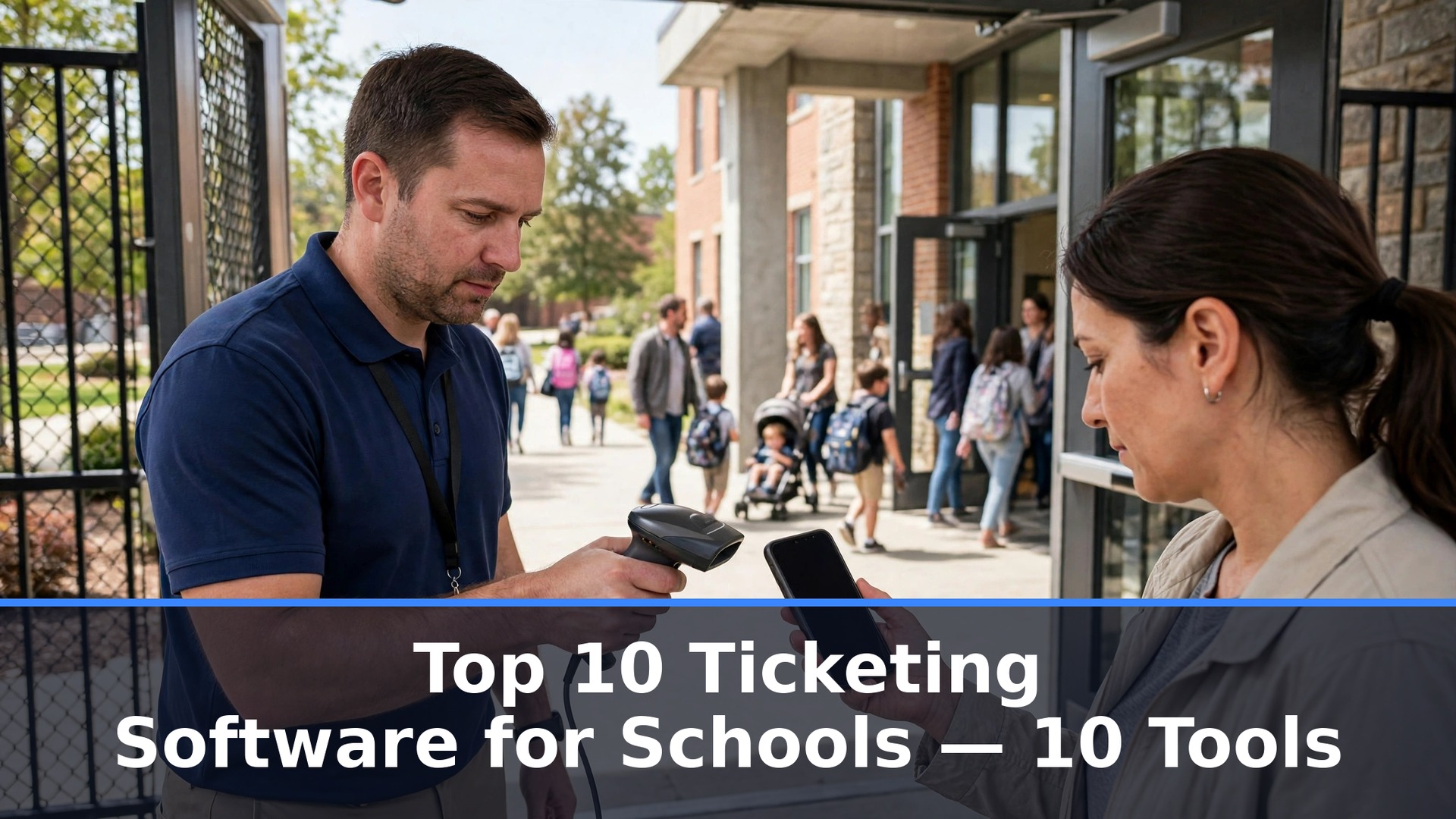
A school used to sell tickets from a folding table at the gym door, with a cash box, a roll of paper tickets and a parent volunteer counting heads. The line moved slowly, the count was always wrong and the money sat in an envelope until Monday. The top 10 ticketing software for schools exists because that way of working costs a school real money every Friday night, and the parents in line have already moved on to expecting a phone in their hand instead of a paper ticket.
Moving from the cash box to online ticketing changes the whole evening. Parents buy before they leave home, the gate scans a phone instead of tearing a ticket, and the athletic director sees the gate total in real time instead of counting the box after the game. The switch is not about looking modern. It is about getting the money into the school account faster, knowing exactly who came through the door and stopping the leak that happens when cash changes hands in a crowd.
The difference shows up fastest on the biggest nights. A playoff game or a spring musical can draw a crowd that overwhelms a cash gate, and the school either turns people away or lets them in free. This guide weighs gate speed, fee transparency and season pass handling as heavily as price, because a ticketing tool that slows the line at the door is not doing its job.
What Changed in the top 10 ticketing software for schools Market
The biggest change is that the fee has moved from the school to the buyer. Five years ago a school paid a monthly subscription and kept the ticket price whole. Now most school platforms cost the school nothing, and the buyer pays a fee on top of the ticket, which means the school’s budget question has changed from what the software costs to what the parents see at checkout. This guide gives the buyer-facing fee for every tool, because a low fee for the school can still be a high price for the family.
The second change is the split between athletics and performing arts. A Friday football game needs fast gate scanning, season passes and a crowd that arrives all at once. A spring musical needs reserved seating, assigned rows and a box office that handles a family buying four seats together. The tools below are ranked with that split in mind, so a school can match the tool to the events it actually runs.
The third change is the arrival of free platforms that survive on fees alone. Zeffy charges no platform fee at all, and GoFan and HomeTown cost the school nothing when the buyer pays. The top 10 ticketing software for schools in this guide was judged partly on whether the free model is honest, because a platform that hides its fee until checkout will cost the school goodwill with parents.
Where School Ticketing Actually Breaks
Ticketing breaks in a specific place, and it is rarely the website. The website works, the tickets sell and the money arrives, and then the gate on Friday night has no signal, the scanner will not load and the line backs up to the parking lot. A ticketing tool earns its place by working offline at the gate, not by looking good on a laptop in the office. The tools below are ranked with that Friday night reality in mind.
The second break is the season pass. A family buys a pass for the whole season, then shows up to a game and the pass will not scan, or the pass covers football but not basketball, or the passholder’s name does not match the list. A tool that handles season passes cleanly, with digital passes that work at every gate, turns the school’s most loyal families into its easiest customers.

The 10 Tools at a Glance
| Tool | Main job | Best for | Starting price |
|---|---|---|---|
| GoFan | Athletics ticketing for schools | High school sports | Free to schools, buyers pay 1 dollar per ticket |
| HomeTown Ticketing | School admissions platform | Districts and athletic departments | Free to schools, reported 1 dollar per ticket |
| Ludus | Performing arts ticketing | Theatre and music programs | 5 percent plus 0.75 dollars per ticket |
| BookTix | Theatre and community ticketing | School plays and musicals | 3.75 percent plus 0.90 dollars per ticket |
| TicketSpice | Flat-fee event ticketing | Schools that supply their own crowd | 0.99 dollars per ticket |
| Eventbrite | General event ticketing | One-off school events | 3.7 percent plus 1.79 dollars per ticket |
| Zeffy | Free ticketing for nonprofits | Fundraisers and free events | Free, no platform fee |
| TicketLeap | Self-serve event ticketing | Small school events | Reported 1 dollar plus 3 percent per ticket |
| Purplepass | Event ticketing with box office | Schools with a physical box office | Pricing on the vendor site |
| Tix | Online ticketing for schools | Schools moving off paper tickets | Pricing on the vendor site |
Best Pick by Job
| Job type | First pick | Second tool | Why this pair works |
|---|---|---|---|
| High school athletics | GoFan | HomeTown Ticketing | GoFan leads on sports gates and HomeTown Ticketing adds district depth |
| School theatre | Ludus | BookTix | Ludus leads on performing arts and BookTix adds a lower fee |
| Fundraisers | Zeffy | TicketSpice | Zeffy costs nothing and TicketSpice adds a flat fee |
| One-off events | Eventbrite | TicketLeap | Eventbrite reaches the widest audience and TicketLeap adds a simple setup |
| Flat-fee gates | TicketSpice | Ludus | TicketSpice keeps the fee flat and Ludus adds arts features |
A football gate and a school musical are different nights with different crowds. The game needs fast scanning and season passes, while the musical needs reserved seats and a box office that handles families buying together, so buying for the wrong half means paying for features the school never opens while going without the ones it needs every Friday.
Size decides the second cut. A single school needs a tool that works on day one without a district contract, while a whole district needs reporting, permissions and a platform that works the same way at every school. The top 10 ticketing software for schools is the set that matches the school’s events and size today, with a clear path to the next level when the program grows.
How to Judge the top 10 ticketing software for schools
Start with one real event, because that is the test that separates a ticketing tool from a pretty website. Sell tickets for a single game or a single performance, staff the gate with the tool’s scanner and watch what happens when the crowd arrives all at once. A tool that scans fast, works when the signal drops and shows the gate total in real time will survive Friday night, while one that needs a perfect connection will fail at the worst moment.
Next, test the season pass with a real family. Sell a pass, send it to a parent’s phone and have them show up at the gate on a busy night. Check whether the pass scans first time, whether it covers every sport or event it promises and whether the gate staff can fix a problem without calling the office. Look for a pass that works at every gate, because a pass that only works at one entrance will create a complaint at the other.
Then check the payout. Sell the tickets, wait for the money and count the days until it lands in the school account. Ask who pays the fee, what the fee is on a 10 dollar ticket and a 50 dollar ticket, and whether the school can choose to absorb it. The top 10 ticketing software for schools proves the payout on the school’s own event before the contract is signed.
The 10 Tools in Detail
The order below follows the school calendar, so the athletics leader opens the list and the general tools close it.
1. GoFan
GoFan is the leading ticketing platform for high school athletics, and its sports focus is the reason. The platform is built for the Friday night gate, with reserved seating, season passes and donations, and it covers credit card processing inside its buyer fee. The platform is free for schools, and buyers pay a 1 dollar convenience fee on tickets up to 10 dollars, or 1 dollar plus 5 percent of face value above 10 dollars.
The drawback is the buyer-facing fee and the narrow fit. A family buying a 50 dollar ticket pays 3.50 dollars on top, which adds up across a season, and GoFan is built for school athletics rather than theatre, so a performing arts program will find the reserved seating thinner than a dedicated arts tool.
GoFan suits high school athletic departments that run a busy gate. It fits a school with a Friday night crowd, an athletic director who wants the gate total in real time and a district already using the PlayOn system. The athletics focus is the feature that matters, because a gate built for sports handles the rush that a general tool cannot.
Sell one real game through GoFan and staff the gate with its scanner. If the line moves fast and the payout lands on schedule, GoFan will carry the athletic season.
2. HomeTown Ticketing
HomeTown Ticketing is the school admissions platform for districts that want an institutional system, and its district depth is the reason. The platform serves schools, athletic departments and associations with online and gate sales, digital season passes and reporting across the district. The platform is free to schools, and the fee is reported at around 1 dollar per general admission ticket plus payment processing of up to 2.9 percent plus 0.30 dollars, with the exact terms set by contract.
The drawback is the opacity. HomeTown does not publish a universal rate card, so the fee depends on the negotiated contract and can vary by ticket type and by who absorbs the processing. A small school will not know its real cost until it negotiates, and the buyer-facing fee can be higher than GoFan on some contracts. The platform is also heavier than a self-serve tool, which suits a district and less so a single school.
HomeTown Ticketing suits districts and athletic departments that want one platform across many schools. It fits a district with several high schools, an athletic director who needs reporting across the whole program and a school that wants season passes handled properly. The district depth is the feature that matters, because a platform that works the same way at every school saves the district real time.
Sell one real game through HomeTown Ticketing and check the contract fee against the payout. If the numbers match and the gate runs cleanly, HomeTown Ticketing will carry the district.
3. Ludus
Ludus is the leading ticketing platform for school performing arts, and its arts focus is the reason. The platform is built for theatres, music programs and dance studios, with reserved seating, season tickets, donations and classes in one system. The fee is 5 percent plus 0.75 dollars per credit card ticket, with card processing included, and there are no setup, monthly or annual fees.
The drawback is the fee on low-priced tickets. A 10 dollar student ticket costs the buyer 1.25 dollars on top, which is a higher percentage than the flat-fee tools, and the platform is built for the arts rather than athletics, so a football gate will find it slower than GoFan.
Ludus suits school theatre and music programs that sell reserved seats. It fits a drama department running a spring musical, a music program selling season tickets and a school that wants donations and ticketing in one place. The arts focus is the feature that matters, because a platform built for theatre handles the box office the way a sports tool cannot.
Sell one real performance through Ludus and test the reserved seating with a family buying four seats together. If the seats land together and the payout is clean, Ludus will carry the arts season.
4. BookTix
BookTix is the ticketing platform for community theatre and school plays, and its low fee is the reason. The fee is 3.75 percent plus 0.90 dollars per ticket including card processing, with cash and complimentary tickets free, and there are no monthly, annual, setup or contract fees. A school can run a whole season without a subscription, which suits a drama department with a small budget.
The drawback is the narrower feature set. BookTix is built for community theatre, so its athletics features are thin and its reporting is lighter than Ludus. The platform also lacks some of the marketing and class features that Ludus bundles, and a school that needs both ticketing and fundraising will find it thinner. The fee is also higher than TicketSpice on a 10 dollar ticket.
BookTix suits school plays and musicals on a tight budget. It fits a drama department that sells a few hundred tickets a season, a school that wants no monthly fee and a program that values a simple box office over a deep platform. The low fee is the feature that matters, because a school keeping more of each ticket can fund the next production.
Sell one real performance through BookTix and check the all-in fee on a 10 dollar ticket. If the payout matches the promise, BookTix will carry the drama season.
5. TicketSpice
TicketSpice is the flat-fee ticketing tool for schools that supply their own crowd, and its simple fee is the reason. The fee is 0.99 dollars per online paid ticket, or 0.49 dollars for tickets priced at 5 dollars or less, with card processing of 2.9 percent plus 0.30 dollars on top. A school that already has an audience does not need discovery, it needs a cheap gate, and TicketSpice is the cheapest way to run one.
The drawback is the lack of school-specific features. TicketSpice is a general event tool, so it has no season pass system built for athletics and no reserved seating as deep as Ludus. The school supplies the crowd, so a program that needs discovery or marketing will find it thin. The box office features are also lighter than the school-focused platforms.
TicketSpice suits schools that already have a crowd and want the cheapest gate. It fits a school selling tickets to its own families, a program with a loyal audience and an event where the fee matters more than the features. The flat fee is the feature that matters, because a school that keeps the fee low keeps more of each ticket.
Sell one real event through TicketSpice and compare the all-in cost against the school-focused tools. If the fee is the lowest and the gate runs cleanly, TicketSpice will carry the event.
6. Eventbrite
Eventbrite is the general event platform for a one-off school event, and its reach is the reason. The platform is the name most people already know, so a school running a fundraiser or a community event can reach buyers who already have the app. The US pricing is 3.7 percent plus 1.79 dollars service fee per paid ticket, plus a 2.9 percent payment processing charge per order.
The drawback is the fee and the fit. Eventbrite is the most expensive tool in this guide on a 10 dollar ticket, and general events are its home ground rather than school athletics or theatre, so its season pass and reserved seating features are thinner.
Eventbrite suits one-off school events that need a wide audience. It fits a fundraiser open to the whole town, a community event that needs discovery and a school that already uses Eventbrite for other events. The reach is the feature that matters, because a public event needs buyers who already have the app.
Sell one real fundraiser through Eventbrite and check the all-in fee on a 10 dollar ticket. If the reach justifies the fee, Eventbrite will carry the public event.
7. Zeffy
Zeffy is the free ticketing platform for school fundraisers, and its zero fee is the reason. The platform charges no platform fee at all, so the school keeps the full ticket price, and it covers ticketing, donations and fundraising in one place. A school running a charity event or a free community night can use Zeffy without any cost, which no other tool in this guide matches.
The drawback is the scope. Zeffy is built for nonprofits and fundraisers, so its athletics gate features and reserved seating are thinner than GoFan or Ludus. A school that needs season passes, fast gate scanning or deep reporting will find it limiting, and the platform’s revenue comes from optional donor tips, which some schools find awkward to explain to parents.
Zeffy suits fundraisers and free events where every dollar matters. It fits a school running a charity night, a program that sells tickets to raise money and an event where the fee would eat the margin. The zero fee is the feature that matters, because a fundraiser that keeps the whole ticket raises more.
Sell one real fundraiser through Zeffy and check that the full ticket price lands in the school account. If it does, Zeffy will carry the charity event.
8. TicketLeap
TicketLeap is the self-serve ticketing tool for small school events, and its simplicity is the reason. The platform lets a school set up an event in minutes, sell tickets online and scan them at the door, with a fee reported at 1 dollar plus 3 percent per ticket. A small event that does not need a district platform can run on TicketLeap without a contract or a setup project.
The drawback is the fee reporting and the depth. The fee is reported rather than published on some pages, so confirm the current number before committing, and the platform is thinner than the school-focused tools on season passes and reserved seating. A school that runs a busy athletics season will find it limiting, and the support is lighter than the district platforms.
TicketLeap suits small school events that need a quick setup. It fits a single concert or a small tournament, a school that wants to try online ticketing without a contract and a program with a modest crowd. The simplicity is the feature that matters, because an event set up in minutes leaves more time for the event itself.
Sell one real event through TicketLeap and check the fee against the payout. If the numbers match and the gate runs cleanly, TicketLeap will carry the small event.
9. Purplepass
Purplepass is the ticketing platform for schools with a physical box office, and its box office tools are the reason. The platform covers online sales, gate scanning and a box office workflow that handles walk-up buyers, season passes and will-call, which suits a school that still sells tickets at the door alongside online sales. No public rate card exists, so the school should request a quote before it budgets.
The drawback is the opacity and the size. Purplepass does not publish a simple fee, so the school will not know its real cost until it negotiates, and the platform is heavier than a self-serve tool, which suits a school with a real box office and less so a small program. A school that sells only online will find the box office features unnecessary.
Purplepass suits schools that run a physical box office alongside online sales. It fits a performing arts centre with a will-call window, a school that sells tickets at the door and online and a program that needs the box office and the gate in one system. The box office workflow is the feature that matters, because a school that sells at the door needs that workflow to work.
Sell one real event through Purplepass and test the will-call window alongside the online gate. If both run cleanly, Purplepass will carry the box office season.
10. Tix
Tix is the online ticketing platform for schools moving off paper tickets, and its simplicity is the reason. The platform covers online sales, gate scanning and basic reporting in a straightforward system that a school can learn quickly, and it suits organisations that want to leave the cash box behind without a complex migration. The price is quoted rather than published, so ask the vendor for a number before budgeting.
The drawback is the opacity and the thin feature set. Tix does not publish a simple fee, so the school will not know its real cost until it negotiates, and its season pass and reserved seating features are thinner than GoFan or Ludus. A school that runs a busy athletics season or a large theatre program will find it limiting, and the platform’s smaller size means fewer integrations.
Tix suits schools making their first move from paper tickets to online sales. It fits a school that wants a simple first step, a program with modest events and a team that values a quick setup over deep features. The simplicity is the feature that matters, because a first move that works will lead to a second one.
Sell one real event through Tix and check the fee against the payout. If the numbers match and the gate runs cleanly, Tix will carry the first online season.
Switching Ticketing Without Losing the Gate
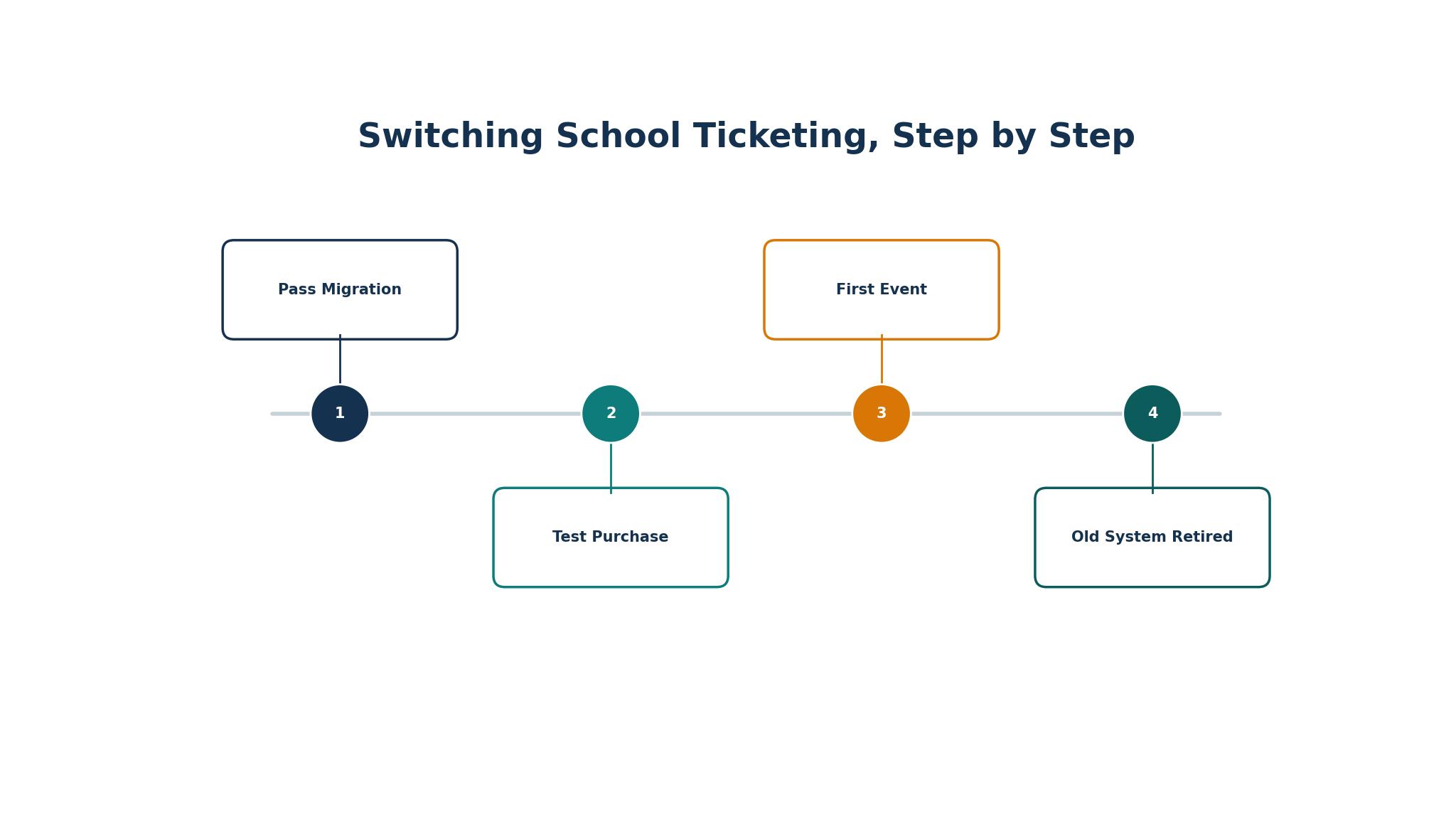
A ticketing migration fails in a specific way. The school sets up the new platform, sells tickets for the first game and discovers that half the season pass holders cannot get in, because their passes live in the old system and nobody migrated them. The gate staff then lets people in free to keep the line moving, and the school loses the revenue it was trying to protect. The fix is to migrate the passes first, before a single new ticket is sold, and to test the gate with the real pass list.
The second failure is the parent who cannot buy a ticket. The school announces the new platform, the parents open it on their phones and the checkout fails, or the fee is higher than expected, or the ticket never arrives by email. A migration needs a test purchase by a real parent on a real phone, a clear note about the fee and a help line on the first night. A switch without a test purchase is a switch that discovers its problems at the gate.
Mistakes That Cost Schools Money
The most expensive mistake is buying for the events the school wishes it ran instead of the ones it runs. A school with a busy football program does not need a theatre platform, and a school with a strong drama department does not need an athletics gate.
A second mistake is ignoring the buyer-facing fee. A platform that costs the school nothing can still cost the families a dollar or more per ticket, and the complaints will land on the school, not the vendor. Ask for the all-in fee on a 10 dollar ticket and a 50 dollar ticket before committing, and tell the parents what they will pay. The cheapest platform for the school is often the most expensive one for the families, and the top 10 ticketing software for schools are judged here on the total cost, not the school’s share.
Frequently Asked Questions
Which ticketing software is best for a high school?
GoFan is the best starting point for a high school with a busy athletics program, because it lives at the sports gate, where season passes have to scan fast at every entrance. HomeTown Ticketing is the better pick for a whole district, since it reports across every school. A single school should test GoFan first, while a district should test HomeTown Ticketing first.
How much does school ticketing software cost?
Most school ticketing platforms cost the school nothing, and the buyer pays the fee. GoFan charges buyers 1 dollar per ticket up to 10 dollars, Ludus charges 5 percent plus 0.75 dollars, BookTix charges 3.75 percent plus 0.90 dollars and TicketSpice charges 0.99 dollars per ticket. Zeffy charges no fee at all. The school should check the all-in fee on a 10 dollar ticket before choosing.
Is free ticketing software good enough for a school?
Free software is good enough for a school that runs standard events and does not need deep reporting. GoFan and HomeTown Ticketing cost the school nothing, and Zeffy charges no fee to anyone. A school with a complex season pass program or a large theatre season may need a paid platform like Ludus, but most schools can run on a free platform.
Can a school switch ticketing software without losing season pass holders?
Yes, if the passes are migrated before a single new ticket is sold and the gate is tested with the real pass list. Export the pass holders, check that every pass has a name and a valid date, and test the gate with a real family on a busy night. Run the old and new systems together for one event, compare the gate totals, and retire the old system only when the numbers agree.
What is the cheapest ticketing software for schools?
Zeffy is the cheapest ticketing software for schools, because it charges no platform fee at all. TicketSpice is the next best value, with a flat fee of 0.99 dollars per ticket. A school running a fundraiser should start with Zeffy, while a school selling regular events should compare TicketSpice against the free-to-school platforms.
Do parents need an app to buy school tickets?
No, most platforms sell through a web link that works on any phone, and the buyer does not need to install anything. GoFan, Ludus and TicketSpice all sell through a browser, and the ticket arrives as a code the gate can scan. A school should still test the purchase on a real parent’s phone before the first event, because a checkout that fails on one phone model will fail on many.
The Verdict on Ticketing Software for Schools
GoFan takes the top spot for school athletics, because its whole system is tuned to Friday night crowds and its season passes work at every entrance. The buyer fee is real, but the gate speed and the payout reliability justify it for a busy program.
Ludus is the pick for school theatre, HomeTown Ticketing is the pick for a whole district, and Zeffy is the pick for a fundraiser. The top 10 ticketing software for schools is not the set with the longest feature list, it is the set that scans fast at the gate, keeps the fee honest and gets the money into the school account on time.
Choose by the events first, the size second and the fee third. Sell one real event on the top two choices, measure the gate speed and the payout, and set a review date. A school that picks this way will spend less time counting cash at midnight and more time running the events the students remember.