

A small business used to budget on a single spreadsheet that the owner updated on Sunday night and forgot by Wednesday. Money came in, money went out, and the owner only learned the business was short when a supplier called about an unpaid invoice. The best budgeting software for small businesses exists because that way of working breaks the moment the business hires its second employee or takes on its first big client.
Moving from a spreadsheet to a real budgeting tool changes what the owner sees every morning. Instead of a stale row of numbers, the owner sees cash in the bank, invoices still unpaid and the month’s spending against the plan, all before the first coffee. The switch is not about fancy charts. It is about knowing whether the business can afford the next hire, the next order or the next slow month before the money runs out.
The difference shows up fastest in the months when revenue dips. A business that budgets properly can see a slow quarter coming six weeks early and cut spending while there is still time. A business that runs on memory discovers the problem when the account is already empty. This guide weighs cash flow visibility, bank connections and forecasting as heavily as price, because a budgeting tool that cannot warn the owner early is not doing its job.
What Changed in the best budgeting software for small businesses Market
The biggest change is that budgeting is no longer a separate job from bookkeeping. Five years ago a business kept its books in one tool and its budget in a spreadsheet, and the two disagreed by the middle of every month. Now the leading tools build the budget from the same bank feeds and invoices that drive the books, so the plan and the reality live in one place and the variance shows up without anyone retyping a number.
The second change is the price floor. A solo owner can now run a real budgeting setup for free, while a growing business pays 20 to 40 dollars a month for a tool that handles invoicing, expenses and reporting together. The gap matters because a business that pays for features it never opens is wasting money every month, and a business that buys the cheapest tool and outgrows it in six months pays twice. This guide gives the starting figure for every tool and says plainly when that figure is reported rather than published.
The third change is the arrival of forecasting that a non-accountant can use. The best budgeting software for small businesses in this guide was judged partly on whether the owner can see next month’s cash position without building a model, because a forecast that only an accountant can read will never be read at all.
Where Small Business Budgets Actually Break
Budgets break in a specific place, and it is rarely the big expenses. Rent and payroll are fixed and visible, so they get planned. The break comes from the small recurring charges that nobody tracks, the software subscriptions, the delivery fees, the card processing and the supplies that get bought on a whim. A budgeting tool earns its fee by surfacing those leaks, not by drawing a prettier chart of rent.
The second break is the invoice that never gets paid on time. A business can look profitable on paper while its bank account drains, because the work was done and the money is still sitting in a client’s inbox. A tool that tracks who owes what, sends reminders and shows the aging of every invoice turns that invisible problem into a number the owner can act on. The tools below are ranked with that cash reality in mind.
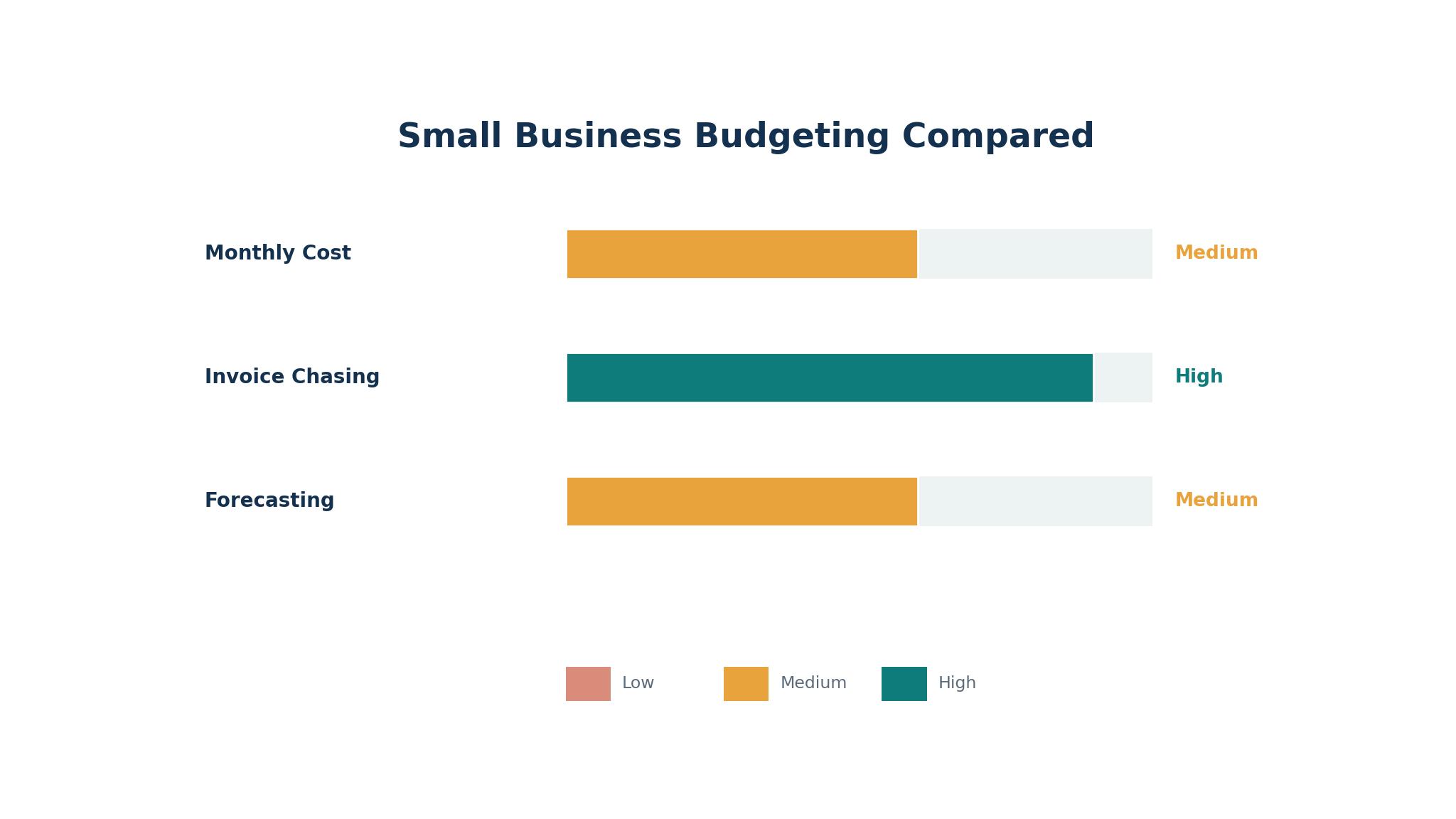
The 8 Tools at a Glance
| Tool | Main job | Best for | Starting price |
|---|---|---|---|
| QuickBooks Online | Full accounting with budgeting | Growing US businesses | 38 dollars a month |
| Xero | Cloud accounting with budgets | Teams that hate per-user fees | 27 dollars a month |
| FreshBooks | Invoicing and expense tracking | Service businesses that bill time | 23 dollars a month |
| Wave | Free invoicing and bookkeeping | Solo owners with simple books | Free, Pro from 19 dollars a month |
| Zoho Books | Low cost accounting suite | Budget-conscious teams | Free, Standard from 20 dollars a month |
| Sage Accounting | Simple cloud accounting | Small businesses that want basics | 10 dollars a month, reported |
| Kashoo | Simple bookkeeping and budgets | Owners who want the basics only | 25 dollars a month, reported |
| FreeAgent | Accounting for freelancers and small firms | Small service firms | 24 dollars a month, reported |
Best Pick by Job
| Job type | First pick | Second tool | Why this pair works |
|---|---|---|---|
| Growing business | QuickBooks Online | Xero | QuickBooks Online leads on accountants and Xero adds unlimited users |
| Tight budget | Wave | Zoho Books | Wave costs nothing to start and Zoho Books adds a cheap paid tier |
| Service billing | FreshBooks | FreeAgent | FreshBooks leads on time billing and FreeAgent adds simple accounting |
| Multi-user team | Xero | QuickBooks Online | Xero charges no per-user fee and QuickBooks Online adds depth |
| Simplest setup | Kashoo | Sage Accounting | Kashoo stays out of the way and Sage Accounting adds a low price |
An hourly service business and a shop selling stock barely share a workflow, even though both call it bookkeeping. The service business lives on invoices and time tracking, while the shop lives on inventory and purchase orders, so buying for the wrong half means paying for features the business never opens while going without the ones it needs every week.
Size decides the second cut. A solo owner needs a tool that works on day one without a setup project, while a ten-person business needs roles, reporting and an accountant who already knows the system. The best budgeting software for small businesses is the one that matches the business today, with a clear path to the next size up when the team grows.
How to Judge the best budgeting software for small businesses
Start with last month’s bank statement, because that is the test that separates a budgeting tool from a spreadsheet with a logo. Import the statement, match the transactions and check whether the tool categorises them correctly and shows the month’s spending against the plan. A tool that needs an hour of manual fixing for every month of data will be abandoned by the second month, no matter how good its dashboard looks.
Next, test the forecast on a real slow month. Take a month when revenue dipped and check whether the tool shows the cash position for the next four weeks, including the bills that are already due. Look for a forecast that names the shortfall in dollars and dates, because a forecast that only shows a trend line cannot tell the owner which bill to delay. The best budgeting software for small businesses proves the forecast on the owner’s own numbers before the trial ends.
Then check the invoice chase. Send three test invoices, mark one as overdue and watch what the tool does. Does it remind the client on its own, does it show the aging clearly and does it tell the owner which invoice to chase first. A tool that leaves the chase to the owner’s memory is not solving the cash problem, it is decorating it.
The 8 Tools in Detail
The order below follows the business, so the full accounting leader opens the list and the simplest tools close it.
1. QuickBooks Online
QuickBooks Online is the broadest budgeting and accounting option for a US small business, and its accountant network is the reason. Almost every US accountant already works in it, so the owner gets professional help without a migration, and the platform covers invoicing, expenses, bank feeds, payroll add-ons and reporting in one place. Simple Start costs 38 dollars a month, Essentials costs 85 dollars and Plus costs 140 dollars, with Advanced at 340 dollars for larger teams.
The drawback is the price climb and the promo trap. The first three months are discounted, then the full price lands, and Essentials at 85 dollars a month is the tier most small businesses actually need. Payroll is an add-on, and the per-user limits on the lower tiers mean a growing team pays more than the headline suggests. A business that only needs invoicing will find cheaper options in this guide.
QuickBooks Online suits growing businesses that work with an accountant. It fits a business with three to twenty-five staff, an owner who wants the accountant to see the books without a file export and a team that needs inventory or project tracking alongside the budget. The accountant network is the feature that matters, because the tool the accountant already knows saves a monthly argument.
Run the trial on your live books, not a demo file: connect the real bank feed, send two real invoices, and watch whether the profit and loss lands where you expect it before the trial clock runs out.
2. Xero
Xero is the best choice for a team that hates per-user fees, and its unlimited users are the reason. Every plan includes unlimited users, so the bookkeeper, the accountant and the business partner all log in without the owner paying per seat. Early costs 27 dollars a month, Growing costs 59 dollars and Established costs 97 dollars, with unlimited invoices and bills from Growing upward.
The drawback is the entry limits. Early caps the business at twenty invoices and five bills a month, which a busy business will hit within weeks, so the practical entry point is Growing at 59 dollars a month. Payroll runs through a partner add-on rather than natively, and inventory only arrives on the Established tier. A business that needs deep inventory will find the limits quickly.
Xero suits teams that reconcile a lot of bank activity. It fits a business with several people touching the books, an owner who wants fast bank reconciliation and a team that works with an accountant in another time zone. The unlimited users are the feature that matters, because a three-person team saves hundreds a year against per-seat pricing.
A useful Xero test is counting the fixes. Reconcile a full week of real bank activity and tally every transaction you had to touch by hand; a low count means the feed is doing its job.
3. FreshBooks
FreshBooks is the best budgeting and invoicing tool for a service business that bills by time, and its invoicing is the reason. The platform makes it easy to track hours, turn them into an invoice and chase the payment, with a clean interface that a non-accountant can learn in an afternoon. Lite costs 23 dollars a month for up to five billable clients, Plus costs 43 dollars and Premium costs 70 dollars, with extra team members at 11 dollars a month each.
The drawback is the accounting depth. FreshBooks does not do double-entry bookkeeping or bank reconciliation the way QuickBooks Online or Xero do, and inventory is limited. A business that sells stock or needs deep reporting will outgrow it, and the per-client limits on Lite mean a busy service business will need Plus quickly. The tool is built for service billing, and a shop will find it thin.
FreshBooks suits freelancers and service businesses that live on client work. It fits a consultant who bills by the hour, a small agency that tracks time per client and an owner who wants invoices out fast and paid faster. The invoicing is the feature that matters, because a service business that invoices late gets paid late.
Bill a real client through FreshBooks during the trial, from tracked hours to a sent invoice, then follow the payment reminder yourself and see how much chasing it does for you.
4. Wave
Wave is the best free budgeting option for a solo owner, and its price is the reason. The Starter plan costs nothing and covers invoicing and basic bookkeeping, while Pro costs 19 dollars a month and adds automatic bank imports. A solo owner with simple books can run the whole business on Wave without a monthly bill, which no other tool in this guide matches.
The drawback is the depth. Starter has no automatic bank import, so the owner imports transactions by hand, and the platform has no inventory and limited reporting. Payroll is an add-on at 40 dollars a month plus 6 dollars per employee, and a business that grows past a handful of transactions a month will find the free tier slow. The tool is built for very small businesses, and a growing team will outgrow it.
Wave suits solo owners with simple books and no staff. It fits a new business testing the market, an owner who wants to keep costs at zero while the revenue builds and a freelancer who needs invoices and basic books without a subscription. The free plan is the feature that matters, because a business earning little should not be paying for accounting.
The honest Wave question is time, not money. Import a month of transactions by hand and clock how long it takes; if the minutes feel trivial, the free plan is genuinely free.
5. Zoho Books
Zoho Books is the best value accounting suite for a budget-conscious team, and its free tier is the reason. The free plan covers one user plus the accountant, up to 1,000 invoices a year for businesses under 50,000 dollars in revenue, and Standard costs 20 dollars a month or 15 dollars billed annually for three users. Professional at 50 dollars a month adds inventory, and Premium at 70 dollars adds advanced features.
The drawback is the ecosystem pull. Zoho Books works best alongside other Zoho products, and a business that runs a different CRM or marketing tool will find the integrations thinner. The interface carries the weight of a large suite, and the free tier’s revenue cap means a growing business will need to upgrade sooner than it expects. A team that needs deep US payroll support will find it limited to select states.
Zoho Books suits small businesses that want the most accounting per dollar. It fits a budget-conscious team of three to five, a business already using Zoho products and an owner who wants a real free plan before committing. The free tier is the feature that matters, because a business can prove the tool works before paying anything.
Push your real volume through the free tier for two weeks: a full month of invoices, the usual expenses, and see whether anything you need sits behind the paywall.
6. Sage Accounting
Sage Accounting is the simple cloud accounting option for a business that wants the basics done well, and its low price is the reason. The entry plan is reported at 10 dollars a month, and the platform covers invoicing, expenses, bank feeds and basic reporting without the complexity of a full suite. A small business that finds QuickBooks Online overwhelming will find Sage Accounting easier to learn.
The drawback is the depth and the reporting. Sage Accounting is thinner than QuickBooks Online or Xero on reporting, automation and integrations, and a business that needs project tracking or inventory will find the limits quickly. The platform is built for small businesses that want the basics, and the price is reported rather than published on some pages, so confirm the current number before committing.
Sage Accounting suits small businesses that want a simple setup and a low bill. It fits a shop with straightforward books, an owner who values a clean interface over deep features and a team that does not need an accountant to hold its hand. The low price is the feature that matters, because 10 dollars a month buys a real accounting tool.
Keep it simple on purpose. Enter a week’s invoices and expenses exactly as you would on paper, then ask whether the reports alone tell you if the month made money.
7. Kashoo
Kashoo is the simplest bookkeeping and budgeting tool in this guide, and its simplicity is the reason. The platform covers income, expenses, invoicing and basic reports in an interface that stays out of the way, and the price is reported at 25 dollars a month. An owner who wants the books done without learning accounting will find Kashoo the easiest tool to live with.
The drawback is the thin feature set. Kashoo has no payroll, no inventory and limited reporting, and a business that grows will outgrow it faster than any other paid tool here. The integrations are fewer than QuickBooks Online or Xero, and the price is reported rather than published, so confirm the current number before committing. A team with more than one person touching the books will find it limiting.
Kashoo suits owners who want the basics only and nothing more. It fits a solo owner who hates accounting software, a small business with simple books and an owner who values a clean screen over a long feature list. The simplicity is the feature that matters, because a tool the owner actually opens will be used.
Open Kashoo after a busy day and try to finish the books in ten minutes. If the cash position is obvious without hunting through menus, its simplicity is earning its keep.
8. FreeAgent
FreeAgent is the accounting tool for freelancers and small service firms, and its focus on the self-employed is the reason. The platform covers invoicing, expenses, time tracking and tax estimates in one place, and it is built around the way a small service firm actually works. The price is reported at 24 dollars a month, with the final figure depending on the business type and region.
The drawback is the narrow fit and the price reporting. FreeAgent is built for freelancers and small service firms, so a business that sells stock or runs a team will find it thin. The price is reported rather than published on some pages, so confirm the current number before committing, and the US feature set is smaller than the UK one, where the tool is better established. A growing business will need to migrate sooner than it expects.
FreeAgent suits small service firms and freelancers who want tax and invoicing in one place. It fits a consultant who bills clients, a small firm that wants a tax estimate without an accountant and an owner who values a tool built for the self-employed. The tax focus is the feature that matters, because a freelancer who sees the tax bill coming can plan for it.
The FreeAgent test lives in the tax number. Invoice a real client, log the expenses, and compare its tax estimate against what your accountant expects before you trust it.
Switching Budgets Without Losing the Thread
A budget migration fails in a specific way. The business exports its data, imports it into the new tool and discovers that half the transactions have no category and a third of the invoices have no client attached. The owner then runs two systems for months, and the new one gets blamed for the old one’s mess. The fix is to clean the categories before the move, not after it, and to run both systems in parallel until the monthly totals match.
The second failure is the owner who never opens the new tool. The business buys the software, sets it up once and assumes the work is done, while the owner keeps a private spreadsheet and the budget splits in two. A migration needs a weekly routine, a fixed day to reconcile and a willingness to retire the old spreadsheet on a set date. Without a fixed date to retire the old spreadsheet, the switch drags on for months.

Mistakes That Cost Small Businesses Money
The most expensive mistake is buying for the business the owner wishes he ran instead of the one he runs. A solo freelancer does not need QuickBooks Online Advanced, and a ten-person business does not need a free tool that cannot handle payroll. Size the tool to the next twelve months of revenue, not to a five-year dream, and plan the upgrade path in advance so the switch is a decision rather than a crisis.
A second mistake is ignoring the add-ons. A 23 dollar plan looks cheap until the business adds payroll, payment processing and a second user, and the monthly bill doubles without any new feature being used. Ask for the full-stack quote before committing, and include the add-ons the business actually needs. The cheapest headline plan is often the most expensive stack, and the best budgeting software for small businesses are judged here on the full cost, not the entry price.
Frequently Asked Questions
Which budgeting software is best for a small business?
QuickBooks Online is the best starting point for a growing US small business, because almost every accountant already works in it and its reporting is the deepest in this guide. Xero is the better pick when several people need access, since it charges no per-user fee. A business with an accountant should test QuickBooks Online first, while a team of three or more should test Xero first.
How much does budgeting software cost per month?
Budgeting software costs between 0 and 140 dollars a month for most small businesses. Wave and Zoho Books both offer real free plans, FreshBooks starts at 23 dollars a month, Xero starts at 27 dollars and QuickBooks Online starts at 38 dollars, with Essentials at 85 dollars the tier most businesses actually need. The practical cost is higher once payroll and payment processing are added.
Is free budgeting software good enough?
Free software is good enough for a solo owner with simple books and low volume. Wave Starter covers invoicing and basic bookkeeping at no cost, and Zoho Books Free covers up to 1,000 invoices a year. A business with staff, inventory or more than a handful of transactions a week will outgrow the free tier quickly and should budget for a paid plan.
Can I switch budgeting software without losing my data?
Yes, if the categories are cleaned before the move and both systems run in parallel until the monthly totals match. Export the books, check that every transaction has a category and every invoice has a client, and migrate one month first. Run the old and new tools together for a month, compare the totals weekly, and retire the old tool only when the numbers agree.
What is the cheapest good budgeting software?
Wave is the cheapest good budgeting software, because its Starter plan costs nothing and covers invoicing and basic bookkeeping. Zoho Books is the next best value, with a real free plan and a paid tier from 20 dollars a month. A solo owner on a tight budget should start with Wave, while a team that needs more depth should start with Zoho Books.
Do I need an accountant to use budgeting software?
No, but the right tool makes the accountant’s job cheaper. QuickBooks Online and Xero are both built for accountant collaboration, and an accountant who already knows the tool will charge less for the monthly close. A solo owner can run Wave or Kashoo alone, but should still have an accountant review the books at year end.
The Verdict on Budgeting Software for Small Businesses
QuickBooks Online takes the top spot for a growing business, because its accountant network is unmatched and its reporting is the deepest in this guide. The price climbs at the higher tiers, but the entry is broad and the tool scales from one user to twenty-five without a migration.
Xero is the pick for a multi-user team, FreshBooks is the pick for a service business that bills time, and Wave is the pick for a solo owner on a budget. The best budgeting software for small businesses is not the one with the longest feature list, it is the one that shows the cash position every morning, chases the overdue invoice on its own and costs less than the money it helps keep.
Choose by the business first, the team size second and the price third. Close last month in the top two choices, measure the forecast and the invoice chase, and set a review date. A business that picks this way will spend less time guessing about money and more time growing the work that earns it.