
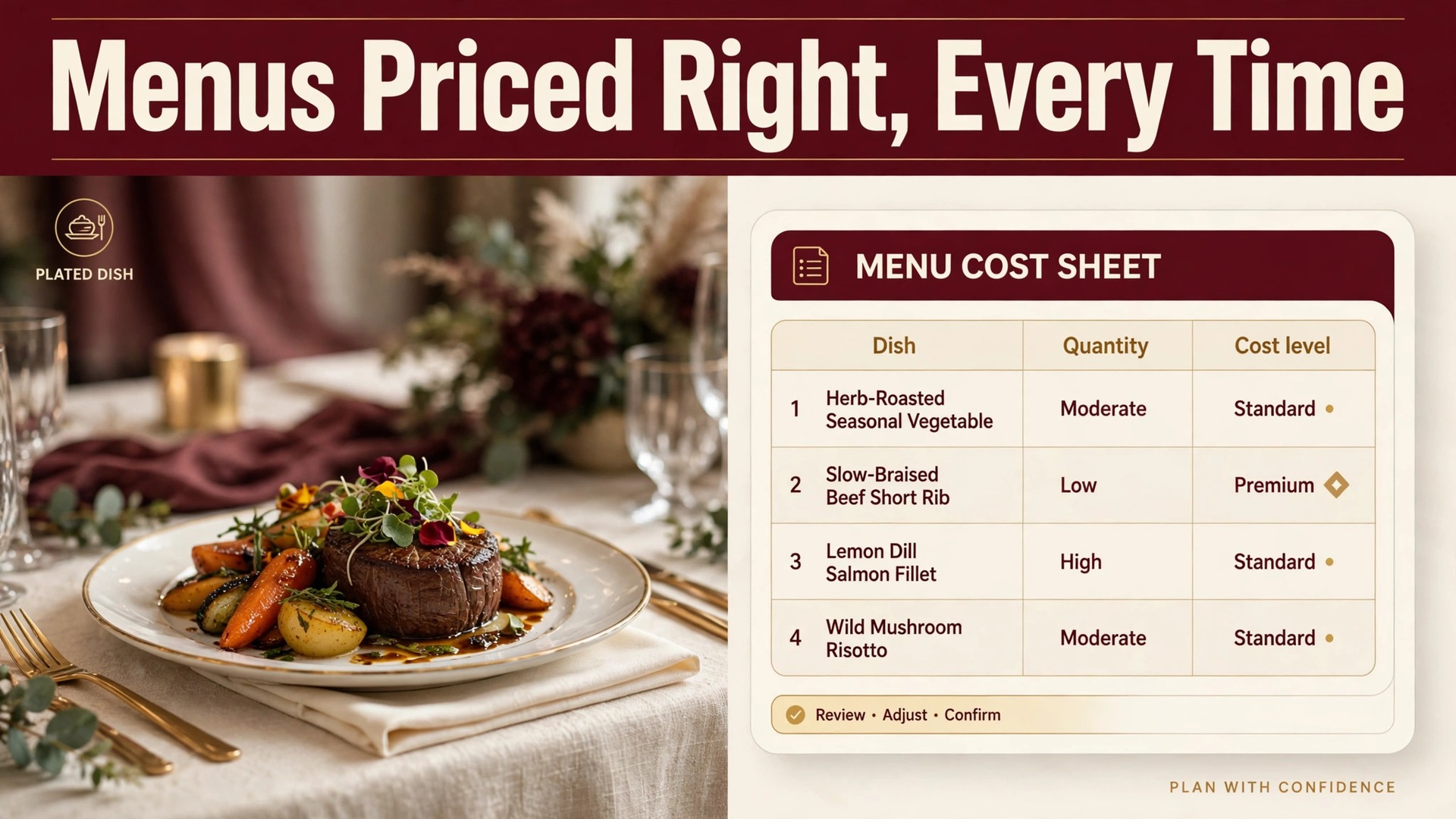
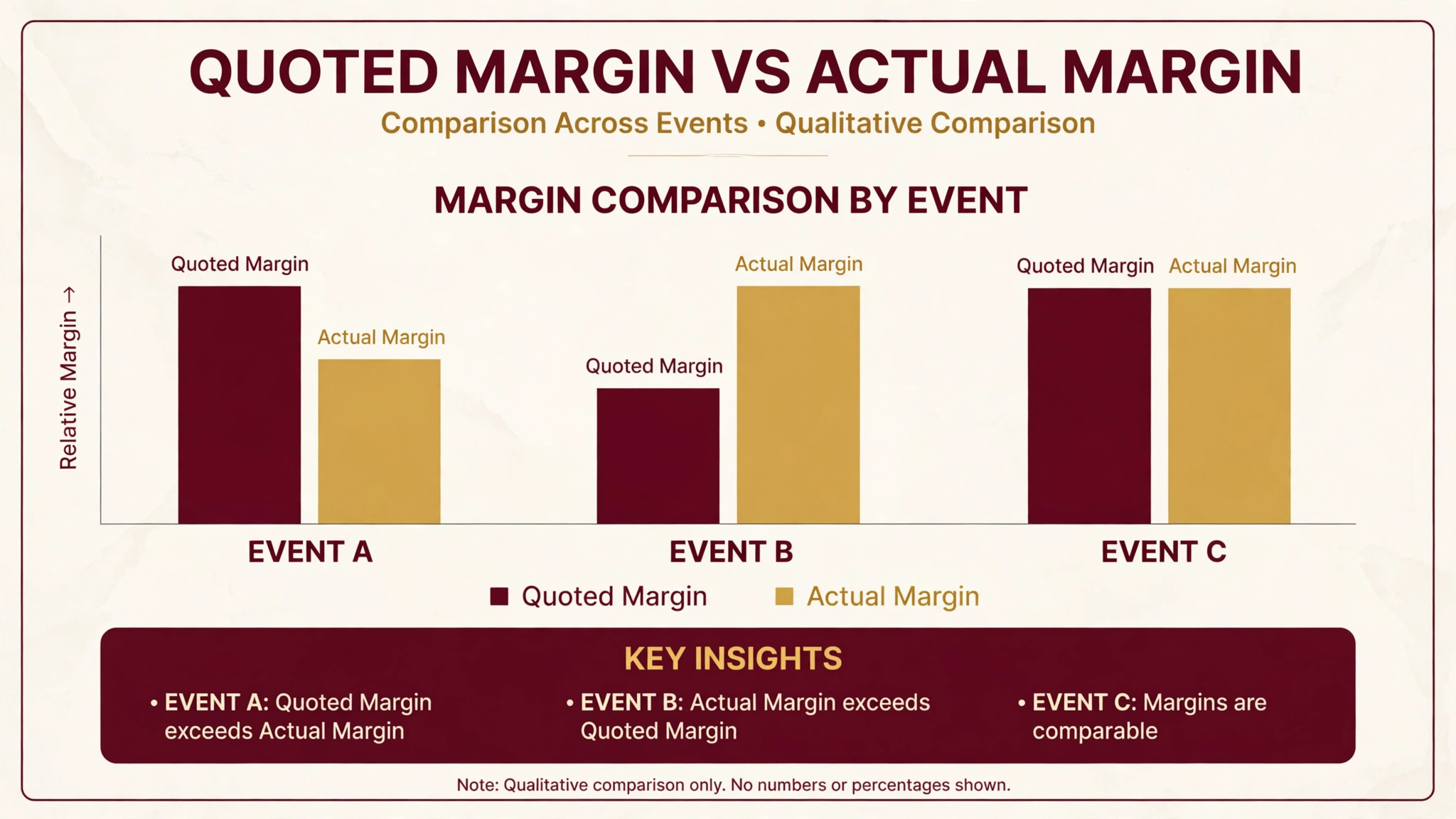
A catering menu that looks generous can still lose money, and the loss hides in the gap between the quoted price and the true cost per head. A dish priced from memory, a dietary substitute added without repricing, a headcount that drifts upward after the quote, and suddenly the event that felt profitable pays for its own food and little else. That margin gap is why caterers who learn to use AI for catering company menu planning gain more than convenience. They gain a menu that is priced from real recipe costs, filtered for real dietary needs, and checked against the headcount before the proposal goes out.
Menu planning used to live in the head chef head, in a spreadsheet, and in a folder of past proposals. That worked when menus changed slowly and dietary requests were rare. It breaks now, because clients expect menus built around their event in days, guests report more allergies and preferences than ever, and ingredient prices move between quote and event day. AI does not replace the chef judgement about what tastes good together. It removes the arithmetic, the filtering and the retyping that used to eat the planning week, and it leaves the chef to do the creative work that actually sells the event.
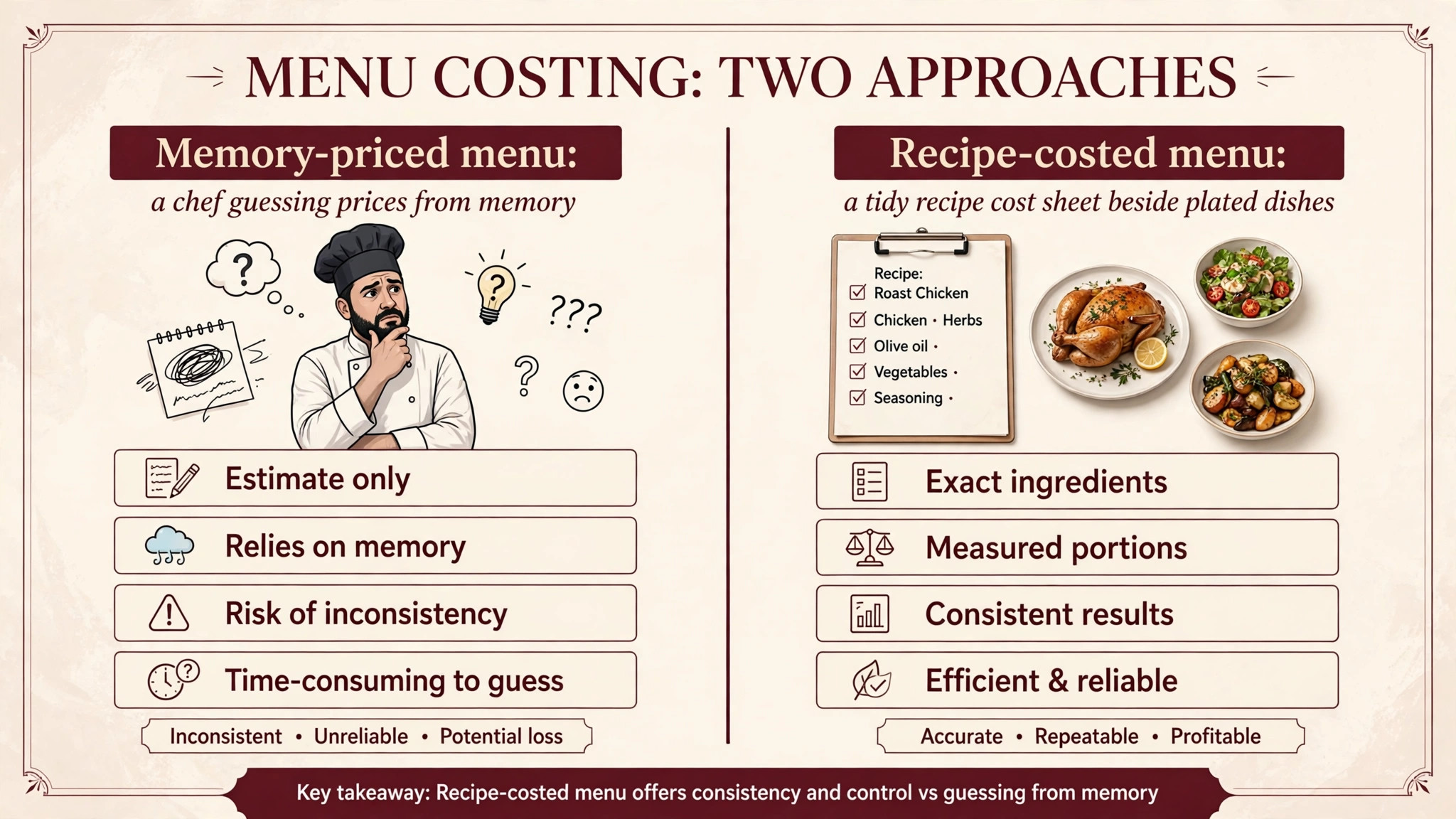
The first leak is recipe costing done from memory. A caterer who prices a chicken dish at last year ingredient cost, or who forgets the garnish, the sauce and the bread service in the per-head maths, will quote a price that feels competitive and performs badly. The error compounds across a whole menu, because every dish carries the same optimistic assumption, and a 100-guest event multiplies a two-dollar error into two hundred dollars of missing margin. Recipe-level costing is the unglamorous fix, and it is the fix AI handles best, because it recalculates every dish from current ingredient costs without anyone retyping a spreadsheet.
The second leak is dietary handling done as an afterthought. A menu planned for the majority, with vegan, gluten-free, halal or nut-free guests handled by ad hoc substitutions on the day, creates kitchen chaos and guest risk. Substitutions made under pressure cost more, because the kitchen buys small quantities at short notice, and they risk cross-contact when the plan was never written down. A menu planned with dietary filters from the start costs the substitutes properly, writes them into the kitchen plan, and serves every guest a dish that feels chosen rather than improvised.
The third leak is the headcount drift between quote and event. Clients add guests, change the service style, or extend the event, and each change should reprice the menu automatically. When repricing needs a manual spreadsheet rebuild, it often does not happen, and the caterer absorbs the difference. A planning system that ties menu, headcount and cost together reprices in seconds, so the revised proposal reflects the revised event before anyone signs it. That automatic repricing is one of the clearest reasons to use AI for catering company menu planning, because it protects margin on every change the client makes after the first quote.
Start with the event brief, because every good menu decision flows from it. The brief should capture guest count, service style, venue constraints, budget per head, theme, dietary counts by category, and any must-have or must-avoid items. AI can draft menu options from that brief, but only if the brief is complete, so the most valuable habit in this whole guide is a brief template that no proposal skips. A brief with a blank dietary field is a menu that will surprise the kitchen later.
Next, build the menu from costed recipes, not from dish names. Each recipe needs ingredient quantities, current ingredient costs, yield, portion size and preparation time, so the system can calculate a true cost per head for any combination. When the caterer changes an ingredient, the cost should update everywhere that recipe appears, including past proposals still in negotiation. That single behaviour, automatic recalculation, is what separates a planning system from a document folder, and it is the first thing to test in any trial.
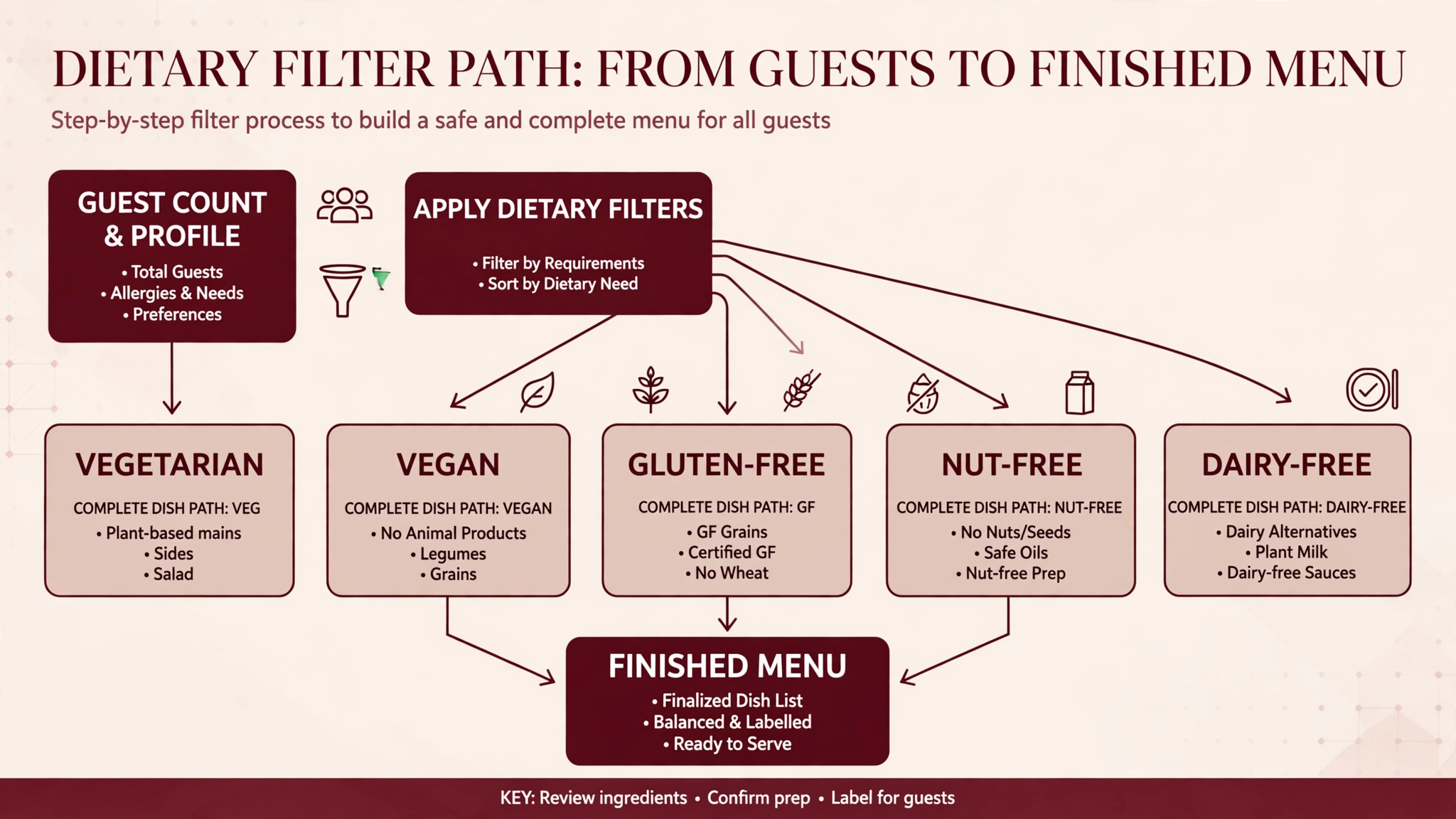
Then apply dietary filters before choosing dishes, not after. Filter the recipe library by the dietary counts in the brief, so the draft menu only contains dishes that work for the guest mix, with substitutes costed and written into the plan. Modern catering platforms support tags and filters for items such as gluten-free or vegetarian options, which lets planners search by the tags relevant to each event. A menu built this way serves every guest from the same standard of cooking, rather than treating dietary guests as a problem to solve on the day.
This workflow is the overview-proof core of the system. It turns an event brief into a priced, dietary-safe proposal that the kitchen can actually execute, and it works for drop-off orders and full banquets alike, with the depth adjusted to the event.
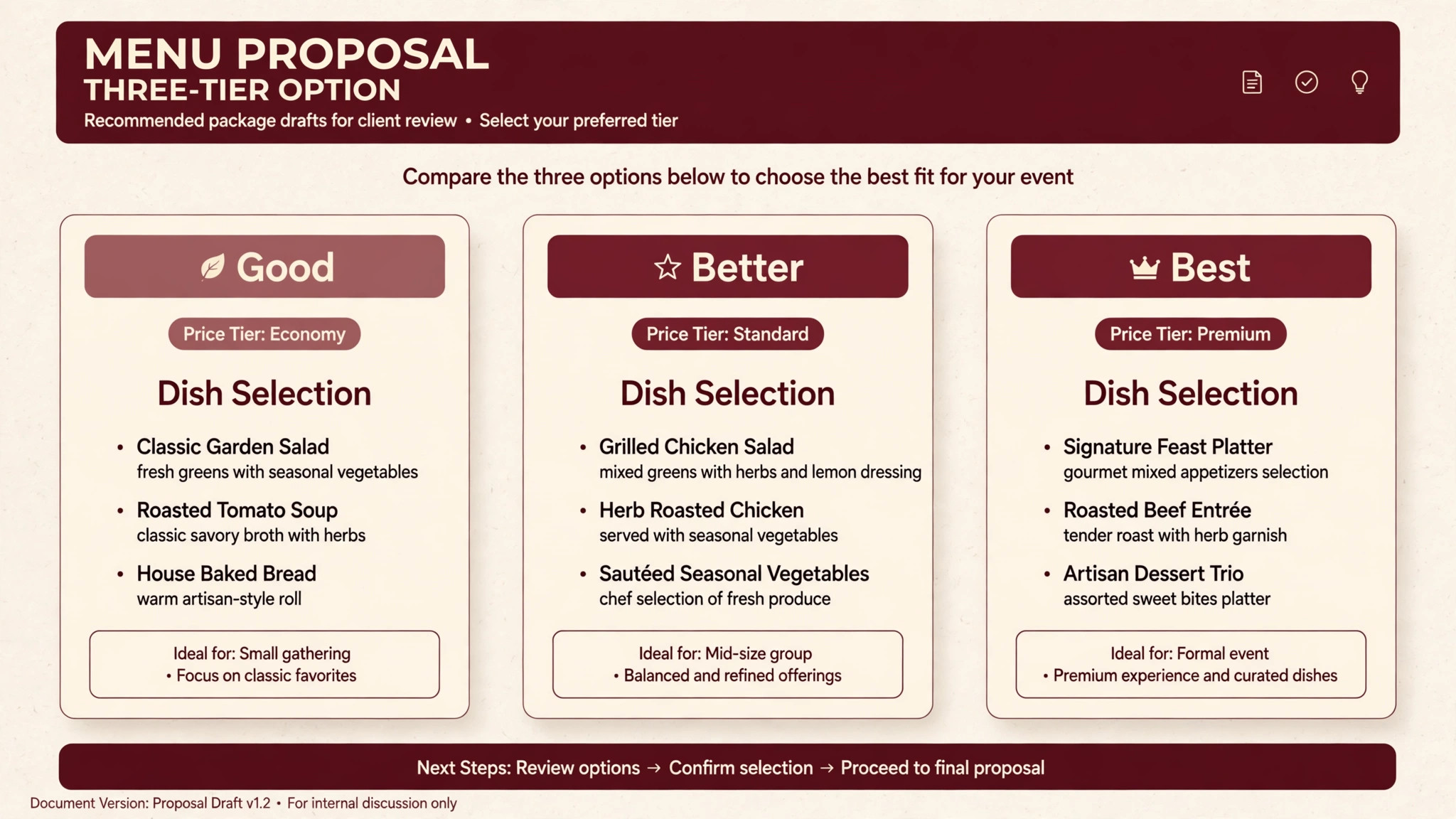
1. Capture the event brief in a structured form, covering guest count, service style, venue, budget per head, theme, dietary counts and client must-haves. A brief taken by phone and scribbled on paper will lose a dietary count, so use the same form for every event, whether the client arrives by web inquiry, by phone or by referral. 2. Generate menu drafts from the brief, with AI suggesting combinations that fit the budget, the theme and the service style. Ask for three drafts at different price points, because clients decide faster when they can compare a good, better and best option than when they receive one take-it-or-leave-it menu. Each draft should show its cost per head beside its selling price, so the margin is visible before the client ever sees it. 3. Apply dietary filters to each draft, checking that every dietary category in the brief has a complete dish path from starter to dessert, not just a single substitute main. Count the covers per category, because a menu that serves forty vegans with one dish and a hundred other guests with five dishes is not a balanced menu, whatever the spreadsheet says. 4. Run the cost-per-head check on each draft, including food cost, labour estimate, hire and transport where the system supports them, and compare the result against the client budget and the caterer target margin. A draft that fits the client budget but misses the margin target should be reworked before it is proposed, not discovered after the event. 5. Adjust the drafts with the chef, swapping dishes for flavour, seasonality and kitchen capacity, and let the system reprice each swap instantly. This is where AI stops and judgement starts, because no system knows that two rich dishes in a row will tire guests, or that a dish needing last-minute frying cannot serve two hundred covers from a small venue kitchen. The chef edits, the system reprices, and the proposal stays honest. 6. Produce the proposal, the banquet event order and the kitchen reports from the same menu data, so the client proposal, the packing list and the prep sheets all describe the same event. When those documents come from one source, the kitchen never cooks from an old version of the menu, and the front of house never serves a dish the kitchen did not prepare. 7. Review after the event, recording actual covers, actual food cost, waste and guest feedback per dish, and feed those numbers back into the recipe library. A dish that wastes consistently should be repriced or retired, and a dish that guests praise should be promoted into more drafts. That feedback loop is what turns menu planning from a guessing game into a system that improves every month.

Prices below come from recent third-party comparisons of catering software, so check the vendor current pricing page before buying, because catering software pricing is often quote-based and add-ons change the total.
| Platform | Reported price | Menu planning strength |
|---|---|---|
| Caterease | From 99 to 199 dollars a month, plus 200 dollars setup per user and 28 dollars per extra user | Deep recipe costing, menu building, event documents and reporting |
| Total Party Planner | From 119 dollars a month for the Nibble plan, 299 dollars for Feast, 429 dollars for Delicacy | Recipe costing, menu management, kitchen reports and profit analysis |
| Better Cater | From 99 dollars a month, or 83 dollars billed annually, Premium 149 dollars or 125 dollars annually | Food costing, recipe and menu management at a lower starting price |
| Perfect Venue | Check the vendor current pricing page | Fast proposals, contracts and deposits for venues and caterers |
| CaterZen | Check the vendor current pricing page | Online catering orders for teams that sell largely online |
| Cendyn Catering | Check the vendor current pricing page | Online menus with filters and tags for dietary and specialty items |
Caterease
Caterease is the depth pick for established catering operations with real event volume. Its event booking wizards walk staff through the same steps for every event type, menu building includes item search, pre-built packages and quantity controls, and recipes and packing lists compile automatically from whatever is on the order.
That depth matters because a miscosted recipe eats margin on every event it is used for, and Caterease has spent decades building the costing and document tools that catch those errors. It reports 50,000 global users and a Capterra rating of 4.4 out of 5 across more than 110 reviews in recent comparisons.
At a reported 99 to 199 dollars a month across three tiers, plus a 200 dollar one-time setup fee per user and 28 dollars a month per extra login, with add-on modules at 25 dollars a month each, the full bill needs modelling at real user count. Choose Caterease if the operation runs dozens of events a week and needs recipe depth. Skip it if the team is small and mainly needs fast proposals, because a lighter tool will cost less and train faster.
Total Party Planner
Total Party Planner is the full-service pick for caterers that need recipe costing plus staff scheduling in one system. It covers event management, lead tracking, proposals and invoices, recipe management, kitchen reports, auto-generated packing lists and full profit analysis, which is the combination a growing full-service caterer actually uses week to week.
At a reported 119 dollars a month for the Nibble plan for start-up and solo caterers, 299 dollars for Feast and 429 dollars for Delicacy, with plans including one, two and three users respectively and extra users at 25 dollars a month, it is priced for operations that already have volume. Choose Total Party Planner if recipe costing and staff scheduling must live together. Skip it if the caterer only needs proposals and orders, because the depth will sit unused.
Better Cater
Better Cater is the value pick for small catering teams that want the basics done well at a lower starting price. It covers food costing, recipe and menu management, banquet event order templates, shopping lists, kitchen reports and e-signed proposals, contracts and invoices, which is a strong feature set for a small operation.
At a reported 99 dollars a month, or 83 dollars billed annually, with Premium at 149 dollars or 125 dollars annually, one user included and extra users at 25 dollars a month, or 20 dollars billed annually, with no setup fee, it undercuts Caterease entry pricing in recent comparisons. Choose Better Cater if price matters and the team is small. Skip it if the operation needs deep multi-user or multi-location depth, because the larger platforms scale further.
Perfect Venue
Perfect Venue is the speed pick for restaurants, venues and caterers that want to go from inquiry to signed proposal and deposit fast. It handles proposals, contracts and deposits simply, without the recipe costing and kitchen prep overhead built for high-volume catering operations, which makes it a strong fit for single-location teams that sell events rather than run commercial kitchens. Pricing is by quote in the comparisons consulted, so ask for the full figure at real user count. Choose Perfect Venue if proposal speed is the bottleneck. Skip it if recipe costing is the bottleneck, because that is the job it deliberately does not do.
CaterZen and Cendyn Catering
CaterZen suits caterers that sell largely through online orders, with tools built around the online ordering flow rather than the full banquet operation. Cendyn Catering suits teams that manage, revise and publish online menus in real time, with custom filters and tags that let planners view items such as gluten-free or vegetarian options quickly. Both are specialists, and the right choice depends on which half of the business needs help. A caterer drowning in online orders should trial CaterZen, while a caterer whose menu changes constantly and must stay published accurately should trial Cendyn. Get both quotes in writing, because neither publishes a simple comparable price in the comparisons consulted.
Run this checklist on every proposal before it reaches the client. A proposal that fails any item should be fixed first, because a client who spots a dietary gap or a pricing error will trust the caterer less on everything else. The checklist is also a fair test of whether you use AI for catering company menu planning properly, since a system that cannot pass it is not ready for real proposals.
– Confirm the brief is complete, with guest count, service style, venue constraints, budget per head and dietary counts all filled in. – Confirm every dietary category has a complete dish path, from starter to dessert, with covers counted per category. – Confirm every dish cost comes from a costed recipe with current ingredient prices, not from a remembered figure. – Confirm the cost-per-head check includes food, and labour, hire and transport where the caterer charges them separately. – Confirm the margin on each draft meets the caterer target, and rework any draft that fits the client budget but misses margin. – Confirm the chef has reviewed flavour balance, seasonality and kitchen capacity for the venue and the cover count. – Confirm the proposal, the banquet event order and the kitchen reports all come from the same menu data. – Confirm allergen information is written into the kitchen plan, not left to verbal handover on the day. – Confirm the headcount deadline and the repricing rule for late additions are stated in the proposal. – Confirm last event feedback has been fed back into the recipe library, so weak dishes do not keep reappearing in drafts.

What Cost-per-Head Discipline Is Worth
The maths is simple and it is worth doing in the open. A 100-guest event quoted at 45 dollars per head is 4,500 dollars of food revenue before anything else is counted. If the true food cost is 15 dollars per head, the food margin is 3,000 dollars before labour, hire and transport. If the true food cost is actually 19 dollars per head because a dish was priced from memory, the food margin falls to 2,600 dollars, and four hundred dollars has vanished without any guest noticing a difference. Multiply that error across twenty events and the caterer has lost eight thousand dollars to arithmetic, which is a loss no marketing campaign can fix.
Cost-per-head discipline also changes client conversations for the better. A caterer who can show three drafts at different price points, each with a clear per-head figure and a dietary plan, looks professional in a way that a single vague quote never does. Clients choose faster, negotiate less on price, and trust the caterer more, because the proposal proves the caterer has thought about their guests rather than pasted a standard menu. That trust is what turns a one-event client into a repeat client, and repeat clients are the cheapest revenue a caterer owns. It is also the commercial payoff caterers notice first when they use AI for catering company menu planning well, because better proposals close faster than cheaper ones.
| Operation size | Sensible starting setup | Why it wins |
|---|---|---|
| Solo or small team | Better Cater | Full costing basics at the lowest starting price in the comparison |
| Growing full-service caterer | Total Party Planner | Recipe costing plus staff scheduling and profit analysis |
| High-volume established operation | Caterease | Deepest recipe, document and reporting tools for heavy event flow |
| Venue or restaurant selling events | Perfect Venue | Proposal speed without catering operations overhead |
The most common mistake is planning the menu before counting dietary needs. A caterer who designs a beautiful menu and then discovers forty vegan guests, or a nut allergy in the bridal party, has to rebuild under pressure, and rebuilt menus cost more and risk more. Count dietary needs in the brief, filter before drafting, and let the menu grow around the real guest mix. The extra ten minutes in the brief saves a frantic day in the kitchen.
The second mistake is quoting from a standard menu without repricing for the event. Ingredient prices move, venues differ, service styles change labour, and a standard menu price that was right in spring may be wrong by autumn. Reprice every proposal from current recipe costs, even when the menu looks identical to last month, because identical menus do not have identical costs. A caterer who reprices every time never has to explain a loss after the event, and that habit is easier to keep when you use AI for catering company menu planning, since the system does the recalculation the moment a price changes.
The third mistake is keeping the proposal, the kitchen plan and the packing list in separate documents that drift apart. A dish changed in the proposal but not in the kitchen report gets cooked wrong or not at all, and a guest count updated in email but not in the order gets served short. One source of menu data, feeding every document, is the fix, and it is the fix that catering software exists to provide. Any caterer still copying menus between documents by hand should treat that as the first problem to solve.
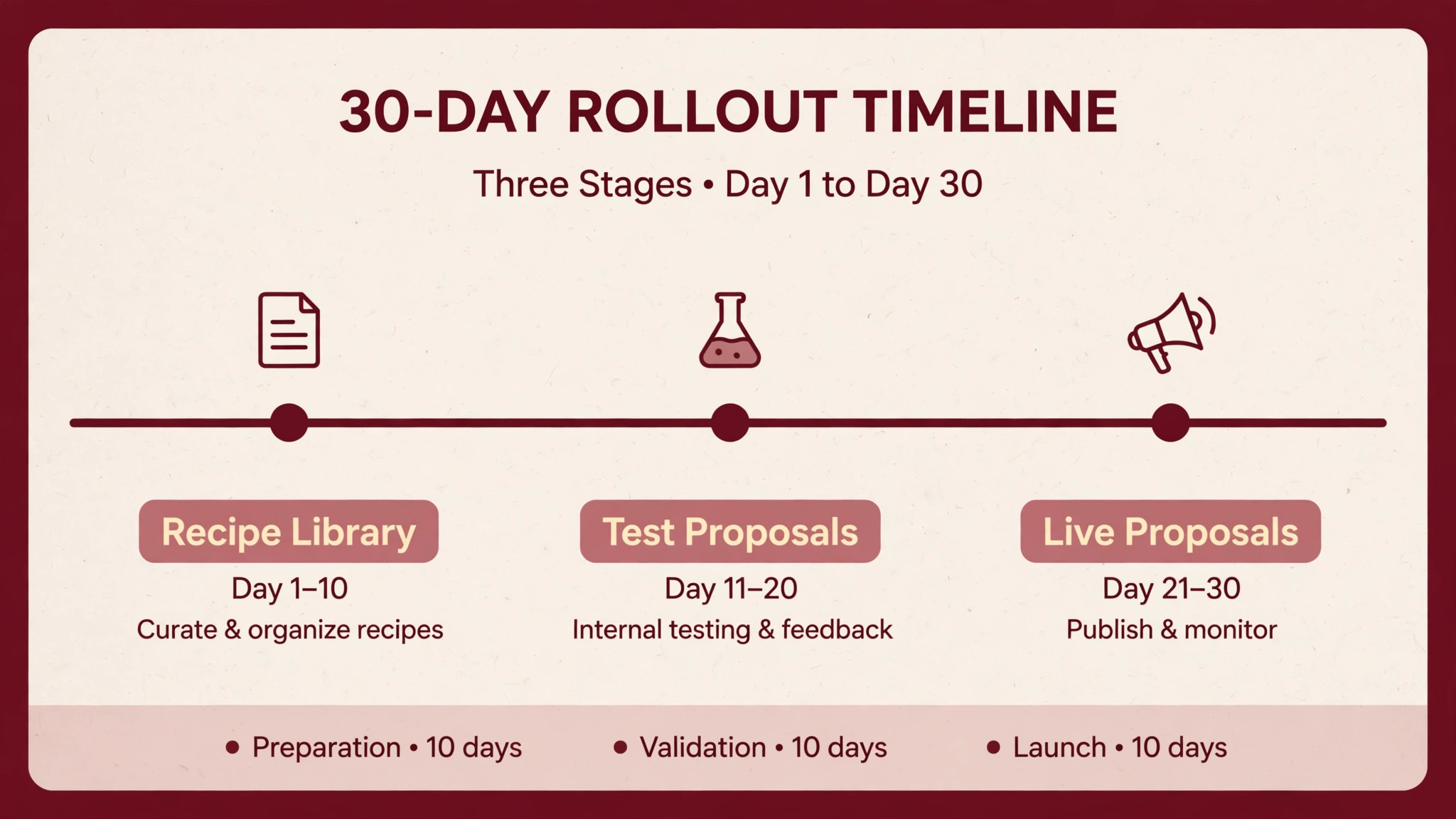
In week one, load the recipe library with current ingredient costs, set the brief template, and build three draft menus for a real upcoming event. Check every cost-per-head figure by hand once, because that manual check teaches the team to trust the system and catches any recipe entered with a wrong quantity. Do not migrate the whole business in week one, because a recipe library built in a rush will carry errors into every future proposal.
In week two, run the next two events through the full workflow, from brief to proposal to kitchen reports, and compare the actual food cost against the predicted cost after each event. The gap between predicted and actual is the most useful number in the business, because it shows whether recipes, portions or waste need attention. Fix the recipes first, because most early gaps are recipe errors, not system errors.
In weeks three and four, turn on dietary filtering for every event, start the post-event review habit, and build the draft library so future proposals start from proven menus rather than blank pages. By day thirty, the caterer should be producing priced, dietary-safe proposals in hours rather than days, with kitchen reports that match the proposal exactly. If proposals still take days at day thirty, the recipe library is unfinished, not the platform inadequate, and the fix is costing work, not a new subscription. That thirty-day result is the honest measure of whether you use AI for catering company menu planning or merely pay for a menu tool.
Frequently Asked Questions
AI handles the arithmetic, the filtering and the document generation, while the chef handles flavour, balance and seasonality. The system drafts options from the brief, costs them instantly, filters them for dietary needs and produces the proposal and kitchen reports from one source. The chef edits the drafts, swaps dishes and approves the final menu, so creativity stays human while the repetitive work disappears.
What is cost per head, and why does it matter more than the total quote?
Cost per head is the true cost of feeding one guest, including the food in every dish that guest eats, and it matters because it scales with the guest count while a total quote hides errors. A two-dollar error per head is invisible in a total but becomes two hundred dollars across a hundred guests. Caterers who check cost per head on every draft catch margin leaks before the client signs, rather than after the event.
How should dietary requirements be counted in the brief?
Count covers per category, not just a list of categories, because forty vegan guests need a different plan from four. Record allergies separately from preferences, because allergies carry safety procedures while preferences carry menu choices, and both need to be visible in the kitchen plan. A brief that lists categories without counts will produce a menu that serves the majority well and the minority as an afterthought.
Yes, when the menu, headcount and cost are tied together, because changing the guest count reprices the proposal automatically. The caterer should still state a headcount deadline and a repricing rule in the proposal, so late additions are charged properly rather than absorbed. A system that reprices instantly turns an awkward client conversation into a revised proposal sent within minutes.
Should a small caterer pay for full catering software?
It depends on volume and on where time is lost. A small team doing a few events a month may manage with a simpler tool or a well-built spreadsheet, while a team doing weekly events with dietary complexity will save more than the subscription in costing time and margin protection. The honest test is to cost three real events by hand and by system, and compare both the time and the margin accuracy.
How do proposals, kitchen reports and packing lists stay consistent?
They stay consistent when they all come from the same menu data, so a dish changed in one place changes everywhere. That single-source behaviour is the main reason to use catering software rather than separate documents, because manual copying between documents is where version errors happen. During a trial, change one dish after generating all three documents and confirm all three update, because that test reveals the truth about a platform fast.
What happens to recipe costs when ingredient prices change?
In a costing system, updating an ingredient price recalculates every recipe that uses it, and every draft proposal built from those recipes. That behaviour protects margin when prices move between quote and event, provided the caterer updates prices regularly and states a price validity period in the proposal. A caterer who never updates ingredient prices will quote from stale costs whatever the software, so price updates belong in the weekly routine.
By recording actual covers, actual food cost, waste and guest feedback per dish after each event, and feeding those numbers back into the recipe library. Dishes that waste consistently get repriced or retired, dishes guests praise get promoted into more drafts, and portion sizes get adjusted to real consumption. That feedback loop is what turns menu planning into a system that improves monthly, rather than a fresh guess for every event.
The Verdict
For most caterers, the sensible first trial is the platform that matches the operation size. Small teams should trial Better Cater for full costing basics at the lowest starting price, growing full-service caterers should trial Total Party Planner for costing plus staff scheduling, and high-volume operations should trial Caterease for the deepest recipe and document tools. Venues and restaurants that mainly need proposal speed should trial Perfect Venue, and online-order caterers should look at CaterZen.
Whichever platform wins, the discipline decides the result. Take a complete brief every time, cost every dish from current recipes, filter for dietary needs before drafting, check cost per head against margin before proposing, and feed post-event numbers back into the library. A caterer who does that will quote with confidence, serve every guest properly, and keep the margin the menu promised. That is the whole point when you use AI for catering company menu planning, and it is a point that shows up directly in the bank balance at the end of every event.