

Compare two DJs on a busy Saturday in wedding season. One spends the week before the event chasing a playlist in three message threads, checking whether the deposit cleared, and rebuilding the timeline from memory. The other opens one event packet and sees the signed contract, the paid deposit, the must play list, the do not play list, the equipment list, and the run of show, all in one place. If you want to use AI for DJ booking management, you are choosing the second DJ’s week, every week, not just on the easy weeks.
That comparison matters because DJ work is event work, and event work punishes disorganisation in public. A missed must play song at a first dance, a speaker that was promised but never packed, or a timeline that the venue never received will be remembered long after the music is forgotten. Booking management is therefore not admin for its own sake. It is the system that protects the performance.
Prices in this guide are ranges drawn from vendor pages and published guides at writing time, so confirm on the vendor page before you buy. DJ tools change plans often, and the price that matters is the one for your event volume, your team size, and the features you actually switch on.
Why DJ Bookings Go Wrong Before the First Song
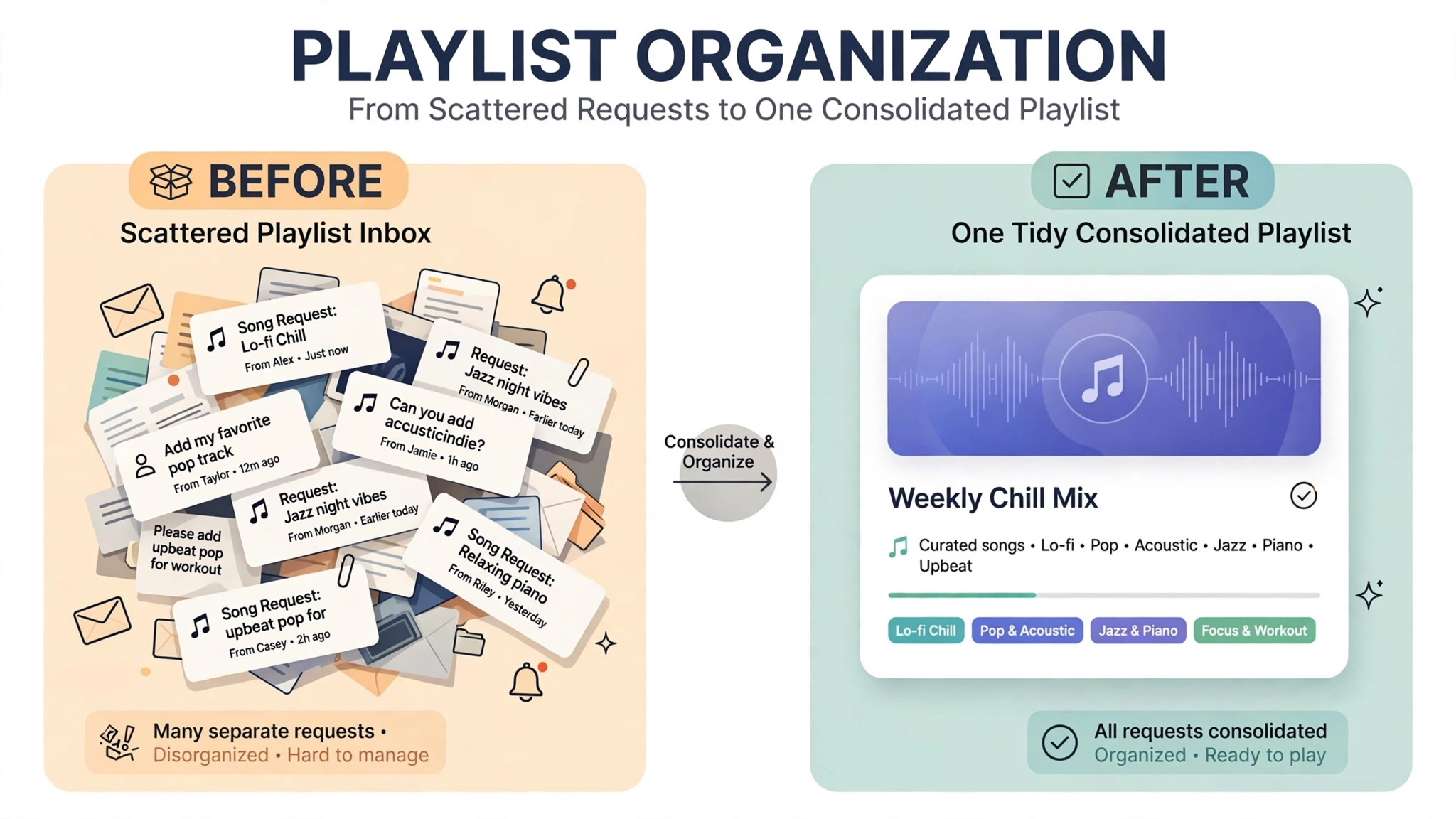
A DJ booking fails in stages, and most of those stages happen weeks before the event. The date check is slow, so the client books another DJ. The contract sits unsigned, so the date stays soft and another inquiry creates a double booking risk. The deposit is paid but not recorded clearly, so the balance conversation becomes awkward. The playlist arrives as screenshots, links, and voice notes, and nobody consolidates them into a playable set.
The most damaging failure is the silent one. A client who has not completed the planning form, paid the balance, or confirmed the timeline may still expect a perfect night, while the DJ assumes the client is ready. Neither side raises the problem until the event week, when fixing it is stressful and sometimes impossible. A booking system that shows completion status for every event prevents that silence, because the DJ can see at a glance which events are ready and which need a nudge, and that visibility is a core gain when you use AI for DJ booking management.
Volume makes the problem worse. A solo DJ with forty events a year can perhaps hold the details in memory, though even that is risky. A multi DJ operation with several DJs, assistants, and equipment sets cannot. At that scale, a shared booking record is not a luxury. It is the only way to know who is playing where, with which rig, and with which playlist, on any given Saturday.
How to Use AI for DJ Booking Management
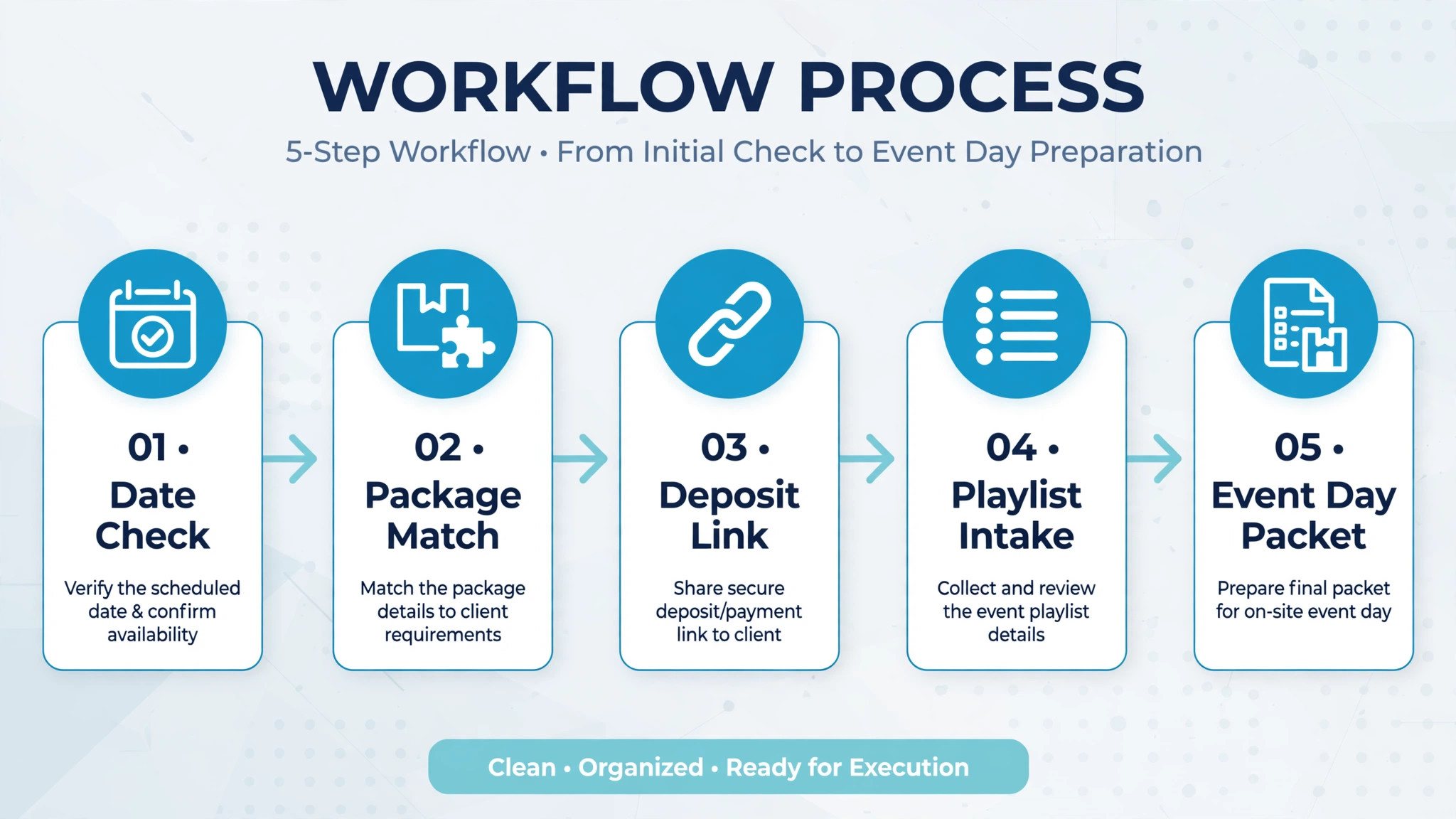
To use AI for DJ booking management well, start with the event record, not with the calendar. Every booking should carry the client, the event date and venue, the package, the contract status, the deposit and balance, the playlist status, the equipment list, and the event day packet. If any of those fields live only in messages, the system cannot warn you when something is missing.
The core workflow has five moving parts, and they must work together.
1. Date availability check confirms the date instantly, blocks it on contract and deposit, and prevents double booking across DJs and rigs. 2. Playlist intake collects must play, do not play, and special moment songs in one form, with links the DJ can preview and check against a music library. 3. Equipment checklist ties the package to a specific rig, checks rig availability across events, and flags missing items before load in. 4. Deposit milestones split payment into a booking deposit, a mid point balance, and a final balance due before the event, each with a reminder. 5. Event day packet gathers the timeline, the playlist, the venue notes, the setup time, and the client contact into one page the DJ can open on a phone.
Set one rule before you switch anything on. No event should reach event week with an incomplete packet. If the playlist, the balance, or the timeline is missing seven days before the event, the system should escalate to a human, not wait for the DJ to notice on the day.
Date Availability Checks That Win Bookings While You Sleep
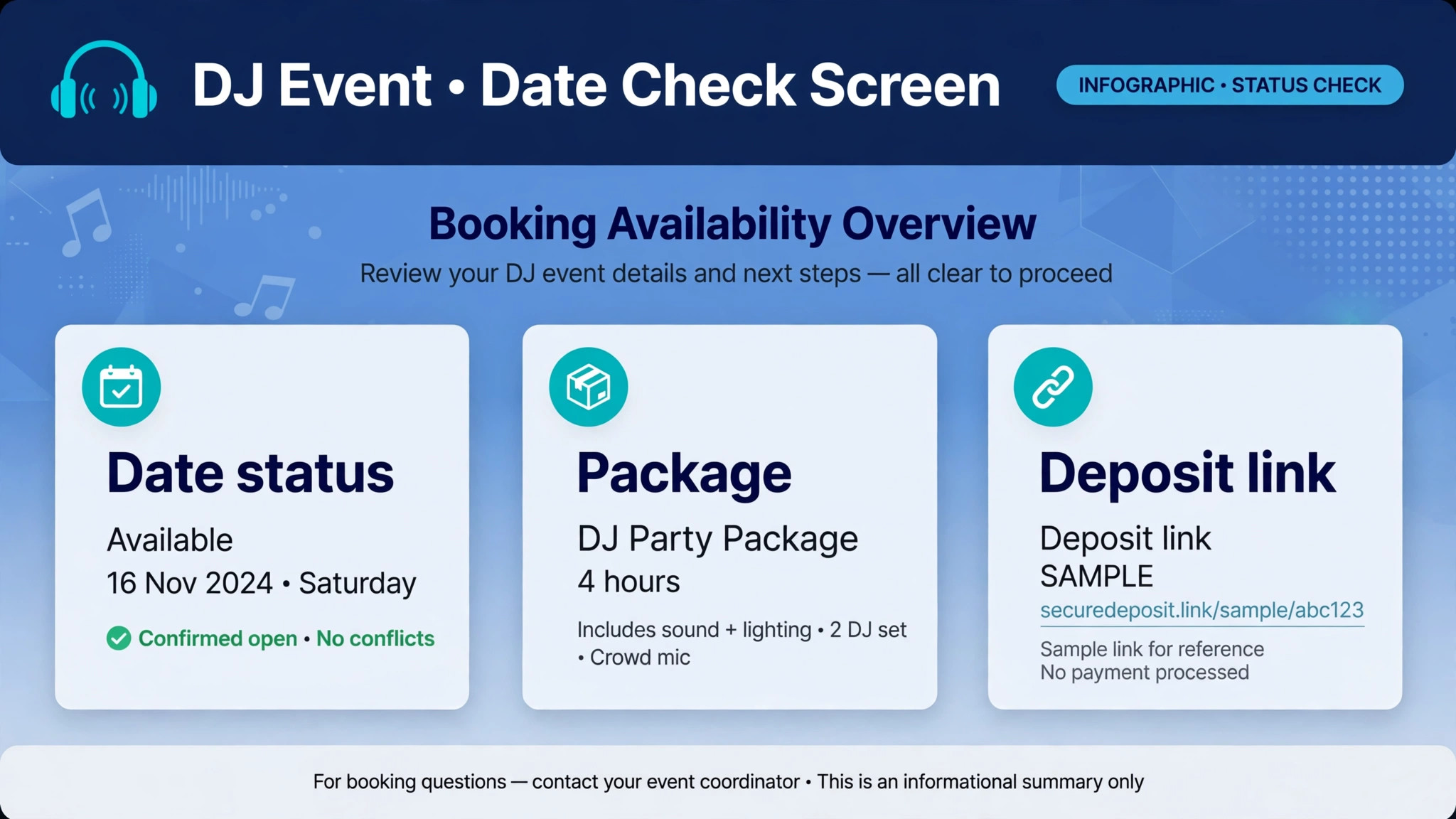
A date inquiry that waits until morning often loses to a DJ who answered at night. Couples and event planners search in the evening, compare two or three DJs, and book the one who confirms availability first. An AI date check should therefore answer in minutes, with the date status, the package options for that event type, and a link to hold the date with a contract and deposit.
Build the date check on a real calendar, not on a static page. The calendar must know about confirmed events, soft holds, travel time between venues, and rig availability. A DJ who can play a daytime corporate event and an evening wedding on the same day needs rules for that combination, including setup time and travel time. A system that only checks the date will approve impossible days.
Use soft holds with an expiry. When a client starts a booking but has not signed or paid, hold the date for a stated period, such as 48 hours, and tell the client the deadline clearly. If the hold expires, release the date and notify the next inquiry. That rule is fair, it creates urgency without pressure, and it prevents a date from sitting blocked for weeks by a client who has already booked someone else.
Test the date check with edge cases before launch, because a live test is the fastest way to learn whether you use AI for DJ booking management to prevent conflicts or merely to answer faster. Ask about a date that is already booked, a date with a soft hold, a date that conflicts only on rig availability, and a date that requires travel between two venues. Fix every wrong answer, because a date check that approves a double booking is worse than a slow date check.
Playlist Intake That Ends the Screenshot Chase
Playlist intake is the part of DJ booking that clients enjoy most and DJs dread most, because clients send songs in every format except a clean list. Screenshots of a phone, links from different streaming services, voice notes naming a song, and a message that says “you know, the usual party songs” all arrive for the same event, and the DJ must turn them into a set.
A single planning form solves most of this, if it asks the right questions in the right order. Must play songs for special moments first, such as first dance, parent dances, and cake cutting. Then must play songs for open dancing, with a reasonable limit, so the client prioritises rather than listing two hundred songs. Then do not play songs, with space for the reason, such as a song tied to a bad memory. Then general style notes, such as eras, genres, and energy level for each part of the night.
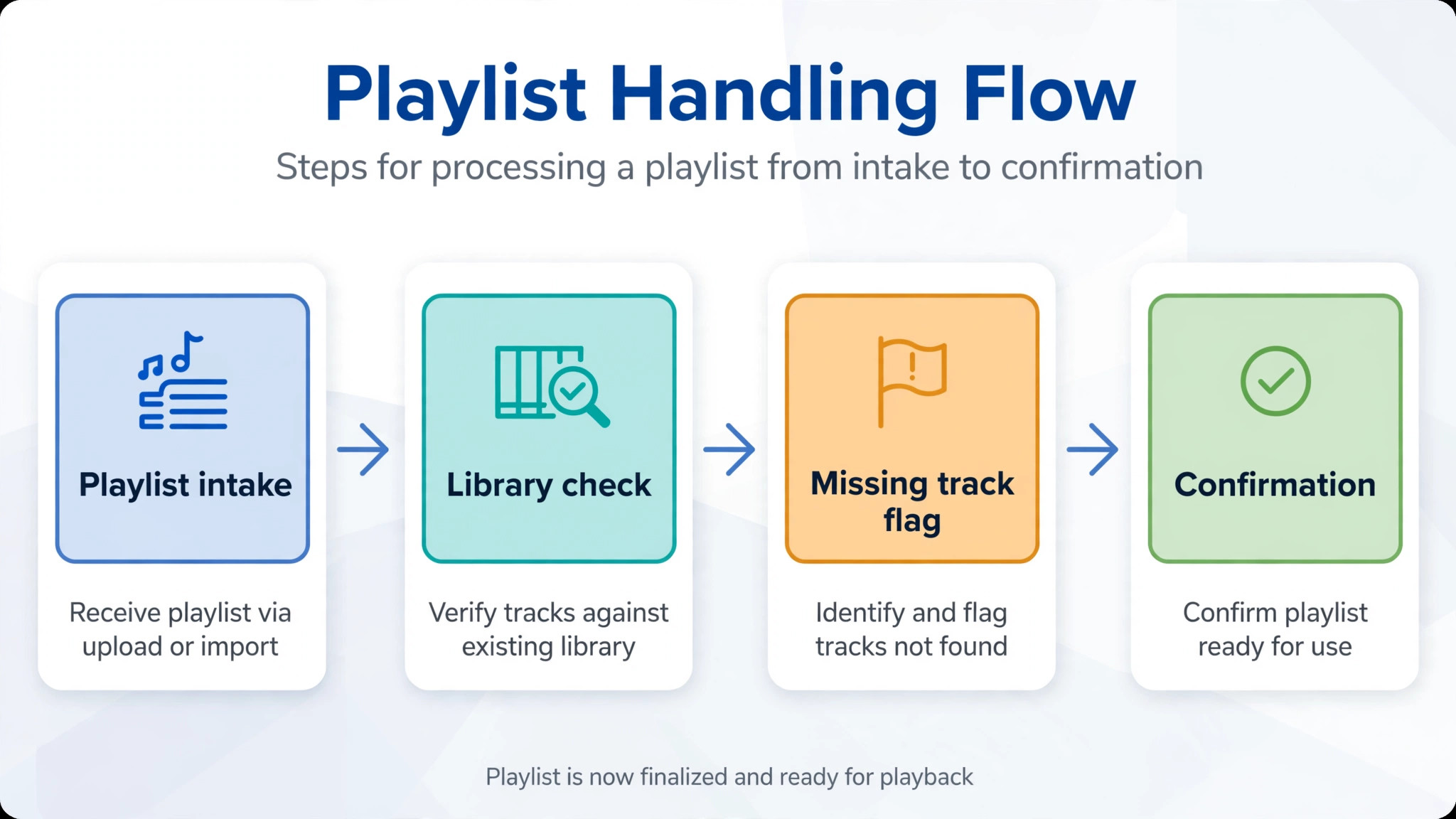
AI helps by consolidating and checking the list. It can pull tracks from playlist links into one list, flag duplicates, flag songs that are missing from the DJ library, and group songs by moment in the timeline. The DJ then reviews the consolidated list, buys or downloads missing tracks, and confirms the special moment songs with the client. That review step matters, because a song title can match the wrong version, and only a human ear catches that before the event.
Set a playlist deadline and enforce it kindly, because a deadline that clients understand is part of how you use AI for DJ booking management without damaging goodwill. For example, the full playlist is due fourteen days before the event, with a reminder at twenty one days and at seven days if incomplete. A client who misses the deadline still gets a great night, because the DJ can read the room, but the special moment songs must be confirmed before the event, and the system should escalate those specifically if they are missing.
Equipment Checklists That Stop Load In Surprises
Equipment failures rarely start at the venue. They start at booking, when a package promises lighting, a second speaker set, or a ceremony rig that is already booked for another event that day. A checklist tied to the package prevents that failure, because it reserves the rig when the booking is confirmed, not when the DJ loads the van.
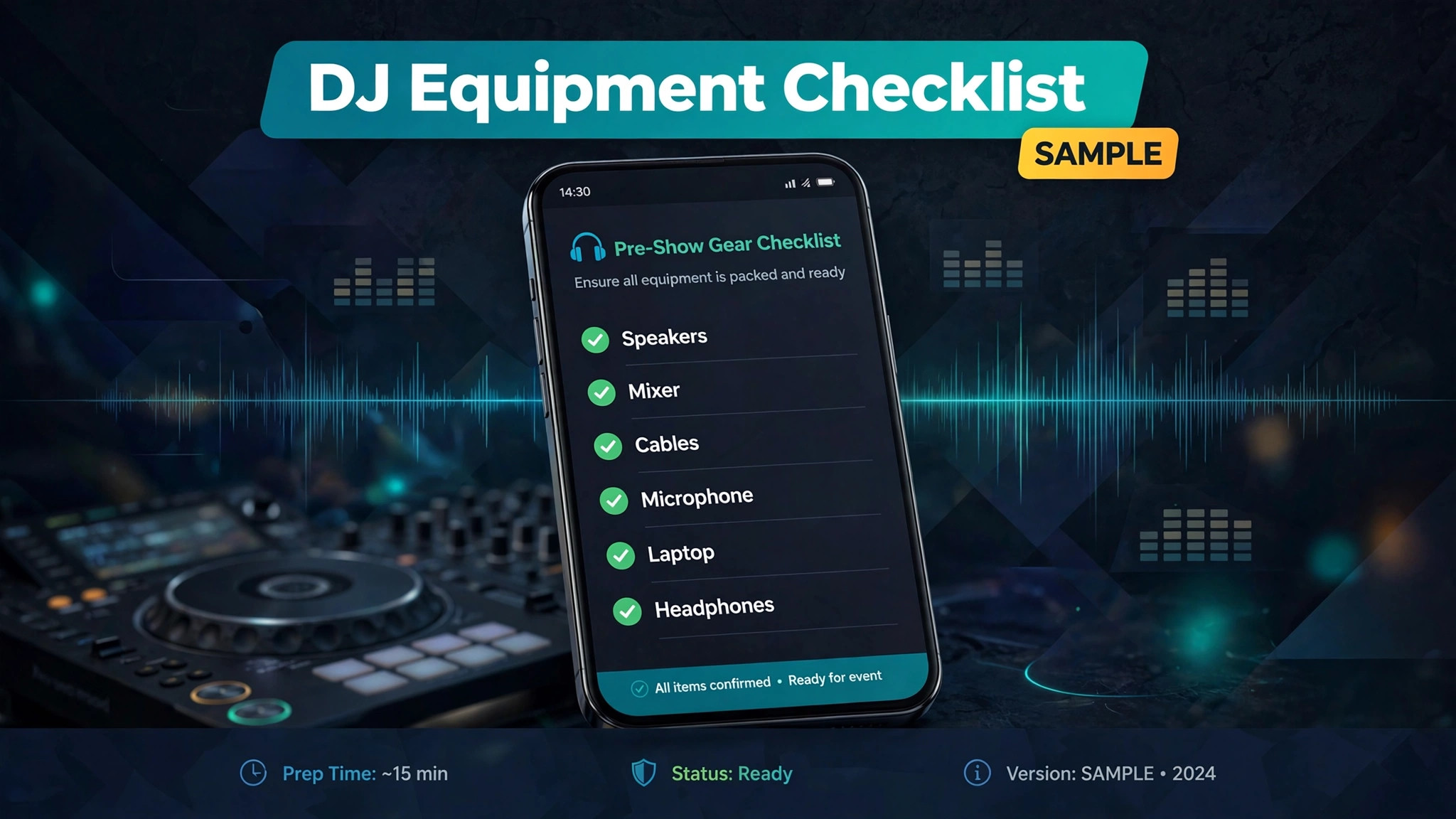
Build a checklist for each package, not one generic list. A wedding package checklist might include speakers, subs, a mixer, microphones, lighting, cables, stands, and backup media. A corporate package checklist might include a smaller speaker set, a lectern microphone, and a laptop connection kit. When a client adds an extra, such as uplighting, the checklist should add the uplighting items and check their availability across all events that weekend.
Check rig availability across the whole weekend, not just the event day, and let the system enforce turnaround time, because that is how you use AI for DJ booking management to protect the next event as well as the current one. A rig used on Friday night needs time to return, recharge, and be checked before Saturday. A system that only checks Saturday will approve a Friday and Saturday combination that leaves no time for that turnaround. Add a turnaround rule for each rig type, and let the system enforce it.
On the day before the event, the DJ should open the checklist on a phone, tick each item as it is packed, and see any missing item flagged in red. That simple habit catches more problems than any amount of experience, because experience remembers the usual items and forgets the unusual one, such as the specific cable a venue requires.
Deposit Milestones That Remove Money Awkwardness
Money conversations go wrong when the amounts, dates, and consequences are vague. A client who does not know when the balance is due will miss it. A DJ who does not know whether the deposit cleared will hesitate to block the date. A balance dispute on the event week poisons the relationship before the first song, and it is almost always preventable.
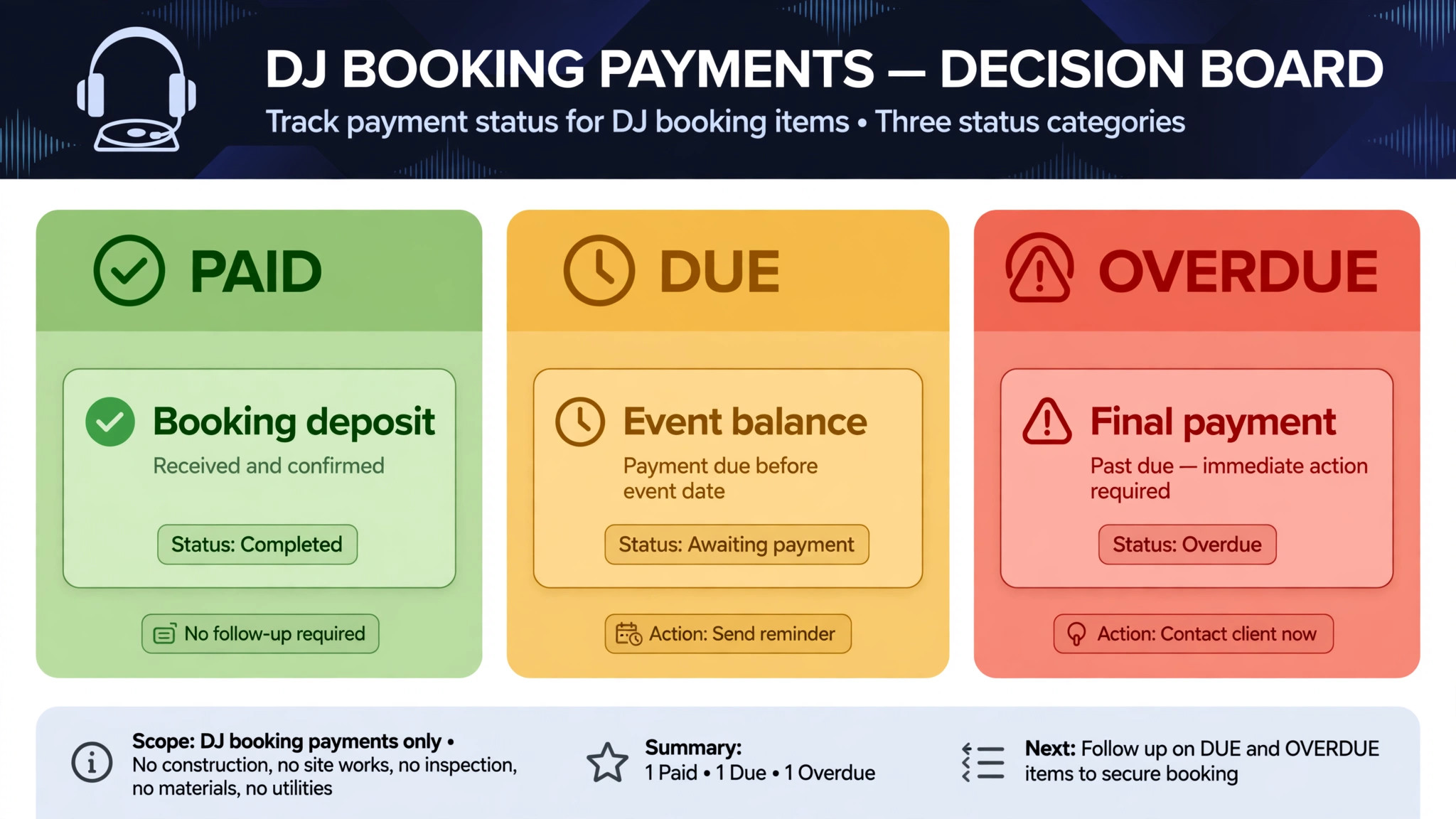
Split payment into clear milestones and state them at booking. A common structure is a deposit at contract signing to secure the date, a second payment at a stated point before the event, such as thirty days out, and a final balance due seven days before the event. The exact split is yours, and it should match your market and your event types. The important part is that each milestone has an amount, a date, and an automatic reminder.
AI reminders work because they are consistent and polite. A reminder seven days before a milestone, a reminder on the due date, and a short follow up three days after a missed milestone covers most cases without the DJ having to chase personally. If a milestone is still unpaid seven days before the event, the system should escalate to a human, because that case may need a conversation, a payment plan, or a difficult decision about whether to play the event.
Record every payment against the event, not just in a bank feed, and keep that record visible to the DJ, because clear money records are what make you use AI for DJ booking management with confidence. When a client asks whether the balance is paid, the DJ should be able to answer from the event record in seconds. A payment record that lives only in a bank statement forces the DJ to search, guess, or ask the client to prove payment, and none of those options looks professional.
The Event Day Packet Every DJ Should Open on Arrival
The event day packet is the single page that turns a booking into a performance. It should open on a phone, work without a perfect signal, and contain everything the DJ needs for that night, with nothing extra to search for. If the DJ has to open five apps to find the timeline, the playlist, and the venue notes, the packet has failed.
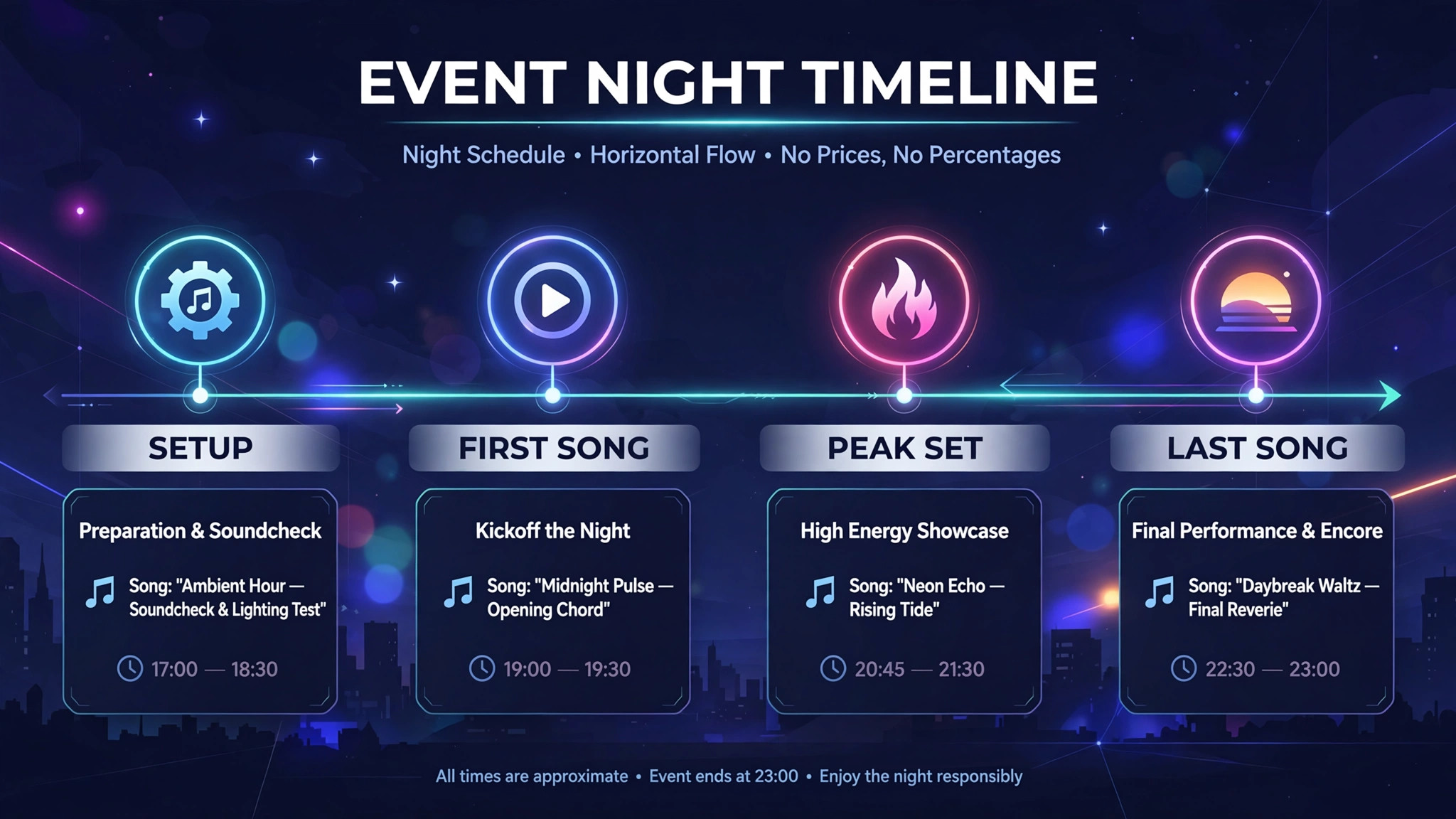
A complete packet includes the run of show with times for ceremony, cocktail hour, dinner, toasts, cake cutting, first dance, open dancing, and last song, each with the song attached where relevant. It includes the venue address, the load in time, the setup location, the power notes, and the venue contact. It includes the client contact, the planner contact if there is one, and the pronunciation notes for names in announcements. It includes the equipment checklist, ticked at packing, and the backup plan for a failed speaker, cable, or laptop.
Share the packet with the client and the venue before the event, not just with the DJ, because a shared plan is the final proof that you use AI for DJ booking management to prevent surprises, not just to store notes. A couple who sees the run of show can correct a wrong time before the event, rather than discovering it during dinner. A venue coordinator who sees the setup time and the power needs can prepare the space. Sharing early turns the packet from a private note into a shared plan, and shared plans have fewer surprises.
Update the packet in one place when details change. If the first dance song changes three days before the event, update the packet and notify the DJ, rather than sending a new message that may be missed. A packet with two versions in circulation is a packet that will be wrong on the night, and the wrong version is usually the one the DJ opens.
Tools Worth Testing First
The tools below cover the main approaches for DJs, from playlist focused booking systems to full event management platforms. Prices are ranges at writing time, so confirm on the vendor page before you buy, and test with a real wedding booking, including playlist intake and a rig conflict, not just a simple date check.
Check Cherry
Check Cherry is a DJ booking system with online booking, planning forms, contracts, deposits, and playlist intake from streaming links, with track previews inside the system. It suits a DJ whose biggest pain is chasing song lists and deposits, because clients complete planning forms, share playlists, sign contracts, and pay deposits in one flow. Ask for a demo with a playlist link containing a missing track, since that case shows whether the system truly flags gaps before the event.
Planning Beats
Planning Beats is a DJ business management system for solo DJs and multi DJ operations, with booking management, a client portal, contracts, payments, staff management, and a music planner that checks client songs against the DJ library. It suits a DJ who wants the music preparation handled in the same system as booking, because missing tracks are flagged weeks before the gig, not on the night. It offers a free trial period, so test it with a real event before committing.
PerformerDesk
PerformerDesk is a CRM and booking system for entertainers, including DJs, with inquiry capture, contracts, invoices, payments, and automated follow ups. It offers a free plan for basic inquiry and booking management, which makes it worth testing for a new DJ or a part time DJ who wants to organise bookings without a monthly bill at the start. It suits a performer who wants one inbox for inquiries and one record for each booking.
EvntPro
EvntPro is a DJ event management system with sectioned quotes for sound, lighting, MC services, and add ons, a music manager for must play and do not play lists, a run of show builder, and a client portal where clients approve quotes, sign contracts, and pay deposits from one link. It suits a DJ who sells packages by section and wants the client to see exactly what each section includes. Confirm the plan that includes the portal and music manager features you need.
Gigbuilder
Gigbuilder is a long established DJ CRM and event planner for mobile DJs, with leads, automated replies, contracts, payments, texting, music, and timelines in one place, plus staff assignment for multi DJ operations. Published pricing at writing time started around 25 dollars a month for a basic plan, with higher plans for more DJs and features, so confirm on the vendor page before you buy. It suits a mobile DJ who wants a proven, event focused system with a long track record.
A Worked Example and Templates You Can Copy
Imagine a wedding DJ who books a June wedding in January. The couple signs the contract, pays the deposit, and receives the planning form the same week. The form asks for special moment songs first, then open dancing must plays with a limit, then do not plays, then style notes. By March, the special moment songs are confirmed. By May, the full playlist is consolidated, three missing tracks are bought, and the run of show is shared with the couple and the venue.
Copy this playlist deadline template and adapt the dates to your lead time. “Please complete your playlist at least fourteen days before the event, using the planning form linked here. Special moment songs, such as your first dance, are needed first, so we can confirm the exact version. If your playlist is incomplete seven days before the event, we will contact you to confirm the special moments, and we will fill open dancing from your style notes.”
Copy this deposit milestone template as well. “Your booking is secured by the deposit paid at signing. A second payment is due thirty days before the event, and the final balance is due seven days before the event. Each payment link will be sent by message, and your event record will show the paid and outstanding amounts at any time.”
Copy this event day packet checklist too. Run of show with songs attached, venue address and load in time, power and setup notes, client and venue contacts, name pronunciations, equipment checklist ticked at packing, and a backup plan for speaker, cable, and laptop failure. If any item is blank the day before the event, a human fixes it that day, not during setup.
Run that example for one wedding season and measure four numbers. Bookings confirmed without a phone call, planning forms completed by the deadline, balances paid before the event, and events where the packet was complete seven days out. If the first number rises but forms stay incomplete, the form is too long or the deadline is unclear. If balances stay late, the milestone dates or reminders need work first.
A 30 Day Rollout Plan
Days 1 to 7 are for package and rule writing, not for buying software. List your packages, write the deposit milestones for each, write the playlist deadline, and gather your last ten event inquiries and your last five playlist messages. That set becomes your test data, and any tool that cannot handle a messy playlist message is the wrong tool.
Days 8 to 14 are for one event type only. Choose weddings if they dominate your calendar, and build date check, contract, deposit, and playlist intake for weddings alone. Test it with a friend acting as a couple, including a playlist link with a missing track and a rig conflict on the same weekend. Fix every confusing message before a real couple sees it.
Days 15 to 21 add equipment checklists and the event day packet for that same event type. Tie each package to a rig, set the turnaround rule between events, and build the packet so it opens on a phone with the run of show, the playlist, and the venue notes in one place. Share a test packet with a venue coordinator friend and ask what is missing.
Days 22 to 30 add deposit milestone reminders and the remaining event types, one at a time. Set the seven day, due date, and three day follow up reminders, and the human escalation point seven days before an event with an unpaid balance. At day 30, review the four numbers from the worked example, keep what worked, and fix the weakest step before adding more features.
Mistakes That Ruin DJ Events
The first mistake is holding a date without a contract and deposit. A verbal hold feels friendly, but it creates double booking risk and leaves the DJ unpaid if the client books elsewhere. A short hold with a clear expiry, followed by contract and deposit, protects both sides and is more professional than an open ended promise.
The second mistake is accepting playlists in any format without consolidation. A set built from screenshots and voice notes will miss songs, play wrong versions, and waste setup time. A single planning form, with a consolidated list checked against the library, is not bureaucracy. It is the difference between a set the couple recognises and a set that almost matches their list.
The third mistake is packing from memory. Even an experienced DJ forgets the unusual item for a specific venue, such as a long cable run or a second microphone for toasts. A package tied checklist, ticked at packing, catches that item every time, and it takes two minutes that save a frantic trip or a compromised setup.
The fourth mistake is sharing the timeline only with the DJ. A timeline that the couple and the venue have never seen will be corrected during the event, when corrections are stressful and visible. Share the run of show early, invite corrections, and update it in one place. A shared timeline is a calmer event.
What to Book First If You Are a Working DJ
If you play weddings, start with date checks, playlist intake, and the event day packet, because those three decide whether a wedding runs smoothly. If you play corporate events, start with sectioned quotes and deposit milestones, because corporate clients need clear packages and clear payment terms. If you run a multi DJ team, start with rig availability and staff assignment, because double booking a DJ or a rig is the fastest way to damage a reputation.
Do not try to automate everything in week one. Pick the workflow that caused your last bad event, fix it with a clear rule and a tested system, and measure it for a season. A DJ business that fixes one painful workflow at a time, with rules clients can see and a packet the DJ can trust, will book more, stress less, and play better nights, because the admin stops stealing attention from the music.
Frequently Asked Questions About DJ Booking Management
How does an AI date check prevent double booking?
It checks a live calendar that includes confirmed events, soft holds, travel time, and rig availability, then confirms or declines the date in minutes. A soft hold with a stated expiry, such as 48 hours, keeps the date fair, because an unconfirmed hold releases automatically and notifies the next inquiry.
What should playlist intake collect?
It should collect special moment songs first, then open dancing must plays with a reasonable limit, then do not plays with reasons, then style notes for each part of the night. Consolidate links, screenshots, and messages into one list, check it against the music library, and confirm special moment versions before the event.
How should DJ deposits be structured?
A common structure is a deposit at signing to secure the date, a second payment thirty days before the event, and a final balance seven days before the event, each with an automatic reminder. State the amounts, dates, and consequences at booking, so reminders enforce what the client already agreed to.
What belongs in an event day packet?
It should include the run of show with songs attached, venue address and load in time, power and setup notes, client and venue contacts, name pronunciations, the equipment checklist ticked at packing, and a backup plan for speaker, cable, and laptop failure. Share it with the client and venue before the event, and update it in one place when details change.
Can a solo DJ use the same system as a multi DJ team?
Yes, if the system supports rig and staff assignment, because a solo DJ needs date, playlist, and payment tracking, while a team also needs to know which DJ and which rig are assigned to each event. Test any system with a weekend where two events share a rig or a DJ, since that case reveals whether assignment truly prevents conflicts.
When should the playlist be due?
Fourteen days before the event works for most weddings, with reminders at twenty one days and at seven days if incomplete. Special moment songs should be confirmed first, even if the full open dancing list arrives later, because the DJ can read the room for open dancing but cannot guess a first dance song.
More Reading on Stratilyze
– Best CRM for Event Planners Small Business – Best Booking Software for Yoga Studios – Use AI for Spin Studio Class Scheduling – Best Dispatch Software for HVAC Companies – Wedding DJ Timelines That Venues Actually Follow, plain text title, link not verified at writing time – How to Build a Playlist Form Couples Complete on Time, plain text title, link not verified at writing time