
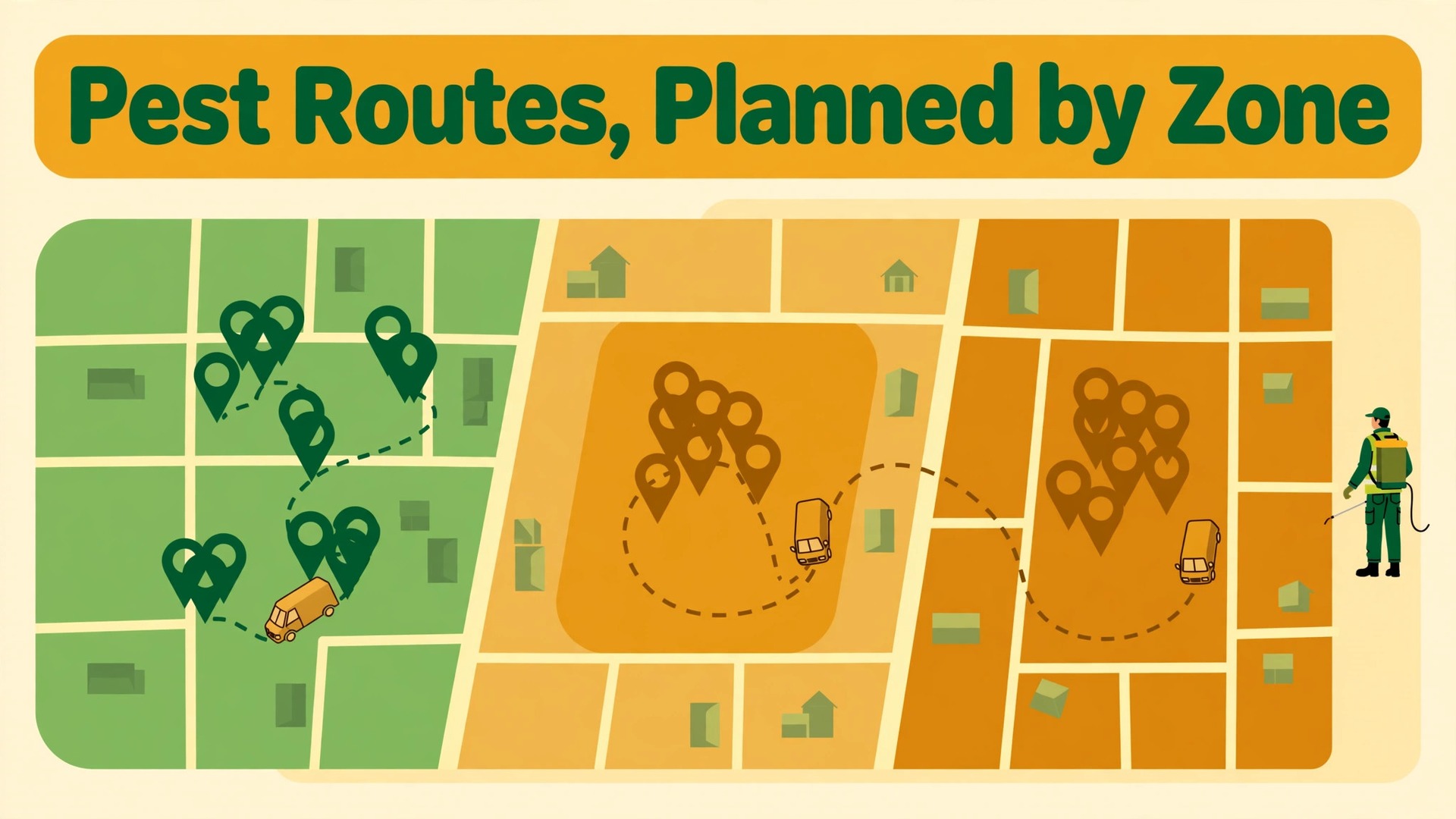
The problem is familiar to every pest control owner who has watched a good day fall apart. One technician drives forty minutes across town for a single quarterly visit, another sits idle because a morning job cancelled, a third arrives at a home where the gate code changed, and by noon the carefully planned routes are fiction. Fuel, overtime and missed visits pile up, while customers who were promised a window wait without an update. Owners who want to use AI for pest control route scheduling are usually not looking for a cleverer map. They are looking for a way to stop that daily unraveling.
Route scheduling in pest control is harder than in many trades because most of the work repeats. Quarterly services, monthly commercial visits, seasonal treatments and follow up inspections all recur, and each visit carries its own constraints, such as chemical stock, technician licence, property access, pet notes and service windows promised to customers. A route plan that ignores any one of those constraints creates a callback, a wasted trip or a compliance gap. This guide works through the full workflow in order, from grouping service windows to checking chemical stock, building dense routes, setting reschedule rules and keeping customers informed.
How to Use AI for Pest Control Route Scheduling Across a Working Week
A pest control week is built from repeating commitments, not from one off jobs alone. The scheduler starts with every recurring visit due that week, adds new inspections and urgent callouts, then fits them into technician days that respect windows, licences, geography and stock. When you use AI for pest control route scheduling, the system tests thousands of orderings against those constraints faster than a human can, and by rebuilding the plan when the day changes. It does not remove the scheduler. It gives the scheduler a better first draft and a faster rebuild.
The tools in this space split into two families. Pest native platforms, such as PestPac by WorkWave and FieldRoutes, a ServiceTitan company, build scheduling, routing, chemical tracking and compliance records into one system for pest operators. General field service platforms, such as Jobber and Housecall Pro, cover scheduling and routing for many trades, which suits a company where pest control sits alongside lawn care or cleaning. Smaller pest native tools, such as GorillaDesk, suit solo operators and small teams with drag and drop calendars, recurring route automation and chemical tracking. The choice turns on how much pest specific record keeping the business needs, not on which demo looks slickest.
Start any evaluation with your own messy week, not a clean demo day. Give the vendor a week that includes a technician sick day, two cancellations, a termite job needing a licensed technician, a commercial account with a fixed service window, and a route that crosses a river or a motorway at rush hour. Watch how the system handles each break, because the messy week is the week you are buying help for, and a tool that only shines on tidy days will disappoint by Wednesday.
Pest Control Service Window Grouping That Customers Accept
Service window grouping is the foundation of dense routes, because a route can only be dense if customers in the same area share compatible windows. Many pest companies still promise wide windows out of habit, such as any time Tuesday, which gives the scheduler freedom but frustrates customers and makes grouping accidental rather than planned. A better approach offers customers a choice of narrower windows tied to their area day, such as Tuesday morning for the north side and Thursday afternoon for the south side, so customers choose a slot that already fits a dense route.
When you use AI for pest control route scheduling, grouping reads the full due list and suggesting area days that maximise stops per route while respecting promised windows. It can spot that fifteen quarterly visits cluster in three neighbourhoods and propose grouping them across two days, rather than spreading them thinly across five. It can also flag the customer whose window breaks an otherwise dense route, so the scheduler can call that customer with a closer alternative, often with a small goodwill gesture such as a precise arrival text. Most customers accept a nearby slot when the reason is explained and the new time is firmer than the old one.
Grouping must respect commercial commitments first. A restaurant, school or warehouse with a fixed service window, a health inspection deadline, or a requirement that service happens outside trading hours cannot be moved to suit route density. Mark those jobs as fixed anchors before any grouping runs, and build routes around them. Residential jobs then fill the gaps between anchors, which is the correct order, because moving a fixed commercial job to save driving time risks the contract that pays for the route.
Seasonality changes grouping too. Mosquito season, termite swarm season and wasp season each bring surges in one job type, and a grouping plan built for quiet winter weeks will strain under a summer surge. Review area days at the start of each season, add temporary area days for surge neighbourhoods, and keep a standby slot for urgent stinging insect jobs during peak weeks. A route system that only plans one week at a time will miss these seasonal patterns, so the scheduler should review grouping monthly, not just daily.

Pest Control Chemical Stock Checks Before the Van Leaves
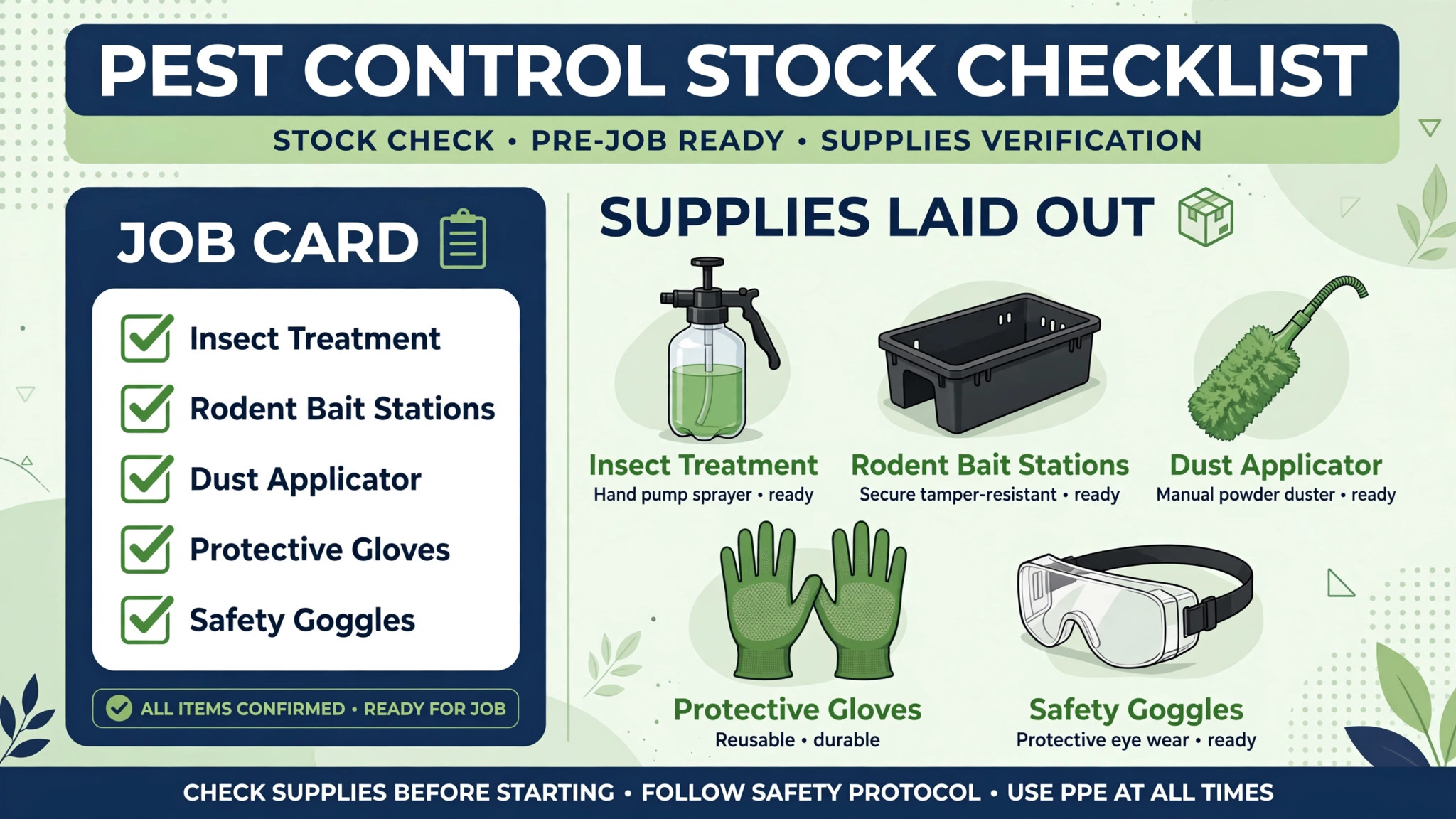
Chemical stock checks are a compliance issue as well as an efficiency issue, because a technician who arrives without the right product either makes a wasted trip or improvises with the wrong product, and neither is acceptable. The workflow starts at booking, when the job type and target pest determine the expected products, then checks van stock against that expectation, then flags gaps for restock, transfer or route reassignment to a technician whose van carries the product.
Pest native platforms build chemical tracking into the job record, which is a strong reason to prefer them for larger teams. PestPac is described as including chemical tracking, barcode based bait station servicing, multi unit account management and audit trails for compliance documentation, alongside recurring route management. GorillaDesk lists chemical tracking among its features for small teams. That tracking matters for commercial accounts and regulated work, where the record of what was applied, where and by whom must be complete and retrievable, not reconstructed from memory at audit time.
When you use AI for pest control route scheduling, stock checks learn from job history and flagging likely stock needs before the scheduler notices. If a route includes three rodent jobs and one termite inspection, the system can check bait, traps and termite products against van stock in one pass, rather than leaving the technician to discover a gap on site. It can also warn when a product is near expiry or when a technician is assigned a job needing a product their licence or training does not cover. Those warnings are only useful if van stock records are kept current, so make stock logging part of job close, with a simple screen that technicians actually complete.
Licence matching belongs in the same check. Termite work, fumigation and some commercial treatments need specific certification, and an AI scheduler that assigns work by geography alone will eventually send an uncertified technician to a job that needs a licence. Published comparisons of newer AI routing tools stress certification matching, such as termite or bed bug credentials, as a core scheduling rule, alongside drive time and customer history. Build licence as a hard constraint, meaning the system cannot assign the job to someone without it, not as a soft preference it can override to fill a route.
Pest Control Route Density That Pays for Itself
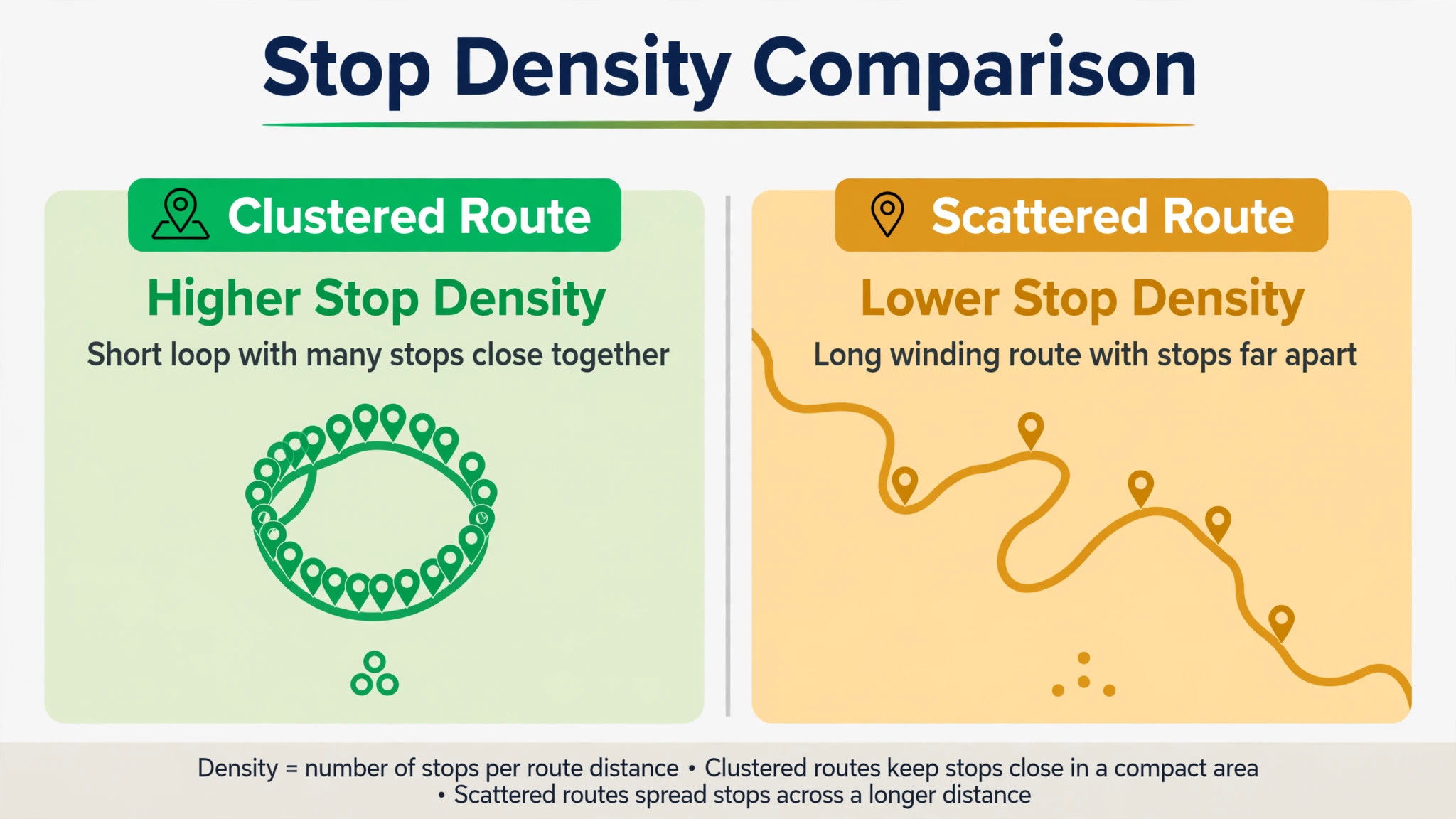
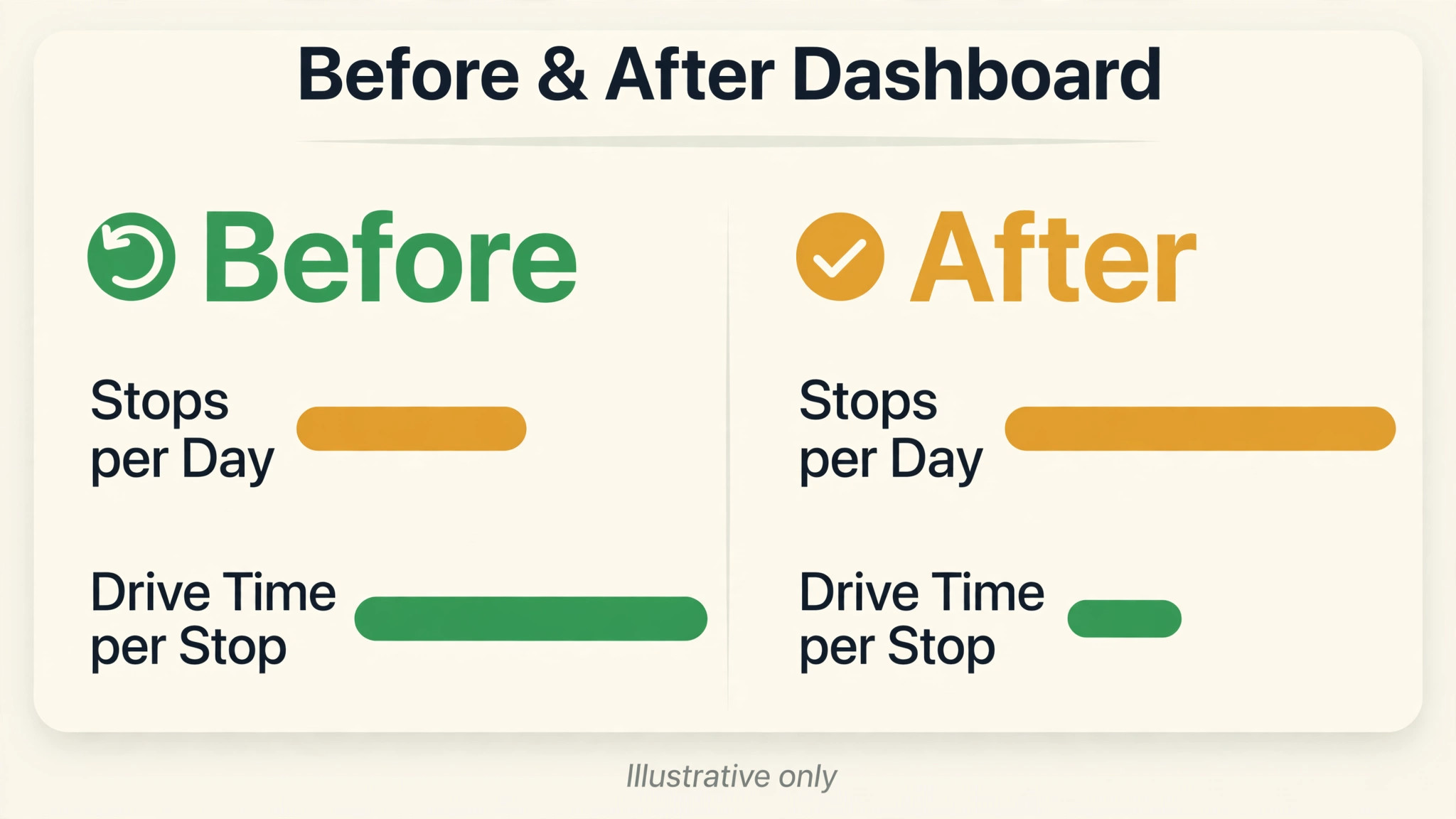
Route density is the number of productive stops a technician completes in an area without long empty drives between them, and it is the measure that most directly controls fuel, overtime and jobs per day. A dense route looks boring on a map, with stops clustered close together, while a thin route looks impressive in coverage and bleeds money in driving. Owners should judge routes by stops per hour and drive time per stop, not by how much territory a technician covered.
When you use AI for pest control route scheduling, routing improves density in two ways. Overnight optimisation reorders the next day routes across the whole operation, so crews start with denser schedules than a human could build by hand in the same time. PestPac describes its AI platform as optimising routes overnight across the operation, with a daytime assistant and plain language data queries layered on top. FieldRoutes is described as offering dynamic route optimisation with drag and drop bulk scheduling. The practical difference to test is whether optimisation runs once and then freezes, or whether it keeps adjusting as the day changes, because a route that cannot adjust to a cancellation or a breakdown loses density by midday.
Density also depends on how the business sells and books. Customers booked on their area day create density automatically, while customers booked on any day they choose create thin routes that no software can fully fix. That is why window grouping and route building must be sold together, with booking staff trained to offer area days first. A booking script that says the next available visit in your area is Thursday morning, with a firmer arrival text, converts most customers and protects density, while a script that offers any day creates the thin routes the scheduler then struggles to repair.
Watch for the density trap, which is packing a route so tightly that one overrun cascades through every later stop. A dense route needs buffer, especially for first visits, inspections and jobs with unknown scope, which overrun more often than routine quarterly services. Build buffers by job type, with routine services packed tighter and inspections given slack, and track how often buffers get used. If buffers are never used, routes can tighten. If buffers are always consumed, job duration estimates are wrong and need fixing before density is pushed further.
Pest Control Reschedule Rules That Protect the Route
Reschedules are where good routes die, because each moved job either breaks a dense group or creates a gap that nobody fills. Reschedule rules should be written before the busy season, not invented during it. A customer initiated reschedule should first be offered a slot on the same area day or the next area day for that neighbourhood, preserving density. A company initiated reschedule, such as a technician sick day, should move the affected jobs as a group to the nearest area day, not scatter them across the week.
When you use AI for pest control route scheduling, the system proposes the least damaging move, showing which alternative slots keep the route dense, which customers are affected, and which technician can absorb the job without breaking licence or stock constraints. The scheduler approves the move, and the customer messages go out with the new window and a reason in plain words. Without that proposal step, reschedules default to the first free slot, which is often the worst slot for density, and the route slowly thins across the week until nobody recognises the original plan.
Cancellations need a backfill rule. When a morning job cancels, the system should surface nearby jobs that could move earlier, customers on a waitlist for that area, or inspection work that fits the freed time. A technician who learns of a cancellation only at the door loses the hour, while a technician who gets a backfill job before leaving the previous stop keeps the day productive. Backfill works best when the scheduler reviews cancellations first thing and midday, not only at day end when the time is already lost.
No access jobs need their own rule, because they waste the stop and the drive. After a no access visit, the system should prompt a message to the customer with a reschedule link tied to the next area day, plus a note on access details, such as gate codes, pet notes or parking, for the next visit. If the same customer misses twice, the scheduler should call rather than message, because repeated no access usually signals a wrong window, a wrong address detail or a customer who no longer wants the service, and each cause needs a different response.

Pest Control Customer Notices That Cut Missed Visits
Customer notices are the cheapest density protection a pest company can buy, because a customer who knows the visit is coming stays home, secures pets, opens gates and answers the door. The sequence mirrors other field trades but with pest specific details. A booking confirmation states the date, window and preparation steps, such as clearing access to the areas to be treated and securing pets. A day before reminder repeats the window and preparation. A live ETA text on the day gives the technician name and updated arrival time. A completion message states what was treated, what to expect, and when the next visit falls due.
Preparation instructions deserve care, because a customer who was not told to clear a loft, move items from a wall, or secure a dog will delay the technician or force a partial treatment. Put preparation in the confirmation and the reminder, in short plain sentences, and ask the customer to reply if preparation cannot be done. That reply is valuable, because it lets the scheduler move the job before the van leaves, rather than discovering the problem on site.
When you use AI for pest control route scheduling, message drafting and timing are automated, and it can personalise them from the job record, such as naming the pet to secure or the gate code to leave open. Personalisation only helps if the underlying record is accurate, so treat access and pet notes as part of the job record that technicians update on every visit. A message that names the wrong pet or an old gate code does more damage than a generic message, because it tells the customer the business is not paying attention to their home.
Review requests fit after completion, but timing matters for pest work. A request sent immediately after a routine quarterly visit feels reasonable, while a request sent after a distressing infestation job may feel tone deaf if the problem is not yet resolved. Set review requests by job type, with routine services prompted automatically and infestation or follow up jobs prompted only after the follow up visit confirms resolution. That restraint protects the review score and the customer relationship at once.

Best Pick by Job for Pest Control Scheduling Tools
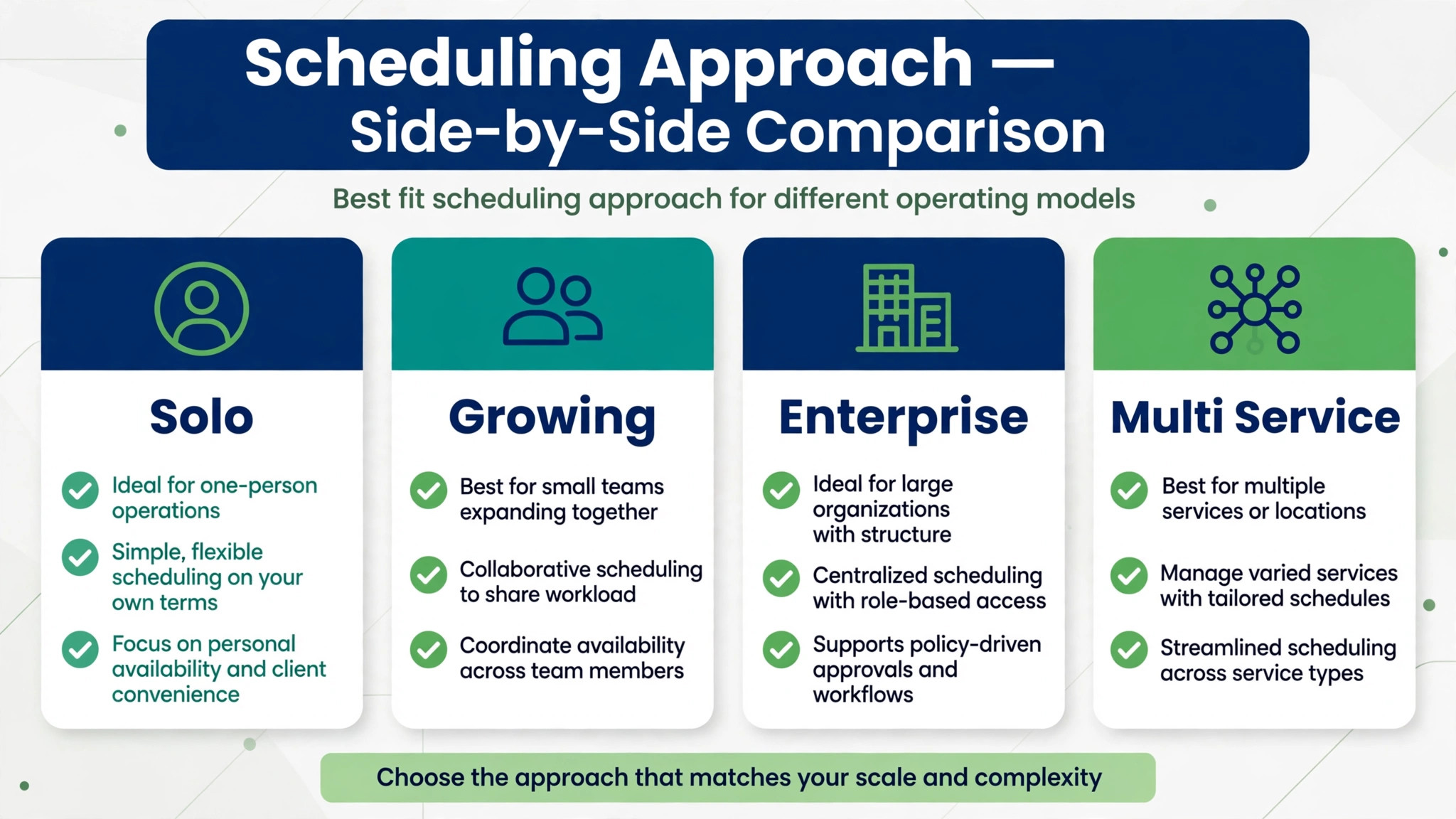
| Company shape | Best fit approach | Why it fits |
|---|---|---|
| Solo operator or two technician team | GorillaDesk | Pest native scheduling, recurring routes and chemical tracking without enterprise complexity |
| Growing residential team | FieldRoutes | Dynamic routing, bulk scheduling and dashboards built for a growing fleet |
| Mid size to enterprise operator | PestPac | Overnight optimisation, compliance records and AI assistance across many branches |
| Pest plus lawn or cleaning | Jobber or Housecall Pro | One system for several service lines, with routing and reminders, though pest depth is lighter |
Judge that table by your record keeping needs as much as by routing power. A small team with simple compliance needs may do well on a general platform, while a team handling commercial contracts, multi unit accounts and regulated treatments needs pest native records that a general tool cannot reproduce. Demo the compliance record, not just the map, and ask the vendor to show a chemical application record, a bait station history and a commercial audit trail from a real style job, because those records are what an auditor or a commercial client will ask for.
Pricing in this market is often quote based for larger platforms, with smaller tools publishing monthly plans. GorillaDesk is reported in third party roundups at a modest monthly range for small teams, while PestPac and FieldRoutes pricing is commonly described as custom or package based. Treat any published figure as a starting point, get a written quote for your technician count and branch count, and compare total cost including routing modules, which some vendors price separately. A routing feature that looks included in a demo but bills as a module changes the comparison entirely.
What to Automate and What to Keep Human in Pest Control Scheduling
Automate the routine rebuilds and the routine messages. Overnight route optimisation, backfill suggestions, reschedule proposals, booking confirmations, reminders, ETA texts and completion messages all suit automation, because they follow clear rules and a mistake is visible quickly. Automating them gives the scheduler time for the exceptions, which are where customer relationships are won or lost.
Keep a human on licence edge cases, commercial contract changes, distressed customers and any reschedule that affects a fixed commercial window. A system should never move a school, restaurant or healthcare account without scheduler approval, because the contract terms and the client relationship outweigh route density. The same applies to any job where the chemical, the pest or the property risk is unusual, such as a first treatment for a severe infestation, where a technician briefing matters more than a fast route.
A practical rollout starts with grouping and messaging, adds overnight optimisation once area days are set, and only then adds daytime dynamic changes. That order matters, because dynamic optimisation on top of ungrouped bookings will produce efficient looking routes that still frustrate customers with unpredictable windows. Fix the promise first, meaning area days and windows customers accept, then optimise the delivery of that promise.
Costs and Trade Offs of Pest Control Route AI
Costs include the platform subscription, any routing module priced separately, setup time for area days, job types, licence rules and chemical records, and scheduler time spent checking optimised routes in the early weeks. Companies already on a pest native platform may add AI routing for a smaller increment, while companies moving from spreadsheets pay for the whole platform and for data cleanup, including customer addresses, service histories and access notes that routing depends on.
Trade offs centre on depth versus simplicity. Pest native platforms give compliance depth and pest specific routing, but they can be heavier to set up and administer, which reviewers note for larger systems. General platforms are faster to adopt and cheaper for small teams, but they lack deep chemical and bait station records, which becomes a problem as commercial work grows. Newer AI native routing tools promise live reoptimisation and licence aware assignment, but they may suit larger fleets better than small teams, and their pricing and integration depth need checking against your current system rather than assumed.
Data quality again decides the outcome. Routing learns from addresses, job durations and access notes, and if those records are vague, optimisation will produce routes that look tight on a map and fail at gates, parking and property access. Spend time cleaning addresses, standardising job types and updating access notes before judging the routing output. That cleanup is unglamorous and it is the difference between a tool that helps and a tool that frustrates.
Common Mistakes in Pest Control Route Scheduling
The first mistake is optimising routes while promising customers any day they choose. No algorithm repairs a booking policy that scatters jobs across the week, because the algorithm can only order the jobs it is given. Fix booking first, with area days offered first and explained clearly, and optimisation will then have dense material to work with.
The second mistake is treating every job as the same duration. Routine quarterly services, first inspections, termite work and commercial services differ sharply in time, and a route built on a single average duration will overrun on inspection days and idle on routine days. Set durations by job type, review them quarterly against actual times, and give inspection and first visit jobs explicit buffers.
The third mistake is ignoring licence and stock as hard constraints. A route that sends an uncertified technician to a termite job, or a technician without the right product to a treatment, creates a callback and a compliance risk that wipes out any driving saving. Set licence and stock as rules the system cannot break, and accept a slightly longer drive on the rare day when that rule forces a different assignment. Compliance is not a soft preference.
The fourth mistake is letting customer messages run without checking the underlying records. An ETA text is only helpful if the arrival time is realistic, and a preparation message is only helpful if the preparation list matches the treatment. Review message accuracy weekly in the first month, fix the records behind any wrong message, and only then remove the review step. Customers forgive a late technician faster than they forgive a message that shows the business does not know their property.
Pest Control Route Checklist for the First Thirty Days
1. Set area days by neighbourhood and train booking staff to offer the area day first. 2. Mark fixed commercial windows as anchors that routing cannot move without approval. 3. Clean addresses, job types, durations, access notes, pet notes and licence records. 4. Set chemical stock expectations by job type and a van stock check at job close. 5. Build the customer notice sequence with preparation steps, ETA texts and completion notes. 6. Run overnight optimisation as a scheduler reviewed draft for two weeks before trusting it fully. 7. Write reschedule and backfill rules, with same area day offered first for customer moves. 8. Track stops per hour, drive time per stop, no access rate and licence or stock failures weekly.
How to Measure Pest Control Route Results
Measure before changing anything, for at least two normal weeks. Record stops per technician per day, drive time per stop, fuel or mileage per route where tracked, no access rate, on time arrival inside the promised window, and callback rate for jobs needing a return visit. Those six numbers describe route health better than job count alone, because a team can complete more jobs while driving more, missing more, and returning more often, which is not improvement.
After rollout, track the same numbers weekly, split by technician and by area, because averages hide the route that is failing. A route that is dense on paper but thin in practice usually has a data problem, such as wrong durations or bad access notes, and splitting by area finds it fast. Track scheduler overrides too, meaning how often a human changed the optimised route, and read the reasons. Frequent overrides for licence or stock mean the constraints are wrong. Frequent overrides for customer preference mean the windows need renegotiating. Rare overrides mean the rules are sound.
Set one improvement priority at a time. A team with high no access should fix notices and access notes first. A team with long drive times should fix grouping and area days first. A team with callbacks should fix stock and licence checks first. Chasing all three at once spreads attention thin and makes it hard to tell which change worked. When a number moves, name the change that likely caused it in the team review, so the good habit survives after the rollout excitement fades.
Final Take for Pest Control Owners
Route scheduling rewards the operator who plans the week around geography, promises customers windows that fit that geography, and protects the plan with clear reschedule rules and honest customer notices. Software that helps you use AI for pest control route scheduling earns its place when it groups service windows into dense area days, checks chemical stock and licences before the van leaves, rebuilds routes when the day breaks, and keeps customers informed at every step. Start with area days and clean records, prove the density gain on real weeks, and then let optimisation do more of the daily rebuilding.
The prize is not a prettier map. It is more stops per day, fewer wasted drives, fewer missed visits, and a week that survives contact with reality.
Frequently Asked Questions
Will customers accept wider service windows?
Most accept a morning or afternoon window when the booking message explains the window plainly and the ETA text narrows it on the day. Customers object to vague all day waits, not to honest windows, so keep the window short, confirm it in writing, and send the live ETA when the technician is on the way.
What happens when a customer cancels on the day?
Move the job to the next area day for that neighbourhood, and fill the gap from a standby list of nearby jobs or flexible maintenance visits. A route built on area days absorbs one cancellation without unravelling, while a scattered route loses the whole day. Record the reason, so repeat cancellations show a pattern worth addressing.
Do technicians need new phones or apps for route AI?
Usually not. Most route tools run on the phones technicians already carry, and the main change is following the suggested stop order instead of choosing it from memory. Train on one route first, keep the old list available for a week, and let technicians flag stops where the suggested order fails in practice.
How do I handle chemical stock on a dense route?
Match the van stock to the job cards the night before, and check labels against the planned treatments before the van leaves. A dense route saves driving time only when the van carries what each stop needs, so a missed product turns a saved hour into a wasted trip. Restock at the depot between area days, not during them.
How do I measure whether route AI is working?
Compare stops per day, drive time per stop, missed visits, and fuel use with the same weeks before the change. Judge after a full month of area days, since one good week can mislead. If stops rise while drive time per stop falls, the route is genuinely denser, and the gain should show in completed jobs rather than just miles saved.
More Reading on Stratilyze
– Best AI Tools for Pest Control Businesses – Use AI for Pest Control Business Route Scheduling – Best Quote Software for Trades Businesses – Best Field Service Management Software for Electricians – Automate Small Business with AI