

The phones start ringing before the first van leaves the yard, and by mid morning the dispatcher is juggling emergency leaks, booked installations, and a technician stuck in traffic across town. That daily scramble is the problem owners face when they want to use AI for plumbing company dispatch, because the work is urgent, spread out, and full of judgment calls no spreadsheet can settle. Vans crisscross town, parts are missing on arrival, and customers wait without news while the dispatcher reworks the plan by hand. This guide shows how software can take over the sorting, the routing, and the messaging, while the dispatcher keeps control of the exceptions, the angry customer, and the call that fits no category.
The honest answer is that AI does the sorting, the matching and the messaging very well, and it does the judgment calls badly. A burst pipe at a home with water spreading across a floor needs a person who understands urgency in a way no score can fully capture. A slow drain at a rental that has waited a week can wait another day if a bigger job appears. The trick is to build a workflow where software handles the routine decisions fast and consistently, while a dispatcher still owns the exceptions, the angry customer and the call that does not fit any category.
This guide walks through that workflow in order. You will see how call triage works, how priority ranking should be set, how routes get built, how parts checks prevent wasted trips, and how customer ETA texts cut down on missed appointments. It also covers what to automate and what to keep human, what the tool choices cost in practice, the mistakes that undo the gains, and how to measure whether dispatch is actually getting better.
How to Use AI for Plumbing Company Dispatch Day to Day
At its core, dispatch answers five questions in order. Who called and what is wrong. How urgent is it. Which technician fits the job. What route gets everyone there with the least driving. And what does the customer need to know before the van arrives. Tools that help you use AI for plumbing company dispatch slot into each question, but they do not replace the whole chain at once, and trying to automate everything on day one is the fastest way to create chaos.
Most plumbing companies start from one of three places. Some still run on paper, a shared phone and memory. Some use a general calendar plus texting. Some already run field service software such as Jobber, Housecall Pro or ServiceTitan, and want the newer AI features layered on top. The workflow in this guide works for all three, because the steps stay the same even when the software changes. What changes is how much typing a human has to do at each step.
Think of AI in dispatch as three separate helpers, not one brain. The first helper listens and writes things down, which covers AI phone answering and call summaries. The second helper sorts and suggests, which covers priority scoring, technician matching and route order. The third helper talks to the customer, which covers confirmations, ETA texts and review requests. When you evaluate a tool, ask which helper it actually provides, because a vendor that sells all three in one demo may only deliver one of them well.
Plumbing Call Triage That Captures the Right Detail
Call triage is where dispatch succeeds or fails, because every later decision depends on what was captured in the first two minutes. A good triage record answers the address, the problem in plain words, whether water is actively leaking, whether anyone is without heat or water, whether the property is occupied, and what access the technician will need. If any of those answers is missing, the dispatcher guesses, and guessing sends the wrong technician or the wrong parts.
AI phone answering tools now handle this first pass for many plumbing companies, especially after hours. The caller speaks, the system asks follow up questions, and the result lands in the dispatch system as a job with a written note. Published descriptions of these integrations show the AI passing the customer name, phone, address, job category, problem description and priority into Jobber, Housecall Pro or ServiceTitan, with repeat callers matched to their history. That matters because an after hours call that goes to voicemail is often a lost job by morning, while a call that becomes a booked job in the system is already on the board.
Triage still needs rules written by the owner, not by the software. Decide in advance which phrases trigger an emergency slot, such as active leak, sewage backup, no water at all, or gas smell, and note that a gas smell should always go to the gas utility and emergency services first, not to a plumber dispatch queue. Decide which phrases trigger a same day visit, a next day visit, or a scheduled maintenance slot. Write those rules down, test them with real calls for two weeks, and only then let the system apply them without a human check.
A useful triage template keeps the form short enough that a caller will finish it. Ask for the address and a callback number first, then the problem, then whether water is running where it should not be, then whether the home is occupied and someone can let the technician in. Everything else, such as fixture brand, age of the system or photos, can come second. A form that asks twelve questions on a panicked call will be abandoned, and an abandoned call is worse than an incomplete note that a dispatcher can complete with one callback.

Plumbing Priority Ranking Without Guesswork
Priority ranking is the step owners most often leave to instinct, and instinct breaks when three technicians and twelve jobs collide on a Monday morning. A ranking system makes the trade off visible. Emergency jobs that risk property damage or loss of essential service go first. Jobs where a customer is waiting without water or heat go next. Booked installations and replacements follow, because they carry a promised arrival window. Routine maintenance and non urgent repairs fill the gaps, and they move when a true emergency lands.
AI helps here by applying the same rules every time, without fatigue and without favouring the loudest caller. It can read the triage note, check the customer history, and suggest a rank, which a dispatcher then confirms or changes. That confirmation step matters, because the system may rank a loud minor job above a serious one. Treat the AI rank as a recommendation for the first month, and track how often dispatchers change it. If changes are rare, the rules are sound. If changes are frequent, the rules need rewriting, not more trust in the machine.

Plumbing Route Building That Saves Driving Time
Route building is where AI earns its keep most visibly, because driving time is money, fuel and technician patience. The old method was to assign jobs by area from memory, then watch technicians crisscross town as new calls arrived. A route tool instead orders the day by drive time, promised windows, job length and technician skill, and rebuilds the order when a job runs long or an emergency inserts itself.
Start with the constraints before you trust any suggested route. Each technician has a start point, a skill set, a van stock profile and a finish time. Each job has a window, an expected duration and a parts need. Each area has traffic patterns that change by hour. Feed the tool those facts, and check its first week of routes against what your best dispatcher would have built. The comparison teaches you where the tool is strong, usually on dense residential days, and where it is weak, usually on days with long rural drives or jobs whose duration is hard to predict.
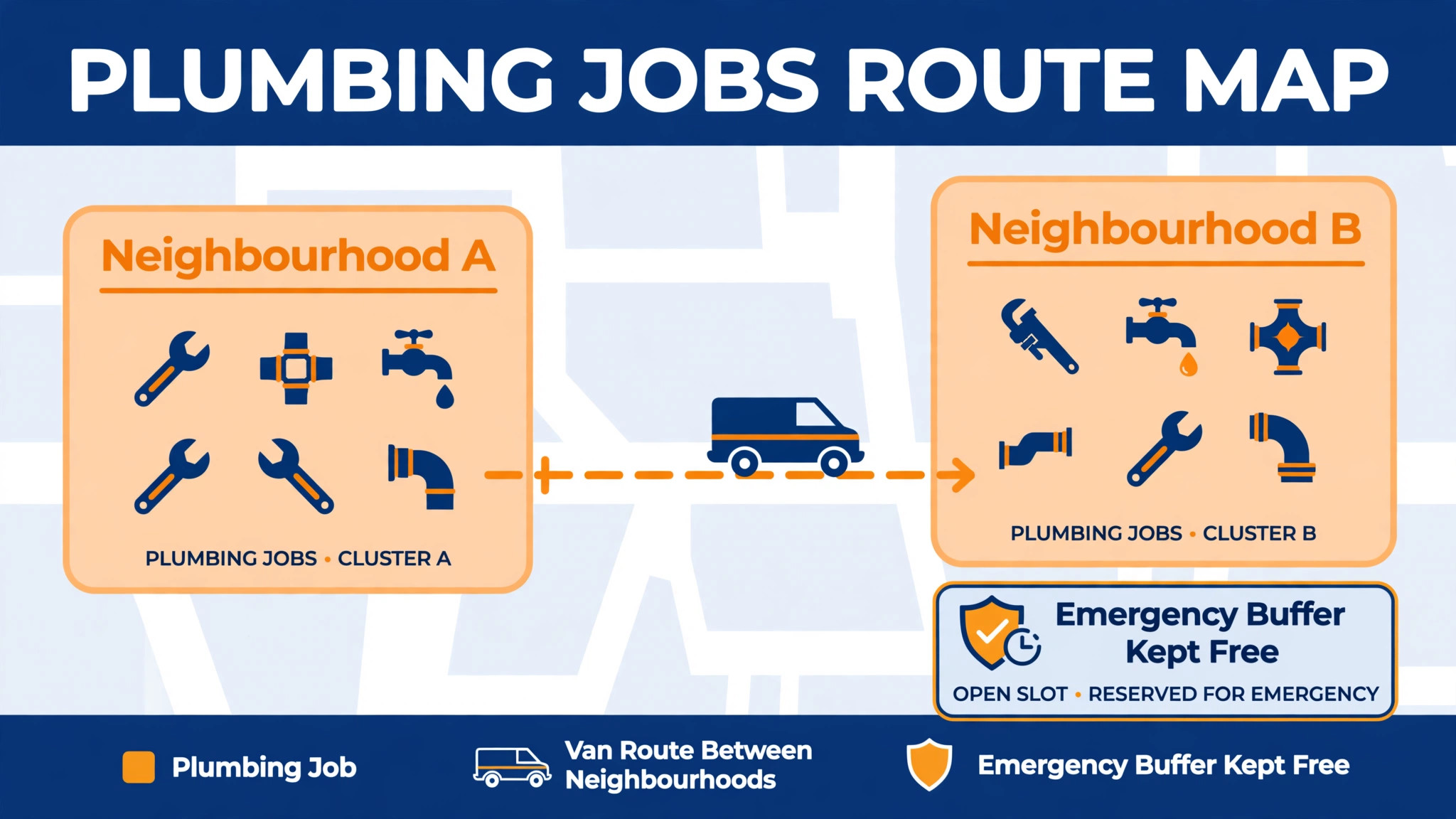
Route density is the measure that matters for a plumbing company. A day with eight jobs in two neighbourhoods beats a day with eight jobs spread across a county, even if the job count looks identical. When you use AI for plumbing company dispatch, routing groups nearby jobs and by holding a slot open in each area for the emergency that will probably arrive. That held slot feels wasteful on a quiet morning and looks brilliant at noon when a burst pipe call lands and a technician is already nearby. Owners should protect that buffer deliberately rather than filling every hour and then paying overtime to cover emergencies.
Live changes are the real test. When a job overruns, the system should propose the knock on effect, which jobs move, which customers get a new ETA, and which technician can absorb the displaced job. A dispatcher then approves the new plan and the customer messages go out. Without that rebuild step, the morning route is fiction by lunch, and technicians spend the afternoon apologising for a schedule nobody updated. Ask any vendor to demo a midday change, not just a clean morning plan, because the messy day is the day you are buying the tool for.
Plumbing Parts Checks That Stop Wasted Trips
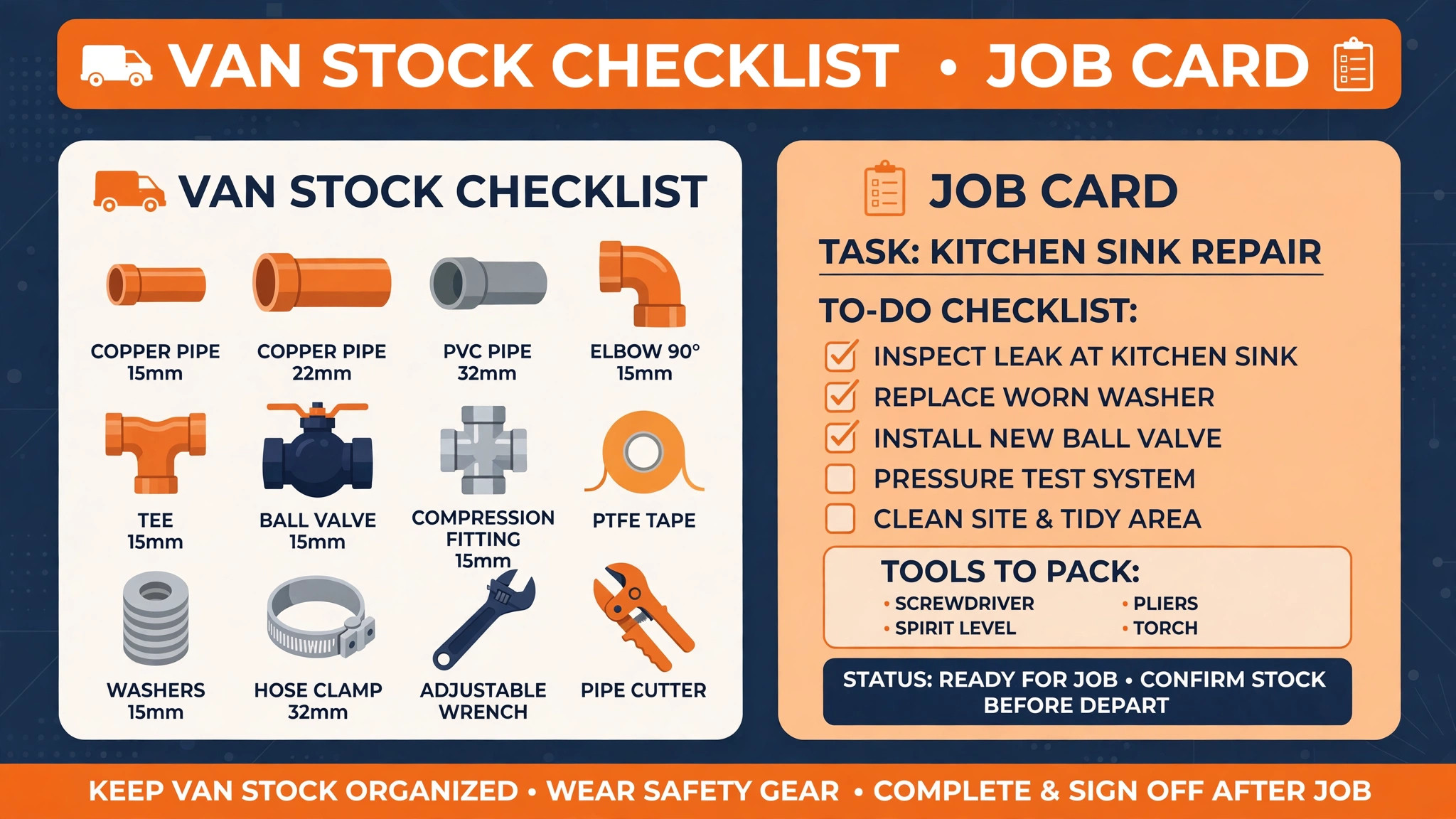
A wasted trip is the most expensive failure in plumbing dispatch, because it burns fuel, technician time and customer trust in one visit. Parts checks exist to stop the second visit that should never have been needed. The workflow is simple in theory. The triage note names the problem, the system suggests likely parts from past jobs of the same type, the dispatcher confirms what the van already carries, and anything missing is picked up, ordered or assigned to a technician whose van stocks it.
When you use AI for plumbing company dispatch, the parts check learns from job history. If most water heater replacements of a certain type need the same fittings, the system can flag those fittings when a similar job is booked. If a specific tap model keeps needing a cartridge that only one supplier stocks, the system can warn the dispatcher before the van leaves. None of this removes the need for a technician to confirm on site, because photos and caller descriptions are often wrong, but it shifts the odds. A van that leaves with the likely parts finishes more jobs on the first visit, and first visit completion is the number that customers remember.
Van stock discipline matters as much as software. Each van should carry a standard kit for the jobs it handles most, and the kit should be checked at the start of the week, not discovered empty at a customer door. The dispatch system can track what was used on each job and prompt a restock, but only if technicians log usage honestly. Make that logging part of closing the job, with a single screen, not a separate form at the end of the day that nobody completes.
For larger parts, such as water heaters, boilers or specialist valves, the parts check should happen before the job is promised, not after. A customer given a morning window for a replacement that cannot be collected until afternoon will be disappointed twice, once by the delay and once by the reschedule. Better to book the job for the day the part is confirmed available, and say so plainly, than to book optimistically and move the customer later.
Plumbing Customer ETA Texts That Reduce No Access Jobs
Customer ETA texts are the smallest automation with the largest effect on no access jobs. A customer who knows the technician is thirty minutes away stays home, clears access to the problem area, and answers the door. A customer who was given a four hour window and heard nothing may have left, and the technician arrives to a locked door and a wasted trip. The fix is a short sequence, not a single message.
Send a booking confirmation the moment the job is scheduled, with the date, the window and what the technician needs access to. Send a reminder the day before, with a simple way to reschedule. Send a live ETA when the technician is on the way, with the technician name and an updated arrival time. Send a completion message after the job, with the invoice and a short request for a review. Each message should come from the business number the customer already recognises, and each should allow a reply, because a one way broadcast that cannot be answered creates a second phone queue.
AI can draft these messages and time them, but the wording should be set by the owner and kept plain. Customers do not need clever language. They need the time, the name, the job and what to do if the time no longer works. Watch the reply rate and the no access rate together. If replies rise and no access falls, the sequence is working. If messages go out and no access stays flat, the problem is usually the window itself, which is too wide, or the reminder timing, which is too early to be useful.

Best Pick by Job for Plumbing Dispatch Tools
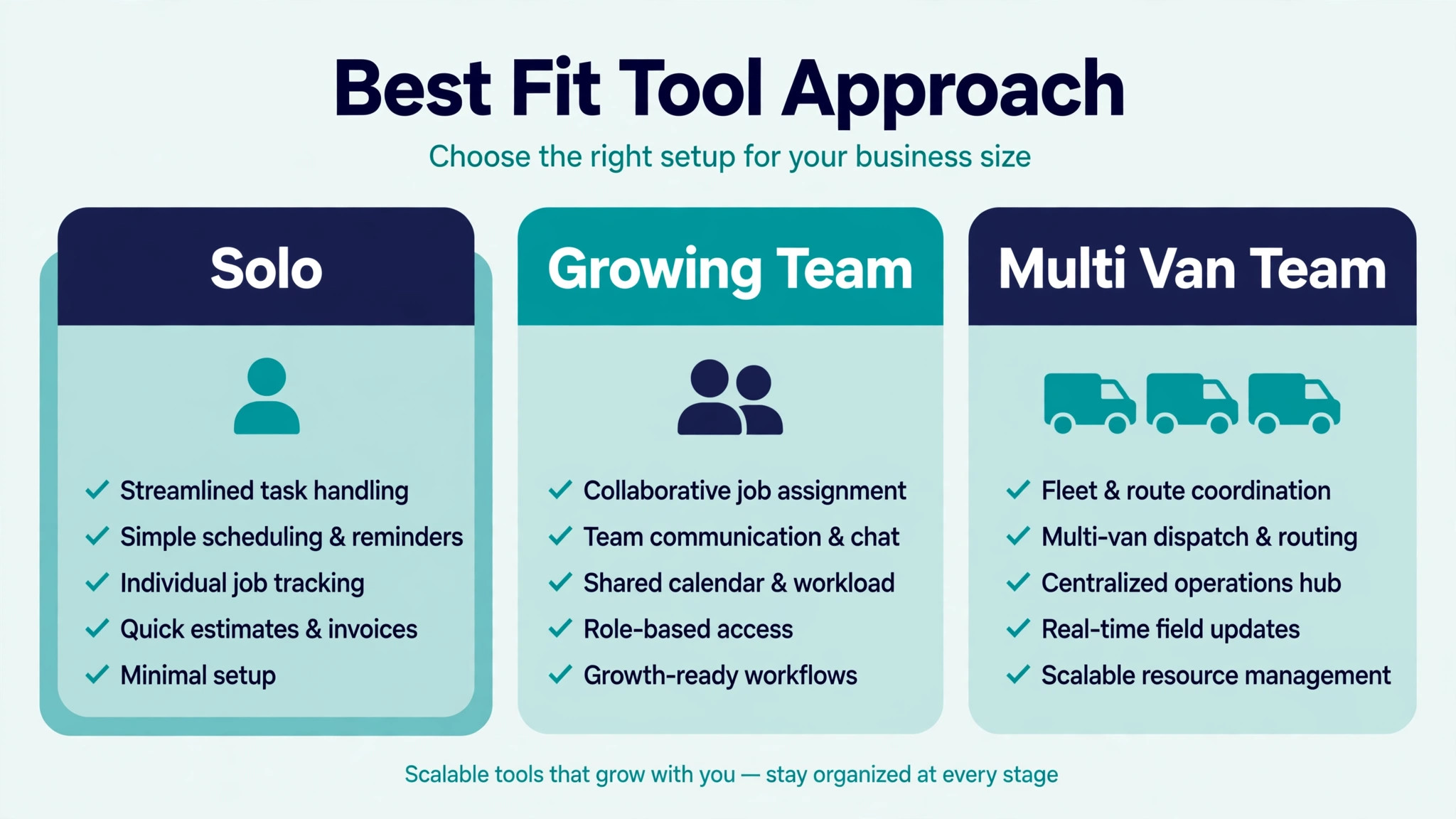
No single tool fits every plumbing company, because a solo operator and a twenty van fleet buy different things even when the feature list looks similar. The table below sorts the main options by the job they do best, based on how vendors position them and how reviewers describe their fit.
| Company shape | Best fit approach | Why it fits |
|---|---|---|
| Solo plumber or two van team | Jobber or Housecall Pro | Simple scheduling, quoting and invoicing in one place, with mobile apps technicians learn fast |
| Growing team adding dispatch help | Housecall Pro with AI phone answering | Strong customer messaging plus after hours call capture without a full call centre |
| Multi van operation with a dispatcher | ServiceTitan | Deep dispatch board, pricebook and reporting built for a team with defined roles |
| Company already on pest or multi trade software | FieldRoutes or its parent platform | Useful when one system must cover several service lines, though plumbing depth varies |
Read that table as a starting point, not a verdict. A solo plumber who plans to grow to ten vans may be better starting on the platform the larger company will need, even if it feels heavy at first, because migrating dispatch history mid growth is painful. A large company that values speed over depth may prefer the simpler tool and accept manual workarounds. Demo each option with your own messy jobs, including an emergency insertion and a parts shortage, and judge the tool on those days.
Pricing also separates these tools in ways a feature list hides. Some charge per user, some per technician, and some quote only after a demo, which makes direct comparison hard. ServiceTitan pricing is commonly described as quote only and per technician, while Jobber and Housecall Pro publish monthly plans with per user elements. Treat any third party price you read as a starting point and get a written quote for your exact team size, because the price for five technicians and the price for fifteen are different products in practice.
What to Automate and What to Keep Human in Plumbing Dispatch
Automation works best on repeatable steps with clear inputs. Booking confirmations, reminders, ETA texts, review requests, route ordering on a normal day, and first draft job notes from a call are all strong candidates. These steps save dispatcher time every day, they rarely need judgment, and a mistake is easy to spot and fix. Automate them first, and measure the time saved before adding more.
Keep a human on anything involving distress, dispute or danger. A customer reporting sewage in a living space, a landlord arguing about who pays, a technician reporting an unsafe site, or a job where the price will jump sharply all need a person. AI can draft the message, but a person should send it, because tone and responsibility matter when a customer is upset. The same rule applies to any job where the triage note is thin or contradictory. If the system is guessing, a dispatcher should call and ask, not let the guess become a dispatched job.
A practical split for a first rollout looks like this. The system books and confirms straightforward jobs, suggests ranks and routes, and sends the standard message sequence. The dispatcher reviews every emergency, every job over a set value, every customer who has complained before, and every route change after noon. That review list shrinks as confidence grows, but it should never disappear entirely, because the day a dispatcher stops checking is the day an edge case slips through.
Costs and Trade Offs of Plumbing Dispatch AI
The cost when you use AI for plumbing company dispatch is not one subscription. It is the field service platform, any AI phone or messaging add on, the time to set up rules and pricebooks, and the dispatcher hours spent checking the system in the early weeks. Companies already paying for Jobber, Housecall Pro or ServiceTitan may add AI features for a smaller increment. Companies moving from paper pay for the whole platform at once, plus training, and should budget for a slower first month while the team learns the new routine.
The trade offs are real and worth naming. A platform built for scale brings reporting and control, but it also brings a longer setup and a steeper learning curve, which reviewers consistently note for larger systems.
A simpler platform gets a small team running in days, but it may need manual workarounds as the team grows, such as tracking specialist parts outside the system. An AI phone service captures after hours calls, but it can also book a job with incomplete detail if the caller is vague, which creates dispatcher cleanup the next morning. None of these trade offs is a reason to avoid the tools. Each is a reason to match the tool to the team size you have now, with a clear path to the size you plan to reach.
Common Mistakes in Plumbing Dispatch Automation
The most common mistake is automating a broken process. If triage notes are vague today, AI triage will produce vague jobs faster. If priority is decided by who shouts loudest today, AI ranking built on that history will repeat the same bias. Fix the process on paper first, with written rules for urgency, windows and parts, then let software apply those rules. Software scales whatever you feed it, good or bad.
The second mistake is giving customers windows the business cannot keep. A two hour window that slips to five hours because the route was overfilled destroys more trust than an honest four hour window kept on time. Set windows from real job durations, including travel and parts collection, not from optimistic averages. Then protect a buffer in each area for emergencies, and do not let sales pressure fill it with routine work that could wait a day.
The third mistake is letting the system message customers without dispatcher oversight in the early weeks. A wrong ETA text sent automatically at scale reaches every customer on the route before anyone notices. For the first month, review outgoing messages in batches, check the ETA logic against actual arrival times, and fix the timing rules before removing the check. Speed without accuracy is worse than a slower manual message that arrives on time.
The fourth mistake is ignoring technician feedback. Technicians know which routes ignore one way streets, which job types always overrun, and which parts suggestions are wrong. If they stop reporting those problems because nobody acts on them, the system keeps making the same errors with confidence. Hold a short weekly review in the first two months, fix the top three recurring complaints, and tell the team what changed. That loop is what turns a generic tool into a system shaped for your patch.
Plumbing Dispatch Checklist for the First Thirty Days
Use this checklist to roll out a plan to use AI for plumbing company dispatch without breaking the week.
1. Write urgency rules for emergency, same day, next day and scheduled work, and test them on real calls for two weeks. 2. Clean job categories and titles so the system learns from clear history, not vague labels. 3. Set standard van kits for the most common job types and a restock prompt at job close. 4. Build the customer message sequence and test it on your own phone from booking to completion. 5. Run AI ranks and routes as recommendations for one week, with a dispatcher confirming every change. 6. Protect one buffer slot per area per day for emergencies, and track how often it gets used. 7. Review no access jobs, first visit completions and dispatcher overrides every week, and fix the top recurring cause. 8. Decide what stays human, including distress calls, disputes, unsafe sites and large price jumps, and write that list where dispatchers can see it.
That checklist is deliberately short. A longer rollout plan looks impressive and gets ignored. Eight steps, done properly, change dispatch more than a fifty page manual that nobody reads.
How to Measure Plumbing Dispatch Results
Measurement should start before the new workflow, so the improvement is visible rather than claimed. Record four numbers for four weeks on the old method. First, the share of jobs completed on the first visit. Second, the share of jobs where the technician arrived inside the promised window. Third, the no access rate, meaning jobs where nobody was home or access was blocked. Fourth, the average jobs completed per technician per day, with driving time noted separately if the system tracks it.
After rollout, track the same four numbers weekly, plus two more. Track dispatcher overrides, meaning how often a human changed the AI rank or route, because a falling override rate shows growing trust in sound rules, while a rising rate shows rules that need fixing. Track customer replies to ETA texts, because replies show customers are engaged with the schedule rather than ignoring it. A business that only tracks job count will miss the quality change, since more jobs done badly is not progress.
Set targets that fit the starting point. A company with a high no access rate should aim to cut it first, because every avoided wasted trip frees a slot for a paying job. A company with good access but low first visit completion should focus on parts checks and triage detail. A company with strong completion but long driving days should focus on route density and area grouping. One priority at a time beats five targets chased at once, because the team can see which change caused which result.
Review the numbers with technicians, not just in the office. A route that looks efficient on a screen may ignore parking, building access or supplier hours that technicians know from experience. When a number improves, say which workflow change likely caused it, so the team keeps doing that thing. When a number worsens, treat it as a rule to fix, not a person to blame, because dispatch improvement is a system problem before it is a people problem.

The Plumbing Dispatch Verdict for Owners Ready to Change
The best way to use AI for plumbing company dispatch is to treat it as a disciplined assistant, not a replacement dispatcher. Let it answer after hours calls, write clean job notes, suggest ranks and routes, check likely parts and keep customers informed with timely texts. Keep people on emergencies, disputes, unsafe sites and every decision where the note is thin or the stakes are high. That split gives a small team the coverage of a larger office without losing the judgment customers pay for.
Start small, with triage and messaging, then add ranking and routing once the data is clean. Choose the platform that fits the team you have, with room to grow, and judge it on messy days rather than demo days. Measure first visit completion, on time arrival, no access and jobs per day, and fix the worst number first. Done that way, when you use AI for plumbing company dispatch it pays for itself in fewer wasted trips, fewer missed calls and calmer days for everyone, from the office phone to the van door.
Frequently Asked Questions
Do I need new software to start with AI dispatch?
No. Start by adding one helper, such as AI phone answering or ETA texts, to the system you already use, and keep the rest of the workflow unchanged. Most field service tools already include some AI features, and a paper board can still gain from automated messaging. Replace the whole system only when a clear gap remains after the first helper proves itself.
Will AI dispatch send a technician to the wrong job?
It can, if triage notes are thin or ranking rules are wrong, which is why a dispatcher should confirm AI suggestions for the first month. Track every change the dispatcher makes, and rewrite the rules behind frequent corrections. Once corrections grow rare, the system has earned more trust, but emergency calls should still get a human check every time.
How do I handle emergency calls after hours?
Route after hours calls through AI answering that captures the address, the problem, and whether water is actively leaking, then books the job or flags it for the on call technician. Set clear rules for what counts as an emergency, and make sure a gas smell always goes to the utility and emergency services first. Test the after hours flow with real calls before relying on it.
What should I measure in the first month?
Track first visit completion rate, wasted trips, average drive time between jobs, and no access jobs, and compare them with the month before AI help began. Also track how often dispatchers change the AI rank, since frequent changes mean the rules need work. Small steady gains across all four measures beat one dramatic number that later fades.
Can a small team with two vans benefit from AI dispatch?
Yes, because even two vans waste hours on crossed routes and missed access when the day is planned from memory. Route ordering, parts checks, and ETA texts pay off at any size, and the cost is usually one tool subscription rather than new staff. Start with routing and messaging, which show results within weeks, and add triage help next.
More Reading on Stratilyze
– Use AI for Plumbing Business Dispatch Scheduling – Best Quote Software for Trades Businesses – Best Field Service Management Software for Electricians – Best Website Builder for Tradespeople – Automate Small Business with AI