
Listeners decide in seconds whether an episode is worth their time, and show notes are often the deciding evidence. When you use Descript for podcast show notes, the notes grow out of the actual transcript instead of from memory, so quotes, topics, and timestamps match what was really said. That accuracy matters, because a listener who clicks a timestamp and lands in the wrong part of the conversation will not trust the next episode description either, and trust is the asset a show builds slowest.
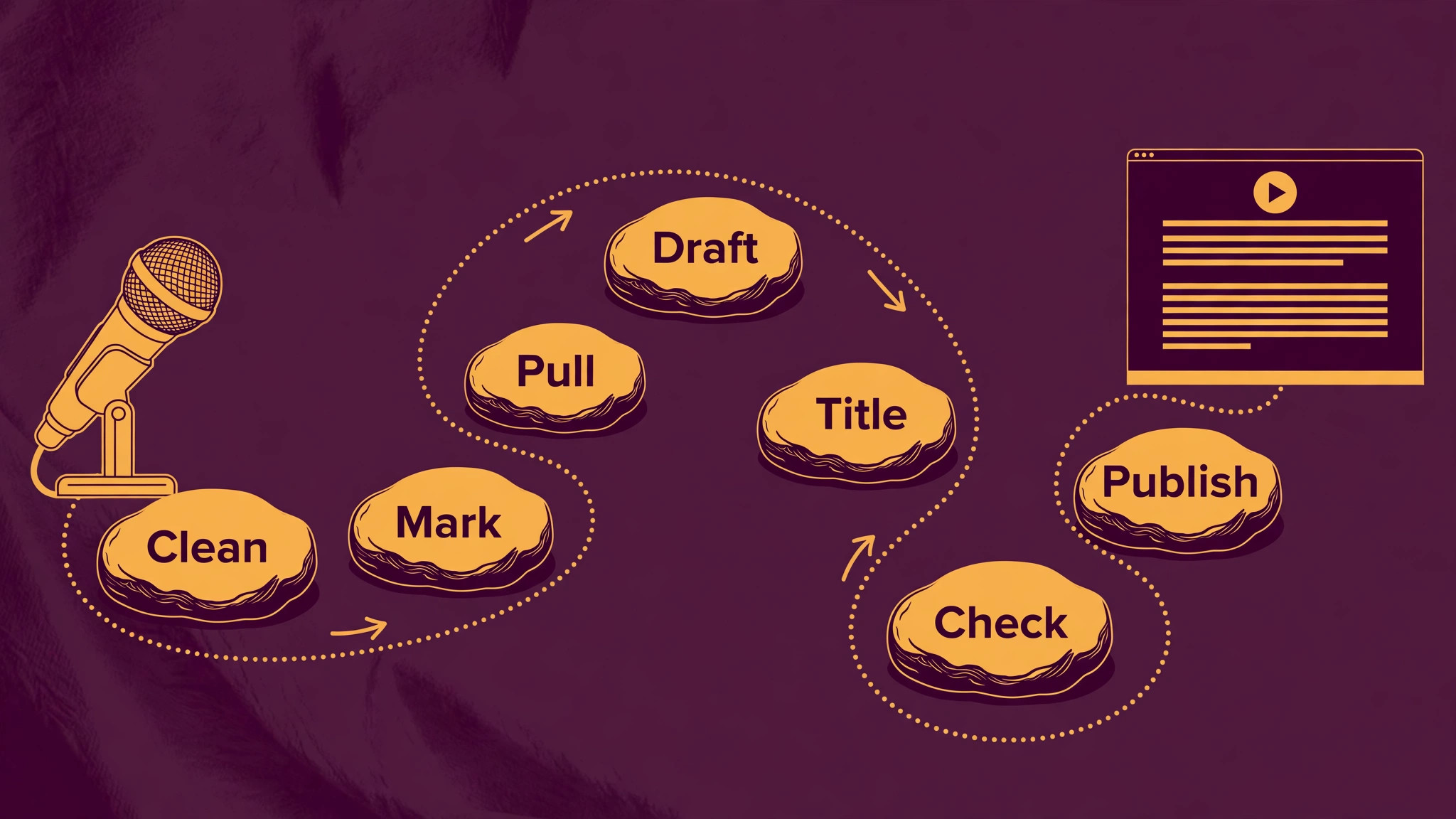
This guide covers the full show notes workflow. You will clean the transcript, mark chapters, pull quotes and links, draft notes from a fixed template, and run a publishing check before the episode goes live. Descript pricing checked at draft time puts the Hobbyist plan at 16 dollars per month billed yearly with 10 media hours, and Creator at 24 dollars per month billed yearly with 30 hours, so most weekly shows can start on Hobbyist and move up when episode volume grows.
Why This Approach Works
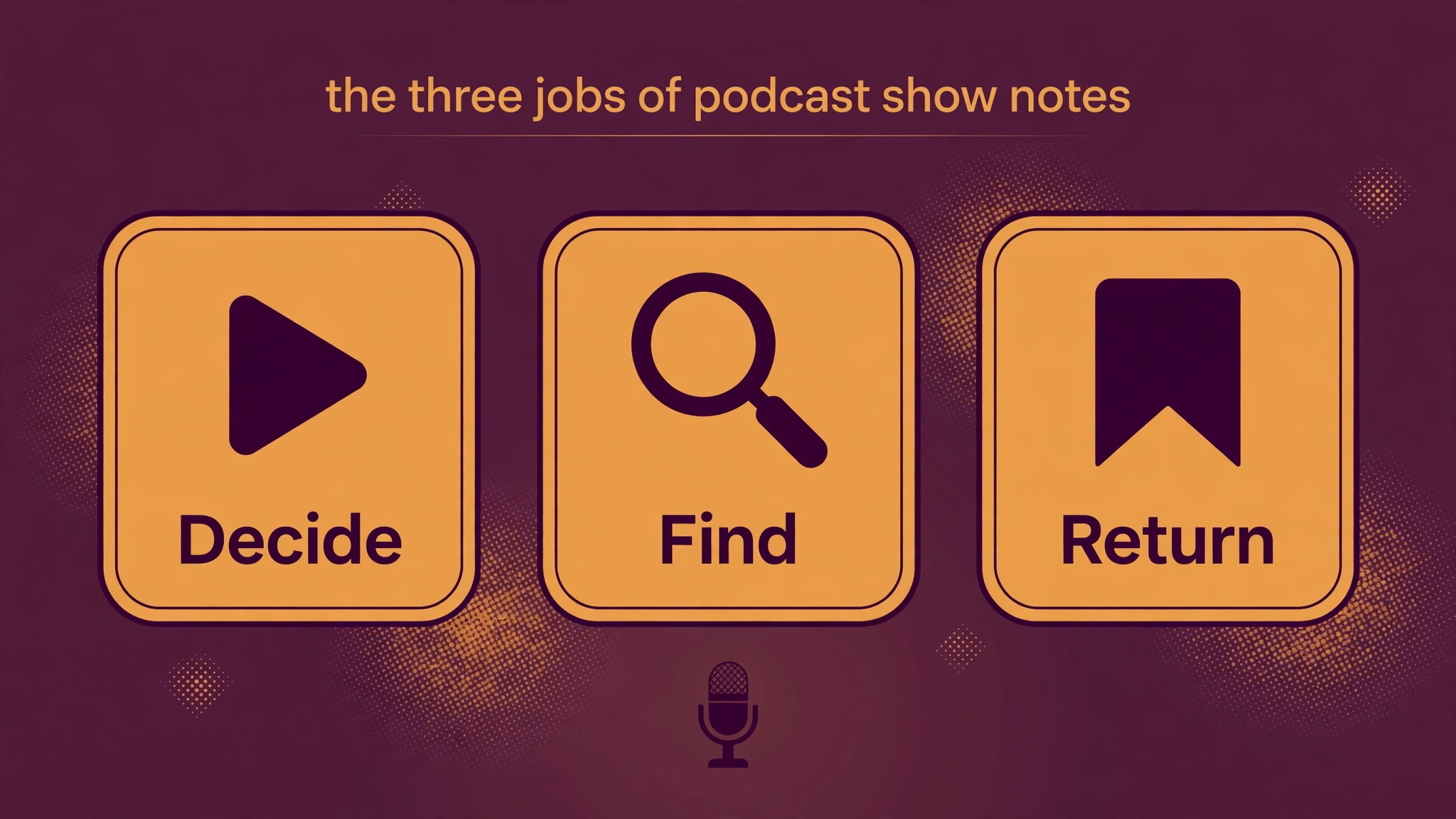
Show notes do three jobs at once. They help a new listener decide to press play, they help a search engine understand what the episode covers, and they give existing listeners a way back to a specific moment. Notes written from memory usually fail the third job, because timestamps drift and quotes get paraphrased into something nobody said. Descript fixes this by keeping text, audio, and timestamps in one place, so editing the transcript edits the audio, and chapter markers sit on the real conversation. The result is notes that a listener can trust, and a production routine that takes less time each week as the template settles.
Notes also protect the work that went into recording. An episode without useful notes is hard to find again, hard to share with a precise moment, and hard for a guest to promote, because the guest has nothing quotable to post. Good notes give each episode a second life, as a searchable page, a set of clips, and a source of quotes for social posts. Treat notes as part of the episode, with time booked in the production schedule, and the show will compound its audience instead of starting from zero with every release.
How to use Descript for podcast show notes Step by Step
Follow the workflow in order, and do not draft notes before the transcript is clean. When you use Descript for podcast show notes, the transcript is the source of truth, so every later step depends on its accuracy. Clean first, mark chapters second, and write last, because writing from a dirty transcript only creates notes that must be rewritten after the final edit.
- **Import and transcribe with speaker labels.** Upload the finished audio, let Descript transcribe it, and check that speaker labels are correct before editing anything else. Wrong labels create wrong quotes later, so fix names first. Listen to the first two minutes while reading the transcript to catch any early errors in names, places, or product terms.
- **Remove filler and false starts carefully.** Use filler word removal with care, and keep natural pauses where they carry meaning. Read the edited transcript once for sense, not only for sound, because a cut that sounds clean can still break an argument. Save a copy of the unedited transcript for reference before major cuts.
- **Mark chapters as you listen.** Add a chapter marker each time the topic changes in a real way, not at every small aside. Aim for chapters of five to twelve minutes for a long episode, with short titles that state the topic plainly. Chapters help listeners skip, help search tools index topics, and give the notes a structure without extra writing.
- **Pull quotes, links, and resources.** Highlight two or three short quotes that stand alone without context, and collect every book, tool, article, and guest link mentioned. Check each link before publishing, because a dead link in show notes looks careless and wastes the goodwill of a guest who shared the episode. Note the timestamp beside each quote.
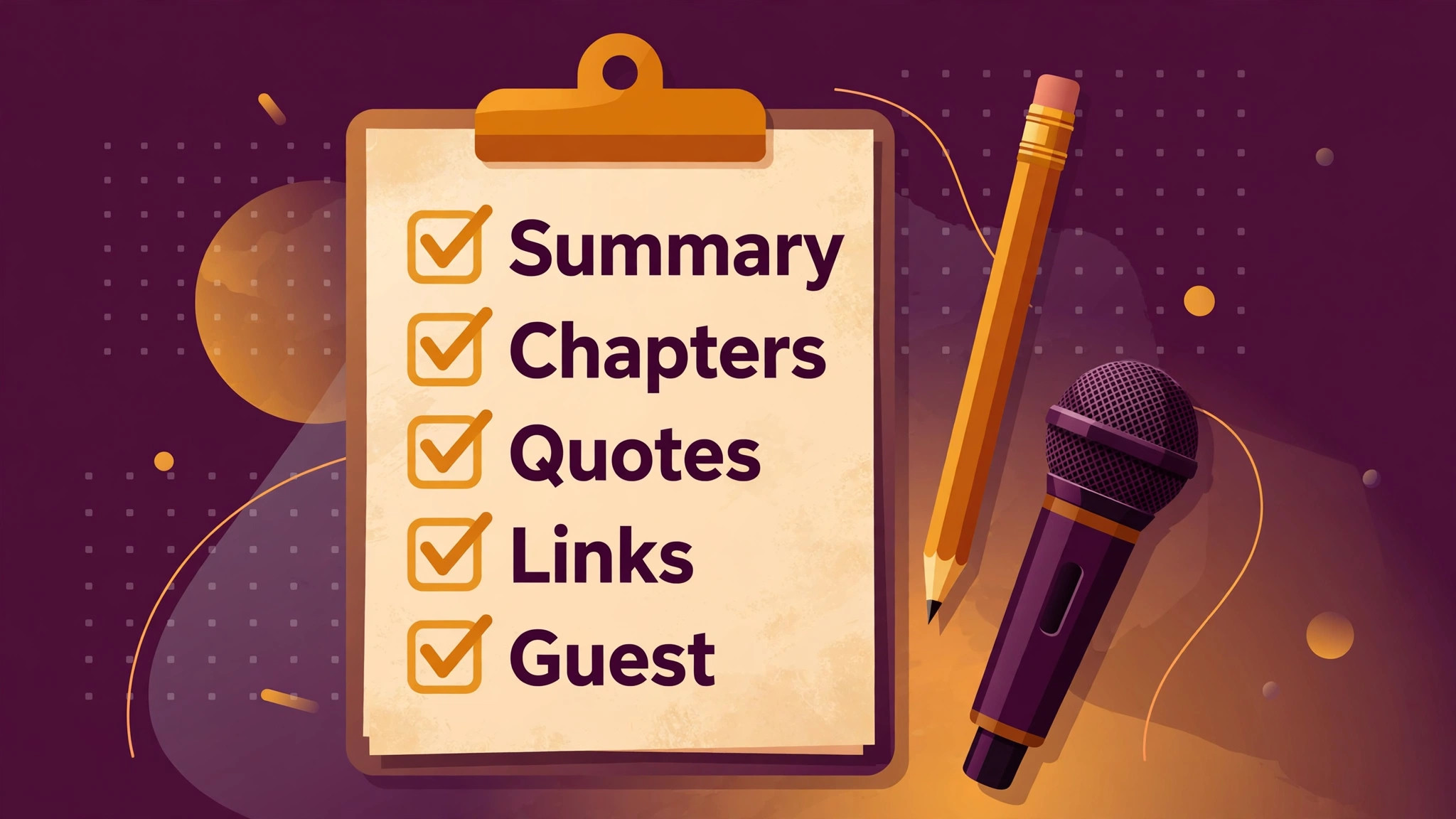
- **Draft notes from the fixed template.** Fill the template in order, summary, what listeners will learn, chapters, quotes, links, and guest details. Write the summary in two or three sentences, and list learning points as outcomes, not as vague topics. A template keeps episodes consistent, which helps listeners know where to look for links and chapters every week.
- **Write the title and summary last.** Titles written last are usually more accurate, because you know which moment actually carried the episode. Keep titles under about 60 characters where possible, and put the main topic near the front. Avoid promising a result the episode does not deliver, because disappointed listeners do not return.
- **Check timestamps against the final audio.** Export or play the final edit, then click each chapter marker and confirm it lands on the right topic. Edits made after chapters were marked can shift timing, so this check must come after the last audio change. One wrong timestamp is enough to make a listener doubt the rest.
- **Publish notes everywhere the episode appears.** Paste the same notes into the podcast host, the episode page, and any video description, with links checked in each place. Keep one master copy in Descript or a document, so corrections are made once and copied out, rather than fixed in three places at different times.
After publishing, save the master notes with the episode files, including the final transcript and the chapter list. Next season, when a listener asks about an old topic or a guest asks for a clip, that archive will answer in minutes. Shows that archive well can repurpose old episodes for years, while shows that scatter notes across platforms lose that value entirely.
Options Compared
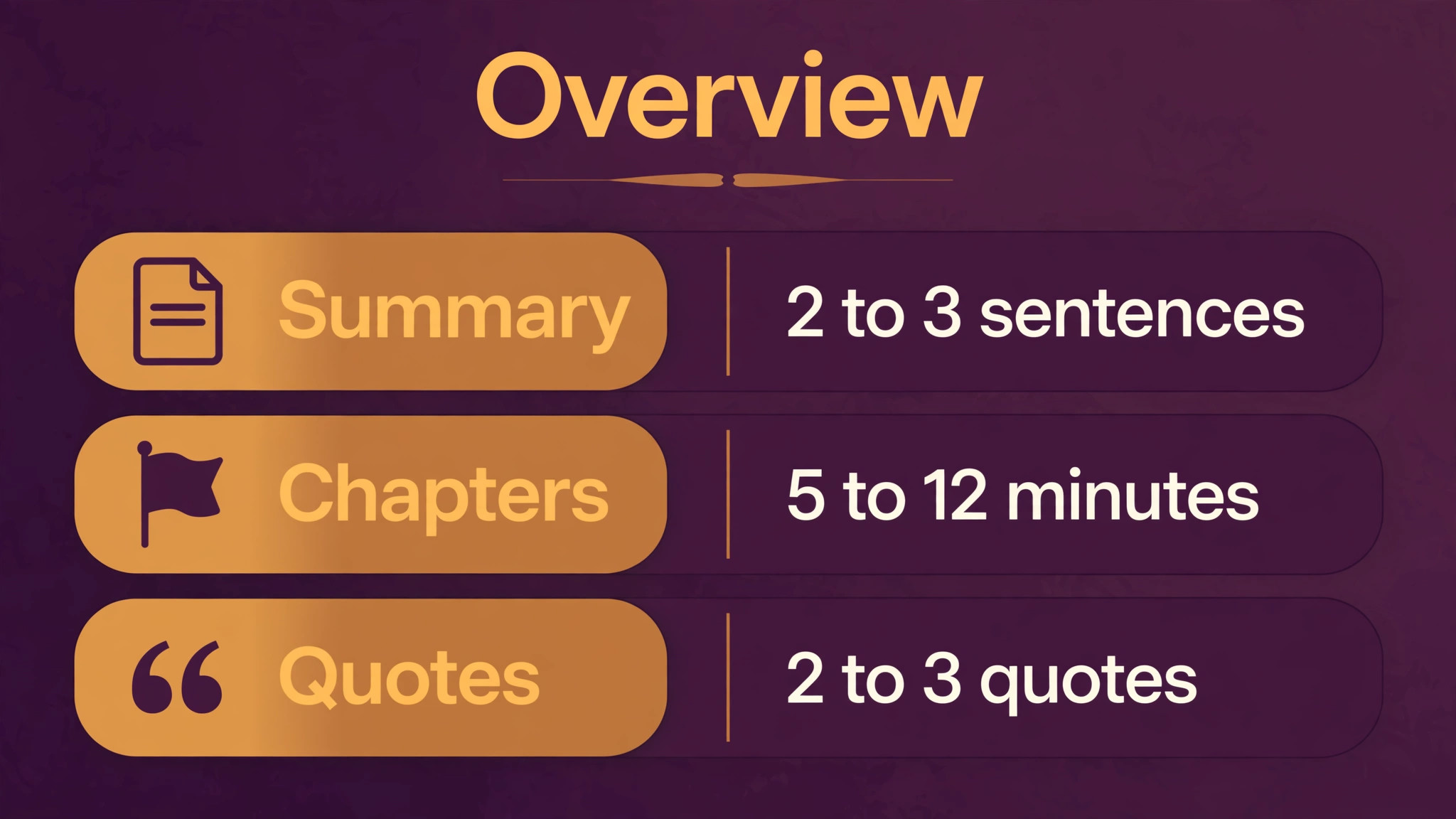
Not every element of show notes carries equal weight, and a new show should invest time where listeners actually look. When you use Descript for podcast show notes, the summary, chapters, and links do most of the work, while long background paragraphs do very little. The table below sets a standard for each element so you can judge your own notes quickly.
| Notes element | What good looks like | Length guide |
|---|---|---|
| Summary | States the topic and the payoff plainly | Two to three sentences |
| Learning points | Lists outcomes listeners can use | Three to five points |
| Chapters | Titles match real topic changes | Five to twelve minutes each |
| Quotes | Short, exact, and checked | Two to three quotes |
| Links and guest details | Every link tested, guest credited | All mentions covered |
Use the table as a review tool, not as a rulebook. If an episode has a strong story but weak learning points, write the summary around the story and let the chapters carry the structure. The goal is notes that help a stranger decide and a listener return, and any element that does neither can be shortened or cut without harming the episode.
Costs and Tools to Budget For
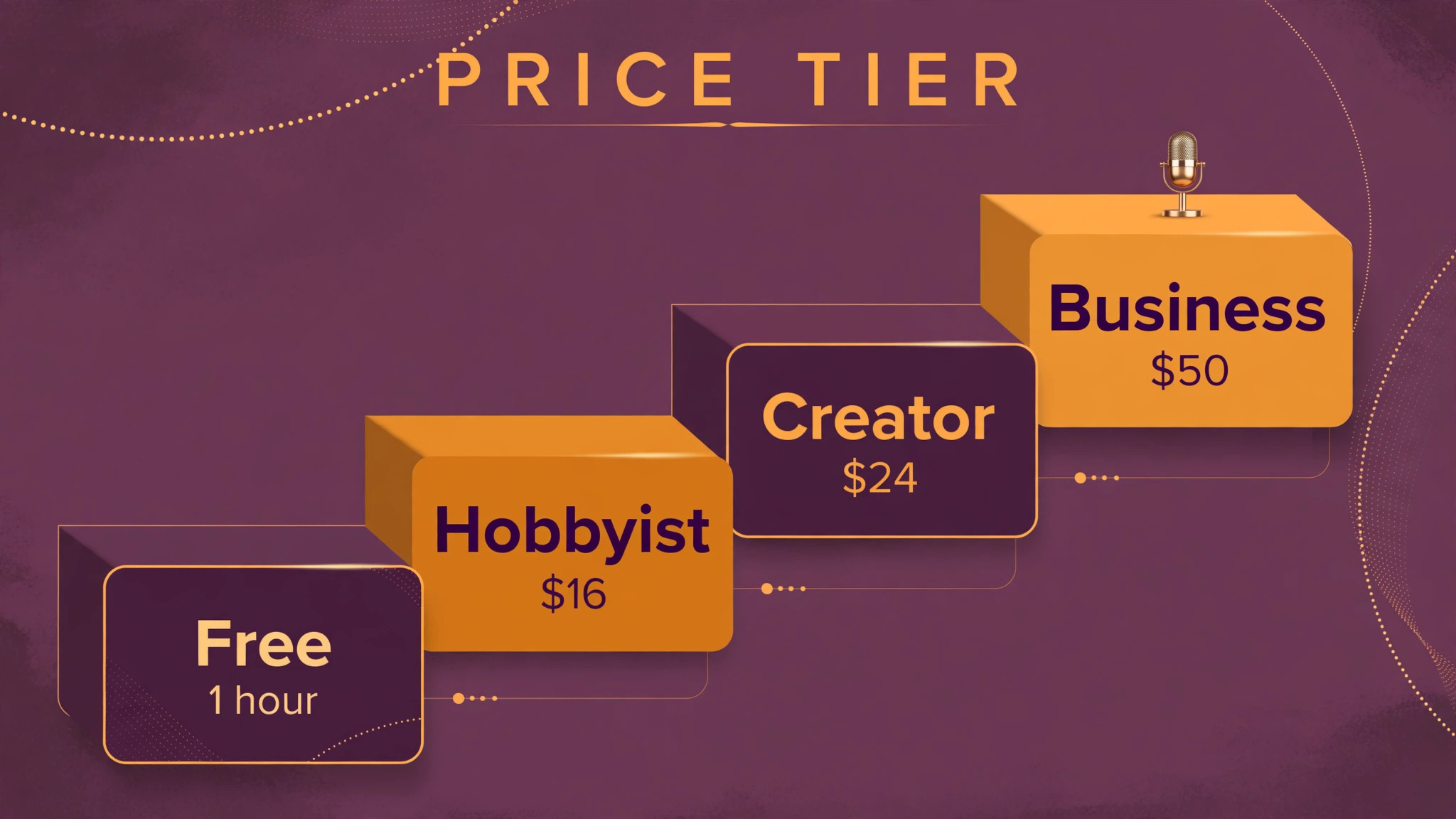
Budget for show notes in time first and tool cost second. Descript lists a free plan with 1 media hour per month, Hobbyist at 16 dollars per month billed yearly with 10 media hours, Creator at 24 dollars per month billed yearly with 30 hours, and Business at 50 dollars per month billed yearly with 40 hours. A weekly show of one hour per episode fits Hobbyist comfortably, while a show with two long episodes per week should compare Creator before the month runs short. Confirm current limits on the official pricing page, because media hours and AI credits change over time.
Time is the real budget line. Allow at least an hour for transcript cleanup, chapters, and notes on a standard episode, and more for episodes with many guests or technical terms. That hour is cheaper than the audience lost to vague notes, and it shrinks as the template settles and the host learns to mark chapters during recording. If time is tight, protect the summary, chapters, and links first, and shorten quotes before cutting any of those three.
Template and Checklist
Run this checklist after the final audio edit and before publishing, because timestamp checks made earlier can be undone by a late cut. When you use Descript for podcast show notes, the checklist is the last gate before listeners see the notes, so treat a failed item as a reason to pause publishing, not as a note to fix later.
- Speaker labels are correct throughout the transcript before any notes are drafted.
- Chapter markers land on real topic changes, checked against the final audio.
- The summary states the topic and the payoff without overstating the episode.
- Learning points are written as outcomes, not as vague topic names.
- Two or three quotes are exact, short, and checked against the transcript.
- Every link mentioned in the episode appears in the notes and opens correctly.
- Guest names, titles, and links are spelled correctly and approved where needed.
- The episode title fits the content and puts the main topic near the front.
- Notes use the same template order as previous episodes for consistency.
- Timestamps use the final edit, not an earlier draft of the audio.
- No unpublished detail, private story, or off record remark appears in the notes.
- The published notes match across the host, the episode page, and video descriptions.
File the completed checklist with the episode folder, beside the master notes. When a correction comes in later, the checklist shows which items were already verified, so the fix stays focused. Over a season, completed checklists also reveal which errors recur, such as broken links or vague chapter titles, and those patterns point to the template change that will prevent the next occurrence.
Mistakes to Avoid
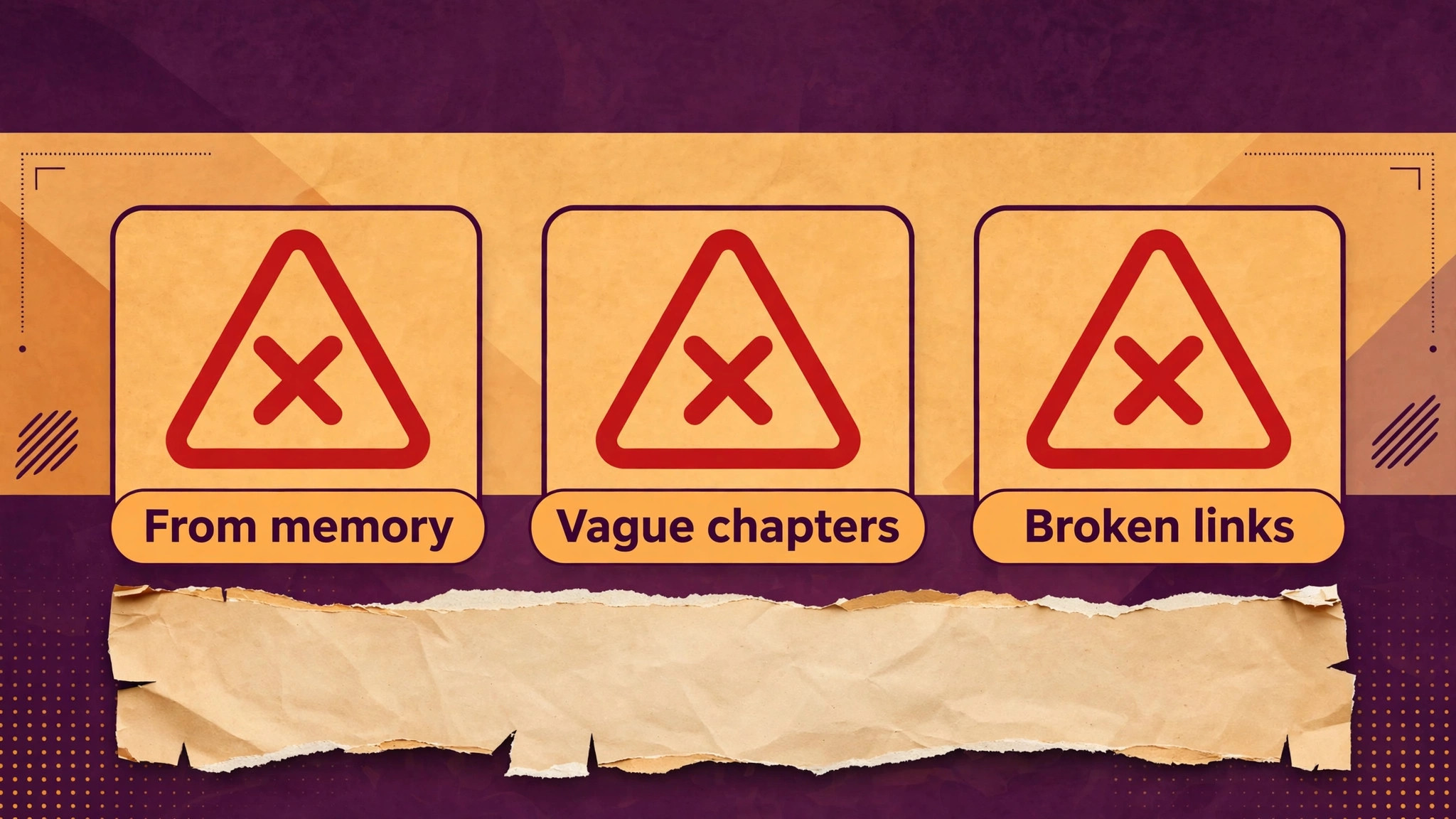
Show notes mistakes are rarely dramatic, which is why they persist. When you use Descript for podcast show notes, watch for these five quiet failures, because each one erodes trust a little at a time, and listeners rarely complain before they simply stop checking the notes.
- **Writing notes from memory.** Memory smooths over gaps and invents details, which is how wrong timestamps and fake quotes appear. Draft from the transcript, and check every quote and time against the audio. Accuracy is the reason listeners trust show notes, and trust is hard to rebuild once lost.
- **Making chapters too short or too vague.** A chapter every two minutes fragments the episode, while a title like chat or discussion tells nobody anything. Mark real topic changes, and write titles that a listener can use to decide whether to skip ahead. Chapters should act as a table of contents, not as decoration.
- **Stuffing notes with keywords.** Keyword lists read badly and help nobody decide to listen. Write for a human first, using the natural topic words that appear in the conversation. Search tools understand clear, specific notes far better than a paragraph of repeated phrases.
- **Skipping the link check.** Guests notice broken links, and listeners judge the whole show by them. Open every link in the notes before publishing, and fix or remove any that fail. A five minute check protects relationships that took far longer to build.
- **Publishing different notes in different places.** When the host, the website, and the video description disagree, listeners and guests get confused about which version is current. Keep one master copy, publish from it, and update all copies when a correction is made.
If several of these mistakes appear together, the cause is usually a rushed production schedule rather than a lack of skill. Protect notes time in the schedule, right after editing and before publishing, so the checklist is never skipped under deadline pressure. A show that publishes notes late but accurate will keep listeners longer than a show that publishes fast notes that cannot be trusted.
A Worked Example
A host of a weekly interview show recorded a long conversation with a guest expert and then faced a transcript full of digressions, repeated explanations, and two speakers whose voices sounded alike on audio. The host uploaded the finished audio, checked speaker labels first, and fixed every place where the guest had been labelled as the host, because a wrong label would have produced a wrong quote later in the notes. Listening to the first two minutes while reading the transcript caught early errors in names and product terms, and filler removal was applied with care so natural pauses that carried meaning were kept.
A copy of the unedited transcript was saved before major cuts, which meant any argument that sounded broken after an edit could be checked against the original wording.
Chapters were marked only where the topic genuinely changed, not at every aside, and each chapter ran between five and twelve minutes with a title that stated the topic in plain words. While marking, the host highlighted three short quotes that stood alone without context and collected every book, tool, article, and guest link mentioned, noting the timestamp beside each quote. The summary was written in three sentences stating the topic and the payoff, learning points were written as outcomes listeners could use rather than as vague topic names, and the template order stayed fixed at summary, learning points, chapters, quotes, links, and guest details.
The episode title was written last, kept under about 60 characters where possible, with the main topic near the front and no promise the episode did not deliver.
After the final audio edit, the host clicked each chapter marker and confirmed it landed on the right topic, because edits made after marking can shift timing. One marker landed in the middle of the previous discussion, so its position was moved and the notes were updated from the master copy rather than patched in one place only. Every link was opened and tested, guest names, titles, and links were checked for spelling, and any off record remark was left out of the notes entirely.
The same notes were then pasted into the podcast host, the episode page, and the video description, with links checked again in each place, and the master notes were filed with the episode folder beside the final transcript and chapter list. When a listener later asked about an old topic, that archive answered in minutes, and when the guest shared the episode, the checked quotes and working links gave that guest something accurate to post.

Advanced Tips Worth Trying
Mark chapters while the recording is still fresh, even before the transcript is fully cleaned, by noting the time and topic of each real change during a first listen. Those rough marks become the chapter skeleton, and cleaning the transcript later refines their wording without changing their positions much. For shows with two voices that sound alike, assign one notes owner and make speaker label correction that owner’s first job. If a guest uses many technical terms, build a spelling list from the guest’s website and book titles before editing.
Treat quotes as evidence, not as decoration, and test each candidate quote by reading it alone. A quote that needs a paragraph of explanation to make sense will confuse a listener who sees it in isolation, so keep only quotes that carry their meaning in one or two sentences. Keep the quote timestamp beside the text in the master copy, because a future clip request will need that exact position. Collect links in the same pass as quotes, opening each one as it is added.
Use the template as a diagnostic tool when an episode feels weak. If learning points read as topics rather than outcomes, the next recording brief should name a clear question for the guest in advance. If chapters run far shorter than five minutes or far longer than twelve, raise that drift with the host before the next recording. If links are missing, add a step where the host notes resources during recording instead of reconstructing them afterwards.
Archive with retrieval in mind, so a listener question about an old episode can be answered from the filed notes without searching through separate platforms. Name the master notes file with episode date and title, store it beside the final transcript and chapter list, and keep one document listing recurring guests, approved titles and links, and spelling quirks from past transcripts. That document shortens the next episode for a returning guest, because names and links are copied from a checked source.
How to Measure Success
Measure show notes by whether listeners can decide, return, and share, and separate those three jobs so a strong summary does not hide weak chapters. For decision, record how many new listeners reach the episode page and press play after reading the notes, using the host and episode page figures for the same period, and compare episodes with the same template order so a change in layout does not distort the comparison. For return, count chapter clicks where the host reports them, divide chapter clicks by episode plays for that period, and list which chapter titles drew the most use, because a title that nobody clicks may be vague even if the chapter itself is strong.
For sharing, count link clicks from the notes and guest shares that used a checked quote, and note which links were clicked most, since a links section that nobody opens needs shorter descriptions or better placement.
Measure accuracy as its own figure, because trust is the asset notes protect. Divide chapter markers that landed on the correct topic in the final audio check by all chapter markers, and count corrections made after publishing per episode, separating timestamp corrections, link corrections, and quote corrections so the pattern points to the step that failed. Track production time by recording minutes spent on transcript cleanup, chapter marking, and notes drafting for each episode, and compare that total with the hour allowed for a standard episode in the production schedule.
Review those figures monthly across episodes, not after a single release, and change one template element at a time, such as chapter title style or learning point wording, so any movement in clicks or corrections can be traced to that change. A falling correction count alongside steady chapter use is a stronger sign of progress than a single popular episode.
Review and Next Steps
Block notes time in the production schedule right after editing and before publishing, so notes are never rushed at upload time. Each month, review which episodes earned the most clicks from notes links, and note which chapter titles listeners used most, if the host reports that data. Keep the template under review as well, and change one element at a time, so a change in clicks or corrections can be traced to that element rather than to several changes made together.
Over a season, this routine turns notes from a chore into a reliable discovery channel for the show, because listeners learn where to look for links and chapters every week and guests learn that sharing an episode will send people to accurate quotes and working links.
Maintain an episode log recording date, title, chapter count, link count, and corrections made after publishing. When you use Descript for podcast show notes across a season, that log shows whether corrections are falling, which signals a workflow that is maturing rather than merely repeating. If corrections rise, look for the step that was skipped, usually the final timestamp check after the last audio change, and restore it before changing anything else in the template. If chapter counts swing widely from episode to episode, check whether marking is following real topic changes or drifting into short fragments and vague titles, and tighten the marking rule for the next recording.
A log that is updated on publication day stays trustworthy, while a log reconstructed at month end will miss the small errors that explain a pattern.
Review the template once a season with the host and any notes owner, using the episode log and the correction pattern as evidence. Retire a template element that listeners never use, such as a long background paragraph that adds no decision value, and strengthen the elements that do the work, namely summary, chapters, and links. Test a revised template on one episode before applying it to the whole season, and compare its chapter use, link clicks, and corrections with the previous three episodes, so the revision is judged on comparable figures rather than on enthusiasm for a new format.
If the test episode performs worse, revert the change and record the reason, because a recorded failed test prevents the same idea from returning under a different name.
Plan for a returning guest, a multi guest episode, and a technical episode before they arrive, because each type strains the standard routine in a different way. For a returning guest, copy approved names, titles, and links from the archive instead of retyping them, and check whether any link has changed since the last appearance. For a multi guest episode, assign speaker label ownership explicitly and allow extra time for label correction, since similar voices and overlapping speech create the most errors. For a technical episode, collect a spelling list for terms and product names before editing, and allow extra time for transcript cleanup, because a standard hour will not cover an episode dense with unfamiliar terms.
Document those three variations beside the template, so a new notes owner can follow them without asking the host for a fresh explanation each time.
Protect the archive as the show grows, because old episodes gain value only if their notes remain findable and correct. At season end, check that master notes, final transcripts, and chapter lists are filed together for every episode, fix any broken links in the most requested older episodes, and update guest details where a guest has changed role or website. Republish or reshare an older episode only after its timestamps have been checked against the final audio and its links have been opened again, since an old episode shared with a dead link damages trust just as a new one would.
That seasonal archive pass, combined with the monthly log review and the weekly production routine, keeps show notes accurate across a growing catalogue instead of letting early episodes decay while attention moves to the newest release.
For related reading on Stratilyze, the guide to podcast editing in Descript covers the edit that comes before notes, and the guide to video editing in Descript shows how the same transcript workflow serves video. Read the editing guide first if your transcript still needs heavy cleanup, because clean audio makes clean notes, and the approach here for use Descript for podcast show notes pairs naturally with that edit routine.
Frequently Asked Questions
How long should podcast show notes be?
Most episodes work well with a short summary, three to five learning points, chapters, a few quotes, and links. Very long notes bury the useful parts, while very short notes give new listeners too little to decide on. Let the episode length guide the notes, and keep the template order the same every week.
Should show notes include a full transcript?
A full transcript helps accessibility and search, but it is not a substitute for structured notes. Publish a summary and chapters for listeners, and link to the full transcript where readers want it. That combination serves skimmers, search tools, and listeners who need exact wording.
How do I choose chapter titles?
Write titles that state the topic in plain words, so a listener can decide whether to skip or stay. Avoid jokes that only make sense after listening, and avoid single word titles that could mean anything. Test each title by asking whether a stranger would know what that chapter covers.
Can Descript generate show notes automatically?
Descript can draft summaries and notes from the transcript, which is a useful starting point. Always edit the draft for accuracy, tone, and missing links, because generated text can smooth over details or miss the episode’s real point. Treat the draft as a first version, not a finished product.
What belongs in the links section?
Include every book, tool, article, guest website, and social profile mentioned in the episode, with links tested before publishing. Add links the guest approves, and remove any link that is no longer live. A complete links section is one of the most shared parts of show notes.
How do I use Descript for podcast show notes for a show with two hosts?
Assign one host as the notes owner for each episode, and have that person check speaker labels first, because two similar voices cause the most label errors. Mark chapters during a joint listen where possible, and agree the title together before publishing. A single owner per episode prevents notes that nobody fully checked.
What to Do With Your Next Episode
Good show notes are a promise kept, a summary that matches the audio, chapters that land on the right moments, and links that work. Build them from the transcript, follow one template, and check timestamps after the final edit. When you use Descript for podcast show notes in this way, each episode becomes easier to find, easier to revisit, and easier for guests to share, which is exactly what a growing show needs.