
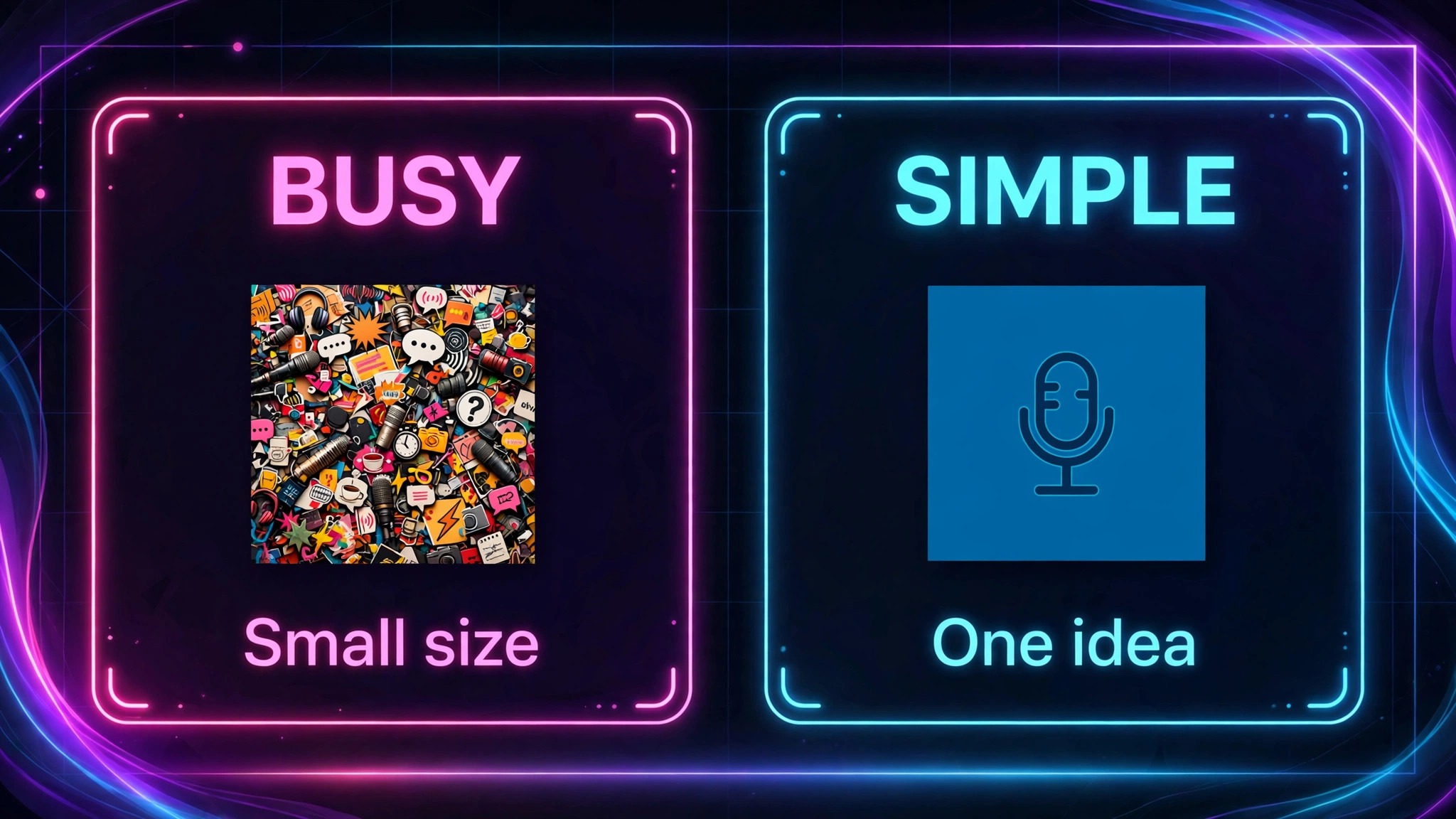
Compare two podcast covers in a directory. One is a detailed illustration with a long title, a subtitle, a host photo, and several small icons, all competing for space in a square that will mostly be seen at thumbnail size. The other is a single strong image, a short title in bold type, and a limited palette, and it can be understood in one second, even when it is only a few centimetres wide on a phone. The second cover will win more listeners, not because it is more artistic, but because it respects how covers are actually seen, which is why creators use Midjourney for podcast cover art creators.
Creators who use Midjourney for podcast cover art creators can repeat need to design for that thumbnail reality, because an image generator can produce beautiful detail that disappears at small size, and this guide shows how to prompt, test, and finish covers that survive shrinking.
Why Podcast Covers Are Seen Small First
Most listeners first encounter a cover as a thumbnail, which is why creators who use Midjourney for podcast cover art creators test at small size first., in search results, in a feed, or in a now playing bar, where it may be displayed at only a few dozen pixels wide. At that size, fine detail vanishes, small text becomes unreadable, and busy compositions become noise. A cover designed at full size, with the assumption that viewers will study it, will fail in the place where most discovery happens. Designing for small size first, and checking at thumbnail size throughout, is therefore the most important habit for cover art, more important than style, colour, or illustration quality.
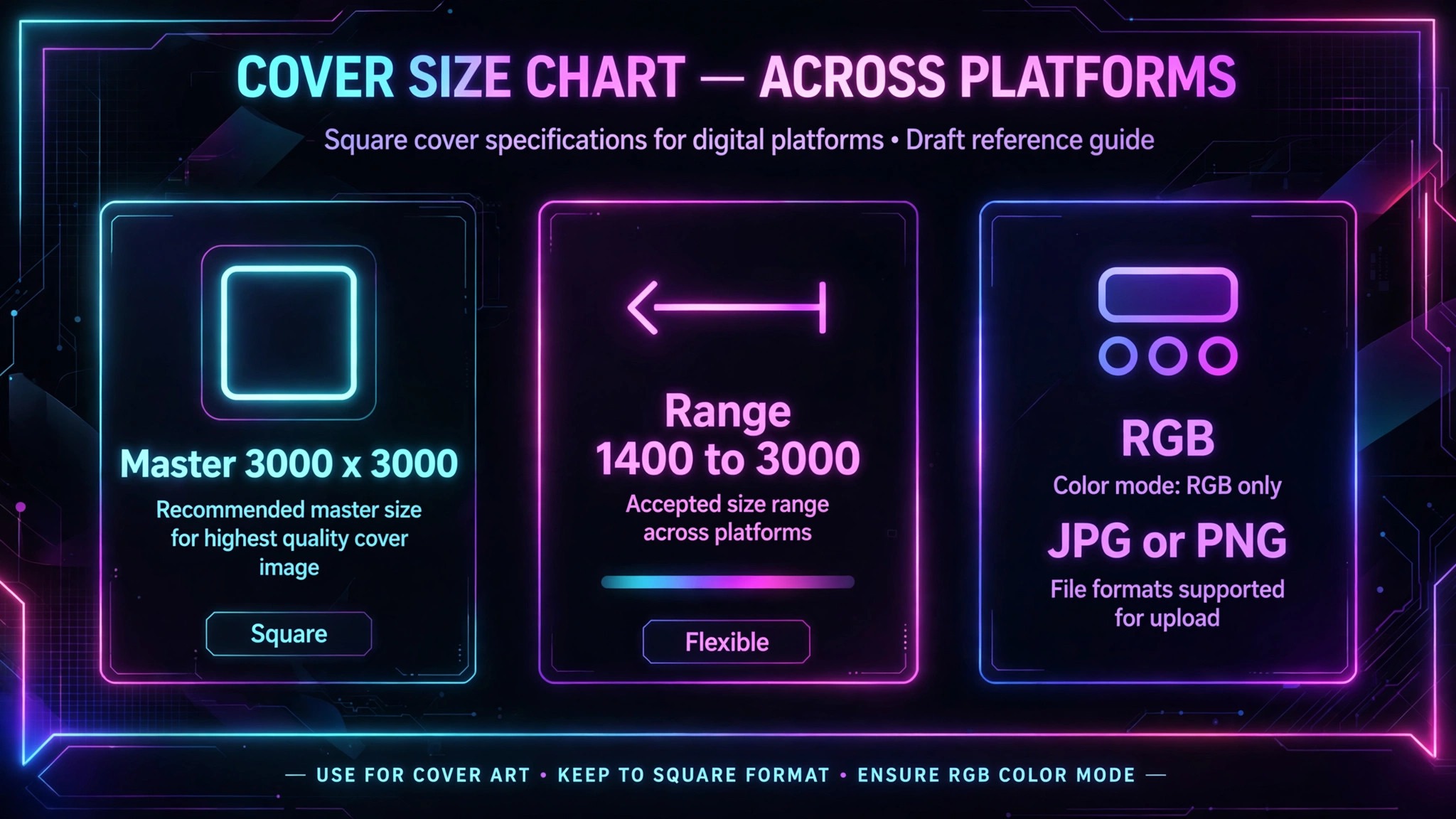
Platform specifications reinforce that habit. Apple Podcasts accepts square artwork from 1400 by 1400 pixels up to 3000 by 3000 pixels, in JPG or PNG format, in RGB colour, and the recommended export is 3000 by 3000 pixels, square, with no transparency, because that size stays crisp on large screens while also working on small ones. Spotify accepts a similar square range, and other directories accept the same master file in most cases. Designing a square master at 3000 by 3000 pixels, then testing it shrunk to thumbnail size, ensures the cover works everywhere, from a large show page to a tiny player icon.
That testing should be literal, not imagined. Export the cover, shrink it to about 100 pixels wide on your phone or computer, and ask whether the show title is still readable, whether the main image is still recognisable, and whether the topic is still clear. If any answer is no, simplify. Remove a word, enlarge the title, remove a competing element, or choose a bolder image. A cover that passes the thumbnail test at 100 pixels will also work at larger sizes, because clarity scales up. A cover that only works at full size will fail where it matters most.
Planning a Cover Before Prompting
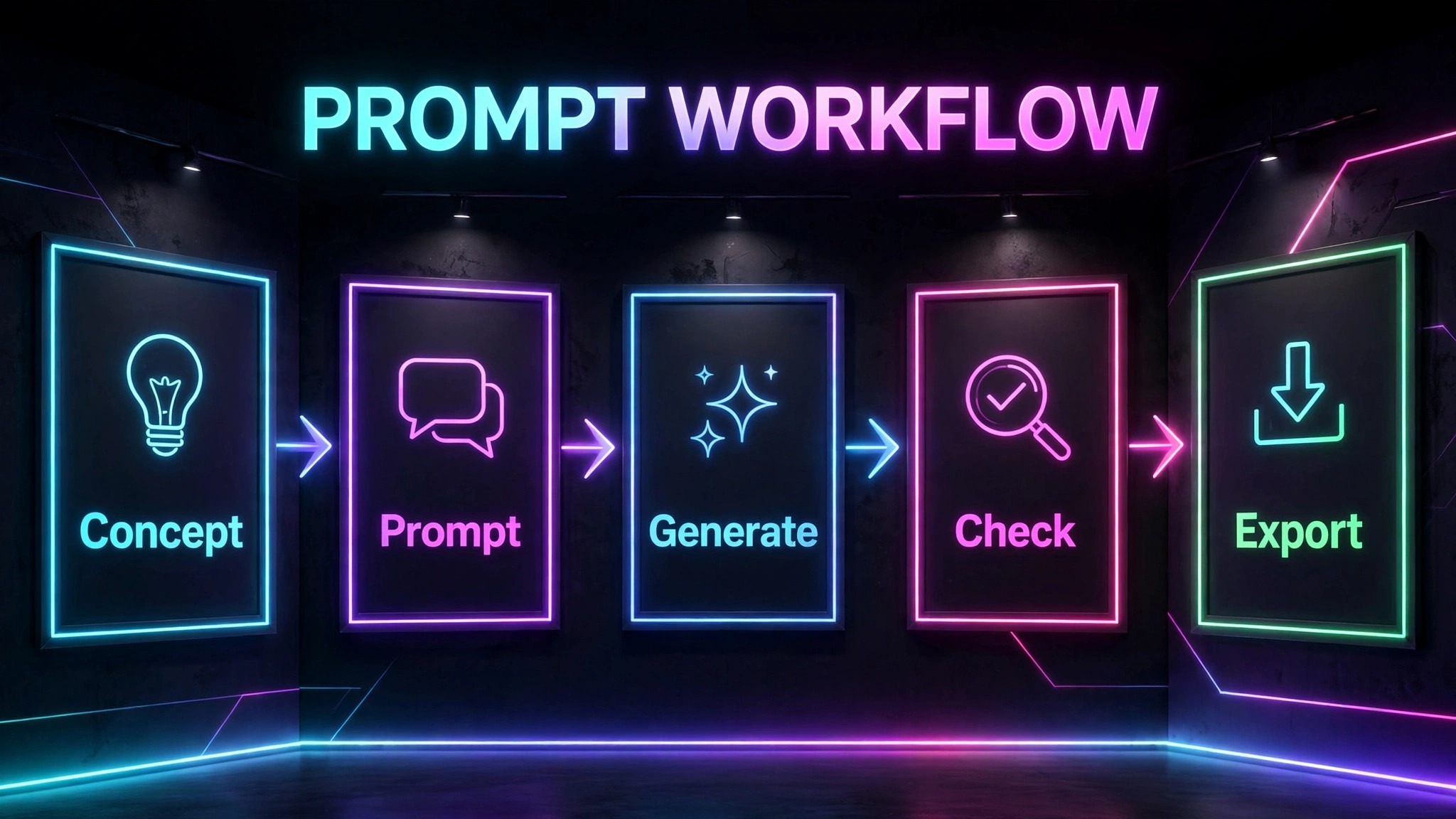
Prompting without planning, when you use Midjourney for podcast cover art creators launch a show, produces a gallery of attractive images that do not work as covers, because they lack a clear title space, a consistent brand, or a topic signal. Planning should start with the show itself, answering five questions before any image is generated. What is the show title, in as few words as possible. What is the show topic, in one phrase a stranger would understand. What is the show tone, such as serious, playful, investigative, or warm. Who is the audience, and what visual cues will they recognise.
What must not appear on the cover, such as a microphone icon that tells listeners nothing new, or a host photo when the host is not the main draw.
Title length deserves special attention. Most strong covers use five to seven words at most, and usually just the show title, because subtitles and taglines become unreadable at thumbnail size and compete with the title for attention. If the show title is long, consider whether a shorter version can be used on the cover, with the full title in the directory listing, or whether the title needs shortening for branding reasons. That decision should be made before prompting, because an image generated around a long title will be harder to fix later than a title shortened at the planning stage.
Visual concept should also be planned, not left to chance. Choose one strong idea that signals the topic, such as a single object, a strong colour contrast, a distinctive character, or a simple scene, rather than several ideas combined. One idea is memorable at small size. Several ideas become clutter. Write that concept in a sentence, such as a lone lighthouse on a dark coast for a show about guidance, or a bold chess piece for a show about strategy, and use that sentence as the core of your prompt. A planned concept also helps consistency across seasons, because future covers can vary the concept while keeping the same style, palette, and title treatment.
How to Use Midjourney for Podcast Cover Art Creators With a Prompt Workflow
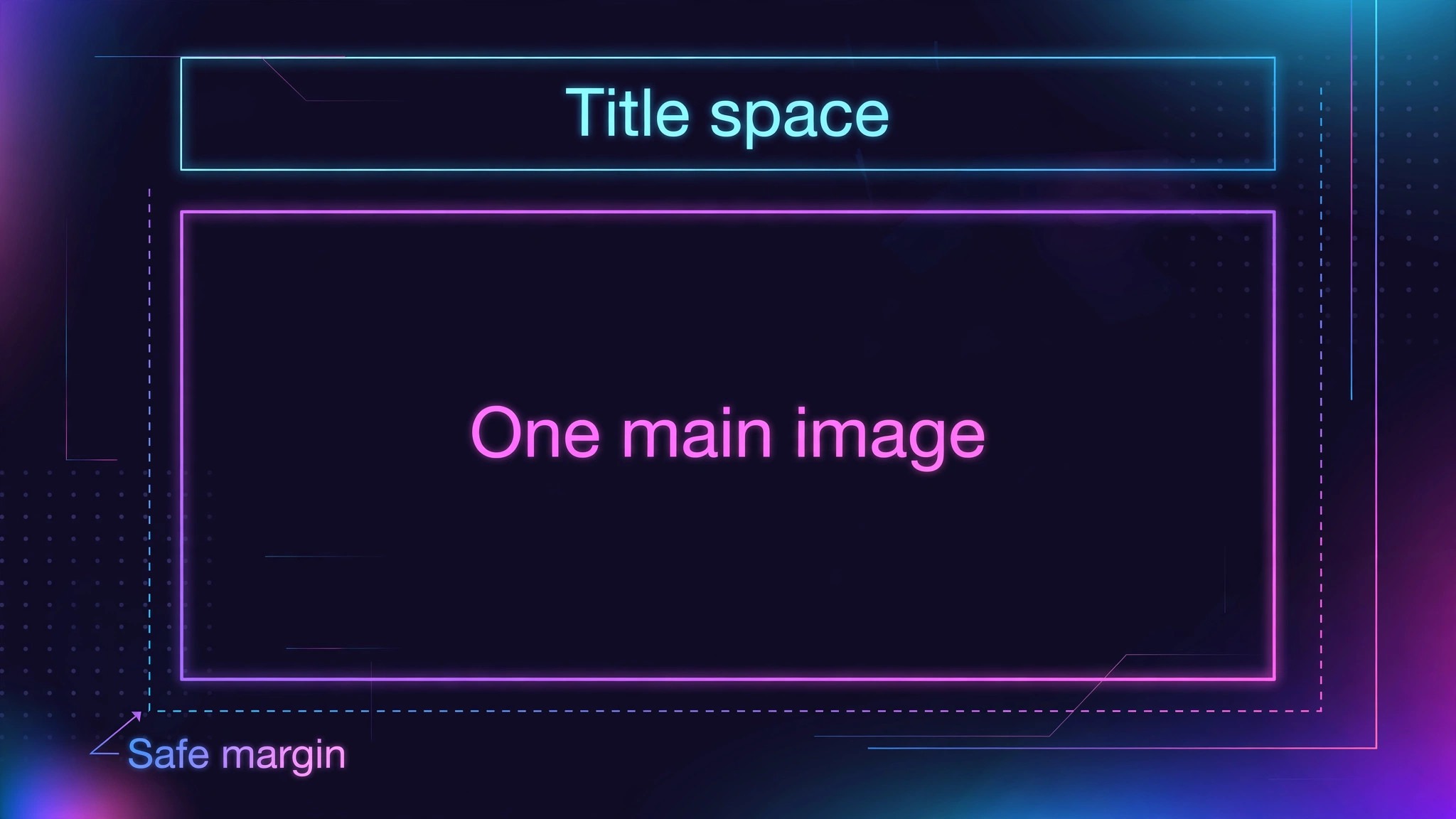
A good Midjourney prompt for cover art has four parts, which are subject, style, composition, and technical parameters, in that order. Subject states the main image, in specific terms, such as a single red fox in profile, not just an animal. Style states the visual approach, such as flat vector illustration, bold editorial illustration, or photographic portrait with dramatic lighting, and it should match the show tone. Composition states layout needs, such as centred subject with empty space at the top for title text, or subject on the left with clear space on the right. Technical parameters state aspect ratio and version or quality settings where relevant, such as a square ratio, because podcast covers must be square.
Write prompts in plain, specific language, and avoid piling on adjectives that conflict. A prompt with ten adjectives, such as vibrant, moody, minimal, detailed, retro, futuristic, elegant, bold, soft, and dramatic, will produce a confused image, because the generator cannot satisfy all of them at once. Choose three or four adjectives that truly describe the desired style, and let the rest of the prompt do the work. If the first generation is close but not right, vary one element at a time, such as the subject, the colour, or the composition, rather than rewriting the whole prompt, because single variable changes teach you what each part of the prompt actually controls.
Generate in batches and select ruthlessly. For one cover, generate several variations, perhaps twelve to twenty images across a few prompt variations, and shortlist three that pass the thumbnail test and match the planned concept. Do not fall in love with the first attractive image if it fails the readability or topic test, because a cover that is beautiful but unclear will underperform a simpler cover that is clear. Selection should be based on thumbnail readability, topic clarity, and brand fit, in that order, not on detail that will disappear at small size.
| Prompt part | What to include | Example content |
|---|---|---|
| Subject | One main image, specific | Single red fox in profile |
| Style | Visual approach matching tone | Bold flat vector illustration |
| Composition | Title space and placement | Centred subject, empty top space |
| Technical | Square ratio, quality settings | Square format for podcast cover |
Text, Titles, and Why Generated Text Needs Checking
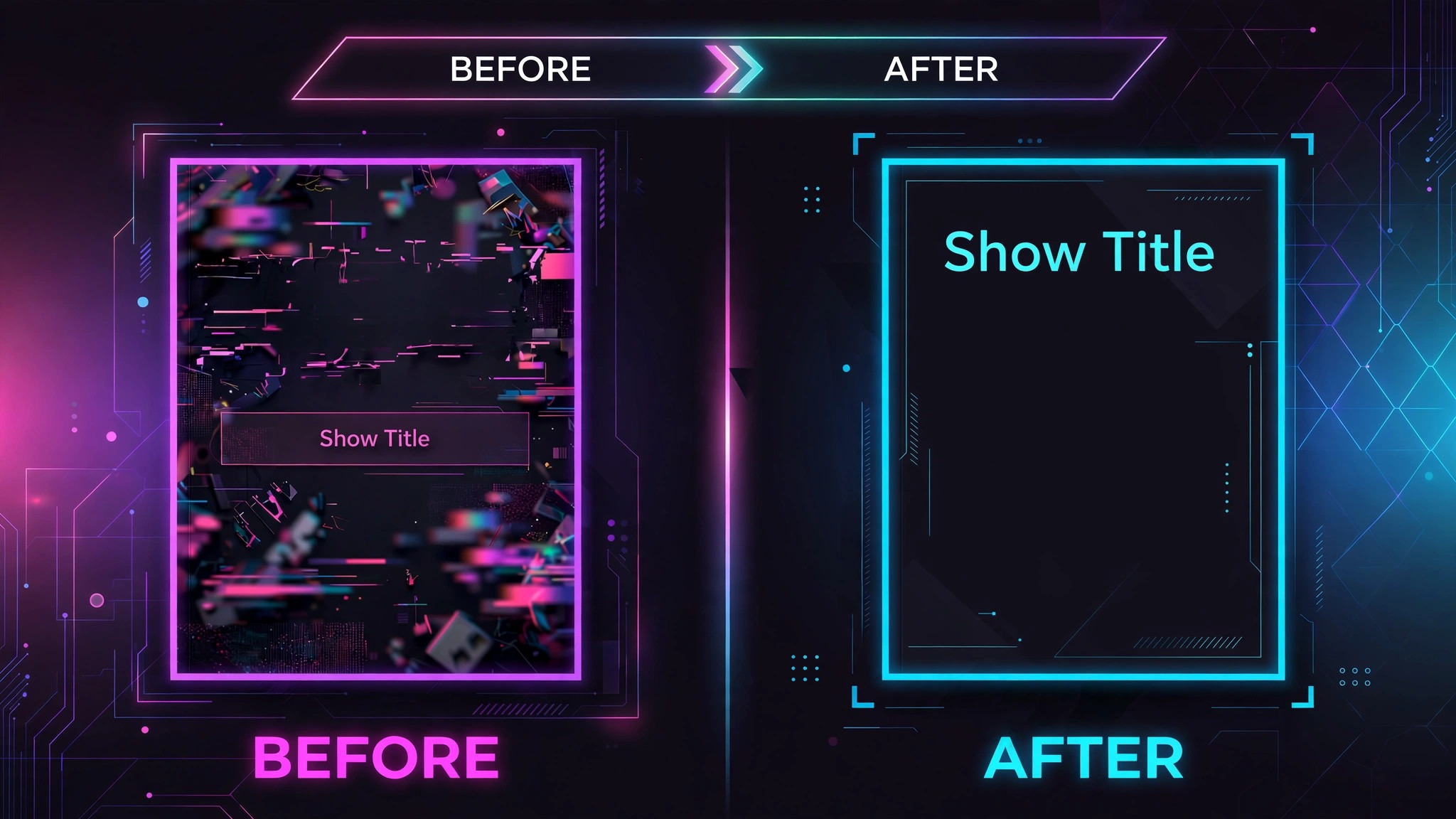
Text generated inside an image tool, when you use Midjourney for podcast cover art creators finish a cover, is a known weak point, because image generators can misspell words, garble letters, or produce plausible looking but incorrect text, especially for longer titles or unusual words. That risk is highest for podcast covers, where the title is the most important text and a misspelling undermines credibility instantly. For that reason, many creators generate the image without text, or with minimal text, and add the title later in a design tool, where typography can be controlled precisely, checked for spelling, and tested at small size.
If you do generate text in Midjourney, treat it as a draft to be checked character by character at full size, not as finished typography. Zoom in, read every letter, and compare it with the correct title spelling, including capitalisation and punctuation. If any letter is wrong, regenerate or, preferably, remove the text and add it in a design tool. A cover with a misspelled title should never be published, even if the image is excellent, because listeners will notice the error and judge the show by it, and directories may display the cover prominently for a long time.
Title typography in the finishing tool should follow cover rules. Use a bold, clean font, large enough to read at thumbnail size, with high contrast against the background, and keep the title to a few words, as planned. Place the title in the empty space reserved in the composition, away from edges and away from platform interface elements that may overlay the cover, such as play buttons in some players. Test the finished cover at thumbnail size again after adding text, because a title that looked fine in the design tool at full size may still be too small or too low contrast when shrunk.
That final thumbnail test is the gate for publishing, and it should never be skipped for a cover that will represent the show for months or years.
Colour, Contrast, and Brand Consistency
Colour choices, for creators who use Midjourney for podcast cover art creators brand a show, should be limited and intentional. A palette of three to four colours, including a dominant background colour, an accent colour, and a text colour with high contrast, is usually enough to create a distinctive cover without clutter. That palette should match the show brand, such as website, social profiles, and episode graphics, so listeners recognise the show across platforms. A cover that uses a completely different palette from the rest of the show brand will feel disconnected, even if it is attractive on its own.
Contrast should be checked for both image and text. The main subject should stand out from the background, through colour contrast, value contrast, or both, so it remains recognisable at small size. Title text should have strong contrast against whatever sits behind it, which may mean adding a solid panel, a shadow, or a darkened zone behind the text, rather than placing text directly over a busy or bright part of the image. Test contrast by viewing the cover in greyscale or by squinting at the thumbnail. If the subject or title disappears, increase contrast, simplify the background, or change the text colour.
Consistency across seasons and episodes matters for recognition. Keep the same title font, palette, and layout structure for the show cover, and vary only the central image or accent detail for seasonal updates, if you update at all. Frequent cover changes break recognition, because listeners who learned to spot your cover in a feed must relearn it each time. Most shows should leave the main cover alone for at least a year, with small refreshes only when branding changes significantly or when the cover is demonstrably underperforming. A stable, recognisable cover is an asset that grows in value over time, as more listeners learn to find it quickly.

Exporting, Uploading, and Platform Checks
Export the finished cover as a square JPG or PNG at 3000 by 3000 pixels, in RGB colour, with no transparency, and with a file size that meets directory limits, typically by exporting JPG at high quality but not excessive file size. Check the file after export, by opening it and by shrinking it to thumbnail size, because export can sometimes shift colours or compress text in ways that are not visible in the design tool. Name the file clearly, with show name and version, so you can find it later and so you do not accidentally upload a draft version.
Upload through your podcast host or directory as instructed, and confirm that the cover appears correctly in the show listing, in search results, and in a player app, not just in the upload preview. Different apps crop or overlay covers slightly differently, and a title placed too close to an edge may be hidden behind a play button or a border in one app even if it looks fine in another. That is why safe margins matter, with important text and subjects kept away from edges, so they survive minor cropping or overlay differences across apps.
After publishing, monitor the cover for a few weeks, but do not change it hastily based on early numbers alone. Cover performance is hard to isolate from episode quality, promotion, and timing, and a new cover needs time to be seen by enough listeners to judge. If after a reasonable period the show is growing but the cover still feels unclear at thumbnail size, consider a refresh with the same brand elements but a simpler image or larger title. If the show is not growing for other reasons, such as infrequent episodes or weak topics, changing the cover alone will not fix it, and effort is better spent on content and consistency.
The Readability at Small Size Checklist
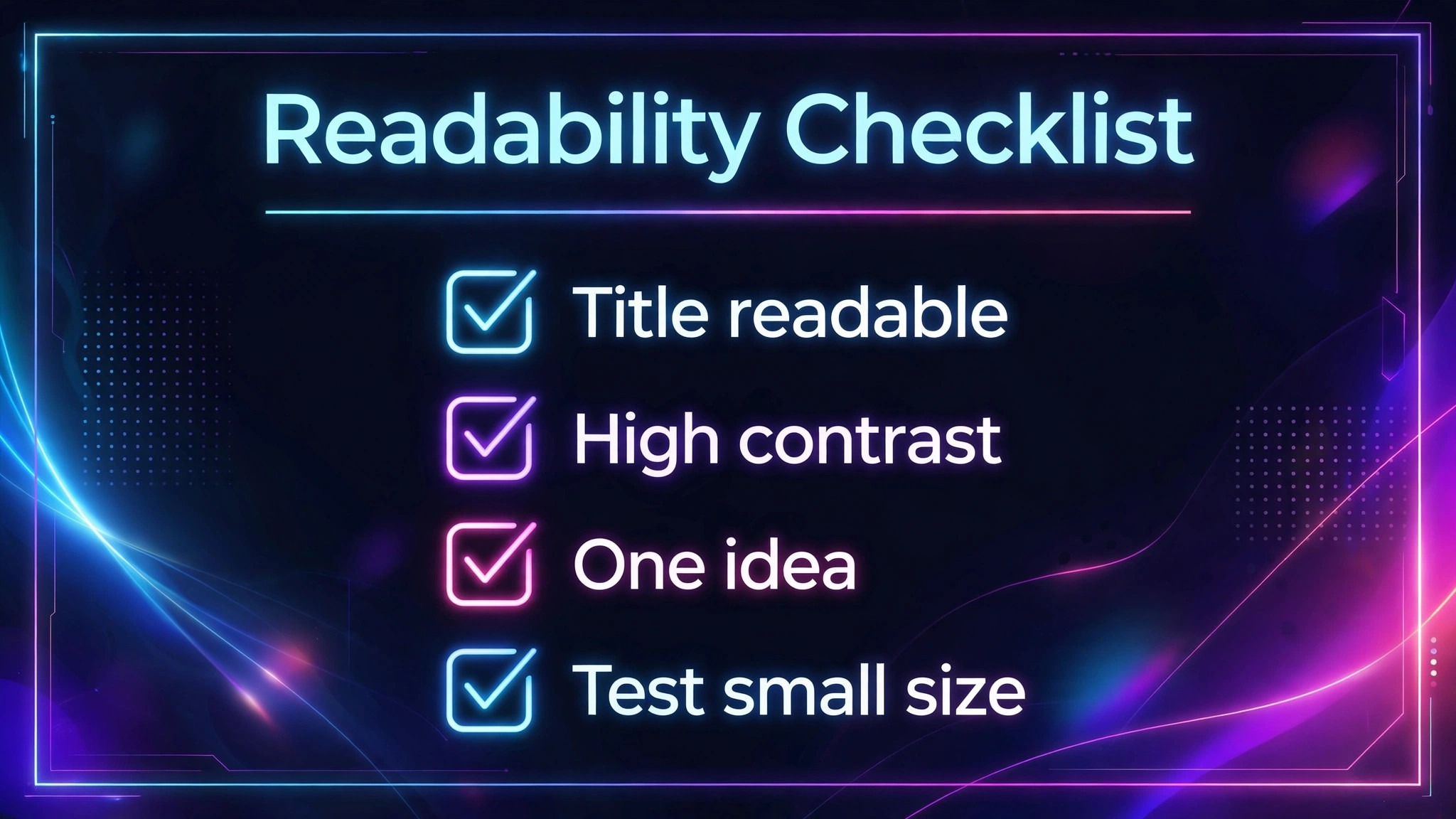
Use the checklist below for every cover before publishing, because it forces a thumbnail first judgment that is easy to skip when you have spent hours on a design at full size. Work through it in order, and do not publish a cover that fails the title readability item, because that item alone decides whether new listeners can even identify the show in a feed.
First, check title readability at thumbnail size. Shrink the cover to about 100 pixels wide and confirm the show title is still readable, without zooming, on a phone screen. Second, check topic clarity. Can a stranger tell what the show is about from the image and title together, without reading a description. Third, check subject recognition. Is the main image still recognisable at thumbnail size, or has it become an indistinguishable shape. Fourth, check contrast. Do title and subject stand out from the background at small size and in greyscale. Fifth, check edges and safe margins. Is important text or subject matter away from edges, so it will not be cropped or hidden by player interface elements.
Sixth, check spelling and brand. Is every word spelled correctly, is the title exactly as listed, and does the palette and font match the show brand.
| Checklist item | Pass test | Fix if failed |
|---|---|---|
| Title readability | Readable at 100 pixels wide | Larger bold title, fewer words |
| Topic clarity | Stranger understands topic | Stronger single concept image |
| Subject recognition | Main image clear at small size | Simplify image, increase contrast |
| Contrast | Stands out in greyscale | Increase contrast, simplify background |
| Safe margins | Text away from edges | Move text inward, enlarge margins |
| Spelling and brand | Title exact, brand matched | Correct spelling, match palette and font |
If a cover fails multiple items, simplify rather than adding elements. Remove a subtitle, remove a secondary image, enlarge the title, or choose a bolder central image. Simplification is the most reliable fix for thumbnail failures, because it reduces competition for attention and makes the remaining elements larger and clearer. A cover that is simple at full size will look confident at thumbnail size, while a cover that is busy at full size will look chaotic when shrunk.
Common Cover Mistakes and How to Fix Them
The first mistake is including a microphone as the main image. A microphone tells listeners that the show is a podcast, which the directory already tells them, and it wastes the most valuable space on the cover, which should signal the show topic, tone, or unique angle. Replace the microphone with an image that signals what the show is about, such as an object, a scene, or a character related to the topic, and let the platform context communicate that it is a podcast.
The second mistake is too much text. A cover with a title, a subtitle, a tagline, a host name, and an episode number becomes unreadable at thumbnail size, because each text element competes for space and shrinks the others. Keep text to the show title, and add a host name only if the host is the main draw, such as a well known personality whose name attracts listeners. If the host name is added, make it clearly smaller than the title, so hierarchy remains obvious, and test that both remain readable at thumbnail size, or remove the host name.
The third mistake is a busy background that competes with the subject and title. Detailed patterns, multiple colours, and photographic clutter behind the main image reduce contrast and make the cover hard to read at small size. Simplify the background to a solid colour, a simple gradient, or a muted scene, so the subject and title stand out. A simple background also makes the cover more versatile, because it will work across different apps and backgrounds without clashing.
The fourth mistake is copying a popular cover style without adapting it to the show. A style that works for a comedy show may not work for a serious investigative show, and a style that works for a short title may not work for a long title. Use popular covers as inspiration for principles, such as simplicity, contrast, and hierarchy, not as templates to copy literally. Adapt those principles to your show title, topic, tone, and audience, and test the result at thumbnail size, rather than assuming a copied style will work for a different show.
Testing Covers With Real Listeners Before Launch
A cover that looks good to its creator may still confuse strangers, because the creator already knows the show, its tone, and its topic, and therefore fills in gaps that a new listener cannot fill. Testing with real listeners, even informally, catches those gaps before launch, when they are cheap to fix, rather than after launch, when a cover change disrupts recognition. A simple test with five to ten people who do not know the show can reveal more than hours of solo revision, because strangers react to the cover as listeners will, without insider knowledge.
To run a test, show the cover at thumbnail size first, for only a few seconds, then ask three questions. What do you think this show is about. What is the show title. Would you tap to learn more, and why or why not. Do not explain the show before the test, and do not defend the cover during answers, because explanations hide the very problems the test is meant to find. Record answers verbatim, especially misunderstandings, because a misunderstanding shared by two or three testers is a strong signal that the image or title needs changing, even if the creator disagrees.
After the thumbnail test, show the cover at full size and ask whether any detail changes their impression, and whether they notice anything confusing, misspelled, or distracting at larger size. That second stage catches spelling errors, awkward typography, and background details that were invisible at thumbnail size but become distracting at full size. Combine both stages into a short decision. If thumbnail clarity and full size polish both pass, publish. If either fails, revise the specific element that failed, and retest only that element with a new small group, rather than redesigning the whole cover and losing what already worked.
When you use Midjourney for podcast cover art creators test in this way, the generator becomes a tool for producing testable options quickly, rather than a source of finished art to accept uncritically. Generate several concepts, test the strongest two or three at thumbnail size, and choose based on stranger reactions, not on personal attachment to a particular image. That discipline is hard, because creators naturally prefer images they spent time prompting, but it produces covers that work for listeners, which is the only audience that matters for discovery.
Keep the final cover file backed up with its prompt notes, so future refreshes start from a known version.
More Reading on Stratilyze
Readers building a show brand often continue with cutting podcast clips in CapCut for creators, writing social media captions with ChatGPT for a small business, and designing infographics in Figma for marketers, because those pieces cover promotion, wording, and visuals alongside cover design.
Frequently Asked Questions
What size should podcast cover art be for Apple Podcasts and Spotify
Export a square master at 3000 by 3000 pixels, in JPG or PNG format, in RGB colour, with no transparency. Apple Podcasts accepts 1400 by 1400 up to 3000 by 3000 pixels, and Spotify accepts a similar square range, so a 3000 by 3000 master satisfies both and stays crisp on large screens. Always test the master shrunk to thumbnail size before publishing, because size alone does not guarantee readability.
Should I generate cover text in Midjourney or add it later
Add title text later in a design tool where possible, because generated text can misspell words or garble letters, and typography needs precise control for thumbnail readability. Generate the image with space reserved for the title, then add bold, high contrast title text in the finishing tool, and check spelling character by character at full size before publishing.
How do I use Midjourney for podcast cover art creators who need a square image
Prompt with a square aspect ratio and a composition that reserves space for the title, then export and finish at 3000 by 3000 pixels square. A square prompt alone is not enough, because the image must also work at thumbnail size, so test the generated image shrunk before adding text, and simplify the composition if the main subject or concept disappears at small size.
How many words should be on a podcast cover
Five to seven words at most, and usually just the show title. Subtitles and taglines become unreadable at thumbnail size and compete with the title, so they should be left for the directory description, not the cover. If the show title itself is long, consider a shorter cover version, with the full title in the listing, rather than shrinking the title until it is unreadable.
Can I use a host photo on a podcast cover
Only if the host is the main draw, such as a personality led or interview show where the host name or face attracts listeners. For topic driven shows, lead with imagery that signals the subject, because a generic headshot rarely communicates what the show is about. If you use a host photo, keep the background clean, make eye contact strong, and ensure the title remains the largest and most readable element.
How often should I change podcast cover art
Leave the main cover alone for at least a year in most cases, because frequent changes break recognition in feeds and player apps. Refresh only when branding changes significantly, when the cover is demonstrably unclear at thumbnail size, or when the show direction changes substantially. A small seasonal variation, with the same title treatment and palette, is less disruptive than a full redesign, but even that should be used sparingly.
A Cover That Works at Every Size
A podcast cover is a small permanent advertisement for a show, and it should be judged by whether it works where listeners actually see it, which is first as a thumbnail, and only later at full size. That judgment leads to simple decisions. One strong image. A short, bold title. High contrast. Safe margins. Correct spelling. A square master at 3000 by 3000 pixels. Those decisions are less exciting than generating dozens of detailed illustrations, but they are what turn a cover from a piece of art into a tool for discovery.
Start with planning, not prompting. Write the title in few words, choose one concept, and reserve title space in the prompt. Generate variations, shortlist by thumbnail test, add title text in a design tool, and run the readability checklist before uploading. If the cover passes at 100 pixels wide, it will work everywhere else too, and listeners will find your show faster, recognise it more easily, and remember it longer, which is exactly what cover art is for.