
Clients cannot find their photos, download links expire, print orders arrive by email, and the studio spends Monday morning answering messages that a gallery should have answered itself. That is the daily cost of weak delivery, and it is why best client gallery software for photography studios deserves the same attention as cameras and lenses. A good gallery does not just show images, because it proofs, sells, and delivers them without creating extra work.
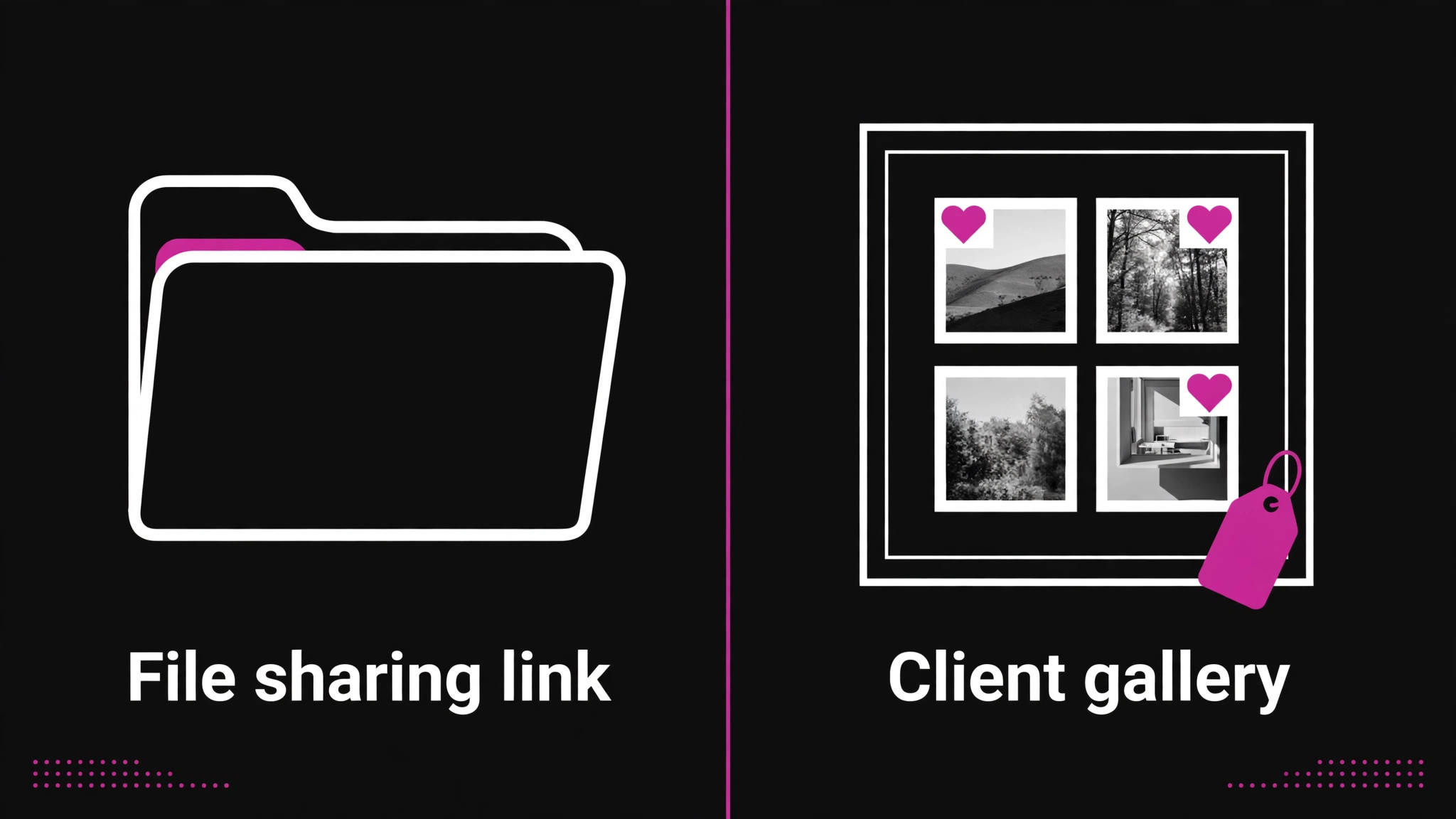
A photography studio needs more than a file sharing link. Clients must favourite images, families must proof together, prints must sell through partner labs, downloads must stay organised, and expired galleries must not become support tickets. A generic drive folder fails on every one of those jobs, while a purpose built gallery turns delivery into revenue. The tools below were judged on proofing, sales fees, storage model, presentation, and the real cost at a realistic gallery volume.
Prices come from vendor pricing pages and reputable comparison pages checked during research, and they move often. Treat every price as a starting point and confirm it on the vendor page before you buy, especially where commission, storage, or photo counts change the total.
Fourteen Galleries at a Glance
| Tool | Starting price | Best for |
|---|---|---|
| Pixieset | Free, paid from 8 dollars a month | Polished familiar delivery |
| ShootProof | Free, paid from 8.33 dollars a month | Volume print sales, no commission |
| Pic-Time | Free, paid from 7 dollars a month | Automated print sales |
| SmugMug | 20 dollars a month | Unlimited archiving |
| Zenfolio | 7 dollars a month annual | Website plus gallery bundle |
| CloudSpot | Free, paid from 7 dollars a month | Branded client app |
| PASS | Free, paid from 8 dollars a month | Simple clean delivery |
| Pixpa | 4.80 dollars a month annual | Website plus store value |
| Format | From 10 dollars a month annual | Portfolio led studios |
| PicDrop | Free, paid from 15.99 dollars a month | Pre edit RAW proofing |
| Pixellu Galleries | From 8 dollars a month | Album proofing |
| PhotoShelter | From 10 dollars a month | Licensing and asset libraries |
| Picflow | Free, paid from 15 dollars a month | Team review |
| Aftershoot Galleries | Free, paid launch pricing | Editing to delivery chain |
Read the table as a shortlist, not as a ranking. The cheapest tool may suit a solo studio perfectly, while the most expensive tool may be the only one that handles licensing or team review well. Pick three finalists from the table, then read their full sections before you commit to a trial.
Why the best client gallery software for photography studios Is Not a File Sharing Link
The gap starts with proofing. A drive folder shows files, but it cannot collect favourites, reconcile selections from several family members, or track which images a client approved. Purpose built galleries turn that messy back and forth into a clear selection list, and that clarity saves hours on every wedding and portrait job. Studios that switch usually notice the time saving before they notice any sales lift.
The second gap is money. Print sales, download packages, and album upgrades can add meaningful revenue to a shoot, but only when the gallery makes buying easy. Commission rules decide how much of that revenue the studio keeps, and a 15 percent share on a busy print month can exceed the subscription saving that attracted the studio in the first place. Sales fees deserve the same scrutiny as subscription price.
The third gap is presentation and control. Expiry dates, watermarks, download permissions, password protection, and branded galleries protect the studio brand and the client experience. A plain link offers none of that control, and clients judge the studio by the delivery experience as much as by the images themselves. A gallery that looks unfinished undermines work that took hours to shoot and edit.
Each gallery below is judged against the same question, which is whether it makes delivery and sales easier for a working studio. That shared test is what makes a comparison of best client gallery software for photography studios useful, because feature lists alone hide commission rules and proofing limits that only show up in real use.
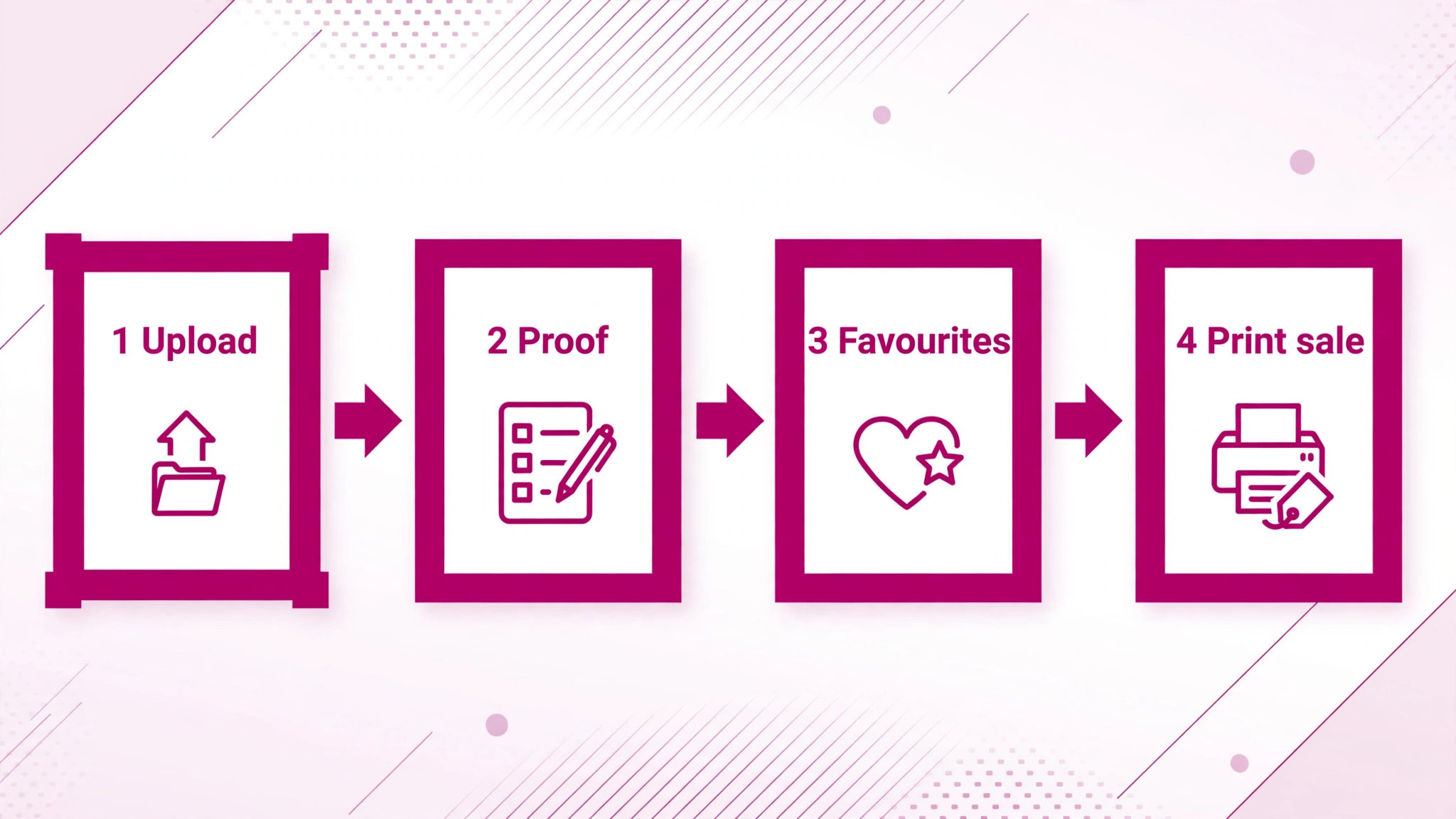
Fourteen Tools, Reviewed One by One
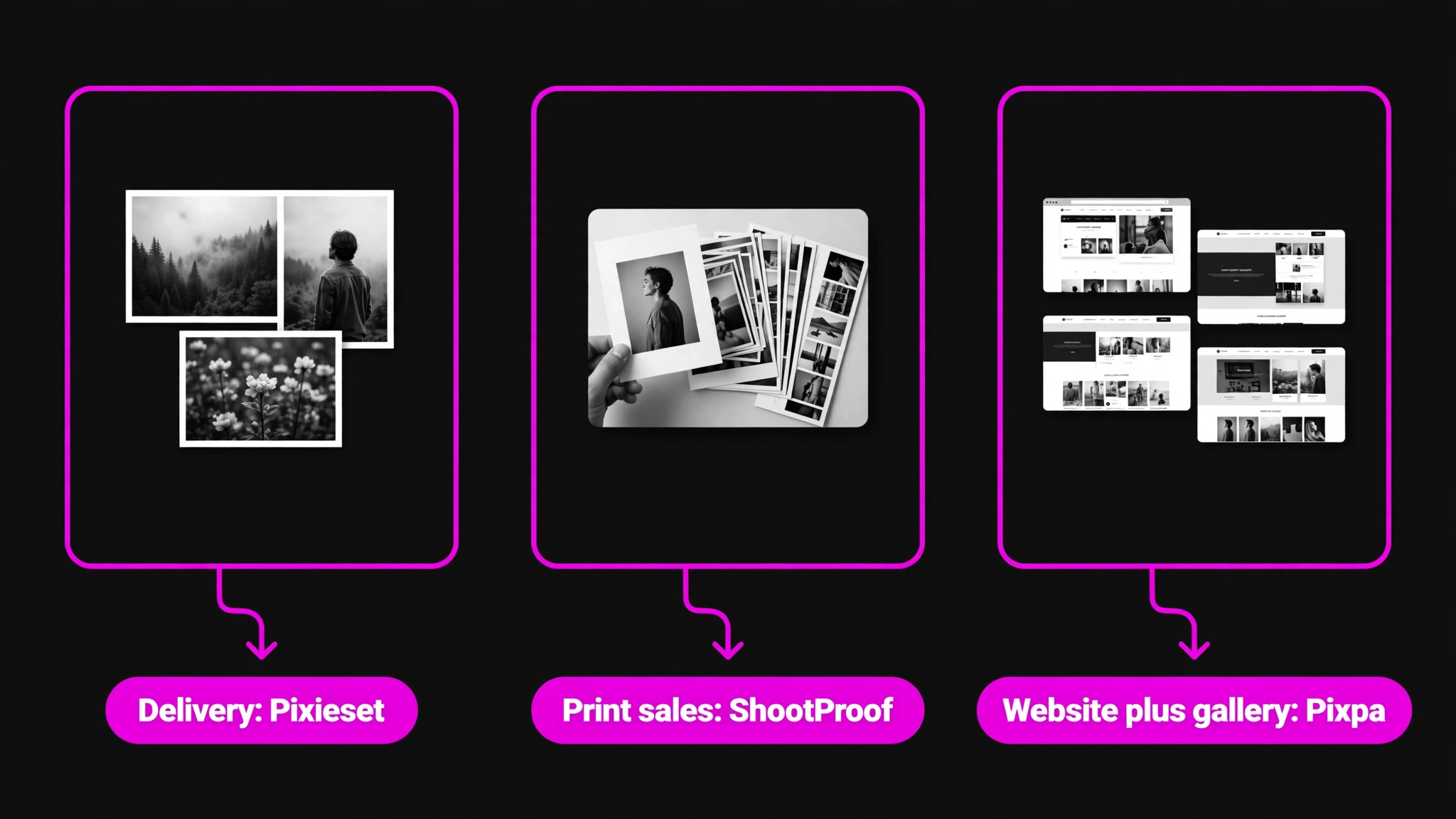
Pixieset
Pixieset offers a free plan with 3 GB of storage, then paid plans from around 8 dollars a month on annual billing, with higher tiers at 10, 20, 30, and 50 dollars a month in some comparisons. Paid plans remove the 15 percent commission that applies to store sales on the free plan, so a studio that sells prints should treat a paid plan as the real starting point. It covers polished client galleries, favourites, downloads, a store with partner labs, and a separate Studio Manager for booking and contracts.
The strength is familiarity. Clients already know how Pixieset galleries work, which cuts support messages and speeds up proofing. The weakness is cost stacking, because the gallery, the website suite, and Studio Manager can sit on separate bills. A studio that only needs delivery gets excellent value, while a studio wanting one bill should compare the suite price carefully.
Choose Pixieset if polished delivery and client familiarity matter most. Skip it if you want booking, contracts, and galleries on one subscription.
ShootProof
ShootProof offers a free plan with 100 photos, then paid plans from 8.33 dollars a month on annual billing for 1,500 photos, rising through tiers for 5,000 and 25,000 photos to unlimited. It charges 0 percent commission on every plan, including free, which makes its pricing unusually honest for print selling studios. It covers galleries, favourites, labels, contracts, invoicing, and print sales through partner labs, with a basic website option on paid plans.
The strength is volume handling with no commission. School, sports, and event studios that deliver thousands of images get a predictable bill and keep their full markup, minus payment processing. The weakness is the photo count model, because a studio shooting large weddings can climb tiers faster than a storage based rival would charge. Count photos per gallery before choosing a tier, not just galleries per year.
Choose ShootProof if you sell prints at volume and hate commissions. Skip it if you shoot very large galleries and prefer storage based pricing.
Pic-Time
Pic-Time offers a free plan, then a Beginner plan from 7 dollars a month on annual billing, with higher tiers at 25 and 50 dollars a month. Commission depends on who collects payment, with no platform commission on self collected payments at Professional level and above, and a share of markup when Pic-Time collects payment on lower tiers. It covers premium gallery presentation, favourites, selections, comments, automated print marketing, album proofing, and a store with partner labs.
The strength is sales automation. Returning client campaigns and album proofing turn a delivered gallery into repeat print orders without manual chasing. The weakness is pricing complexity, because commission rules change by tier and by payment route. A studio should model one real order at its actual markup before choosing a tier, because the cheapest plan is not always the cheapest total.
Choose Pic-Time if automated print sales and album proofing drive revenue. Skip it if you only need simple delivery with no store.
SmugMug
SmugMug offers no free plan, with a 14 day trial, then plans from 20 dollars a month on annual billing for the Direct plan, with higher tiers around 23.50 and 37 dollars a month. Every plan includes unlimited storage, which is rare in this list and valuable for studios with large archives. It takes 15 percent of print markup on sales enabled plans, with card fees included in that structure, and it includes a basic website builder on most plans.
The strength is unlimited storage plus a mature print fulfilment network through labs such as Bay Photo, Loxley, and WHCC. A studio that archives every wedding in full resolution will value that freedom. The weakness is the 15 percent markup share, which grows with print volume and never drops to zero on a higher tier. High volume print sellers should model that share against a flat subscription rival.
Choose SmugMug if unlimited archiving matters more than commission. Skip it if print markup is your main profit and volume is high.
Zenfolio
Zenfolio offers a 14 day trial, then annual billing plans from 7 dollars a month for Basic, 9.20 dollars for Professional with e-commerce, and 16 dollars for Advanced, while monthly billing runs much higher at around 9, 23, and 40 dollars a month. A 7 percent commerce fee applies on sales through Professional and Advanced, on top of payment processing fees, and BookMe scheduling is a 10 dollar monthly add on except on Advanced. It covers galleries, a website builder, client proofing, and print sales.
The strength is the all in one bundle. Website, galleries, booking, and store sit in one account, which suits a studio that wants one vendor for its public presence. The weakness is the commerce fee plus the monthly billing penalty, which punish studios that pay month to month or sell heavily. Annual billing is almost mandatory to make Zenfolio pricing fair.
Choose Zenfolio if you want website plus gallery plus booking in one place. Skip it if you sell high print volume or prefer monthly billing.
CloudSpot
CloudSpot offers a free plan with 5 GB and 3 galleries, then an Entry plan from 7 dollars a month and a Lite plan from 17 dollars a month in some comparisons, with higher suite plans up to 50 dollars a month. It charges 15 percent commission on Free and Entry tiers and 0 percent from Lite upward, with 2.5 percent payment processing noted on some tiers. It covers modern galleries, favourites, downloads, a store, branded client mobile apps, and studio management on Full Suite plans.
The strength is the client mobile app and modern presentation, which give clients a branded experience that feels like a finished product rather than a file link. The weakness is tier confusion, because gallery only tiers, Lite, and Full Suite differ sharply on commission and studio tools. A studio should confirm which tier removes commission and which tier adds studio management before buying.
Choose CloudSpot if a branded client app will impress your clients. Skip it if you want the simplest possible pricing table.
PASS
PASS, also known as Pass Gallery, offers a limited free tier, then paid plans from around 8 dollars a month in published comparisons, with higher tiers adding galleries and storage. It focuses on clean gallery delivery, favourites, and downloads, with a simple client experience that needs little explanation. Confirm the current plan limits on the vendor page, since PASS pricing pages change and comparison figures vary by date.
The strength is simplicity. A studio that wants to send a gallery link and receive selections without learning a large platform will like PASS. The weakness is breadth, because print sales, studio management, and website tools are thinner than on the all in one rivals. PASS suits delivery first studios, while selling studios will likely add a second tool for commerce.
Choose PASS if simple, clean delivery is the whole job. Skip it if print sales or studio management must live in the gallery tool.
Pixpa
Pixpa offers a 15 day trial, then plans from 4.80 dollars a month on annual billing for Lite, with higher tiers around 5.40 dollars a month for Basic in some comparisons. It charges 0 percent commission on every plan, and it bundles a full website builder, blog, galleries, proofing, and a store with WHCC fulfilment in one subscription. Entry storage is listed at 20 GB, which is generous at this price, though larger studios will still need higher tiers.
The strength is value. Website, galleries, store, and blog on one low bill with no commission is hard to beat for a new or solo studio. The weakness is studio management, because contracts, invoicing, and booking depth are thinner than on ShootProof or CloudSpot suites. A studio that already handles admin elsewhere will love Pixpa, while a studio wanting one business system may need a companion tool.
Choose Pixpa if you want website plus galleries plus store at the lowest price. Skip it if built in studio management is a must.
Format
Format offers a trial, then plans from around 10 dollars a month on annual billing for Basic in some comparisons, or around 12 dollars a month in others, so confirm the current price on the vendor page. It is a portfolio first platform with client galleries, a store, and a website builder, aimed at photographers who lead with their portfolio and treat client delivery as part of the same site. Proofing tools are basic compared with proofing specialists, but presentation quality is high.
The strength is design. Portfolio pages and galleries look refined without custom development, which suits studios that win work on visual impression. The weakness is proofing depth, because favourites, selections, and multi user proofing are simpler than on Pic-Time or Pixieset. A portrait or commercial studio that values presentation over complex proofing will fit Format well.
Choose Format if your portfolio is your main sales tool. Skip it if complex multi person proofing is central to your workflow.
PicDrop
PicDrop offers a free plan with 1 GB and 3 galleries, then paid plans from 15.99 dollars a month in published comparisons, with 500 GB of storage on the entry paid tier in some listings. Prices are shown excluding tax, so add tax to the listed rate when budgeting. It covers pre edit RAW proofing, selections, colour markers, votes, and drawn markup, which suit commercial and editorial workflows where clients mark images before editing starts.
The strength is pre edit proofing. Clients can review RAW files, mark selections, and leave drawn notes before the photographer edits a single frame, which saves rework. The weakness is commerce, because PicDrop has no store, so print sales need a second platform. A commercial studio that proofs before editing will value it highly, while a wedding studio that sells prints may not.
Choose PicDrop if clients must approve images before editing. Skip it if you need a print store in the same tool.
Pixellu Galleries
Pixellu Galleries offers free galleries with a 14 day expiry on the free level, then paid plans from 8 dollars a month on annual billing, priced by gallery count rather than storage. It covers favourites, album proofing, and clean delivery, and it sits inside the Pixellu ecosystem alongside SmartAlbums for album design. There is no store, so print sales and commerce live elsewhere for studios that use it.
The strength is album workflow. Wedding studios that design albums in SmartAlbums get a proofing flow that matches the design tool, which cuts friction in album approval. The weakness is the gallery count model, because a busy studio with many concurrent galleries can climb tiers quickly. Count active galleries in your busiest month, not your quietest, before choosing a tier.
Choose Pixellu Galleries if album proofing drives your delivery workflow. Skip it if you need print sales built into the gallery.
PhotoShelter
PhotoShelter offers plans from around 10 dollars a month for Standard in some comparisons, or 12.99 dollars a month for Basic in others, so confirm the current price on the vendor page. It charges an 8 to 10 percent transaction fee on sales depending on plan, and it covers galleries, licensing, digital asset management, and delivery for editorial, commercial, and stock photographers. Storage on entry tiers is limited, with 4 GB listed on Standard, so archive heavy studios should check higher tiers.
The strength is asset management and licensing. Studios and agencies that manage large libraries, license images, and deliver to multiple clients get tools that consumer galleries lack. The weakness is cost and complexity for a small portrait studio, which will pay for asset features it never uses. PhotoShelter fits professional libraries, not simple wedding delivery.
Choose PhotoShelter if licensing and asset management matter. Skip it if you are a small studio that only needs client delivery.
Picflow
Picflow offers a free plan with 2 GB, then a Plus plan from 15 dollars a month in published comparisons, with higher tiers for teams. It covers collaboration first proofing with annotations, version control, and multi user review, which suits teams and art directors who comment on images together. There is no e-commerce store, so print sales need a separate system for studios that sell through galleries.
The strength is team review. Version control and annotations keep feedback organised when several people review the same set, which beats email threads full of conflicting notes. The weakness is the missing store and the higher entry price for a single photographer. A solo portrait studio will find cheaper delivery elsewhere, while a commercial team will value the review tools.
Choose Picflow if team and art director review is your workflow. Skip it if you need a print store or the lowest delivery price.
Aftershoot Galleries
Aftershoot Galleries offers a free plan with 10 GB of photo storage plus 1 GB of video, then launch pricing on paid plans, so confirm the current paid price on the vendor page. It charges 0 percent commission on the terms noted in comparisons, and it ties galleries to culling and editing, with face search for finding people across a large set. That link between editing and delivery suits high volume studios that cull and edit before proofing.
The strength is the editing to delivery chain. A studio already using Aftershoot for culling can move from selects to gallery without reuploading or reworking files. The weakness is youth, because launch pricing and a newer gallery product carry more uncertainty than established rivals. A studio that values a proven store and fulfilment network may prefer an older platform for now.
Choose Aftershoot Galleries if you already cull and edit in Aftershoot. Skip it if you need a long proven print sales system today.
The table below turns the full comparison into a short decision. It matches studio job to a starting pick, so a reader comparing best client gallery software for photography studios can skip straight to the option that fits delivery, print sales, or specialist proofing.
Best Pick by Job for Photography Studios
| Studio job | Best pick | Why it fits |
|---|---|---|
| Wedding and portrait delivery | Pixieset | Familiar polished galleries clients already understand |
| Print selling studio | ShootProof | 0 percent commission on every plan |
| Print selling studio, automated | Pic-Time | Automated campaigns and album proofing |
| Archive heavy studio | SmugMug | Unlimited storage on every plan |
| Website plus gallery in one bill | Pixpa | Website, galleries, and store with no commission |
| Commercial proofing before editing | PicDrop | RAW proofing with drawn markup |
| Album focused wedding studio | Pixellu Galleries | Album proofing inside the Pixellu workflow |
A delivery first studio should optimise for client ease, not for features it never uses. Pixieset wins that job because clients already know the flow, while PASS wins the simplest version of it for studios that only need clean delivery. Either choice beats a drive folder, because favourites and permissions alone save hours each week.
A selling studio should optimise for commission and fulfilment, not for the lowest subscription. ShootProof wins the volume job because 0 percent commission keeps the full markup, while Pic-Time wins the automated job because campaigns and album proofing create repeat orders. SmugMug wins only when archiving matters more than commission, because its 15 percent markup share grows with every print sale.
Fee maths decide more gallery purchases than feature lists do, so this section works through real print volumes. Anyone comparing best client gallery software for photography studios should run the same calculation on their own monthly print sales and markup before choosing.
Gallery Sales Fee Maths That Change the Decision
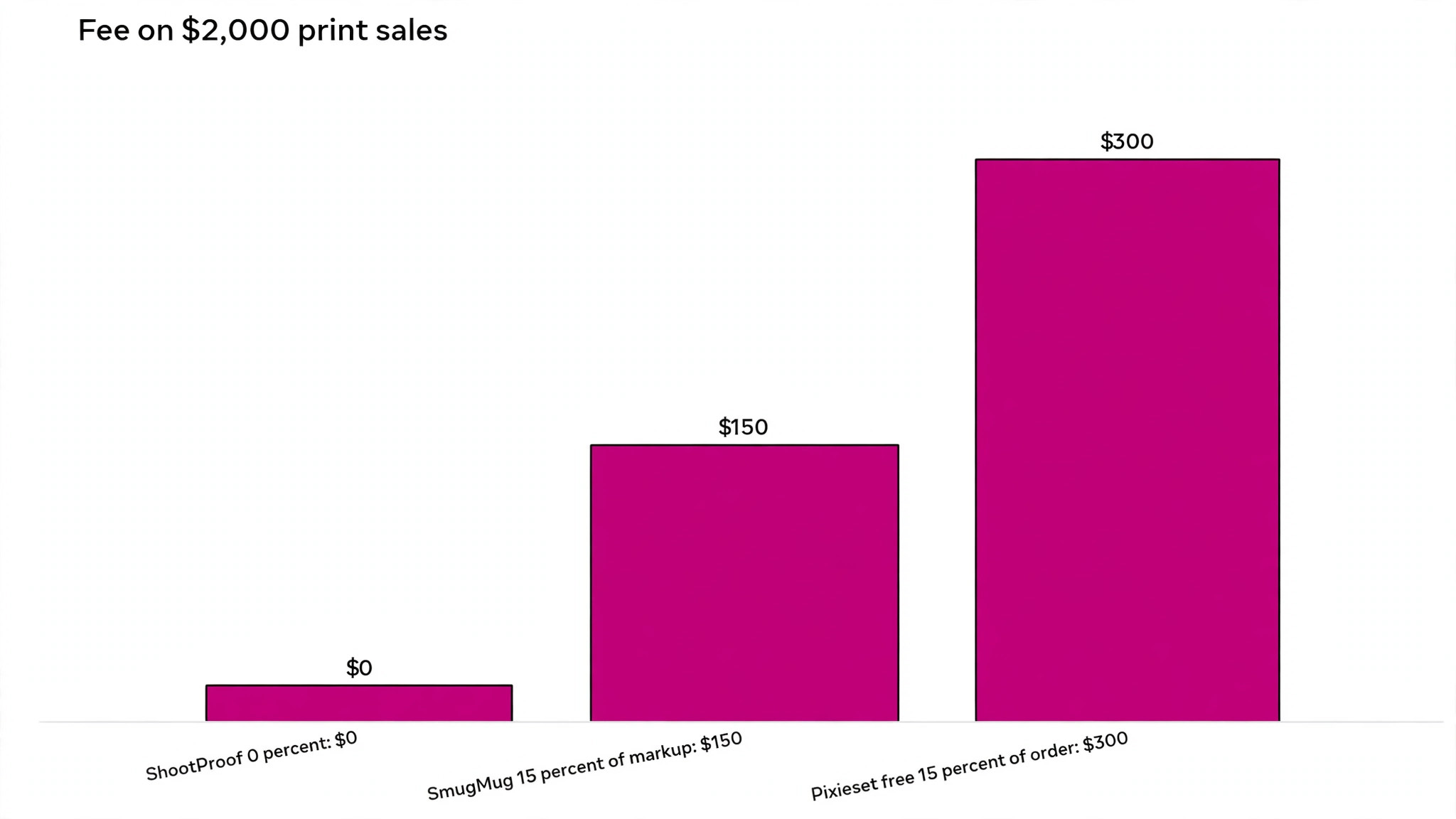
Take a studio that sells 2,000 dollars of prints in a month at a 50 percent markup, which means 1,000 dollars of markup profit before platform fees. On ShootProof at 0 percent commission, the studio keeps the full 1,000 dollars of markup, minus payment processing and lab costs, plus the subscription. On SmugMug at 15 percent of markup, the platform share is 150 dollars that month, which is 1,800 dollars over a year at the same volume.
Now compare a flat subscription against a commission tier at the same volume. On Pixieset free at 15 percent of the order, the fee on 2,000 dollars of orders is 300 dollars in one month, which dwarfs any subscription saving. On a paid Pixieset plan at 0 percent commission, the same month costs only the subscription, which is far cheaper once print volume passes a modest level. The table below shows the same logic at three volumes, using markup based fees where the vendor charges on markup and order based fees where it charges on the order total.
| Monthly print sales | ShootProof at 0 percent | SmugMug at 15 percent of markup | Pixieset free at 15 percent of order |
|---|---|---|---|
| 500 dollars | 0 dollars platform fee | 37.50 dollars on 250 dollars markup | 75 dollars |
| 2,000 dollars | 0 dollars platform fee | 150 dollars on 1,000 dollars markup | 300 dollars |
| 5,000 dollars | 0 dollars platform fee | 375 dollars on 2,500 dollars markup | 750 dollars |
Work out your own break even before choosing. Multiply monthly print sales by your markup share, apply each platform fee, add the subscription, and compare totals at your real volume. A paid plan that looks expensive on subscription price often wins by hundreds of dollars a month once print fees are counted, and that maths should decide the purchase.
Most failed gallery trials fail for the same reasons, and none of them appear on a pricing page. Keep these mistakes in mind while testing any option for best client gallery software for photography studios, because a trial that avoids them gives a far clearer verdict.
Mistakes That Cost Studios Time and Print Revenue
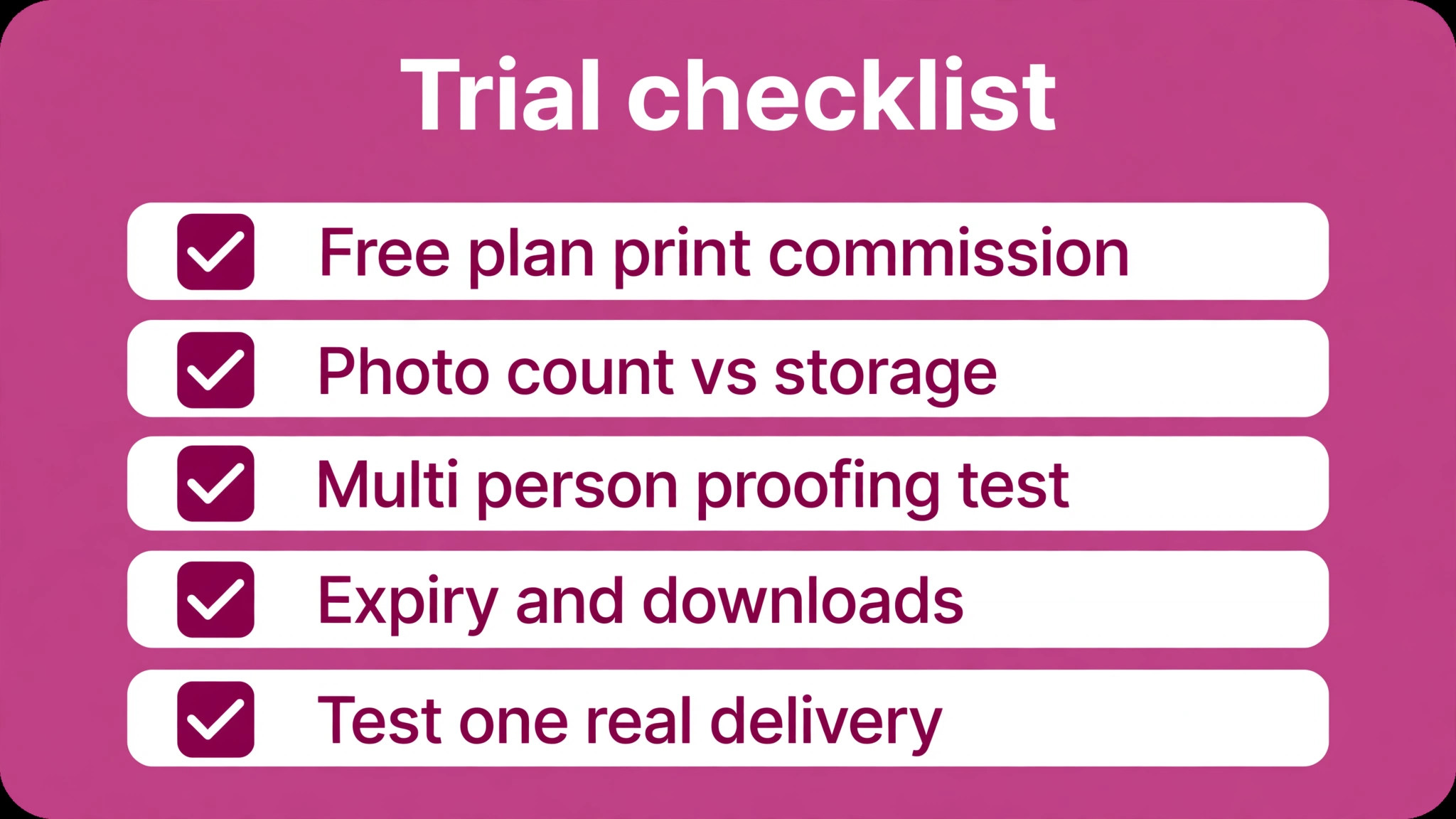
– Choosing a free plan for print sales, then losing 15 percent of every order to commission. – Pricing on galleries per year instead of photos, storage, or active galleries in the busiest month. – Skipping the multi person proofing test, even though families proof together and conflicting selections create rework. – Ignoring expiry and download settings, which turn into support messages when clients return months later. – Uploading full galleries before testing favourites, watermarks, and lab fulfilment on one real client job.
Trial the gallery with one real delivery before migrating the archive. Send a gallery to a friendly client, collect favourites, sell one print, and check expiry and download behaviour. That single job reveals commission, fulfilment, and proofing strengths faster than any feature list, and it prevents a costly migration to the wrong system.
After fourteen galleries, the decision comes down to studio job rather than a single best product. The verdict below names the strongest starting point for each kind of studio comparing best client gallery software for photography studios today.
The Final Word for Photography Studios
For most wedding and portrait studios, Pixieset remains the safest delivery pick, because clients understand it and presentation is polished. For studios that sell prints seriously, ShootProof is the stronger financial pick, because 0 percent commission protects markup at volume. For studios that want website, galleries, and store on one low bill, Pixpa is the value pick, while PicDrop and Pixellu serve specialist proofing jobs that general galleries handle poorly.
Start with the pick that matches your studio job, run one real gallery end to end, and only then move the archive. The best gallery is the one clients can use without asking for help, and a real delivery test will show you which one that is.

More Reading on Stratilyze
– AI tools built for photographers – What it costs to start a freelance photography business – Family photography pricing packages explained
These questions cover the points buyers ask most when they compare best client gallery software for photography studios, from commission and storage to proofing and trial tests.
Frequently Asked Questions
What is client gallery software, and how is it different from cloud storage?
Client gallery software presents finished images in a branded, password protected gallery where clients can favourite, select, download, and buy prints. Cloud storage only holds files, with no proofing, sales, or expiry controls. Galleries turn delivery into a client experience and a revenue channel, while storage simply moves files from one place to another.
How much commission do gallery platforms take on print sales?
It varies widely, which is why fee maths matter. ShootProof and Pixpa charge 0 percent, SmugMug takes 15 percent of markup, Zenfolio takes 7 percent of the selling price, and Pixieset takes 15 percent on the free plan and 0 percent on paid plans. Always model fees at your real print volume, because a free plan can cost more than a paid plan in a busy month.
Should a studio pay for unlimited storage?
Unlimited storage suits archive heavy studios that keep every wedding in full resolution for years. Studios that deliver then archive offline, or that shoot smaller portrait jobs, often do fine on capped storage. Check how much a typical gallery uses, multiply by galleries kept live, and choose storage that covers the busiest period, not just an average month.
Can families proof a gallery together?
Most purpose built galleries support favourites and selections from multiple people, though the details differ. Pixieset, Pic-Time, and Pixpa handle multi user favouriting, while simpler tools may need manual reconciliation of selections. Test multi person proofing with a real family group before committing, because conflicting selections are a common source of rework.
How long should a client gallery stay live?
Most studios keep galleries live for 30 to 90 days, then archive or extend for a fee, depending on the package sold. Shorter windows create urgency for print sales, while longer windows reduce support messages from late clients. Set the expiry in the contract, show it clearly in the gallery, and charge for extensions rather than leaving galleries live forever.
What should I test during a gallery trial?
Deliver one real gallery, collect favourites from more than one person, sell one print through a partner lab, and test download permissions and expiry. Check how the gallery looks on a phone, because most clients proof on mobile. That single job reveals presentation, proofing, sales, and fulfilment quality better than browsing settings pages.