
A florist shop on a Friday before a wedding weekend faces a familiar problem. The phone rings, a walk in customer asks about a sympathy arrangement, an online order arrives for a birthday bouquet, and a driver needs the next delivery route, all at the same time. When a shop decides to use AI for florist business order management, it is usually after a week like that one, when an order was written on a scrap of paper, a delivery address was misread, or a bunch of roses was promised that the cooler did not hold.
Flowers are perishable, time sensitive and personal, so an order mistake is not a small admin error. It is a disappointed customer on an important day.
Florist order management is harder than general retail order management because every order has a living product, a short life and a deadline that cannot move. A birthday bouquet ordered at noon may need to leave at two. A wedding order involves dozens of pieces, a venue, a setup time and a recipe that must match the quote. A funeral order carries a card message that must be exact and a delivery window that respects a service time. A system that only records a sale and prints a receipt misses most of this work.
This guide sets out a practical order system for a small florist shop. It covers intake questions that prevent remakes, a production and delivery workflow that keeps the bench and the van in step, tools that handle florist orders well, and the measures that show whether the system is saving money or only adding software. Prices quoted here come from vendor pricing pages and reputable comparison guides checked at writing time, so confirm the current price on the vendor page before buying. Where a figure is reported from a third party guide rather than a vendor page, the draft says so plainly.
Why Florist Orders Go Wrong
Most florist order problems start before a stem is cut. The first fault is incomplete intake. A caller says pink roses and the order taker writes pink roses, but nobody records the shade, the quantity, the vase, the budget, the recipient name, the delivery address, the delivery window or the card message. Later the designer must guess, and guessing on a personal gift is how a shop sends the wrong arrangement to the wrong person. A good intake form removes guessing by making the missing fields visible before the order is confirmed.
The second fault is stock that exists only in memory. A designer knows the cooler holds white peonies, or thinks it does, until the order is started and the peonies are two days older than expected or already promised to another order. Perishable stock changes every day, and a shop that tracks it on paper or in memory will overpromise at peak times. An order system that links each arrangement to its recipe and deducts stock as orders are taken gives an early warning before a promise becomes a problem.
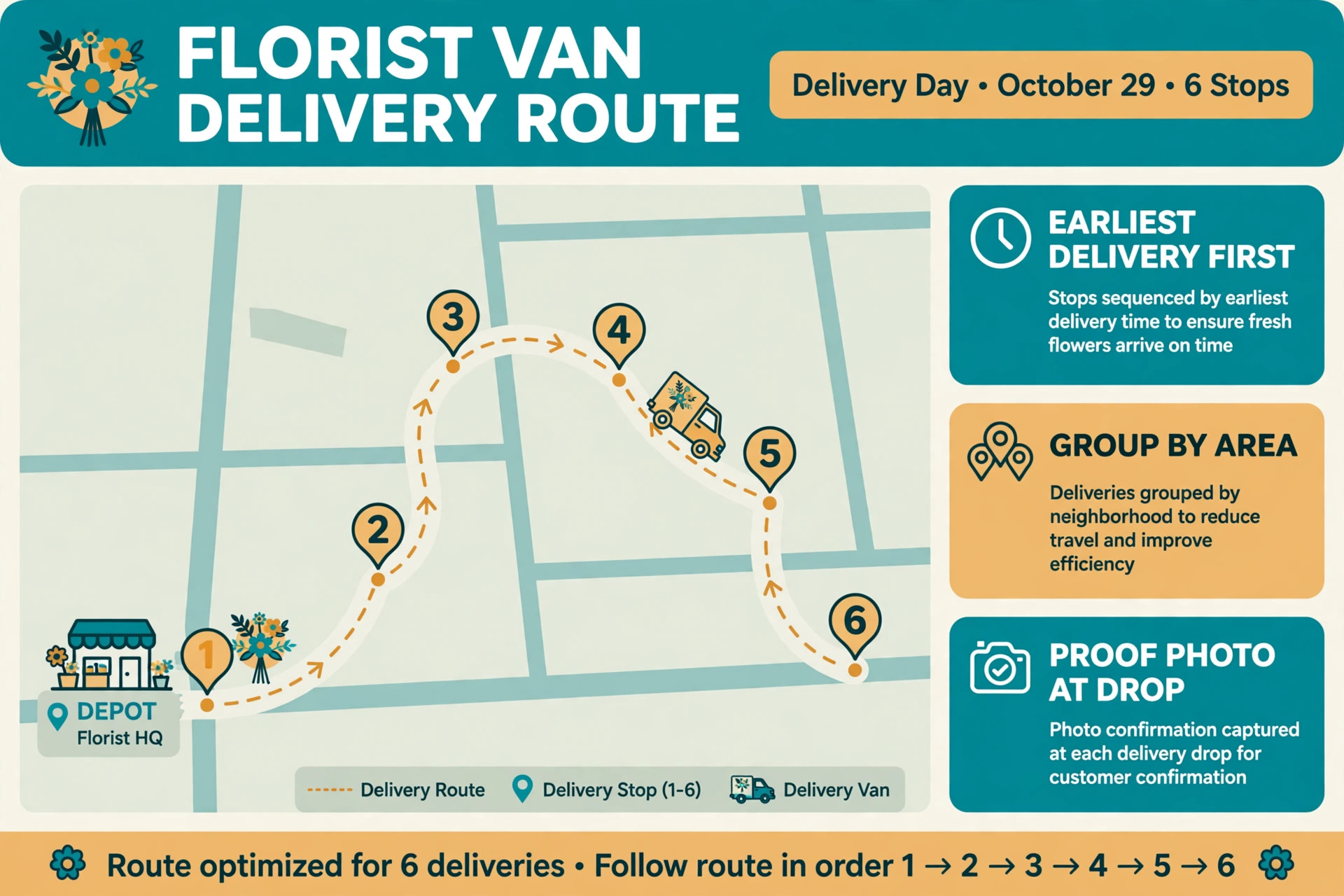
The third fault is a delivery plan made after production instead of with it. Arrangements finished at different times, drivers given routes in the order jobs were finished rather than by geography, and customers left without a delivery update all create failed drops and wilted flowers. A delivery that fails because nobody was home, the address was incomplete or the driver arrived after a service started cannot be fixed by a better arrangement. It can only be prevented by planning delivery windows, addresses and contact numbers at intake and by sequencing production so that the earliest deliveries are ready first.
How to Use AI for Florist Business Order Management Without Losing the Personal Touch
The best way to use AI for florist business order management is to let software handle capture, checking and reminders while people handle design judgment and customer care. Software should take the order details, check stock and delivery windows, create the production task, send the confirmation and remind the driver and the customer. A person should choose the stems, judge freshness, adjust a recipe when a variety is short, and handle a sensitive occasion with care. When that split is clear, customers get fast and accurate service and the shop keeps the human skill that makes a florist different from a warehouse.
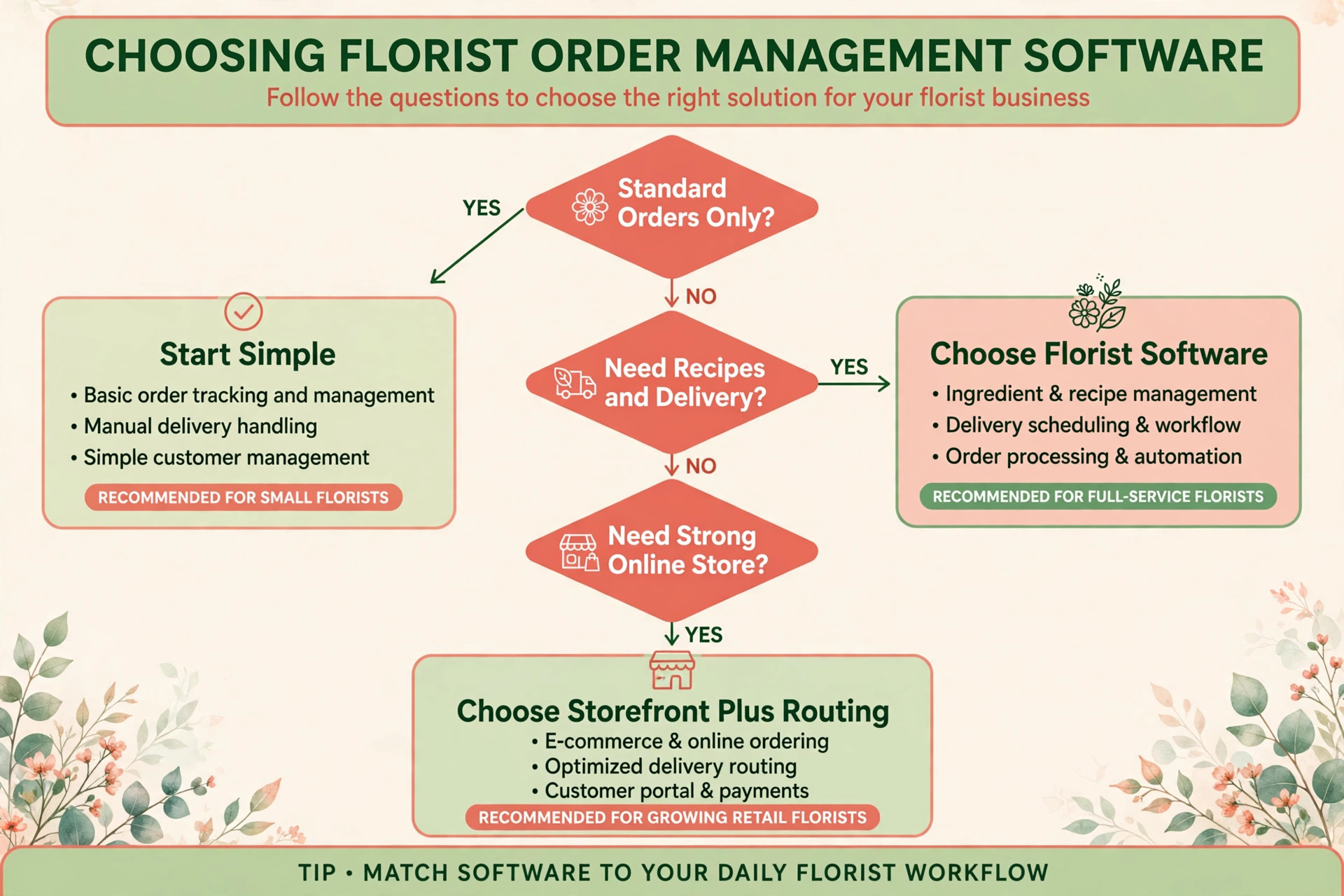
Start by defining what the system may confirm on its own. Standard bouquets and arrangements with published prices, available stock and open delivery windows are safe to confirm automatically. Wedding orders, large event orders, orders with a tight same day window and orders that need a variety the shop does not hold should go to a person for a callback within a stated time. Customers accept a callback when the system tells them exactly when it will happen and keeps that promise. A vague promise of a callback soon is worse than a clear promise of a call within one hour.
Tone matters because flowers mark important moments. Booking messages should sound like the shop, use the shop name, state the real delivery window and repeat the card message back to the customer for checking. Test the system with awkward real cases, including a misspelled recipient name, a hospital delivery with ward rules, a funeral order with a strict service time and an order where the requested flower is out of season. A system that handles those cases with a clear human handoff will earn trust. A system that confirms everything without checking will eventually confirm an order the shop cannot fulfil.
The Order Workflow, Step by Step
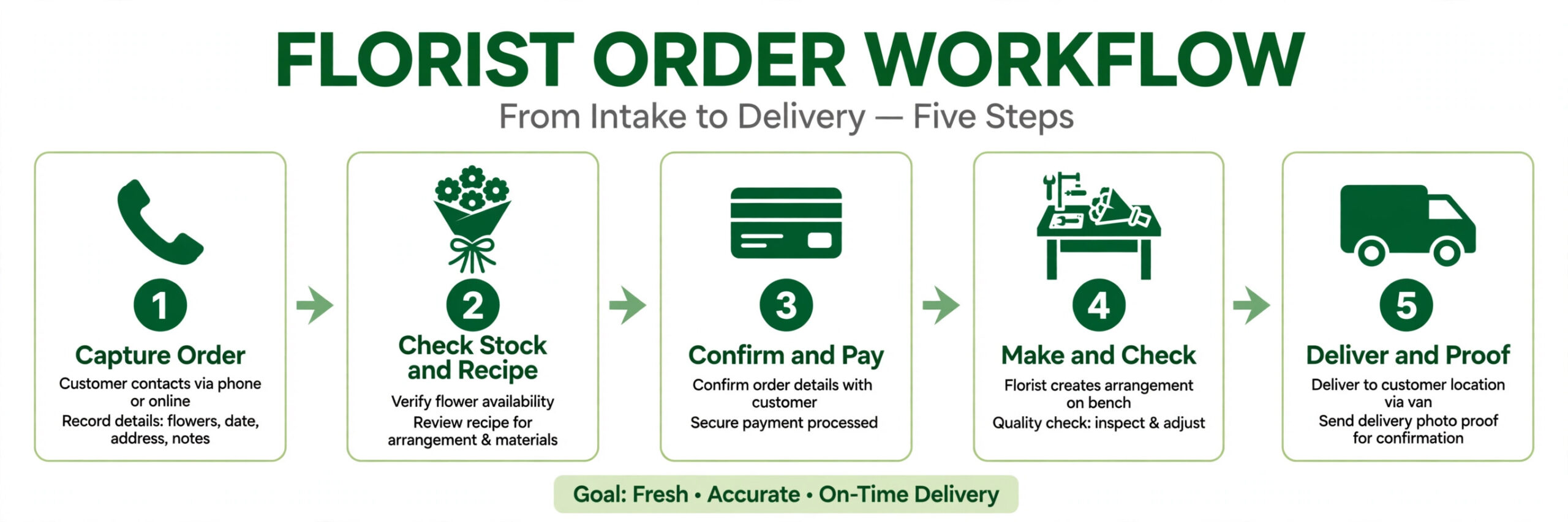
A strong florist order workflow moves a customer from first contact to a delivered arrangement in ten steps. Each step has one job, and skipping a step is what creates remakes, waste and failed deliveries. The steps work for a single shop and for a shop with a second location, and they work whether the first contact is a phone call, a website order or a walk in visit.
1. Capture the order the moment it arrives. Record the buyer, the recipient, the occasion, the arrangement or product, the budget, the delivery or collection choice and the card message before anything else, so no order lives only on paper or in memory. 2. Check the arrangement against stock and recipe. Confirm that the stems, vase, ribbon and foliage needed are on hand or on order, and flag any shortage for a human decision before the customer is promised a delivery time. 3. Confirm price, payment and delivery window. Give a clear total, take payment or a deposit where the shop requires one, and agree a delivery window that the driver can actually meet, not just a date. 4. Create production tasks from the order. Turn the arrangement into a bench task with the recipe, the quantity, the vase and the finish time, sequenced so the earliest delivery is made first. 5. Reserve stock for the order. Deduct the stems and materials from available stock at confirmation, so the next order cannot promise the same bunch twice. 6. Prepare and quality check the arrangement. The designer checks freshness, stem count, colour match and card message against the order, and a second person checks funeral, wedding and high value orders before they leave the bench. 7. Build the delivery route by geography and time. Group deliveries by area and by window, load the van in reverse drop order, and give the driver the address, contact number, access note and proof of delivery method for each stop. 8. Notify the customer at dispatch and delivery. Send a short message when the order leaves the shop and another when it is delivered, with a photo or signature proof where the shop uses it. 9. Handle exceptions the same day. If a recipient is out, an address is wrong or a flower fails the quality check, contact the buyer promptly, offer a clear next step and record what happened on the order. 10. Close the loop after delivery. Thank the buyer, invite a review where appropriate, record the occasion for a future reminder and review waste, remakes and failed deliveries for the week.
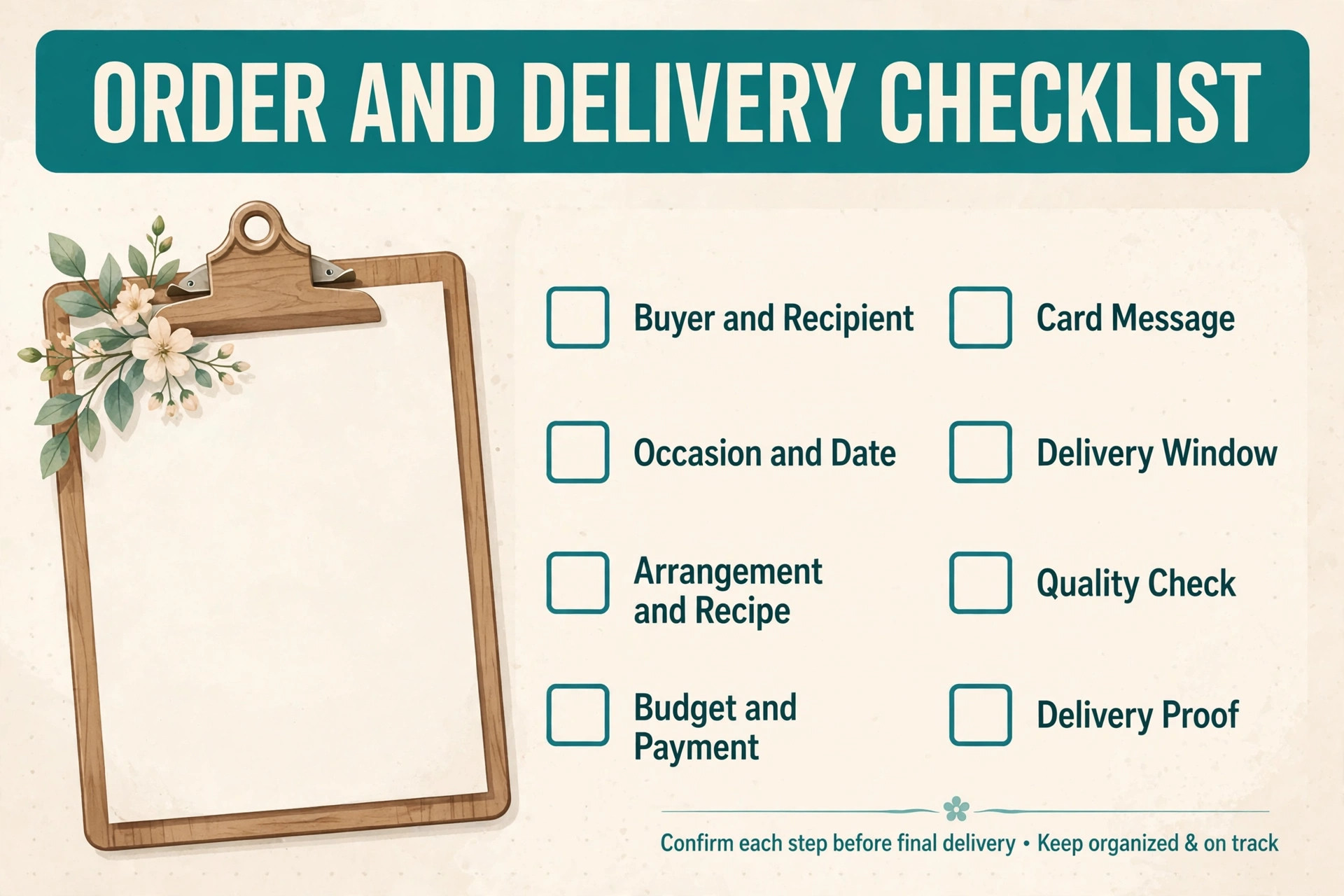
The Order and Delivery Template
The template below is the overview proof element for this guide. Use it as an order form, a bench sheet and a driver sheet, with one copy per order. If a field is blank, the order is not ready to confirm, and the system should chase it rather than leave it blank. The template works on paper, but it works far better inside order software where stock, production and delivery share the same record.
| Template field | What to record | Why it matters |
|---|---|---|
| Buyer and recipient | Full names, phone numbers, email where given | Prevents wrong recipient and failed contact |
| Occasion and date | Birthday, sympathy, wedding, anniversary, just because | Sets the tone, card wording and urgency |
| Arrangement and recipe | Product name, stem types, quantities, vase, colours | Drives production and stock deduction |
| Budget and payment | Total, deposit, balance, payment method | Prevents a price dispute at delivery |
| Card message | Exact wording, checked back with the buyer | Protects the personal part of the gift |
| Delivery or collection | Address, window, access note, parking note | Decides route order and driver time |
| Production time | Bench start, finish time, designer assigned | Sequences work so early deliveries finish first |
| Stock reservation | Stems and materials reserved, shortage flag | Stops double promising the same stock |
| Quality check | Freshness, count, colour, card checked by | Catches errors before the van leaves |
| Delivery proof | Photo, signature, safe place note, time | Settles disputes and confirms completion |
| Follow up | Thank you sent, review invited, occasion noted | Turns one order into a repeat customer |
Keep the form short enough to complete during a phone call. Use tap choices for occasion, delivery window and arrangement type, and leave one open text box for anything unusual. Review completed forms weekly for the first month and remove any question customers keep answering wrongly. For weddings and events, attach a separate event sheet with venue, setup time and a full piece list.
Production Planning for a Perishable Shop
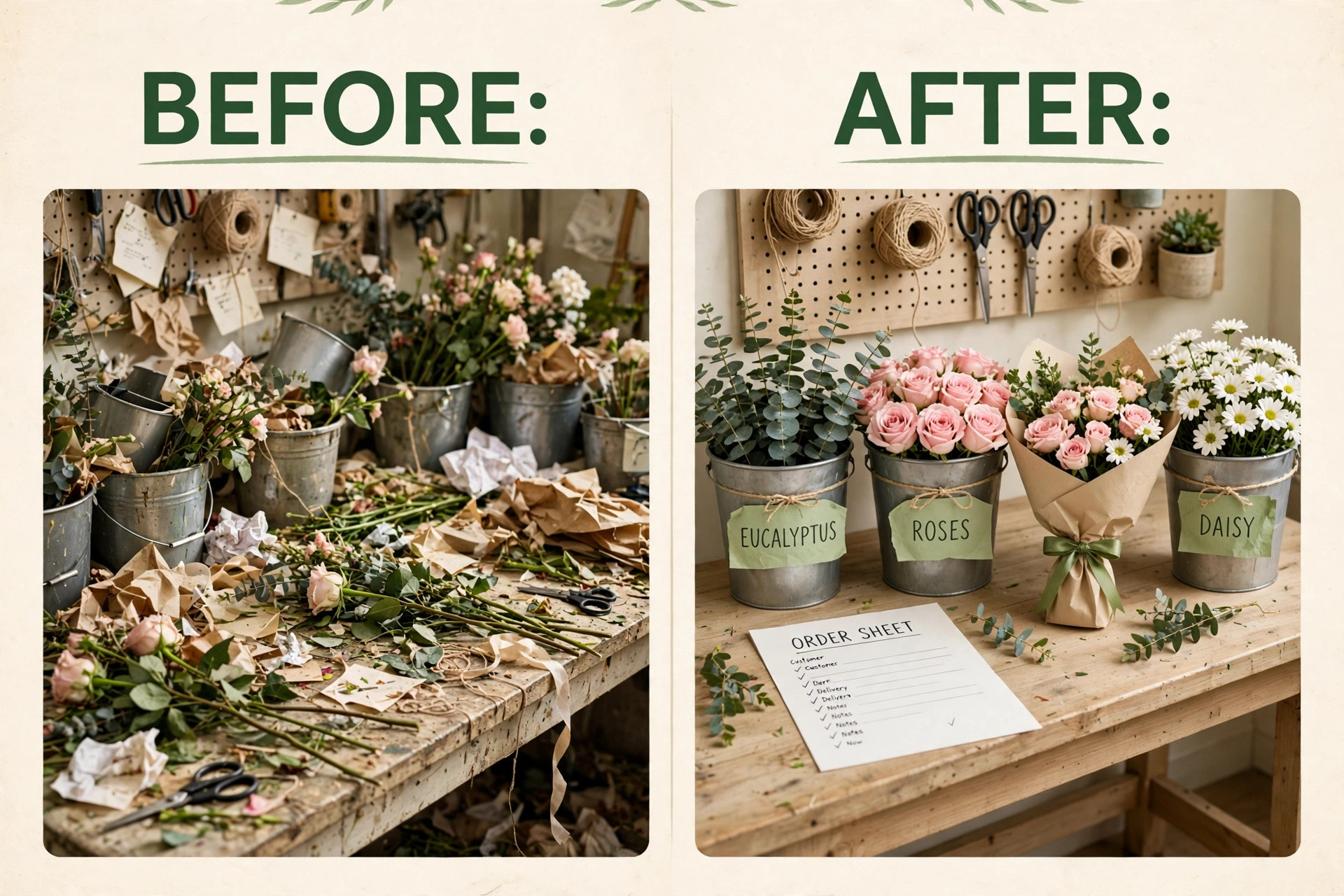
Production planning, when you use AI for florist business order management, is planning backwards from delivery times. The earliest delivery sets the first finish time, and the bench plan should work backwards from there, allowing time for conditioning, arranging, quality checking and loading. A shop that starts with the largest or most attractive order first, rather than the earliest delivery, will finish a late delivery early and an early delivery late. Sequencing by delivery time sounds obvious, but it only happens when the bench sheet shows delivery times in order and the team works to that order.
Recipes are the second part of production planning. A recipe lists the stems, foliage, vase and sundries for each standard arrangement, with the quantity and the cost. Without recipes, two designers will make the same named arrangement differently, stock counts will drift and margins will be a guess. With recipes, the shop can cost each product, spot a product that loses money when a stem price rises, and train a new designer to a consistent standard. Recipes also make substitution honest, because when a variety is short the system can show which orders are affected and what a fair substitute looks like.
Waste planning deserves the same attention. Flowers that are not sold in time become waste, and waste is a direct loss of margin. A shop that tracks waste by variety and by week can see whether it overbuys a slow variety, whether a product should be made to order rather than held ready, and whether a discount at the end of the day recovers more value than composting. AI forecasting helps here only when the underlying data is clean, meaning past orders, waste and seasonal peaks are recorded in the same system. A forecast built on incomplete paper records will repeat the same overbuying with more confidence.
Delivery Planning and Peak Days
Delivery planning starts with zones and windows, not with a map drawn on the morning of delivery. Define delivery zones with realistic travel times, set windows that the shop can meet, and publish cutoff times for same day delivery. A customer who sees a window of two hours and receives flowers inside it is happy. A customer promised a precise time that the driver cannot meet is unhappy even if the flowers are beautiful. Honest windows protect the shop on busy days and on days when traffic or weather slows the route.
Peak days need a separate plan, not just more effort. Before Valentine’s Day, Mother’s Day and Christmas, limit the range to arrangements the shop can make fast and well, set earlier cutoffs and prebook extra driver help. Routing tools group stops geographically, but they cannot fix a plan that promised every customer a morning delivery with one driver.
Proof of delivery closes the loop. A photo, a signature or a safe place note with the time gives the shop evidence if a customer says an order never arrived. Attach the proof to the order record, not to a driver’s phone. When a delivery fails, record the reason, the contact attempts and the agreed next step.
Tools Compared for Florist Order Management
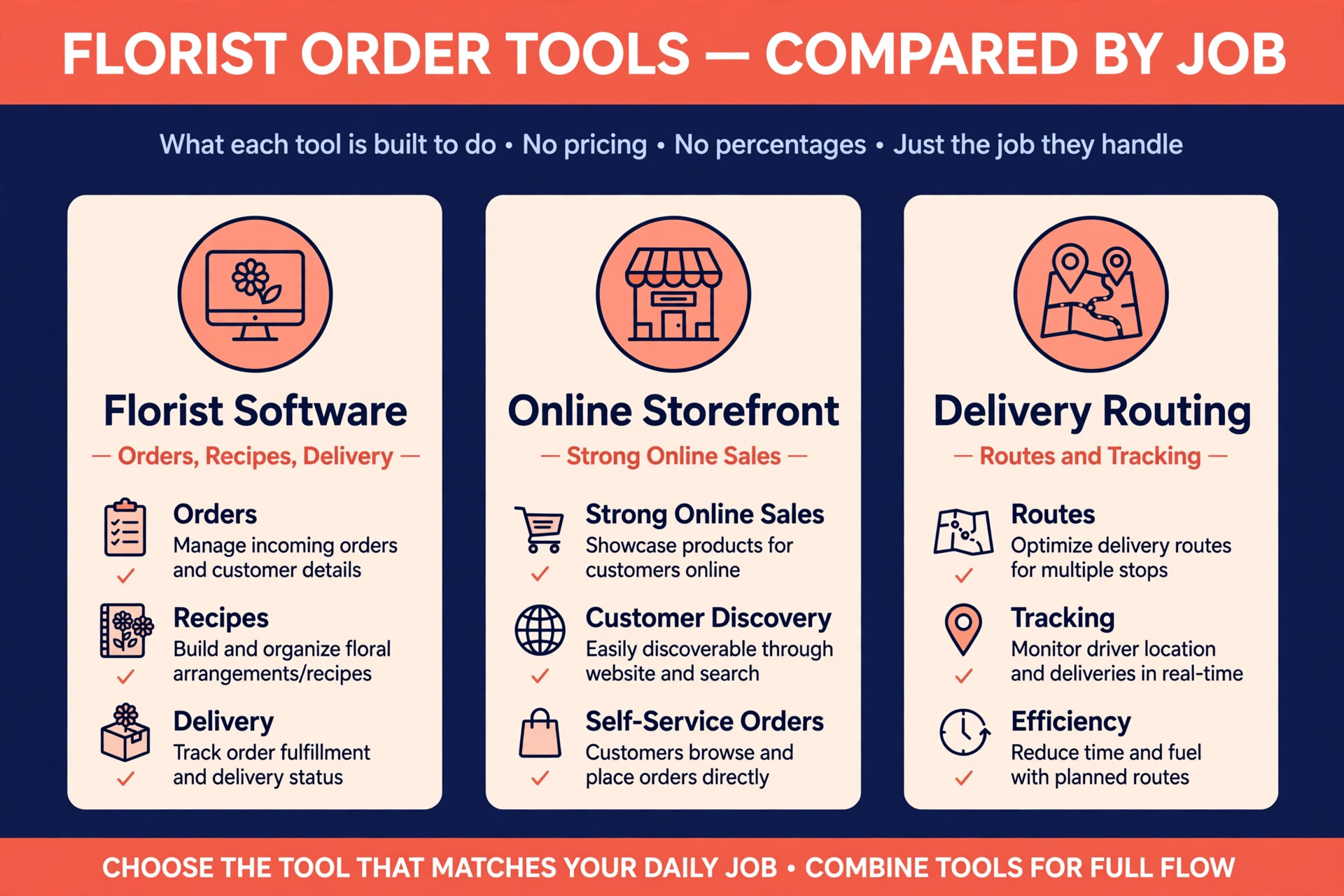
The tools below cover the main ways a florist shop can run orders, from florist specific software to delivery routing and general order tools. Prices are reported from vendor pages and comparison guides, and they change, so confirm the current price on the vendor page before choosing. The right choice depends on whether the shop needs florist recipes and wire service handling, or mainly needs clean online orders and delivery routes.
| Tool | Best for | Reported starting price | Trade off |
|---|---|---|---|
| FloristWare | Florist shops needing orders, recipes, delivery and wire handling together | Quote based in recent guides | Built for florists, but pricing requires a sales conversation |
| Details Flowers | Wedding and event florists needing proposals and recipes | Quote based in recent guides | Strong on events and costing, less of a daily shop POS |
| BloomNet and wire services | Shops taking relay orders from other florists | Membership and order fees vary by network | Brings orders in, but fees and rules need care |
| Shopify | Shops selling online with a strong storefront | Reported from about $39 a month in recent guides | Great storefront, but florist production needs apps or manual work |
| Square | Small shops needing POS, payments and simple online orders | Free POS software with payment processing fees reported | Easy to start, but florist recipes and delivery routing need add ons |
| Routific | Shops running their own delivery routes | Reported from about $39 a month in recent guides for small plans | Strong routing, but not an order or POS system on its own |
| Shipday | Shops needing delivery dispatch and customer tracking | Free starter plan reported, paid plans from about $29 a month in recent guides | Good delivery management, but not a florist design system |
Florist specific software suits a shop whose daily work is arrangements, recipes and relay orders, because it understands those concepts without custom setup. A general storefront suits a shop whose main growth channel is online sales, provided the team accepts extra work to turn online orders into bench tasks. Delivery routing software suits a shop that already has clean orders and mainly needs better routes and tracking. Many shops end up with two tools, one for orders and one for routes, and the key test is whether an order flows from one to the other without retyping. Retyping is where errors return.
AI features, when you use AI for florist business order management, sit on top of these systems rather than replacing them. AI intake can draft an order from a message, AI forecasting can suggest a wholesale buy based on past sales and seasonal patterns, and AI reminders can prompt a buyer before an anniversary or a birthday. Each feature only works well when the underlying order data is complete and consistent. A shop that buys an AI tool before fixing intake will automate incomplete orders at higher speed, which is not progress. Fix the template first, then add automation one feature at a time and check the error rate after each addition.
Pricing, Waste and Margin
Florist pricing must cover stems, foliage, vase, sundries, labour, delivery and waste, and still leave a margin. Many shops price by a simple markup on stems and then wonder why a busy month still loses money, because labour and waste were never in the calculation. A recipe based price list solves this by costing each arrangement fully, including the time to make it and an allowance for the stems that will not sell. When a wholesale price rises, the recipe cost rises too, and the shop can see which products need a price change before the margin disappears.
Waste is the margin leak most florist shops underestimate. A shop that tracks waste by variety can see a pattern, such as a variety bought for one arrangement that spoils before the next order arrives. The fix may be to buy less, use that variety across more products or make that arrangement to order only. None of those fixes is possible without waste data recorded as part of closing each day.
Handling Weddings, Funerals and Sensitive Orders
Weddings and funerals are not larger versions of a daily bouquet. They carry more pieces, more people, more emotion and a deadline that cannot move, so they need a separate workflow inside the same order system. A wedding order should have a proposal, a deposit schedule, a piece list, a recipe for each piece, a venue and setup time, a contact on the day and a production timeline that works backwards from setup. A funeral order should have the service time, the venue, the family contact, the card wording checked twice and a delivery window that leaves time for placement before mourners arrive.
Sensitive orders need human handling where it matters most. An automated confirmation is fine, but a sensitive order should also receive a human check of the card message, name spelling and delivery details before production starts. If a detail is wrong, contact the buyer promptly with the correction ready to confirm. Accuracy matters more than speed here.
Agree the substitution policy at order time for sensitive orders too. Tell the buyer what happens if a variety is unavailable and who will be contacted before a substitution is made. For funerals and weddings, contact the buyer before substituting a prominent flower, even if that takes extra time.
Measuring What Florist Order Management Earns
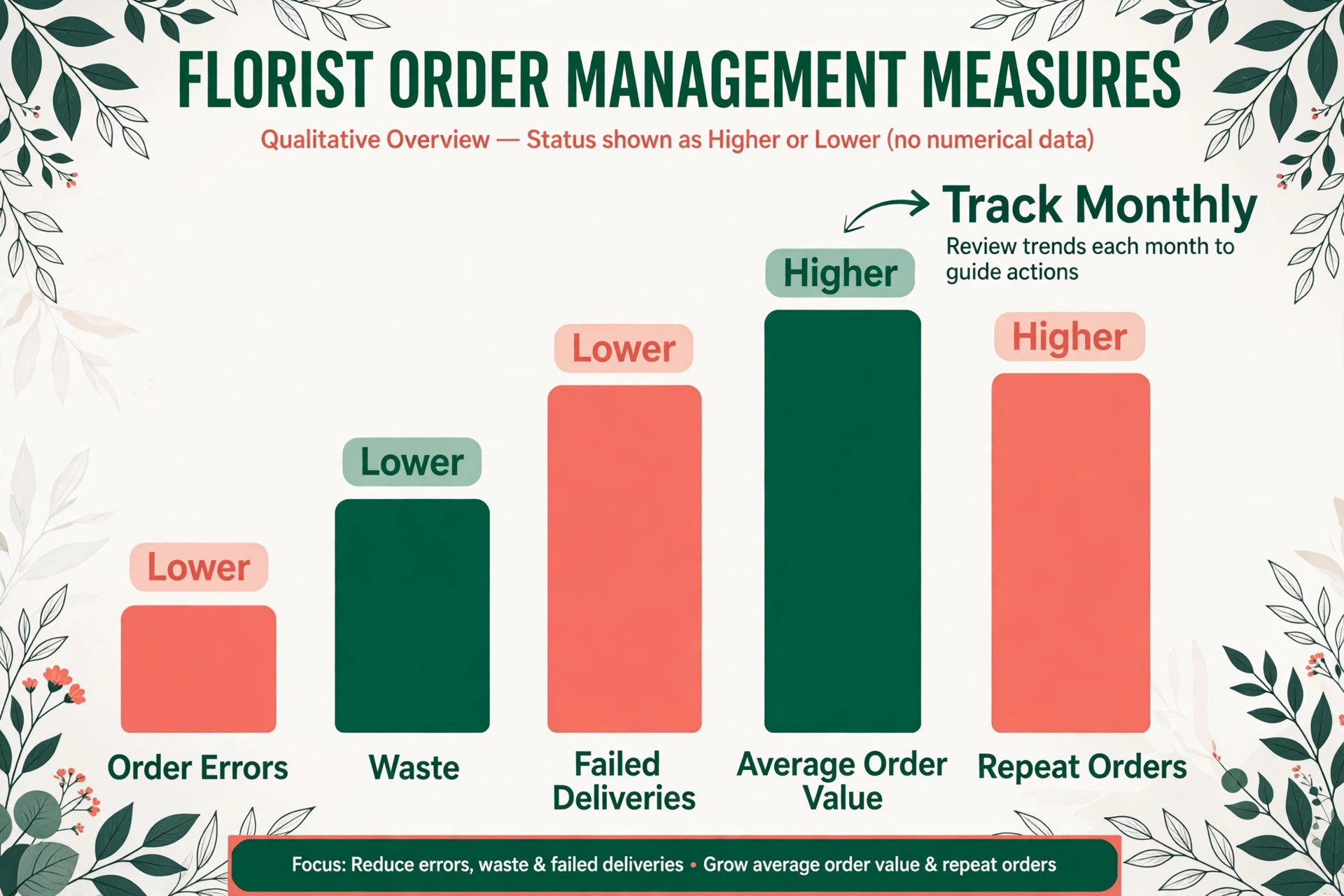
A system built to use AI for florist business order management should pay for itself in fewer remakes, less waste and fewer failed deliveries, and the only way to know is to measure a small set of numbers every month. Start with the order error rate, meaning the share of orders that need a remake, a redelivery or a refund, because that number captures intake and production accuracy together. Then measure the waste rate by value, meaning the cost of flowers discarded as a share of flowers purchased, and the failed delivery rate, meaning the share of deliveries that do not succeed on the first attempt.
Add two money numbers to those three service numbers. The first is average order value, which shows whether better intake and reminders are lifting the size of a typical order. The second is repeat order rate, meaning the share of buyers who order again within twelve months, because repeat buyers cost far less to win than new ones and because occasion reminders only earn their keep if they produce repeat orders. If the error rate falls but waste does not, the problem is buying or product range, not intake. If waste falls but repeat orders do not rise, the problem is follow up or reminder timing, not production.
Review these numbers monthly for the first quarter, and change one thing at a time. Changing the intake form, the product range and the delivery windows in the same week makes it impossible to know what worked. A simple monthly review, with the five numbers written down and one change agreed, will improve the system faster than a large overhaul every six months. Keep the review short, keep it honest, and keep the design team involved, because the bench sees order problems first and will tell the office if anyone asks.
Mistakes That Undo a Good Florist Setup
The most common mistake, when a shop starts to use AI for florist business order management, is launching online ordering before the recipe and stock data is ready. Customers order arrangements the shop cannot make at the quoted price, the bench improvises, and the office spends the week apologising for a system that was supposed to save time. Finish the standard recipes, the price list and the delivery zones first, test them with real past orders, and only then open online ordering to customers. A week spent on recipes saves a month of remakes.
The second mistake is letting the system confirm every order type without limits. A shop that allows automated confirmation for weddings, large events and tight same day funeral orders will receive bookings it cannot safely fulfil at the quoted price, and the cancellations that follow damage trust. Limit automated confirmation to standard products with available stock and open windows, and route everything else to a callback with a clear time promise. When owners choose to use AI for florist business order management in this limited way, the system feels helpful rather than reckless, because it knows its own limits.
The third mistake is ignoring the bench and the driver. If drivers do not trust the route, they will reorder stops from memory and the tracking updates will be wrong. Involve both groups in designing the template and the route rules, show them how the new system blocks realistic times, and fix the first three errors they report. A system the team trusts is a system that actually gets used, and a system they work around is just an extra cost.
Verdict, Is It Worth It for a Small Florist Shop
For a small florist shop, the case is strong, provided the setup is done in the right order. Fix the intake template, build the recipes, set the delivery zones and windows, and only then add automated intake, forecasting and routing. Done in that order, the system cuts remakes, reduces waste, fills delivery routes sensibly and sends drivers out with the information they need to succeed on the first attempt. The monthly software cost is usually smaller than the value of one avoided remake and one avoided failed delivery route per week, and most shops lose more than that to incomplete orders alone.
The case weakens when the shop wants software to replace judgment entirely. No automated system can judge freshness from a photo alone, choose a substitute for a sentimental flower, or handle a grieving customer as well as a person can. The shops that get the best return from this approach are the ones that use AI for florist business order management for speed and accuracy, while keeping people in charge of design, sensitive orders and final quality checks. That split is not a compromise. It is the whole point, because speed wins the order and judgment keeps the customer.
Start small if the budget is tight. An order template with stock reservation and delivery windows will already cut a large share of the losses, and AI forecasting or routing can wait until the order data is clean. Measure the five numbers for a month and let the results decide the next spend. If they do not move, fix the intake form or the recipes before buying more software.
More Reading on Stratilyze
For a related service business system, read best CRM for cleaning companies and best scheduling software for home care agencies. For a different field service comparison, see best route scheduling software for pool service companies.
Frequently Asked Questions
How much does florist order software cost for a small shop
A small shop can start with a general POS and manual bench sheets at low cost, while florist specific software is usually quote based in recent guides and delivery routing tools are reported from about $29 to $39 a month for small plans. Confirm the current price on the vendor page before buying, because plans and add on prices change often and quote based tools vary by shop size.
Do customers accept ordering through an automated system for flowers
Most customers accept it readily when the system asks sensible questions, repeats the card message back for checking and confirms the delivery window clearly. Problems arise when the system confirms an order without checking stock, gives a delivery time it cannot meet or leaves a sensitive order without a human check. Keep the form short, check stock before confirming and state exactly when a person will call for weddings and large events.
What happens when a requested flower is out of stock or out of season
The shop should contact the buyer promptly, explain the shortage honestly and offer a fair substitute or a revised arrangement at an agreed price. Do not substitute a prominent flower without asking, especially for weddings and funerals, because the customer may have chosen that flower for a personal reason. Over time, use shortage cases to adjust recipes and buying so the same shortage does not repeat.
Should a florist shop take deposits for wedding and event orders
Yes, a deposit schedule is standard practice for weddings and events because the shop commits stock, labour and a production slot well in advance. State the deposit amounts, the due dates and the cancellation rule in the proposal before the customer signs, so there is no surprise later. For daily bouquets, full payment at order time is usually simpler and reduces no collection and failed delivery disputes.
How do I reduce flower waste without running out at peak times
Track waste by variety and by week, limit the product range at peak times to arrangements the shop can make fast and well, and use past sales and seasonal patterns to guide wholesale buying. Make slow varieties to order rather than holding them ready, and discount end of life stock under clear rules rather than losing it entirely. Clean order and waste data matters more than any forecasting tool on its own.
Can AI order management work for a one person florist shop
Yes, and it often helps a solo florist more than a larger team, because a solo operator answers phones, designs and delivers and cannot do all three at once. An order template plus automated confirmations and reminders can capture orders during design and delivery hours without hiring office staff. Start with intake and stock reservation, add routing when delivery volume justifies it, and keep weddings and sensitive orders on a personal check list.