
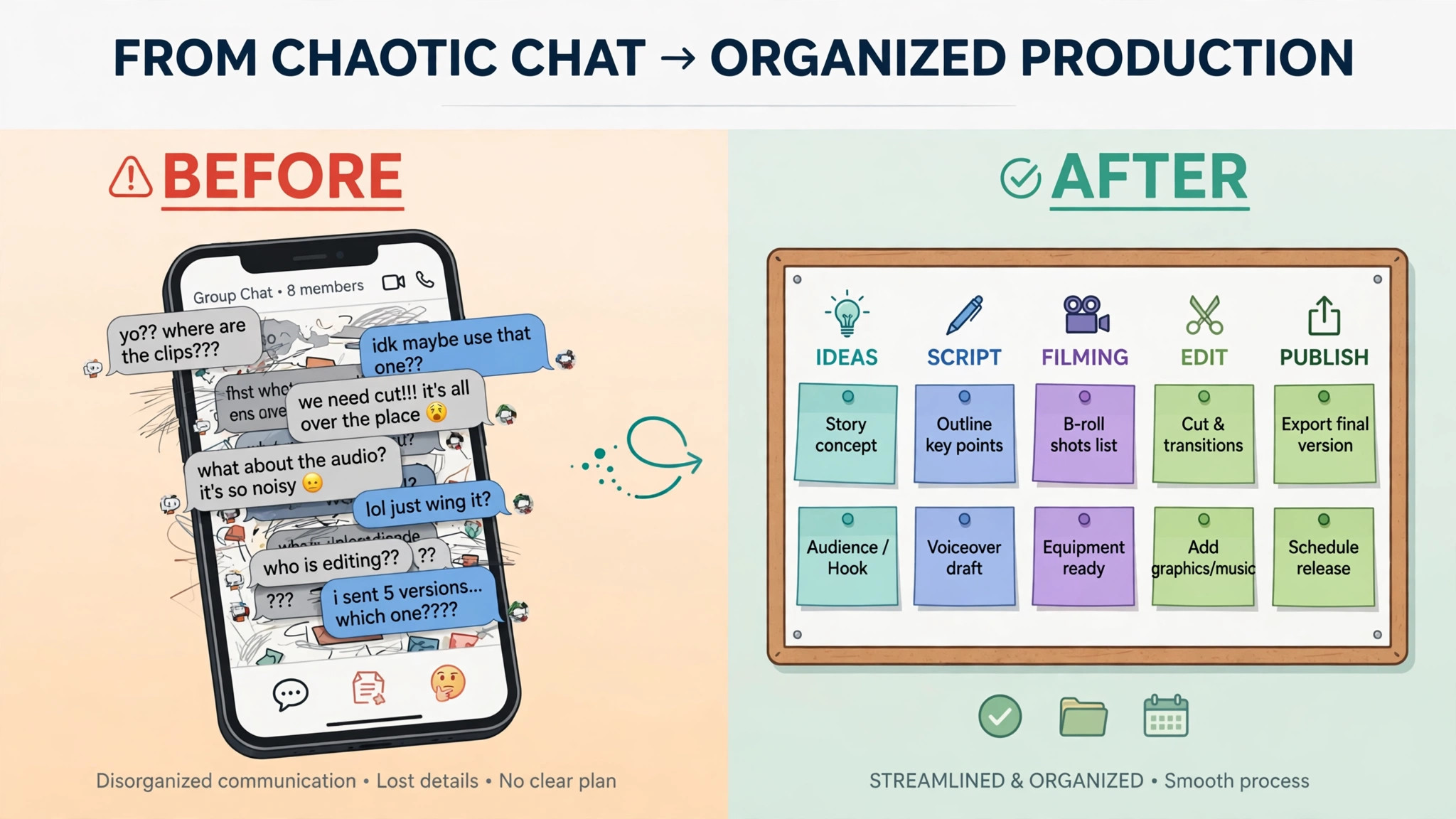
The problem is not finding clients. The problem is that a videography booking stays open for months, and every part of it can drift. A wedding shoot in June needs an edit delivered in July, a revision in August, and a final invoice that still matches the original quote, even though the client added drone footage in May. If you want to use AI for videography business booking, you are really trying to stop that drift, so the shoot, the edit, and the payment all follow one record from inquiry to delivery.
That drift has a cost. Editors wait for footage that was never uploaded. Clients wait for drafts that were never scheduled. Second shooters get paid late because the payout was tracked in a message thread. The videographer, who should be shooting or editing, spends evenings chasing answers that a system should have collected at booking.
Prices in this guide are ranges drawn from vendor pages and published guides at writing time, so confirm on the vendor page before you buy. Video tools change plans often, and the price that matters is the one for your project volume, your team size, and the features you actually switch on.
Why Video Bookings Drift After the Shoot
A videography project is not a single appointment. It is a chain of stages, and each stage depends on the one before it. Pre production needs a brief, a venue, and a shot list. Production needs a crew, a call time, and a gear list. Post production needs footage, an editor, a review round, and a delivery format. Payment needs a deposit, a balance, and often a final amount that changed when the scope changed.
Most tools treat a booking as a date on a calendar. That works for a haircut, but not for a project that spans three months. When the calendar entry passes, the system thinks the job is done, while the edit has not even started. The result is a set of jobs that look finished in the booking tool and are still open in real life.
The second problem is scope change without a paper trail. A client adds a teaser edit, then a ceremony edit, then raw footage delivery. Each addition is agreed in a message, but the invoice is never updated until the end, when the client is surprised by the total. Surprise is the enemy of prompt payment, and it is avoidable if every scope change updates the quote, the invoice, and the delivery list at the same time.
A good booking system for video therefore tracks stages, not just dates, and that stage view is the core reason to use AI for videography business booking. It shows which projects are in pre production, which are awaiting footage, which are in edit, which are in review, and which are ready for final invoice. A manager who can see that board at a glance can fix a stuck project before the client has to ask.
How to Use AI for Videography Business Booking
To use AI for videography business booking well, start with the project record, not with the calendar. Every booking should carry the client, the event date, the package, the deliverables, the contract status, the payment schedule, the crew, and the current stage. If any of those fields live only in messages, the system cannot help you, because it cannot see the job.
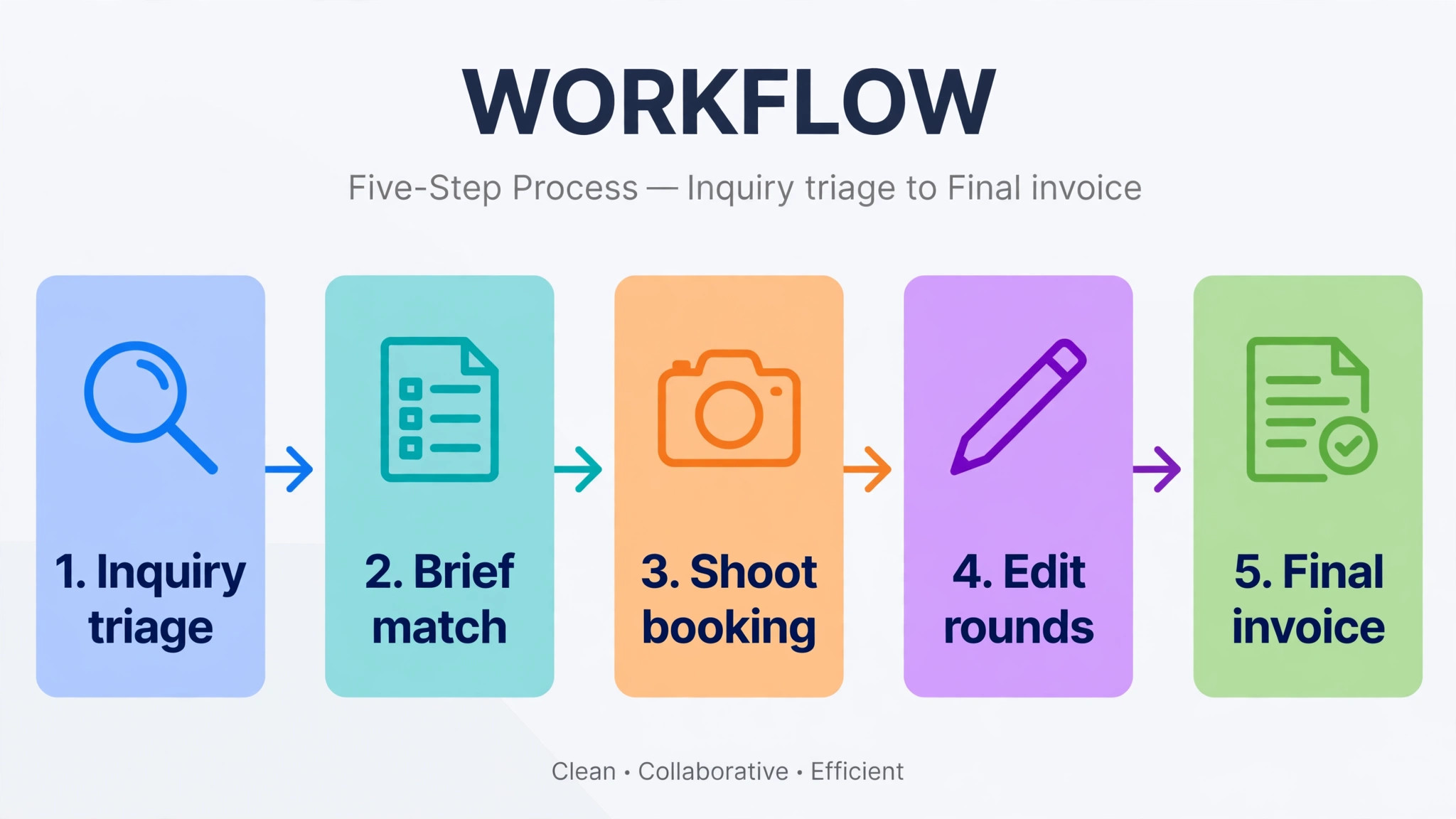
The core workflow has five moving parts, and they must work together.
1. Project type triage sorts each inquiry by wedding, corporate, event, or content retainer, then sends the right brief and package. 2. Shoot day scheduling sets call times, crew, gear, and location notes, with buffers that protect the day from small delays. 3. Edit delivery tracking moves the project from footage upload to first draft to review to final delivery, with a visible deadline at each step. 4. Revision limits state how many rounds are included, how long each round lasts, and what counts as a new charge. 5. Final invoice sequence ties the last payment to delivery milestones, so the client pays the balance when the agreed deliverables are complete.
Set one rule before you switch anything on. No project should move to the next stage without the previous stage being marked complete in the system. Footage must be uploaded before editing starts. The first draft must be sent before a revision clock starts. The final invoice must match the deliverables list. That discipline sounds strict, but it is what stops the drift described above.
Project Type Triage That Builds a Usable Brief
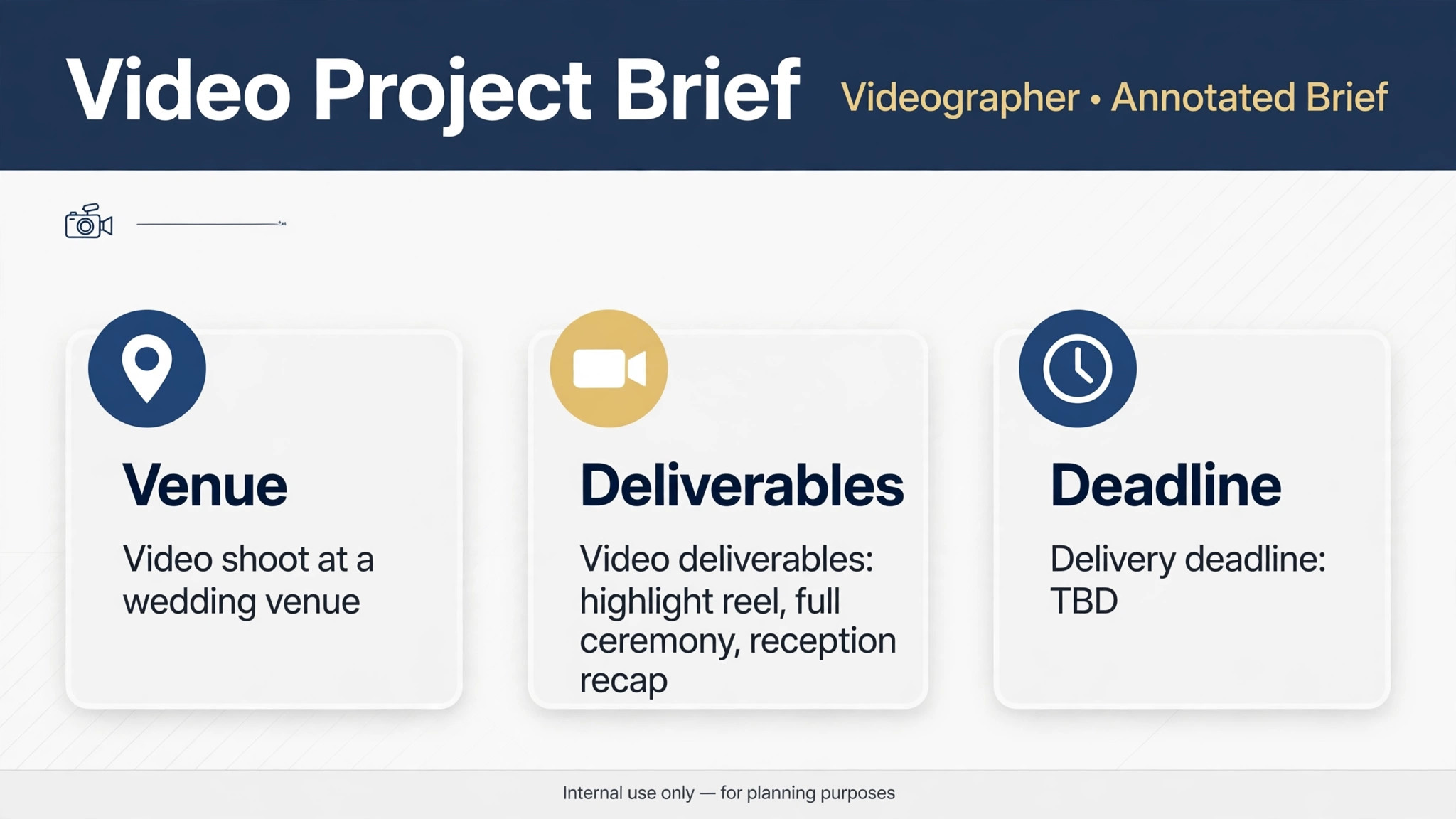
Triage for video needs more than a date and a package. It needs the story, the venue, the deliverables, and the deadline. A wedding brief needs the ceremony time, the venue, the couple, and the must capture moments. A corporate brief needs the message, the audience, the location, and the approval chain. A content retainer brief needs the posting schedule and the format for each platform. Sending the same short form to all three produces a brief that helps nobody.
An AI assistant can collect the brief in stages. First, it asks the project type and the event date. Then it asks the questions that matter for that type only, such as venue and guest count for a wedding, or message and approver for a corporate film. Then it drafts a shot list or a content outline from the answers, for you to review before the client sees it. The draft is a starting point, not a final plan, and your review is what makes it trustworthy.
Route the project to the right person at triage, not after booking. A wedding project goes to the wedding lead, a corporate project to the commercial lead, and a retainer to the editor who handles recurring work. Routing by service, budget, and deadline prevents the common failure where a high value project sits in a general inbox while a simpler job gets booked first.
Test triage with your last ten inquiries, because a live test shows faster than any demo whether you use AI for videography business booking to clarify briefs or merely to collect them. For each one, check whether the system would have asked the right follow up questions, offered the right package, and routed the project to the right person. If two or more would have been misrouted, fix the questions before launch, because a misrouted wedding inquiry rarely waits for a correction.
Shoot Day Scheduling That Protects the Crew and the Client
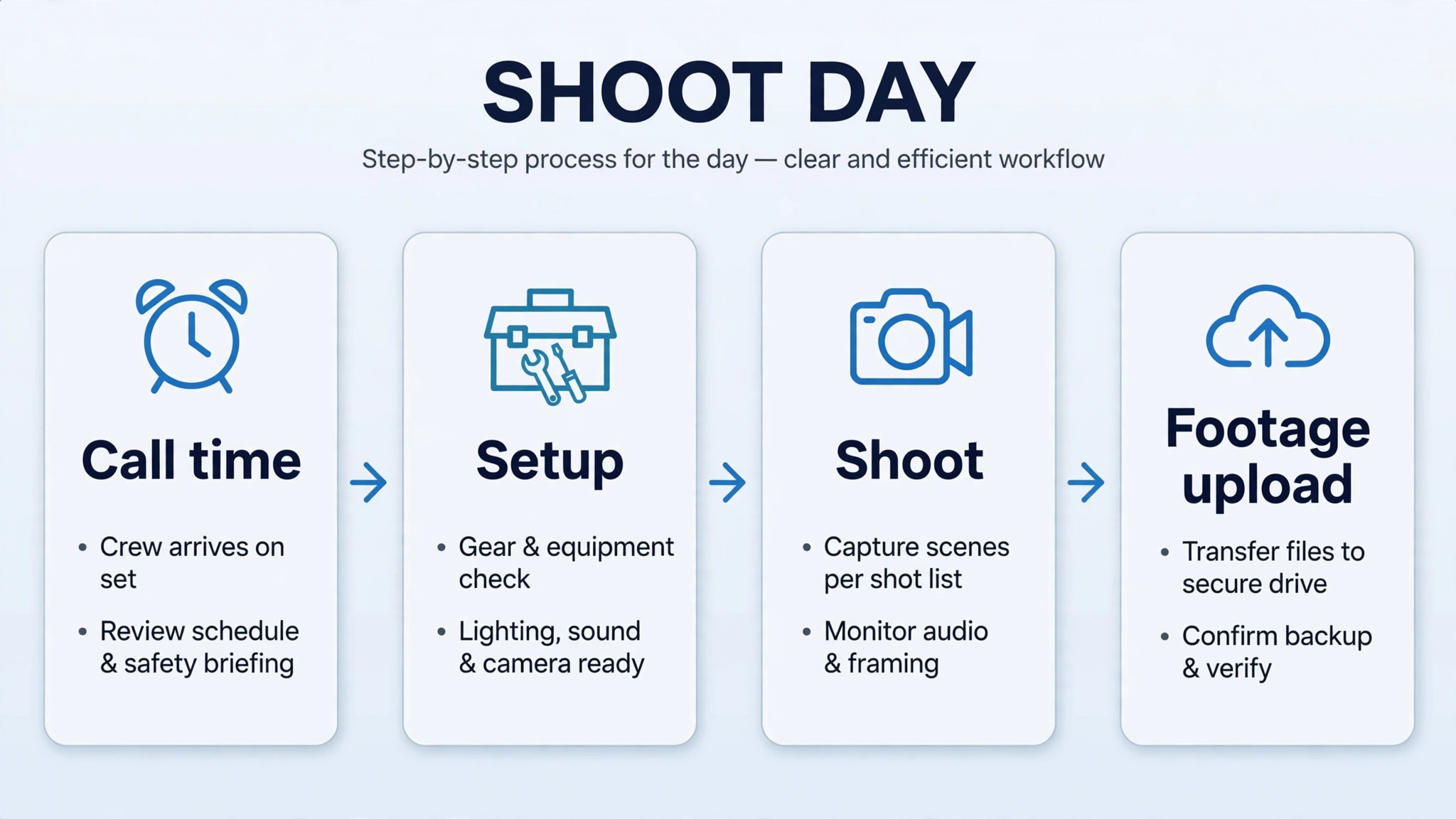
A shoot day fails in small ways before it fails in big ways. A second shooter arrives late because the call time was in a message thread. A drone operator learns at the venue that flying is restricted. A battery is missing because the gear list was never checked. Each small failure is preventable, and each one shows up in the final film as a missing shot.
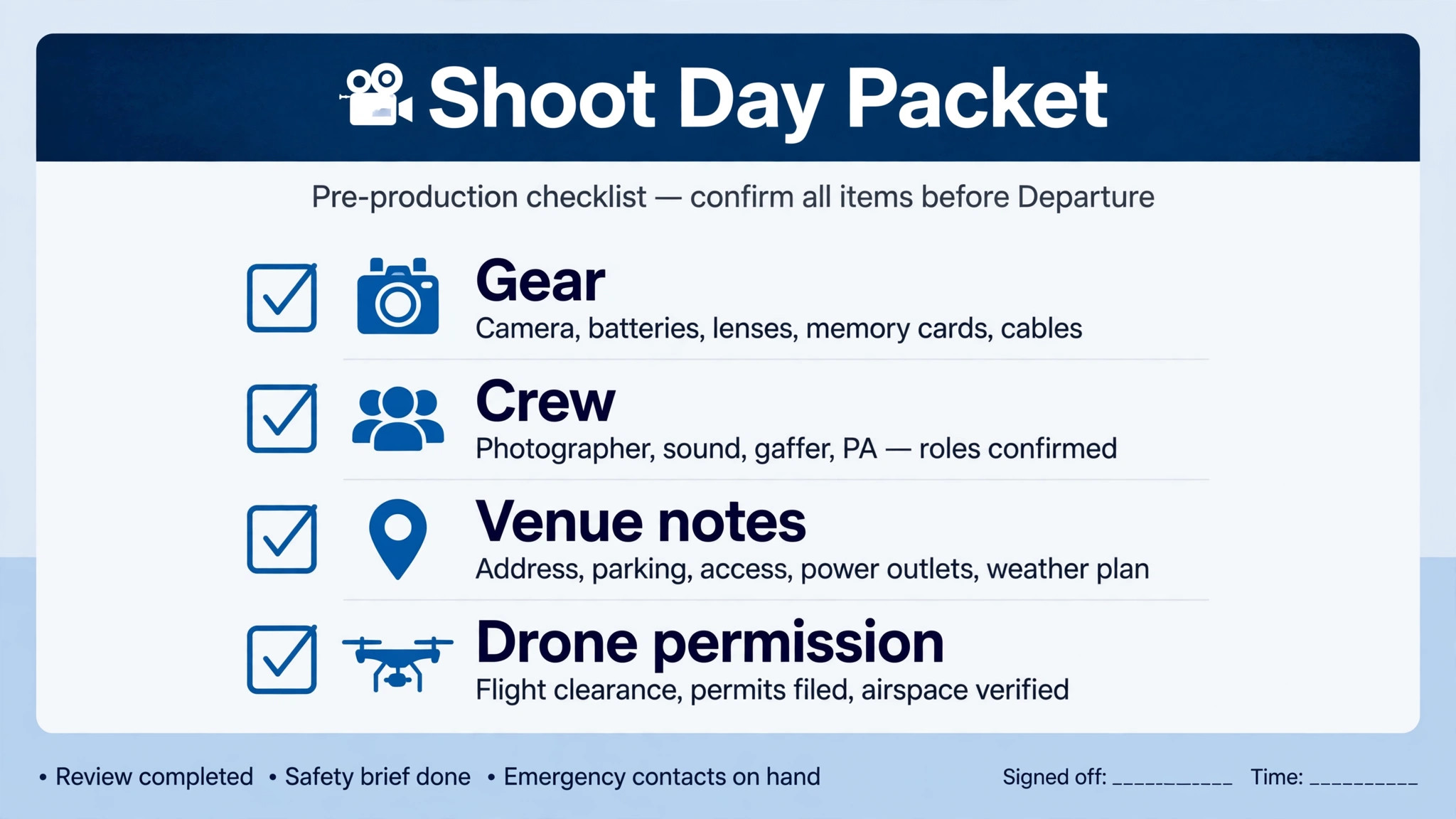
Build the shoot day packet at booking, and update it automatically when details change. The packet should list the call time, the venue address and parking notes, the client contact, the crew list with roles, the gear list, the shot list, and the delivery expectations for the day. When a detail changes, such as a ceremony time moving by thirty minutes, the system should update the packet and notify the crew, rather than leaving the old packet in circulation.
Use buffers honestly, because a realistic schedule is part of how you use AI for videography business booking to protect both crew and client. A schedule with no travel time, no setup time, and no meal break will slip by midday, and the rest of the day will run late. Add setup and travel buffers in the schedule itself, so the client sees a realistic day, not an optimistic one. A client who sees a buffer will accept it. A client who experiences a late start without warning will remember it.
Send reminders on a schedule the crew can trust. A reminder seven days before, a packet reminder the day before, and a call time message on the morning of the shoot covers most cases. If a crew member does not confirm the day before message, a human should follow up, because an unconfirmed crew member on a wedding morning is a crisis, not a minor issue.
Edit Delivery Tracking That Clients Can Follow
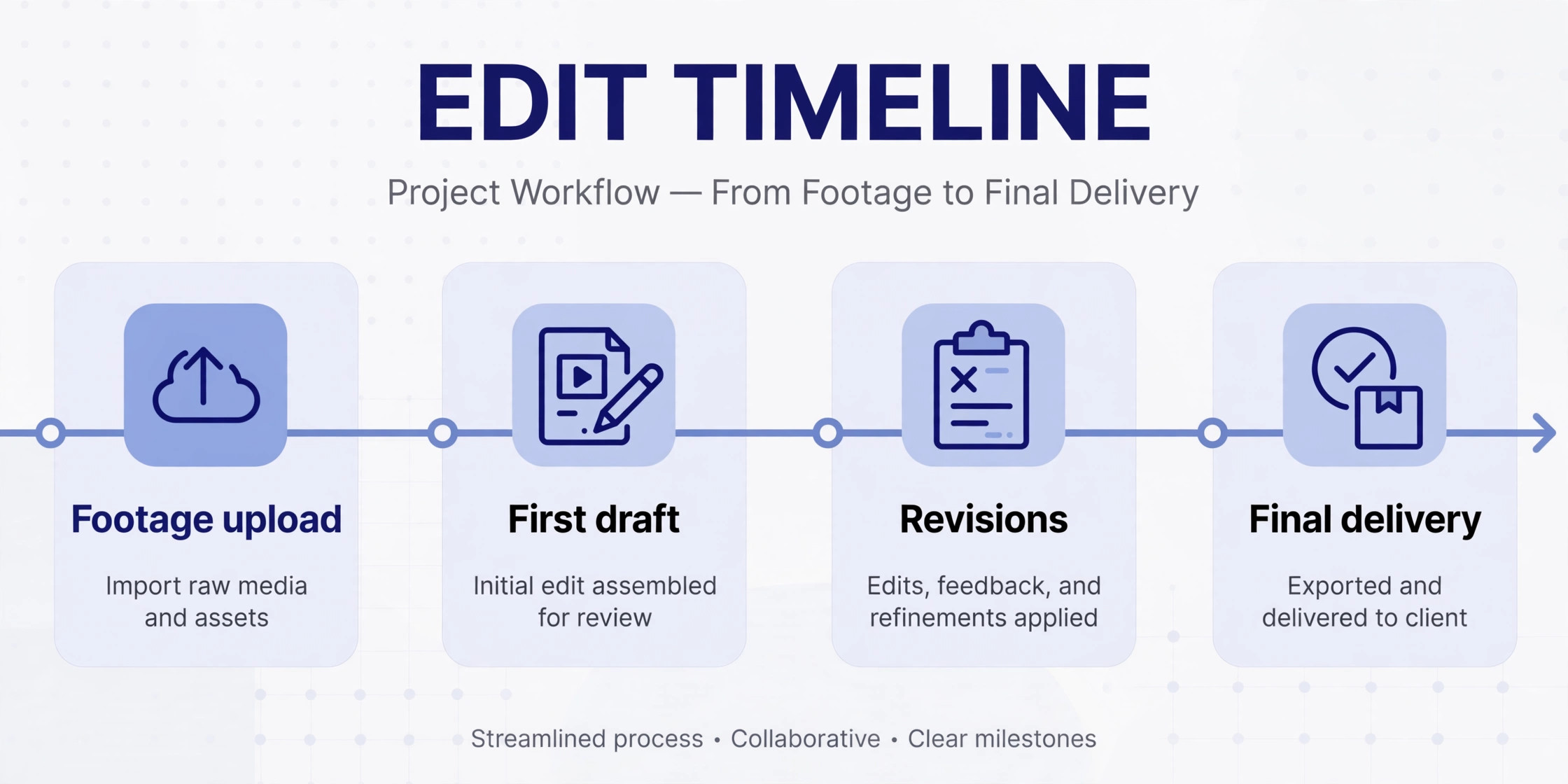
Clients chase edits because they cannot see progress. A message that says the edit is in progress, with no date and no stage, tells the client nothing. A tracking page that shows footage received, edit started, first draft due on a stated date, and review open until a stated date tells the client everything, and it stops most chase messages.
Set the edit clock at booking, not after the shoot. When a client books a wedding film with a six week delivery promise, that promise should create an edit block, a draft date, and a review window in the system. If the shoot moves, the edit dates should move with it, and the client should get a clear message about the new dates. A delivery promise that stays fixed while the shoot moves is a broken promise waiting to happen.
Automate the handoff from shoot to edit. When the shoot day is marked wrapped, the system should request footage upload, assign the editor, and start the edit timer. It should also send the client a short message that explains what happens next and when the first draft will arrive. That message, sent on the night of the shoot, does more for client confidence than any later apology.
Track overdue reviews actively, and treat a stalled review as a project risk, because the way you use AI for videography business booking should surface stalls before clients complain. If a client has not replied to a draft within the review window, send a timed nudge, then a second nudge, then escalate to a human. Many projects stall not because the edit is late, but because the client is busy and the review link sits unopened. A polite nudge at the right time unblocks the project without making the client feel chased.
Revision Limits That Keep Projects Profitable
Revision rounds are where video projects lose money, because an open ended revision promise turns a fixed price job into an unlimited job. A client who can request changes forever will do so, not from bad faith, but because each new viewing reveals another small change. Without a limit, the editor keeps working, the next project slips, and the profit on the first project disappears.
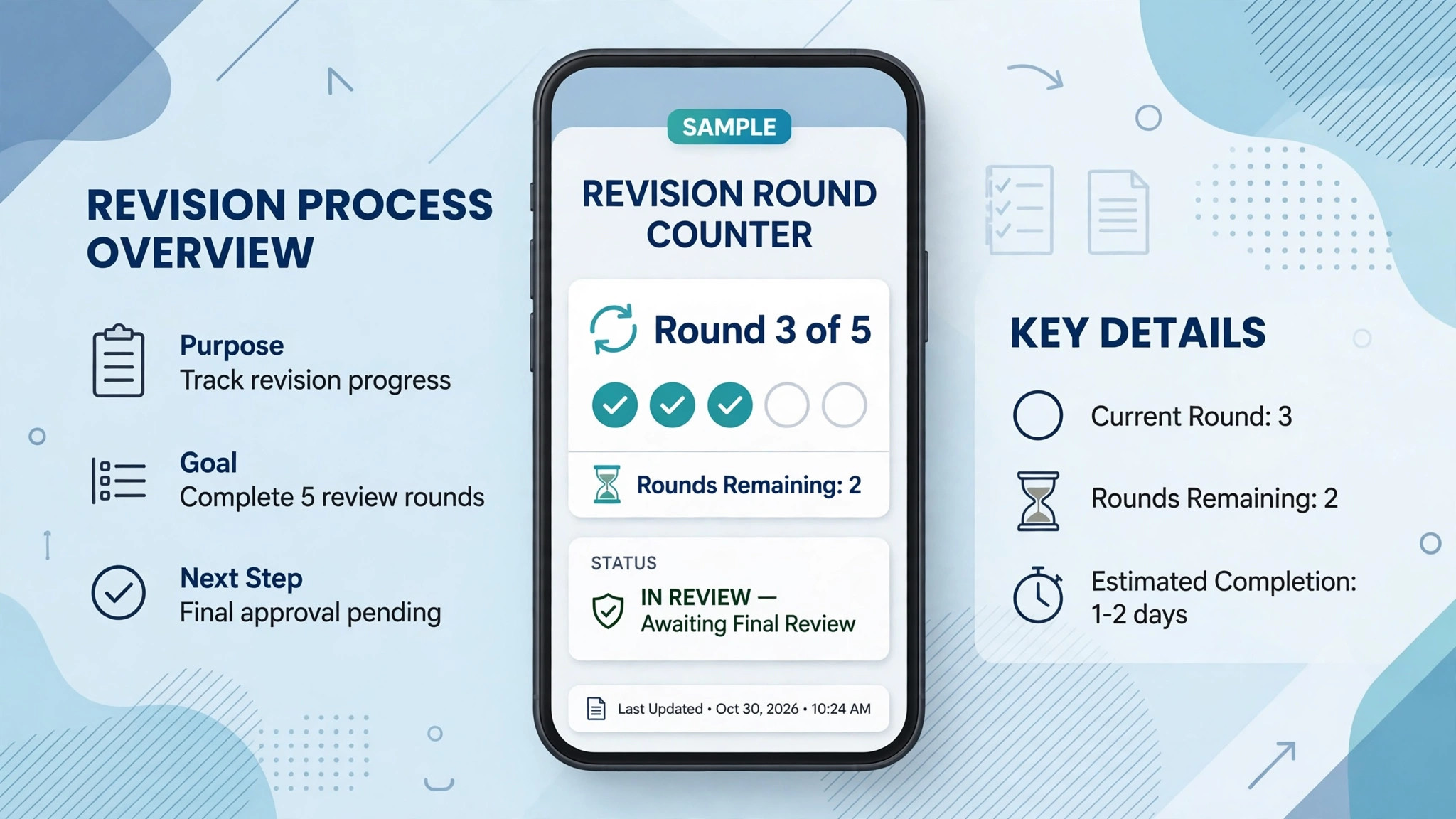
State the revision policy in the contract, in the booking confirmation, and again when the first draft is sent. For example, two revision rounds are included, each round must be returned within seven days, and changes must be listed in one message per round. Additional rounds are charged at a stated rate. The numbers are yours to set, but the client must see them three times, because a policy seen once is easily forgotten.
AI tracking makes the policy fair. The system counts rounds, dates each round, and shows the client how many rounds remain. When a client sends a third round, the system does not refuse it. It shows the extra charge and asks for approval before the editor starts. That transparency turns a difficult conversation into a clear choice, and most clients either consolidate their changes or approve the charge without argument.
Define what counts as a revision and what counts as new work, and write the examples down, so the way you use AI for videography business booking stays fair to both sides. Changing a music track, trimming a section, or fixing a name spelling is a revision. Adding a new deliverable, such as a teaser that was not in the package, is new work, and it should update the quote and invoice. Write those examples into the policy, because a vague policy invites a debate about every change.
The Final Invoice Sequence That Gets Paid on Time
Final invoices go unpaid for three predictable reasons. The amount differs from what the client expected, the deliverables are unclear, or the invoice arrives before the client has the final files. Fix all three, and payment timing improves without any pressure tactics.
Tie the final invoice to delivery milestones. A common sequence is a retainer at booking, a balance due before the shoot or on the shoot date, and a final amount due on final delivery, with any scope additions invoiced as they are approved. The exact split depends on your market, but the principle is the same. The client should never receive a final invoice for deliverables they have not seen.
When scope changes mid project, update the invoice at that moment, not at the end. If drone footage is added in May, the updated quote and the revised final amount should be sent in May, with a clear note that the change adds a stated amount. A client who approves a change in May and sees it on the final invoice in July will pay promptly. A client who first learns about it in July will dispute it, even if they agreed to the change months earlier.
Send the final invoice with the final delivery link, a short list of what is included, and a payment link that works on a phone, because a clean final step is how you use AI for videography business booking to get paid without awkward follow ups. Add one reminder seven days after delivery if unpaid, and a human follow up after fourteen days. A system that sends the invoice, the files, and the reminder on a consistent schedule looks professional, and professional looking invoices get paid faster than invoices that arrive as an afterthought.
Tools Worth Testing First
The tools below cover the main approaches for video businesses, from scheduling and brief collection to full quote, contract, and payout workflows. Prices are ranges at writing time, so confirm on the vendor page before you buy, and test with a real multi stage project, not a single date booking.
Cal.com
Cal.com is an open scheduling platform with workflows for videographers and editors, including brief collection, shot list drafting, routing by service and deadline, crew reminders, and review follow ups. It suits a video business that wants strong scheduling and workflow automation and is comfortable connecting it to other tools for contracts and payments. Confirm the plan that includes the workflow features you need, because basic scheduling alone will not track a multi stage project.
Maroo
Maroo is business software for videographers that connects quotes, contracts, retainers, payment schedules, deliverables, and team payouts in one workspace. It suits a video business that struggles most with scope changes and payouts, because the contract, invoice, and payout trail stay attached to the same booking. Ask for a demo with a project that adds a deliverable mid way, since that case reveals whether the system truly keeps the money trail clean.
Breely
Breely is a scheduling platform for video editors and video businesses, with booking pages, forms, signatures, payments, and email and text notifications. It offers core features free for businesses with under ten clients, which makes it worth testing for a solo editor or a new video business. It suits a smaller operation that wants booking and client communication in one place before committing to a larger platform.
QuoteIQ
QuoteIQ is a CRM built for videography businesses, with tiered production pricing, job costing, crew coordination, and pipeline tracking. Published pricing at writing time started around 29.99 dollars a month, with a Pro plan around 149.99 dollars a month that adds client hub features, job costing, and pipelines. It suits a growing video business that needs to track crew day rates and editing hours against revenue, so confirm on the vendor page before you buy.
HoneyBook
HoneyBook is a general creative business platform with proposals, contracts, invoices, payments, and scheduling, widely used by photographers and videographers. Published pricing at writing time started around 29 dollars a month billed annually. It suits a solo videographer who wants a fast setup and a familiar client pipeline, though you may need a separate tracking method for multi stage edit progress.
A Worked Example and Templates You Can Copy
Imagine a wedding videographer who books a June wedding in January. The package includes eight hours of coverage, a highlight film, and a full ceremony edit, with two revision rounds included. In May, the couple adds drone footage. In a drift prone business, that addition lives in a message, the invoice never changes, and the final bill in August causes a dispute.
In a tracked business, the May addition updates the quote the same day. The system sends a revised quote showing the drone addition and the new total, the couple approves it, and the final invoice in August matches the approved total exactly. The editor knows the drone footage is a deliverable, not a favour, and the payout for the drone operator is recorded against the same project.
Copy this revision policy template and adapt the numbers to your packages. “Your package includes two revision rounds. Please send all changes for a round in one message, within seven days of receiving the draft. Changes beyond two rounds, or new deliverables not listed in your package, will be quoted separately and approved by you before work starts.”
Copy this shoot day packet checklist as well. Call time, venue address and parking notes, client contact, crew roles, gear list with batteries and media cards, shot list, drone permission status, and the edit handoff note for footage upload. If any item is blank the day before the shoot, a human fixes it that day, not on the morning of the shoot.
Copy this edit delivery message too. “Your first draft is ready at the link above. Please send all changes for this round in one message within seven days. Your package includes two revision rounds, and the final film will be delivered within six weeks of the shoot, subject to review timing.” A message that states the round, the deadline, and the overall promise prevents most follow up questions.
A 30 Day Rollout Plan
Days 1 to 7 are for stage mapping, not for buying software. List your project stages, from inquiry to final invoice, and write the exit rule for each stage. For example, pre production ends when the brief and the shot list are approved. Editing ends when the first draft is sent. Review ends when the client approves or the revision window closes. A stage without an exit rule will stall, no matter which tool you buy.
Days 8 to 14 are for one project type only. Choose weddings if they are your main income, or corporate films if they dominate your calendar, and build triage, brief, contract, deposit, and shoot day scheduling for that type alone. Test it with a past project, including a scope addition mid way, and check that the quote, invoice, and deliverables all update together.
Days 15 to 21 add edit tracking and revision limits for that same project type. Set the edit clock, the draft date, the review window, and the revision count. Send a test draft to a friend, ask for changes in two separate messages, and check that the system groups them correctly or flags the second message as part of the same round, according to your rule.
Days 22 to 30 add the final invoice sequence and the remaining project types, one at a time. Link the final invoice to final delivery, set the seven day reminder and the fourteen day human follow up, and run the first weekly stage board review. At day 30, count projects stuck in each stage. The stage with the most stuck projects is your next fix, and it is usually review, not editing.
Mistakes That Stall Video Projects
The first mistake is booking a project without a brief. A date and a deposit do not make a plan. Without a brief, the shoot day becomes guesswork, the edit becomes guesswork, and the revision rounds become a debate about what the client wanted in the first place. Collect the brief before the shoot, even for a small project.
The second mistake is promising a delivery date without booking edit time. A six week promise means nothing if the editor is booked for the next eight weeks. Block edit time at booking, and let the system warn you when a new booking would push an existing delivery promise. A warning at booking is useful. An apology at delivery is not.
The third mistake is treating revisions as free because the client is nice. Nice clients still request many rounds if no limit is stated, and a profitable project can become a loss making project in the third round. State the limit kindly, track it visibly, and charge for extra rounds without embarrassment. Clients respect a clear policy more than a resentful yes.
The fourth mistake is paying crew from message threads. Second shooters and editors need a payout record tied to the project, with the amount, the date, and the payment status. A payout tracked in messages will be missed, disputed, or paid twice. A payout tied to the booking record is boring, and boring is exactly what money records should be.
The Bottom Line for a Small Video Team
A small video team does not need more software. It needs one record that follows a project from the first inquiry to the final invoice, with stages that are visible, revision limits that are fair, and payments that match the approved scope. That record is what turns a talented videographer into a reliable business, because clients can see progress, crew can see the plan, and the owner can see which projects are stuck.
Start with triage and shoot day scheduling if your problem is chaotic shoot days. Start with edit tracking and revision limits if your problem is projects that never close. Start with the final invoice sequence if your problem is slow payment. In each case, fix one stage, measure it for a month, and only then move to the next. A video business built stage by stage, with clear rules at each stage, will outlast a business that buys every tool at once and masters none of them.
Frequently Asked Questions About Videography Business Booking
How does project type triage work for video?
Triage asks about project type, event date, venue, deliverables, and deadline, then routes the inquiry to the matching brief, package, and team member. Wedding inquiries get venue and must capture questions, corporate inquiries get message and approver questions, and retainer inquiries get format and posting schedule questions.
What should a shoot day packet include?
It should include the call time, venue address and parking notes, client contact, crew roles, gear list, shot list, drone permission status, and the footage upload handoff note. Every item should be checked the day before the shoot, so a missing battery, card, or permission is fixed before the crew arrives.
How do revision limits work in practice?
The contract states how many rounds are included, how long each round lasts, and what counts as new work. The system counts rounds and dates each one, and when a client requests an extra round, it shows the charge and asks for approval before the editor starts, so there is no surprise at final invoice time.
When should the final invoice be sent?
Send it with the final delivery link, a short list of included deliverables, and a payment link that works on a phone, after scope additions have already been approved and added to the quote. Send one reminder after seven days if unpaid, and follow up personally after fourteen days.
Can a small video business use a general booking tool?
It can for simple bookings, but a general tool often treats a project as a single date and misses multi stage edit tracking, revision counting, and crew payouts. Test any general tool with a full wedding project, from inquiry to final invoice, and choose a video specific workflow if the general tool leaves edit progress invisible.
How long should edit delivery take?
It depends on the package, the footage volume, and the editor workload, but the promise should be stated at booking and backed by a blocked edit slot. A six week promise works only if the edit time is reserved when the booking is confirmed, and if the client review window is counted honestly in the timeline.
More Reading on Stratilyze
– Best CRM for Event Planners Small Business – Use AI for Spin Studio Class Scheduling – Best Booking Software for Yoga Studios – Best Dispatch Software for HVAC Companies – Wedding Film Packages That Clients Understand Before They Book, plain text title, link not verified at writing time – How to Write a Revision Policy Clients Accept Without Argument, plain text title, link not verified at writing time