

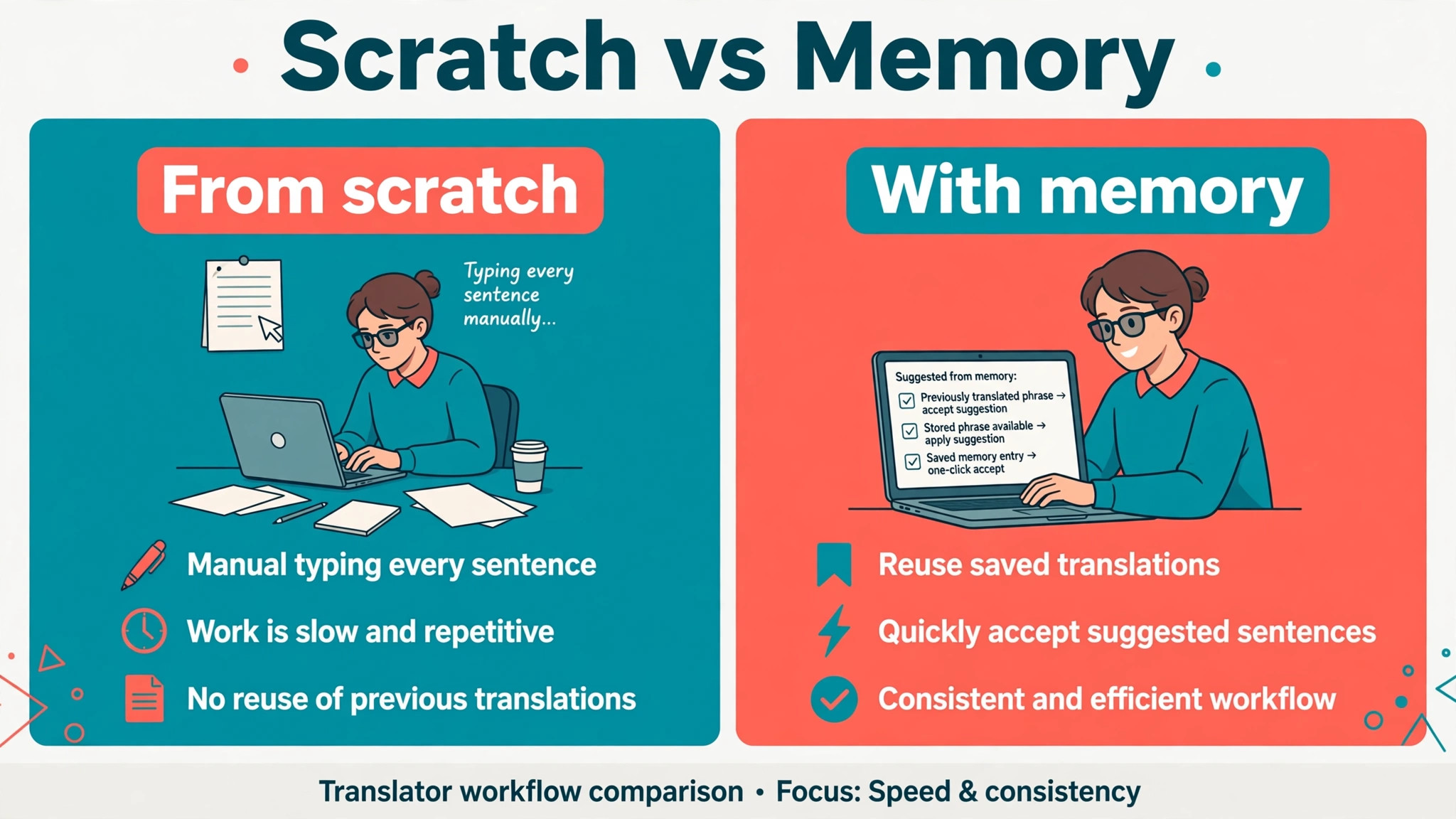
Two translators can receive the same 10,000 word manual and finish it very differently. One translates every sentence from scratch, searches old files for repeated terms, and rebuilds glossaries for each client. The other opens a project where translation memory suggests approved sentences, terminology appears automatically, and quality checks flag numbers and terms before delivery. The second translator is not working faster by cutting corners. They are working with AI tools for translators small business owners use to reuse good work, enforce consistency, and spend their judgement where it matters, on meaning, tone and accuracy.
That comparison is the whole case for CAT tools and AI assisted translation, provided the human remains in charge. A CAT tool, short for computer assisted translation tool, does not translate on its own. It stores approved translations in a translation memory, enforces approved terms from a termbase, and suggests matches while the human translator accepts, edits or rejects every suggestion. Machine translation can draft, and AI can help with quality checks, but the translator decides. A small translation business that understands that distinction can take more work, deliver more consistently, and charge for expertise rather than for retyping.
Translation Memory, Terminology and Delivery, in Plain Terms
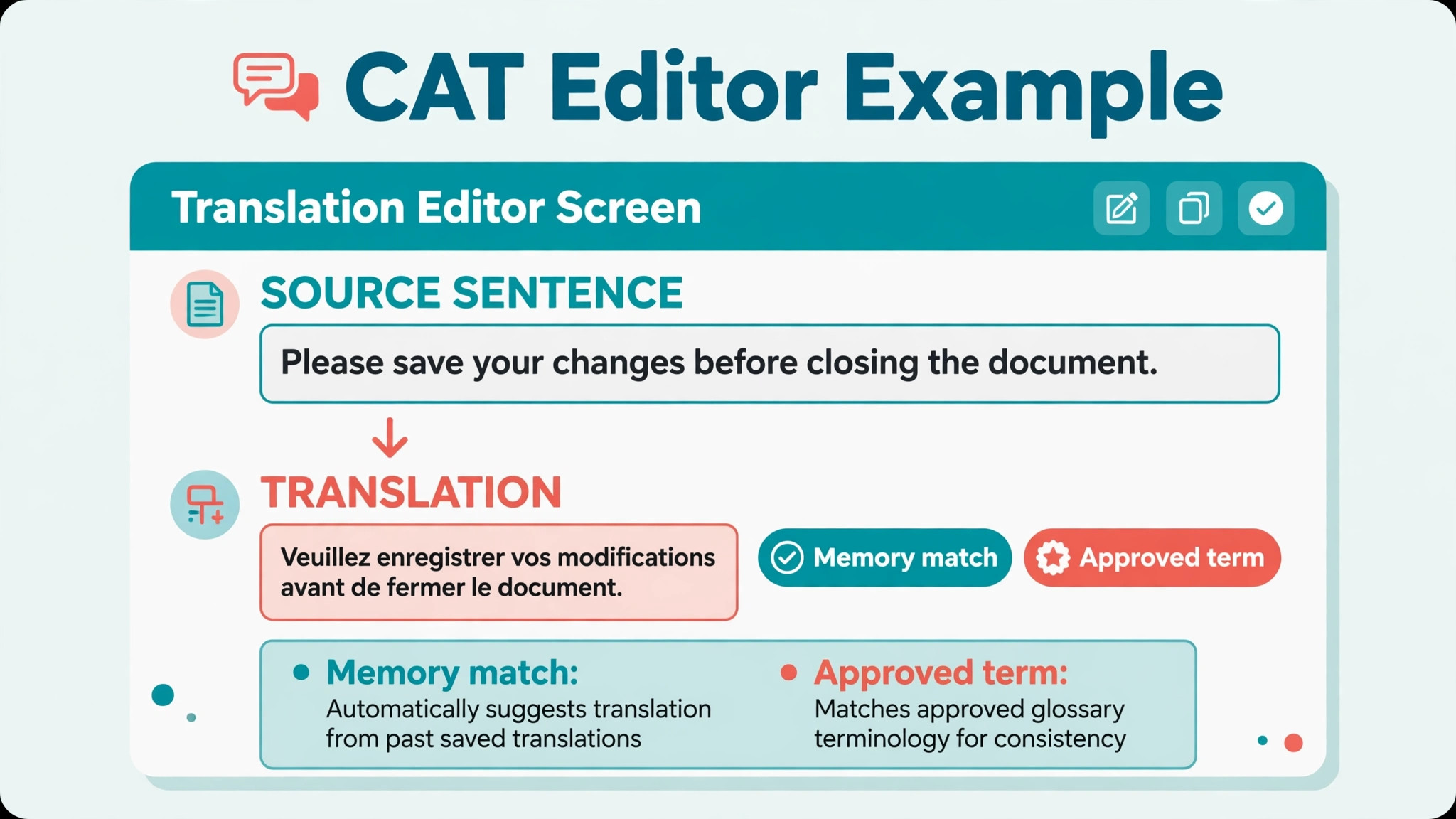
Translation memory is a database of source sentences and their approved translations, built from past projects. When a new text contains a similar sentence, the tool shows the previous translation and a match score, so the translator can reuse, adapt or reject it. Over time, that memory becomes a business asset, especially for clients with repeated manuals, websites, or product documentation, where the same sentences appear again and again.
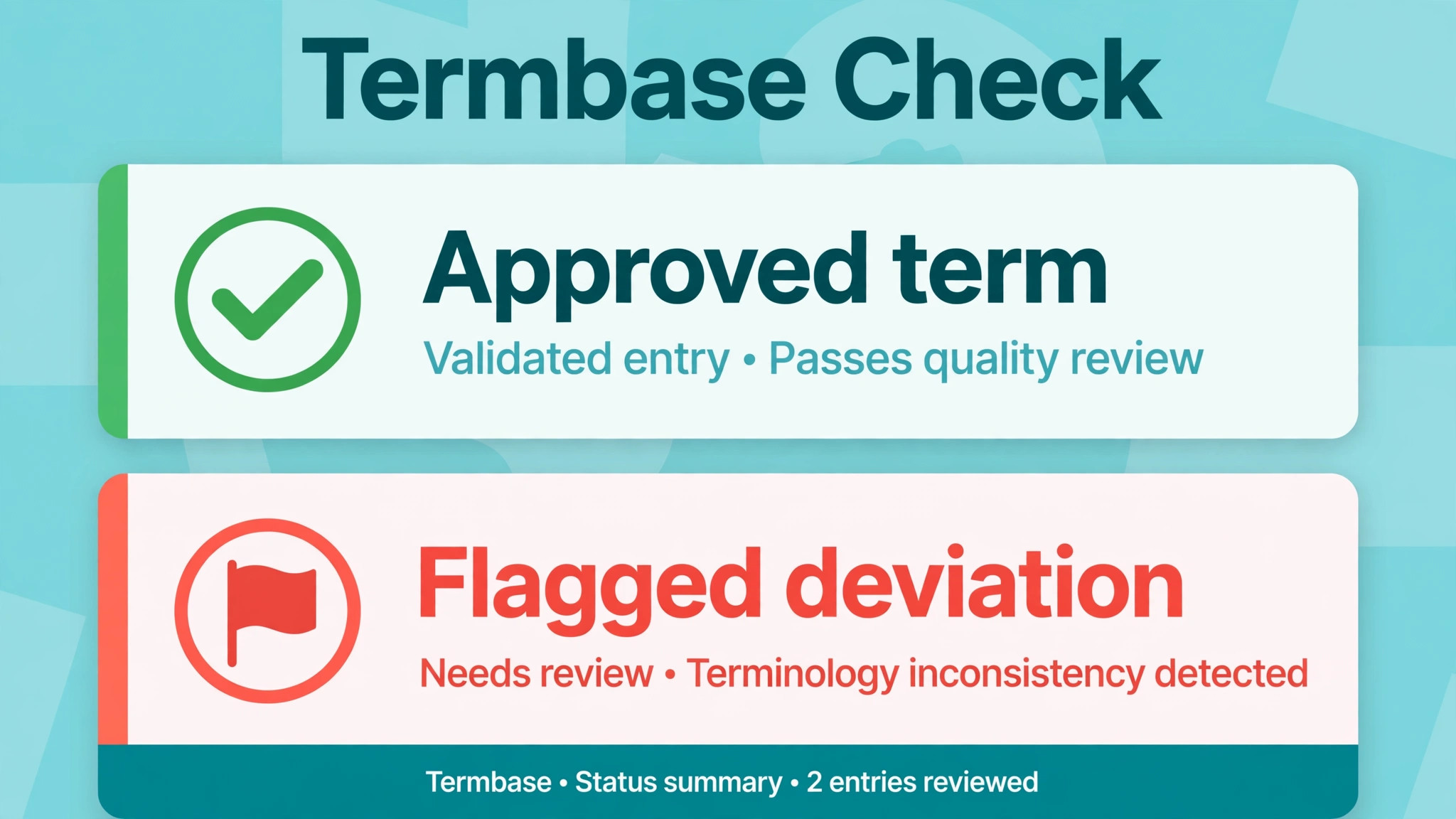
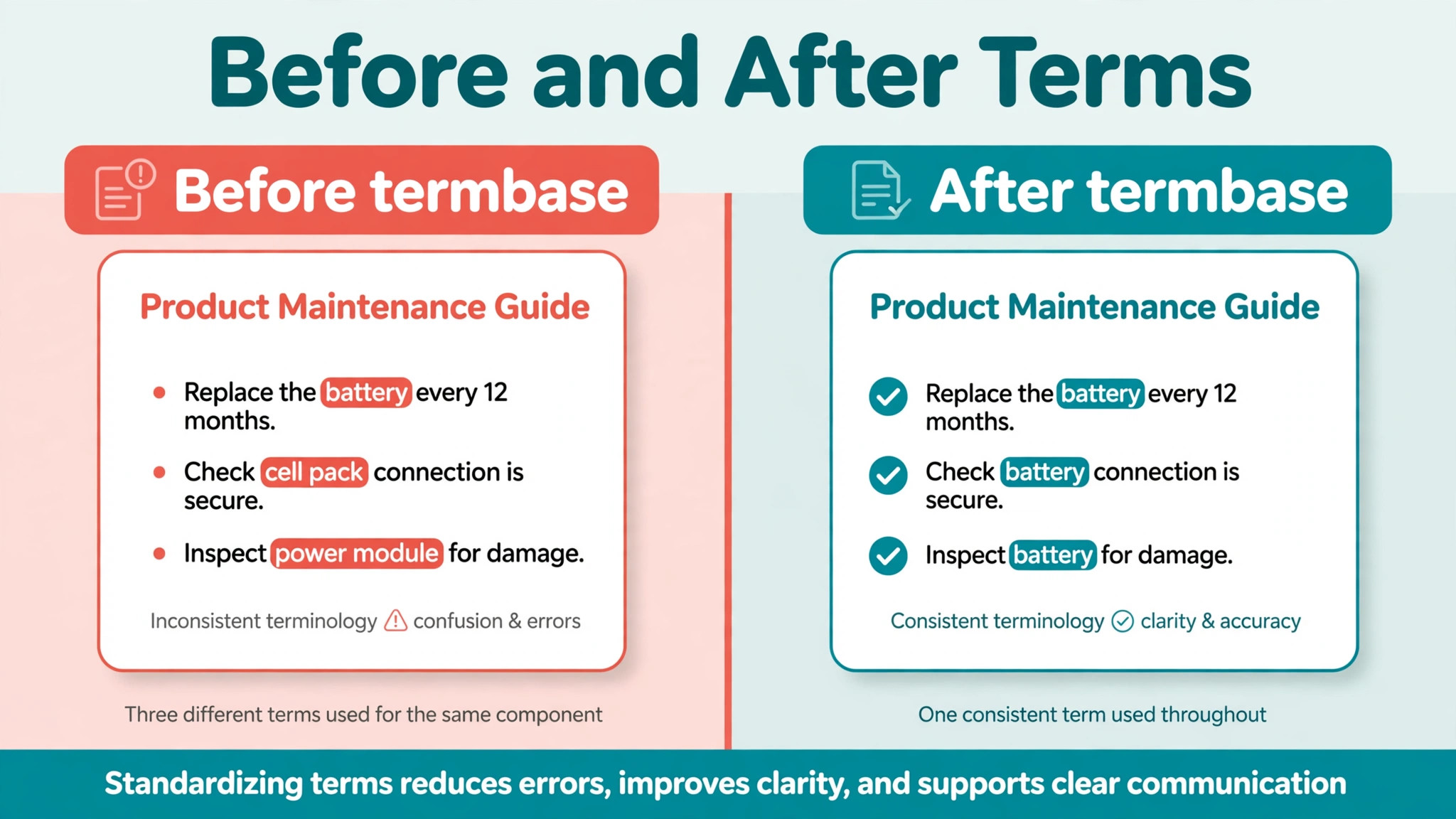
Terminology is a separate database, often called a termbase, that stores approved terms for a client, a subject, or a language pair. It prevents the classic small business error where one translator calls a part a valve, another calls it a tap, and a third calls it a fitting, all in the same manual. A termbase enforces the client approved term, and it flags deviations before delivery, which is why regulated clients, such as medical and legal clients, care about it so much.
Client delivery is the third job, and it is often overlooked. Delivery includes receiving files in many formats, keeping source and target files aligned, running quality checks, handling reviewer comments, and returning files that open correctly in the client system. A tool that translates well but delivers broken files will lose clients, however good the language is. The best pick table below therefore judges tools on all three jobs, not on translation speed alone.
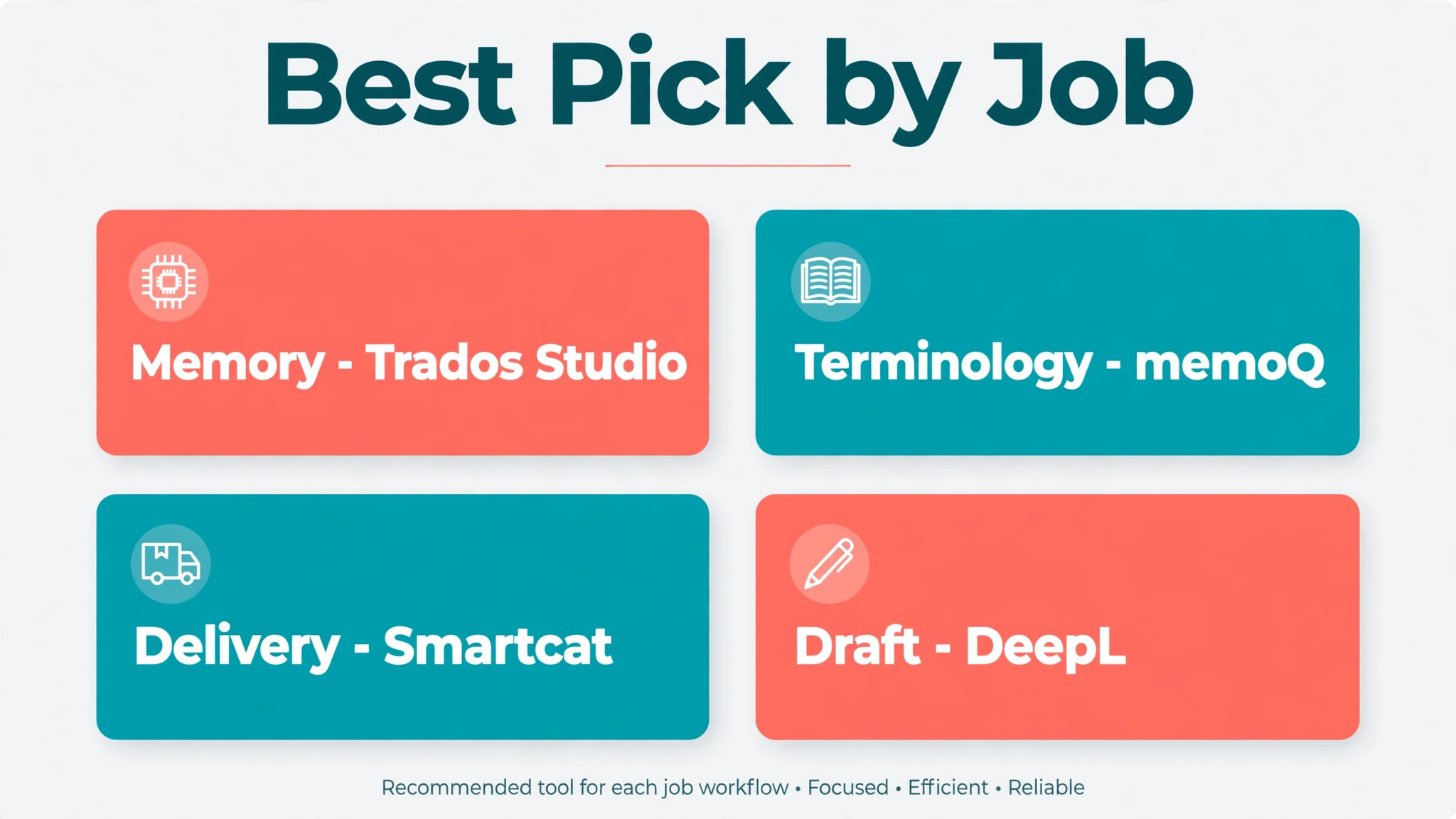
Best Pick by Job
| Job | Best first pick | Also consider | Watch out for |
|---|---|---|---|
| Translation memory | Trados Studio for deep memory control | memoQ for flexible memory and workflow | Memory ownership must be agreed in writing |
| Terminology | memoQ for termbase and quality checks | Trados Studio for large termbases | Terms must be approved by the client, not only by the tool |
| Client delivery | Smartcat for cloud collaboration and delivery | Phrase for team workflow and integrations | File formats and reviewer access must be tested first |
| Machine translation draft | DeepL for fluent draft quality | Smartcat or Phrase with integrated machine translation | Drafts still need full human review, especially for regulated text |
| Low cost start | MateCat for free cloud CAT work | Wordfast Pro for a lower cost desktop option | Free tools still need a backup and export plan |
A recent industry guide reported that 88 percent of professional translators use at least one CAT tool, which shows how normal this workflow has become, but it does not mean every tool fits every translator. That is why choosing AI tools for translators small business owners actually use starts with the job, not with the best known brand name. A solo translator working on literary texts needs a different stack from a small agency handling technical manuals for five clients. Start with the job that costs you most time, and buy for that job first.
The Seven Tools, Judged for a Small Translation Business
Trados Studio
Trados Studio, from RWS, is the industry standard desktop CAT tool, and the 2026 edition was launched in mid 2026 with updated AI features and support for third party language models, according to published release coverage. It is used by a very large number of professionals, which matters for a small business, because clients, agencies and collaborators are more likely to send Trados compatible packages and memories. Compatibility is a business advantage, not just a technical detail.
Trados Studio excels at translation memory, terminology management and quality checks, with real time checks for numbers, terms and consistency while translating. It handles large projects and many file formats, which suits technical, legal and medical work where consistency and audit trails matter. The trade off is cost and learning time. It is a professional desktop tool, so check the vendor current pricing page and the edition that fits your volume, and allow time to learn project setup, memory management and termbase maintenance properly. A translator who only uses a fraction of Trados Studio will pay a professional price for basic use.
Choose Trados Studio if you work with agencies, large clients, or regulated texts that demand strong memory and terminology control. Skip it if you mainly translate short, varied texts for direct clients and need a lighter cloud tool, where Smartcat or MateCat will be faster to start.
memoQ
memoQ is the flexible CAT alternative, known for translation memory, terminology management and workflow features across many file formats. It suits small teams and agencies that need to manage projects, assign translators and reviewers, and keep memories and termbases organised across clients. Its quality checks and terminology handling are strong, and its project management features make it easier to run a small team than a purely solo desktop tool.
For a small business, memoQ strength is control without losing flexibility. Memories can be shared, termbases can be governed, and projects can be tracked, while the translator still works in a familiar editor environment. Check the vendor current pricing page, because memoQ pricing depends on edition and on whether you need server features for team collaboration, and trial the workflow with a real client project, not only with a sample file, because project setup is where small teams discover friction.
Choose memoQ if you run a small team or handle varied client workflows. Skip it if you are a solo translator who mainly needs a simple memory and termbase, where a lighter tool may be enough.
DeepL
DeepL is the machine translation pick, known for fluent, natural sounding draft translations that require less editing than many generic machine translation outputs. It is not a CAT tool on its own, but it becomes powerful when integrated into a CAT workflow, where it can draft a segment that the translator then edits against memory and terminology. That integration is the correct way to use DeepL in a professional business, because it keeps human review in the loop for every segment.
DeepL also supports custom terminology in its paid plans, which helps keep client approved terms consistent in drafts, but custom terminology in a machine translation engine does not replace a termbase in a CAT tool. The CAT termbase should remain the authority, and DeepL drafts should be checked against it. Check the vendor current pricing page, because DeepL plans, character limits and API terms differ, and confirm data handling for confidential client texts before sending them to any cloud machine translation service. Some clients restrict cloud processing, and that restriction must be honoured in writing.
Choose DeepL for fluent drafts in supported languages, edited by a human. Skip it as a standalone delivery tool, and never deliver a raw machine translation as a professional translation, especially for legal, medical or safety critical texts.
Smartcat
Smartcat is the cloud collaboration pick, combining a CAT editor, translation memory, terminology, machine translation and a marketplace for finding translators and reviewers. For a small business that works with collaborators, Smartcat simplifies the hardest part of team translation, which is keeping everyone on the same memory, the same terms and the same file version at the same time. A cloud project avoids the emailing of packages and memories that causes version errors.
Smartcat suits agencies and small teams handling high volume or multilingual projects, where collaboration and delivery speed matter. It also suits translators who want to start without a large desktop software purchase, because cloud access lowers the entry cost. Check the vendor current pricing page and the terms for memory ownership, data retention and collaborator access, because cloud tools store source files and memories on provider servers, and regulated clients will ask where files are kept and for how long.
Choose Smartcat if collaboration and cloud delivery are your main needs. Skip it if you mainly work alone on confidential texts that must stay on your own device, where a desktop tool gives clearer control.
Phrase
Phrase, formerly known as Memsource, is the team workflow pick, combining a cloud translation management system with a CAT editor, machine translation, translation memory and terminology. It is designed for teams that need to route files, assign translators and reviewers, track progress, and integrate with content systems, which makes it a strong fit for small agencies handling website, software or product content for clients with ongoing updates.
Phrase strength is workflow, not just translation. A small agency can set up a repeatable pipeline for a client, from file receipt to translation to review to delivery, and reuse that pipeline for every update. That repeatability reduces admin time and delivery errors, which is where small agencies often lose margin. Check the vendor current pricing page, because Phrase pricing depends on users, features and volume, and test integrations with the client content system before promising an automated workflow.
Choose Phrase for ongoing team and content workflows. Skip it if you are a solo translator with simple projects, where the workflow features will sit unused and a simpler tool will be cheaper.
Wordfast Pro
Wordfast Pro is the lower cost desktop CAT pick, offering translation memory, terminology and quality features in a tool that many solo translators find accessible. It suits translators who want a professional CAT environment without the price or complexity of the largest desktop tools, and it has a long history in freelance translation, which means many clients and collaborators will recognise its file formats and memory exchange options.
The limitation to check is project size and feature depth for very large or complex projects, because Wordfast Pro is not designed to match every enterprise feature of Trados Studio or memoQ. For most solo and small business work, that limitation rarely matters, provided the translator tests it on a real project type before committing. Check the vendor current pricing page and the licence terms, because desktop licences, upgrades and support terms differ from cloud subscriptions, and a desktop tool needs a backup plan for the translator own device.
Choose Wordfast Pro for a credible, lower cost desktop start. Skip it if you need advanced team workflow or server based collaboration, where a cloud platform will serve better.
MateCat
MateCat is the free cloud CAT pick, offering collaborative translation with machine translation and glossary integration at no licence cost. For a new translator or a very small business testing a CAT workflow, MateCat removes the price barrier and lets the translator learn memory, terminology and segment based translation on real projects. That learning value is significant, because a translator who understands CAT workflow can later move to a paid tool with a clear sense of what they need.
Free does not mean without limits. Check the vendor current terms for data handling, file retention, machine translation providers and export options, because a free cloud tool still stores client files, and the translator must be able to export memories and termbases in a standard format. MateCat suits starting out, short projects and collaboration trials, but a growing business with regulated clients or large volumes will usually need a paid tool with clearer support and data terms. Check the vendor current pricing and terms page before using MateCat for confidential client work.
Choose MateCat to learn CAT workflow at low cost. Skip it as the long term home for a growing agency with regulated clients, where paid support and data terms matter more than a zero licence fee.
A Delivery Workflow From File Receipt to Final Check
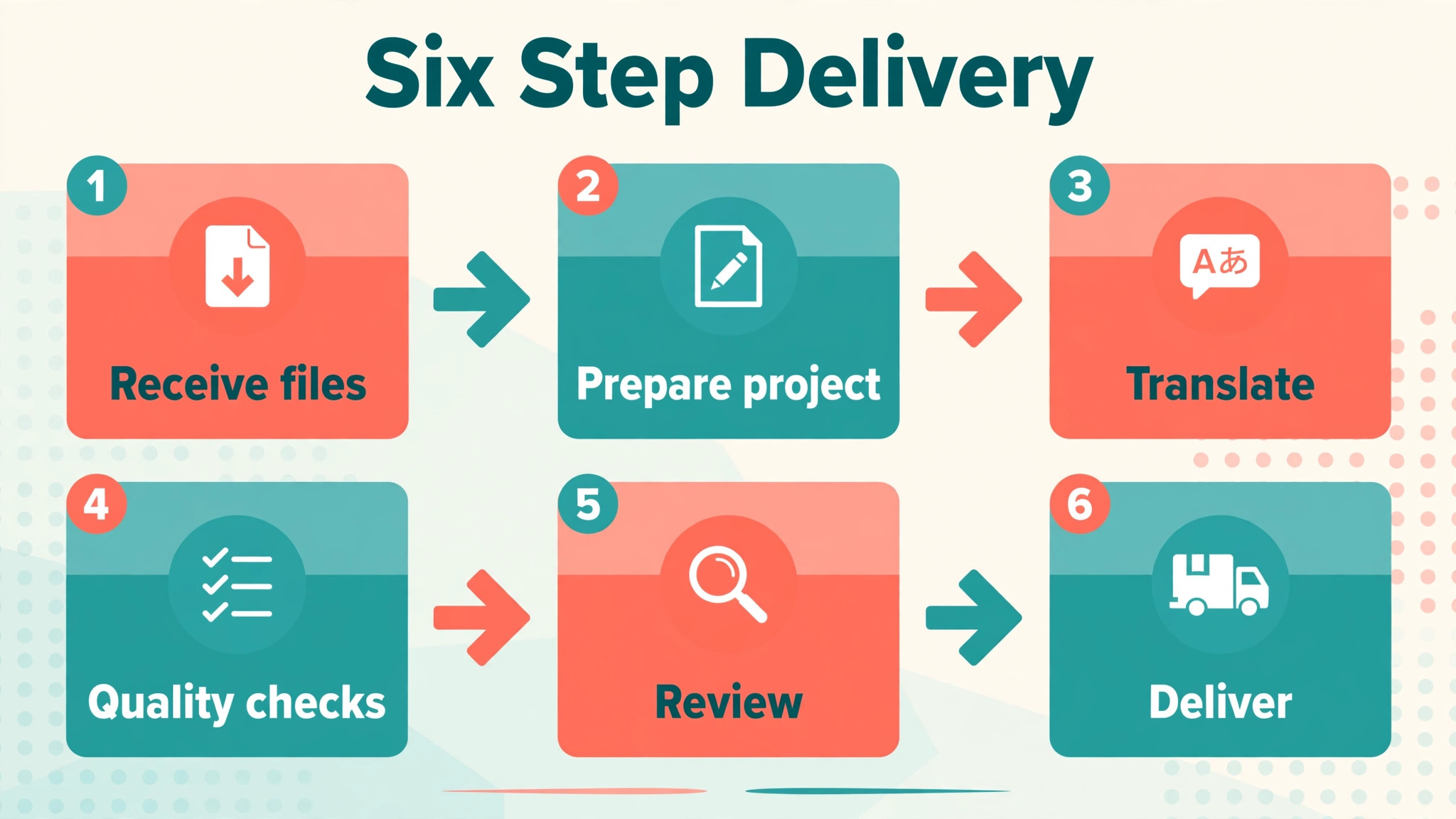
A reliable workflow has six steps, and every tool choice should support them, not just the translation step in the middle. First, receive and check the files, confirming format, word count, language pair, deadline and any reference material. A file that cannot be opened, or a word count that differs from the client quote, must be raised before translation starts, not discovered at delivery.
Second, prepare the project, importing the translation memory and termbase for that client, setting machine translation rules, and pre translating only where the client and the text type allow it. Pre translation should be treated as a draft to review, not as finished work, and 100 percent memory matches should still be reviewed for context, because a sentence that was correct in one document can be wrong in the next, as CAT guides warn.
Third, translate and edit in the CAT editor, accepting, editing or rejecting memory and machine suggestions, and recording new terms as they arise. Fourth, run quality checks for numbers, terms, tags, spelling and consistency, and fix every flagged issue or record why it is not an error. Fifth, send the translation for review where the project requires it, with reviewer comments tracked in the tool, not in scattered emails. Sixth, deliver files in the client required format, confirm they open correctly, and archive the memory and termbase updates so the next project starts from a better base.
That workflow is the overview proof element of this guide, because it turns tool choice into a repeatable service. It is also the clearest test of whether AI tools for translators small business owners buy are actually being used, because a tool that does not support all six steps will leave gaps that email and spreadsheets quietly fill. A client who sees a consistent workflow, with memory, terminology and quality checks named in the quote, will trust a small business more than a business that only promises good translation in general terms.
Ownership, Confidentiality and Pricing Honesty
Three questions should be answered in writing before the first project with a new client. Who owns the translation memory. Who owns the termbase. And what happens to both if the relationship ends. Some clients expect to own memories built from their texts, while translators expect to reuse their own work for other clients in the same field, without sharing client confidential material. There is no single correct answer, but there must be a written answer, because a dispute over memory ownership can end a client relationship faster than a translation error.
Confidentiality is the second written agreement. State where files are stored, whether cloud machine translation is used, how long files are retained, and who else can access them, including reviewers and collaborators. For regulated texts, get client approval for any cloud processing in advance, and use a desktop workflow where cloud processing is not allowed. A small business that can answer these questions clearly will win regulated work that less organised competitors cannot.
Pricing honesty is the third agreement. Translation memory matches and machine translation drafts change the work, and clients increasingly expect discounts for high matches, while translators expect to be paid for review and expertise, not only for new words. Agree a rate structure that covers new translation, fuzzy matches, repetitions and review separately, and explain it in the quote. Check the vendor current pricing page for tool costs, and model those costs at real monthly word volumes, because a tool that looks cheap at 5,000 words a month can become expensive at 50,000 words.
Tool Shortlist Checklist Before You Commit
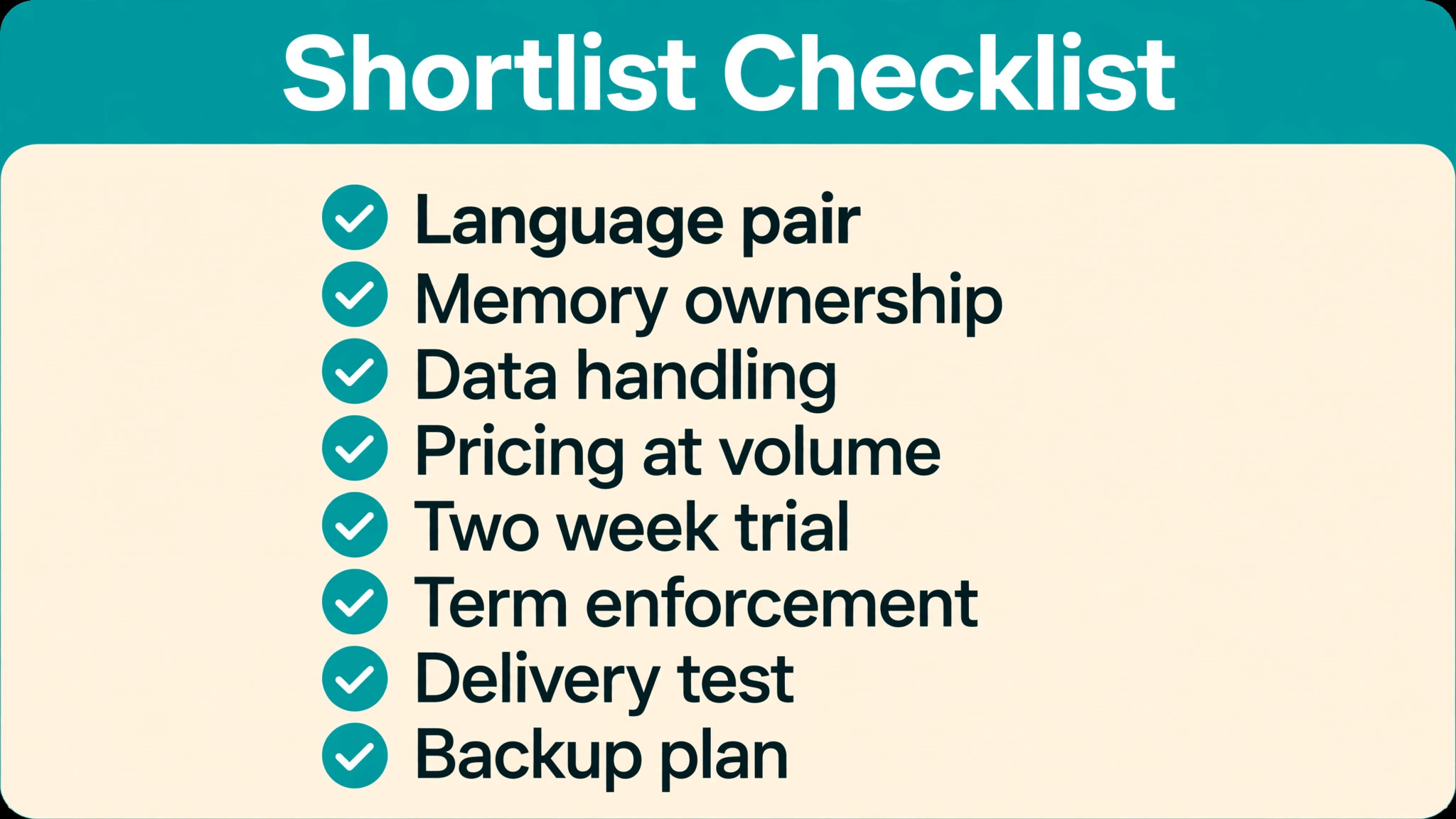
Use this checklist for every tool, and test it on a real client project type before committing a whole client base to it.
– Confirm the tool supports your language pair, file formats and client package types, with a test file from a real client. – Check who owns the translation memory and termbase, and confirm export in a standard format is possible. – Check data handling, storage location and retention for confidential texts, and get client approval for cloud processing where needed. – Check the vendor current pricing page at your real monthly volume, including users, collaborators and machine translation costs. – Trial the tool for two weeks on a real project, with quality checks and a reviewer step included. – Confirm terminology can be enforced, not just suggested, for regulated clients. – Confirm the delivery files open correctly in the client system, not only in the CAT editor. – Plan a backup for memories, termbases and project files, so a tool change never loses the business asset.
Mistakes That Cost Translators Clients
The first mistake is delivering a raw machine translation with light editing and calling it a professional translation. Clients notice, reviewers notice, and regulated clients will not forgive it. Machine translation is a draft tool, and the translator job is to verify meaning, tone, numbers and terms for every segment, especially where a fluent draft hides a subtle error.
The second mistake is ignoring terminology. A manual that uses three different terms for the same part looks unprofessional, however fluent the sentences are, and it can create safety or legal risk in technical texts. Build the termbase early in a client relationship, get client approval for key terms, and enforce it on every project, even when deadlines are tight.
The third mistake is letting memories go stale. A memory full of old, unreviewed translations will suggest errors faster than a translator can correct them, and a termbase full of unapproved terms will enforce the wrong terms consistently. Review memories and termbases each quarter, remove or correct outdated entries, and archive client specific memories separately from general memories, so one client terminology does not contaminate another.
How AI Tools for Translators Small Business Owners Pick a First Tool
Picking a first tool is easier when you sort translators into three starting points, rather than comparing seven feature lists at once. A solo translator with direct clients and varied short texts should start with a low cost, low friction tool, learn memory and terminology habits on real work, and only move to a professional desktop tool when agency packages or regulated texts require it. That path keeps costs low while habits form, and it avoids paying for workflow features that a solo practice will never use.
A small agency with two to five translators and repeat clients should start with a cloud collaboration tool, because the main cost in agency work is not translation speed, it is version control, reviewer handling and delivery errors. A cloud project with shared memory and termbase removes the emailing of packages that causes most agency mistakes, and it gives the agency owner a single view of progress across languages and translators. That visibility is worth more than a slightly faster editor, because it prevents the delivery failure that loses a client.
A translator or agency working mainly with large clients, agencies, or regulated subjects should start with a professional desktop tool with strong memory and terminology control, even if the learning curve is steeper. In that market, compatibility with client packages, audit trails and quality checks are not extras, they are entry requirements, and a tool that cannot meet them will limit the work you can accept. When choosing AI tools for translators small business owners in this segment should trial the professional tool on a real agency package, not on a sample, because package handling is where the difference shows.
Whichever starting point fits, set a review date after ninety days. Check whether memory matches are actually saving time, whether terminology errors have fallen, whether delivery files open correctly, and whether the tool cost fits the revenue from the work it supports. A tool that passes those four checks deserves to stay. A tool that fails two or more should be replaced, however impressive its demo looked, because a translation business is built on delivered files, not on subscribed features.
Frequently Asked Questions
Do AI tools for translators small business owners use replace human translators?
No. AI tools for translators small business owners use are computer assisted tools, not replacements. They suggest memory matches, enforce terminology and draft segments, but the human translator accepts, edits or rejects every suggestion and remains responsible for meaning, tone and accuracy. That human responsibility is especially important for legal, medical and safety critical texts.
What is the difference between a CAT tool and machine translation?
A CAT tool assists a human translator with memory, terminology and quality checks, while machine translation generates a translation automatically without human involvement. The two are often combined, with machine translation drafting inside a CAT editor, but the workflow is different, because a CAT project keeps human review for every segment, while raw machine translation does not.
Who owns the translation memory?
Ownership should be agreed in writing before the first project, because expectations differ. Some clients expect to own memories built from their texts, while translators may expect to reuse their own translation work, without sharing confidential material, for other work in the same field. Record the agreement, including what happens if the relationship ends, and confirm export options in the chosen tool.
Is DeepL enough on its own for professional translation?
No, for professional work, DeepL is best used as a draft source inside a CAT workflow, with memory, terminology and quality checks applied by the translator. Raw DeepL output, however fluent, has not been checked against client terminology, previous translations or context, and it should not be delivered as a finished professional translation, especially for regulated texts.
How much should a small translator spend on tools to start?
Start with the lowest cost tool that supports your real project types, such as MateCat for learning or Wordfast Pro for a desktop start, and move to a paid professional tool when client volume, agency compatibility or regulated work requires it. Check the vendor current pricing page at real monthly volumes, because tool costs depend on users, words and features, not only on a headline monthly figure.
How do I handle confidential client files in cloud tools?
Ask the client what cloud processing is allowed, check the tool data handling and retention terms, and use a desktop workflow where cloud processing is not permitted. Record the agreement in writing, limit collaborator access to the project at hand, and delete or return files according to the client instruction when the project ends. A clear data answer wins regulated work.
Can one tool handle all my clients and language pairs?
Often yes for translation itself, but memories, termbases and workflows should be separated by client, because terminology and style differ. Use one main CAT tool for most work, with client specific memories and termbases, and add a second tool only where a client or agency requires a specific package format or workflow that the main tool cannot handle cleanly.
What quality checks should run before every delivery?
Run checks for numbers, dates, terminology, tags, spelling, consistency and untranslated segments, and review every flagged issue before delivery. A quality check does not replace human proofreading, but it catches the mechanical errors that human eyes miss when tired, and it provides a record that the delivery was checked, which clients and reviewers value.
Choose in Three Questions
Choosing among seven tools becomes simple when reduced to three questions. First, do you work alone or with collaborators, because solo work favours desktop or simple cloud tools, while team work favours Smartcat or Phrase. Second, do your clients send agency packages or regulated texts, because that favours Trados Studio or memoQ for memory and terminology control. Third, what is your starting budget and learning time, because MateCat and Wordfast Pro lower both, while professional tools repay their cost only when volume and client requirements justify them.
Answer those three questions honestly, trial the shortlisted tool on a real project for two weeks, and check memory ownership, data handling and pricing at real volumes before committing. A translator who does that will spend less time retyping, deliver more consistently, and keep the judgement that clients actually pay for, which is the ability to know when a fluent draft is wrong and how to fix it. That judgement, supported by memory and terminology, is the real advantage of AI tools for translators small business owners build a reputation on.
For related workflow help, see Best AI Translation Tools in 2026 (8 Tools) and DeepL Alternatives: 14 Best AI Translation Tools in 2026, which cover broader tool comparisons that pair with the shortlist above.
More Reading on Stratilyze
– Best AI Translation Tools in 2026 (8 Tools) – DeepL Alternatives: 14 Best AI Translation Tools in 2026 – Best AI Writing Tool for Non-Native English Writers: Grammar, Tone and Price Verdict – The 5 Best AI Writing Tools for Non-Native English Speakers in 2026 (Tested on Real Mistakes)