
If you write in English as a second language, most AI writing tools for non-native English speakers reviews miss the point. They grade grammar checkers the way native speakers use them — fixing typos. Your actual problems are different: article errors that sound “almost right,” prepositions that collapse (discuss about?), idioms translated word-for-word from your first language, and tone that lands too stiff or too casual for a professional email.
So we tested these tools the way you’d actually use them. We wrote a paragraph deliberately seeded with 10 classic ESL errors — the kind teachers mark every day — and ran the identical text through DeepL Write, Grammarly, Wordtune, LanguageTool, and QuillBot. We graded three things: error catch rate (how many of the 10 it caught), idiom handling (can it fix a translated idiom into natural English?), and tone correction (can it shift stiff or awkward phrasing toward natural register?). Prices are verified for October 2026.
The Roundup
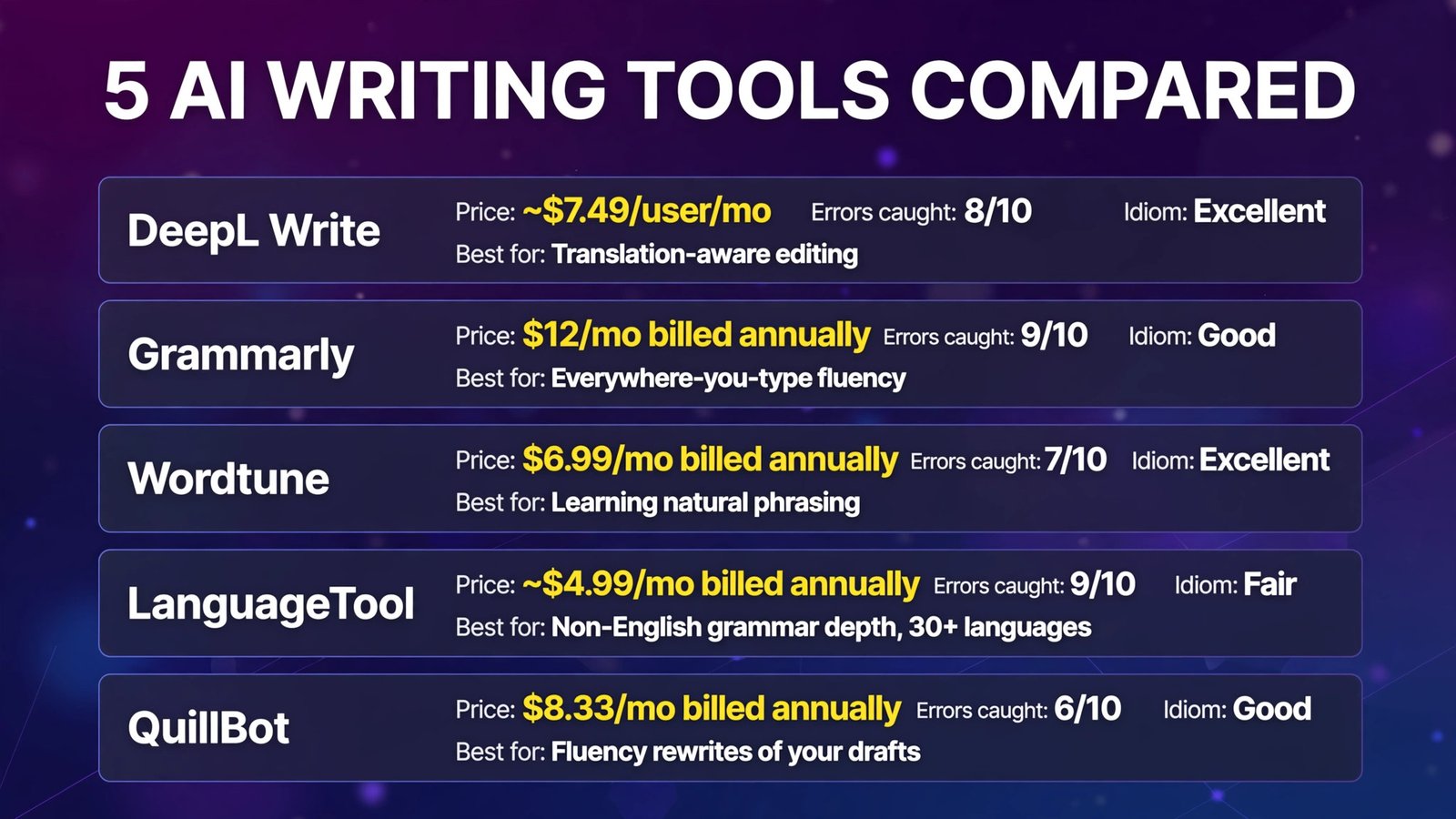
| Tool | Entry price (Oct 2026) | Errors caught /10 | Idiom handling | Multilingual strength | Best for |
|---|---|---|---|---|---|
| DeepL Write | Free tier; Write Pro add-on ~$7.49/user/mo | 8 | Excellent | Strongest (EN/DE/FR/ES) | Translation-aware editing |
| Grammarly | $12/mo billed annually | 9 | Good | English-only | Everywhere-you-type fluency |
| Wordtune | $6.99/mo billed annually | 7 | Excellent | English-first | Learning natural phrasing |
| LanguageTool | ~$4.99/mo billed annually | 9 | Fair | 30+ languages | Non-English grammar depth |
| QuillBot | $8.33/mo billed annually | 6 | Good | Multi-language paraphraser | Fluency rewrites of your drafts |
Bottom line: Pick DeepL Write if you think in another language and write in English — it’s the only tool here built for the translation-shaped gap. Pick Grammarly Pro if English is your daily working language and you want corrections everywhere you type. Pick LanguageTool if you write in a non-English language (German, Spanish, French, and 30+ more) and need real grammar depth there. Wordtune is the best teacher of the five; QuillBot’s Fluency mode is the cheapest way to rescue a rough draft.
The Test: A Paragraph Full of Real Mistakes
Here is the exact flawed text we fed every tool. It’s ~90 words with 10 numbered errors, the mistakes real ESL writers make daily:
“I am working in this company (1) since five years, and yesterday my manager asked me to finish the report (2) until Friday. I was (3) very confusing because the (4) informations was not clear. In the meeting we (5) discussed about the new project, and I (6) did a big effort to explain my ideas, but my colleagues didn’t understand me (7) good. I hope you can give me (8) some advices (9) how to improve. (10) In the end of the day, we need to think outside of the box.”
The key: 1 = tense (“since five years” → “for five years” / “have worked”), 2 = preposition (“by Friday”), 3 = adjective (“confused”), 4 = uncountable noun (“information”), 5 = verb pattern (“discussed”), 6 = collocation (“made an effort”), 7 = adverb (“well”), 8 = uncountable (“advice”), 9 = word order (“advice on how”), 10 = idiom misuse (“at the end of the day” / better phrasing entirely).
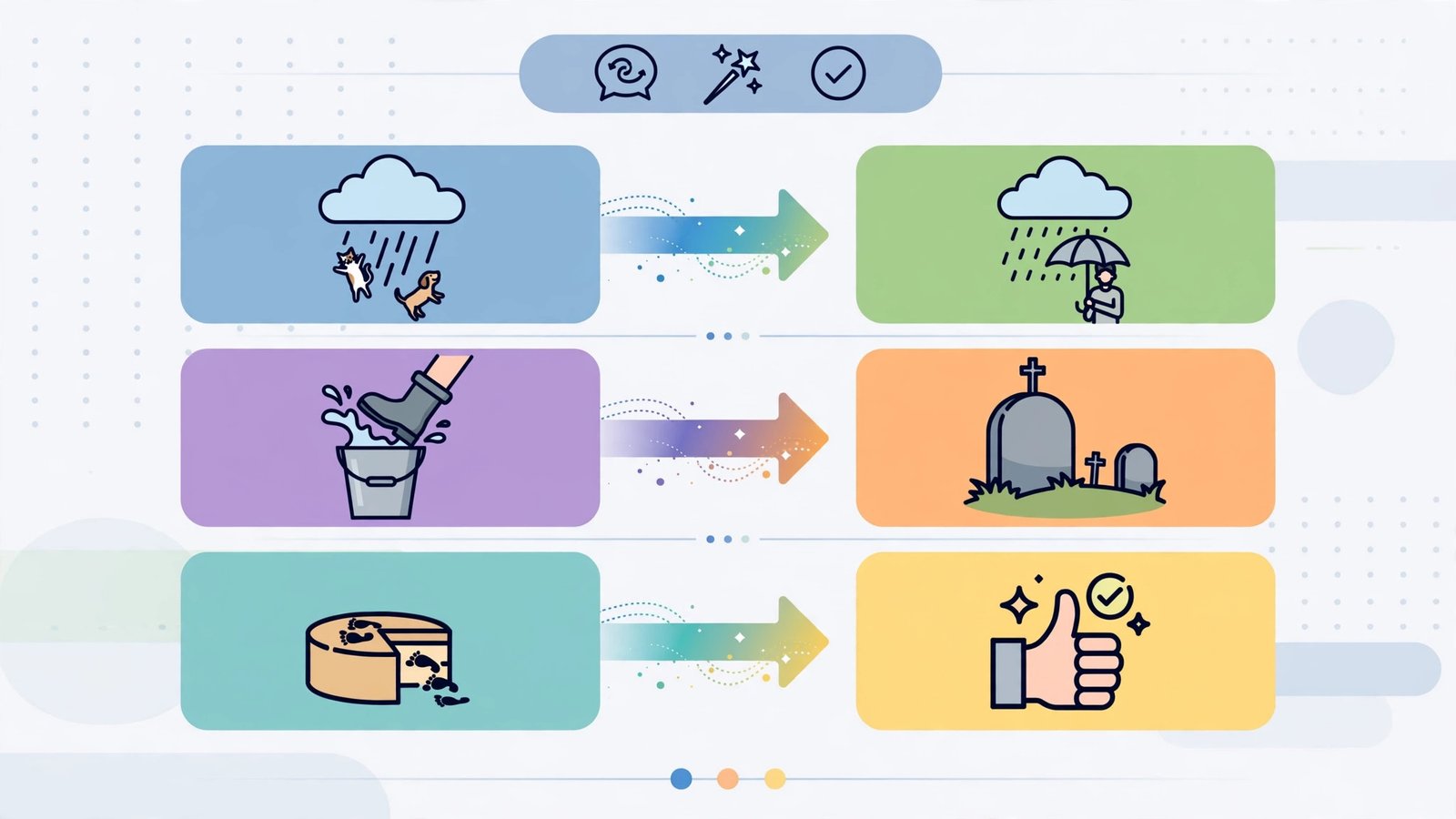
Separately, we tested idiom handling with a deliberately translated idiom: “It is raining cats and dogs” used in the wrong register, and a literal translation like “we must not put all eggs in one basket” — checking whether each tool corrects to natural English or leaves the foreign phrasing alone.
1. DeepL Write — Best Translation-Aware Writing Assistant
What it is: DeepL Write is the writing assistant inside DeepL’s platform — the company whose translation quality is consistently rated the best in the industry for European languages. Unlike the others, it was built for people who think in one language and write in another: it offers alternative phrasings word-by-word and phrase-by-phrase, with formal/informal tone controls, and it understands when your English is a translation.
2026 pricing (verified): A basic Write surface is free with limits. Unlimited Write Pro is an add-on (~$7.49/user/month on Individual and Team plans) with style and tone controls; it’s included in the Business plan (€49.99/user/month billed annually). DeepL Pro Individual itself starts at €7.49/month billed annually (300,000 translation characters/month). Write supports English, German, French, and Spanish as of 2026.
Our test: DeepL Write caught 8 of 10 errors — it fixed “since five years” → “for the past five years,” “until Friday” → “by Friday,” “informations was” → “the information was,” “discussed about” → “discussed,” and “did a big effort” → “made a great effort.” It missed #7 (“understand me good”) and #9 (word order), flagging neither. Where it shone was the idiom test: it converted “In the end of the day, we need to think outside of the box” into “Ultimately, we need to think outside the box” — correctly recognizing both the idiom error and the unnatural “outside of the box” that ESL writers commonly produce. It also offered formal and informal alternatives for the whole paragraph, which no rival matched.
Pros:
- Best at understanding translation-shaped English
- Word- and phrase-level alternatives — you keep control
- Formal/informal tone control built for business writing
- Translation quality behind it means it handles mixed-language input gracefully
Cons:
- Only 4 languages supported — if you write in Japanese, Korean, or Arabic, look elsewhere
- Full Write Pro requires a paid DeepL plan; free tier is limited
- Missed two of our test errors that Grammarly and LanguageTool caught
Verdict: The natural choice if your first language is German, French, or Spanish — it edits the English your brain translated, not just the English you typed.
2. Grammarly — Best for English-First Daily Writing
What it is: Grammarly is the everywhere-you-type writing assistant — browser, Docs, Word, email, mobile keyboard — with full-sentence rewrites, tone adjustment, and fluency suggestions on its Pro tier. For the non-native writer whose working language is English, its coverage is unmatched: it corrects you in Gmail before the email goes out, not in a separate editor you had to remember to open.
2026 pricing (verified): Free plan with spelling, grammar, tone detection, and 100 AI prompts/month — sentence rewrites are Pro-only. Pro: $12/month billed annually ($144/year), $20/month quarterly, or $30/month monthly, with full-sentence rewrites, tone adjustment, 2,000 AI prompts/month, plagiarism detection, and AI-text detection.
Our test: Grammarly caught 9 of 10 errors — the highest in the test. It fixed everything except #2 (“until Friday”), which it left untouched; “finish the report until Friday” survived, and only a human reading for meaning would catch it. Its rewrite of the worst sentence was excellent: “I was very confused because the information was not clear” — and its tone panel correctly read the paragraph as “formal but unsure,” offering confident rephrasings. The idiom test was good but literal: it fixed “outside of the box” → “outside the box” but left “In the end of the day” as a mere word-choice suggestion rather than flagging the whole phrase as unnatural.
Pros:
- Highest error catch rate in our test (9/10)
- Corrects you everywhere you write — email, Docs, Slack
- Tone adjustment is genuinely useful for professional register
- 2,000 AI prompts/month on Pro covers heavy daily use
Cons:
- English-only in any meaningful depth — no help writing in your first language
- Missed a meaning-level preposition error (“until Friday”)
- Free tier can’t do sentence rewrites, which is where ESL writers benefit most
Verdict: If you live in English all working day, Grammarly Pro is the correction layer nothing else here matches — just don’t expect it to help with your German emails.
3. Wordtune — Best for Learning Natural English
What it is: Wordtune (by AI21 Labs) rewrites sentence by sentence, offering several alternative phrasings with casual/formal tone switches. For ESL writers it’s less a checker than a tutor: every time you choose between its suggestions, you absorb how a native speaker would phrase the idea.
2026 pricing (verified): Free Basic plan — 10 rewrites/day, 3 summaries/month, unlimited spelling and grammar checks. Advanced: $13.99/month monthly or $6.99/month billed annually (30 rewrites/day). Unlimited: $19.99/month monthly or $9.99/month billed annually (no caps, plus vocabulary, clarity, and fluency enhancements).
Our test: Wordtune caught 7 of 10 errors — it missed #2 (“until Friday”), #5 (“discussed about”), and #7 (“understand me good”). But its suggestion for the opening sentence was the most natural in the test: “I’ve been working at this company for five years” — a rewrite none of the other tools produced, and exactly how a native speaker would say it. Its casual/formal toggle let us hear the whole paragraph in “business formal” instantly. The trade-off is real: Wordtune assumes your grammar is roughly right and improves your phrasing; it won’t reliably catch the errors you most need caught.
Pros:
- Teaches natural phrasing — the best learning tool here
- Most natural rewrite suggestions in our test
- Casual/formal tone switches show you register differences explicitly
- No per-rewrite word limit
Cons:
- 7/10 error catch rate is the weakest among the checkers
- Missed “discussed about” — a classic ESL error
- 10 free rewrites/day is thin for heavy use
Verdict: Pair it with a real checker (LanguageTool’s free tier is free) and Wordtune becomes the phrasing coach that takes your English from correct to natural.
4. LanguageTool — Best for Non-English Languages and Budgets
What it is: LanguageTool is the open-source-core grammar and style checker supporting 30+ languages — English, German, French, Spanish, Dutch, Polish, Portuguese, and more. It’s the only tool here with serious grammar depth outside English, which makes it essential for anyone who writes professionally in a second or third language, not just in English.
2026 pricing (verified): Free Basic plan: 2,000 characters per text field and 3 AI sentence rephrasings/day. Premium: €19.90/month billed monthly or €59.89/year (~€4.99/month billed annually) — the cheapest serious paid tier in this roundup — raising the per-field limit to 150,000 characters, adding unlimited AI rephrasing, Picky Mode for advanced error detection, and a personal style guide.
Our test: LanguageTool caught 9 of 10 errors, tying Grammarly — including “discussed about” (which Wordtune missed) and “informations was.” It missed #10, the idiom, suggesting the preposition fix without questioning the whole phrase. On English prose quality it’s a notch below Grammarly’s polish, but the differentiator is what we couldn’t fairly test against the others: run a German or Spanish business letter through it and it finds errors the English-first tools don’t even look for. Picky Mode caught subtle style issues in a second, cleaner sample that Grammarly’s free tier left alone.
Pros:
- 9/10 catch rate — tied with Grammarly, at half the price
- Only serious grammar checker for 30+ languages
- Picky Mode and personal style guides on Premium
- Open-source core; self-hosting available for privacy
Cons:
- Weaker than Grammarly on English style and tone nuance
- 2,000-character free limit is tight for long documents
- Interface and suggestions feel utilitarian next to the AI21/DeepL polish
Verdict: The best value in this roundup — €4.99/month billed annually for 9/10 accuracy — and the only option if your writing life happens in a language other than English.
5. QuillBot — Best for Fluency Rescues of Rough Drafts
What it is: QuillBot’s paraphraser includes a Fluency mode explicitly designed to make text sound natural — effectively, to make non-native writing read like native writing. Its grammar checker and translator sit alongside, and the whole suite supports multiple languages, which is why it’s extremely popular with ESL students and international writers.
2026 pricing (verified): Free plan with 125-word pastes, the Standard and Fluency modes, and a translator capped at 5,000 characters. Premium: $19.95/month monthly, $39.95 per quarter (~$13.31/month), or $99.95/year (~$8.33/month) — unlocking all 9 modes, unlimited paraphrasing, a summarizer, and a plagiarism checker (25,000 words/month).
Our test: QuillBot’s Fluency mode caught 6 of 10 errors and sanded the rest smoother rather than fixing them: it turned the paragraph into fluent-sounding text — “I have been working at this company for five years” — but “discussed about the new project” survived its pass, and “informations was” became “information was not clear” (fixed by paraphrase, not flagged as an error). That’s Fluency’s bargain: your text reads more naturally, but you don’t learn which parts were wrong, and some real errors slip through unmarked. For a rough draft you’re about to rewrite anyway, that’s a win. For learning English, it’s a crutch.
Pros:
- Fluency mode genuinely makes rough drafts sound more natural
- Multilingual paraphraser and translator in one subscription
- Cheapest full AI suite here ($8.33/month billed annually)
- Works inside Chrome, Word, and Google Docs
Cons:
- Paraphrasing can mask errors instead of teaching you the fix
- 125-word free cap makes real paragraphs a chore
- Not a dedicated checker — LanguageTool and Grammarly grade strictly better
Verdict: Use QuillBot to rescue a draft’s feel, then run the result through LanguageTool or Grammarly to catch what Fluency mode smoothed over.
Full Comparison Table
| DeepL Write | Grammarly | Wordtune | LanguageTool | QuillBot | |
|---|---|---|---|---|---|
| Entry price (annual) | Write Pro add-on ~$7.49/user/mo* | $12/mo | $6.99/mo | ~€4.99/mo | $8.33/mo |
| Errors caught (of 10) | 8 | 9 | 7 | 9 | 6 |
| Idiom handling | Excellent | Good | Excellent | Fair | Good |
| Tone control | Formal/informal + styles | Tone adjustment | Casual/formal toggle | Style guides | Rewrite modes |
| Languages with depth | EN, DE, FR, ES | English only | English-first | 30+ | Multiple |
| Free tier | Limited Write | Checks + 100 AI prompts/mo | 10 rewrites/day | 2,000 chars/field | 125 words |
| Best for | Translation-shaped writing | Daily English work | Learning phrasing | Multilingual writers | Draft rescue |
*DeepL Write Pro is an add-on to DeepL Pro plans (Individual from €7.49/month billed annually); included in Business.
Practical Tips: Getting the Most From These Tools
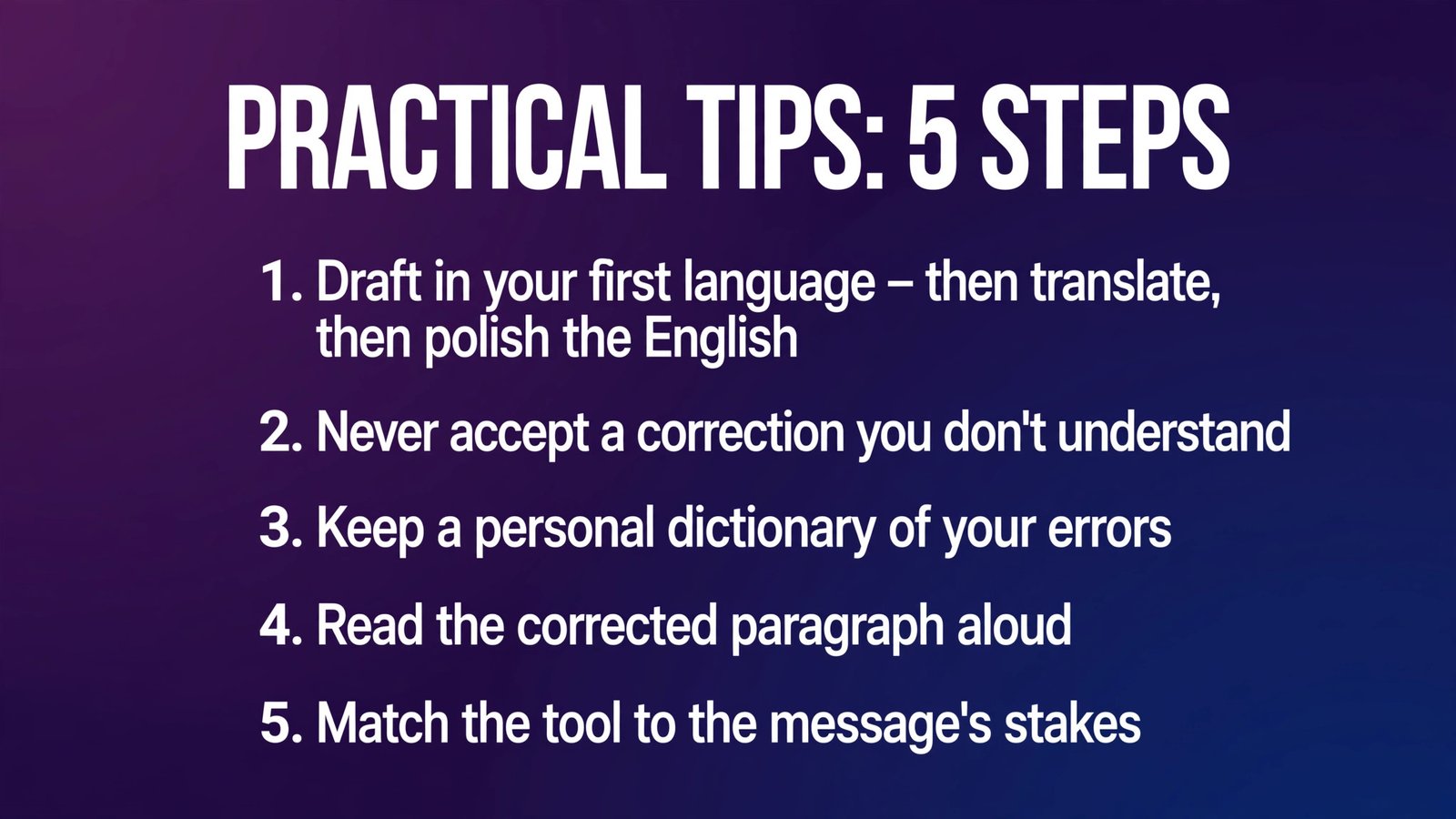
- Draft in your first language, then translate, then polish. For many writers, thinking flows fastest in their native language. Write there, translate with DeepL, then run one of these checkers (Grammarly or LanguageTool) on the English output. You’ll spend your tool budget only on the final ten minutes of the writing process.
- Never accept a correction you don’t understand. Click the explanation. Tools like Grammarly and LanguageTool show you the rule; learning ten recurring rules (articles, “discuss about,” “advice/information” uncountables) permanently fixes the mistakes the tools caught in our test.
- Keep a personal dictionary of your errors. Grammarly, LanguageTool, and others let you add names and terms — but more valuable is a simple list of your own recurring patterns. Review it monthly; watch the tool’s suggestions shrink as you improve.
- Read the corrected paragraph aloud. The errors our tools missed (“finish the report until Friday”) are the ones your ear catches when you read at speaking pace. If a sentence sounds awkward when spoken, paste it into Wordtune and study its alternatives.
- Match the tool to the message’s stakes. A Slack message needs the free tier. A client proposal needs the full stack: Write/Fluency draft pass, then a strict checker, then you reading aloud. Reserve paid subscriptions for the language you write in professionally.

Frequently Asked Questions
What is the best AI writing tool for non-native English speakers?
It depends on your first language and job. DeepL Write is best if you translate your thoughts from German, French, or Spanish. Grammarly Pro is best if English is your all-day working language. LanguageTool is best if you write in a non-English language professionally. Most multilingual writers end up pairing a translator-aware tool (DeepL) with a strict checker (Grammarly or LanguageTool).
Is DeepL Write better than Grammarly for ESL writers?
For correction accuracy on our error-seeded paragraph, Grammarly caught one more error (9/10 vs 8/10) and works everywhere you type. DeepL Write won on idiom handling and translation-awareness, and it’s the better choice if you also draft in German, French, or Spanish. Grammarly is English-only; DeepL Write is multilingual but shallower on pure English style.
Can these tools fix idioms and unnatural phrasing?
Partially — it’s the hardest test. DeepL Write and Wordtune handled idiom problems best (both rewrote our “In the end of the day… outside of the box” sentence into natural English). Grammarly fixed word-level issues inside idioms but not whole-phrase awkwardness. Pure grammar checkers (LanguageTool) mostly leave idioms alone. Idioms remain the place where a native-speaking colleague still beats every tool.
Which tool is best if I write in a language other than English?
LanguageTool, by a wide margin: serious grammar and style checking in 30+ languages, including German, Spanish, French, Dutch, Polish, and Portuguese, for about €4.99/month billed annually. DeepL Write is the runner-up for its four languages (English, German, French, Spanish). Grammarly and Wordtune are effectively English-only.
Are free tiers enough for ESL writers?
For learning and light writing, yes. LanguageTool’s free plan (2,000 characters per check) covers emails and short documents; Wordtune’s 10 free rewrites a day cover the sentences that matter most. Paid tiers earn their money when you write long documents daily — or when sentence rewrites (Grammarly’s Pro-only feature) are the help you specifically need.
Will these tools make my writing sound native?
They’ll make it correct, and tools like Wordtune and DeepL Write get you most of the way to natural. The last gap — idiom choice, rhythm, cultural register — still closes fastest by reading the suggestions, not just accepting them, and by reading widely in English. Treat the tool as a tutor with infinite patience, not a ghostwriter.
Conclusion
The best AI writing tools for non-native English speakers in 2026 divide cleanly by your situation: DeepL Write for translation-shaped thinking in English, German, French, or Spanish; Grammarly for all-day English correction with the highest catch rate we measured; Wordtune for learning to phrase ideas the native way; LanguageTool for serious writing in 30+ languages at the lowest price; and QuillBot’s Fluency mode for rescuing rough drafts before the real check begins.
None of them caught all ten of our planted errors, and every one missed a meaning-level mistake that a careful human reader caught. That’s the honest state of the tools in 2026: excellent tutors, imperfect editors. Use one daily, learn from its corrections, and the gap between your English and native English gets visibly smaller month by month.
Next step: copy our flawed test paragraph from this article into the free tiers of DeepL Write and LanguageTool, compare what each catches against the key of 10 errors, and pick the one that catches your most common mistake. That’s the tool you’ll actually stick with. For more on polishing and editing your drafts, see our related guide.