
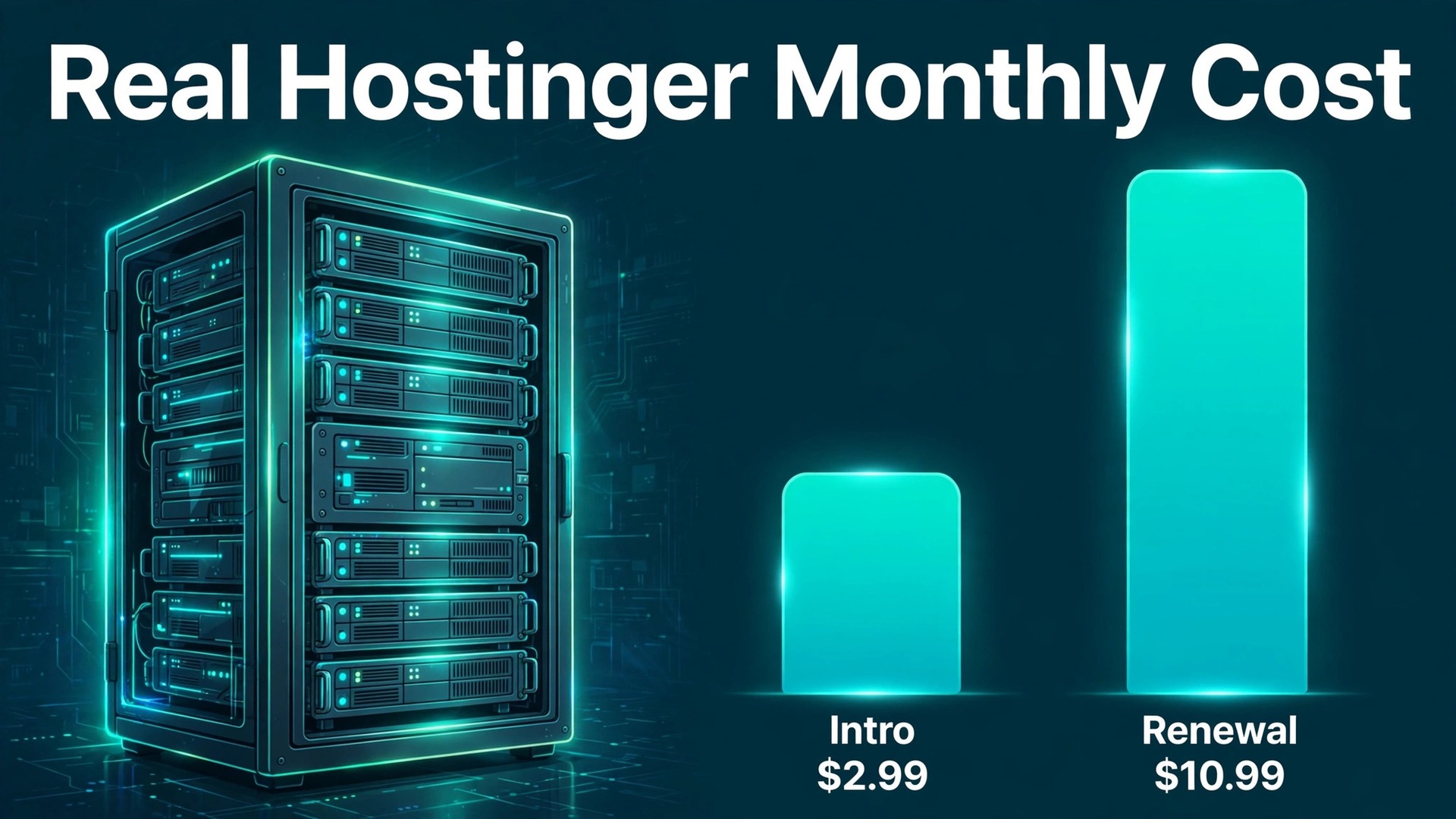
For most small businesses, Hostinger Premium on its introductory term is good value, and Hostinger Business is the better long term buy once daily backups and faster storage matter. The catch is that both prices are first term prices tied to a 48 month commitment, and both rise sharply at renewal. This guide sets out the cost of Hostinger for small business monthly with introductory and renewal figures side by side, so the verdict is based on the price you will pay in year five, not just the price on the homepage.
Hostinger is a budget web host built for WordPress and small business sites. Its control panel, called hPanel, replaces the more common cPanel, and its plans include SSL, a content delivery network on higher tiers, and managed WordPress tools. The appeal is price, but the price structure rewards long commitments, and a buyer who does not understand that structure will misjudge the cost.
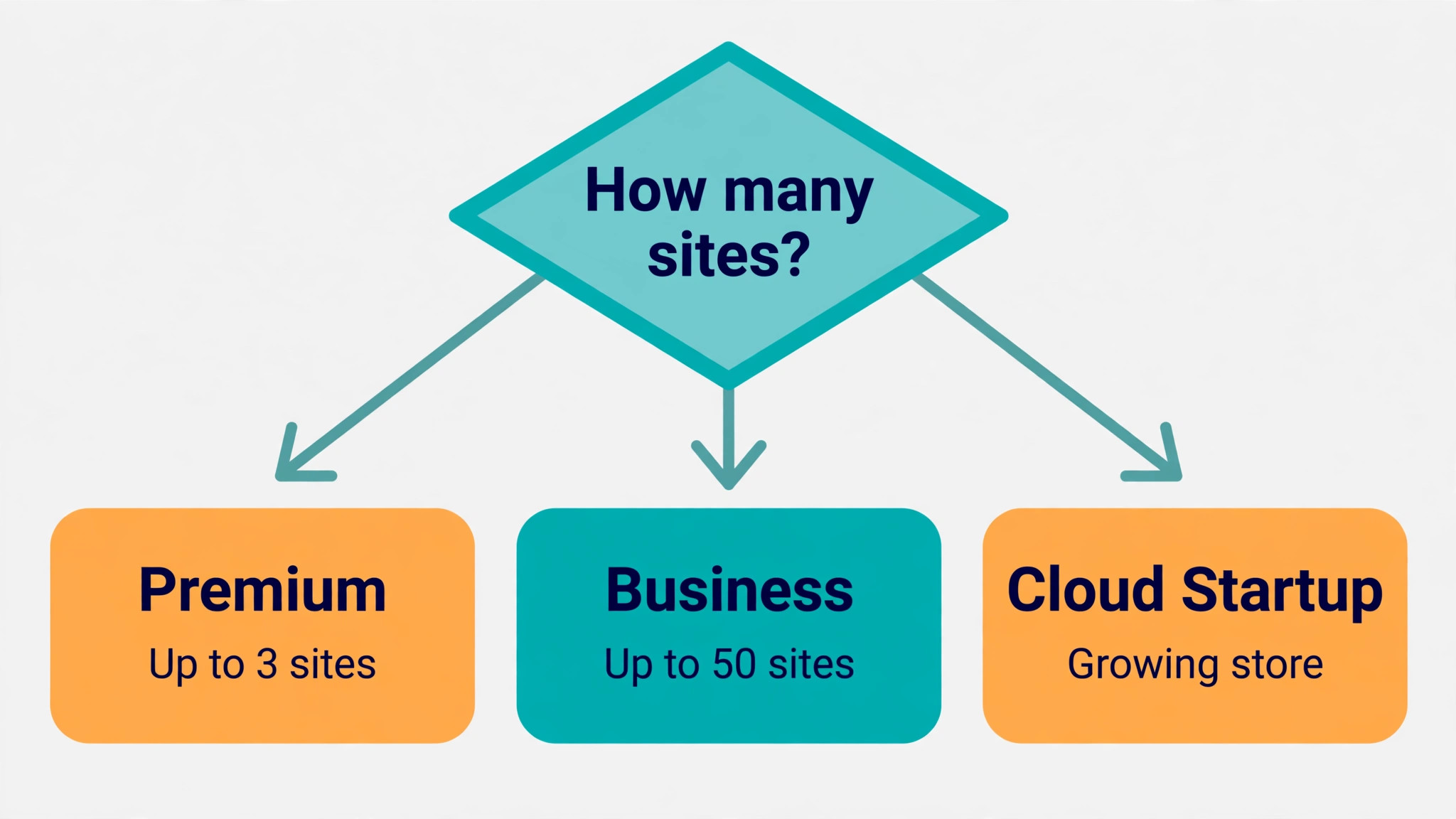
The shortlist for this post names Single, Premium and Business tiers. That naming needs a correction before the numbers, because the current United States lineup centres on Premium and Business, with Cloud Startup above them, while Single appears mainly in regional stores such as India. A United States buyer who searches for Single may not find it for sale, and should check the vendor current pricing page for the tiers available in their own region before budgeting.
Term length is the second correction. Hostinger headline prices assume a 48 month prepayment, which is four years paid up front. Shorter terms cost more per month, and monthly billing costs far more again. Any comparison that uses only the headline figure without stating the term is comparing a four year commitment against a monthly plan, which is not a fair comparison.
How to budget cost of Hostinger for small business monthly
The table below shows the shortlist tiers, with verified introductory and renewal figures where they could be confirmed from pricing summaries checked in 2026. For Single, no United States figure could be verified at draft time, so the table says to check the vendor page rather than inventing a number. The cost of Hostinger for small business monthly should always be read with the term beside it, because the term is part of the price.
| Tier | Monthly price | What it includes | Best for |
|---|---|---|---|
| Single | Check the vendor current pricing page for availability and price in your region. No United States figure could be verified at draft time | 1 website on regional stores where sold, with SSL and limited storage. Exact limits vary by region | A single personal site in a region where the tier is still sold |
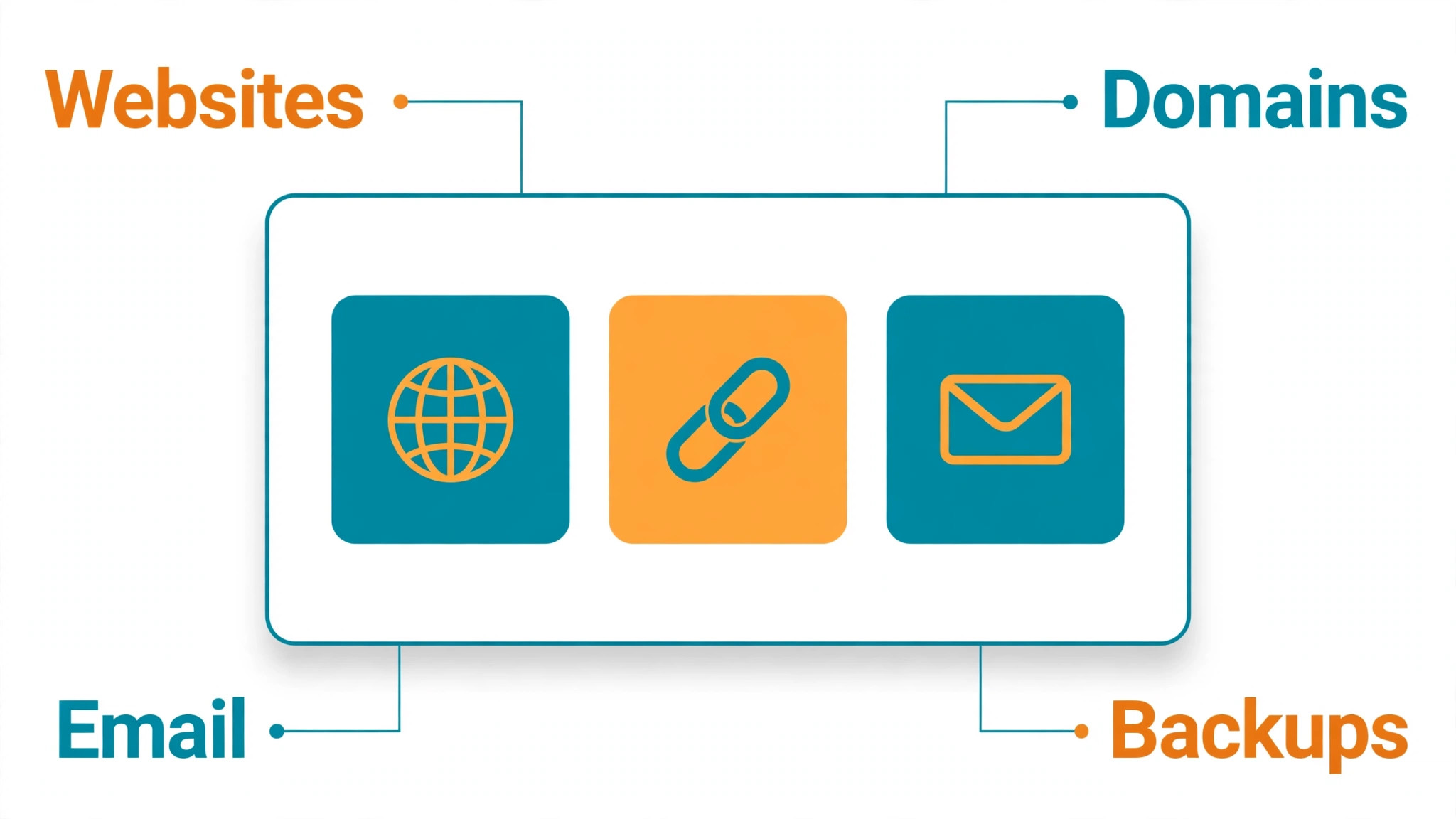
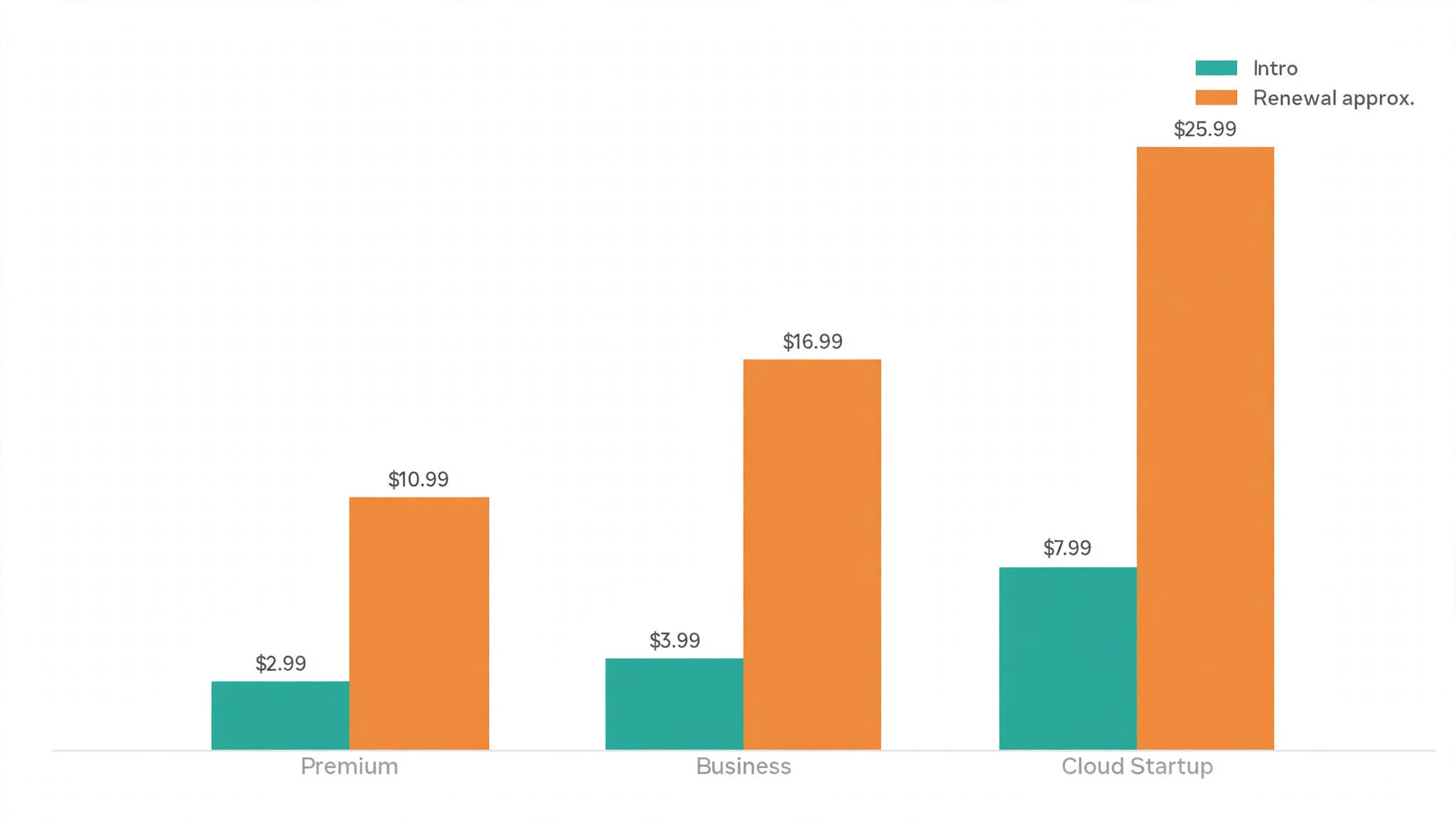
| Premium | $2.99 per month on a 48 month introductory term ($143.52 for the term), renewing at about $10.99 per month | Up to 3 websites, 20 GB SSD storage, free SSL, free domain for the first year, weekly backups, 2 email mailboxes per website | A single small business site or blog on a tight budget |
| Business | $3.99 per month on a 48 month introductory term ($191.52 for the term), renewing at about $16.99 per month | Up to 50 websites, 50 GB NVMe storage, free SSL, free domain for the first year, daily and on demand backups, free CDN, AI tools for WordPress | A growing business site that needs daily backups and faster storage |
Premium is the entry point that most small firms actually buy, and its limits are reasonable for one site. Three websites, 20 GB of storage and weekly backups cover a brochure site, a blog and a small shop with modest media. A firm with heavy images, video or a large product catalogue should check storage carefully, because 20 GB fills faster than expected once original images accumulate.
Business is the tier where the serious small business features appear. Daily backups instead of weekly backups mean a bad update costs at most a day of changes rather than a week, and NVMe storage is faster than the SSD storage on Premium. The jump from 3 to 50 websites also matters for firms that run a main site plus landing pages or a second brand, even if they never approach fifty.
Cloud Startup sits above Business for firms that outgrow shared hosting, at $7.99 per month on a 48 month introductory term and renewing at about $25.99 per month, with 100 GB of NVMe storage. It is not part of the shortlist tiers, but it is the natural next step when traffic spikes or a WooCommerce store needs more headroom. A firm that expects that growth within two years should price Cloud Startup as a future step, not as a surprise.
The headline price is a first term price, so the hidden costs are mostly about what happens after that term, and what is not included in it. Work through this checklist, because the cost of Hostinger for small business monthly over four years looks very different from the cost of Hostinger for small business monthly in the first month, and the renewal figure is the one that will shape the long term budget.
– Renewal pricing. Premium renews at about $10.99 per month and Business at about $16.99 per month, roughly three to four times the introductory rate. Budget the renewal figure from the start, not as a surprise in year five. – Domain fees. The free domain on Premium and Business covers the first year only. From year two the domain renews at the standard domain price, which is a separate yearly charge. – Backups. Premium includes weekly backups, while Business includes daily and on demand backups. A firm on Premium that needs daily backups must either upgrade or buy a separate backup solution. – Email limits. Premium includes two mailboxes per website, which suits a small team but not a larger staff. Extra mailboxes or a separate email service add cost for a growing firm. – Term commitment. The lowest monthly figure needs 48 months paid up front. A firm that wants a shorter term pays more per month, and a firm that leaves early may lose the prepaid balance. – Migration and setup time. Moving a site, testing it, and fixing what breaks takes staff time even when migration help is offered. Budget hours, not just the hosting fee. – Resource limits. Shared hosting shares server resources, so a traffic spike or a heavy plugin can slow the site. A firm that outgrows shared resources needs a higher tier, not just a faster plugin.
Renewal pricing is the single largest hidden cost, and it deserves a worked example. Premium at $2.99 a month for 48 months costs $143.52 for the term, but the same plan at $10.99 a month for the next 48 months would cost $527.52. Business at $3.99 a month costs $191.52 for the first term, but at $16.99 a month the next term would cost $815.52. Those renewal totals are simple multiplications from the published monthly figures, and they show why the renewal rate, not the headline rate, should drive a long term decision.
Domain fees are smaller but easy to forget. A free domain for the first year feels like a saving, and it is, but the domain must be renewed yearly after that, and the renewal price is set by the domain extension and the registrar terms. A firm that registers several domains for brand protection will pay several renewals, and those renewals arrive in the same month as the hosting renewal if the dates align.
What the Hostinger price buys
What the price buys is managed WordPress hosting at a budget rate, with a modern control panel and one click installs. A small firm can launch a WordPress site, install SSL, and manage email and domains from one panel without hiring a server administrator. That simplicity is the core value, and it suits owners who want to run the business rather than run a server.
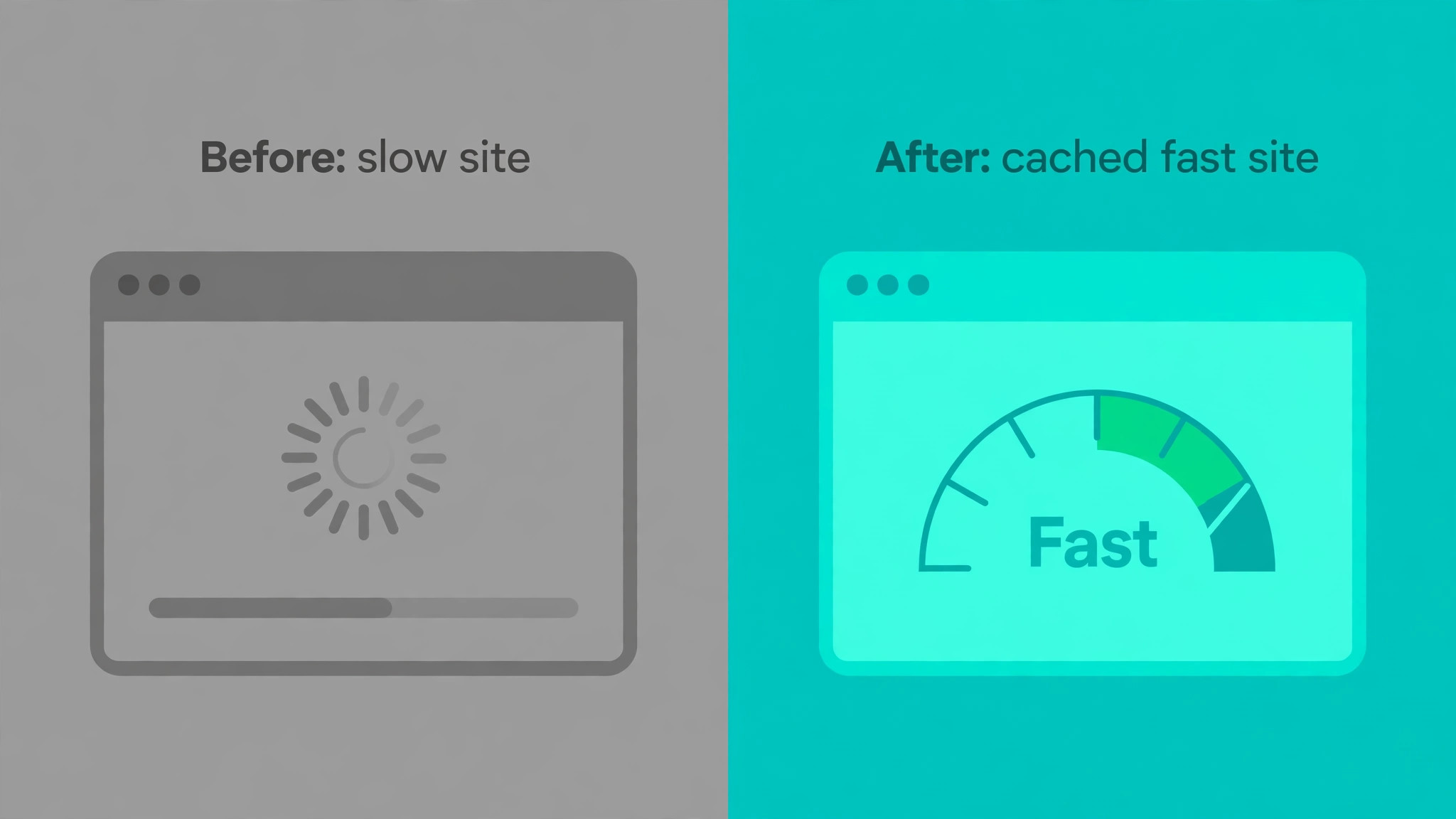
It also buys speed tools that matter for visitors. LiteSpeed caching, a content delivery network on Business, and NVMe storage on Business all help pages load faster, and faster pages keep visitors and help search visibility. A firm that moves from a slow host to Hostinger Business will often notice the difference in load time before noticing any other change. Support is chat based and available around the clock, which suits small firms that work evenings and weekends.
The quality of support matters most when something breaks, such as a failed update or a hacked plugin, and a host that answers quickly can save a day of lost sales. A firm that needs phone support or a dedicated account manager should check whether Hostinger support model fits before buying.
Security basics are included, with free SSL on all plans and malware scanning tools on the platform. SSL is no longer optional for a business site, because browsers warn visitors away from sites without it, and search engines treat it as a basic trust signal. The fact that SSL is included on every plan removes one separate purchase from the budget.
The AI tools on Business, including an AI agent for WordPress, help smaller firms with setup and content tasks. Those tools do not replace a designer or a writer, but they shorten the first draft of a page and the setup of a store. A firm that values speed of launch will use them, while a firm with an established site may rarely open them.
A worked total across the first term and renewal
Take a firm on Premium for a single site. The first 48 months cost $143.52 in total, which is $2.99 a month. If the firm renews for a further 12 months at $10.99 a month, that year costs $131.88, which is almost as much as the entire first four years. That comparison is the clearest way to understand Hostinger pricing, because it shows how much of the value sits in the first term.
Take a firm on Business for a growing site. The first 48 months cost $191.52, which is $3.99 a month. A further 12 months at $16.99 a month costs $203.88, which exceeds the whole first term. A firm that plans to stay on Hostinger for eight years should therefore budget roughly $191.52 plus $815.52 for two terms on Business, or $1,007.04 across eight years before domain renewals and tax.
Shorter terms change the maths. A firm that chooses a 12 month term instead of 48 months will pay a higher monthly rate, and the exact figure varies by promotion and region, so it should be read at checkout rather than estimated here. The principle is simple, though. Shorter commitment means higher monthly cost, and the saving from a long term only exists if the firm actually stays for the full term.
When Hostinger is worth it and when it is not
Hostinger is worth it when the firm wants low cost WordPress hosting and can commit to a long term. A new business, a blog, or a brochure site that will not change hosts for several years gets excellent value from the introductory term, and the renewal price, while higher, remains competitive for shared hosting. In that shape the cost of Hostinger for small business monthly is easy to defend.
It is also worth it when the firm values a simple control panel over advanced server control. Owners who manage their own site, update plugins, and publish content will find hPanel approachable, and the managed WordPress tools reduce the technical burden. That simplicity saves time that a more complex host would consume in learning and configuration. Hostinger is not worth it when the firm needs guaranteed resources, phone support, or a short commitment.
A busy WooCommerce store with traffic spikes, a membership site with many concurrent users, or a firm that may move hosts within a year will pay more in performance problems or lost prepaid balance than it saves on the headline price. In those cases a higher tier or a different host is the better buy.
It is also a poor fit when the firm already has many sites on another host and would face a complex migration. Migration cost, downtime risk and retraining on a new panel can outweigh a year of hosting savings. A firm in that position should price the migration honestly, including staff time, before chasing a lower monthly figure.
How to cut the Hostinger bill
Cutting the bill starts with term choice. A firm that is certain it will stay for four years should take the 48 month term and bank the saving, while a firm that is uncertain should take a shorter term even at a higher monthly rate, because a prepaid balance lost on an early exit wipes out the discount. The cost of Hostinger for small business monthly is lowest for firms that match term to certainty, not for firms that always pick the longest term.
Choose Premium unless daily backups or NVMe speed are real needs. Many small sites run happily on weekly backups and SSD storage, and the $1 a month gap between Premium and Business on introductory pricing grows to a $6 a month gap at renewal. That renewal gap is $72 a year, which is worth paying only when daily backups or faster storage solve a real problem. Keep the domain count lean. Register the main domain and the obvious variants, but avoid registering dozens of defensive domains that each renew yearly. Each extra domain is a small yearly fee that adds up, and most defensive domains never receive traffic. Review the domain list at renewal and let unused variants lapse.
Use the included tools before buying add-ons. Free SSL, caching and the CDN on Business already cover the basics for most sites, so a separate caching plugin subscription or a separate CDN fee may duplicate what the plan includes. Audit plugins and services yearly, and cancel the ones that duplicate a host feature.
Finally, diary the renewal date and shop around before it arrives. A firm that checks rival hosts before renewal can negotiate from knowledge, even if it stays with Hostinger, and may find a retention offer or a better tier. A firm that lets renewal roll on without checking pays the standard renewal rate by default, which is the most expensive way to renew.

What to check on the pricing page before you pay
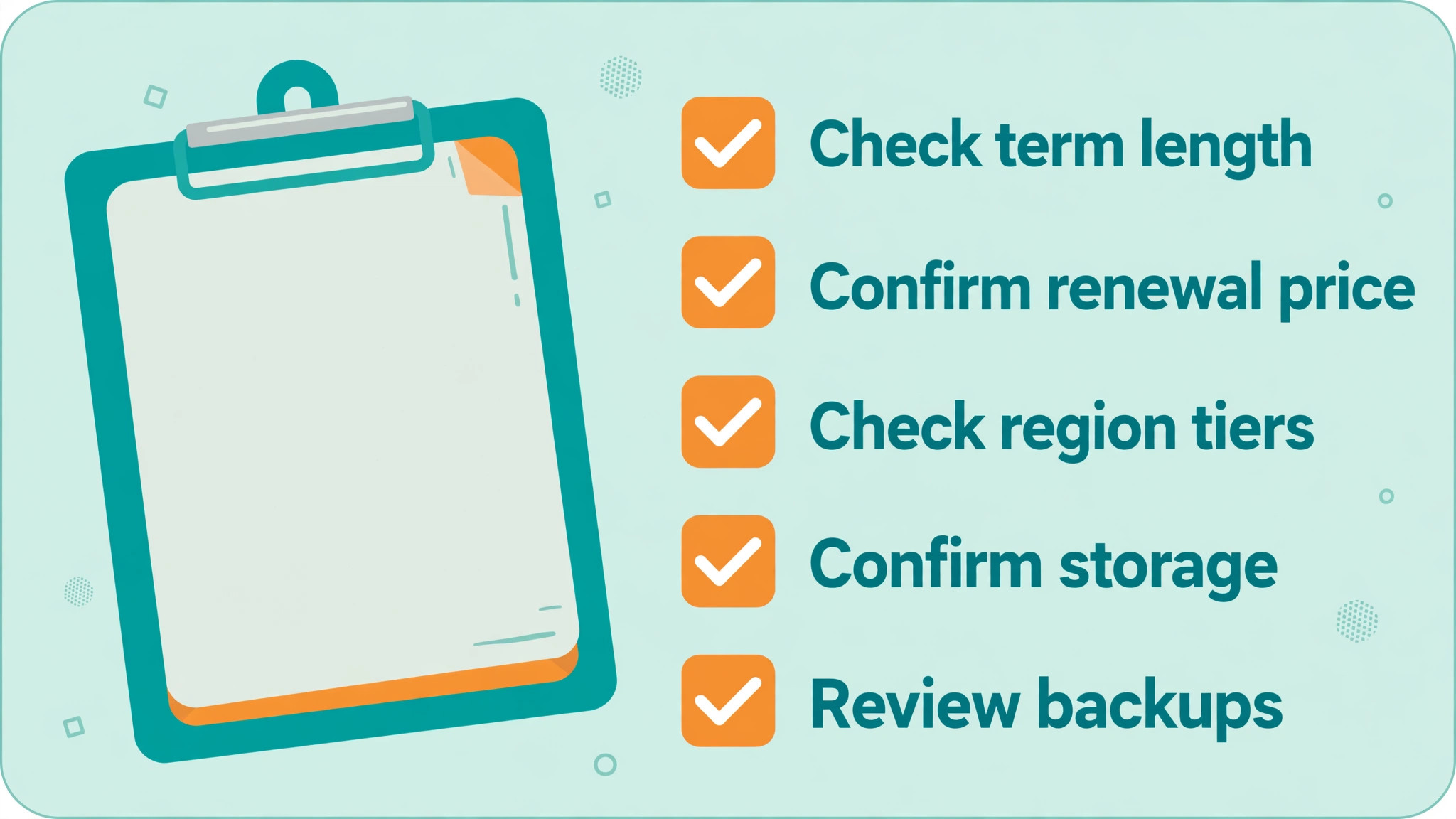
Confirm the tiers available in your region, because Single, Premium and Business do not appear in every store. The United States store centres on Premium, Business and Cloud Startup, while regional stores may still sell Single with different storage and website limits. A budget built on a tier that is not sold in your region is useless, so the region check comes first. That check also confirms the currency, because prices in rupees, euros or dollars are not interchangeable.
Confirm the term behind the headline price. The $2.99 and $3.99 figures assume 48 months paid up front, and shorter terms cost more per month. Read the term beside the price, work out the total for that term, and compare totals rather than monthly figures when comparing hosts. A host that looks dearer per month on a 12 month term may be cheaper in total than a host that locks you in for four years.
Confirm the renewal price on the same page, and record it beside the introductory price. Premium at about $10.99 and Business at about $16.99 are the renewal figures from pricing summaries checked in 2026, but promotions and regional prices change, so the checkout figure is the one that counts. A screenshot of both figures at purchase time prevents a later argument about what was promised.
Check storage, website count and backup frequency for the tier, not just the price. Premium allows 3 websites and 20 GB with weekly backups, while Business allows 50 websites and 50 GB with daily backups, on the figures checked in 2026. A firm that needs daily backups or more storage should buy Business for that reason, not for the introductory price gap of $1 a month.
Check the domain terms, including which domains are free for the first year and what they renew at. A free domain is a first year benefit, not a permanent saving, and the renewal price should be in the budget from year two. If the firm already owns a domain elsewhere, check the transfer terms as well, because moving a domain can involve downtime if done badly.
Shared hosting rewards lean sites, because server resources are shared with other accounts. A site with a heavy theme, a dozen plugins and uncompressed images will feel slow on any shared plan, while a lean site with caching and optimised images will feel fast on the same plan. The cheapest speed gain is usually image optimisation, followed by removing plugins that duplicate a feature or serve no live page.
Caching deserves a plain explanation. A cache stores a ready made copy of a page, so the server does not rebuild it for every visitor. That saves processing and speeds up repeat visits, especially for brochure pages that rarely change. A shop or a membership site needs more careful caching, because prices, stock and member content change often, so the cache rules should be tested rather than switched on blindly.
Plugin hygiene is the second speed lever. Each active plugin adds code that runs on every page load, and a plugin that is active but unused still costs time. Review plugins quarterly, deactivate the ones that serve no page, and delete the ones that will not return. A site with eight focused plugins will usually outperform a site with thirty plugins, even on the same hosting tier.
Image size is the most common cause of slow small business sites. Photos straight from a phone can be several megabytes each, while a web optimised version at the display size is a fraction of that. Compress images before upload, use the size the page actually displays, and the site will load faster on every host, not just on Hostinger.
Backups and updates should be scheduled, not left to chance. A weekly check that updates are applied, backups are restorable, and the site still loads correctly takes less time than recovering from a failed update. Keep a backup from before each major update, test a restore once, and the firm will face updates with confidence rather than dread.
Finally, measure speed with a real tool rather than by feeling. A page speed test on a phone connection, from a location near the customers, gives a number that can be tracked over time. If the number worsens after a change, the change can be reversed, and if it improves after optimisation, the effort was worthwhile. Measurement turns speed from an opinion into a managed metric.
A final speed habit is to test on a real phone, not just on a desktop. Most visitors arrive on phones, often on mobile connections, and a site that feels fast on office broadband can feel slow on a phone. Test the homepage and the main conversion page on a phone each quarter, and fix what slows those two pages first.
A host change should be planned like a move, not attempted on a Friday afternoon. Copy the site, test the copy, switch DNS when traffic is lowest, and keep the old host live for a week as a fallback. That cautious sequence prevents the most common migration failure, which is switching DNS before the new site has been tested, and then discovering a broken form or a missing image when customers are already arriving.
Keep a one page hosting record for the business, listing the host, the tier, the term end date, the renewal price and the domain dates. A single page, updated at each renewal, prevents the most common hosting surprise, which is a renewal that nobody remembered and nobody budgeted for.
Frequently Asked Questions
What is the cheapest Hostinger plan for a small business?
On the United States store, Premium is the cheapest current shared plan, at $2.99 per month on a 48 month introductory term, renewing at about $10.99 per month. Single appears in some regional stores, but no United States figure could be verified at draft time, so check the vendor page for your region before budgeting for Single.
How much does Hostinger renew at?
From pricing summaries checked in 2026, Premium renews at about $10.99 per month and Business at about $16.99 per month, while Cloud Startup renews at about $25.99 per month. Those figures are approximate because promotions and regional prices change, so confirm the renewal figure at checkout and record it.
Is the 48 month term worth it?
The 48 month term gives the lowest monthly figure, but it locks four years of payment up front. It is worth it for a firm that is certain to stay, and poor value for a firm that may move hosts, close, or outgrow shared hosting within two years. Match the term to certainty rather than always picking the longest term.
Does Hostinger include a free domain?
Premium and Business include a free domain for the first year on the figures checked in 2026. From year two the domain renews at the standard domain price, which is a separate yearly charge. Single, where sold, may not include a free domain, so check the tier details for your region.
How often are backups made?
Premium includes weekly backups, while Business includes daily and on demand backups. A firm that updates content daily or runs a shop should weigh that difference carefully, because a weekly backup can lose up to a week of changes after a bad update.
Can I host more than one website?
Premium allows up to 3 websites and Business up to 50 websites on the figures checked in 2026. A firm with a main site plus landing pages or a second brand should count all of them before choosing, because exceeding the limit means upgrading or moving a site.
Is Hostinger good for WooCommerce?
Hostinger can run a small WooCommerce store, especially on Business with NVMe storage and daily backups, or on Cloud Startup for larger stores. A busy store with traffic spikes may need Cloud Startup or a higher resource plan, because shared hosting shares server resources and can slow under load.
What happens if I cancel early?
Cancelling a long prepaid term can mean losing the unused balance, depending on the terms at purchase. Check the refund and cancellation terms before paying for 48 months, and consider a shorter term if the business is new or may change direction. The cheapest monthly figure is not cheap if the prepayment is lost.
Verdict
Premium is the right starting point for a single small site, and Business is the right buy when daily backups, faster storage and room for more sites matter. The cost of Hostinger for small business monthly that matters for a long term decision is not $2.99 or $3.99, but $10.99 and $16.99 at renewal, and a firm that budgets those figures will not be surprised. Single should only be budgeted where it is actually sold, at a price read from the vendor page for that region.
Take the long term only when you are certain to stay, count sites and storage honestly, and diary the renewal date. Do that, and Hostinger delivers genuinely low cost hosting for a small business. Skip it, and the same host will feel expensive at renewal, not because the renewal price is hidden, but because the budget was built on the wrong term.
More Reading on Stratilyze
– Switch WordPress to Squarespace for Small Business – Fix WordPress Plugin Conflict for Small Business – Switch Shopify to Squarespace for Small Store – Fix WordPress Plugin Conflict for a Small Business – Cost of MailerLite for Small Business, Monthly