
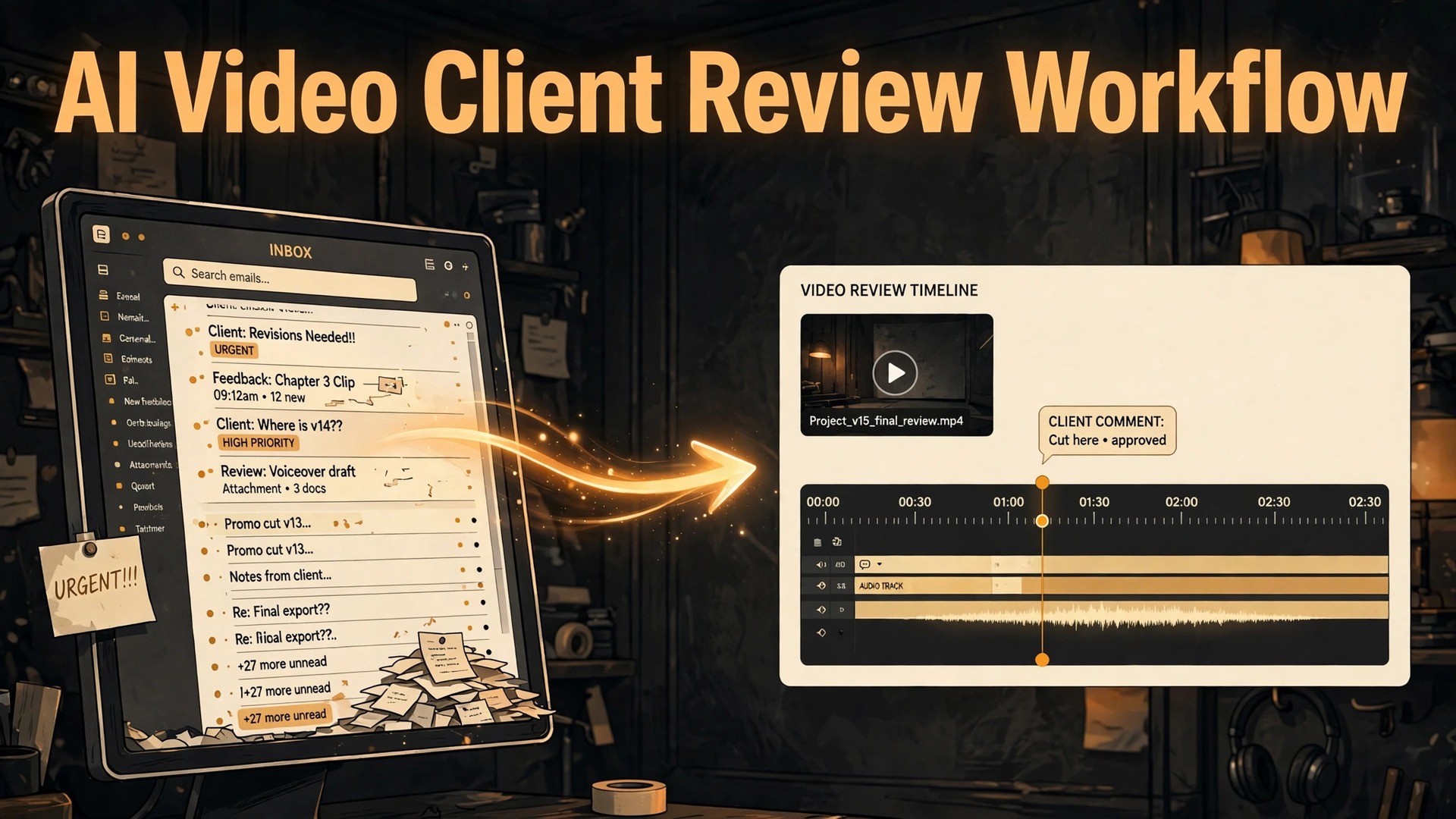
The verdict is straightforward. If client revisions eat your profit, you should use AI for video production client review workflow, because the problem is rarely editing skill. It is feedback scattered across email, chat, phone calls and hallway comments, with no timecode, no version, and no decision maker. A review system that pins every note to a frame, names one approver, and limits revision rounds will save more hours than any faster editing technique, and AI makes that system cheaper to run, by sorting notes, drafting summaries, and chasing the replies that stall a round.
That verdict comes with a boundary. AI can organise feedback, summarise a round, and draft a reply, but it cannot decide whether a cut works, whether a client’s note should be followed, or whether a revision is in scope. Those are producer and editor decisions, made against the brief, the contract, and the client’s goals. A workflow that lets a tool rewrite creative decisions will produce cuts that please nobody, because the tool has no stake in the result. Keep AI on the organisation of feedback, keep creative judgement human, and the review loop gets both faster and less painful for everyone involved.
Video review fails in predictable ways, and naming them helps you design against them. The first failure is version confusion, where two stakeholders comment on different cuts, and the editor applies notes to the wrong version. The second failure is vague feedback, where a note such as make it punchier arrives with no timecode, no shot reference, and no sense of what should change. The third failure is approver sprawl, where five people comment, nobody has final say, and contradictory notes cancel each other out. Each failure has a workflow fix, and this guide gives you all four.
This guide covers the full loop, from rough cut delivery through timestamped comments, revision rounds, and final sign off, plus a review round checklist you can copy. Figures here are reported examples from vendor guides and workflow articles, or ranges to test on your own projects, not guarantees. Check current vendor pricing and plan terms on their own pages before you commit to a tool, because review tool pricing changes often, and a plan that fits a solo editor may not fit a team with many external reviewers.
What a Good Review Round Actually Looks Like
A good review round has five properties, and you can check any round against them in under a minute. One version, so every reviewer watches the same cut. One link, so feedback lands in one place rather than across email and chat. One decision requested, stated in plain language, such as approve this cut or list changes by Friday. One deadline, with a named approver and a backup approver. And one record, so the editor can show, after the round, which notes were applied, which were questioned, and which were deferred. If a round lacks any of those five, it will generate extra work, however good the cut itself is.
Version naming is the cheapest fix in video review, and it survives every tool change, because it is a convention, not a feature. Use a consistent pattern, such as project name, version number, and date, and never reuse a name for a different cut. Internal fixes that the client never sees should carry a suffix that marks them internal, so they never reach a review link by accident. The word final deserves special care. A file named final that is not approved will be treated as approved by someone, usually at the worst moment, so reserve final for the approved master only, and use version numbers for everything before approval. That single discipline prevents a large share of version confusion.
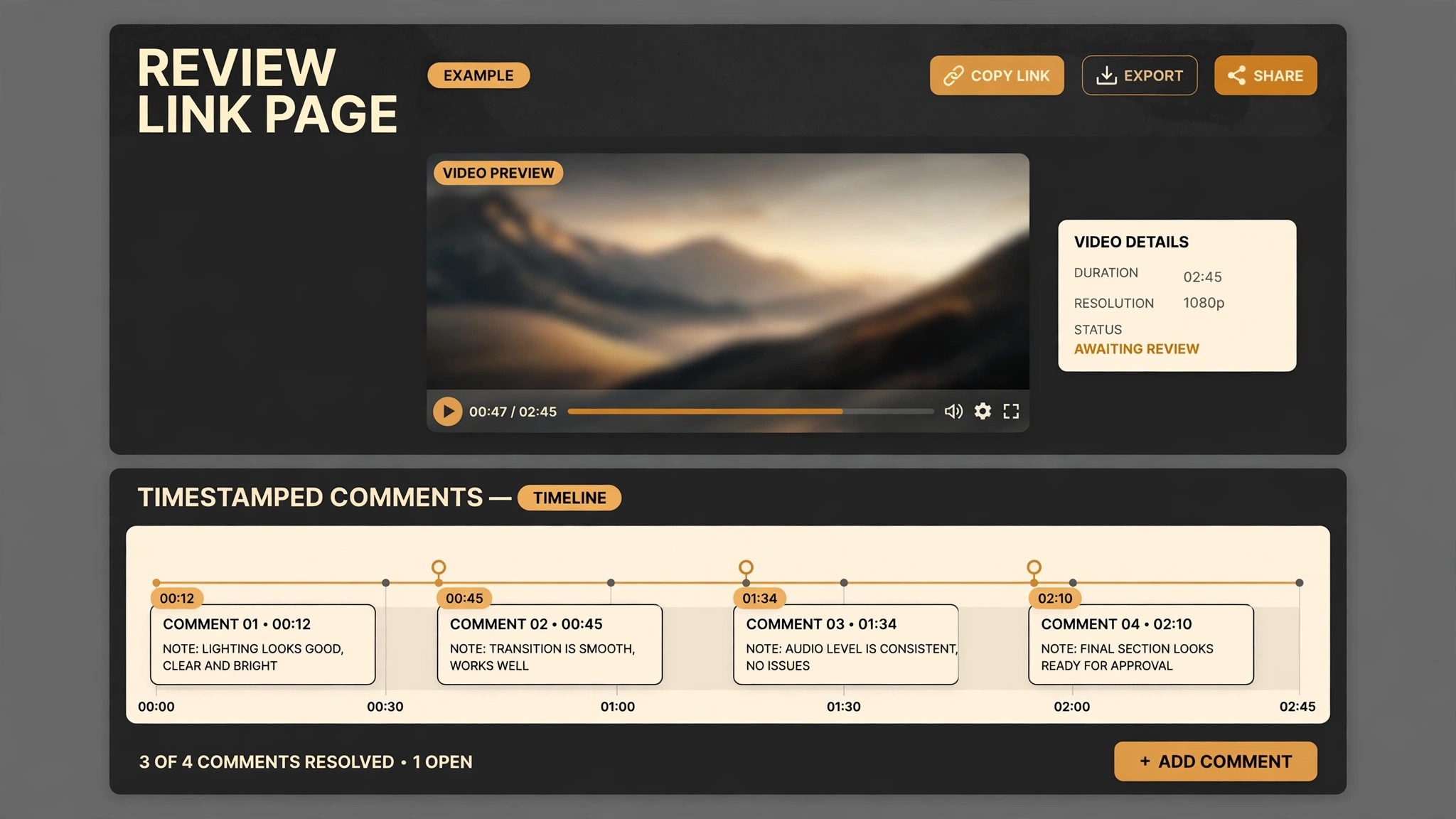
Review links beat file attachments for feedback, for a simple reason. A link records each note against a timecode and, where the tool supports it, against a spot on the frame, while a file attachment records nothing, and the feedback arrives as prose that the editor must translate into timecodes. Review tools in this category commonly let reviewers comment without creating an account, which matters, because a client who must create an account, learn a tool, and remember a password will often fall back to email instead.
The decision requested matters as much as the link. A message that says here is the cut, with no question attached, invites open ended reactions, while a message that says please approve cut v03, or list changes by Friday at 5 pm, invites a decision. AI can draft that message, including the version, the deadline, the approver, and the scope of the round, such as picture only, or picture and sound, but the producer should set the deadline and the scope, not the tool. A deadline set by a tool, without regard to the client’s calendar, will be missed, and a missed deadline that nobody follows up becomes a new, unspoken deadline, which is worse than no deadline at all.
How to Use AI for Video Production Client Review Workflow Without Losing Control
AI fits review work in three places, and only three. First, sorting and summarising notes, so a round with forty comments becomes a grouped list by timecode, by reviewer, and by type, such as picture, sound, text, or legal. Second, drafting communications, such as the review invitation, the round summary, and the polite chase message for a late approver. Third, tracking rounds, deadlines, and scope, so the producer can see at a glance how many rounds have been used, which notes are unresolved, and whether a new request falls inside the contracted scope. Those three jobs save real time, and they do not require the tool to make a creative judgement.
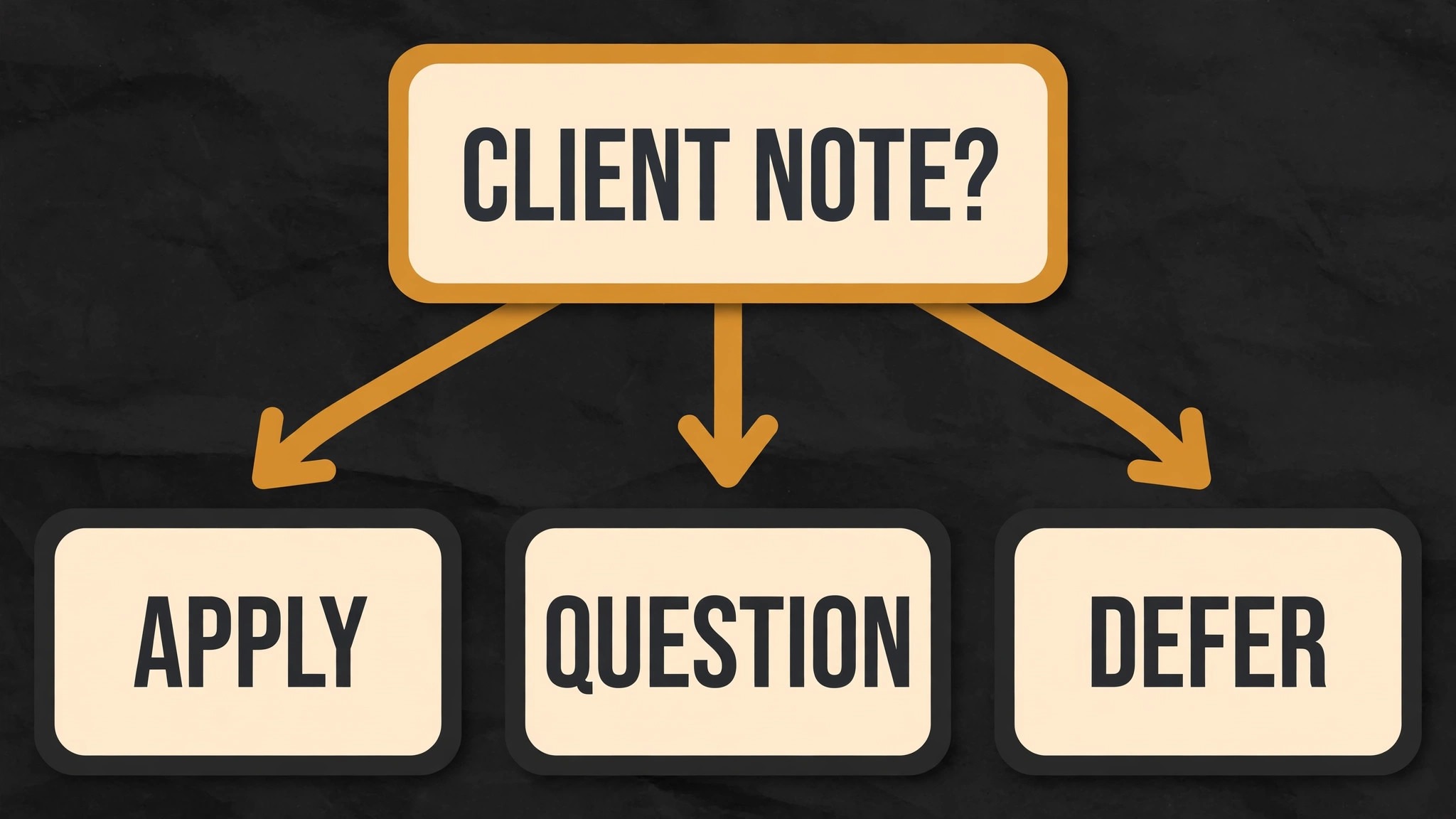
What AI should not do is decide whether a note is right, rewrite a note into a different meaning, or apply a note to the timeline without editor review. The safe workflow is AI groups and drafts, editor decides. The editor reads the grouped notes, checks them against the original comments where a note is ambiguous, and marks each note as applied, questioned, or deferred, with a short reason for questioned and deferred notes. That record becomes the round summary the client receives, and it prevents the familiar argument about whether a note was ignored or simply misunderstood.
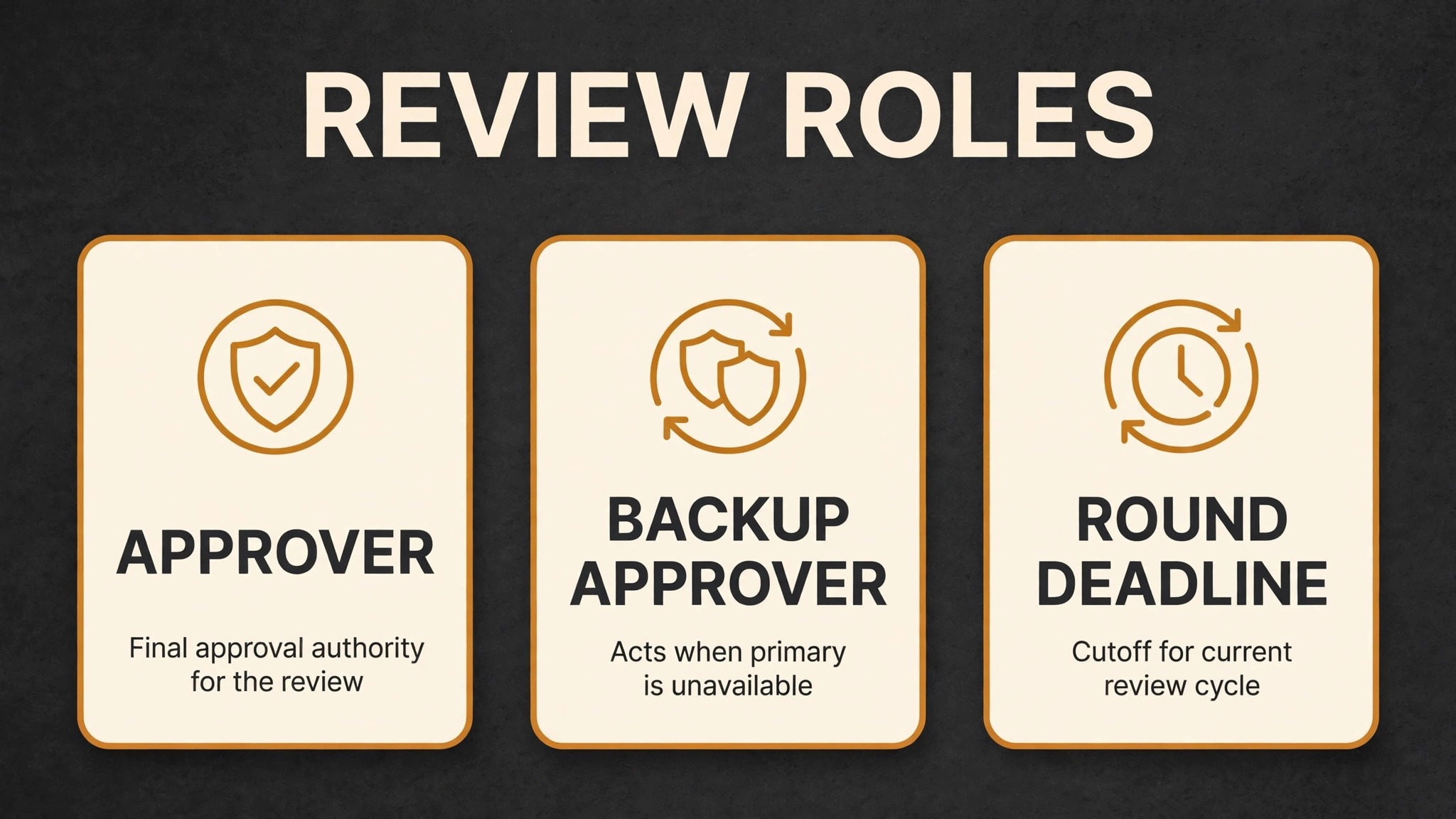
Contradictory notes need a human rule, stated before the round starts. When two reviewers disagree, the named approver decides, and the producer records that decision in the round summary. If no approver was named, the producer should ask for one before the next round, rather than trying to satisfy both reviewers at once. AI can flag contradictions, by grouping notes on the same timecode that ask for opposite changes, but it cannot resolve them, because resolution depends on the client’s goals, the brief, and the contract, none of which a summariser knows. Flagging contradictions early is valuable, because a contradiction found in the summary stage costs a message, while a contradiction found after editing costs a revision round.
Scope control is the third control that must stay human. A review round summary should separate in scope notes, which fall inside the contracted rounds and brief, from out of scope requests, such as new scenes, new music licensing, or a different concept, which need a separate conversation about time and cost. AI can draft that separation from the brief and the contract language, if you provide them, but the producer should approve it, because misclassifying an out of scope request as in scope gives away free work, while misclassifying an in scope note as out of scope damages the client relationship. Keep scope decisions with the producer, and let AI handle the paperwork around them.
A Step Workflow From Rough Cut to Sign Off
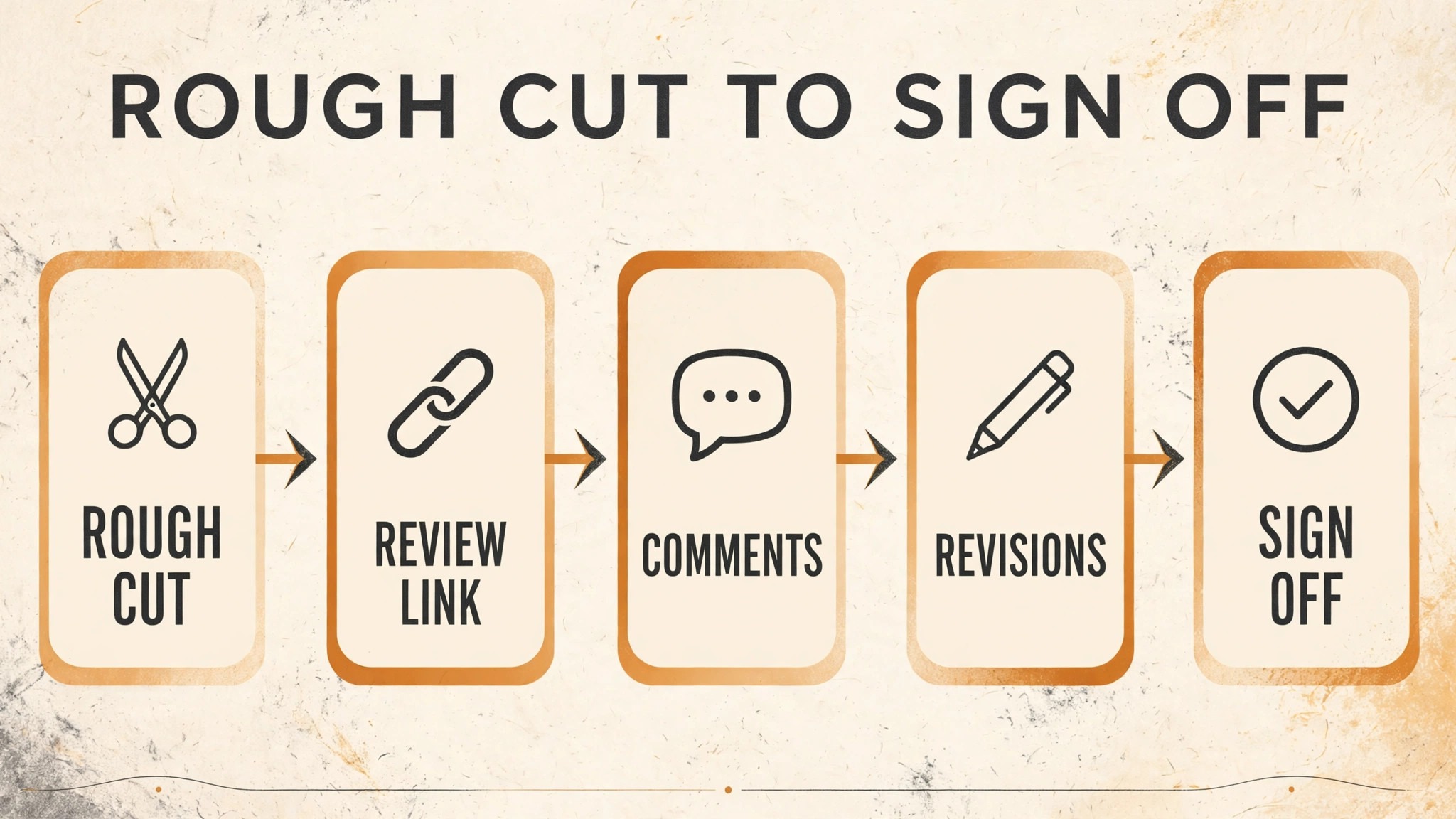
The workflow below assumes a small production team or a solo editor with a producer role, a review tool with timestamped comments and version stacking, and AI used for grouping, drafting and tracking, with editor and producer approval at every decision. Keep the order, and keep the approval steps, because the approval steps are what keep a fast workflow honest.
Step 1, lock the brief and name the approver before editing
Before the rough cut, confirm the brief, the deliverables, the number of contracted revision rounds, the review tool and link, the approver and backup approver, and the deadline for each round. Write those facts in one short document, share it with the client, and refer to it in every review invitation. AI can draft that document from your notes, but the producer should approve it, because a brief that nobody agreed to will not settle a scope argument later. Naming the approver before editing prevents approver sprawl, which is far harder to fix after five people have already commented.
Step 2, deliver the rough cut as a review link, not a file
Export the rough cut, upload it to the review tool, and send one link, with the version name, the decision requested, the scope of the round, and the deadline. State what kind of feedback you want at this stage, such as structure and story for a rough cut, rather than colour and fine sound, which belong to later rounds. AI can draft the invitation, but the editor should check the version, the link permissions, and the download setting before sending, because a link that allows downloads of a rough cut, or that shows all versions to an executive reviewer, creates problems that a good invitation cannot undo.
Step 3, collect timestamped comments in one place
Ask reviewers to comment in the tool, on the frame or timecode they mean, and route any feedback that arrives by email or chat back into the tool, by asking the reviewer to add it there, or by adding it yourself with the reviewer’s name and the timecode you confirmed with them. A widely cited workflow example puts that translation cost plainly, estimating that turning vague prose notes into timecodes can take over an hour per job at a typical freelance rate, and that cost repeats every round. That figure is an illustration from a vendor article, not a universal rate, but the pattern is real, and it is why the one link rule matters.
Step 4, group, triage and summarise the round with AI help
Once the deadline passes, or all reviewers have commented, use AI to group notes by timecode, by reviewer, and by type, and to draft a round summary listing each note, its timecode, and its proposed action. The editor reviews the grouped list against the original comments, flags contradictions for the approver, and marks each note as applied, questioned, or deferred, with a short reason. The producer reviews scope, separates out of scope requests, and approves the summary before it goes to the client. That double review, editor for creative accuracy and producer for scope, takes under an hour on most rounds, and it saves a revision round later.
Step 5, revise, version and return the next cut
Apply the approved notes, export the next version with a new version number and date, stack it on the previous version in the review tool where the tool supports version stacking, and send a new invitation stating what changed, what was questioned or deferred and why, and what decision is requested now. AI can draft the change summary from the editor’s marked list, but the editor should check it, because a change summary that claims a note was applied when it was only partly applied will be caught by the client, and that catch costs trust. Version stacking matters here, because it lets reviewers compare cuts and see that their notes were addressed, without hunting through old links.
Step 6, get sign off in writing, on a named version
When a cut is approved, record the approval in writing, naming the version, the approver, and the date, inside the review tool where possible, and in a short confirmation message. Then deliver the master separately from the review link, in the format and place agreed in the brief, and archive the review link, the grouped notes, and the approval record with the project files. AI can draft the sign off confirmation and the archive summary, but the producer should confirm that the delivered master matches the approved version, because a master exported from the wrong timeline, after approval, is a painful error that a checklist prevents.
Timestamped Comments, the Skill Clients Need Teaching
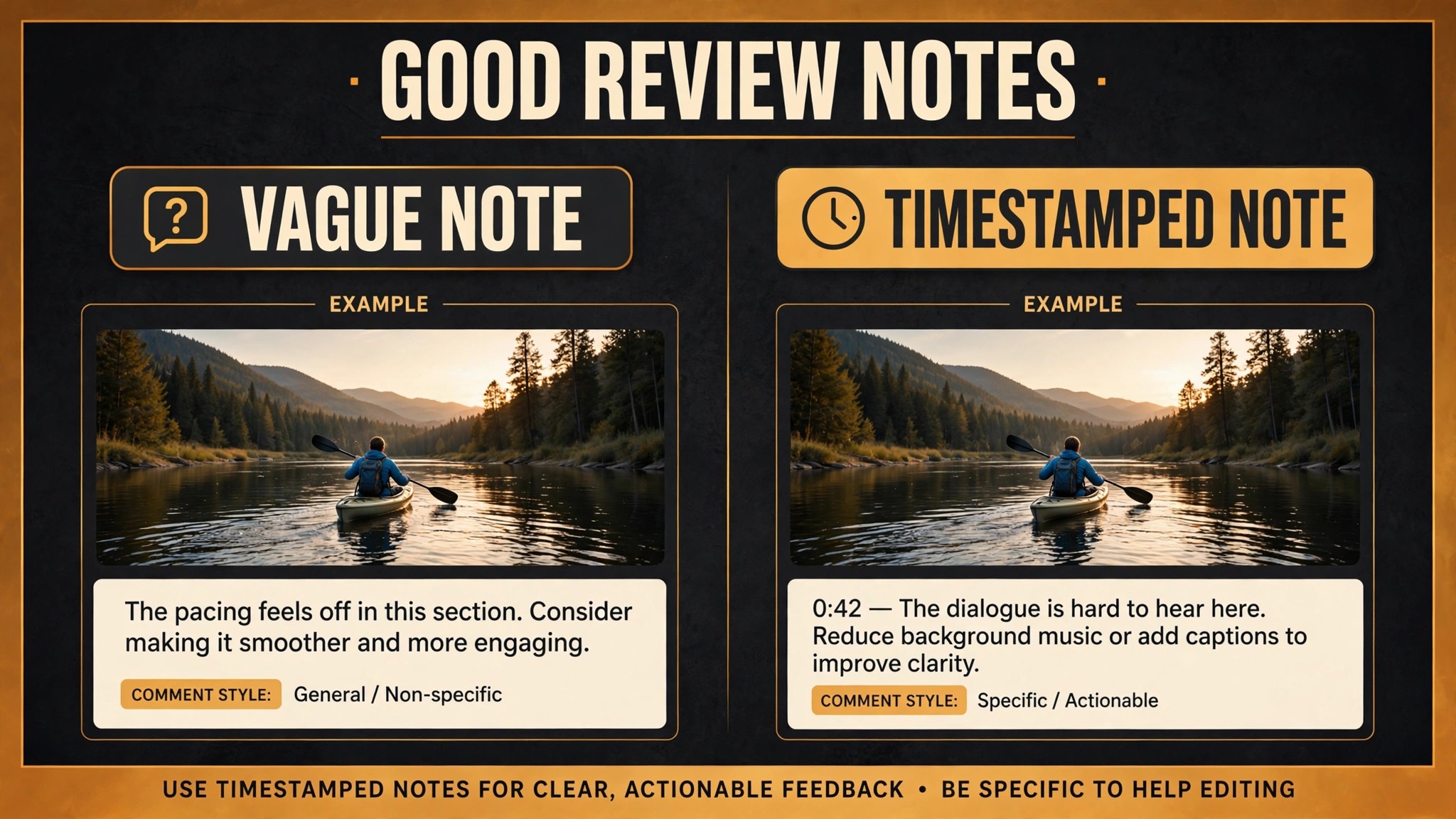
When you use AI for video production client review workflow, clients do not arrive knowing how to give timestamped feedback, and a workflow that assumes they do will fail on the first round. Teach the skill in the review invitation, in three lines. Pause the video where you want a change, write what should change, and say what it should become, not just what is wrong. A note that says the music is too loud at 00:42 is actionable. A note that says the middle feels off is not, however honestly meant.
Reviewer roles help as well. Not every stakeholder should comment on everything. A legal reviewer should comment on claims, names, and licensed material. A brand reviewer should comment on logos, colours, and messaging. A general stakeholder should comment on story and clarity. When everyone comments on everything, the editor receives contradictory notes on sound from people who were asked about story, and the round summary becomes a negotiation rather than a task list. AI can group notes by reviewer role, if roles are recorded, and can flag a note that falls outside a reviewer’s role for the producer to check, but roles must be set by the producer at brief stage, not inferred by a tool from comment history.
Mobile review deserves attention, because many clients review on a phone, between meetings, and a phone review produces shorter, vaguer notes than a desktop review. Tell clients which rounds are suitable for phone review, such as a final sign off watch, and which rounds need a larger screen, such as a rough cut structure review. AI can help by summarising phone notes into a grouped list, but it cannot recover a timecode a reviewer never gave, and the producer should follow up on vague phone notes with a quick call, rather than guessing what the reviewer meant. Guessing at a note’s meaning is how a revision round gets wasted.
Comment etiquette is the last teaching point, and it protects the editor as much as the client. Ask reviewers to comment on the work, not on the person, to separate must fix notes from nice to have notes, and to avoid commenting on a note they disagree with by starting a debate in the comment thread. Debates in the thread, between stakeholders, stall the round, because the editor cannot tell whether the thread is a decision or a discussion. That rule alone shortens many review rounds.
The Review Round Checklist
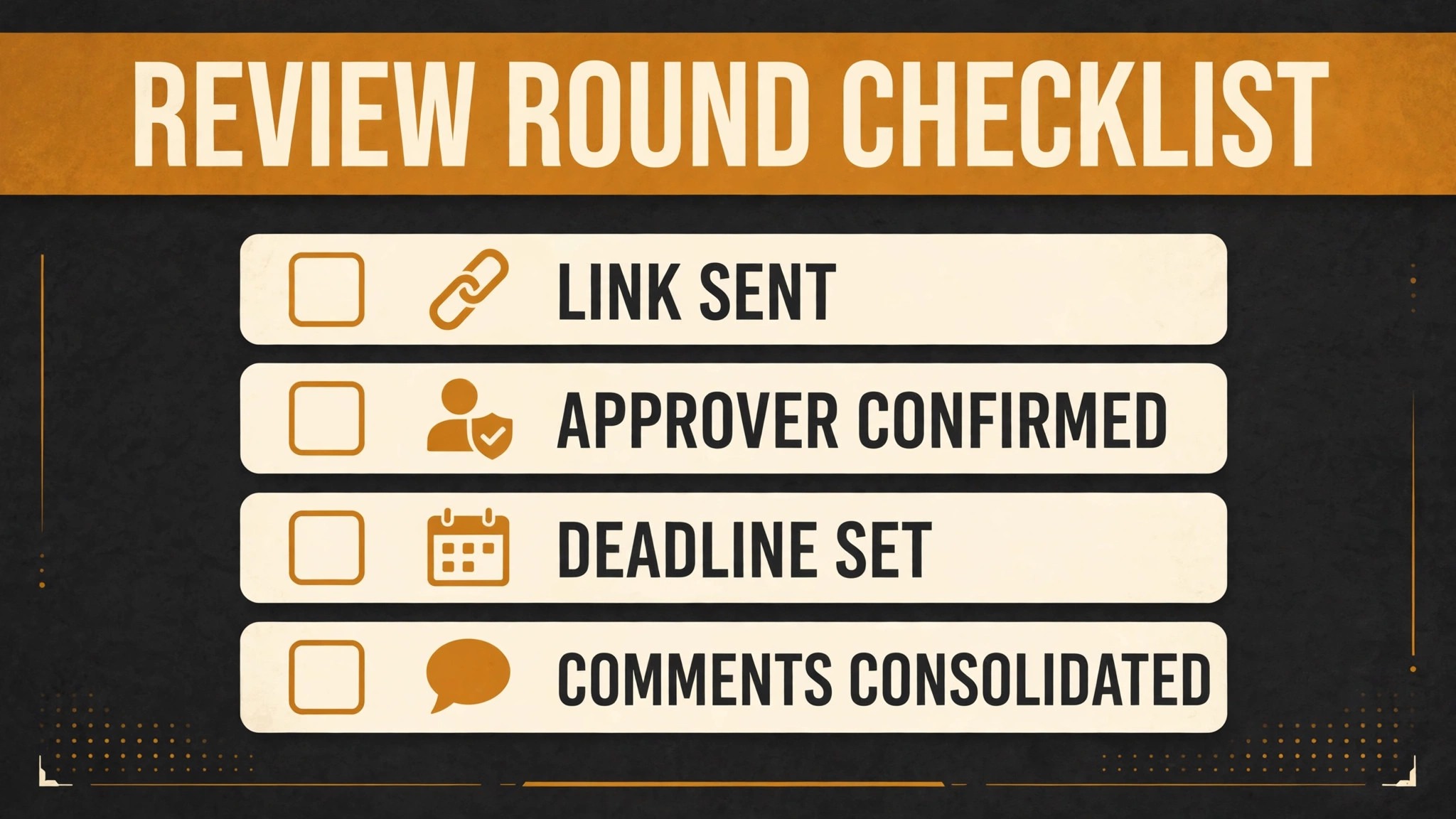
Copy this checklist, adapt it to your contracts, and use it for every round, not just for difficult clients. Keep it with the project brief, and check it before each invitation goes out. Do not let AI change the checklist without producer approval, because the checklist is your scope and approval policy, not a draft.
Checklist – brief locked – Brief, deliverables, contracted rounds, approver and backup approver confirmed before the rough cut
Checklist – one version – One version name, one link, download and version visibility settings checked before sending
Checklist – decision requested – Invitation states the decision, the scope of the round, and the deadline in plain language
Checklist – timestamped notes – All feedback collected in the tool with timecodes, email and chat notes routed back into the tool
Checklist – grouped summary – Notes grouped by timecode, reviewer and type, with contradictions flagged for the approver
Checklist – scope separated – In scope notes separated from out of scope requests, with out of scope items priced or scheduled separately
Checklist – change summary – Next cut invitation states what changed, what was questioned or deferred, and why
Checklist – sign off recorded – Approval recorded in writing with version, approver and date, master delivered separately and checked
Review the checklist after any difficult project, and ask which line would have prevented the difficulty if it had been followed. If a project suffered version confusion, the version line needs a stronger check, such as a second person verifying the link before sending. If a project suffered round creep, the rounds line needs a count check at each invitation, stating rounds used and rounds remaining. A checklist that never changes is either perfect or unreviewed, and in client work, unreviewed is the likelier explanation. Log each change with a date, so the team knows which version is live.
Pricing Rounds, Scope and the Conversation Nobody Enjoys
Revision rounds are a pricing decision before they are a workflow decision, and the contract should state them plainly. State how many rounds are included, what counts as a round, what counts as a new request rather than a revision, and what extra rounds cost. A client who knows the round count will prioritise their notes. A client who does not know it will treat every thought as a free revision, and the project will drift. AI can draft the rounds clause from your standard terms, but the producer should approve it, because a rounds clause written by a tool, without regard to your actual costs, will underprice the work it is meant to protect.
Out of scope requests need a kind, prompt conversation, not a silent yes or a defensive no. When a request falls outside the brief, such as a new scene, a different music track requiring new licensing, or a change of concept after approval, reply promptly, explain what the request involves in time and cost, and offer a choice, such as proceeding as a paid extra, deferring it to a later project, or swapping it for an in scope item of similar effort. A prompt, clear out of scope conversation usually strengthens trust, because the client sees a producer who manages the project rather than one who quietly absorbs extra work and then resents it.
Round creep also comes from inside the team, not only from clients. An editor who keeps polishing after approval, a producer who adds a nice to have improvement without asking, or a team that reopens a settled decision because a new stakeholder appeared, all create extra rounds that nobody contracted for. The checklist prevents most of this, because it forces a version, a decision, and a sign off record at each stage. When a new stakeholder appears late, the producer should bring them into the current round, with the brief and the round count explained, rather than reopening settled rounds for them.
For related reading, see yoga studio waitlist management, therapist session note summaries, nutritionist meal plan follow-up, local SEO strategy and cancellation policy. Those posts cover adjacent project, feedback and follow-up problems, and the same lesson applies when you use AI for video production client review workflow. Automate the grouping, keep a human on creative and scope decisions, and record approval on a named version.
Measuring Whether Review Is Getting Faster
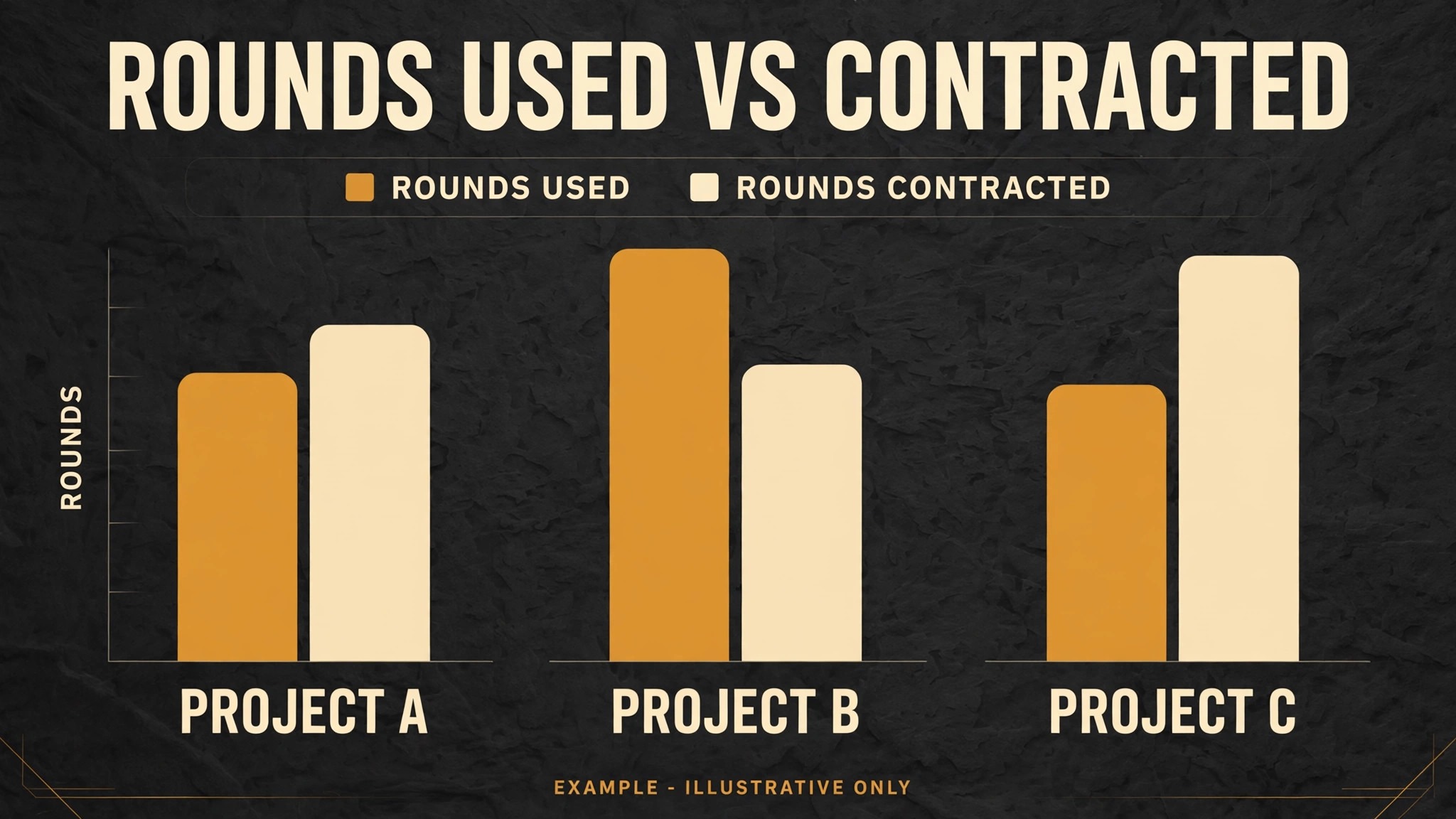
When you use AI for video production client review workflow, measure four numbers per project, and compare them across projects. Rounds used, meaning how many revision rounds the project actually took, against rounds contracted. Days from rough cut to sign off, meaning calendar time, not just editing time, because client delay is part of the workflow. Notes per round, meaning how many comments arrived, and how many were vague, meaning without a usable timecode or a clear change requested. And out of scope requests, meaning how many arrived, and how many were charged or scheduled separately. Those four numbers tell you whether the workflow is faster, whether clients are learning to give better notes, and whether scope control is working.
Break rounds used down by client type, because a pattern may hide in the average. If corporate clients average two rounds and small business clients average four, the difference may be approver sprawl, brief clarity, or reviewer teaching, and each cause needs a different fix. If one editor’s projects consistently take more rounds, the cause may be cut quality, invitation clarity, or summary accuracy, and a review of grouped notes will usually show which. Changing a workflow on numbers alone, without talking to the team and the clients involved, usually creates a new problem.
Also track time spent translating feedback, meaning time spent turning vague notes into timecoded tasks, because that is the cost the one link rule is meant to eliminate. If translation time falls after you enforce tool only feedback, the workflow is working, even if rounds used stay the same, because each round is cheaper. If translation time stays high, clients are still sending feedback outside the tool, and the fix is teaching and enforcement, not a new tool. A workflow that measures only rounds, and ignores translation time, will miss the saving that matters most to a small team, which is editor hours, not calendar days.
Frequently Asked Questions
How do you use AI for video production client review workflow without losing creative control?
Use AI to group notes by timecode, reviewer and type, to draft invitations, summaries and chase messages, and to track rounds, deadlines and scope, while editors and producers keep every creative and scope decision. Read grouped notes against the original comments where a note is ambiguous, mark each note as applied, questioned or deferred with a reason, and let the named approver resolve contradictions. That division keeps review fast without handing creative judgement to a tool.
How many revision rounds should a video project include?
Many producers include two or three rounds in a standard contract, with extra rounds charged separately, but the right number depends on project complexity, client type, and your costs. State the number plainly in the contract, define what counts as a round, and state what extra rounds cost, so clients prioritise their notes. A clear round count, stated before editing starts, prevents most round creep, while an unstated count invites a project that never ends.
What should you do when clients send feedback by email instead of the review tool?
Route it back into the tool, by asking the reviewer to add it there, or by adding it yourself with the reviewer’s name and a timecode you confirmed with them. Do not edit from email notes alone, because they lack timecodes, and translating vague prose into timecoded tasks costs hours every round. State the one link rule in the review invitation, teach timestamped feedback before the first round, and follow up promptly on vague notes with a quick call rather than guessing what the reviewer meant.
How do you handle contradictory feedback from different stakeholders?
Flag contradictions early, by grouping notes on the same timecode that ask for opposite changes, and let the named approver decide. Record that decision in the round summary, so the editor and the other reviewers can see why one note was followed and the other was not. If no approver was named, ask for one before the next round, rather than trying to satisfy both reviewers at once, because a cut that tries to satisfy contradictory notes usually satisfies neither reviewer.
Should review links allow clients to download rough cuts?
That depends on the project, the client, and your contract, so check the setting before every invitation. For most rough cut rounds, preview only is safer, because a downloaded rough cut can be shared, quoted, or mistaken for a finished video, and it breaks version control. Allow downloads for approved masters, delivered separately in the agreed format and place, and check download and version visibility settings on each link, because a default setting that suits one project may not suit the next.
What should a sign off record contain?
A sign off record should name the approved version, the approver, and the date, and it should be stored with the project files, alongside the grouped notes and the round summaries. Deliver the master separately from the review link, in the format and place agreed in the brief, and confirm that the delivered master matches the approved version before closing the project. A written sign off on a named version prevents later arguments about which cut was approved, and it is the record that protects both the producer and the client.
A Practical Verdict for Production Teams
Video review rewards teams that lock the brief, name one approver, send one link per round, ask for one decision by one deadline, and record approval on one named version. It punishes teams that accept feedback everywhere, from everyone, with no version, no deadline, and no scope record, however talented their editors are. AI fits the disciplined team well, because it groups notes, drafts summaries, and tracks rounds, while editors and producers keep creative and scope decisions. Teams that work that way, and that use AI for video production client review workflow as an organiser rather than a decision maker, will usually see fewer rounds, faster sign off, and calmer clients.