

You sent twelve invoices last month, three clients paid late, and now it is tax time and your expenses live in four places, a bank app, a shoebox of receipts, a spreadsheet you stopped updating in March, and your memory. That mess is the real cost of choosing accounting software by its headline price, and it is why wave vs quickbooks for freelancers is a decision worth an hour of honest comparison. The two tools look similar from a distance, and up close they serve different freelancers.
Wave is free at its core, and that fact dominates every comparison written about it. QuickBooks costs real money every month, starting at 38 dollars for Simple Start at list price, and that fact dominates every complaint written about it. Both facts are true, and neither one decides the question on its own, because the cheapest tool is the one that fits how you actually work, not the one with the lowest subscription line.
This guide compares the two on the numbers that matter to a working freelancer, the yearly subscription, the payment processing that quietly takes a cut of every invoice, the tax features that save hours in April, and the ceilings that force a switch later. Prices come from vendor pricing pages and independent comparisons checked in late 2026, so check the vendor pricing page before committing, because both companies change prices and promotions often.
Wave vs QuickBooks for Freelancers at a Glance
| Factor | Wave | QuickBooks Online |
|---|---|---|
| Free plan | Starter, 0 dollars, unlimited invoices | Free tier, 1 user, 2 invoices a month |
| Cheapest paid plan | Pro, 19 dollars a month or 190 dollars a year | Simple Start, 38 dollars a month |
| Payroll | 40 dollars a month plus 6 dollars per person | Bundles from 88 dollars a month plus 6 dollars and 50 cents per employee |
| Per user pricing | Per business, not per user | Per user, 1 user on Simple Start |
| Time tracking | None | Built in on higher tiers |
| Inventory | None | From Plus, 140 dollars a month |
| Best for | Solo service freelancers | Freelancers who will hire or sell products |
The table shows the shape of the choice in one glance. Wave charges per business, so adding a collaborator costs nothing extra on the subscription line, while QuickBooks charges per user and per tier, so growth costs money at every step. Wave gives away the core accounting for free and makes its money on payment processing and payroll. QuickBooks charges a subscription and gives you a deeper tool in return, with inventory, time tracking, project profit, and budgets on the higher tiers.
A solo freelancer with simple income should read that table and feel the pull toward Wave, and that pull is usually correct. A freelancer who sells products, tracks billable hours, or plans to hire within the year should feel the pull toward QuickBooks, because the features Wave lacks are the ones that become painful exactly when the business starts growing. The rest of this guide tests which pull matches your actual work.
The Price Gap, Worked Honestly
Work the yearly numbers before anything else, because the gap is large enough to decide the question for many freelancers. Wave Starter costs nothing in subscriptions, and Wave Pro costs 190 dollars a year when billed annually, or 19 dollars a month. QuickBooks Simple Start costs 456 dollars a year at list price, Essentials costs about 1,020 dollars a year, and Plus costs about 1,680 dollars a year. A freelancer on Simple Start pays 456 dollars where a Wave user pays nothing, and that difference buys a lot of patience with a simpler tool.
The gap narrows once payment processing enters the picture, and it enters the picture for every freelancer who takes card payments online. Wave charges roughly 2.9 percent plus 30 cents per card transaction through its own payment processing, and QuickBooks charges a similar rate. A freelancer who invoices 50,000 dollars a year and takes most of it by card pays somewhere between 1,000 and 1,500 dollars a year in processing on either platform, which dwarfs the subscription difference. The processing bill is the real cost of getting paid, and it is nearly identical on both tools.
The honest comparison therefore looks like this. Over three years, a freelancer using Wave Starter for core accounting pays zero in subscriptions. The same freelancer on QuickBooks Simple Start pays about 1,368 dollars over three years at list price, before the introductory discounts that cut the first three months in half. QuickBooks Self-Employed, the lighter tier aimed at solo filers, sits around 15 to 20 dollars a month, or roughly 540 to 720 dollars over three years. The question is never whether QuickBooks costs more. It does. The question is whether what it adds is worth 450 dollars a year to you.
Promotions muddy the water, and both companies run them constantly. QuickBooks regularly offers 50 percent off for the first three months to new subscribers, which makes the first year look far cheaper than the second. Wave Pro is sometimes offered at a discount for the first year as well. Judge both tools on their steady state price, not the first year teaser, because you will live with the steady price for years and the teaser for a quarter.

Invoicing and Getting Paid
Invoicing is where a freelancer lives, and both tools handle it well, with different ceilings. Wave Starter offers unlimited invoices, estimates, bills, and bookkeeping records for free, with a mobile app and a cash flow dashboard included. That unlimited invoicing is the reason so many freelancers start on Wave and stay there for years, because the core job of sending a bill and recording it costs nothing and has no cap to hit.
QuickBooks Simple Start also invoices, but the free tier is a different story, with only two invoices a month allowed, which makes it a trial rather than a plan. The paid tiers remove the cap and add recurring invoices, payment reminders, and deeper customisation. A freelancer who sends twenty invoices a month will feel the difference in polish, with QuickBooks offering cleaner templates, automatic reminders, and a clearer view of who owes what and for how long.
Late payments are where the two tools diverge in a way that shows up in the bank balance. Wave Pro adds late payment reminders and automatic bank import, which is the main reason to pay the 19 dollars a month. QuickBooks builds reminders into its paid tiers as well, and pairs them with a stronger overdue report. Either tool beats a spreadsheet for chasing money, because the reminder goes out automatically while you are doing billable work, and a freelancer who has ever spent a Friday afternoon chasing three late payers knows exactly what that is worth.
The reminder settings deserve a test during the trial, because wave vs quickbooks for freelancers often comes down to which tool nags politely and which one nags too much. Set a reminder for three days after the due date and another for seven days, write the message in your own voice, and watch how clients respond. A reminder that reads like a person wrote it gets paid faster than one that reads like a system generated it, and both tools let you write it yourself.
Expenses, Receipts, and Tax Time
Expense tracking is the job freelancers neglect most, and the tool that makes it easiest wins the most loyalty. Wave handles expense tracking and receipt scanning on its free tier, with bank connections on Pro that import transactions automatically and suggest categories. The workflow is simple, connect the account, review the suggested categories, and correct the ones it gets wrong, until the suggestions improve over a few weeks.
QuickBooks does the same job with more depth. Bank feed automation, receipt capture, and mileage tracking come together in a way that makes tax time less painful, especially on the Self-Employed tier, which was built around Schedule C filers and adds quarterly tax estimates and automatic mileage logging from the phone. A freelancer who drives to clients will save real money on mileage alone, because the GPS log captures trips that memory forgets, and the IRS accepts a clean log where it doubts a guessed one.
Tax time is where QuickBooks earns its subscription for many freelancers. Quarterly estimated tax calculations, a Schedule C export, and reports an accountant can open without conversion all reduce the April scramble. Wave gives you a clean profit and loss report and the records to back it, which is enough for a simple return and a good accountant, but it does not estimate your quarterly tax or track your mileage for you. If your tax return is simple, Wave is enough. If it involves mileage, quarterly estimates, and a Schedule C with many categories, QuickBooks pays for itself in April.
The discipline matters more than the tool, and both tools fail the same way when the owner stops reviewing. An unreviewed bank feed fills up with miscategorised transactions, and a receipt never photographed is a deduction lost forever. Set a fifteen minute weekly review, approve the categories, photograph receipts the day they arrive, and clear flagged items before they pile up. A freelancer who does that on Wave will have cleaner books than a freelancer who ignores QuickBooks for a month.
That weekly review is also where wave vs quickbooks for freelancers stops being a software question and becomes a habit question. The tool that you open every Friday is the tool that keeps your books clean, and the tool you avoid is the one that fills up with uncategorised transactions. Pick the interface you actually enjoy opening, because enjoyment is what turns a chore into a routine, and a routine is what keeps the books honest.
The Hidden Cost Is Payment Processing
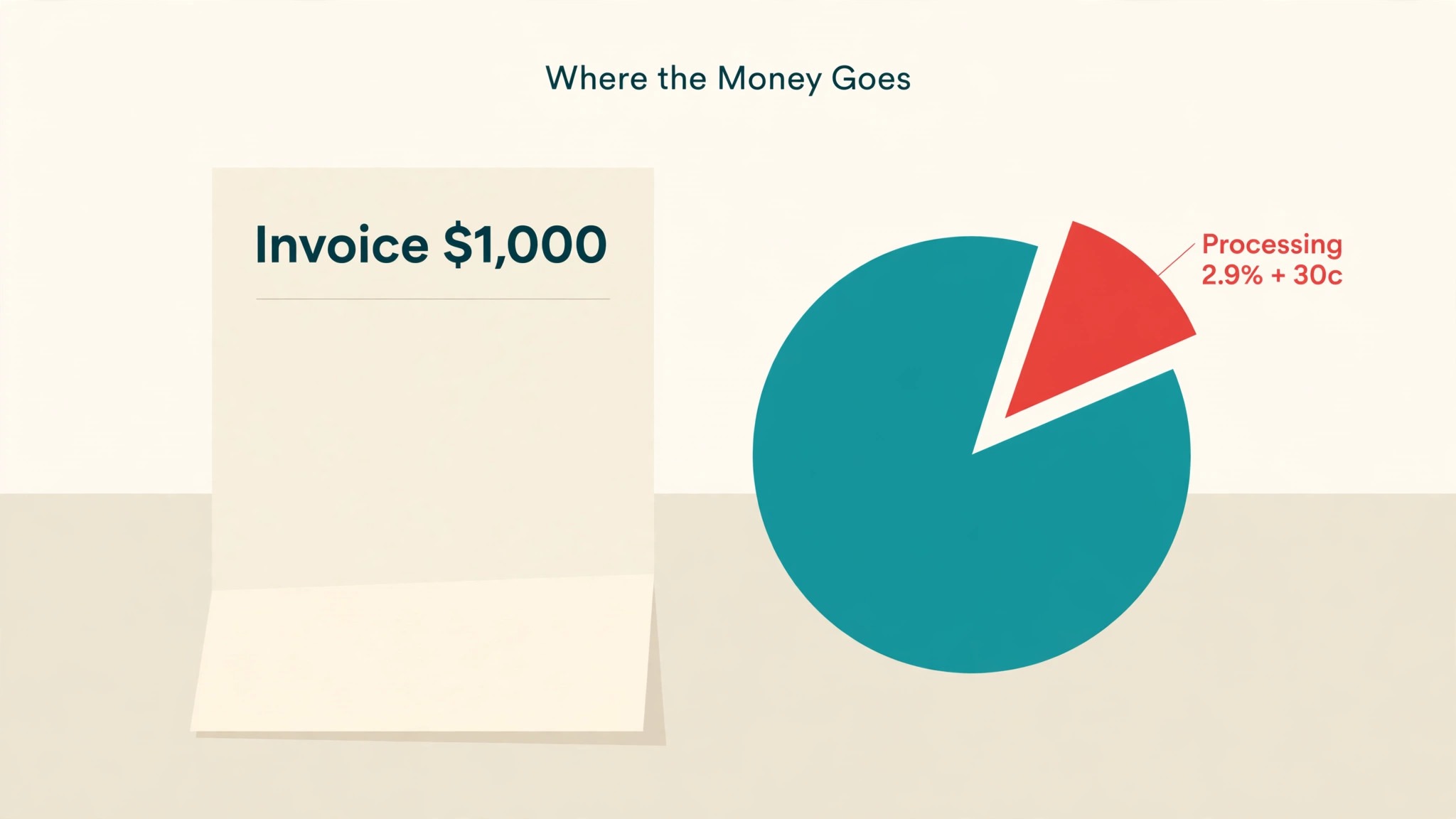
Every comparison that stops at the subscription misses the biggest line on a freelancer bill, and that line is payment processing. Both Wave and QuickBooks charge roughly 2.9 percent plus 30 cents when a client pays an invoice by card, and that rate applies to every dollar that comes through the platform payment system. A freelancer who bills 4,000 dollars a month by card pays about 120 dollars a month in processing, which is more than Wave Pro and a third of QuickBooks Simple Start, and it never appears on the pricing page headline.
The way to cut that cost is not to switch accounting tools, because the rates are nearly identical, but to change how clients pay. Bank transfers and ACH payments cost far less than cards, and a freelancer who moves even half of client payments to bank transfer can save hundreds of dollars a year. Offer a small prompt payment discount for bank transfer, or simply make it the default option on the invoice, and watch the processing line shrink without any change of software.
There is a second hidden cost, which is the time spent on manual entry when the free tier lacks bank import. Wave Starter does not include automatic bank import, and that omission is deliberate, because it is the main feature Pro sells. A freelancer on Starter who types every transaction by hand pays with evenings, and the 19 dollars a month for Pro buys those evenings back. When you compare the two tools, price your own time at your billable rate, and the free plan stops looking free the moment manual entry eats two hours a month.
Payroll, Inventory, and Growing Past Solo
Payroll is the line where Wave and QuickBooks stop being comparable, because they serve different sizes of business. Wave Payroll costs 40 dollars a month plus 6 dollars per employee or contractor, and it covers all fifty states, which is a fair price for a freelancer who hires one assistant or pays a regular contractor. QuickBooks payroll bundles start around 88 dollars a month plus 6 dollars and 50 cents per employee, which is more expensive and comes with deeper features, including time tracking and tighter integration with the books.
Inventory is the clearer dividing line. Wave has no inventory features at all, and a freelancer who starts selling physical products will hit that wall fast. QuickBooks Plus, at 140 dollars a month, adds inventory tracking, and Advanced at 340 dollars a month adds room for twenty five users and deeper reporting. A writer, designer, or consultant will never need inventory. A freelancer who sells prints, kits, or products alongside services will need it within a year, and the cost of switching accounting tools mid year is far higher than the cost of starting on QuickBooks.
Time tracking follows the same pattern. Wave has none, so a freelancer who bills by the hour must track time in a separate tool and copy the hours into invoices by hand. QuickBooks builds time tracking into its higher tiers, and the hours flow straight into invoices and project profit reports. That flow is the difference between knowing a project made money and guessing, and for an hourly freelancer the guess is often wrong in the client favour.
The growth question is the one to ask before you choose, because wave vs quickbooks for freelancers is really a question about the business you will run in two years. Write down where you expect to be, how many people, whether products appear, whether hours matter, and choose the tool that fits that picture. A tool that fits today and breaks next year costs more than a tool that costs more today and still fits next year.
Who Should Pick Wave
Pick Wave if you are a solo freelancer selling services, with simple income, no employees, and no inventory. A writer with six clients, a designer with ten, or a coach with a roster of regulars will find everything they need in Wave Starter, and the zero subscription leaves money for the things that actually grow the business. The free tier is honest here, not a trap, because the core accounting genuinely costs nothing and has no invoice cap.
Wave also fits the freelancer who is testing whether the business will last. A new freelancer should not commit to 456 dollars a year of accounting software before the first client pays, and Wave lets the business prove itself first. Start free, add Pro when bank import becomes worth 19 dollars a month, and switch to QuickBooks later if hiring or inventory demands it. That path costs nothing to start and nothing to regret.
The freelancer who should not pick Wave is the one who already knows the business will grow past solo within the year. If you plan to hire two people, sell products, or track billable hours across projects, starting on Wave means a migration in twelve months, and migrations always cost a weekend and a few mistakes. In that case, the 456 dollars a year for QuickBooks is cheaper than the migration, and starting there is the honest choice.
There is one more test for the Wave decision, and it is the accountant test. Before you commit, ask the person who files your return which tool they prefer to receive. In the wave vs quickbooks for freelancers debate, the accountant vote often settles it, because an accountant who works in QuickBooks daily will charge less to clean up a QuickBooks file than a Wave export. A free tool that costs your accountant an extra hour is not free.
Who Should Pick QuickBooks
Pick QuickBooks if your accountant already uses it, because that reason alone outweighs most feature comparisons. An accountant who knows QuickBooks will file your return faster, charge you less for cleanup, and spot problems a generalist would miss. Ask your accountant before you choose, and if the answer is QuickBooks, the decision is made, because the accountant relationship is worth more than any subscription saving.
Pick QuickBooks if you sell products, track time, or work closely with an accountant on complex books. The inventory in Plus, the time tracking in the higher tiers, and the project profit reports all serve businesses that Wave simply does not serve. A freelancer who bills by the hour across five clients needs to know which client is profitable and which one eats time, and QuickBooks answers that question while Wave leaves it to a spreadsheet.
Pick QuickBooks if tax time is your pain point. Quarterly estimates, mileage tracking, and a Schedule C export turn April from a scramble into a review, and for a freelancer who drives to clients and juggles estimated payments, that is worth the subscription on its own. The tool does not make tax less boring, but it makes it less expensive in hours, and hours are the one thing a freelancer cannot buy back.
The Support and Community Test
Support is the feature nobody tests until something breaks, and then it is the only feature that matters. Wave offers help through its help centre, email support, and a community of users who have answered most common questions already. The free plan gets the same help centre as the paid plans, which is fair, but there is no phone line to call when a payment goes missing on a Friday afternoon. A freelancer who needs a human voice quickly should know that before choosing.
QuickBooks offers broader support, including phone and chat on paid plans, plus a far larger ecosystem of accountants, bookkeepers, and third party apps. That ecosystem is the quiet advantage of the bigger tool. When a freelancer searches for help with a QuickBooks problem, thousands of forum threads, videos, and local experts already exist, because millions of businesses use it. Wave has a community too, but it is smaller, and the answers are fewer.
Test support during the trial, not after you depend on the tool. Send a real question to each support team, time the reply, and judge the answer on whether it solved the problem or sent you to a help article you had already read. A support team that answers in hours with a real fix is worth more than a feature list, because the day your bank feed stops syncing, the feature list will not help you. The support test takes a day and tells you more about living with a tool than any comparison table.
A Real Freelancer Year, Month by Month
January starts with the same job on either tool, which is closing last year and preparing the tax return. A QuickBooks user exports the Schedule C and hands the accountant a clean file. A Wave user exports the profit and loss report and the same file works, with a little more back and forth. The difference is measured in hours, not days, and for a simple return it is small.
April through June is the busy season, and the difference is in the daily workflow. The freelancer on Wave Pro reviews the bank import each morning, approves the categories, and sends invoices from the phone between jobs. The freelancer on QuickBooks does the same, plus checks the project profit report to see which client is worth more attention. Both workflows take fifteen minutes a day once the habit forms, and the habit matters more than the tool.
September is the month to check the numbers. Add up the subscription, the processing fees, and the hours spent on books, and compare the total against last year. If the books take more than two hours a week, something is wrong, and it is usually a missing habit rather than a missing feature. Fix the habit first, because a new tool will not fix a workflow nobody follows.
December is renewal season, and it is the moment to be honest about growth. If the business added an employee, started selling products, or doubled its client list, the tool that fit in January may not fit now. Wave users who outgrew the tool should switch in December, when the year is closed and the books are clean, rather than in April, when the year is open and the accountant is busy.
Switching Without Losing Your Books
A switch between these two tools is a weekend job if it is planned, and a month of pain if it is not. Export everything first, the chart of accounts, the customer list, the open invoices, and the full transaction history, and keep those exports in a folder you can open without either tool. A switch done without exports is a switch done blind, and blind switches lose data.
1. Export all data from the old tool and store the files somewhere safe. 2. Set up the chart of accounts in the new tool before importing anything. 3. Import customers and open invoices first, then the transaction history. 4. Reconcile one full month in the new tool before closing the old one. 5. Run both tools side by side for two weeks until the numbers match.
Wave vs QuickBooks for freelancers is a choice that rewards patience, because the right tool is the one that still fits in a year, not the one with the lowest price today. A freelancer who switches in December, with clean exports and a reconciled month, will be running smoothly by January. A freelancer who switches in a panic, mid tax season, will be fixing mistakes until summer. Plan the switch, and the switch will be boring, which is exactly what a bookkeeping switch should be.

Related Guides
Keep exploring with these guides on Stratilyze:
- Best AI Expense Tools for Freelancers (15 Tools)
- Best AI Personal Branding Tools for Freelancers (12 Tools)
- Best AI Contract Review Tools for Freelancers (8 Tools)
Frequently Asked Questions
Is Wave really free for freelancers?
Wave Starter is free for core accounting, with unlimited invoices, estimates, bills, and bookkeeping records, and no cap on transactions. Wave makes its money on payment processing, roughly 2.9 percent plus 30 cents per card payment, and on payroll and the Pro plan. A freelancer who takes payment by bank transfer and does not need automatic bank import can run Wave at zero subscription cost indefinitely, which makes it the cheapest credible option for simple service work.
How much does QuickBooks cost for a freelancer?
QuickBooks Online Simple Start costs 38 dollars a month at list price, or 456 dollars a year, with new customers often offered 50 percent off for the first three months. The lighter Self-Employed tier sits around 15 to 20 dollars a month. Essentials costs about 85 dollars a month and Plus about 140 dollars a month, so the bill grows quickly with features. Check the vendor pricing page before committing, because promotions change the first year price without changing the steady price you will pay after.
Can Wave handle taxes for a freelancer?
Wave gives you a clean profit and loss report and the records to support a simple return, which is enough for many freelancers with straightforward income. It does not estimate quarterly tax, track mileage automatically, or export a Schedule C the way QuickBooks Self-Employed does. A freelancer with simple taxes will be fine on Wave. A freelancer with mileage, quarterly estimates, and many categories will find QuickBooks saves enough April hours to justify its price.
Does Wave have payroll?
Yes, Wave Payroll costs 40 dollars a month plus 6 dollars per employee or contractor, and it covers all fifty states. It suits a freelancer who hires one assistant or pays a regular contractor. QuickBooks payroll bundles start around 88 dollars a month plus 6 dollars and 50 cents per employee, with deeper features. A freelancer with no employees does not need either, and should not pay for payroll until the first hire arrives.
Which is better for invoicing, Wave or QuickBooks?
Both invoice well, and the difference is in the ceilings and the polish. Wave Starter offers unlimited invoices for free, which is enough for most freelancers. QuickBooks paid tiers add recurring invoices, stronger reminders, and cleaner templates, plus a clearer view of overdue accounts. A freelancer sending a few invoices a month will not feel the difference. A freelancer sending twenty a month, with several late payers, will feel it in the time saved chasing money.
Should I switch from Wave to QuickBooks as I grow?
Switch when the business outgrows Wave, not before. The triggers are hiring employees, selling products that need inventory, or billing by the hour across projects that need profit tracking. Switch in December, with clean exports and a reconciled month, and run both tools side by side for two weeks. Do not switch mid tax season, and do not switch because a feature list impressed you, because the migration costs a weekend and the benefit only arrives if the business genuinely needs the deeper tool.
A Final Word Before You Choose
The honest answer is that most solo freelancers should start on Wave and many will never need to leave. Zero subscription, unlimited invoicing, and a clean profit and loss report cover the core job, and the 19 dollars a month for Pro buys bank import when manual entry starts costing evenings. QuickBooks is the right call when the business grows past solo, when inventory or time tracking arrives, when the accountant asks for it, or when tax time keeps hurting. Wave vs QuickBooks for freelancers is not a contest with one winner. It is a question about where your business is going, and the tool that fits next year is the tool to buy today.