
Day 1: four people, four signatures, and the best email signature generators for small businesses in this guide are judged on how fast they make those four look like one business. WiseStamp leads, Newoldstamp chases, and the rest of the list earns its place on one job done well. What follows is the first month with those tools, and the prices behind them.
Day 1 to Day 30
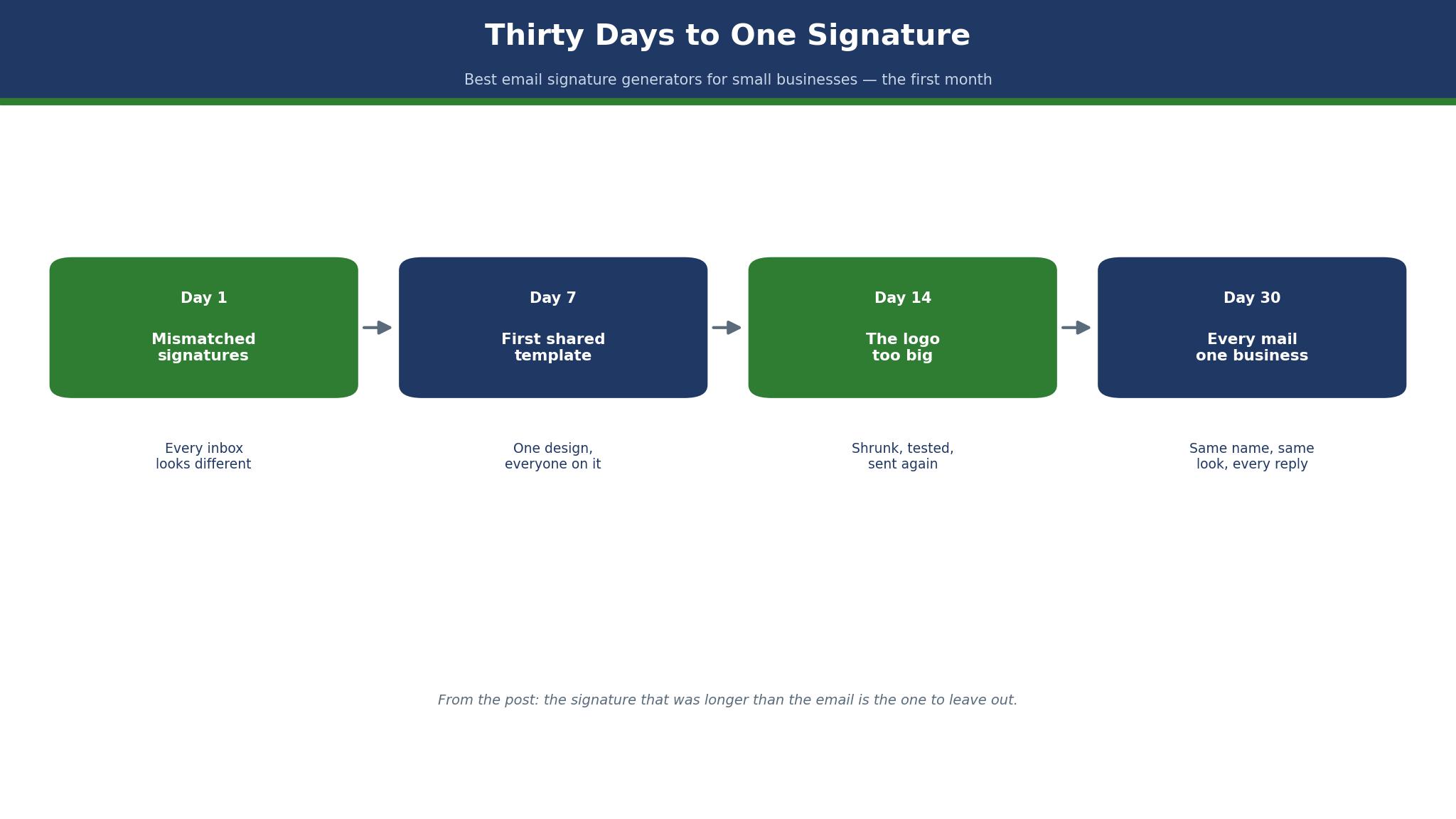
Day 1 starts with a mess. The owner sends a quote with a plain text sign-off, the sales lead sends a logo the size of a postage stamp, the bookkeeper sends a signature with three phone numbers, and the new hire sends nothing at all.
Day 7 brings the first shared template. The team picks WiseStamp, builds one signature with the logo, the right phone number and a link to the booking page, and rolls it out to all four mailboxes in an afternoon.
Day 14 brings the logo that was too big. The sales lead uploads a new version of the logo at full resolution, and the signature doubles in height overnight. Every mail for a week carries a picture the size of a business card, and two customers mention it before anyone on the team notices.
Day 30 brings the quiet result. Every mail from the team now looks like it came from one business, the booking link gets clicked, and nobody thinks about signatures any more. That is the whole point of the tool.
What the month taught the team, more than any feature, was that a signature is a habit rather than a design. The first week felt like a project, the second week felt like a chore, and by the fourth week nobody thought about it at all, which is exactly when it started working. The booking link earned its first clicks in week three, from customers who had never visited the booking page before, and the owner stopped mentioning the signature in meetings because there was nothing left to fix. A tool that disappears is a tool that works, and the signature generator had disappeared.
WiseStamp vs Newoldstamp
The two leaders among the best email signature generators for small businesses split on who they are built for. WiseStamp started with individuals and grew into team management, so it feels friendly to a four-person business and scales up to a hundred. Newoldstamp started with teams and central control, so it feels stricter from the first screen and suits a business that wants every signature identical.
On price, WiseStamp charges a base fee plus a dollar per employee, while Newoldstamp charges per user with no base fee. WiseStamp Pro+ costs $9 a month plus $2 a month for each extra member, up to ten people, which covers a four-person team for $15 a month.
On control, both tools do the central job well. WiseStamp rolls signatures out through an Outlook add-in, a desktop app or a Chrome extension, and server-side signatures that cover phones and every mail app sit on Platform and Enterprise only. Newoldstamp manages signatures centrally from the start, with templates, rules and analytics on its business plans. The deciding test is the phone.
How to Choose the Best Email Signature Generators for Small Businesses
Start with how many people need a signature, because that number picks the price tier before anything else does. A solo user wants a free generator or the cheapest individual plan, and team management would be money thrown away. Four people want a small-team plan with shared templates, and the per-person figure matters less than getting everyone set up.
Then check how the signature reaches the mailbox, because the deployment method is where most buyers get caught out. Client-side tools install something on each computer, and the signature can vanish on a phone or a webmail login. Server-side tools apply the signature on the mail server, so every mail carries it no matter where it was written.
Finally, look at the signature itself with a customer’s eyes, because a tool that lets you build a monster will let you build one. The best signature has a name, a job title, one phone number, one link and a small logo, and nothing else.
Test the signature in dark mode and on a small screen before you roll it out, because both will surprise you. A logo with white text vanishes on a dark background, and a signature that looks neat on a laptop can wrap badly on a phone, with the phone number on one line and the link on the next. Send the test mail to two phones and one dark-mode inbox, and look at it the way a customer would, in a hurry, on a train. The five minutes this takes will save you from a month of mails that look broken to half your customers.
The 12 Tools at a Glance
The twelve tools below cover every way a small business can build an email signature, from a free one-off generator to a centrally managed platform for a hundred people. Each one was judged on how good the signature looks, how the rollout works, whether the signature appears on phones, and what a year of real use costs.
| Tool | Best for | Starting price | Free plan | Watch out |
|---|---|---|---|---|
| WiseStamp | Small teams | Pro+ $9 a month | Yes | Server-side on Platform only |
| Newoldstamp | Central control | About $2 per user a month | Yes | Per-user billing adds up |
| HubSpot | One free signature | Free | Yes | No team management |
| MySignature | Quick free signature | Free | Yes | Basic templates |
| Design.com | Signature plus logo | Subscription | Yes | Less depth per tool |
| Exclaimer | Server-side from entry | Standard $1.45 per user a month | No | No free tier |
| Gimmio | Free templates | Free | Yes | Paid features thin |
| Letsignit | European teams | About 1 euro per user a month | Yes | Euro pricing |
| Rocketseed | Campaign banners | About $1 per user a month | No | No free tier |
| Si.gnatu.re | Simplest free tool | Free | Yes | Very basic |
| Mail-Signatures | Free Outlook templates | Free | Yes | Manual install |
| Bybrand | Growing teams | About $8 a month | Yes | Higher entry price |
WiseStamp wins the glance table on small-team value, and Newoldstamp wins it on central control. HubSpot is the pick for a single free signature, and Exclaimer is the pick when the signature must appear on every device.
Best Pick by Job
The table below matches each common job to one pick from the best email signature generators for small businesses, so you can skip straight to the row that describes your team.
| Job | Pick | Why it wins here |
|---|---|---|
| Four-person team | WiseStamp | Pro+ covers ten people for $9 plus $2 each |
| Strict central control | Newoldstamp | Templates and rules from the first screen |
| One free signature | HubSpot | Free generator, no account needed |
| Signature plus logo | Design.com | One account, shared brand kit |
| Signatures on every device | Exclaimer | Server-side from entry plans |
| Free templates | Gimmio | Large free range, no card needed |
| Campaign banners in signatures | Rocketseed | Banner campaigns built in |
| Simplest possible start | Si.gnatu.re | Free, no learning curve |
| Outlook templates | Mail-Signatures | Free, made for Outlook |
| Growing past twenty people | Bybrand | Scales without a rebuild |
The Signature That Was Longer Than the Email
The worst signature in this guide’s research was longer than the mail it signed, and the best email signature generators for small businesses are judged partly on whether they stop you building one. It carried a name, two job titles, three phone numbers, a fax number, a postal address, a legal disclaimer in small print, a banner for a sale that ended in March, and a quote about excellence. The mail itself said two sentences, and the signature said eleven lines. The recipient read the signature instead of the mail, and the mail lost.
The remedy is a house rule, and the tool only makes it stick. A signature should carry a name, a job title, one phone number, one link and a small logo, and nothing else. Everything beyond that is either vanity or fear, and both hurt the business. A banner belongs in the signature only when there is a live offer, and it comes down the day the offer ends. A legal disclaimer belongs there only when a lawyer insists, and the lawyer should be asked whether the disclaimer actually protects anything.
The tools differ in how hard they make the long signature. WiseStamp and Newoldstamp both offer templates that keep you short, and their team plans let an admin lock the template so nobody can add a second banner. The free generators will happily build an eleven-line signature, because they have no opinion about your business. The discipline is yours either way, and the tool that helps you keep it is the tool to buy.
The banner that outlives its offer is the most common version of this mistake, and it happens because nobody owns the removal. A sale ends on Sunday, the banner stays in the signature until someone notices in April, and every mail for three months advertises a price that no longer exists. The fix is a calendar reminder set on the day the banner goes up, with the removal date written on it. A tool with campaign dates built in handles this automatically, and a tool without them needs the reminder to be set by hand.

The 12 Tools in Detail
The twelve tools below are the best email signature generators for small businesses ranked by what a working month actually demands. WiseStamp and Newoldstamp lead on different strengths, HubSpot and MySignature chase on free value, and the rest of the list earns its place on a specific job rather than on overall power.
1. WiseStamp
WiseStamp is the best small-team signature tool on this list, and its lead comes from a pricing shape that suits a four-person business.
Pro+ costs $9 a month plus $2 a month for each extra member, up to ten people, so a team of four pays $15 a month, or $180 a year.
The tool itself is friendly and capable. The AI signature designer builds a first version in minutes, the template gallery is large, and one-click sync covers Gmail and Outlook.
Campaigns and analytics arrive on Grow, and rules and automations help a team that wants different signatures for different departments. The weak spot is deployment.
A worked example shows the year-one arithmetic.
A four-person team on Pro+ pays $180 for the year and gets shared templates, campaigns and analytics in a tool the whole team can use. The same team on Platform pays $2,388 a year, which is thirteen times as much, and the only reason to pay it is server-side deployment.
The template gallery deserves a closer look, because it is where WiseStamp pulls ahead of the cheaper tools. The templates are modern without being loud, and the best ones leave white space around the logo instead of cramming every line together. A signature built from a good template looks designed, while a signature built from a blank form looks assembled, and customers notice the difference even when they cannot name it. The gallery is the reason many buyers stay after the trial, and it is worth browsing before you commit to any plan.
2. Newoldstamp
Newoldstamp is the central-control pick, and it earns second place by managing signatures the way an IT admin wants them managed.
Templates, rules and analytics sit on the business plans from the start, and the admin console shows every signature in the company at a glance.
The price is reported from about $2 per user a month on business tiers, so a four-person team pays roughly $8 a month, or $96 a year, and a ten-person team pays roughly $20 a month, or $240 a year.
There is no base fee, which makes the bill easy to read and easy to forecast as the team grows.
A worked example makes the comparison concrete. A ten-person team pays about $240 a year on Newoldstamp, against $348 a year on WiseStamp Pro+, which covers ten people at $9 plus $2 each.
The Newoldstamp bill is lower and simpler, and the control is stricter. The WiseStamp bill buys a friendlier editor and a larger template gallery. For a team that values control above all, Newoldstamp is the better buy, and the $240 a year is the cheapest serious team price on this list.
3. HubSpot
HubSpot is the free-signature pick, and it earns third place by asking for nothing.
The email signature generator is free, needs no account, and produces a clean signature with a name, a job title, a phone number, a link and a logo in a few minutes.
The price is zero, and the limit is everything else. There is no team management, no central rollout, no analytics and no way to update ten signatures at once, so a business that grows past one person will outgrow HubSpot quickly.
The generator is a single-signature tool, and it does that one job well. The worked example in this section counts the minutes a signature saves, not the dollars it costs.
The generator also offers a few layout choices and a photo upload, and the signature copies into Gmail or Outlook in two clicks. That is the whole appeal for a freelancer who needs it done today rather than perfected over a week.
4. MySignature
MySignature is the quick-free pick, and it earns fourth place on speed. The generator builds a signature in minutes from a simple form, with a useful range of templates and no account needed to start.
The free tier covers the basics, and the paid tier is reported at about $5 a month, though the exact figure varies, so treat it as reported. The templates are plainer than HubSpot, and there is no team management, no central rollout and no analytics, so a growing business will outgrow it. The strength is the lack of friction. No signup wall, no tutorial, no settings to learn.
5. Design.com
Design.com takes fifth place because it covers the signature as one piece of a whole identity rather than a product on its own. One subscription covers a signature, a logo, a card, a brand kit and a website, and every piece carries the same colours and fonts without anyone copying them across.
The signature maker itself is solid rather than spectacular. Templates cover the common formats, the editor is straightforward, and the signature exports cleanly into Gmail and Outlook. It will not out-manage WiseStamp or out-control Newoldstamp, and nobody should buy it expecting that. Its strength is the shared identity.
6. Exclaimer
Exclaimer is the server-side pick, and it earns sixth place on the feature that matters most to larger teams. Signatures are applied on the mail server, so every mail carries the right signature no matter where it was written, on a phone, a tablet or a webmail login.
The price is pure per-user, with Standard at $1.45 per user a month and Pro at $1.75, both billed annually. A ten-person team pays about $174 a year on Standard, and a hundred-person team pays about $1,740. There is no free tier, which is the first thing to know, though a trial covers the evaluation.
7. Gimmio
Gimmio is the free-templates pick, and it earns seventh place on range. The free tier offers a large library of signature templates, more than most paid tools, and the editor is straightforward enough that a solo owner can build a good signature in ten minutes.
The paid features run thinner than the leaders, and the team controls are basic, so a growing business will outgrow it. The templates are the product, and they are good, with modern layouts and sensible defaults that keep a signature short. The paid tier price is reported rather than settled, so check the current page before budgeting.
8. Letsignit
Letsignit is the European-teams pick, and it earns eighth place on compliance and control. The tool manages signatures centrally, with templates, rules and campaigns, and it is built for businesses that need their data handled under European rules.
The price is reported from about one euro per user a month, so a ten-person team pays roughly ten euros a month, or about $130 a year at typical exchange rates, though the exact figure varies by plan and region. The interface is more corporate than WiseStamp, and a very small business may find it more than they need.
9. Rocketseed
Rocketseed is the campaign-banners pick, and it earns ninth place on a feature nobody else on this list does as well. Signature banners carry live marketing campaigns, with tracking that shows which banner got clicked and by whom.
The price is reported from about $1 per user a month, with no free tier, so a ten-person team pays roughly $120 a year. The signature design itself is competent rather than remarkable, and the tool is at its best when the banners are the point.
- Rocketseed in one line. Email signatures that carry live marketing banners, with tracking on every click.
- Best moment. A sale banner in the signature brings in orders before the mail campaign even starts.
- Watch out. There is no free tier, and the design tools are plainer than the leaders.
- Verdict. Pick it when banners are the job, skip it when the signature is just a sign-off.
10. Si.gnatu.re
Si.gnatu.re is the simplest free tool on this list, and it earns tenth place on pure ease. There is almost nothing to learn. Fill in the form, pick a layout, copy the signature, and paste it into your mail client.
The price is zero, and the limit is everything beyond the basics. There is no team management, no central rollout, no analytics and no template library to browse. The tool is for one person who needs a signature today and does not want to think about it again.
11. Mail-Signatures
Mail-Signatures is the Outlook-templates pick, and it earns eleventh place on a narrow but real job. The site offers free signature templates made for Outlook, with clean HTML that pastes properly into the Outlook signature editor.
The price is zero, and the work is manual. Each person installs their own signature, and there is no central management, no rollout and no way to update ten signatures at once. The templates are good, the HTML is clean, and the instructions are clear.
12. Bybrand
Bybrand rounds out the list as the growing-teams pick, and it earns twelfth place on scalability. The tool manages signatures centrally, with templates, rules, integrations and analytics, and it is built for a business that will grow from ten people to a hundred without rebuilding its signature system.
Q. What does Bybrand cost? A. The entry tier is reported from about $8 a month, with higher tiers for larger teams and more features. Confirm the current price before you buy, since the tiers have changed before.
Q. Who should buy it? A. A business that is growing fast and wants a signature system that grows with it, rather than a tool it will outgrow in a year.
Q. What is the drawback? A. The entry price is higher than WiseStamp or Newoldstamp for a very small team, and the interface assumes someone technical will run it.
Q. When is it the right call? A. When the team will be twice its size next year. Buy the system that fits the team you are becoming, not the team you are today.
What Happens to Old Mails When You Switch?
Old mails keep the signature they were sent with, and nothing in this category changes that. A signature is part of the mail at the moment it is sent, not a live link back to the tool, so switching generators does not rewrite history. The mails already in your customers’ inboxes will carry the old signature forever, and that is normal.
The practical consequence is timing. Switch on a quiet day, not the morning of a big mail campaign, and send a test mail to yourself first. Check the new signature on a phone, in webmail and in the desktop client, because each one can render it differently.
Do You Need a Paid Plan for Ten People?
Ten people is the size where the free tools stop working and the paid plans start earning their price. A free generator can make ten signatures, but it cannot update them, lock them or roll them out, and the first time the logo changes, someone will spend a day updating ten mailboxes by hand.
The paid plan buys three things, and all three matter at ten people. The first is central management, so one change reaches every mailbox. The second is locked templates, so nobody can add a second banner or a third phone number. The third is analytics, so you can see whether the booking link in the signature actually gets clicked.
The ten-person mark is also where the admin habit changes, because one person has to own the signatures. In a four-person team the owner does it, and in a ten-person team someone needs the job written down, with the authority to say no to a second banner. The paid plans make that job easy, with an admin console and locked templates, and the free tools make it impossible, since every change means visiting ten mailboxes. The subscription is really paying for that one person’s afternoon, and it is cheaper than the afternoon itself.
How Do You Stop the Logo Going Too Big?
The logo goes too big when someone uploads the full-resolution file, and the fix is a size limit set before anyone uploads anything. Most signature tools let an admin cap the logo size, and the cap should be set on day one, not after the first oversized logo has gone out for a week.
The other half of the fix is the file itself. Keep one approved logo file, at the right size and resolution, in a shared folder, and tell the team that it is the only file to use. The Day 14 story in the diary above happened because the sales lead uploaded a new version at full resolution, and the tool had no limit to stop it.
Frequently Asked Questions
Can I switch email signature generators without breaking old mails?
Yes, and switching is one of the safest changes in this category. Old mails keep the signature they were sent with, since a signature is part of the mail at the moment it is sent, not a live link back to the tool. The new signature appears only on mails sent after the switch.
Do I need a paid plan for a four-person team?
Not necessarily, though the paid plan earns its price quickly. A four-person team can run on free generators, but every change means updating four mailboxes by hand, and the first logo change will cost an afternoon. WiseStamp Pro+ costs $15 a month for four people, or $180 a year, and it brings shared templates and central rollout.
Will my signature show up on phones?
It depends on the plan, and this is the question to ask before you pay. Client-side tools install the signature on each computer, and the signature can vanish on a phone or a webmail login. Server-side tools apply it on the mail server, so every mail carries it no matter where it was written. WiseStamp offers server-side only on Platform, while Exclaimer offers it from its entry plans. The best email signature generators for small businesses are judged partly on this, so check the phone before you commit.
Can I use a free signature generator for business mail?
Yes, for a solo owner or a very small team. HubSpot, MySignature, Gimmio and Si.gnatu.re all produce professional signatures for free, and a freelancer can run for years on one of them. The free tools fail when the team grows, because they cannot manage, lock or update signatures centrally.
How short should an email signature be?
Short enough to read in three seconds. A name, a job title, one phone number, one link and a small logo is the right size, and anything beyond that needs a reason. A second phone number, a banner for a live offer, or a one-line tagline can earn its place, but a fax number, a postal address and a legal disclaimer rarely do.
What happens to my signature if I cancel?
Your exported signature stays usable, and you should save it before cancelling. The HTML and the template files belong to you once you have them, and you can paste them into a mail client by hand. The central management, the rollout and the analytics stop when the subscription ends, and the signatures already sent stay exactly as they were.
The Verdict: WiseStamp for Teams, Newoldstamp for Solo
WiseStamp is the best pick for most small businesses, because Pro+ covers a small team for $15 a month, the editor is friendly, and the template gallery is large. Newoldstamp is the pick when central control matters most, since its business tiers cost roughly $2 per user a month with no base fee. HubSpot is the pick for a single free signature, and Exclaimer is the pick when the signature must appear on every device.
What I would do, if I were fixing a four-person team with four different signatures tomorrow, is start on WiseStamp Pro+, build one template with the right logo and one phone number, and roll it out in an afternoon. If the team reads mail on phones and the signature keeps vanishing, move to Exclaimer and treat the per-user price as the cost of certainty. Either way, keep the signature short, because the best email signature generators for small businesses all agree on one thing. A signature should end the mail, not become it, and the tools that help you keep it short are the tools worth paying for.