
The mistake cost one shop three shades of blue, and the best brand kit makers for small businesses in this guide are judged on whether they stop it happening again. Canva leads, Looka chases, and the rest of the list earns its place on one part of the kit done well. What follows is the story of that blue, and the prices behind the fix.
The Blue That Was Never the Same Twice
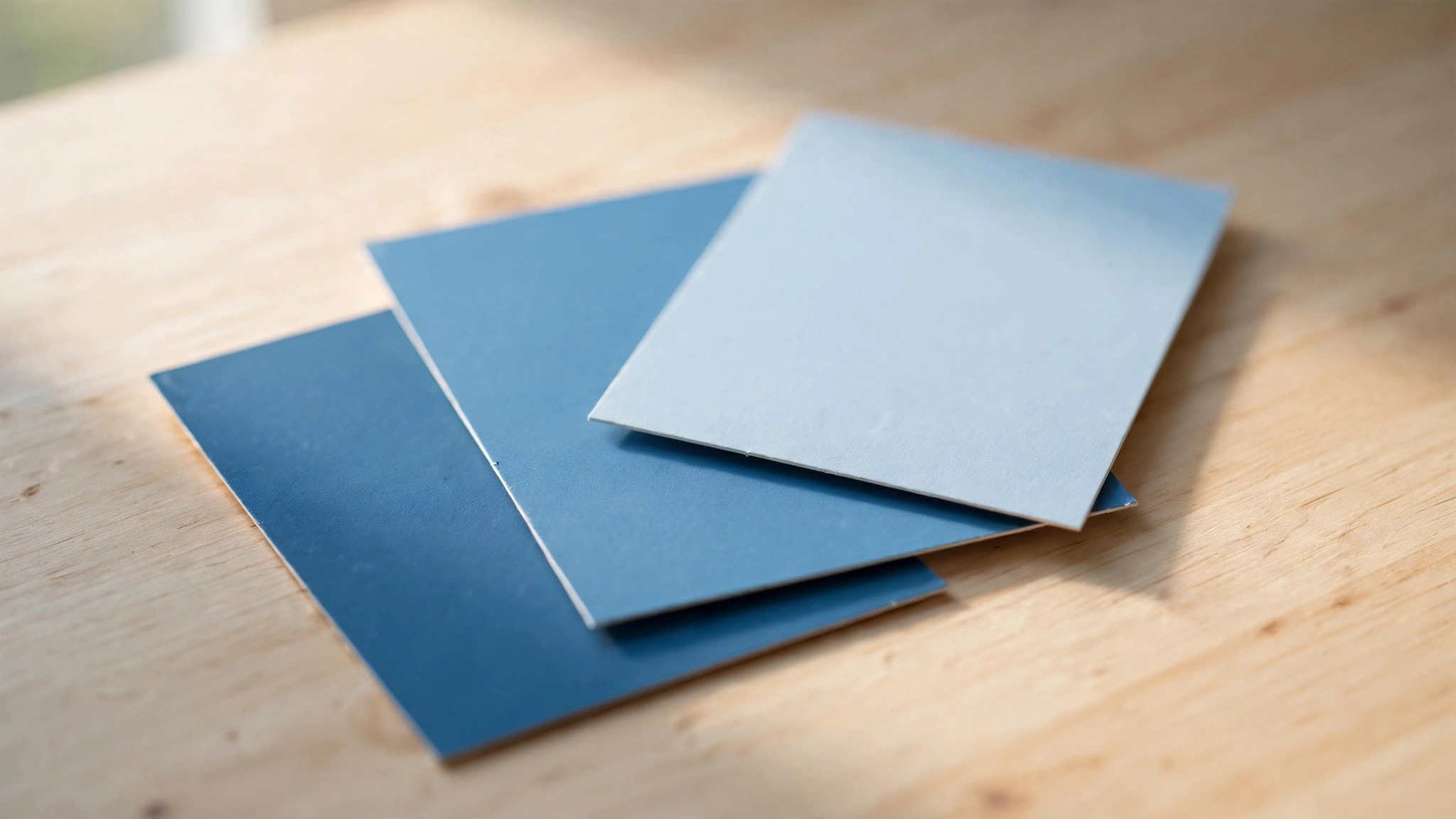
The shop was a bakery, and the blue was meant to be its signature. The sign painter mixed it from a swatch, the flyer designer picked it from a screen, and the social media volunteer chose something close from a template menu. By the end of the first year the bakery had three blues, and none of them matched the others. Customers never complained, because customers rarely do, but the shop looked like three businesses sharing one name, and the owner knew it every time she opened the till.
A brand kit exists to stop exactly that. It locks the blue to a code, the font to a name, and the logo to a set of rules about size and spacing, so that the next flyer, the next post and the next sign all come from the same decisions.
The bakery fixed its blue in an afternoon, once someone wrote the code down. The sign painter repainted the board, the flyer template was rebuilt, and the social posts changed the next day. The cost was a tin of paint and an hour of work, and the result was a shop that finally looked like one business. A brand kit is that afternoon, done in advance, and the best ones make it hard to get the blue wrong again.
Canva vs Looka: Daily Control Against Finished Files
The two leaders among the best brand kit makers for small businesses split on what a kit is for. Canva treats the kit as a living part of a design tool, with colours, fonts and logos that flow straight into every template you open. Looka treats the kit as a finished product, built once from a logo and delivered as a set of files, templates and guidelines you can take anywhere. One is a workshop, the other is a box of parts, and the right choice depends on how your business actually works.
On price, Looka sells the kit as a subscription and the logo as a one-off, while Canva sells the whole design tool as a subscription. Looka Brand Kit costs $96 a year, and the logo packages that feed it run from $20 to $65 one-time on older listings, or $35 to $72 on newer ones, so treat those figures as reported and check before you pay.
On control, Canva locks the kit inside its own editor, which is a strength and a limit at once. Inside Canva, nobody can pick the wrong blue, because the tool only offers the right one. Outside Canva, the kit is harder to use, and a sign painter or a print shop may need the files exported by hand.
The 8 Tools at a Glance
The eight tools below cover every way a small business can build a brand kit, from a free logo maker to a full design platform. Each one was judged on how strict the lock is, how complete the kit feels, how easy it is for a non-designer to use, and what a year of real use costs. Every price below is a vendor list price in US dollars, checked in October and November 2026, and figures the sources disagreed on carry a reported note.
| Tool | Best for | Starting price | Free plan | Watch out |
|---|---|---|---|---|
| Canva | Everyday brand control | Pro $144 a year | Yes | Kit locked inside Canva |
| Looka | Logo plus full kit | Brand Kit $96 a year | Yes | Logo costs extra |
| Tailor Brands | New business setup | Basic about $9.99 a month | Yes | Monthly billing adds up |
| Design.com | Kit plus logo and site | Subscription | Yes | Less depth per tool |
| Adobe Express | Fast branded posts | Premium $9.99 a month | Yes | Smaller kit features |
| VistaCreate | Template-led kits | Pro $13 a month | Yes | Looser brand lock |
| Visme | Reports and brand | Starter $12.25 a month | Yes | Kit is secondary |
| Brandmark | Pay once, keep forever | Basic $35 one-time | No | No ongoing updates |
Canva wins the glance table on everyday control, and Looka wins it on completeness, since its kit arrives as a finished set of files. Tailor Brands is the pick for a business starting from nothing, and Brandmark is the pick for a business that hates subscriptions. Each tool below is reviewed against the job it does best.
How to Choose the Best Brand Kit Makers for Small Businesses
Start with who makes your marketing, because that decides the shape of the kit before price ever enters the conversation. One person working alone needs a kit that lives inside the design tool, so the right colours appear without thinking. Canva and Adobe Express do that well. A business that works with outside designers needs a kit that travels as files, with colour codes and guidelines a print shop can open.
Then count what the kit must cover. A logo, two colours and one font is a kit a free tool can handle, and paying for more would be waste. A logo, five colours, two fonts, social templates, a business card and a letterhead is a kit that needs a real product, and the subscription tools earn their price there. Write the list before you shop, and cross off any tool that misses an item on it. The cheapest kit that covers the list beats the dearest kit that misses one item.
Finally, test the lock, because a kit that does not lock is a suggestion, not a kit. Open the tool, try to use the wrong blue, and see whether it stops you. In Canva Business the brand controls stop you properly, with locked templates and approved colours. In the cheaper tools the lock is softer, and a hurried team member can still drift.
The 8 Tools in Detail
The eight tools below are the best brand kit makers for small businesses ranked by how well they keep a business looking like one business. Canva leads on daily control and Looka on finished files, Tailor Brands and Design.com follow on breadth, and the rest of the list earns its place on one job rather than on overall power. The figures below are vendor list prices in US dollars from October and November 2026, and any price two sources disagreed on is marked reported.
1. Canva
Canva tops this list because a kit only works when it is inside the tool that makes the posts, the flyers and the invoices. Lock the palette, the type and the mark once, and every new design starts from those choices instead of asking for them again.
A social post, a flyer and a price list all come out matching, because the tool will not let them come out any other way. The morning post takes four minutes, and the blue is right every time.
Canva Pro reads $144 a year on the newest pages and $120 on older ones, so both figures are reported here and the vendor page settles it.
One person pays $144 a year for Pro on the newest pages, or $18 a month billed monthly, while older pages still show $120 a year, or $15 a month. Business costs $250 per person a year and adds the controls a team needs, such as locked templates, approved colours and formal approval workflows.
A worked example shows the year-one arithmetic. A bakery on Pro at $144 a year makes about four branded items a week, or 200 in a year, which works out to about 72 cents per item.
Paying a designer to re-match the blue on every new flyer would cost more in a month than Pro costs in a year, and the kit stops the drift before it starts. The gap is portability, since the kit is strongest inside Canva.
Canva also runs the rest of the identity, not only the kit. The logo maker, the template shelf, the planner and the resizer live in one account, so the kit behaves like a setting inside a bigger workshop rather than a file on its own.
The hazard is familiarity, since a template a million shops use starts to look like every other shop, and the cure is a fresh photo plus one changed choice on every design. For most small businesses Canva is still the right first kit, and the yearly Pro price pays for itself in saved hours.
2. Looka
Looka is the most complete kit on this list, and it earns second place by delivering a finished product rather than a tool to build one.
Looka starts with a short questionnaire about the business, then offers styles to approve, and from those it builds a logo, a palette, type choices and a full template set. The delivery is a folder of files the business owns, in formats any print shop can open, with a short guide on using them.
Looka charges once for the logo and yearly for the kit, and the figures below are reported because the pages disagree. Basic is listed at $20 one-time on older pages and $35 on newer ones, while Premium runs $65 or $72, and the checkout page is the number to trust.
Premium earns its price, since it hands over vector files, several colour versions and full ownership, while Basic only covers a single low-resolution image. Brand Kit costs $96 a year and adds unlimited edits plus the full collateral library, and Brand Kit Web at $129 a year adds an AI website generator.
A worked example makes the choice concrete. A new café that buys Premium at $65 and Brand Kit at $96 pays $161 in year one, then $96 a year after that, and owns its logo files outright.
The same café on Canva Pro pays $144 every year and never owns the files. The trade-off is the workshop. Looka builds the kit once, and changing it later means going back through the process.
3. Tailor Brands
Tailor Brands earns third place as the new-business pick, by covering the whole startup checklist in one flow.
One questionnaire produces a logo, a kit, a website, a domain idea and card designs, and the result reads as a business rather than a pile of files. A founder who needs all of it at once moves further here in an afternoon than in a week of jumping between tools.
The price is reported at about $9.99 a month billed annually for the Basic tier, rising to about $19.99 for Standard and $49.99 for Premium, so treat those figures as reported and confirm at checkout.
The Lite tier is free and includes a handful of logos, a domain, a website and business card tools, though state fees apply where the tool handles formation.
A worked example puts Tailor Brands in its place. A consultant starting out pays about $120 in year one on Basic and walks away with a logo, a kit, a simple site and cards, which would cost far more bought one by one. The saving is measured in days, since the alternative is a week of choices spread across five separate tools.
The catch is the exit. The kit and the site live inside Tailor Brands, and moving away later takes work. For a new business that needs to look real by Monday, that trade is worth making.
4. Design.com
Design.com earns fourth place here because the kit is the point, not the logo. The subscription wraps a logo, a kit, a website builder, a card maker and a deck maker in one account, and the kit is the thread that runs through all five, so a colour changed once changes everywhere. A small business that starts from nothing gets more from that single thread than from a kit-only tool at twice the price, because the kit-only tool leaves the website, the cards and the deck to be built somewhere else.
The kit itself is competent rather than remarkable. It holds the colours, fonts and logo steady across every tool in the bundle, and the templates cover the usual small business formats. It will not beat Canva on design or Looka on completeness, and nobody should buy it expecting that. Its value is the shared identity. A café owner who needs a menu board, a window logo and a staff kit can finish all three in one place, and the result reads as one business rather than three separate buys.
Design.com lists its price as a monthly subscription with a cheaper annual rate, and the figure moves by plan and region, so read the pricing page before budgeting. Judge the bundle on what it replaces, since a separate logo maker plus a separate kit usually costs more than this one subscription, and the shared kit is the piece that saves the most hours. The cost is depth, since every tool inside the bundle is good and none of them leads its own category.
5. Adobe Express
Adobe Express is the fast branded-post kit, and it earns fifth place on speed and price. Premium costs $9.99 a month, billed monthly, and includes a brand kit, 250 generative credits a month, 100GB of storage and one-click resize. Teams costs $4.99 per licence a month in the first year, then $7.99, with a two-seat minimum. A two-person shop pays about $120 in year one for both seats, which undercuts Canva Business by a wide margin.
The kit features are narrower than Canva, and that is the honest limit. Colours and fonts hold well enough for social posts, and the Adobe Fonts shelf gives the kit a dearer look than the price suggests. Background removal carries no credit limit, which matters for a shop that photographs stock every day.
6. VistaCreate
VistaCreate is the template-led kit, and it earns sixth place on variety. The template shelf is huge, the styles lean bright and modern, and the kit spreads your colours and fonts across every template in one click. Daily posters burn through Canva layouts fast, and VistaCreate hands them a second library to rotate through before the repetition shows.
The price is simple. Pro costs $13 a month, with a free tier that covers occasional use and a useful set of templates. Paying unlocks the whole template shelf, the background tool and seats for a second designer, which is the point where VistaCreate stops being a solo tool. The brand lock is looser than Canva, so a hurried team member can still drift off palette, and the kit features are thinner than Looka.
7. Visme
Visme is the reports-and-brand kit, and it earns seventh place on a job the leaders ignore. The brand kit sits inside a tool that also builds reports, infographics and presentations, so a business that reports to a board or a lender can keep its documents on brand without a second tool. The chart tools are native, the data links to a sheet, and the result updates when the numbers change.
Pricing starts free, with Starter at $12.25 a month billed annually and Pro at $24.75 a month billed annually, which works out to $147 and $297 a year. Visme Pro adds brand controls, viewer analytics and wider export choices, and a team that runs its reports through Visme every quarter should price the year on Pro, not on Starter. The kit itself is secondary to the reporting, and a business that only needs a kit will find Canva or Looka stronger. For a business that writes reports every quarter, Visme is the kit that arrives free with the reporting tool.
- Visme in one line. A brand kit inside a reporting tool, for businesses that present numbers as often as they post.
- Best moment. A quarterly report goes out in the right colours without anyone checking a swatch.
- Watch out. The kit is secondary, and a kit-only buyer will find stronger options higher on this list.
- Verdict. Pick it for reporting, skip it when the kit is the whole job.
8. Brandmark
Brandmark closes the list as the pay-once pick, and its argument is the simplest on this page. Give it a name and a few style choices and it returns a logo, and one payment buys the files outright, with full copyright and unlimited revisions. There is no subscription, no renewal, and no bill next year for the same logo.
Q. What does Brandmark cost? A. Basic is $35 one-time and includes logo files in PNG and vector format. Designer is $95 and adds source files, brand guidelines and business card designs. Enterprise is $195 and adds hand-crafted concepts from the designers plus font downloads.
Q. Who should buy it? A. A business whose brand is settled and who hates subscriptions. The one-off payment suits a shop that wants to buy the identity once and never think about it again.
Q. What is the drawback? A. There are no ongoing updates, no template library and no tool to build posts in. The kit is a set of files, and the designing still falls to you or to a designer you hire.
Q. When is it the right call? A. When the logo is the whole job and the budget is fixed. For $35 to $95 once, Brandmark is the cheapest route to files you own outright.
Best Pick by Job
The table below matches each common job to one pick from the best brand kit makers for small businesses, so you can skip straight to the row that describes your week.
| Job | Pick | Why it wins here |
|---|---|---|
| Everyday brand control | Canva | Kit lives in the editor, cheapest full system |
| Logo plus finished kit | Looka | Files you own, complete guidelines |
| New business, everything at once | Tailor Brands | Logo, kit, site and cards in one flow |
| Kit plus logo and site | Design.com | One account, shared identity |
| Fast branded posts | Adobe Express | Cheapest paid seat, Adobe fonts |
| Most templates | VistaCreate | Huge library, low price |
| Reports that stay on brand | Visme | Native charts, brand controls |
| Pay once, keep forever | Brandmark | One-off price, full copyright |
What Does a Brand Kit Actually Lock Down?
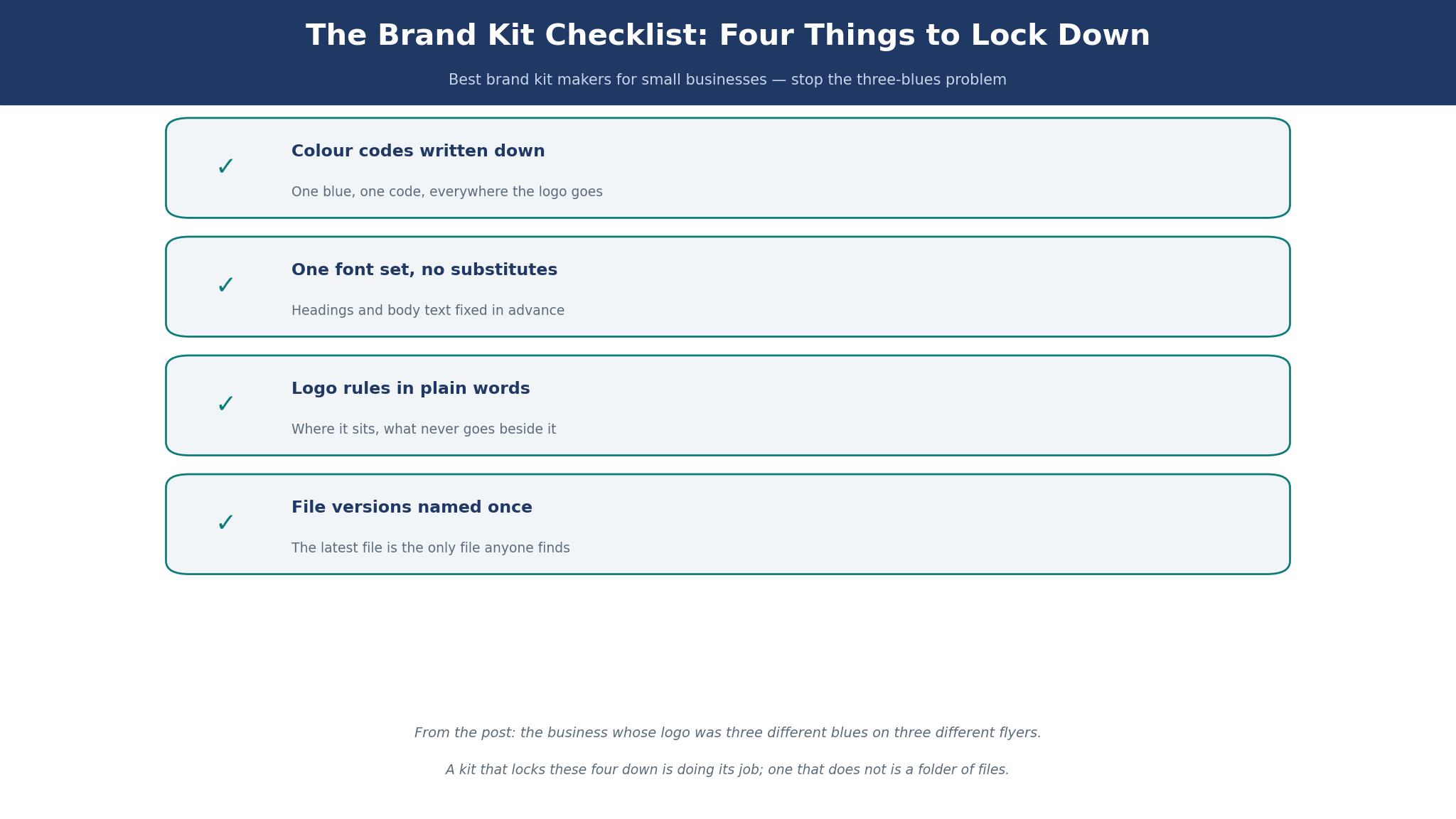
A brand kit locks four things, and the best brand kit makers for small businesses are judged on how firmly each one holds. The first is colour, fixed to a code rather than a memory, so the blue on the sign matches the blue on the flyer. The second is type, fixed to named fonts for headings and body text, so a post never appears in a random font because someone liked it that day.
The fourth is the hardest to see and the easiest to lose, and it is the rules about what not to do. A good kit says the logo never sits on a patterned background, the heading font never appears in body text, and the sale banner never uses a colour outside the palette.
Which Parts of a Brand Kit Do You Actually Use?
Most small businesses use three parts of the kit every week and ignore the rest, and the best brand kit makers for small businesses earn their price on those three. The colours get used daily, on every post, flyer and sign. The fonts get used daily, on every heading and caption. The logo gets used daily, on every template and document. Everything else in the kit, from the letterhead to the email signature template to the brand story page, gets used a few times a year at most.
That pattern should decide what you pay for. A kit that charges for fifty templates you will never open is worse than a kit that charges less for the three things you use daily. Before you buy, list the three items your business actually produces each week, and check that the kit covers them well.
Is a Free Brand Kit Enough?
A free kit is enough when the business is small, the marketing is made by one person, and the kit covers the colours, fonts and logo that person uses. Canva free, Looka free generation, VistaCreate free and Adobe Express free all give a solo owner a working kit without spending anything, and many businesses run for a year on one of them. The free kit fails when a second person starts making posts, because the free tiers rarely lock anything, and two people will drift into two blues within a month.
The paid tier buys the lock, and the lock is what the money is for. Canva Pro at $144 a year, Looka Brand Kit at $96 a year, and Adobe Express Premium at $9.99 a month all add the controls that keep a team consistent. The test is simple. If one person makes everything, stay free until the work outgrows it. If two people make anything, pay for the lock and stop fixing the blue after the fact. The cheapest paid kit that locks properly beats the dearest free kit that does not.
Frequently Asked Questions
How much does a brand kit cost for a small business?
A brand kit costs from nothing to about $250 a year for most small businesses. Free tiers from Canva, Looka, VistaCreate and Adobe Express cover a solo owner. Looka Brand Kit costs $96 a year, Canva Pro costs $144 a year, and Canva Business costs $250 per person a year for team controls. A one-off logo from Brandmark costs $35 to $95, and a Looka logo package costs $20 to $72 depending on the listing. The right budget is the cheapest kit that locks your colours and fonts for everyone who makes marketing.
Can I make a brand kit without a designer?
Yes, and every tool on this list is built for exactly that. Canva, Looka, Tailor Brands and Design.com all build a kit from a questionnaire or a few choices, with no design skill needed. The kit they produce is professional enough for a shop window, a flyer and a social feed. A designer still helps when the brand must stand out in a crowded market, but a small business can go a long way on a kit it built itself in an afternoon.
Will a brand kit work with my printer and sign maker?
Yes, if the kit hands over files and colour codes. Looka and Brandmark give you vector files and codes any print shop or sign maker can open, which is their main strength. Canva and Adobe Express keep the kit inside their editors, so a printer may need files exported by hand, usually as PDF or PNG. Ask your printer which formats they accept before you buy, and pick a tool that exports them.
How long does it take to build a brand kit?
An afternoon, for most small businesses. Looka and Tailor Brands build a kit in under an hour from a questionnaire, and Canva takes about the same to set colours, fonts and a logo. The slow part is deciding, not building, since picking the blue and the font is the decision that lasts for years. Give the decision a week, live with the choices on a few test posts, and then lock them in. The building itself is the fast part.
Should my brand kit include social media templates?
Yes, if your business posts more than twice a week. Templates are where the kit pays for itself, because each post starts from the right colours and fonts instead of from a blank page. Canva, Adobe Express and VistaCreate all include social templates in the kit, and the morning post takes four minutes when the template already knows the brand. A kit without templates is a set of rules nobody follows, and a kit with templates is a habit.
What happens to my brand kit if I cancel?
Your exported files stay yours, and you should download them before cancelling. Looka and Brandmark sell files you own outright, so cancellation changes nothing. Canva, Adobe Express and the subscription tools keep the kit inside the account, and the locked templates and brand controls stop working when the subscription ends. Export the logo files, the colour codes and the key templates before you cancel, and keep them in your own folders.
The Verdict: Canva for Daily Control, Looka for Finished Files
Canva is the best pick for most small businesses, because the kit lives inside the editor where the work happens, and Pro at $144 a year covers the whole identity. Looka is the pick when the brand is settled and the files matter, since Premium plus Brand Kit costs $161 in year one and the logo files are yours to keep. Brandmark is the pick for a fixed budget, at $35 to $95 once, and Tailor Brands is the pick for a business starting from nothing.
What I would do, if I were fixing a bakery with three blues tomorrow, is start on Canva free, set the colours and fonts in an afternoon, and rebuild the three templates that matter most. If a second person starts posting, move to Pro and lock the templates before the blue drifts again. If the brand is settled and the business works with outside designers, buy Looka Premium and hand over the files. Either way, the lesson from the best brand kit makers for small businesses is the same. Write the colour code down, because the blue is a code, not a memory.