
A restaurant logo is seen about 40 times before a first-time guest ever tastes the food, on the sign, the menu, the delivery app and the takeaway bag. The best logo makers for restaurants are judged here on what that repetition demands, a mark that stays readable at half an inch and still looks right on a shopfront. Canva leads for daily use, Looka leads for files you own, and the other ten earn their places on single jobs instead of overall power.
The Cost of a Restaurant Logo in 2026
A logo for a restaurant is not one purchase. It is a sign, a menu header, a delivery app thumbnail, a social avatar, a staff apron and a printed bag, and each of those needs the same mark in a different size and format. The best logo makers for restaurants split on this point, because some sell a single file and some sell the system that keeps the mark consistent across every surface.
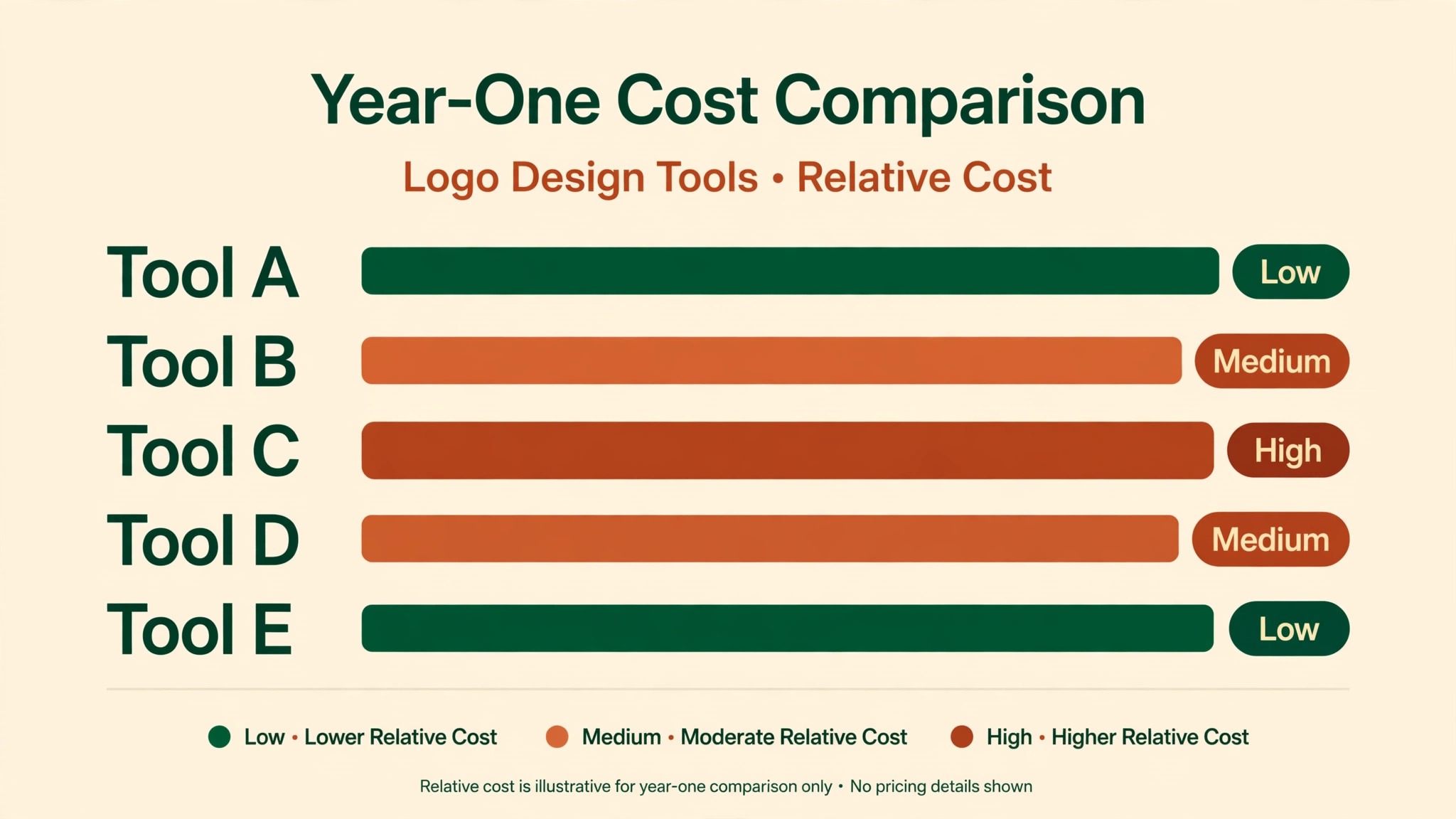
The table below shows what the first year costs on five tools, so a restaurant owner can compare the bill honestly. A one-time payment looks cheap until the menu changes and new versions of the social posts are needed, and a subscription looks dear until it covers the brand kit, the templates and the menu images as well.
| Tool | Year-one cost | What the money buys |
|---|---|---|
| Canva Pro | $144 a year | Logo, brand kit, menu templates, social posts |
| Looka Premium | $65 one-time | Vector files, colour versions, full ownership |
| Tailor Brands Basic | About $120 a year | Logo, kit, website, business cards |
| Brandmark Designer | $95 one-time | Source files, guidelines, card designs |
| Wix Logo Maker | About $20 one-time | Basic logo files at a low cost |
The cheapest year on this list is not the cheapest tool. A food truck that makes one logo and never changes it will spend about $20 on Wix and be done. A restaurant that changes its menu every season will spend $144 on Canva and save hours of rework.
A second cost hides inside the first. A logo that arrives as a low-resolution image cannot be printed on a sign, and the reprint or the redesign costs more than the logo did. Vector files in SVG or EPS format are the minimum for any restaurant that prints anything, from a window decal to a takeaway bag. Looka Premium and Brandmark both deliver them, and the one-time price buys them outright rather than renting them for a year.
Canva vs Looka
Canva and Looka split on what a restaurant logo is for. Canva treats the logo as part of a design system, with a brand kit, menu templates and social posts that carry the mark every day. Looka treats the logo as a finished product, built once from a questionnaire and delivered as files you own, with vector formats any printer can open.
On price, Looka sells the logo once and Canva sells the system yearly. Looka Premium runs about $65 one-time on current pages, with older pages listing $72, so check the checkout screen before paying. Premium is the tier worth buying, since it hands over vector files, several colour versions and full ownership, where the cheaper Basic tier covers one low-resolution image only.
For files, Looka leads, and a restaurant will feel the gap. A shopfront sign, a printed menu and a staff apron all need vector files, and Looka Premium delivers them, while Canva Pro exports PNG and SVG on the paid tier but keeps the workflow inside its own editor. On daily work, Canva pulls ahead just as clearly, because the logo lives where the menu and the posts are made.
The choice comes down to how often the logo is used. A restaurant that opens once and rarely changes its menu will get more from Looka, because the files are owned outright and the work is done. A restaurant that posts daily specials, changes its menu with the seasons and runs delivery promotions will get more from Canva, because the brand kit stops the drift before it starts.
How to Choose the Best Logo Makers for Restaurants
Start with what the logo must do on the smallest screen, because that decides the tool before price ever enters the conversation. A restaurant logo appears first as a tiny square on a delivery app, then as a header on a printed menu, and only then as a full image on a sign. A mark that needs its name, a tagline and a small illustration to make sense will fail at delivery app size, and no tool can fix that after the fact.
Then check the files, because a logo you cannot print is a logo you rent rather than own. Vector files in SVG or EPS format are the minimum for a restaurant that prints anything, from a sign to a bag to an apron. Looka Premium and Brandmark both deliver them, and the one-time price buys them outright. Canva Pro exports SVG on the paid tier, which is enough for most restaurants, though the workflow stays inside Canva.
Finally, think about the year after the logo, because the logo is bought once and used every day. A restaurant that makes a new special every week needs templates, a brand kit and menu images, which points to Canva or Design.com. A restaurant that makes a logo and never changes it needs the files and nothing else, which points to Looka or Brandmark. The right choice fits the next twelve months of work, not the afternoon the logo is made.
The 12 Tools at a Glance
The twelve tools below cover every way a restaurant can make a logo, from a free maker to a full design platform. The best logo makers for restaurants were judged on how good the mark looks at delivery app size, whether the files are yours to keep, how easy the tool is for a non-designer, and what a year of real use costs.
| Tool | Best for | Starting price | Free plan | Watch out |
|---|---|---|---|---|
| Canva | Everyday logo use | Pro $144 a year | Yes | Vectors need Pro |
| Looka | Logo files you own | Premium $65 one-time | Yes | Logo costs extra |
| Tailor Brands | New restaurant setup | Basic about $9.99 a month | Yes | Monthly billing adds up |
| Design.com | Logo plus website | Subscription from about $3 a month | Yes | Less depth per tool |
| Wix Logo Maker | Cheapest logo | About $20 one-time | Yes | Basic files only |
| LogoMaker.com | Free start | Free | Yes | Paid files cost extra |
| Brandmark | Pay once, keep forever | Basic $35 one-time | No | No ongoing tools |
| Logaster | Logo plus brand kit | From about $9.99 a month | Yes | Monthly billing |
| FreeLogoDesign | Free logo | Free | Yes | Low-res free files |
| Adobe Express | Fast logo plus posts | Premium $9.99 a month | Yes | Smaller logo features |
| Placeit | Logo mockups | $14.95 a month | No | No free tier |
| Squarespace Logo Maker | Free vector logo | Free | Yes | Very basic |
Canva takes the glance table on everyday use, and Looka owns it on files, since its Premium package delivers the vectors a restaurant needs. Brandmark is the tool for an owner who hates subscriptions, and Wix Logo Maker is the move for the cheapest logo. Design.com sits in the middle, with a logo, a kit and a website in one account.
Best Pick by Job
Each common job gets a single choice from the best logo makers for restaurants in the table below, so head for the row that matches your restaurant.
| Job | Pick | Why it wins here |
|---|---|---|
| Everyday logo and menus | Canva | Brand kit, templates, menu images |
| Logo files you own | Looka | Vectors, full ownership, one payment |
| New restaurant, everything at once | Tailor Brands | Logo, kit, site and cards in one flow |
| Logo plus website in one place | Design.com | One account, shared brand kit |
| Cheapest logo | Wix Logo Maker | About $20 one-time |
| Free start | LogoMaker.com | Free design, pay only for files |
| Pay once, keep forever | Brandmark | One-off price, full copyright |
| Logo plus brand kit | Logaster | Kit and logo together |
| Fast logo plus posts | Adobe Express | Quick posts, Adobe fonts |
| Logo mockups | Placeit | Best mockup library |
| Free vector logo | Squarespace Logo Maker | Free SVG download |
What Happens When a Logo Meets a Menu, a Sign and a Phone?
A restaurant logo lives in three places at once, and the best logo makers for restaurants are judged partly on whether they warn you about that. On a sign the logo is several feet wide, with room for a name, a tagline and a small illustration. On a printed menu it is two inches wide, and on a delivery app it is half an inch wide beside a photo of the food.
The fix is the phone test, and it takes two minutes. Make the logo, shrink it to the size of a delivery app thumbnail, and look at it on a phone. A readable name and a clear shape mean the logo passes. A smudged name and a blobby shape mean the logo fails, and the fix is to remove something rather than to add it.
Choosing hurts most here, because the detailed logo is usually the prettier one. A restaurant that loves the detailed version will keep it for the sign and the printed menu, where it has room to breathe, and use a simpler version for the delivery app and the social avatar, where it does not. The tools that generate both versions make the job easy, and the tools that generate one leave the owner to redraw it by hand.
The 12 Tools in Detail
The twelve tools below are the best logo makers for restaurants, ranked on what a working restaurant actually demands. Canva leads on daily use and Looka on files you own, Tailor Brands and Design.com follow on breadth, and the rest earn their spots on one job at a time, not overall power.
1. Canva
A restaurant that works on its brand every day gets its strongest logo maker in Canva, and its advantage comes from the simple fact that the logo stays where the work gets done. Choose the palette, the type and the mark once, and every new menu starts from those choices instead of asking for them again. The menu, the social post and the delivery banner stay in step, because one kit holds the palette and the type across all three.
Newer pages list Canva Pro at $144 billed annually and older ones at $120, so both figures are reported here and the vendor page settles it. Monthly billing runs higher, and the Business tier costs about $250 per person a year and adds the controls a team needs. Free users get a basic logo, though SVG export and the full brand kit sit behind Pro.
A worked example shows the year-one arithmetic. A restaurant on Pro at $144 a year makes about four menu changes a month, or 48 in a year, which works out to about $3 per change. The kit stops the drift before it starts.
Canva also covers the whole restaurant, not just the logo. The template shelf, the planner and the resizer share one account, so a menu, a banner and a post all leave from the same place. The danger is looking like everyone else, and the answer is a fresh food photo plus one changed choice on every design.
2. Looka
Looka is the best logo maker for a restaurant that wants files to own, and it earns second place by delivering a finished product rather than a tool to build one. Looka opens with a few questions about the restaurant, shows styles to approve, and turns the answers into a logo, a palette, type choices and a full template set.
The charges split at Looka, one payment for the logo and a yearly fee for the kit, and the figures below are reported because the pages disagree. Basic shows $20 one-time on older pages and $35 on newer ones, Premium runs $65 or $72, and the checkout page is the number to trust. The $65 for Premium beats the $35 for Basic, since Premium hands over vector files, several colour versions and full ownership.
A worked example shows which option fits a real restaurant order. A restaurant that buys Premium at $65 owns its logo files outright, and the sign, the menu and the takeaway bag all come from the same files. The same restaurant on Canva Pro pays $144 every year and never owns the files in the same way.
3. Tailor Brands
Tailor Brands takes third place as the new-restaurant pick, because it covers the whole startup checklist in a single flow. A single questionnaire gives back a logo, a kit, a website, a domain idea and card designs, and the result reads as a restaurant rather than a pile of files.
At Tailor Brands, Basic is listed near $9.99 each month on yearly billing, Standard near $19.99 and Premium near $49.99, so treat those figures as reported and confirm at checkout. The free tier includes a handful of logos, a domain, a website and business card tools, which is enough to test the idea before paying.
A worked example shows the arithmetic. A restaurant starting out pays about $120 in year one on Basic and walks away with a logo, a kit, a simple site and cards, which would cost far more bought one by one. The catch is the exit, because the logo and the site are tied to the same account.
4. Design.com
Design.com ranks fourth, as a restaurant logo is the seed of the brand, and the subscription extends the remaining pieces from it. One subscription payment unlocks logo, kit, website and business card plus a deck, one shared palette and typeface running through each piece, so the menu, the sign and the card match from the start. A restaurant that is opening and building its identity within a week squeezes more from that one bill than from a logo-only tool at double the cost, because the logo-only tool stops at the logo.
The logo maker itself is serviceable rather than stunning. It builds a clean logo from a name and a handful of choices, offers templates that suit food and hospitality, and exports in the formats a restaurant needs. Canva designs better and Looka delivers more complete files, and Design.com will not deliver either. What you are paying for is the shared kit behind every piece, with Starter from about $3 a month under annual billing and higher tiers unlocking the website builder and extra tools.
5. Wix Logo Maker
Wix Logo Maker is the cheapest logo on this list, and it comes in fifth on price alone. The tool costs nothing to design with, and the logo packages are reported from about $20 one-time for the basic files, which makes it the lowest-cost logo a restaurant can buy. The logo is simpler than Looka or Brandmark, so a restaurant that needs vector files and full ownership will find Wix limiting.
The tool belongs to Wix, and the logo works best inside a Wix site, though the files export for use elsewhere. A food truck with a Wix site and a tight budget will find the combination hard to beat, because the logo and the site share one account. A restaurant that prints a large sign will need to check the file formats first, since the basic package is thin on vectors.
6. LogoMaker.com
LogoMaker.com claims sixth place on ease as the free-start pick. The tool charges nothing to design with, offering a large library of icons, fonts and layouts, and a restaurant owner can build a logo in twenty minutes without paying anything. The food and hospitality icons are plentiful, and the editor is simple enough for a non-designer to finish in one sitting.
The price is free to design, and the files cost extra, with the paid tier reported from about $39.99 a year, so treat the figure as reported. The free downloads are low resolution, and a restaurant needing a sign or a printed menu will need to pay. The edge is the start, and the gap is the finish, because the paid files are the part a working restaurant actually needs.
7. Brandmark
Seventh place on simplicity goes to Brandmark, the pay-once pick. Type a name, pick a few styles, and the tool returns a logo, and one checkout buys the files outright, with full copyright and unlimited revisions. The tiers run Basic at $35 one-time, Designer at $95 and Enterprise at $195, all one-time payments.
Logo files in PNG and vector format come with Basic, Designer adds source files, brand guidelines and business card designs, and Enterprise adds hand-crafted concepts from the designers plus font downloads. The tool has no template library and no system for daily use, so a restaurant that needs menu images every week will find it thin. For a restaurant that wants a logo and nothing else, the one-time price is hard to argue with.
8. Logaster
Logaster lands eighth on the kit, which makes it the logo-plus-brand pick. The tool builds a logo with a full brand kit, business cards, letterheads, envelopes and social templates, so a restaurant that needs the whole identity in one purchase will find it ready made. Prices are reported from about $9.99 every month, with higher tiers for more files and features, so confirm the price at checkout.
Over a year the monthly billing adds up, and a restaurant that only needs the logo will find Looka or Brandmark cheaper. Its standout is the kit, and its downside is the subscription, because a brand kit that stops when the billing stops is a kit you rent.
9. FreeLogoDesign
FreeLogoDesign ranks ninth on price and takes the free-logo slot. The tool is free to design with, and the free files cover a low-resolution logo that works for a social avatar or a delivery app thumbnail. The price runs free for low-resolution files, with the Pro tier reported from about $39.99, so treat the figure as reported.
Low-resolution free files mean a restaurant that needs a sign or a printed menu has to pay. Simple designs, and a template range smaller than Canva or Looka. What shines is the price, and the snag is the finish, because a free logo that cannot be printed is a logo that needs replacing within a year.
- FreeLogoDesign in one line. A free logo in twenty minutes, with paid files for signs and print.
- Best moment. A new restaurant launches the same day, with a logo that cost nothing.
- Watch out. The free files are low resolution, and the designs are simple.
- Verdict. Pick it for a zero budget, skip it when you need vectors or a sign.
10. Adobe Express
Adobe Express sits tenth on speed and price as the fast-logo pick. Premium costs $9.99, billed monthly, and includes a logo maker, brand kits, 250 generative credits a month and one-click resize. The logo features are narrower than Canva or Looka, and the tool will not deliver vector files with the same completeness as Looka Premium.
The value is the workflow, since the logo, the menu images and the social posts all sit in one place. There is no cap on cutouts, because background removal is unlimited, which helps when every food photo needs a clean background before it goes on a menu.
11. Placeit
Placeit comes in eleventh on showing the logo in the real world, the mockup pick here. The mockup library is the largest on this list, with thousands of scenes showing a logo on a mug, a shirt, a sign, a phone and a storefront, and a restaurant can see the logo as a guest would see it before committing. The first thing to know is the price, $14.95 a month with no free tier.
The logo maker itself does the job without dazzling, and the tool is at its best when the mockup is the point. A restaurant that only needs a logo will find Placeit dear, and a restaurant that needs mockups for every new item will find it cheap.
12. Squarespace Logo Maker
Squarespace Logo Maker rounds out the list as the free-vector pick, and it takes twelfth place on a single remarkable feature. This tool is free, and it hands over a vector SVG file without asking for payment, which no other free tool on this list does. The tool is very basic, with a small icon library and limited fonts, so a restaurant that needs a distinctive logo will find it thin.
The free vector file is the draw, and everything else is the trade-off. For a restaurant on a zero budget that needs vectors for a sign or a menu, it is the right pick, and the $0 price is impossible to beat.
Can a Restaurant Logo Be Too Detailed for a Takeaway Bag?
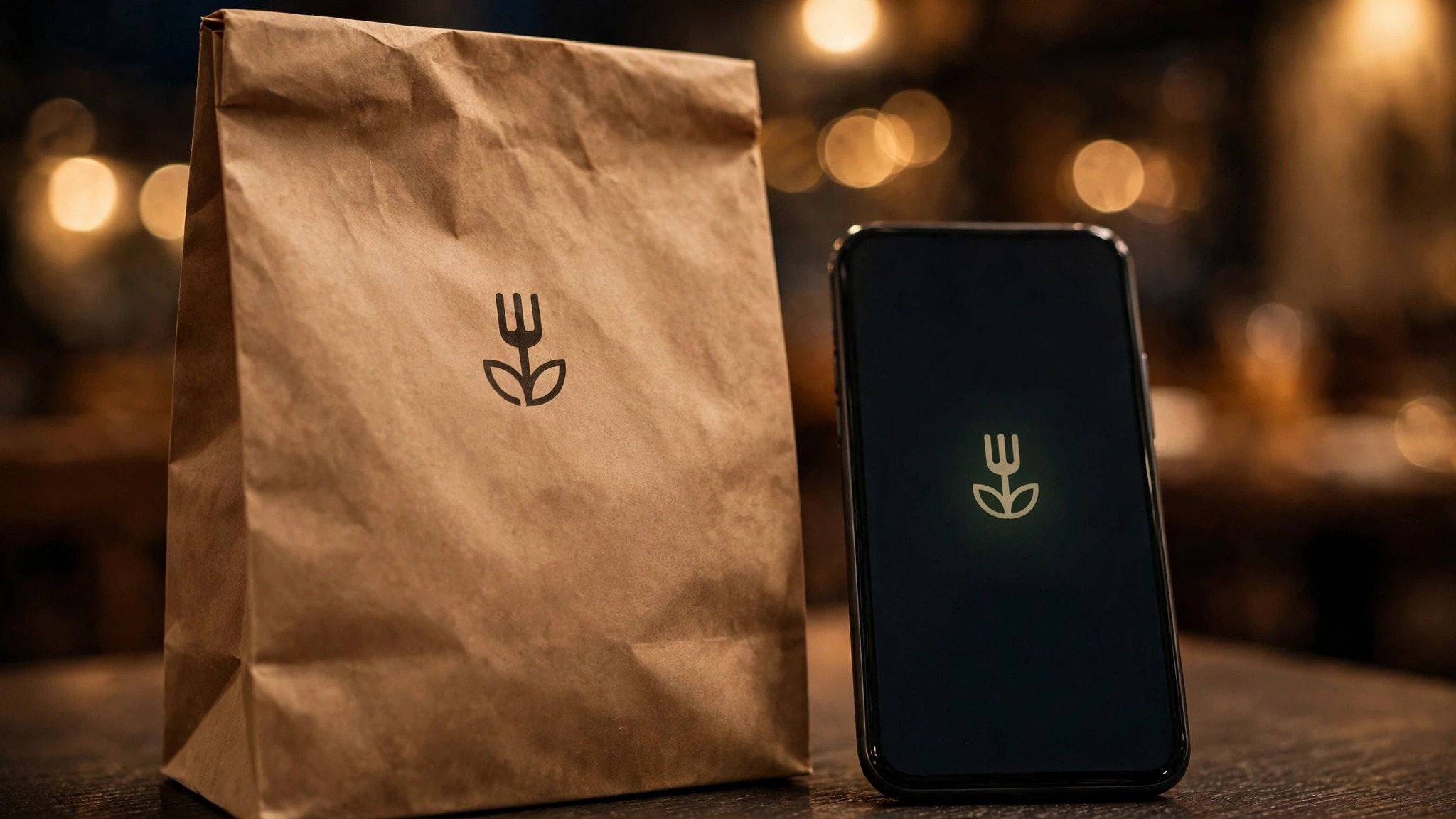
A logo can be too detailed for a takeaway bag, and the test is the same phone test that runs through this guide. A logo with a name, a tagline, a small illustration and a flourish looks beautiful on a sign and becomes a smudge on a bag, where it appears at two inches wide on brown paper. The best logo makers for restaurants all agree on one thing here, which is that a logo must survive its smallest use before it earns its largest one.
The fix is two versions of the same logo, one detailed and one simple, and the tools that generate both make the job easy. Looka Premium delivers colour variations and simplified versions, Canva lets you save a simplified copy, and Brandmark Designer includes the variations in the package. The detailed version goes on the sign and the printed menu, where it has room to breathe, and the simple version goes on the bag and the delivery app.
Why Do Some Restaurant Logos Age Well and Others Date Fast?
Some restaurant logos age well because they are built from one strong shape and one clear name, and others date fast because they are built from a trend. A gradient, a thin line style or a fashionable typeface will look current for a year and tired for the next five, while a solid mark in two colours will look the same in year one and year ten. The tools on this list do not warn you about trends, so the owner has to.
A good rule of thumb is to choose a mark that would still work in black and white, at half an inch, on a plain bag. If it passes that test, the colours and the trend can change around it without a redesign. If it fails that test, the logo will need replacing within a few years.
Frequently Asked Questions
How much should a restaurant logo cost?
From $0 to about $250 in year one, depending on the tool and the plan. A free logo from Squarespace Logo Maker, FreeLogoDesign or LogoMaker.com costs nothing, though the files are basic. Looka Premium costs about $65 one-time, Brandmark Designer costs $95 one-time, and Wix Logo Maker costs about $20 one-time. Canva Pro at $144 annually is the dearest common choice, and it buys the brand kit and the templates as well as the logo.
Can I use a free logo for my restaurant?
Yes, though the free files carry limits a restaurant owner should read before relying on them. Squarespace Logo Maker hands over a free vector file, FreeLogoDesign and LogoMaker.com offer free low-resolution files, and Canva free includes a basic logo maker. The limits usually cover resolution, commercial use or vector export, and a restaurant that needs a sign or a printed menu will need to pay.
Will my logo look good on a delivery app?
It will if it passes the phone test, and the test takes two minutes. Make the logo, shrink it to thumbnail size, and look at it on a phone. When the name reads clearly and the shape is clear, the logo passes. When the name is a smudge and the shape is a blob, the logo fails, and removing something rather than adding it is the fix.
Do I own the logo files I make?
Tool and tier decide it, and the answer is in the licence. Looka Premium and Brandmark grant full ownership with vector files, so the restaurant owns the logo outright. Canva Pro exports the files on the paid tier, while the free tier leaves out SVG export. The free tools vary, and some grant personal use only, so read the licence before the logo goes on a sign.
Can I change my logo after my restaurant is established?
Yes, though the change costs more than most expect. The social posts, the menus, the sign, the bags and the aprons all carry the old logo, and each one needs updating. A rebrand is a real project, and it takes a week to settle, so most restaurants live with a logo longer than they planned to.
Which file format suits a restaurant logo best?
SVG suits vectors, PNG suits everything else, and both belong in your own folders. SVG scales to any size without blurring, so the sign, the menu and the bag all come from the same file. PNG with a transparent background covers the social posts and the delivery app thumbnail. Looka Premium, Brandmark and Squarespace Logo Maker all deliver SVG, and Canva Pro exports it on the paid tier.
Our Recommendation and Your Next Step
Most restaurants should start with Canva, because the logo lives inside the brand kit, the templates carry it into every menu, and Pro at $144 per year covers the whole restaurant. Looka is the choice when the files matter, since Premium at about $65 one-time delivers the vectors and the full ownership a sign needs. The best logo makers for restaurants all point to the same decision, which is to match the tool to the next twelve months of work rather than to the afternoon the logo is made.
What I would do, if I were opening a restaurant tomorrow, is buy Looka Premium at $65, take the vector files, and run the restaurant on Canva free until the menus need the brand kit. If the restaurant grows past four menu changes a month, move to Canva Pro at $144 yearly and stop thinking about it.
Either way, run the phone test before the logo goes live, because a logo that reads at half an inch will carry a restaurant for years. The next step is simple, which is to make three versions of your favourite mark, shrink each one to thumbnail size, and pick the one that still reads clearly.