
The verdict is simple: Lovable alternatives are now good enough that prompt to app building is a real starting point, not a demo trick, but the best choice still depends on whether you can code and what you need to ship. Lovable alternatives split into AI builders that generate an app from a prompt, and no code platforms that give you visual control over logic, data, and publishing. Both can work, but they fail in different ways.
AI builders fail when a project needs custom auth, complex data rules, or long term maintenance and the generated code was never reviewed. No code platforms fail when a team underestimates the learning curve for a complex app, or tries to force a simple tool to do an enterprise job. This guide names those failure modes early, so you can pick a tool that matches your skill level and your launch date.
Cost also needs a honest look in October 2026. AI builders often charge by credits, messages, or compute, while no code platforms charge by user, app, or database row. A prototype that costs little to build can cost more to run, so check checkout for usage limits, publishing costs, and what happens when you outgrow a plan.
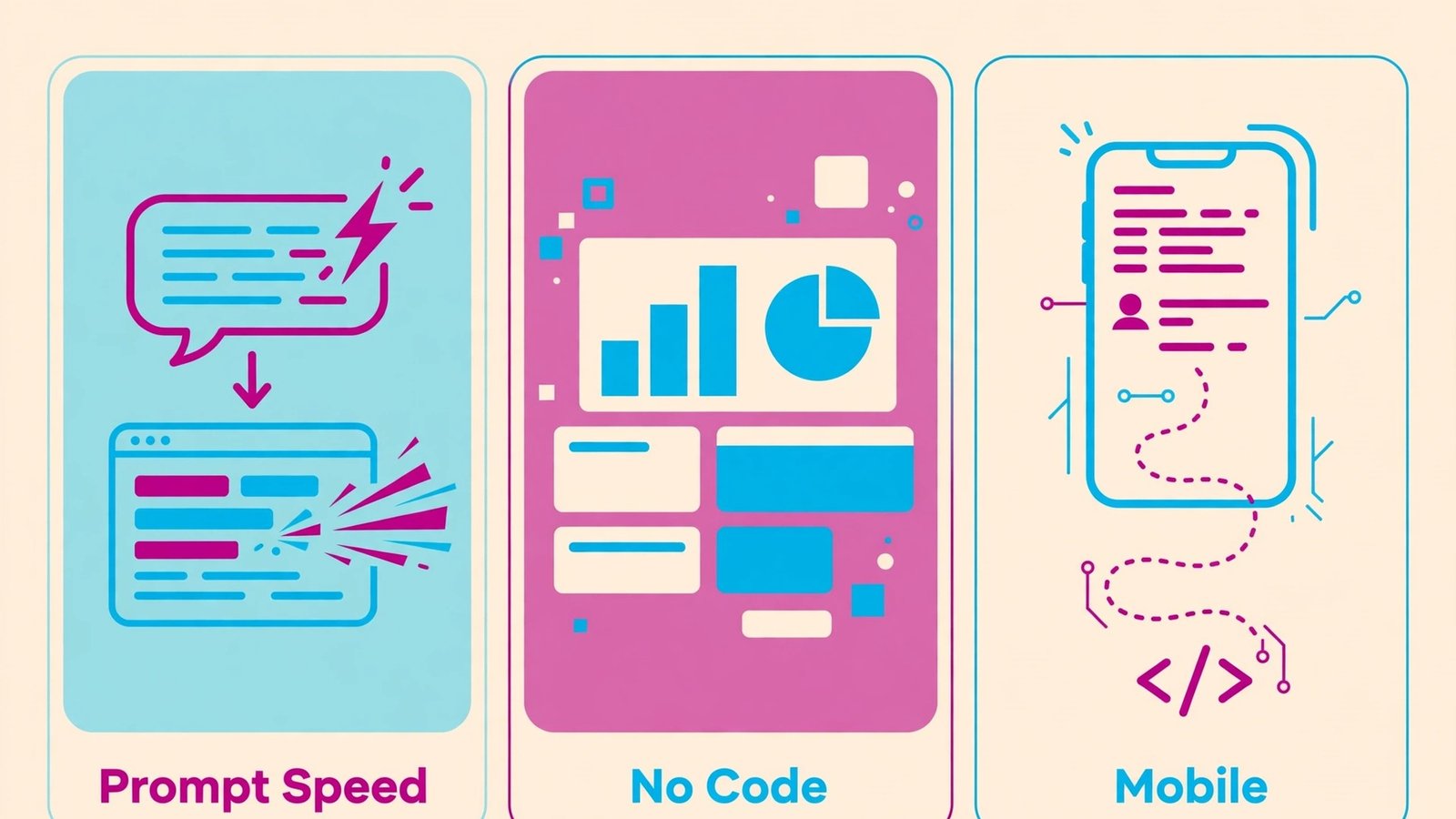
The eight tools below are grouped by speed, no code control, and mobile delivery. Start with your constraint: if you cannot code, start with the no code group. If you can code and want speed, start with the AI group. If you need a real mobile app, check the mobile group before you commit to a web only builder.
If this guide connects to other work you already do, these related guides help you compare nearby choices: AI tools for course creators, Shopify alternatives, WordPress alternatives. Use them after you shortlist a tool here, not as a substitute for testing the tool itself.
Why Lovable alternatives matter in 2026
Buyers rarely switch tools because of one feature. They switch because a daily friction adds up: slow sharing, weak audio, messy editing, lost context, or a bill that grows with the team. A good alternative removes that friction without adding a new one, such as a steep learning curve, a narrow integration list, or a privacy trade off you did not expect. Judge each option on the friction it removes, the friction it adds, and the cost of leaving later, including exported files, hosted links, and team habits.
Test with real work, not a demo file. Record a real update, clean a real call, build a real page, translate a real document, or automate a real flow, then share the result with the person who will actually use it. A tool that feels fast in a demo can feel slow when your files, apps, and team are involved, and that gap is where most bad purchases happen.
At a glance
| Tool | Best for | Starting point |
|---|---|---|
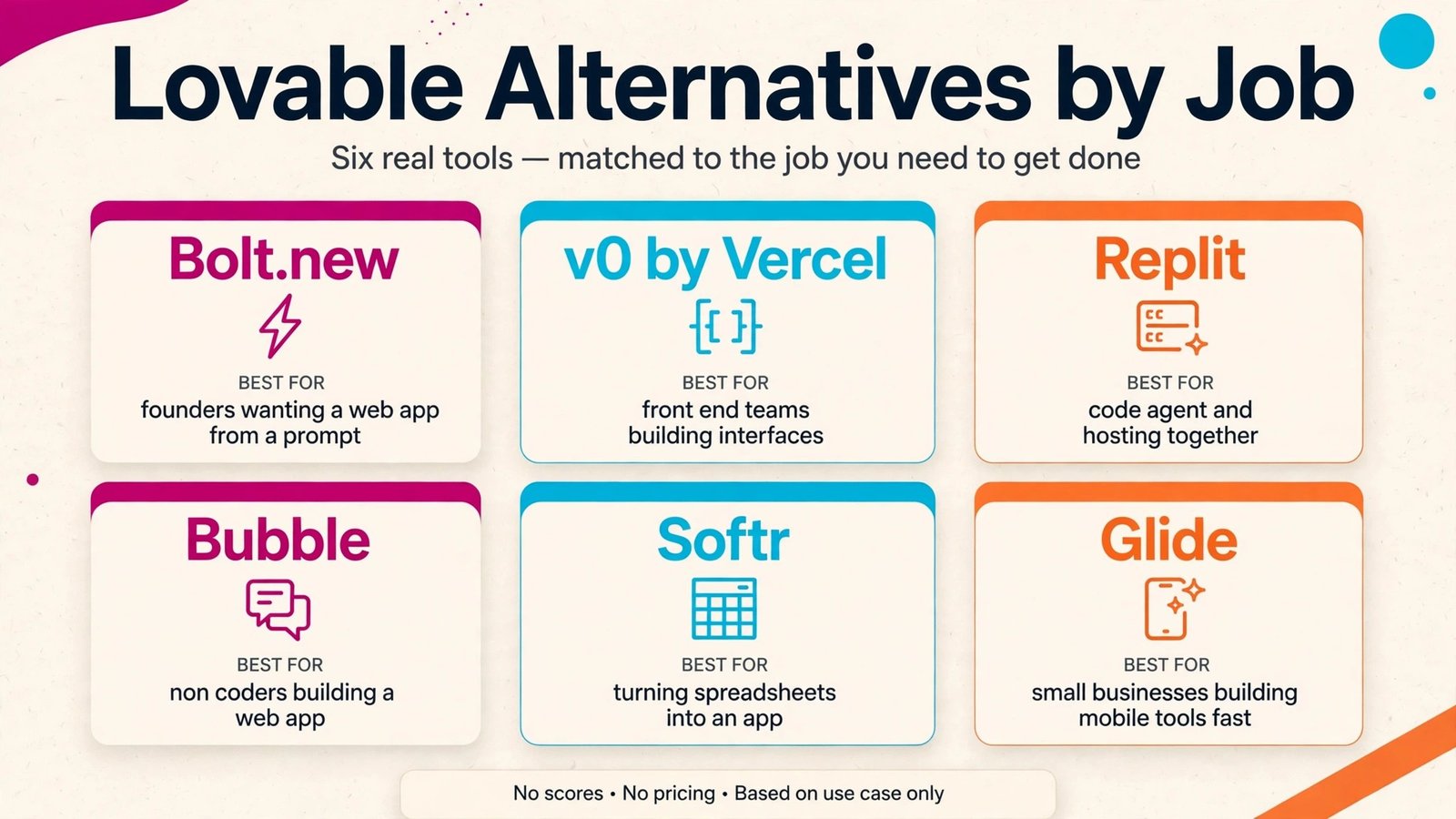
| Bolt.new | founders who want a working web app from a prompt | Free or trial available; check checkout for current paid plans |
| v0 by Vercel | front end teams building polished interfaces | Free or trial available; check checkout for current paid plans |
| Replit | builders who want code, agent, and hosting together | Free or trial available; check checkout for current paid plans |
| Bubble | non coders building a real web app with logic | Free or trial available; check checkout for current paid plans |
| Softr | teams turning Airtable or Google Sheets into an app | Free or trial available; check checkout for current paid plans |
| Glide | small businesses building mobile friendly tools fast | Free or trial available; check checkout for current paid plans |
| FlutterFlow | teams shipping a real mobile app with code export | Free or trial available; check checkout for current paid plans |
| Adalo | small teams building a simple mobile app | Free or trial available; check checkout for current paid plans |
The table above is a starting filter only. Prices, limits, and feature tiers change, so use it to build a shortlist of three tools, then test those three with the same real task and compare the outputs side by side.
For prompt to app speed
This group suits buyers who put bolt.new first, but the tools inside it still differ on editing depth, sharing controls, and price. Read each note with your own workflow in mind, and note which limits would block your team in week one, not just on launch day.
For no code business apps
This group suits buyers who put bubble first, but the tools inside it still differ on editing depth, sharing controls, and price. Read each note with your own workflow in mind, and note which limits would block your team in week one, not just on launch day.
For mobile with a code path
This group suits buyers who put flutterflow first, but the tools inside it still differ on editing depth, sharing controls, and price. Read each note with your own workflow in mind, and note which limits would block your team in week one, not just on launch day.
The full shortlist, tool by tool
1. Bolt.new
Bolt.new is best for founders who want a working web app from a prompt. Its main strength is fast prompt to preview, editing in chat, and deploy options. In daily use, that strength shows up as less manual work: fewer re recordings, fewer format conversions, and fewer follow up messages asking for a link, a file, or a clearer version. Teams that match the best for description usually get value fastest, because the tool was built around their workflow rather than adapted to it.
For a fair test, run the same task you do every week and compare time, output quality, and sharing steps against your current tool. Check official documentation at bolt.new for current features, and check checkout for the plan that actually includes the features you tested, because free plans often exclude the exact feature that made the demo feel good. Also check export, privacy, and permission controls before you move team content into a new workspace.
Watch out for: complex data and auth still need careful planning. If that limit touches your core job, shortlist a different tool even if the rest of the feature list looks strong.
In practice, budget a full test week for this tool, including a revision, a share to an outside viewer, and a check of the plan limits at your real monthly volume, before you move a large project into it.
2. v0 by Vercel
v0 by Vercel is best for front end teams building polished interfaces. Its main strength is high quality UI generation with React, Tailwind, and Vercel deploy. In daily use, that strength shows up as less manual work: fewer re recordings, fewer format conversions, and fewer follow up messages asking for a link, a file, or a clearer version. Teams that match the best for description usually get value fastest, because the tool was built around their workflow rather than adapted to it.
For a fair test, run the same task you do every week and compare time, output quality, and sharing steps against your current tool. Check official documentation at v0.dev for current features, and check checkout for the plan that actually includes the features you tested, because free plans often exclude the exact feature that made the demo feel good. Also check export, privacy, and permission controls before you move team content into a new workspace.
Watch out for: back end logic needs a separate service or integration. If that limit touches your core job, shortlist a different tool even if the rest of the feature list looks strong.
In practice, budget a full test week for this tool, including a revision, a share to an outside viewer, and a check of the plan limits at your real monthly volume, before you move a large project into it.
3. Replit
Replit is best for builders who want code, agent, and hosting together. Its main strength is agent building, database, and deploy in one workspace. In daily use, that strength shows up as less manual work: fewer re recordings, fewer format conversions, and fewer follow up messages asking for a link, a file, or a clearer version. Teams that match the best for description usually get value fastest, because the tool was built around their workflow rather than adapted to it.
For a fair test, run the same task you do every week and compare time, output quality, and sharing steps against your current tool. Check official documentation at replit.com for current features, and check checkout for the plan that actually includes the features you tested, because free plans often exclude the exact feature that made the demo feel good. Also check export, privacy, and permission controls before you move team content into a new workspace.
Watch out for: agent output needs review, testing, and cost awareness. If that limit touches your core job, shortlist a different tool even if the rest of the feature list looks strong.
In practice, budget a full test week for this tool, including a revision, a share to an outside viewer, and a check of the plan limits at your real monthly volume, before you move a large project into it.
4. Bubble
Bubble is best for non coders building a real web app with logic. Its main strength is visual workflows, database, and plugins without writing code. In daily use, that strength shows up as less manual work: fewer re recordings, fewer format conversions, and fewer follow up messages asking for a link, a file, or a clearer version. Teams that match the best for description usually get value fastest, because the tool was built around their workflow rather than adapted to it.
For a fair test, run the same task you do every week and compare time, output quality, and sharing steps against your current tool. Check official documentation at bubble.io for current features, and check checkout for the plan that actually includes the features you tested, because free plans often exclude the exact feature that made the demo feel good. Also check export, privacy, and permission controls before you move team content into a new workspace.
Watch out for: learning curve is real for complex apps, and performance needs design care. If that limit touches your core job, shortlist a different tool even if the rest of the feature list looks strong.
In practice, budget a full test week for this tool, including a revision, a share to an outside viewer, and a check of the plan limits at your real monthly volume, before you move a large project into it.
5. Softr
Softr is best for teams turning Airtable or Google Sheets into an app. Its main strength is fast portals, directories, and internal tools from spreadsheet data. In daily use, that strength shows up as less manual work: fewer re recordings, fewer format conversions, and fewer follow up messages asking for a link, a file, or a clearer version. Teams that match the best for description usually get value fastest, because the tool was built around their workflow rather than adapted to it.
For a fair test, run the same task you do every week and compare time, output quality, and sharing steps against your current tool. Check official documentation at softr.io for current features, and check checkout for the plan that actually includes the features you tested, because free plans often exclude the exact feature that made the demo feel good. Also check export, privacy, and permission controls before you move team content into a new workspace.
Watch out for: data model depth is tied to the connected source. If that limit touches your core job, shortlist a different tool even if the rest of the feature list looks strong.
In practice, budget a full test week for this tool, including a revision, a share to an outside viewer, and a check of the plan limits at your real monthly volume, before you move a large project into it.
6. Glide
Glide is best for small businesses building mobile friendly tools fast. Its main strength is spreadsheet to app in minutes with templates for common jobs. In daily use, that strength shows up as less manual work: fewer re recordings, fewer format conversions, and fewer follow up messages asking for a link, a file, or a clearer version. Teams that match the best for description usually get value fastest, because the tool was built around their workflow rather than adapted to it.
For a fair test, run the same task you do every week and compare time, output quality, and sharing steps against your current tool. Check official documentation at glideapps.com for current features, and check checkout for the plan that actually includes the features you tested, because free plans often exclude the exact feature that made the demo feel good. Also check export, privacy, and permission controls before you move team content into a new workspace.
Watch out for: custom design depth is less than a full code build. If that limit touches your core job, shortlist a different tool even if the rest of the feature list looks strong.
In practice, budget a full test week for this tool, including a revision, a share to an outside viewer, and a check of the plan limits at your real monthly volume, before you move a large project into it.
7. FlutterFlow
FlutterFlow is best for teams shipping a real mobile app with code export. Its main strength is visual building for Flutter with Firebase and code export. In daily use, that strength shows up as less manual work: fewer re recordings, fewer format conversions, and fewer follow up messages asking for a link, a file, or a clearer version. Teams that match the best for description usually get value fastest, because the tool was built around their workflow rather than adapted to it.
For a fair test, run the same task you do every week and compare time, output quality, and sharing steps against your current tool. Check official documentation at flutterflow.io for current features, and check checkout for the plan that actually includes the features you tested, because free plans often exclude the exact feature that made the demo feel good. Also check export, privacy, and permission controls before you move team content into a new workspace.
Watch out for: Flutter knowledge helps when a project grows complex. If that limit touches your core job, shortlist a different tool even if the rest of the feature list looks strong.
In practice, budget a full test week for this tool, including a revision, a share to an outside viewer, and a check of the plan limits at your real monthly volume, before you move a large project into it.
8. Adalo
Adalo is best for small teams building a simple mobile app. Its main strength is drag and drop screens, database, and publishing for iOS and Android. In daily use, that strength shows up as less manual work: fewer re recordings, fewer format conversions, and fewer follow up messages asking for a link, a file, or a clearer version. Teams that match the best for description usually get value fastest, because the tool was built around their workflow rather than adapted to it.
For a fair test, run the same task you do every week and compare time, output quality, and sharing steps against your current tool. Check official documentation at adalo.com for current features, and check checkout for the plan that actually includes the features you tested, because free plans often exclude the exact feature that made the demo feel good. Also check export, privacy, and permission controls before you move team content into a new workspace.
Watch out for: scaling and advanced logic suit simpler apps best. If that limit touches your core job, shortlist a different tool even if the rest of the feature list looks strong.
In practice, budget a full test week for this tool, including a revision, a share to an outside viewer, and a check of the plan limits at your real monthly volume, before you move a large project into it.
Best pick by job
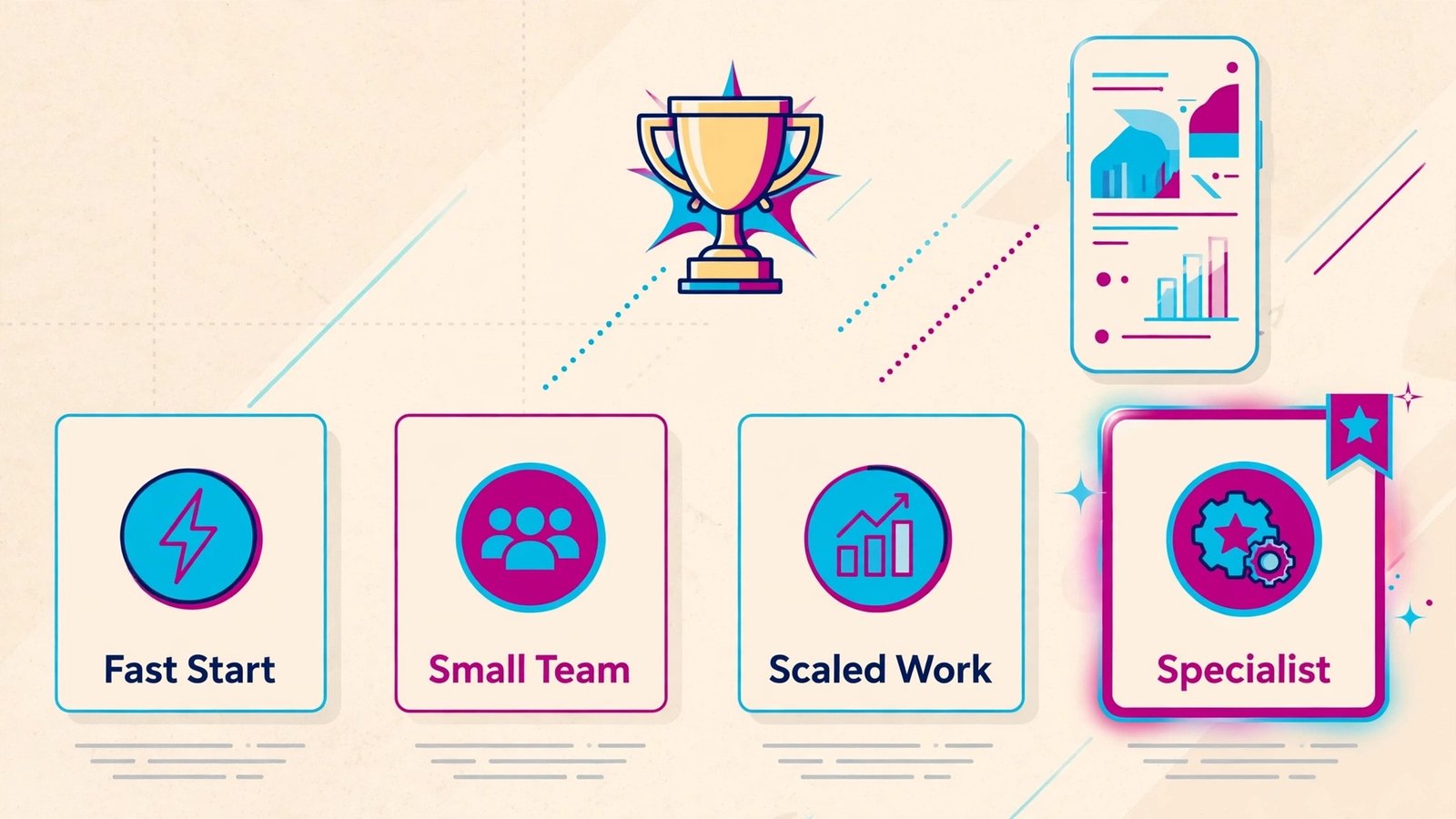
| Job | Pick | Why it fits |
|---|---|---|
| Fastest to start | Bolt.new | Low setup time and a familiar sharing flow |
| Best value for a small team | v0 by Vercel | Strong core features without enterprise complexity |
| Best for serious or scaled work | Replit | Depth, controls, and room to grow with the team |
| Best for a specialist job | Adalo | Built around one workflow rather than every workflow |
Treat these picks as a starting point for testing, not a final answer. Your apps, team size, budget, and content type can move the winner, and a one week test with real work is worth more than any ranking table.
Picking an app builder you can actually ship with
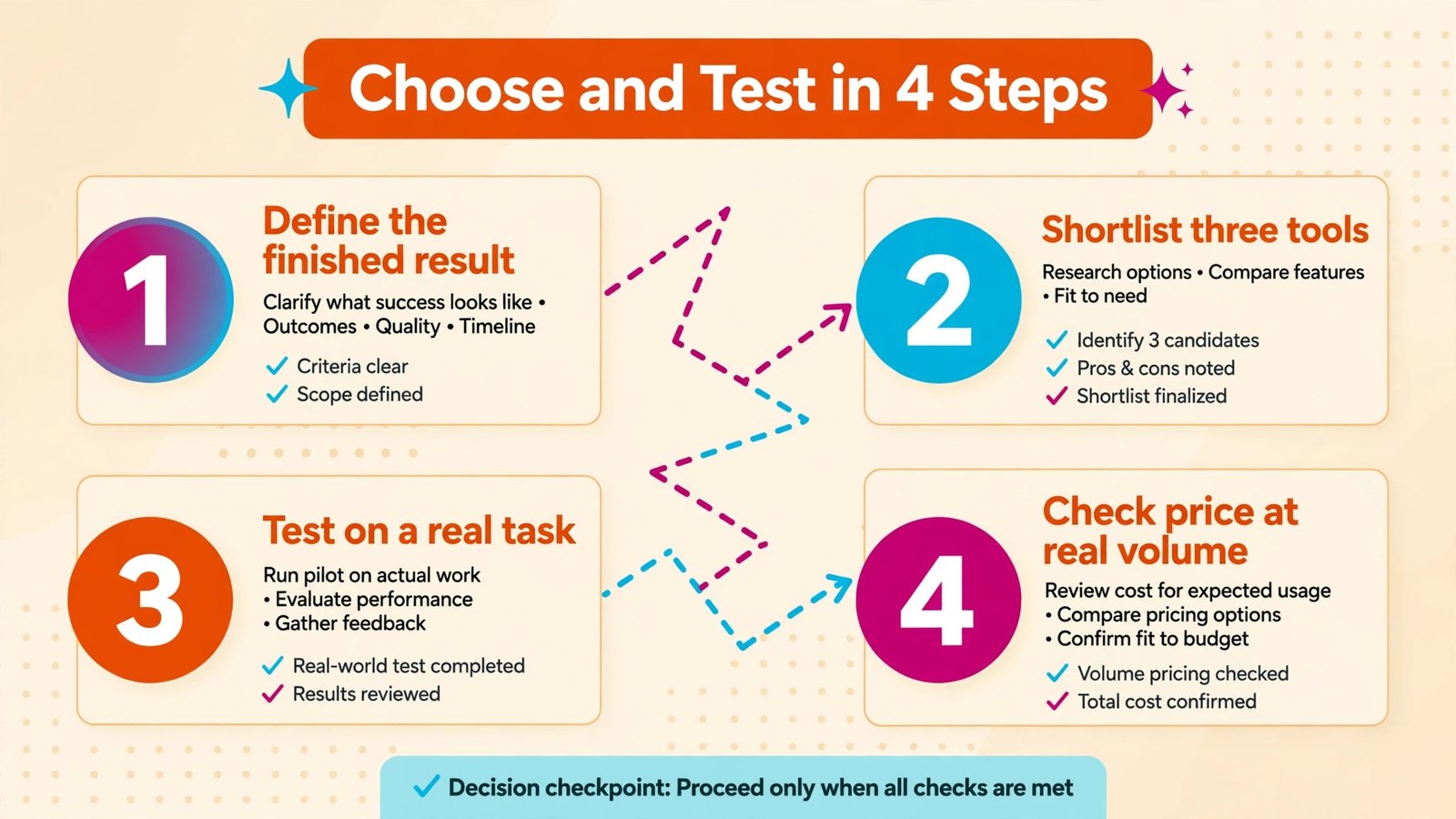
Start from the output, not the feature list. Define the finished result you need, such as a shared clip a client can watch without an account, a clean podcast episode, a working prototype, a translated help center, or a flow that runs without daily checks. Then list the must have inputs, outputs, and integrations for that result. Any tool missing a must have should leave the shortlist, even if it wins on price or design.
Next, check ownership and maintenance. Who will build, fix, and update this work in three months? A tool that needs a developer for every change is a poor fit for a solo creator, and a simple tool that cannot handle branching logic is a poor fit for an operations team. Ask for a trial that covers a full work cycle, including an error, a revision, and a share to an outside viewer.
Finally, check cost at your real volume, data control, and exit path. Count seats, tasks, minutes, words, or runs for a typical month, then compare the plan that covers that volume, not the headline starter price. Confirm who owns the content, how exports work, and what happens to shared links if you cancel. A clear exit path is a sign of a confident vendor, not a weakness.
Mistakes to avoid
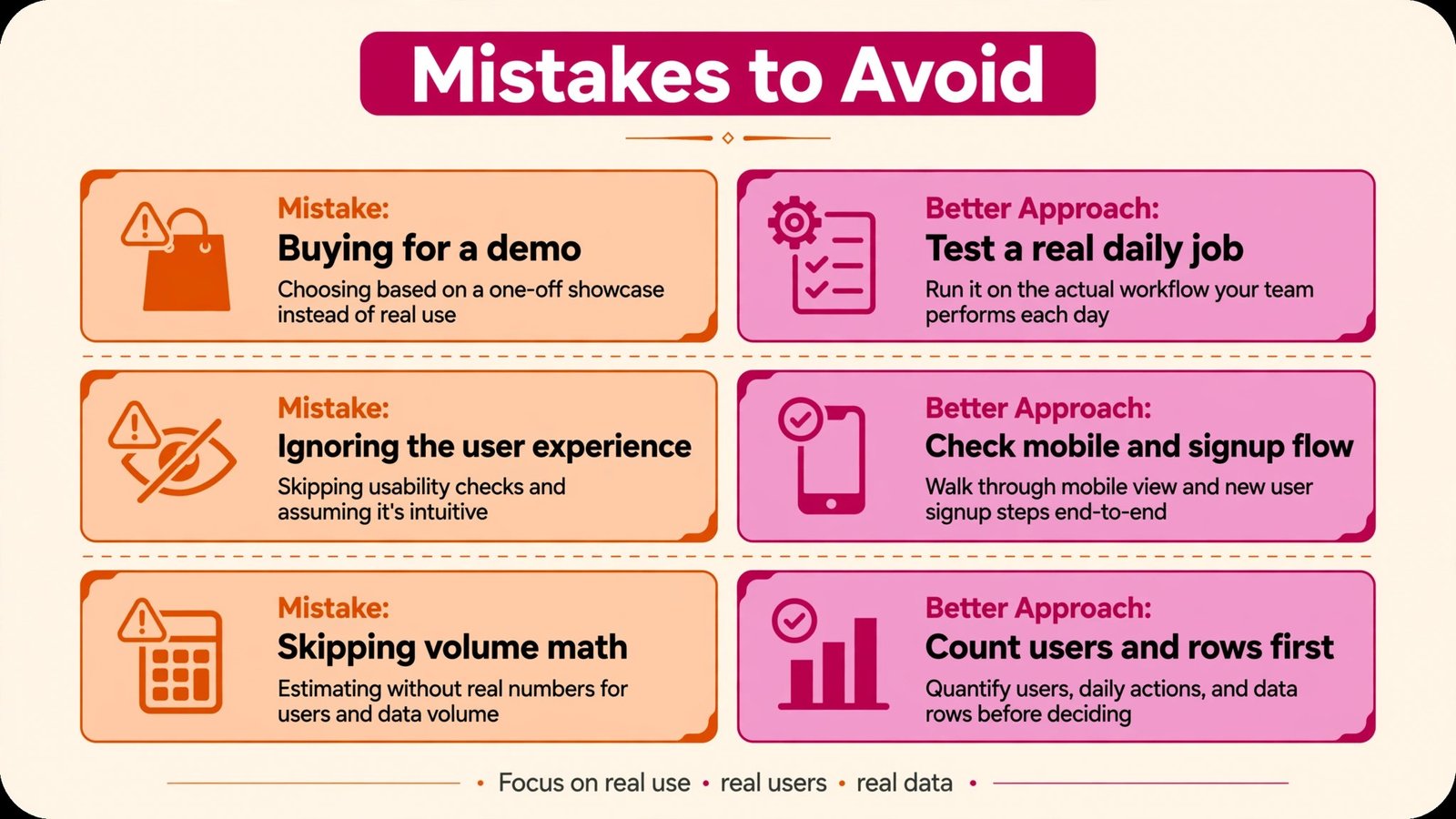
The most common mistake is buying for a demo instead of a daily job. A polished demo hides slow exports, weak search, missing permissions, and support gaps that only appear under real load. The second mistake is ignoring the viewer or listener experience: a tool that is easy for the creator but hard for the audience will quietly reduce adoption. The third mistake is skipping the volume math, then facing an upgrade bill in month two.
Another mistake is moving all content before testing permissions and privacy. Check sharing defaults, viewer access, data retention, and team roles on day one. Also avoid stacking two tools that do the same job, because duplicate libraries, links, and logins create confusion that no feature list can fix. Pick one home for each job, and keep the second tool only if it clearly covers a different job.
A realistic launch checklist for your first app
Start with one core job, not five features. Write the job in one sentence, list the screens it needs, and list the data each screen must show. If you cannot write that sentence clearly, the builder is not the problem, the scope is. Build that one job first, test it with five real users, and only then add the second feature.
Next, test accounts, payments, and mobile layout before launch week. Many prototypes look finished on desktop and break on a phone, or work for the owner account and fail for a new signup. Create a fresh test account, complete the core job end to end, and check what happens when a payment fails, a form is left blank, or a user returns the next day.
Finally, plan who maintains the app after launch. Note where the data lives, how backups work, and how you will fix a bug on a weekend. A builder that makes launch easy but maintenance hard will cost more over a year than a builder that takes a week longer to learn.
Pricing and ownership checks before you commit
Count the real monthly cost, not the launch week cost. AI builders may charge by credit or message, and a few rounds of revisions can use more credits than the first build. No code platforms may charge by user, row, or app, and a growing user list can push you into a higher tier. Write your expected users, rows, and revisions for month three, then check checkout for the plan that covers those numbers.
Check what you own and what you can export. Some builders let you export code, some export data only, and some keep the app tied to the platform. Export matters when you hire a developer later, move to custom code, or need a backup outside the platform. Ask for the export format before you build a large app, not after you need it.
Finally, check support and community depth for your exact problem. A large community helps when you hit a common bug at midnight, while direct support helps for billing and account issues. Search for recent answers about auth, payments, and publishing, because those are the areas where a small gap becomes a launch delay.
Frequently asked questions
Do I need to pay to get value from Lovable alternatives?
No, in most cases a free plan or trial is enough to test the core job, but paid plans usually remove limits on length, volume, storage, or team features. Test the exact limit that matters for your work before you pay.
How long should I test Lovable alternatives before deciding?
One full work cycle is a good minimum: a real project from start to shared result, including a revision and an outside viewer. A single afternoon test often misses export, permission, and volume issues.
Can I switch later without losing my work?
In most cases yes for files you own, but shared links, hosted pages, and workspace history may not move cleanly. Export early, keep originals, and check the exit path before you build a large library.
Which option is best for a small team?
The best small team pick is usually the tool with the shortest setup, clear sharing, and a plan that covers your monthly volume without constant upgrades. Start simple, then move to a deeper tool only when a specific limit blocks you.
Should I pick the cheapest tool?
Only if it covers every must have for your real job. A cheap tool that needs extra editing, manual sharing, or a second app often costs more in time than a slightly higher priced tool that finishes the job in one place.
Conclusion: ship the small version first
Shortlist three tools from the group that matches your job, test them on the same real task, and pick the one with the clearest output, the fewest extra steps, and a price that still makes sense at your real volume. That test will tell you more than any feature comparison, because the right tool is the one that makes the finished work easier for both the creator and the audience.
When you have a winner, set up sharing defaults, permissions, and exports before you move a large library into it. Document the workflow in one place, so a new team member can repeat it without asking for help. That small setup step is what turns a good tool trial into a reliable daily habit.