
If you run a chiropractic clinic, the best AI tools for chiropractors are not the flashiest apps on the market. They are the tools that quietly remove the work that keeps you at the desk after the last patient leaves: notes that write themselves from a visit, bookings that fill without phone tag, intake forms that arrive complete, reminders that reduce no shows, and reviews that bring in new patients without awkward asking. The verdict is simple. Start with records and notes, because that is where most clinics lose time, then add front desk help, then add growth tools only once the clinic runs smoothly.
Chiropractors face a specific mix of pressures. Visits are short and hands on, documentation must be accurate for care continuity and for insurers, patients expect easy online booking, and most clinics run with a small team or no dedicated admin staff. A tool that saves ten minutes per patient matters enormously when you see 20 patients a day. A tool that creates extra clicks, duplicate records or confusing patient messages costs more than it saves, even if its marketing looks impressive.
This guide covers 11 tools grouped by the job they do: clinic records, AI visit notes, front desk and booking, and patient growth. It includes established clinic platforms and smaller specialist tools, because smaller tools often fit a single clinic better than an enterprise system built for a hospital group. Pricing is described by model, not by fixed numbers, because plans, per provider terms and add on features change. Check the official pricing page and the checkout terms for your clinic size before you buy, and confirm compliance and data handling for your region before you enter patient data.
The best AI tools for chiropractors at a glance
| Tool | Main job | Best for | Watch out for |
|---|---|---|---|
| ChiroTouch | Chiropractic records and practice management | Established clinics needing a chiropractic specific system | Setup and training time for a full switch |
| Jane App | Booking, records and payments | Small to mid sized clinics wanting one tidy system | Feature depth varies by discipline setup |
| ChiroFusion | Cloud records and billing | Clinics wanting a cloud chiropractic system | Check billing and reporting fit before switching |
| Noterro | Clinic management and booking | Smaller clinics and solo practitioners | Smaller ecosystem than large platforms |
| Freed AI | AI visit notes from conversations | Clinicians drowning in notes after clinic hours | Review every note before signing |
| Heidi Health | AI notes, templates and summaries | Clinics wanting custom note templates | Template setup takes time to get right |
| Weave | Phones, messages and reviews | Clinics missing calls during treatment hours | Confirm phone and messaging terms in your region |
| NexHealth | Online booking, forms and reminders | Clinics wanting modern patient scheduling | Integration depth depends on your records system |
| Doctible | Patient communication and reputation | Smaller clinics needing simple outreach | Check which channels your patients actually use |
| Birdeye | Reviews, listings and patient feedback | Multi location clinics and growth focused practices | Review volume needs a response workflow |
| PatientPop, now part of Tebra | Website, marketing and patient acquisition | Clinics needing new patient growth | Marketing services need clear goals and reporting |
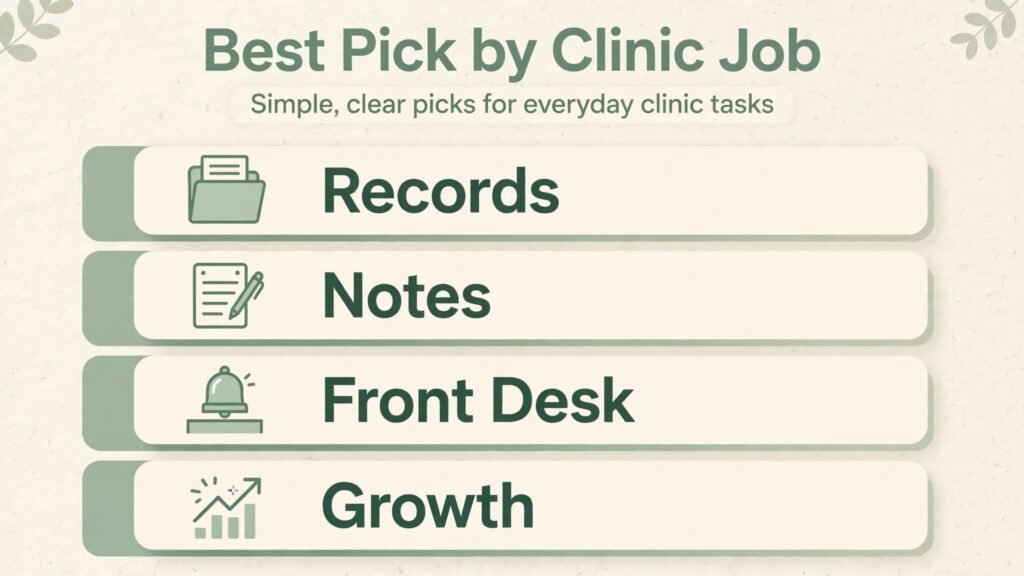
Best Pick by Job
| Job | Best pick | Why it fits |
|---|---|---|
| Chiropractic records for an established clinic | ChiroTouch | Built around chiropractic workflows, exams and billing |
| One system for a small clinic | Jane App | Booking, records and payments in one place |
| Cloud records on a simpler setup | ChiroFusion | Cloud access with chiropractic specific billing |
| Solo clinic management | Noterro | Lighter setup for a single practitioner |
| Cutting note time fastest | Freed AI | Turns visit conversation into a structured draft |
| Custom note templates | Heidi Health | Templates and summaries adapt to clinic style |
| Never missing a call again | Weave | Phones, texts and reviews in one front desk system |
| Modern online booking | NexHealth | Real time scheduling, forms and reminders |
| Simple patient outreach | Doctible | Straightforward communication and reputation tools |
| Reviews at scale | Birdeye | Listings, feedback and review requests across locations |
| New patient growth | PatientPop, now part of Tebra | Website and marketing focused on patient acquisition |
No single tool wins every job. A clinic that picks one records system, one AI notes tool and one front desk tool usually gets more value than a clinic that buys five overlapping tools and uses none of them well. Choose the combination that covers your biggest bottleneck first, then expand.
Records and Practice Management
1. ChiroTouch
ChiroTouch is a chiropractic specific practice management and electronic health records system, built around exams, SOAP notes, treatment plans, scheduling and billing for chiropractic care. For an established clinic, that specificity matters. Generic medical records tools often force chiropractors to adapt workflows designed for other specialties, while ChiroTouch templates, macros and billing codes reflect how chiropractic visits actually run.
In daily use, ChiroTouch supports intake, documentation, scheduling, billing and reporting from one system. That consolidation helps when a clinic has several providers, front desk staff and a biller who all need the same patient picture. Reporting can show visit volume, payer mix, outstanding balances and provider productivity, which helps owners make staffing and pricing decisions with evidence rather than guesswork.
Watch out for: switching to a full records system is a project, not an afternoon task. Budget time for data migration, template setup, staff training and a parallel running period where old and new systems overlap. Clinics that rush a switch often blame the software for problems caused by rushed setup. Run a pilot with one provider first, fix templates, then roll out to the full clinic.
2. Jane App
Jane App combines online booking, charting, scheduling, payments and patient communication in a clean, modern interface. It serves many allied health disciplines, including chiropractic, physiotherapy and massage, which suits multidisciplinary clinics where chiropractors work alongside other practitioners. Patients can book online, complete intake forms, receive reminders and pay, while practitioners chart and manage schedules from the same account.
Jane strength is tidiness. The interface is approachable for small teams, setup is faster than an enterprise records system, and the patient experience feels modern without custom development. For a clinic that wants one system rather than a stack of separate tools, Jane is a strong starting point.
Watch out for: discipline specific depth varies. A chiropractic clinic with complex billing, imaging workflows or payer rules should test Jane against its exact billing and documentation needs before committing, especially if the clinic already uses a chiropractic specific system. Test a full patient journey, from booking to note to invoice, during a trial.
3. ChiroFusion
ChiroFusion is a cloud based chiropractic software system covering scheduling, electronic records, billing and patient management. Cloud access matters for owners who work across locations or who want staff to access the system securely without managing local servers. Updates arrive centrally, backups are handled by the provider, and access from different devices is straightforward.
For clinics moving from paper or from an older desktop system, ChiroFusion offers a middle path: chiropractic specific enough to feel familiar, cloud based enough to avoid local IT headaches. Billing and reporting features help owners track revenue and outstanding claims without a separate billing tool.
Watch out for: confirm billing, clearinghouse and reporting compatibility with your payers and your accountant before migration. A records system that charts beautifully but reports poorly creates month end frustration. Ask for a demo using your own visit types and payer mix, not just a generic walkthrough.
4. Noterro
Noterro is a clinic management platform for health and wellness practitioners, covering booking, charting, billing and patient communication. It suits solo chiropractors and small clinics that want a capable system without enterprise complexity or cost. Setup is lighter, the learning curve is shorter, and the patient booking experience is modern and mobile friendly.
Noterro works well as a first proper system for a new clinic, or as a simpler replacement for a patchwork of spreadsheets, paper diaries and separate booking tools. It also suits mobile chiropractors and multi practitioner wellness clinics where several disciplines share scheduling and rooms.
Watch out for: a smaller platform means a smaller integration ecosystem. If you rely on a specific billing partner, AI notes tool or marketing platform, confirm the integration before you switch. Smaller tools often integrate well through standard connections, but do not assume a connection exists. Test it during a trial.
AI Visit Notes: The Biggest Time Saver
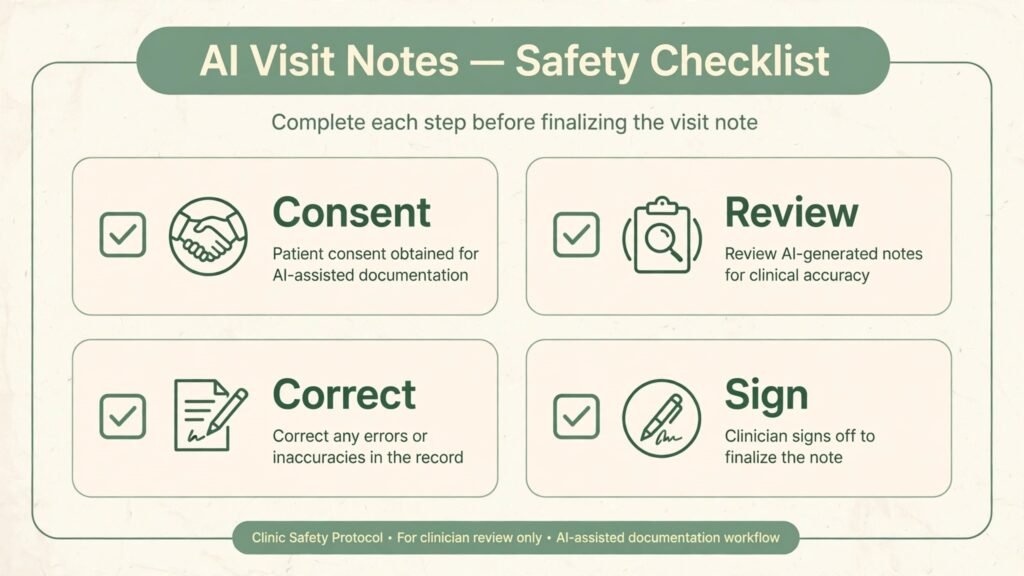
Documentation is where AI delivers the clearest return for chiropractors, because notes are repetitive, time sensitive and legally important. AI notes tools listen to a visit conversation, with patient consent and proper privacy controls, and produce a structured draft note that the clinician reviews, edits and signs. Done well, they cut after hours charting dramatically. Done carelessly, they introduce errors into the medical record.
5. Freed AI
Freed AI is an AI medical scribe that turns clinician patient conversations into structured notes. For chiropractors, the appeal is direct: talk naturally during the visit, review a draft SOAP style note afterwards, correct any detail, and sign. Clinicians who currently spend evenings finishing notes often report the largest time saving from this category of tool, because note writing is the most repetitive part of the day.
Freed works best when visits follow a reasonably consistent structure. History, examination findings, assessment and plan map cleanly to a template when the conversation covers those areas. It works less well when a visit is highly physical with little verbal explanation, because the scribe can only document what is spoken or entered. Narrate key findings briefly during the visit to give the tool accurate material to work from.
Watch out for: never sign an AI note without reading it fully. AI scribes can mishear terms, confuse left and right, miss a red flag detail, or smooth over uncertainty into false certainty. The clinician remains responsible for the record. Build a review habit: read, correct, then sign, every time, even when you are tired. Also confirm consent, recording and data retention rules for your region before using any scribe in clinic.
6. Heidi Health
Heidi Health is another AI notes tool, with emphasis on custom templates, summaries and documentation workflows that adapt to different specialties and clinic styles. For chiropractic clinics, template control matters, because a sports chiropractor, a family chiropractor and a paediatric focused chiropractor document differently. Heidi template options let clinics shape notes to their own examination style rather than forcing one generic format.
Heidi also supports summaries and patient facing documents, which can help with referral letters and patient plan summaries. A clear plan summary improves patient adherence, because patients who leave with a written plan remember exercises, visit frequency and home care better than patients who rely on memory alone.
Watch out for: template setup takes deliberate work. A clinic that accepts default templates without adapting them will get generic notes that need heavy editing. Spend an hour with your most common visit types, build templates that match your examination routine, test them on real visits, and refine them weekly for the first month. Good templates compound in value. Bad templates compound in editing time.
For clinics that also serve related patient groups, our guides to best AI tools for therapists and best AI tools for dentists cover adjacent documentation and front desk tools.

Front Desk, Booking and Patient Communication
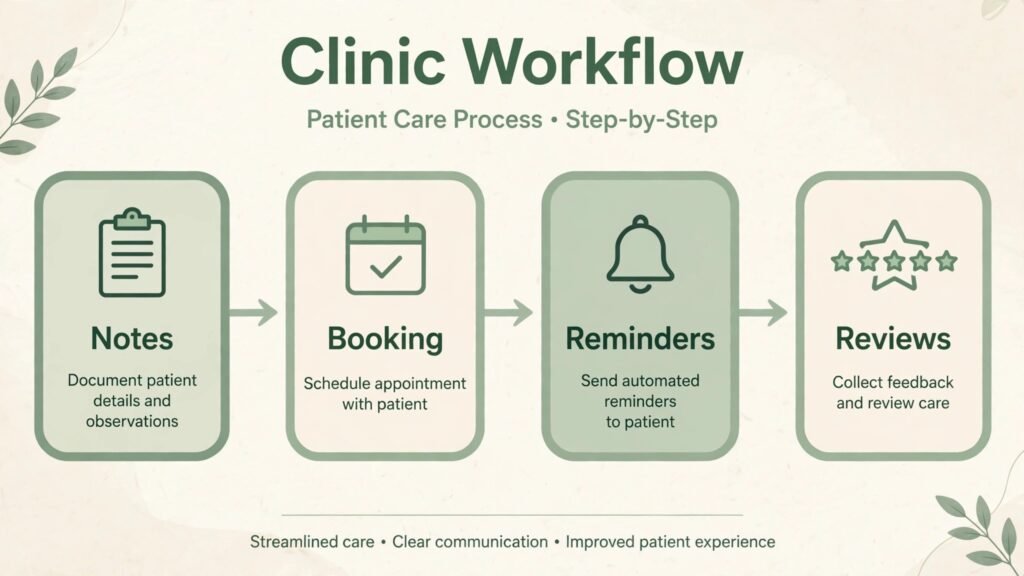
A chiropractic front desk handles calls during treatment, bookings, rescheduling, intake forms, reminders, insurance questions and reviews, often with one person juggling all of it. AI and automation tools in this group do not replace a good receptionist. They handle routine work so the receptionist can handle patients who need a human.

7. Weave
Weave combines phone service, text messaging, review requests and patient communication tools for healthcare practices. Its value shows during treatment hours, when phones ring while practitioners are with patients. Missed calls become missed bookings, and missed bookings become lost revenue. Weave tools help clinics capture calls, send texts, request reviews and manage messages from one inbox.
Text messaging is particularly useful for chiropractic clinics. Patients respond to appointment reminders, rescheduling links and review requests by text faster than by email or voicemail. A clinic that texts reminders typically sees fewer no shows than a clinic that relies on calls alone, though results vary by patient age and preference. Offer both text and call options, and let patients choose.
Watch out for: confirm phone numbers, messaging compliance and review request rules in your region, and train staff on the shared inbox. A messaging tool without a response workflow creates a new backlog. Assign one person to monitor messages each day, set response time targets, and review messages before they close.
8. NexHealth
NexHealth focuses on modern patient scheduling: real time online booking, digital intake forms, automated reminders and patient communication that sync with practice management systems. For patients, the experience feels like booking a restaurant or a flight: see available times, book, complete forms online, receive a reminder, and arrive ready. For clinics, complete forms before the visit shorten check in and improve documentation accuracy.
NexHealth strength is the patient facing experience. Clinics that still rely on phone only booking lose younger patients who expect online scheduling, and lose staff time to phone tag. Real time booking also fills cancellations faster, because patients can see and claim open slots without calling.
Watch out for: integration depth depends on your records system. Confirm that bookings, forms and patient data sync cleanly with your chosen records platform before purchase. A booking tool that creates duplicate patient records or fails to sync cancellations creates more front desk work than it saves. Test sync with a small group of patients first.
9. Doctible
Doctible offers patient communication, reputation management and practice growth tools aimed at smaller healthcare practices. It helps clinics send reminders, request reviews, manage online presence and communicate with patients through simple, practical tools. For a small clinic without a marketing team, Doctible simplicity is an advantage: staff can learn it quickly and use it consistently.
Doctible fits clinics that want to improve reputation and retention without buying an enterprise marketing platform. Review requests after visits, reminder messages before appointments, and simple outreach to inactive patients can all be handled from one place.
Watch out for: check which communication channels your patients actually use. A tool that emphasises a channel your older patients ignore will underperform, while a tool that matches patient habits will perform well. Survey patients briefly at check in about preferred contact methods, then configure the tool to match.

Patient Growth: Reviews, Listings and New Patients
Growth tools only pay off once clinic operations are smooth. A clinic that attracts new patients but misses calls, loses bookings or writes poor notes will waste marketing spend. Fix operations first, then invest in growth.
10. Birdeye
Birdeye helps businesses manage reviews, listings, patient feedback and online reputation across platforms. For chiropractic clinics, reviews are a primary new patient channel, because patients choose a local chiropractor largely on reputation, location and recent patient experience. Birdeye automates review requests after visits, monitors reviews across sites, and helps clinics respond promptly.
Listing accuracy is an underrated part of Birdeye value. A clinic with inconsistent name, address, phone or hours across directories confuses search engines and patients. Birdeye helps keep listings consistent, which supports local search visibility and reduces wrong number calls and missed visits.
Watch out for: review volume without a response workflow damages reputation rather than building it. Assign review responses to a named staff member, respond to negative reviews politely and privately where appropriate, and never offer incentives for positive reviews in ways that violate platform rules or professional ethics. Authentic reviews, even with occasional criticism handled well, build more trust than a perfect score that looks bought.
11. PatientPop, now part of Tebra
PatientPop, now part of Tebra, focuses on healthcare marketing and patient acquisition: websites, search visibility, online scheduling and marketing services designed to bring new patients to a practice. For a clinic in a competitive area, a professional website with clear services, online booking and local search optimisation can be the difference between steady growth and reliance on word of mouth alone.
PatientPop suits clinics that want a managed marketing presence without hiring a marketing team. Website, content and campaign reporting are handled as a service, which helps owners who are excellent clinicians but not marketers. Clear reporting matters here: you should see how many website visits, calls and bookings each campaign produces, not just impressions or rankings.
Watch out for: marketing services need clear goals, a defined budget and honest reporting. Agree on success measures before signing: new patient bookings, cost per new patient, and call volume from the website. Review results monthly, and be ready to change tactics if a channel produces clicks but no bookings. A marketing partner that cannot show bookings is selling activity, not patients.
How to Choose: A Practical Framework for Your Clinic
Choosing tools becomes easier with a clear framework. Start by naming your biggest bottleneck in one sentence. Examples: notes take two hours after clinic, phones go unanswered during treatment, bookings require too many calls, reviews are too few, or billing reports are unclear. Buy for that bottleneck first. A tool that solves a minor problem while the major bottleneck remains will disappoint, however good its features look.
Second, count total cost and total time. Add subscription cost, per provider fees, setup fees, training time and ongoing admin time. A cheap tool that needs weekly fixing can cost more than a pricier tool that runs quietly. A tool that saves clinician time is worth more per hour than a tool that saves only admin time, because clinician hours are the clinic scarcest resource.
Third, test the full patient journey, not just a demo. Book as a patient, complete intake, attend a mock visit, review a note, send a reminder, request a review and run a billing report. A demo shows best case features. A full journey test shows friction, duplicate data and missing steps. Involve front desk staff in the test, because they will live with the tool daily.
Fourth, check compliance, privacy and data ownership before entering real patient data. Confirm how the vendor stores data, who can access it, how long recordings or notes are retained, how data can be exported, and what happens if you cancel. For AI scribes and communication tools, confirm consent requirements and recording disclosure rules in your region. Document vendor answers in writing, and keep them with your clinic policies.
Fifth, plan rollout in stages. Start with one provider or one location, fix templates and workflows, train staff, then expand. Staged rollout reduces disruption, gives staff time to learn, and lets you measure real time savings before committing the whole clinic. Measure before and after: note time per day, no show rate, booking time, review count and patient complaints. Numbers make the next tool decision easier.
A simple starter stack for a solo clinic is Jane App or Noterro for records and booking, plus Freed AI or Heidi Health for notes. A growth ready stack for an established clinic is ChiroTouch for records, an AI scribe for notes, Weave or NexHealth for front desk, and Birdeye for reviews. A multi location stack adds centralised reporting and listing management, with consistent templates across sites so patient experience stays uniform.
Mistakes Chiropractors Make With AI Tools
The first mistake is buying tools before fixing workflows. AI amplifies a good workflow and exposes a bad one. Map your patient journey on paper first, fix obvious friction, then buy tools for the remaining gaps.
The second mistake is signing AI notes without reading them. The clinician owns the record, and AI errors become clinician errors once signed. Read every note, correct details, and never let speed override accuracy.
The third mistake is automating patient communication without a human backup. Automated reminders and review requests work well, but patients with pain, anxiety or complex questions need a human response quickly. Keep a clear path to a person, and monitor automated inboxes daily.
The fourth mistake is ignoring patient preference. Some patients love text reminders. Others prefer calls or email. Some welcome online booking. Others want to speak to a person. Offer choice, record preference, and respect it. Tools should adapt to patients, not force patients to adapt to tools.
The fifth mistake is measuring tool success by features used rather than outcomes improved. Track note time, no show rate, booking speed, review growth and new patient bookings. If a tool does not move an outcome after a fair trial, cancel it and try a different approach. Loyalty to a tool that does not help is wasted money.
Frequently Asked Questions
What is the single most useful AI tool for a chiropractor?
For most clinics, an AI notes scribe delivers the largest time saving, because documentation consumes hours after clinic. Pair it with a solid records system, because a scribe without a good record to file notes into creates a new filing problem. Start with notes, then add front desk help.
Are AI notes safe for patient records?
AI notes are safe when used correctly: with patient consent where required, proper privacy controls, and full clinician review before signing. They are unsafe when notes are signed unread, when recordings are stored insecurely, or when consent rules are ignored. The clinician remains responsible for every signed note, so review is non negotiable.
Do I need a chiropractic specific records system, or will a generic clinic tool work?
A chiropractic specific system fits chiropractic exams, treatment plans and billing more naturally, which helps established clinics. A generic allied health tool works well for small, multidisciplinary or solo clinics that value simplicity. Test both against your exact visit types and billing needs before deciding.
How do I reduce no shows without annoying patients?
Use automated reminders by the channel each patient prefers, allow easy rescheduling online, and send a reminder close enough to the visit to be useful, typically a day before plus a morning reminder for same day visits. Keep messages short, useful and easy to reply to. Patients who can reschedule easily are less likely to simply not show up.
Will AI tools replace front desk staff?
No. AI tools handle routine bookings, reminders and review requests, but patients with pain, insurance questions, complaints or complex scheduling still need a skilled human. The best clinics use AI to free staff for higher value conversations, not to remove staff entirely.
How much should a small clinic budget for AI and practice tools?
Budget depends on clinic size, provider count and tool mix, so model total cost for your exact setup rather than copying another clinic. Start with one records system and one notes tool, measure time saved and revenue impact for three months, then add front desk or growth tools only if the return is clear. Check checkout terms for per provider pricing before committing.
Can small clinics compete with large clinics using these tools?
Yes, and in some ways small clinics have an advantage. A solo chiropractor can adopt a new tool in days, personalise patient communication, and respond to reviews personally, while a large clinic needs committees and rollout plans. Use tools to stay personal at scale, not to sound corporate.
Conclusion: Start With Notes, Then Fix the Front Desk, Then Grow
The best AI tools for chiropractors in 2026 share one trait: they give clinicians time back for patients. ChiroTouch, Jane App, ChiroFusion and Noterro organise records and booking. Freed AI and Heidi Health cut note time. Weave, NexHealth and Doctible keep the front desk responsive. Birdeye and PatientPop help new patients find a clinic that already runs well.
Start where the pain is greatest. If notes keep you late, start with an AI scribe and a disciplined review habit. If phones go unanswered, start with front desk tools and a response workflow. If bookings are manual, start with online scheduling and digital forms. Measure the result, keep what works, cancel what does not, and grow only when operations can handle more patients well. That disciplined sequence builds a clinic that is calmer for staff, clearer for patients, and easier to grow, which is the real promise of AI in chiropractic care.