Thousands of new Etsy listings appear every day, and search is still the main way buyers find a shop they have never visited before. That is why choosing the best Etsy SEO tools for your shop matters more than adding one more listing to a crowded category. A good tool does not just suggest tags. It shows demand, competition, and the exact phrases buyers use, so you can write titles that match real search behaviour. This guide compares 14 options, grouped by the job they do best, with honest limits for each one, so you can pick a starting tool and a sensible second tool without buying a full suite you will never open.
Who this guide helps, and how we compared the tools
This guide is written for a working seller, maker, analyst or marketer who needs a decision, not a catalogue. We grouped each tool by the job it does best, because a keyword tool and a listing audit tool solve different problems even when they sit in the same subscription. For each tool we note what it does, who it suits best, and what to watch out for. Pricing changes often in this market, so we do not quote a price that may be out of date by the time you read this. Check the vendor checkout page for current plans, trials and limits, and judge a tool on a real task from your own work, not on a demo dataset. A short trial with your own listings, models or data will tell you more than any feature list.
If you are new to this category, start with one tool and one job. Learn its workflow, measure one result, and only then add a second tool. Buying three tools at once usually leads to three half used subscriptions and no clear winner. The sections below follow that logic: a glance table first, then grouped reviews, then a best pick table, then a practical workflow, then how to choose, common mistakes, and answers to the questions buyers ask most often.

The best Etsy SEO tools at a glance: every tool, its job, and who it suits
| Tool | Main job | Best for |
|---|---|---|
| eRank | Keyword research | Sellers who want one daily workspace for keywords, tags and shop audits. |
| Marmalead | Keyword research | New shops that need simple keyword guidance without a steep learning curve. |
| Alura | Competitor research | Sellers who track competitors and want alerts when a niche shifts. |
| EverBee | Competitor research | Sellers validating a niche before they invest in new listings. |
| Sale Samurai | Keyword research | Sellers who publish in volume and need fast keyword shortlists. |
| EtsyHunt | Competitor research | Trend-led sellers who want early signals on rising products. |
| InsightFactory | Listing audit | Sellers auditing older listings that have stopped getting views. |
| Keyword Tool | Keyword research | Sellers building title variations and tag banks for a new range. |
| Keywords Everywhere | Keyword research | Sellers who research across Etsy, Google and supplier sites in one session. |
| Ahrefs | General SEO | Shops with a blog, Pinterest presence or external traffic strategy. |
| Semrush | General SEO | Sellers with a standalone store plus an Etsy channel. |
| Ubersuggest | Keyword research | Solo sellers who want a low friction second opinion on keywords. |
| AnswerThePublic | Keyword research | Sellers writing gift guides, descriptions and FAQ style listing copy. |
| Etsy Search Analytics | Listing audit | Every Etsy seller, because it shows real queries for your own shop at no extra cost. |
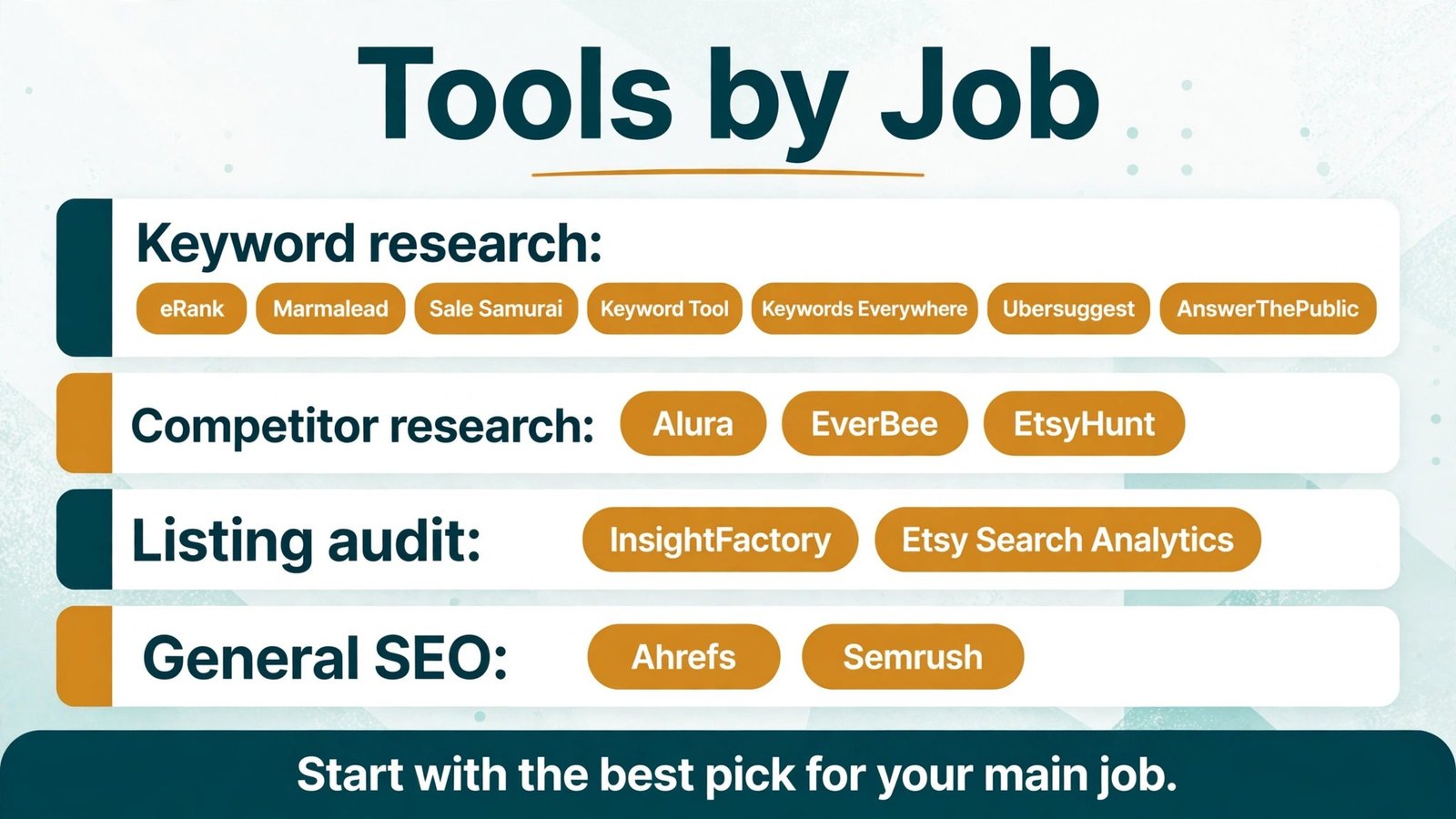
Read the glance table as a shortlist, not a ranking. The best tool for a solo seller is rarely the best tool for a team with a large catalogue, and the cheapest tool is rarely the best value if it leaves out the job you need most. Keep your top two or three candidates and test them on the same task before you commit.
Keyword research: tools that do this job well
Tools in this group share one job, but they differ in depth, price stage and learning curve. Use the notes below to see which one matches how you work day to day, and pay close attention to the watch out note for each tool, because that note is often the reason a tool is returned or left unused after a month.
1. eRank
What it does: eRank eRank pulls Etsy search data into keyword, tag and listing checks that are built for Etsy sellers rather than general web search. In practice, that means you spend less time guessing and more time acting on a short, ranked list of next steps for a listing, a model, a dashboard or a test.
Best for: Sellers who want one daily workspace for keywords, tags and shop audits.
Watch out for: Tag suggestions still need a human edit for relevance, so do not publish a list without reading it first.
Pricing note: Check the vendor checkout page for current plans and limits before you buy, because plans, trials and add on pricing change through the year.
2. Marmalead
What it does: Marmalead Marmalead focuses on Etsy keyword demand, competition and pricing signals, with a clear view of what buyers are actually searching for. In practice, that means you spend less time guessing and more time acting on a short, ranked list of next steps for a listing, a model, a dashboard or a test.
Best for: New shops that need simple keyword guidance without a steep learning curve.
Watch out for: Its scope is narrower than a full SEO suite, so pair it with a listing audit tool when your shop grows.
Pricing note: Check the vendor checkout page for current plans and limits before you buy, because plans, trials and add on pricing change through the year.
3. Sale Samurai
What it does: Sale Samurai Sale Samurai gives keyword ideas, competition views and listing optimisation prompts that suit sellers who list often. In practice, that means you spend less time guessing and more time acting on a short, ranked list of next steps for a listing, a model, a dashboard or a test.
Best for: Sellers who publish in volume and need fast keyword shortlists.
Watch out for: Fast shortlists can tempt you to reuse the same tags everywhere, so tailor tags to each listing.
Pricing note: Check the vendor checkout page for current plans and limits before you buy, because plans, trials and add on pricing change through the year.
4. Keyword Tool
What it does: Keyword Tool Keyword Tool expands a seed term into long tail suggestions from search autocomplete data, which is useful for title and tag brainstorming. In practice, that means you spend less time guessing and more time acting on a short, ranked list of next steps for a listing, a model, a dashboard or a test.
Best for: Sellers building title variations and tag banks for a new range.
Watch out for: Autocomplete volume is a starting point, not Etsy demand, so cross check shortlisted terms in an Etsy specific tool.
Pricing note: Check the vendor checkout page for current plans and limits before you buy, because plans, trials and add on pricing change through the year.
5. Keywords Everywhere
What it does: Keywords Everywhere Keywords Everywhere adds search volume and related terms to your browser while you research, which speeds up early keyword screening. In practice, that means you spend less time guessing and more time acting on a short, ranked list of next steps for a listing, a model, a dashboard or a test.
Best for: Sellers who research across Etsy, Google and supplier sites in one session.
Watch out for: Browser volume figures cover general search, so treat them as context rather than Etsy ranking proof.
Pricing note: Check the vendor checkout page for current plans and limits before you buy, because plans, trials and add on pricing change through the year.
6. Ubersuggest
What it does: Ubersuggest Ubersuggest offers keyword ideas, content suggestions and basic site checks at a simpler level than enterprise suites. In practice, that means you spend less time guessing and more time acting on a short, ranked list of next steps for a listing, a model, a dashboard or a test.
Best for: Solo sellers who want a low friction second opinion on keywords.
Watch out for: Its data is general search data, so always confirm Etsy relevance before you change a title.
Pricing note: Check the vendor checkout page for current plans and limits before you buy, because plans, trials and add on pricing change through the year.
7. AnswerThePublic
What it does: AnswerThePublic AnswerThePublic maps questions and phrases around a topic, which helps you write titles and descriptions that match how buyers phrase a need. In practice, that means you spend less time guessing and more time acting on a short, ranked list of next steps for a listing, a model, a dashboard or a test.
Best for: Sellers writing gift guides, descriptions and FAQ style listing copy.
Watch out for: Question maps generate many weak ideas, so keep only phrases a real buyer would type on Etsy.
Pricing note: Check the vendor checkout page for current plans and limits before you buy, because plans, trials and add on pricing change through the year.

Competitor research: tools that do this job well
Tools in this group share one job, but they differ in depth, price stage and learning curve. Use the notes below to see which one matches how you work day to day, and pay close attention to the watch out note for each tool, because that note is often the reason a tool is returned or left unused after a month.
8. Alura
What it does: Alura Alura combines keyword research with shop and listing tracking, so you can watch rivals, trends and your own ranking movement in one place. In practice, that means you spend less time guessing and more time acting on a short, ranked list of next steps for a listing, a model, a dashboard or a test.
Best for: Sellers who track competitors and want alerts when a niche shifts.
Watch out for: Tracking many shops can create noise, so track a short list of direct rivals only.
Pricing note: Check the vendor checkout page for current plans and limits before you buy, because plans, trials and add on pricing change through the year.
9. EverBee
What it does: EverBee EverBee shows estimated sales and revenue signals for Etsy listings, which helps you judge whether a keyword is worth chasing. In practice, that means you spend less time guessing and more time acting on a short, ranked list of next steps for a listing, a model, a dashboard or a test.
Best for: Sellers validating a niche before they invest in new listings.
Watch out for: Sales estimates are estimates, not Etsy reports, so use them to compare listings, not as exact income figures.
Pricing note: Check the vendor checkout page for current plans and limits before you buy, because plans, trials and add on pricing change through the year.
10. EtsyHunt
What it does: EtsyHunt EtsyHunt tracks shops, listings and keyword performance, with a focus on spotting trends early in a category. In practice, that means you spend less time guessing and more time acting on a short, ranked list of next steps for a listing, a model, a dashboard or a test.
Best for: Trend-led sellers who want early signals on rising products.
Watch out for: Early trend signals need a reality check on margins, shipping and production before you commit.
Pricing note: Check the vendor checkout page for current plans and limits before you buy, because plans, trials and add on pricing change through the year.
Listing audit: tools that do this job well
Tools in this group share one job, but they differ in depth, price stage and learning curve. Use the notes below to see which one matches how you work day to day, and pay close attention to the watch out note for each tool, because that note is often the reason a tool is returned or left unused after a month.
11. InsightFactory
What it does: InsightFactory InsightFactory focuses on listing level insight, helping sellers see which titles, tags and photos may be holding a listing back. In practice, that means you spend less time guessing and more time acting on a short, ranked list of next steps for a listing, a model, a dashboard or a test.
Best for: Sellers auditing older listings that have stopped getting views.
Watch out for: Audit scores are a prompt to investigate, not a verdict, so check the listing itself before you rewrite it.
Pricing note: Check the vendor checkout page for current plans and limits before you buy, because plans, trials and add on pricing change through the year.
12. Etsy Search Analytics
What it does: Etsy Search Analytics Etsy Search Analytics is Etsy’s own view of the queries that brought buyers to your shop, and it is the closest thing to ground truth for your listings. In practice, that means you spend less time guessing and more time acting on a short, ranked list of next steps for a listing, a model, a dashboard or a test.
Best for: Every Etsy seller, because it shows real queries for your own shop at no extra cost.
Watch out for: It only covers your shop, so use it with a competitor tool when you research a new niche.
Pricing note: Check the vendor checkout page for current plans and limits before you buy, because plans, trials and add on pricing change through the year.
General SEO: tools that do this job well
Tools in this group share one job, but they differ in depth, price stage and learning curve. Use the notes below to see which one matches how you work day to day, and pay close attention to the watch out note for each tool, because that note is often the reason a tool is returned or left unused after a month.
13. Ahrefs
What it does: Ahrefs Ahrefs is a general SEO suite for backlinks, content gaps and search demand beyond Etsy, useful when your shop also depends on Google traffic. In practice, that means you spend less time guessing and more time acting on a short, ranked list of next steps for a listing, a model, a dashboard or a test.
Best for: Shops with a blog, Pinterest presence or external traffic strategy.
Watch out for: Its power is wasted if you only need Etsy tags, so buy it for a wider traffic plan, not for tags alone.
Pricing note: Check the vendor checkout page for current plans and limits before you buy, because plans, trials and add on pricing change through the year.
14. Semrush
What it does: Semrush Semrush covers keyword research, site audits and competitor traffic for sellers who run a website alongside an Etsy shop. In practice, that means you spend less time guessing and more time acting on a short, ranked list of next steps for a listing, a model, a dashboard or a test.
Best for: Sellers with a standalone store plus an Etsy channel.
Watch out for: It is a broad suite with a learning curve, so start with one project and one keyword set.
Pricing note: Check the vendor checkout page for current plans and limits before you buy, because plans, trials and add on pricing change through the year.
Best pick by job: start here if you are short on time
| Job | Best pick | Why it wins for that job |
|---|---|---|
| Keyword research | eRank | Sellers who want one daily workspace for keywords, tags and shop audits. |
| Competitor research | Alura | Sellers who track competitors and want alerts when a niche shifts. |
| Listing audit | InsightFactory | Sellers auditing older listings that have stopped getting views. |
| General SEO | Ahrefs | Shops with a blog, Pinterest presence or external traffic strategy. |
If you only buy one tool, buy the best pick for your main job, not the most popular tool overall. Popularity reflects marketing and market size as much as fit, and a tool built for large teams can slow a solo seller down. If you already own a tool in one group, your next buy should fill a different job, not duplicate the first one. That rule alone saves many sellers from paying twice for the same keyword data.
If this guide covers only part of your workflow, these related guides can fill the gaps. See Etsy seller tools, print on demand seller tools, Amazon seller tools, Shopify alternatives for adjacent tools and workflows that use similar skills, so you can build a full stack without buying overlapping subscriptions. Read them after you have shortlisted a tool here, because they are most useful once you know which job you still need to cover.
A practical workflow you can run this week
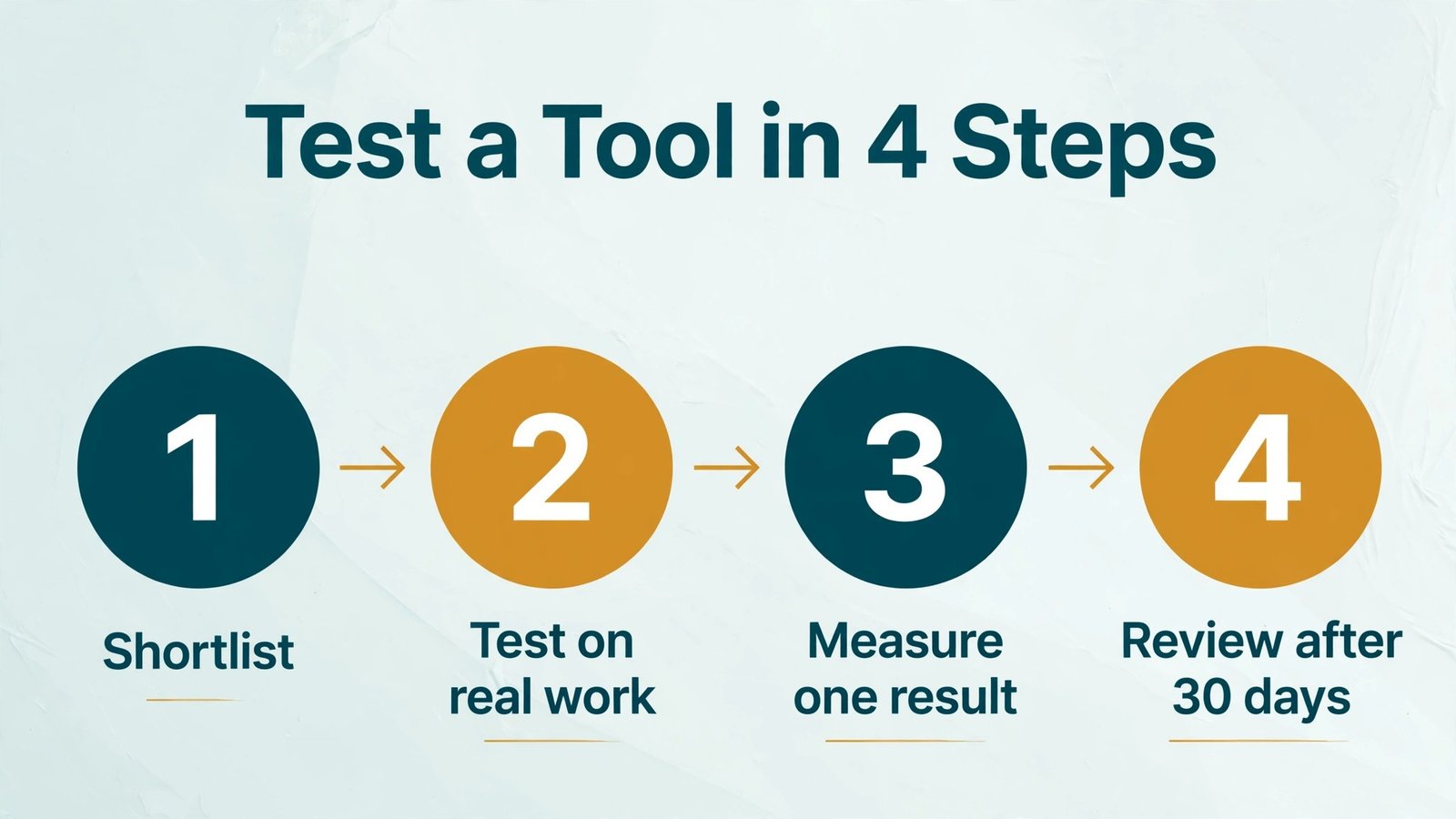
Start with a single, measurable goal. For a seller that goal might be more search views on five listings. For a maker it might be one successful print with fewer supports. For an analyst it might be one dashboard a manager actually opens each week. For a tester it might be one experiment with a clear primary metric. Write the goal down, because a vague goal like get better results makes every tool look good and no tool look accountable.
Next, run your shortlist on the same item. Use the same listing, model, dataset or page for each candidate, and record time taken, output quality and the decision each tool changed. Then pick the tool that changed a decision, not the tool with the longest feature list. Finally, set a review date after 30 days. Check usage, results and cost together. If usage is low, the problem is usually workflow fit, not a missing feature, and a simpler tool may serve you better than a larger one.
Keep your data clean as you go. Rename files clearly, save the version that worked, and note the settings that produced it. This habit matters in every category here, because a good result you cannot repeat is not a workflow, it is luck. A short log of what you tried, what worked and what failed will also make your next tool trial much faster.
How to choose without overbuying
Match the tool to your main job. List the three tasks you do most often, then buy the tool that does the first task best. A tool that is average at five tasks rarely beats a tool that is excellent at the one task that earns your income. If two tools tie on that task, choose the one with the simpler daily workflow.
Check data quality, not just feature count. Ask where the data comes from, how often it updates, and whether it covers your marketplace, printer, data source or traffic level. A beautiful dashboard built on stale data is worse than a plain report built on fresh data, because it gives you confidence in the wrong direction.
Test with your own work, not a demo. Demos use clean data and ideal cases. Your listings, models, datasets and pages are messier, and that mess is where a tool earns its price. Run a trial on real work, involve the person who will use the tool daily, and ask support one real question during the trial to gauge response quality.
Count total cost, including time. A low monthly price can still be expensive if it needs hours of setup, training or manual export each week. Add setup time, learning time and any add on you will actually need, then compare that total with the result you expect. If the result is unclear, start with the simpler tool and upgrade only when you hit a clear limit.
Plan for growth and exit. Check export options, cancellation terms and whether your work stays usable if you leave. A tool that locks your keyword lists, models, dashboards or experiment history inside its own format creates a switching cost that grows every month. Prefer tools that export in common formats and document their limits plainly.
Mistakes to avoid
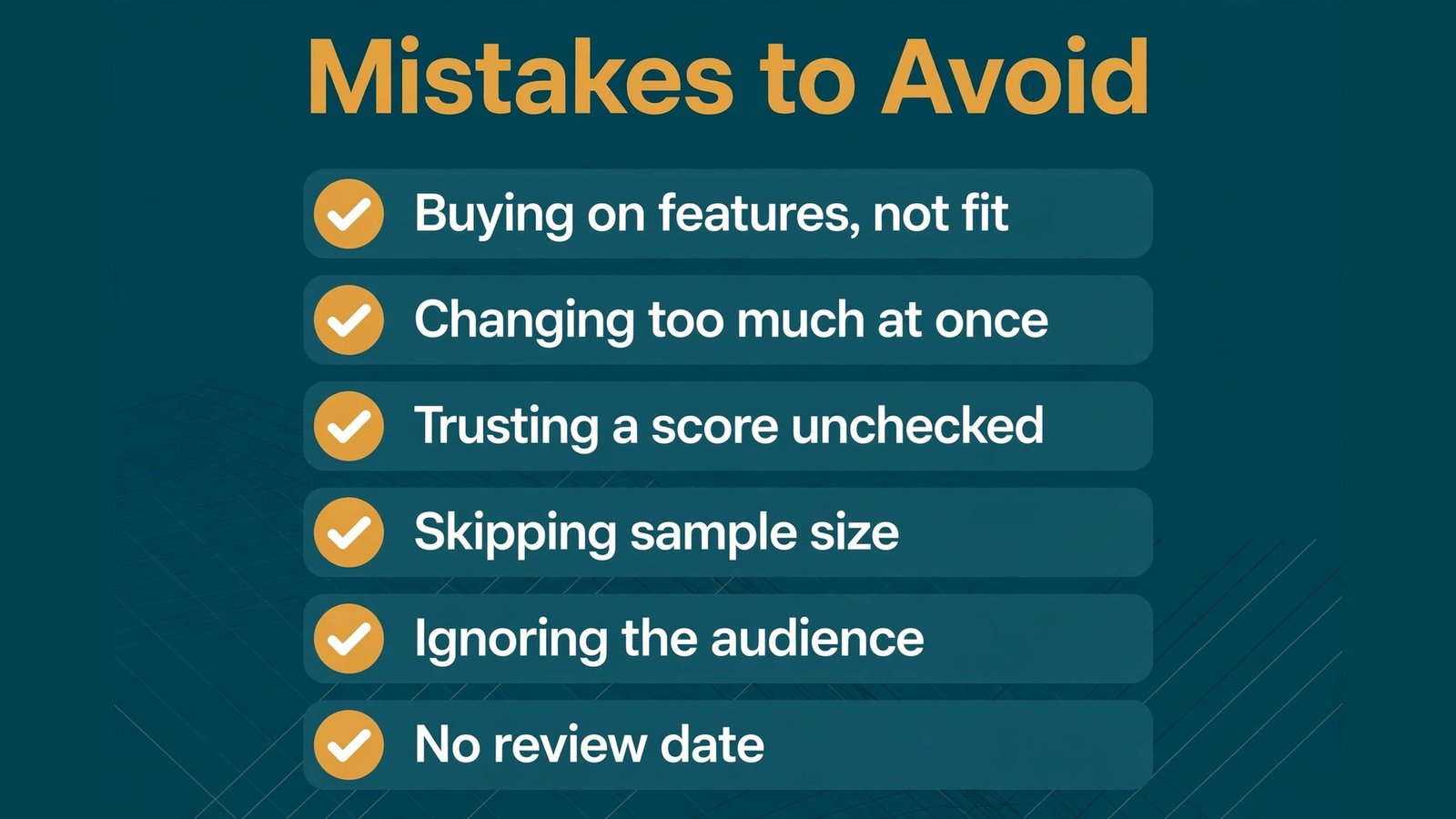
Mistake 1: Buying on features instead of fit. A long feature list is easy to market and hard to use. Pick for your main job and your daily workflow, and ignore features you will not use in the next 90 days.
Mistake 2: Changing too much at once. If you rewrite a title, swap an image and change tags on the same day, you will never know which change helped. Change one variable, wait for enough data, then decide. This discipline applies to listings, prints, dashboards and tests alike.
Mistake 3: Trusting a score without checking the work. Scores, estimates and AI suggestions are starting points. Open the listing, model, chart or test result yourself and ask whether it makes sense for a real buyer, user or reader. If it does not, trust your check over the score.
Mistake 4: Skipping the sample size question. Small samples produce confident looking but unreliable results. For search, wait for views. For prints, test on a small model. For dashboards, check with real users. For tests, confirm traffic and duration before you call a winner.
Mistake 5: Ignoring the audience. A keyword, chart or test variant that pleases an internal team but confuses a buyer will not perform. Keep the end user in view at every step, and test language, visuals and offers with real people where you can.
Mistake 6: No review date. Tools drift, markets shift and habits change. Without a 30 day review, a tool you outgrew keeps charging you quietly. Put the review in your calendar on the day you subscribe, and treat it as part of the purchase, not an afterthought.
Frequently asked questions
Do I need more than one of the best Etsy SEO tools? Usually not at first. Start with the best pick for your main job, measure one result for 30 days, and add a second tool only when you can name the specific job it will cover that the first tool cannot. Two overlapping tools cost more and create conflicting advice.
How long before I see results? It depends on the category. Search changes need views over weeks, print changes show up on the next print, dashboard adoption shows up when managers return to it, and test results need enough traffic to reach a reliable sample. Judge a tool on process quality in week one and on outcomes after a full cycle, not after a single day.
Can a free tool replace a paid tool? Sometimes, for a single job. Free and native tools are strong for basic research, analytics and slicing, but they often lack competitor depth, automation or support. Use free tools to learn the job, then pay when a limit is costing you time or results.
Should I trust AI suggestions without edits? No. AI suggestions are a strong draft, not a finished decision. Edit for relevance, accuracy and audience fit, and keep a human check on anything a buyer, reader or user will see. The best results in this guide come from AI plus a skilled human review, not AI alone.
What if two tools give different answers? That is normal, because data sources, update times and methods differ. Do not average them blindly. Check which source matches your own records, test the conflicting advice on a small scale, and keep the tool whose advice matches real outcomes over time.
How do I avoid paying for tools I stop using? Set a review date, track logins and outcomes monthly, and cancel quickly when usage drops. A tool you use weekly is an asset. A tool you open once a quarter is a subscription looking for a reason, and that reason should be a result, not a feature you might need someday.
Conclusion
The best Etsy SEO tools are not about collecting software. They are about removing one bottleneck that is costing you views, time, material or decisions. Pick the tool that fits your main job, test it on real work for a week, and review it after 30 days with honest usage and outcome notes. That simple discipline will do more for your results than any feature list, and it will keep your stack lean as your work grows. Start with one pick from the table above, run the workflow in this guide, and let real results, not marketing, decide whether you keep, upgrade or switch.