
Asana and Monday both promise a calmer week, but they organise work in different ways, and that difference decides whether a migration feels like an upgrade or a month of confusion. Asana rewards structure, with projects, portfolios, dependencies and a single assignee per task, while Monday rewards visual flexibility, with boards, groups, columns and recipes that anyone can read at a glance. Teams that decide to switch Asana to Monday usually want that visual flexibility, or they want one workspace for projects, operations and client tracking instead of a tool built mainly for project delivery.
The hard part is deciding, before any data moves, what each Asana structure becomes in Monday, who can see and change what, and which automations are worth rebuilding at all.
This guide gives you that decision work up front, then a practical plan you can run in about four weeks for a team of up to 25 people. You will get a mapping table for projects, tasks, fields, automations and permissions, a week by week schedule, pricing for the plans that actually fit a migration, and a cutover checklist that keeps old work readable until the new workspace proves itself. Prices quoted here reflect publicly listed October 2026 figures, and you should check checkout before you pay. If you have already compared the two tools, this site’s guide to Asana vs Monday is a useful companion, because it explains where each tool wins before you commit to moving.
The Decision Before You Move Anything
Start with the reason for the move, written in one sentence that a sceptical team member would accept. A good reason names a workflow problem, for example that operations, content and client work now live in three places, and the team needs one visual workspace where managers can see all of it without opening five portfolios. A weak reason is simply that Monday looks nicer. Looks matter for adoption, but they do not survive the first missed deadline.
Next, list the Asana work that must survive the move in usable form. That list is almost never everything. Active projects with open tasks, recurring work, weekly templates, and the dashboards managers check each Monday morning belong on the must keep list. Completed projects from two years ago and duplicate boards usually belong on the archive list.
Decide who owns the migration, and give that person real authority over naming, board templates and permissions. Migrations fail quietly when five people each build a board in their own style, because the result is five private systems inside one account. One owner, with one or two helpers for testing, keeps status labels consistent, stops duplicate columns, and makes the final call when a team disagrees about a field.
Finally, set the success test before you start, with numbers and a date. By the end of week four, every active project should live on a Monday board, every team member should have completed at least one real task in Monday, and managers should be able to produce the weekly report from a Monday dashboard without exporting data.
What Transfers, What Breaks, and What You Rebuild
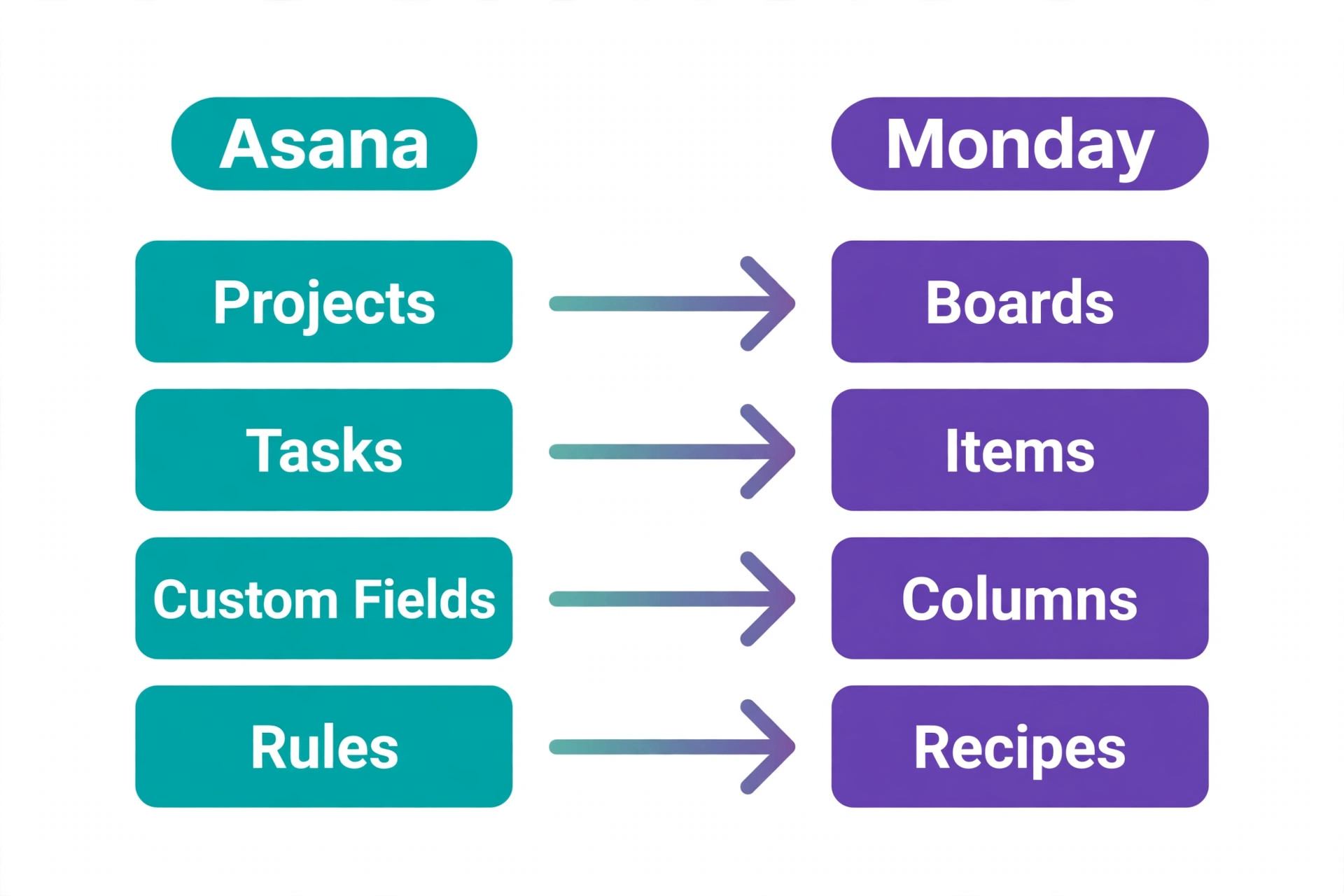
Asana and Monday share the basic building blocks of work, but they name and shape them differently, and that gap is where data gets lost. In Asana, work lives in projects, tasks carry one assignee, subtasks break work down, sections group tasks, custom fields add structure, and portfolios roll projects up for leadership. In Monday, work lives on boards, items are the equivalent of tasks, groups are the equivalent of sections, columns carry status, people, dates and numbers, and dashboards roll boards up for reporting.
Dependencies are the clearest example. Asana timeline dependencies shift dependent tasks when a date slips, and teams that plan launches around that behaviour will miss it if they rebuild boards without a dependency column. Monday Standard and Pro both support dependencies through timeline and dependency columns, but the setup is a board design choice, not an automatic carryover from an import. Portfolios are another gap. Asana Advanced portfolios give leadership a cross project view, while Monday replaces that with dashboards, which only match portfolio reporting if column names and status labels are consistent across boards.
Comments, attachments and activity history transfer least cleanly. An import tool moves task names, assignees, dates and statuses reliably, but long comment threads, file versions and approval history often arrive incomplete or as plain text, if they arrive at all. Treat the import as a move of live work, not a perfect archive. Keep Asana read only for a month after cutover so anyone can check an old decision or file version without asking IT to restore anything.
The table below is the core of this plan. Use it as a working document, fill in your own board and column names, and do not start an import until every row has an owner and a decision. Take your most complex active project, map it first, and let that project set the column names and status labels for the rest. If two projects use different words for the same status, pick one word now.
| Asana element | Monday equivalent | Migration decision to make now |
|---|---|---|
| Project | Board, one board per active project | Keep, merge, or archive each project before import |
| Section | Group on a board | Keep section names or rename for the new board |
| Task | Item on a board | Map title, assignee, due date and status for every item |
| Subtask | Subitem under an item | Keep as subitems only where the breakdown is still live |
| Single assignee | Person column, one or several people | Decide where shared ownership is allowed and where it is not |
| Custom field | Column of matching type | Rebuild each field as a status, dropdown, number or date column |
| Dependency | Dependency column with timeline | Rebuild on boards where dates truly drive other dates |
| Rule | Automation recipe | Rebuild only rules the team still uses, and test each one |
| Portfolio | Dashboard combining boards | Build one dashboard per leadership question, not one per project |
| Team and project membership | Workspace, board and column permissions | Map members, guests and viewers before inviting anyone |
| Comment thread and attachments | Item updates and file column | Keep Asana read only for history, and move live files only |
| Template project | Board template or duplicated board | Rebuild the three most used templates first, and retire the rest |
How to Switch Asana to Monday in Four Stages
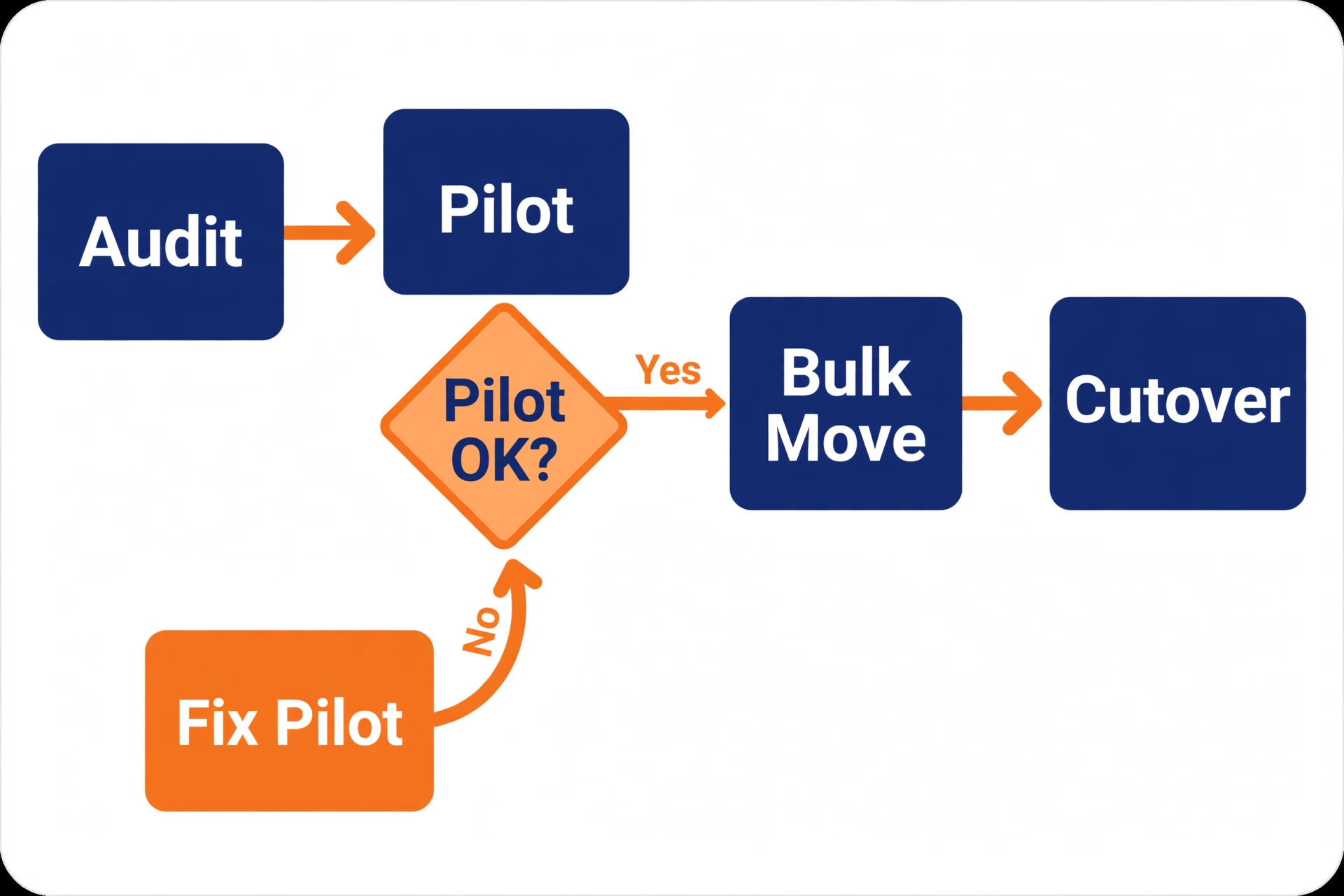
A migration that works has four stages, and each stage has a clear exit test. Stage one is audit and freeze, where you list every project, rule and integration, and you stop building new structures in Asana. Stage two is design and pilot, where you build Monday boards for one real project, rebuild its automations, and run it alongside Asana for a week. Stage three is bulk move and training, where the remaining projects move across and every team member completes real work in Monday. Stage four is cutover, where Asana becomes read only and the owner reviews dashboards after two weeks.
The pilot project matters more than the import tool. Choose a project that is active, visible and moderately complex, with dependencies, a few automations and at least three people involved. A trivial pilot proves nothing, because a simple board always looks good, while a project nobody cares about proves nothing either. Run the pilot for a full working week, with real deadlines and real status changes, and collect problems daily. If the pilot team checks Monday first by day four, the design is close.
Do not run a parallel system for longer than the pilot plus one migration week. Parallel working doubles admin, creates two versions of the truth, and teaches the team that Monday is optional. Tell the team plainly that Asana stays readable throughout, so no history is lost, but new work moves to Monday on a fixed date, and after that date Asana is for looking things up only.
When you switch Asana to Monday through these four stages, the import itself becomes a small step inside a larger change, not the whole change. That framing protects you from the most common migration mistake, which is treating a successful data import as a successful migration. Data can import perfectly while adoption fails, because nobody rebuilt the weekly report, nobody set permissions correctly, and nobody told the team which board is now the single source of truth.
The Week by Week Plan You Can Hand to a Team
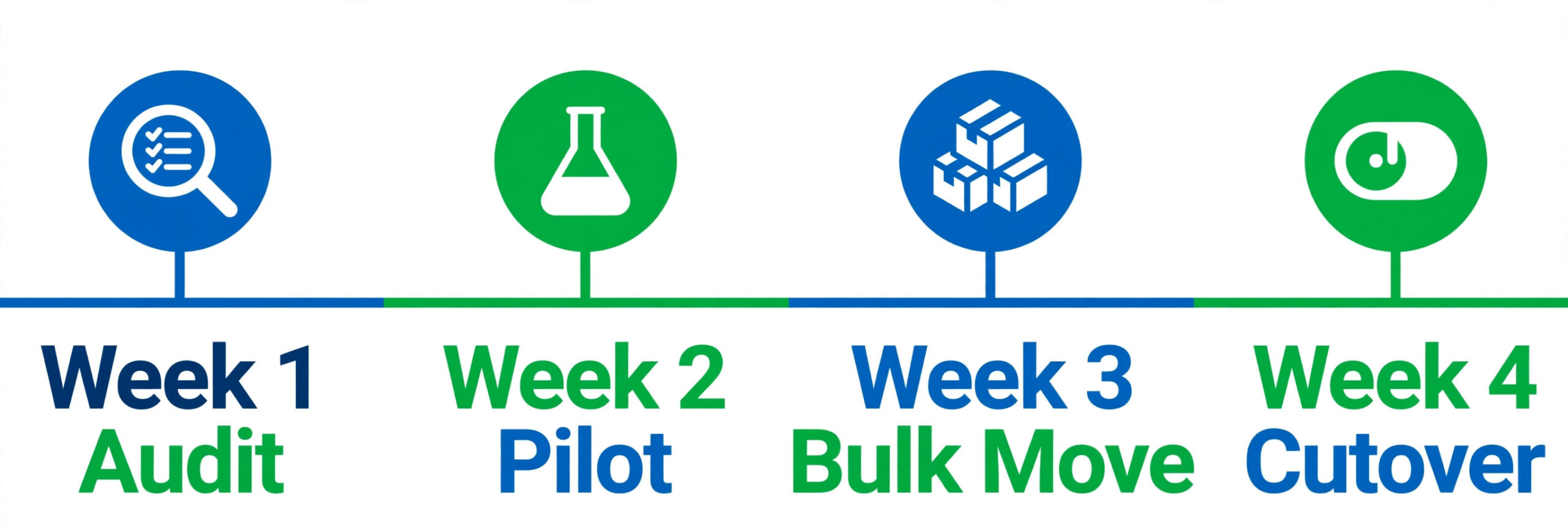
The plan below assumes a team of five to 25 people, about ten to 30 active projects, and one migration owner working on this alongside normal work. A larger team should add a week to design and a week to training, rather than compressing testing. A team of three or fewer can finish in two weeks, but should not skip the pilot.
Week one is audit and freeze. List every Asana project, mark each one as move, merge or archive, and record its owner, its automations and its integrations. Export a backup of active projects to spreadsheet files, because a backup lets you recover from a bad import without retyping work. Freeze new Asana structures after the audit date, while normal task updates continue, and tell the team the cutover date in week one, not week three.
Week two is design and pilot. Build the Monday workspace, with one workspace per department or client group, and build boards for the pilot project first. Set status labels, column types and permissions for that board, rebuild its automations, and build one dashboard that answers the pilot manager’s weekly question. Run the pilot for five working days, hold a short daily check in, and fix design issues the same day they appear. This is the week when teams that switch Asana to Monday learn whether their mapping table was honest, because real deadlines expose gaps that a planning meeting never finds.
Week three is bulk move and training. Import the remaining active projects in batches of five, checking counts after each batch, so a missing batch is obvious at once. Set permissions as each batch lands, invite team members in groups, and run a 45 minute training session that uses real boards and real tasks, not slides. Training should cover creating and updating items, changing status, finding work assigned to you, and commenting in the right place.
Week four is cutover and clean up. On the cutover morning, confirm that every active project has a Monday board, that dashboards show live data, and that automations have run at least once on real work. Switch Asana to read only for the wider team, update links in team docs and pinned messages to point at Monday boards, and keep one admin with Asana access for history checks. Hold a review after two weeks and fix the three most reported problems.
| Week | Main work | Owner | Exit test |
|---|---|---|---|
| Week 1 | Audit projects, rules and integrations, export backups, freeze new structures | Migration owner | Every project marked move, merge or archive, cutover date shared |
| Week 2 | Build workspace, pilot one real project, rebuild its automations, test for five days | Migration owner plus pilot team | Pilot team works in Monday first and reports its problems |
| Week 3 | Import remaining projects in batches, set permissions, train every team member | Migration owner plus team leads | Every active project has a board, every member has completed real work |
| Week 4 | Cutover, Asana read only, update docs and links, review after two weeks | Migration owner plus managers | Weekly report runs from Monday, Asana used for history only |
Pricing, Seats and the Plan You Actually Need
Pricing should follow the mapping work, not lead it, because the plan you need depends on which features your mapped boards actually use. Start from the Monday plan that includes your must have features, then check the seat maths, then check automation limits. The figures below are publicly listed October 2026 prices, and you should check checkout before paying.
Monday offers a free plan for up to two seats and three boards, which is enough to test the pilot design but not enough for a real team migration. See the official Monday pricing page for current plan details. Basic costs about 9 dollars per seat a month on annual billing, or about 12 dollars month to month, and it covers unlimited boards and items but not automations or Gantt views. Standard costs about 12 dollars per seat a month on annual billing, or about 14 dollars month to month, and it adds timeline views, guest access and 250 automation actions plus 250 integration actions a month.
Pro costs about 19 dollars per seat a month on annual billing, or about 24 dollars month to month, and it adds private boards, time tracking, formula columns and 25,000 automation actions plus 25,000 integration actions a month. Enterprise is quoted on request, and paid plans carry a three seat minimum.
Asana pricing matters here for a different reason, which is the overlap month. Asana Starter costs about 10.99 dollars per user a month on annual billing, or 13.49 dollars month to month, while Advanced costs about 24.99 dollars on annual billing, or 30.49 dollars month to month, and Enterprise plans are quoted on request. See the official Asana pricing page for current plan details. The free Personal plan covers up to two users. Most teams keep Asana readable for a month after cutover, so budget for one overlap month on both tools. Teams that switch Asana to Monday without budgeting that overlap month often feel forced to cancel early, and that is when history loss happens.
The automation limit is the pricing trap most teams miss. A Standard plan with 250 automation actions a month sounds generous until you count how often a busy board changes status. An automation that fires 15 times a day uses about 300 actions over 20 working days, which already passes the Standard limit on its own. Count your rebuilt automations before you choose a plan and estimate daily fires per automation. If the total passes Standard comfortably, price Pro from the start, because an automation that stops mid month looks like a broken tool to the team.
| Team size | Monday Standard annual | Monday Pro annual | What to check before you choose |
|---|---|---|---|
| 3 seats, minimum billing | About 36 dollars a month | About 57 dollars a month | Small teams pay for three seats even with one or two users |
| 10 seats | About 120 dollars a month | About 190 dollars a month | Automation estimate, guest count, private board need |
| 25 seats | About 300 dollars a month | About 475 dollars a month | Dashboard and reporting needs, admin controls, integration volume |
Permissions, Guests and Access Rules
Permissions are where a migration either protects client work or quietly exposes it, so map them before you invite anyone. Asana teams are used to project membership, team membership and guest access, where guests see only the projects they are invited to. Monday organises access through workspaces, boards and board types, with members, guests and viewers, and with private, shareable and main boards that behave differently. A main board is visible to all workspace members, a shareable board is visible to invited members and guests, and a private board is visible only to its subscribers.
Start by sorting your people into three groups. Members are employees who work across boards and need to create items, change status and build views. Guests are clients, contractors or partners who should see one or a few boards and nothing else. Viewers are people who need to read progress, such as senior managers, without changing anything. Give each group the lowest access that still lets them do their job, and write that rule down, because a migration is the moment when old access quietly widens. When you switch Asana to Monday, that access audit belongs in week one, not week three.
Rebuild sensitive boards as private boards first, then widen access deliberately. Client boards, people operations boards and finance related boards should start private, with subscribers added by name, and only move to shareable when a manager confirms the wider audience is correct. For client work, use one shareable board per client rather than one board with all clients filtered by a column, because a filter is not a permission boundary.
Audit permissions in week three, after the bulk move, and again in the week four review. Check who can see each board, who can edit columns and automations, and who can invite new members, because board admin rights in Monday let people change structure, not just tasks.
Rebuilding Automations and Integrations
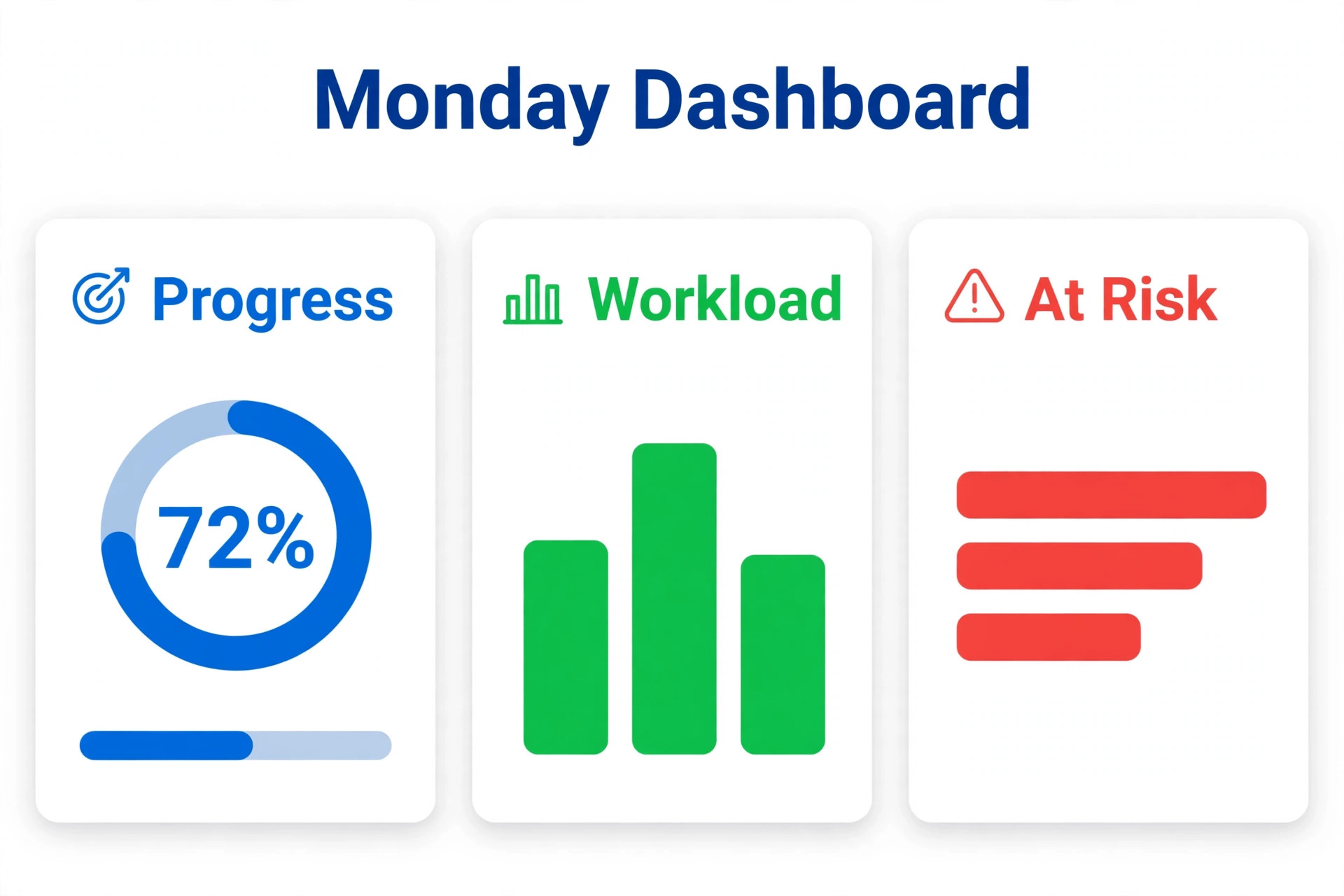
Automations rarely transfer by import, so plan to rebuild them by hand, and use that rebuild as a chance to delete rules nobody needs. Start by listing every Asana rule, with its trigger, its action and how often it fires. A small group of rules does real work every day, such as notifying a manager when a task becomes overdue, assigning a reviewer when status changes, or moving completed work to a done group. A larger group fires rarely or duplicates a human habit the team already has. A third group was built for a project that no longer exists, or for a person who has left, and should simply be retired.
Rebuild the daily group first, in Monday recipe form, and test each recipe on the pilot board with real status changes. A recipe that reads as when status changes to done, notify the manager and move the item to the completed group is easy to build, but it is also easy to build wrong, for example by notifying the wrong person, or by moving items before a reviewer has checked them. Test with a colleague watching the board, change the status, and confirm the notification arrives and the item moves. Teams that switch Asana to Monday and skip this recipe testing usually discover the error from a manager, not from a test.
Integrations need the same triage. Slack notifications, Google Drive attachments, Gmail task creation and calendar sync are the integrations most teams actually use, and Monday supports them through its integrations centre, but each integration has its own action allowance and setup steps. Reconnect integrations one at a time after the bulk move, test each one with a real message or file, and retire integrations that nobody can name a use for. If a team used an Asana integration that Monday does not support in the same way, decide now whether to replace it with a Monday app or a manual step, and write that decision into the mapping document.
Testing, Training and the Cutover Day
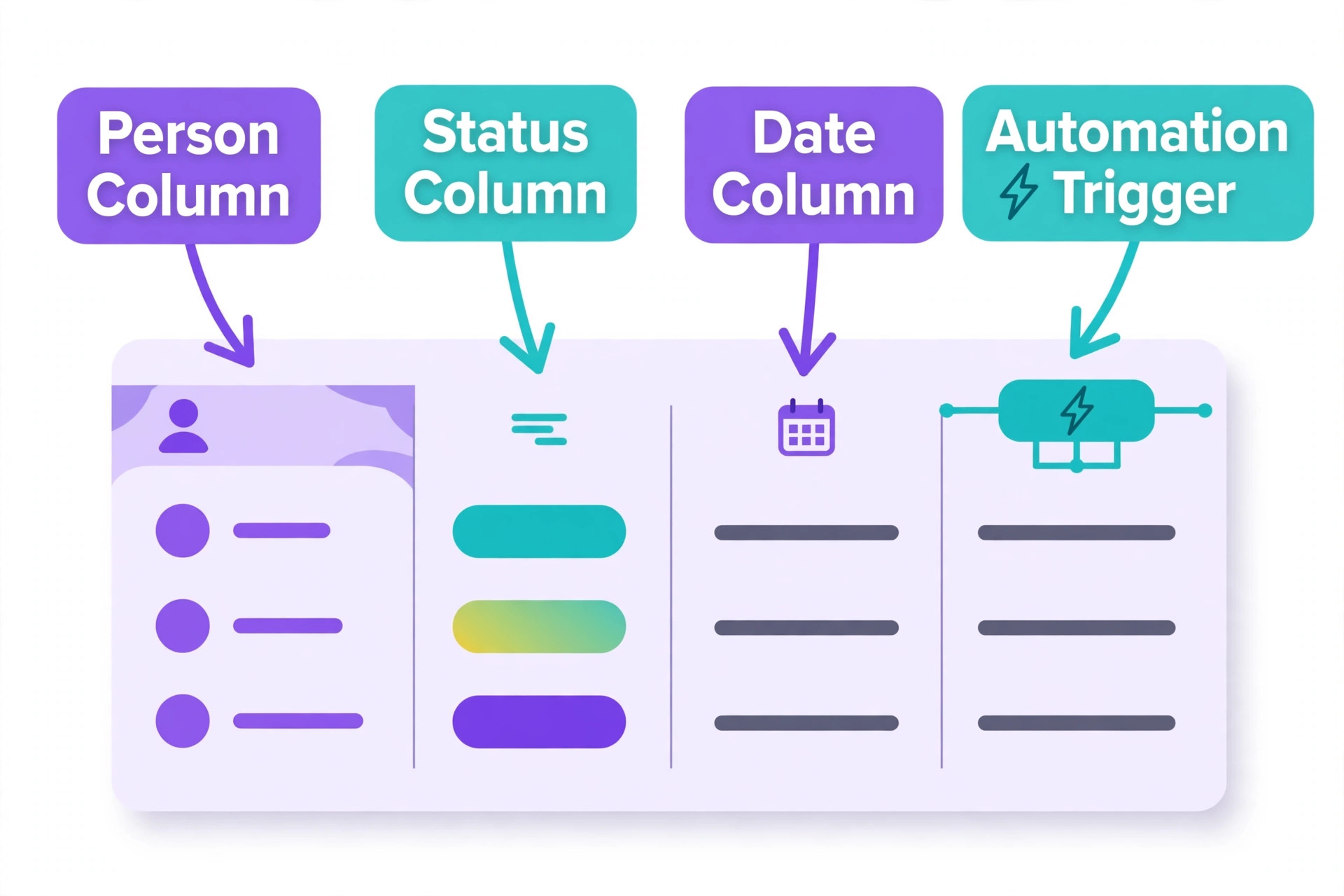
Testing a migration means testing real work, not clicking through empty boards. Build a test script from the pilot project, with ten checks that cover daily life. Create an item, assign it, set a due date, change its status, add a comment, attach a file, move it between groups, filter the board for your own work, check the dashboard, and trigger one automation. Run that script on every board type you built, and rerun any failed checks after you fix them.
Training works best when it is short, practical and tied to real boards. A 45 minute session should leave every person able to find their own work, update a status, comment on an item, and ask for help in the right place. Avoid a long feature tour and avoid training on empty demo boards, because demo work feels irrelevant. Instead, train on the team’s own migrated boards, with their own tasks visible.
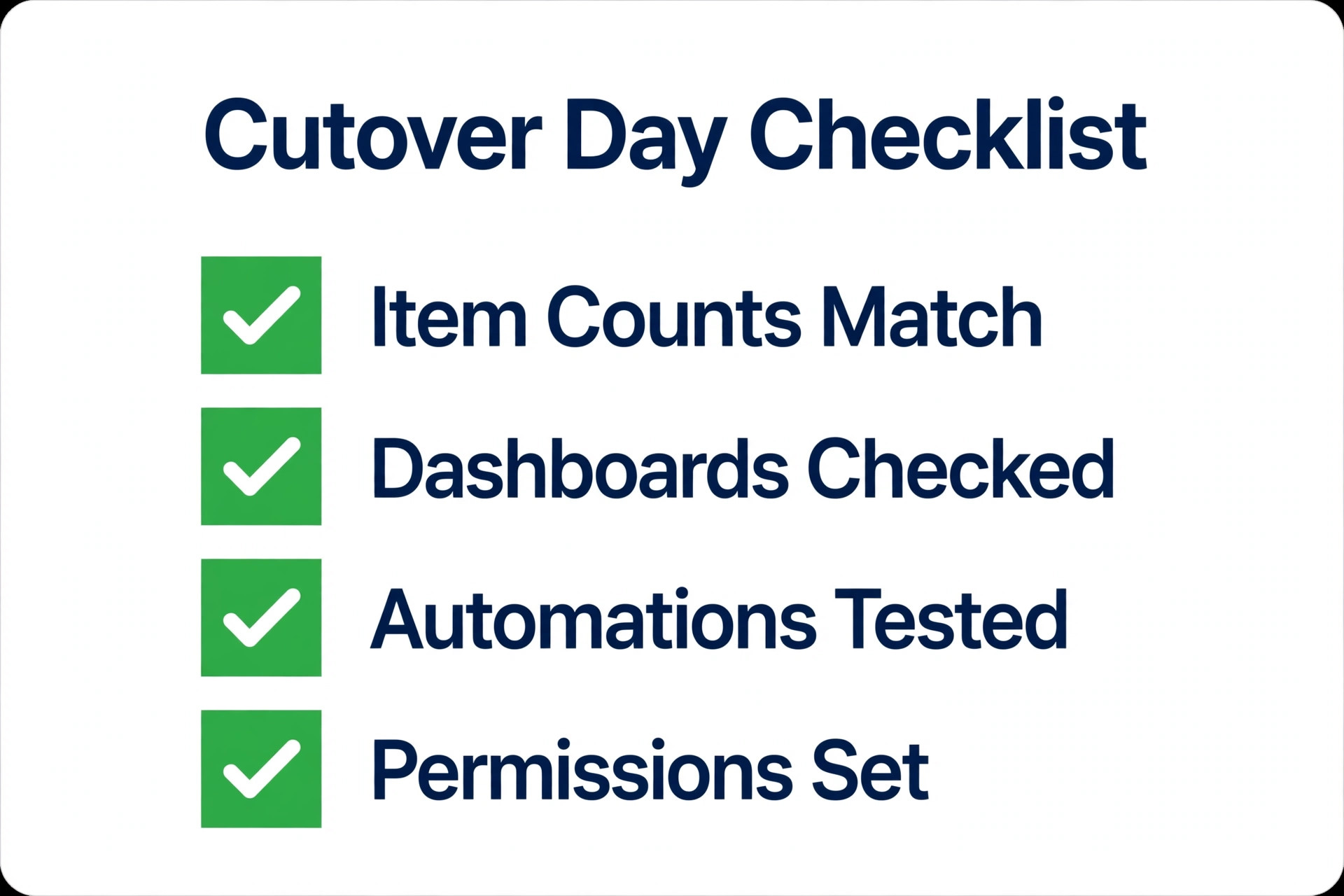
Cutover day itself should be boring, and boring is a compliment. Start the day by confirming counts, with the number of items on each Monday board matching the number of open tasks in the matching Asana project, allowing for archived work you deliberately left behind. Confirm that dashboards load, that automations have fired on test items, and that permissions match the permission map. Then switch Asana to read only for the wider team, send one clear message naming Monday as the place for new work, and link the main boards in that message. When teams switch Asana to Monday with a tested pilot and a boring cutover day, adoption usually follows.
Mistakes That Undo a Good Migration
The first mistake is migrating everything, including dead projects, duplicate boards and fields nobody uses. A new workspace should feel cleaner than the old one, because that cleanliness is part of the reason to move. If Monday on day one already contains 80 boards, half of them archived, the team will conclude that the move changed nothing except the logo. Archive aggressively in Asana before import, merge duplicate projects, and delete custom fields that have not been used in three months.
The second mistake is rebuilding every automation, including the ones that never worked well. Asana rules accumulate over years, and many were built for a single project, a single campaign, or a single manager’s preference. Rebuilding them all imports complexity into Monday, burns automation actions, and creates rules that conflict, for example one rule that moves an item to done while another rule reassigns it for review. Rebuild the daily rules, test them, and retire the rest with a note in the mapping document.
The third mistake is inconsistent naming, and it is the mistake that damages reporting most. When one board uses In Progress, another uses Doing, and a third uses Working On It, dashboards cannot group work correctly, managers cannot trust the weekly report, and the team cannot filter reliably. Pick one set of status labels before the pilot, write them in the mapping document, and enforce them through board templates.
The fourth mistake is treating permissions as an afterthought. Inviting everyone to a workspace, then discovering that a client can see another client’s board, or that a contractor can edit board structure, damages trust far more than a delayed import. Map members, guests and viewers before invitations go out, start sensitive boards as private, and audit access after the bulk move. The fifth mistake is cancelling Asana too early. Teams that cancel on cutover day lose the comment history and approval trail that the import did not carry. Keep Asana readable for at least a month.
A related point is the wider workflow around the move. If your team also runs client pipelines, content calendars or operations boards in Monday after the move, those boards need the same naming and permission discipline as project boards. This site’s guide to best AI workflow automation tools for small business is worth a read alongside this plan if automation beyond Monday recipes is part of your wider workflow.

If you are still deciding whether Monday is the right destination, start with the head to head comparison, then check the wider alternatives before you build anything, because a migration plan is only as good as its destination choice. The automation guide linked above also helps you draw the line between rules that belong in Monday and rules that belong in a dedicated automation tool.
Frequently Asked Questions
How long does a migration from Asana to Monday take?
For a team of five to 25 people with ten to 30 active projects, plan on about four weeks, with one week each for audit, pilot, bulk move and cutover. A team of three or fewer can often finish in two weeks, while a larger team should add a week for design and a week for training rather than compressing testing. The import itself usually takes hours, not weeks. The weeks go to mapping, pilot testing, permissions and training.
Will my Asana comments and attachments move to Monday?
Task names, assignees, due dates and statuses usually import well, but long comment threads, file versions and approval history often arrive incomplete or as plain text. Treat the import as a move of live work, not a perfect archive, and keep Asana readable for at least a month after cutover so anyone can check an old decision or file version.
Do I need Monday Pro, or is Standard enough?
Standard suits teams that need timeline views, guest access and light automations, with 250 automation actions plus 250 integration actions a month. Pro suits teams that automate heavily, need private boards, time tracking or formula columns, with 25,000 automation actions plus 25,000 integration actions a month. Count your rebuilt automations and estimate daily fires before you choose. When you switch Asana to Monday, price the plan that fits your automation estimate, not just the cheapest plan that looks close enough.
What happens to Asana portfolios and dependencies?
Asana portfolios become Monday dashboards, but only if column names and status labels are consistent across boards, because dashboards group by label. Asana dependencies become Monday dependency columns with timeline views, but they must be rebuilt as a board design choice, not assumed to carry over from import.
Can guests and clients use Monday without seeing other clients?
Yes, if you use shareable boards correctly. Give each client their own shareable board, invite guests by name to that board only, and avoid putting multiple clients on one board filtered by a column, because a filter is not a permission boundary. Start sensitive boards as private, audit who can see each board after the bulk move, and check linked dashboards, because a dashboard that combines boards can expose data to people who should see only one board.
Should I use the native importer, a spreadsheet import, or a migration service?
Most teams should start with the Monday native Asana importer, which is described in the official Monday guide to importing projects from Asana, because it moves projects, items and members with the least manual work. A spreadsheet import, using Asana exports cleaned and mapped to Monday columns, suits teams that want to merge, rename or clean data before it lands, and it gives you a backup at the same time. A paid migration service suits large or regulated teams, where a failed import would cost more than the service fee.
The Move That Sticks
A migration sticks when the new workspace contains real work, real owners and a report managers trust, and when the team knows where to go for help on day two. That outcome comes from decisions made before import, not from the import tool itself. Audit honestly, map every project, automation and permission, pilot one real project for a full week, and train on real boards.
When you switch Asana to Monday on that basis, you are not just changing software. You are giving the team one visual place where work, ownership and progress are visible without a status meeting, and you are retiring the duplicate boards, dead rules and inconsistent labels that made the old system hard to trust. Start this week with the audit, pick the pilot project, and set the cutover date.