A mockup that looks pretty but misleads a buyer is a liability, not an asset. It earns a click, then earns a return, a bad review, or a support message asking why the real item looks different. That is why the smartest way to use Midjourney for product mockups is to treat it as a scene engine with an editor after it, not as a finished photo. The verdict is simple. Midjourney is excellent for the first three quarters of mockup work, which are concept, scene and variation, and it is the wrong tool for the last quarter, which is exact text, exact colour and exact product geometry. Use that split and the tool pays for itself fast.
Ignore it and you will spend hours polishing images a marketplace or a client cannot use.
If you want to use Midjourney for product mockups in a way that survives contact with real buyers, you need a system, not a lucky prompt. This guide gives you that system. You will define what the mockup must prove, build a prompt kit you can reuse across a product line, run a seven step workflow from brief to export, price the work honestly, and revise in rounds instead of endless tweaks. Prices quoted here reflect publicly listed October 2026 figures. Check checkout before you pay, because Midjourney and the editing tools around it change plans and limits often.
When You Should Use Midjourney for Product Mockups
Start with the job, not the tool. Midjourney makes sense when you need a believable scene, a consistent look across many products, or a fast test of an idea before you pay for photography, samples or a designer. It is strongest for print on demand art shown on a shirt, mug or poster, for digital products shown in a lifestyle scene, for packaging concepts before a print run, and for pitch decks and preorders where the product is real but the photo shoot has not happened yet. In those cases, speed and variety matter more than millimetre accuracy, and a buyer can still judge style, colour mood and use.
It makes less sense when the buyer must judge exact detail. A technical part, a garment with a specific fit, a skincare label with regulated claims, or a product whose main selling point is a precise texture should not be sold on an AI scene alone. The same caution applies when a marketplace requires a photo of the exact item for sale. Generate the scene, test the composition, then replace the product area with a real photo or a manufacturer render before you publish.
Ask three questions before you start a batch. First, will a buyer make a sizing, colour or material decision from this image. If yes, add a real photo or a flat shot. Second, does the image contain text, a logo or a label that must read perfectly. If it does, add that text in an editor. Third, will the same product appear in ten listings and ads. If it will, invest in a prompt kit and a reference sheet, because consistency across ten images is worth more than one striking image.
What a Good Mockup Actually Has to Prove
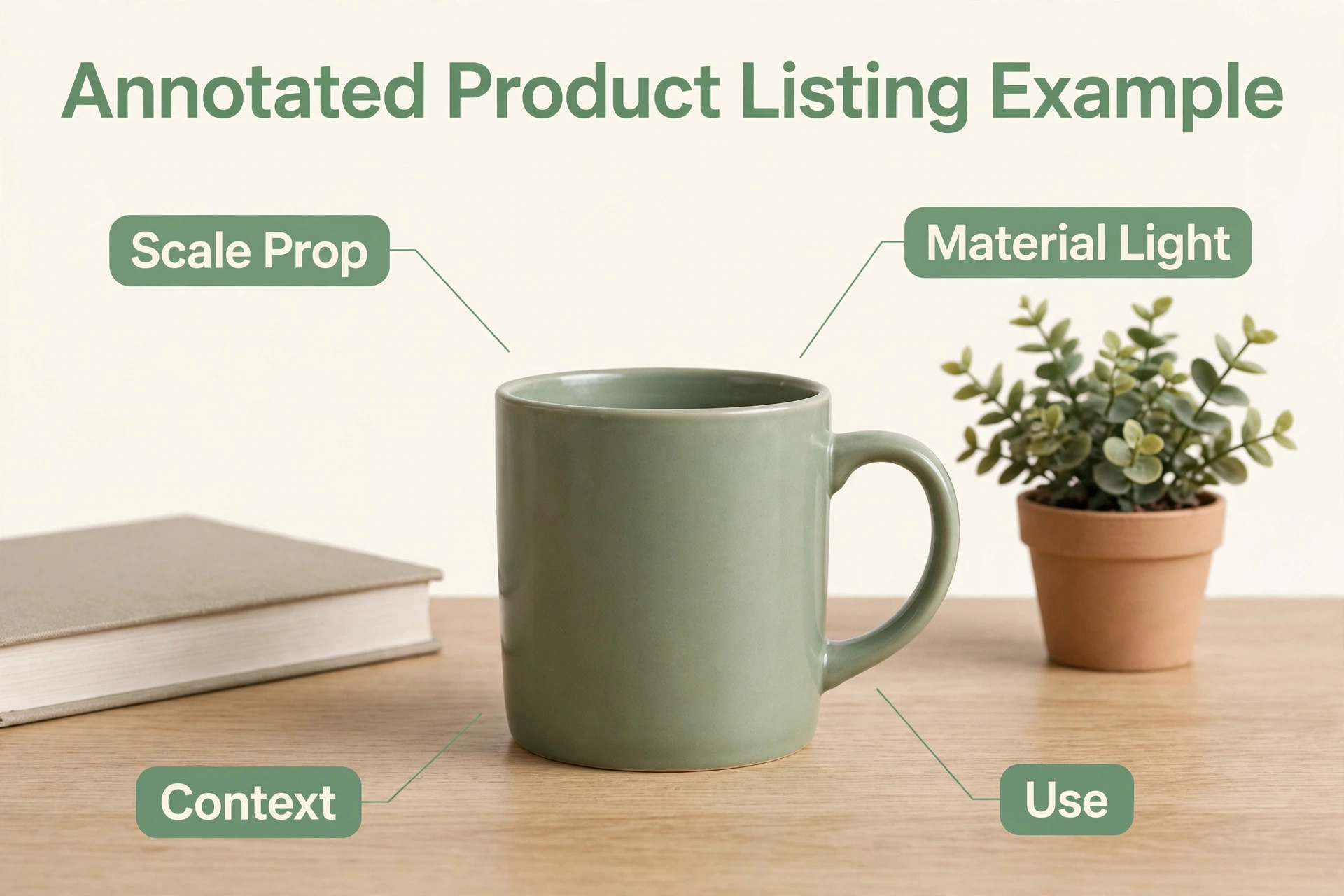
A mockup has four jobs, and a good review checks all four before anyone talks about beauty. The first job is scale. A buyer should be able to tell whether a mug is a desk mug or a travel mug, whether a poster dominates a wall or fills a corner, and whether a candle looks like a gift or a room centrepiece. Put a familiar object beside the product, a hand, a book, a chair, a kitchen counter, and keep that scale honest across the set. The second job is material. Matte ceramic, glossy glass, washed cotton and brushed metal each catch light differently, and Midjourney is good at suggesting those surfaces if you name them in the prompt.
Name the material every time. A prompt that says only mug will give you a different material in every grid.
The third job is context. A mockup should answer where this product lives. A desk, a bathroom shelf, a market stall and a studio backdrop each tell a different story and attract a different buyer. Choose one context per product line and vary the angle, not the world, or your shop will look like ten different brands. The fourth job is use. Show the product being held, poured, worn, lit or hung when that use is the point of the purchase. A candle that is never lit, a tote that is never carried and a planner that is never opened all leave the buyer to guess.
One use shot per product is usually enough, and it is often the image that converts.
The Repeatable Workflow in Seven Steps
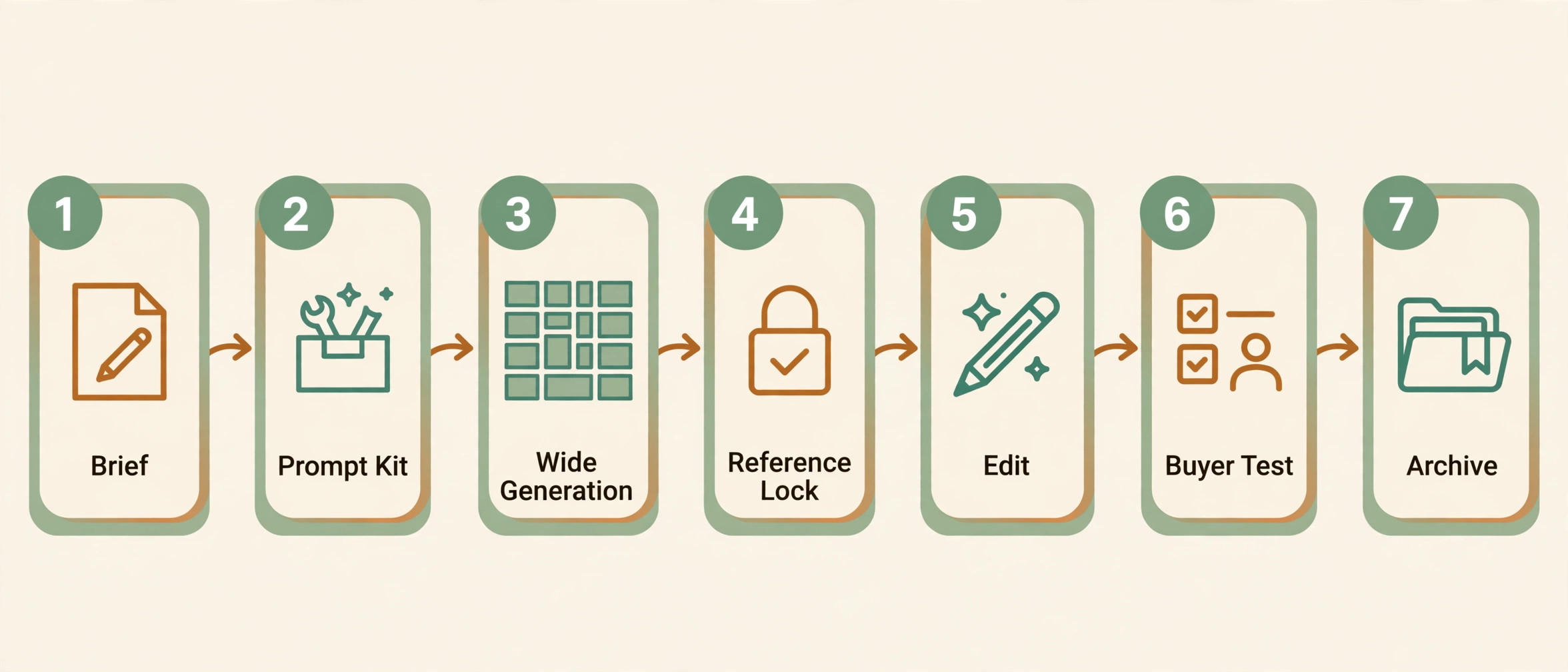
A workflow earns its name only if a second person can follow it and get a similar result. This is the sequence to use Midjourney for product mockups without losing consistency from one product to the next. The steps below are built for that test. They work for a solo seller with ten products and for a small team with a hundred, because the documents, not the memory of one person, carry the decisions.
Step 1. Write a one page brief before you open Midjourney. It names the product, the buyer, the feeling the image should create, the context, the material, the colour palette in plain words, and the shots you need. A typical set is one hero shot, one scale shot, one use shot and one detail shot. Add the hard limits too, such as no text on the product, no extra logos, and no props that suggest a feature the product does not have.
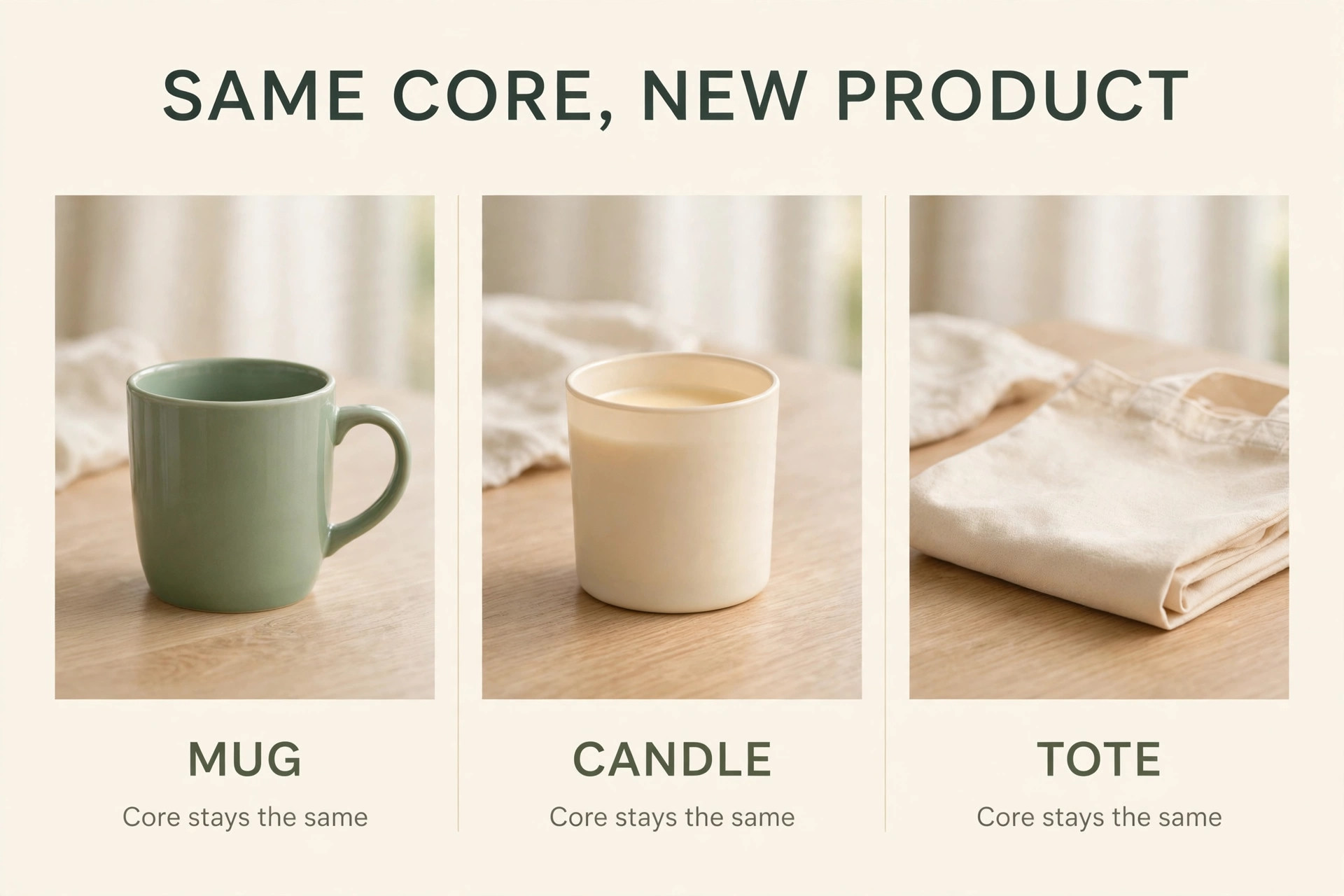
Step 2. Build a prompt kit, not a single prompt. A prompt kit has a fixed core and a few slots you swap. The core holds the style, the lighting, the camera angle and the quality controls. The slots hold the product, the colour, the material and the scene. For example, a core might read as commercial product photography, soft daylight, eye level, clean background, realistic shadows. The slots then add a matte black ceramic mug, on a light oak desk, beside an open notebook. Keep the core identical across the product line and change only the slots. That single habit does more for consistency than any parameter tweak.
Step 3. Generate wide, then narrow. Run three or four prompt variations for the hero shot, each with a different scene or angle, and pick a direction based on the brief, not on drama. A dramatic image that breaks the scale rule or changes the material is a rejection. Once you pick a direction, generate variations of that direction only, or your shop will end up full of unrelated images.
Step 4. Lock a reference. When you have a hero image that matches the brief, save it as the reference for the rest of the set. Use Midjourney reference features to carry the product look, palette and scene into the scale, use and detail shots. Check each new image against the reference for material, colour temperature and background tone. If a new image drifts, regenerate with the reference weighted more strongly, or tighten the prompt by removing a competing detail.
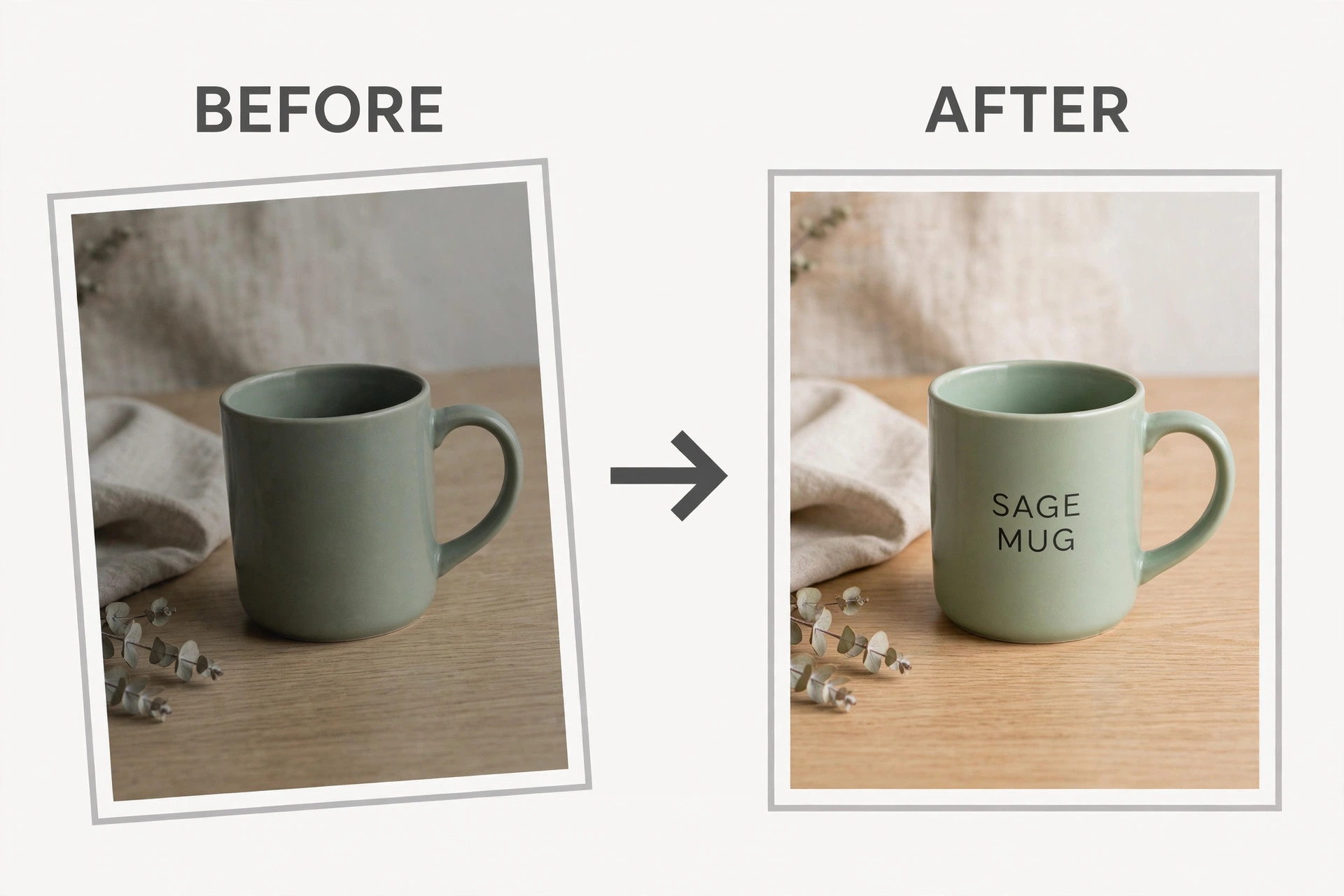
Step 5. Edit outside Midjourney. This is the step most beginners skip, and it is where a mockup becomes publishable. Add exact text, logos and label details in Photoshop, Canva or a similar editor. Fix colour against a real product sample or a manufacturer colour code. Crop to each marketplace ratio, sharpen for small screens, and check the image at thumbnail size, because that is how most buyers will first see it. Midjourney gives you the scene. The editor gives you the accuracy. Budget time for both, or your workflow will always feel unfinished.
Step 6. Run the buyer test. Show the set to one person who has not seen the brief and ask what the product is and how big it is. If they hesitate, fix that point before you publish. Check the set on a phone and beside competing listings, because a mockup competes with the five images above and below it in search, not with your brief.
Step 7. Export, name and archive. Export each final image in the sizes each channel needs, and name files so a future you can find them, with product, shot type and version in the file name. Save the prompt kit, the reference image, the brief and the final exports in one folder per product. That archive is what makes the next product fast. Without it, every new product restarts the workflow from zero, and the consistency you built on the first product is lost by the fifth.
Prompt Building That Holds Across a Product Line
Good prompts for mockups are boring in a useful way. When you use Midjourney for product mockups at scale, the fixed core is your brand control, and the slots are the only place for variation. They describe a real scene in plain language, in the order a photographer would plan it. Start with the product and the material, then the scene, then the light, then the camera, then the mood. A useful template reads like this. A matte ceramic mug in sage green, on a light oak desk beside an open notebook and a small plant, soft morning daylight from a window on the left, eye level commercial product photography, realistic shadows, clean and calm. Every clause does a job.
Remove a clause and you invite Midjourney to invent that detail, which is fine for exploration and bad for a product line.
Parameters should support the words, not replace them. Aspect ratio matters most, because each channel wants a different shape. Set the ratio for the channel before you generate, because cropping a square scene into a tall frame often cuts the scale prop that made the image work. Keep stylisation low for product work. A high value pushes the image toward illustration and away from a believable photo.
Text is the known weak point. Midjourney still invents letters, doubles logos and bends label text around curves in ways a real label would not. Prompt for no text, or for a blank label area, and add the real text in an editor. That feels slower on the first product and much faster by the tenth, because you stop regenerating grids to fix one misspelled word. The same logic applies to hands. They are powerful for scale, but AI anatomy still fails there, so inspect fingers, grip and shadows at full size.
Reference Images, Edits and Upscales That Keep Quality High
Reference images are the difference between a mockup set and a pile of nice pictures. Start with your own product photo when you have one, even a phone photo on a plain background, and use it as the anchor. If you have no real photo yet, use the approved hero image as the anchor, as described in step four. One anchor per product, checked against the brief, carried through every shot.
Editing has a clear order. First fix geometry and cropping, then fix colour and light against your reference, then add text, logos and badges, then export and check at thumbnail size. Reversing that order wastes work, because text added before a final crop can end up too close to an edge. Keep the edited master file, not only the export, so a new ad size does not force you to rebuild the text and colour work.
Upscaling needs restraint. Midjourney upscales can invent texture, stitching or print marks the real product does not have, so upscale once to the size the channel needs and inspect the product itself at full size. For print on demand, the artwork file matters more than mockup resolution. Check it against the print provider size and resolution rules separately, every time.
What It Costs to Run This Workflow
Midjourney pricing is based on GPU time, not on a simple image count, and that distinction shapes the real cost of mockups. If you use Midjourney for product mockups only for a launch weekend, Basic may be enough, but a weekly shop will hit its hard stop fast. The official plan comparison lists four tiers. Basic costs 10 dollars a month, or 96 dollars a year, and includes 3.3 hours of Fast GPU time with no Relax mode. Standard costs 30 dollars a month, or 288 dollars a year, and includes 15 hours of Fast time plus unlimited Relax mode images.
Pro costs 60 dollars a month, or 576 dollars a year, and includes 30 hours of Fast time, unlimited Relax images and Stealth mode, which keeps generations out of the public gallery. Mega costs 120 dollars a month, or 1,152 dollars a year, and includes 60 hours of Fast time with the same Relax and Stealth benefits. Extra Fast time costs 4 dollars an hour on every plan. Check the official plan page and checkout before you buy, because these figures change and tax may apply.
For mockup work, Standard is the sensible starting point for most sellers. Batches are bursty, fifty images in a weekend and none for a week, and a plan with no Relax fallback stops exactly when a launch needs it most. Pro becomes worth it when client work or unreleased products must stay private. Basic is a fair one month test, but a poor production plan for a shop that lists weekly. Mega suits a studio running mockups all day, not a solo seller.
Editing tools add a second cost line, and it is easy to undercount. Photoshop single app is commonly listed at about 22.99 dollars a month on an annual plan billed monthly, and Canva Pro is commonly listed at 18 dollars a month, or 144 dollars a year, for one person. You do not need both. A seller who mainly adds text, crops and colour fixes can run the whole edit step in Canva. A seller who composites real product photos into AI scenes, cleans backgrounds and matches colour precisely will get more from Photoshop. Price the editor by the edit you actually do, not by the feature list.
A 20 dollar tool you open daily beats a 60 dollar tool you open once a month.
Marketplace fees are the third cost. On Etsy, a US seller typically pays 0.20 dollars to list, 6.5 percent of the item price plus shipping and gift wrap as a transaction fee, and 3 percent plus 0.25 dollars for payment processing. A 30 dollar product with 5 dollars shipping therefore carries roughly 3.55 dollars in core Etsy fees before materials, print costs or ads. A mockup that lifts conversion can cover a month of Midjourney on a handful of sales, but only if the listing, title and price are already sound.
| Plan or tool | Typical monthly cost | Why it fits mockup work |
|---|---|---|
| Midjourney Basic | 10 dollars monthly, 8 dollars on annual billing | One month test or very light use |
| Midjourney Standard | 30 dollars monthly, 24 dollars on annual billing | Regular sellers, Relax mode removes the hard stop |
| Midjourney Pro | 60 dollars monthly, 48 dollars on annual billing | Private client work and high volume |
| Midjourney Mega | 120 dollars monthly, 96 dollars on annual billing | Studios running mockups all day |
| Photoshop single app | About 22.99 dollars on annual billing | Precise composites, colour matching and text |
| Canva Pro | 18 dollars monthly, 144 dollars a year | Fast text, cropping and listing sizes for one person |
How to Choose the Right Setup for Your Shop
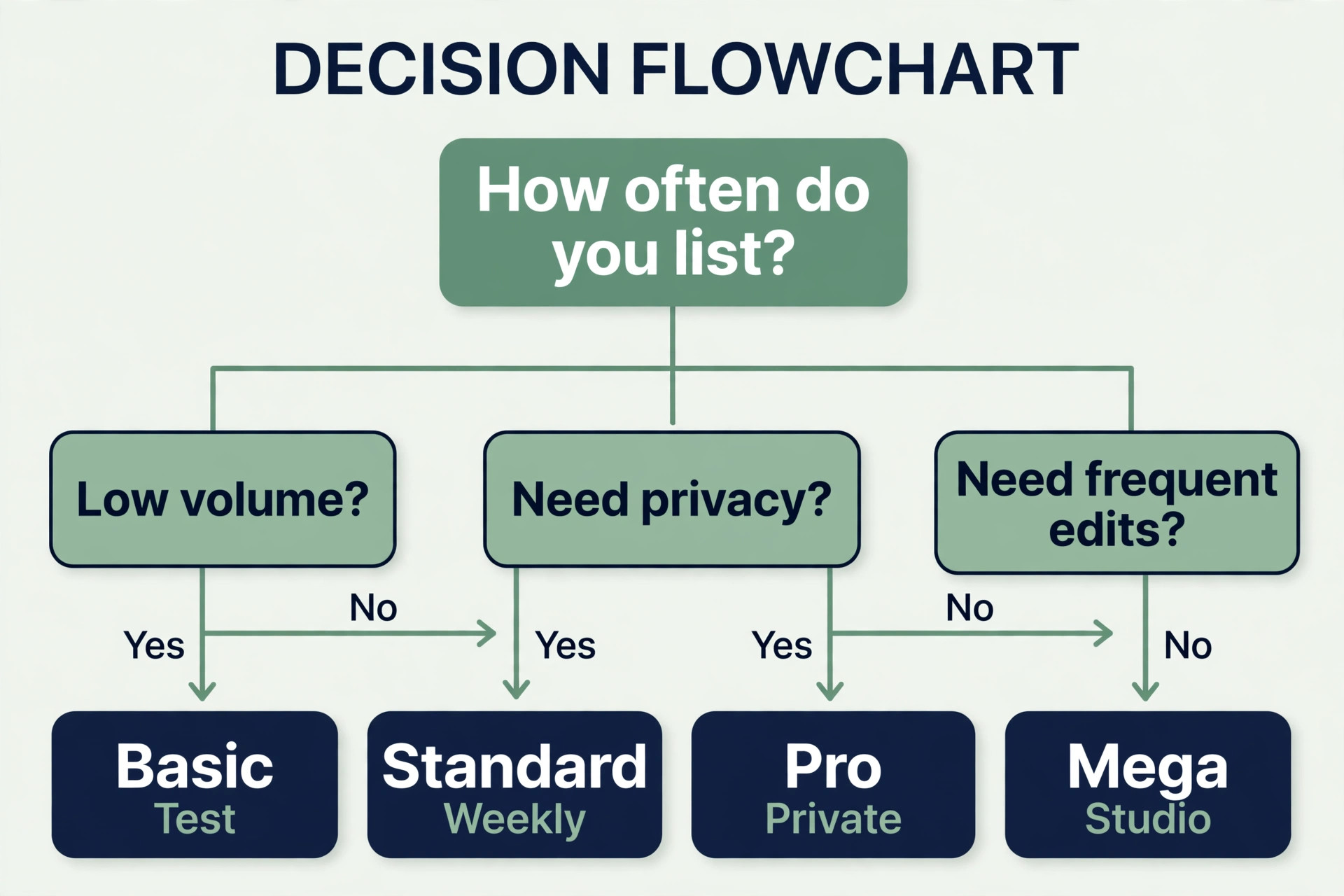
Choose by volume, privacy and edit skill, in that order. If you list one or two products a month, Basic plus careful batching may be enough, provided you accept the hard stop when Fast time runs out. If you list weekly, Standard is the safer default, because Relax mode lets you keep generating while Fast time refills. If you handle client products before launch, Pro is not a luxury. Stealth mode is the only way to keep those generations private on Midjourney.
Privacy also covers your own unreleased line. Generate exploration grids on Pro, or keep exploration in a private editor and use Midjourney only for final scenes. Edit skill decides the second tool. If you can already use layers and masks, Photoshop will save time on composites. If you cannot, Canva will get you to a publishable image faster.
Revision Rounds That Stop Endless Tweaking
Endless tweaking is the most expensive habit in AI mockup work, because each new grid feels like progress and each one resets the comparison. A round system fixes that by limiting what can change in each pass. Round one checks the brief only. Does the image show the right product, material, scale and context. If not, change the prompt words or the scene, not the colour grade. Round two checks consistency. Does the set match the reference for colour, background and material. If not, regenerate from the reference or tighten the prompt. Round three checks publish readiness. Is the text exact, is the crop right for each channel, does the thumbnail read at small size.
If not, fix it in the editor, not in Midjourney.
Cap the rounds. Three rounds per product is a strong default for a solo seller, and four is reasonable for client work with an approval step. After the cap, either publish the best set or restart the brief, because a fifth round of small tweaks usually means the brief was wrong, not the image. Record the reason for each rejection in the product folder.
| Round | What you check | What you change | Stop rule |
|---|---|---|---|
| Round 1 | Brief fit, product, material, scale, context | Prompt words, scene, angle, reference | Pick one direction or rewrite the brief |
| Round 2 | Consistency with the reference set | Reference strength, prompt core, colour words | Accept the set or regenerate the drifting shot only |
| Round 3 | Text, crop, thumbnail readability, export sizes | Editor fixes only, no new Midjourney direction | Publish, or list the one fix needed for round 4 |
| Round 4, client work only | Client feedback, legal and label checks | Named feedback points only | Publish after sign off, no new exploration |
Mistakes That Ruin Otherwise Good Mockups
The first mistake is trusting AI text. A label that reads almost right is worse than a blank label, because a buyer who spots one wrong letter will doubt every other detail. Add text in an editor, every time, for anything a buyer must read. The second mistake is changing the scene for every shot. A hero on a beach, a scale shot in a kitchen and a detail shot on a black backdrop look like three products, not one. Keep the world consistent and vary the angle and distance.
The third mistake is hiding the product behind props. A plant, a book and a coffee cup can set scale, but when props cover the handle, the print or the closure, the buyer cannot judge the product. Props should frame, not compete. If you cannot see the main feature in the thumbnail, remove a prop. The fourth mistake is over polishing. Heavy smoothing, perfect symmetry and impossible lighting make an image look rendered, and rendered images raise suspicion for physical products. A small imperfection, such as a soft shadow or a natural fold in fabric, often makes a mockup more believable than a flawless render.
The fifth mistake is publishing only the hero. A single beautiful image leaves scale, material and use unanswered, and those questions become returns. Publish the full set, even if the hero gets most of the clicks. The sixth mistake is ignoring the listing around the image. A mockup cannot fix a vague title or a missing size chart, and a premium scene with a budget price will make buyers hesitate.
The seventh mistake is legal. Do not copy a competitor packaging shape, a trademarked character or a brand logo into a mockup, use a real person likeness without permission, or imply a certification, material or origin the product does not have. The seller, not the tool, carries responsibility for what is published.
Prompt to Mockup Checklist
Use this checklist every time you use Midjourney for product mockups, without skipping steps for a product that feels easy. Easy products are where drift creeps in, because nobody checks them.
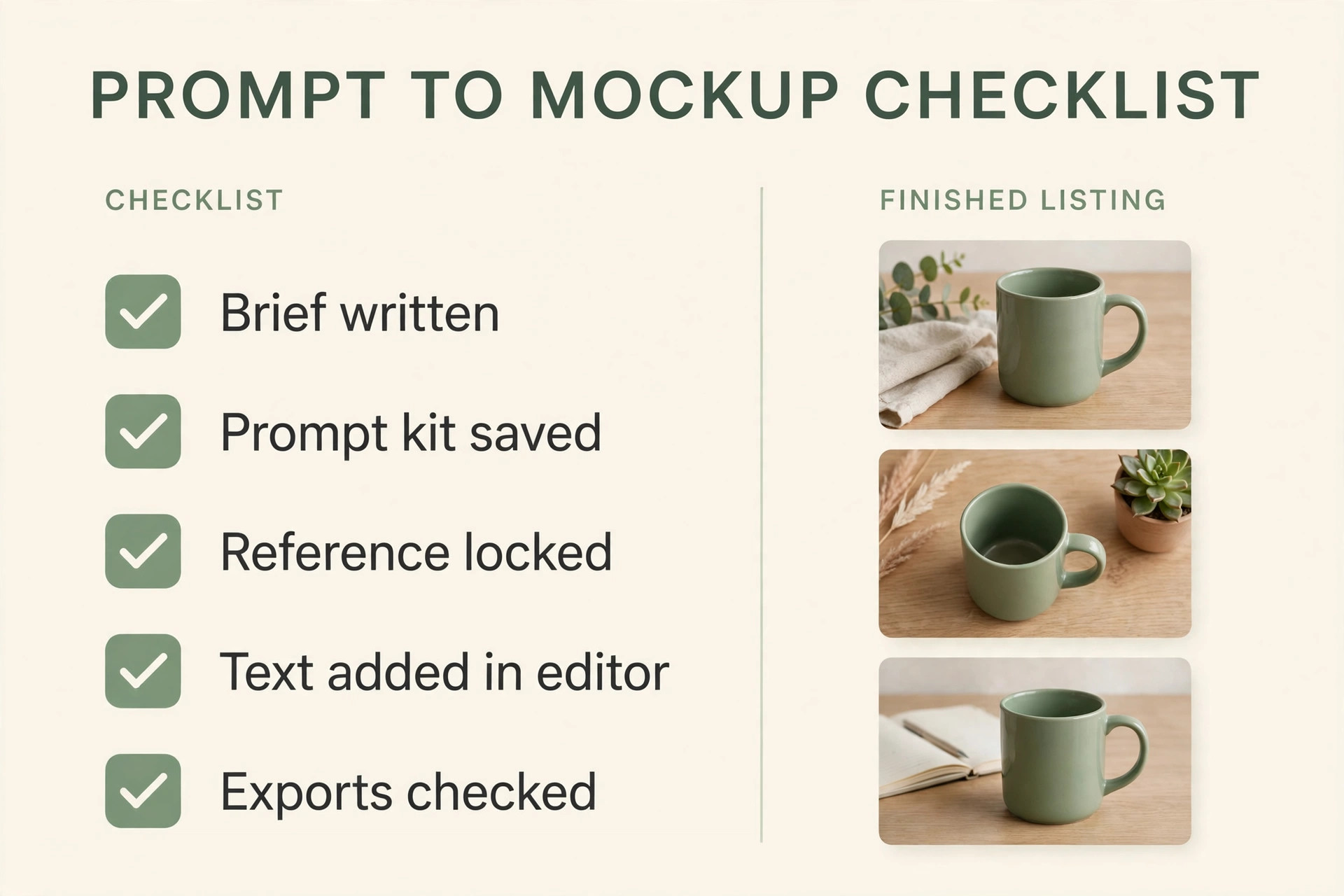
– Brief written with product, buyer, feeling, context, material, palette and four shots named – Prompt kit saved with a fixed core and slots for product, colour, material and scene – Hero direction chosen from three or four variations against the brief, not by drama alone – Reference image locked and used for scale, use and detail shots – Text and logos added in an editor, never left to AI generation for anything a buyer must read – Colour checked side by side across the set, with a colour reference strip saved – Hands, labels and small details inspected at full size,
not only at thumbnail size – Set checked on a phone and beside competing listings for thumbnail readability – Exports made for each channel ratio, with file names that include product, shot and version – Brief, prompt kit, reference and finals archived in one folder per product – Listing title, size details and price checked against the scene before publishing – One rejection reason recorded for each rejected grid, so the next product learns from it
If a product fails more than two checklist items, it is not ready, however good the hero looks. That discipline also makes delegation possible. A teammate can follow the checklist and produce a set that matches yours, which is the real test of a repeatable system.
For related reading, this site guide to best AI tools for Etsy sellers helps you place mockups inside a full shop system, best AI tools for print on demand sellers covers the print side of the same workflow, and best AI tools for ecommerce product photos is useful when you want to compare AI scenes with other product photo approaches. For the wider image field, best AI image generators puts Midjourney beside the alternatives a seller might test first.
Frequently Asked Questions
Can I sell products using only Midjourney mockups, with no real photos
You can for some products, and you should not for others. Digital art and posters are a natural fit, because the buyer judges the art, not a physical sample. Physical products where size, material or fit drives the purchase need at least one real photo, a manufacturer render or a clear flat shot beside the AI scenes. Never present an AI scene as a photo of the exact item when it is not.
How do I keep colours consistent across a whole product line
Keep the prompt core fixed, generate colour variants in one session, and view them side by side before you publish any of them. Use plain colour words plus material words, such as matte sage ceramic, because material changes how colour reads. Save the approved prompt words with a small colour reference strip in the product folder.
What plan should a new seller start on
Start on Standard if you plan to list weekly, because Relax mode removes the hard stop that Basic hits when Fast time runs out. Start on Basic for a one month test if you are unsure whether mockups will be a regular job, and track Fast minutes per product set before you decide. Move to Pro when client work or unreleased products must stay private, since Stealth mode is only on Pro and Mega. Check the official plan comparison and checkout before you buy, because prices and limits change.
Why does Midjourney keep misspelling text on my mockups
Short text can work, but label text, logos and long phrases still fail often, because the model predicts letter shapes rather than copying a font file. The fix is to prompt for a blank label or no text, then add the exact text in Photoshop, Canva or a similar editor. That step also gives you control over font, size and placement, which matters for a brand. If a mockup needs text to sell, budget editor time in the workflow from the start, rather than treating it as a fix after generation.
Can I use Midjourney for product mockups for client work
Yes, with two conditions. First, use a plan with Stealth mode, which means Pro or Mega, if the client product is unreleased or confidential, so generations do not sit in a public gallery. Second, agree the revision rounds, the reference image and the edit step in writing before you generate, so the client knows round three is editor only and new directions stop after the agreed cap. Clients judge mockup work by consistency and accuracy, not by the number of grids you show them, so a small approved set beats a large unapproved pile.
What size and ratio should I export for each channel
Export for the channel, not for a single master size. Etsy and most shops work well with a wide or square hero that stays readable as a thumbnail, while Pinterest and some ad placements favour a tall image. Generate at the ratio for the main channel first, then crop or regenerate for the second ratio, rather than stretching one export to fit all. Check every export at the size a buyer will actually see it, on a phone, before you publish, because a detail that looks fine on a desktop monitor can vanish in a feed.
Ship the Mockup, Then Let Buyers Judge It
A repeatable workflow does not remove judgment. The test of whether you should use Midjourney for product mockups for a given product is simple. If the image must prove exact detail, add a real photo. If it must prove style, scene and use, the workflow in this guide is enough. It moves judgment to the right places, which are the brief, the reference and the buyer test, and it stops judgment from leaking into endless regeneration. Write the brief, lock the core prompt, generate wide then narrow, edit for accuracy, revise in rounds, and archive the kit. That sequence will not make every image striking, and striking was never the goal.
The goal is a set a buyer can trust, a shop that looks like one brand, and a next product that starts from a kit instead of a blank prompt box.
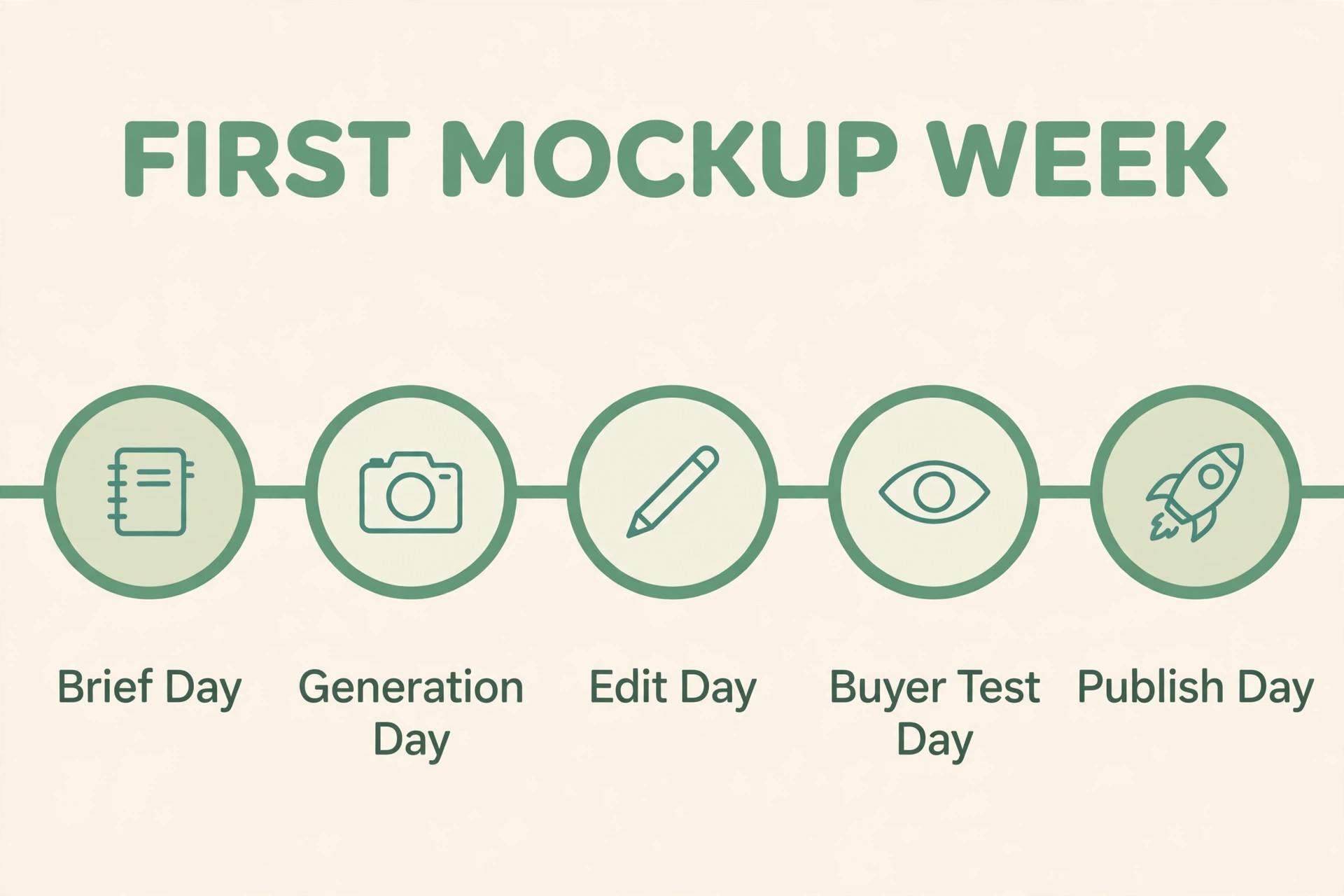
Start with one product this week, not with a plan to redo your whole shop. Run the seven steps, keep the checklist beside you, and time the work. If the set passes the buyer test and the archive is complete, you have a workflow. Repeat it for the next product, change only the slots, and watch the time fall.