
Product photos decide whether a shopper clicks, and clicks decide whether a store sells. Listings with clean, consistent, well lit images convert better than phone snapshots taken on a kitchen table. The problem is cost. A traditional studio shoot still runs to hundreds of dollars per product once you count the photographer, lighting, retouching and time. The best AI tools for ecommerce product photos close that gap. They turn an ordinary source photo into a packshot, a studio scene, an on-model fashion shot or a short video, at a fraction of studio prices and in minutes rather than days.
This guide compares 13 tools, grouped by the ecommerce job each one does best. No single tool wins at everything: the best background remover is not the best on-model fashion tool, and the best bulk catalog tool is not the best video tool. Prices are October 2026 list prices in US dollars. Where sources disagreed, the draft says so. Check your checkout before you pay, because prices move, and several tools bill differently on app stores than on the web.
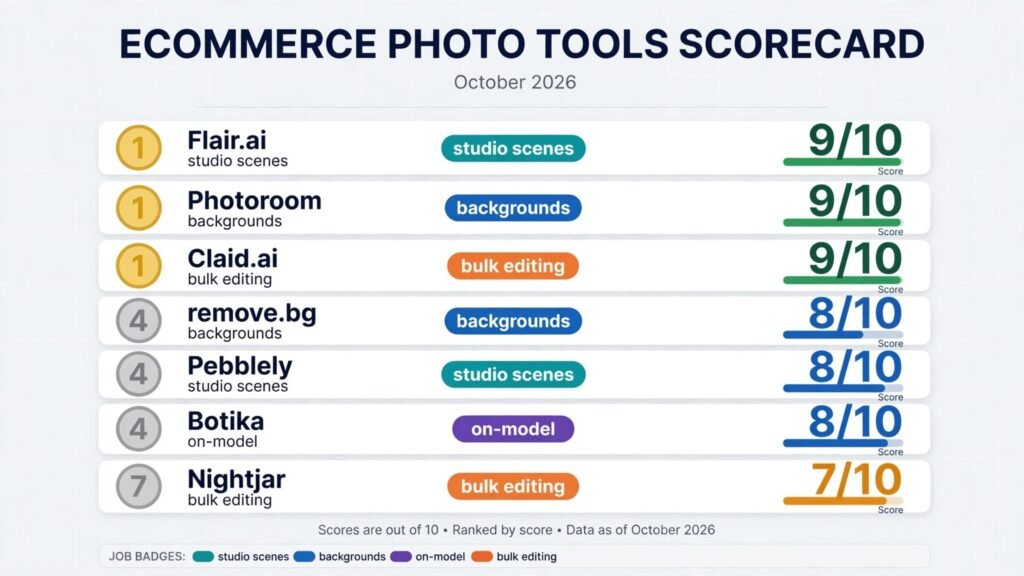
The best AI tools for ecommerce product photos at a glance
| Tool | Ecommerce job | Free option | Paid from |
|---|---|---|---|
| remove.bg | Background removal | Yes, limited credits | Credit packs, check checkout |
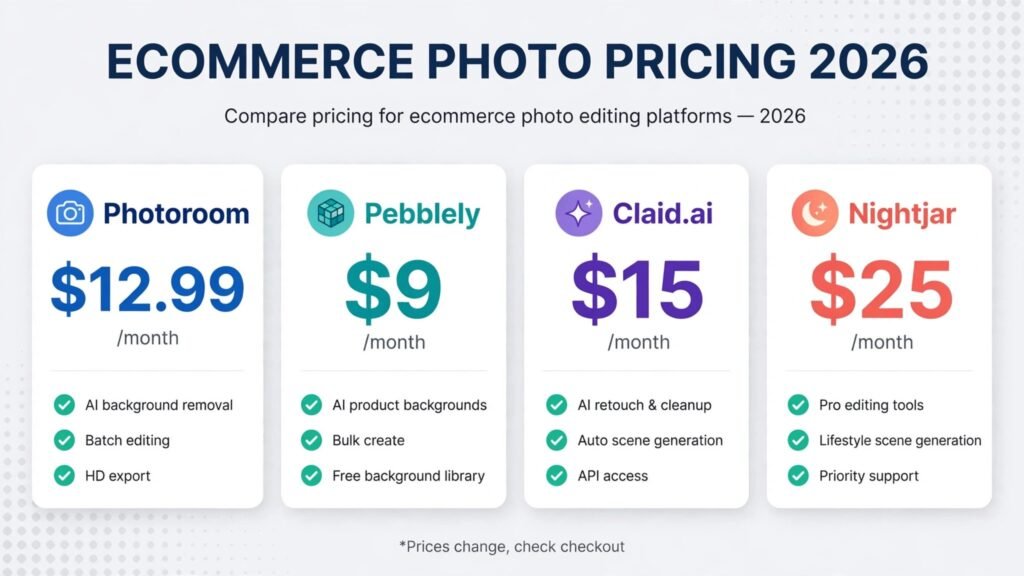
| Photoroom | Background removal and batch editing | Yes, personal use only | $12.99 a month, about $7.50 billed annually |
| Pixelcut | Background removal and virtual try-on | Yes | Around $10 a month, check checkout |
| Pebblely | Studio scenes from themes | No ongoing free plan | $9 a month (Lite, 30 images) |
| Flair.ai | Studio scenes with manual control | Yes, limited | From $8 a month, check checkout |
| Mokker | Studio scenes, emerging tool | Yes, limited | Check checkout |
| Botika | On-model fashion photos | Free trial only | Sources disagree, from about $22 a month |
| Modelia | On-model fashion, emerging tool | Yes, 20 credits a month | Check checkout |
| Claid.ai | Bulk catalog processing and API | Trial credits only | $15 a month, $9 billed annually |
| Nightjar | Bulk catalog and agency workflows | 6 free credits | $25 a month (Studio, 150 credits) |
| LetsEnhance | Bulk upscaling and enhancement | Yes, limited | Check checkout |
| Caspa AI | Product videos and human models | Check site | From $39 a month reported |
| Sirv | 360 degree spins and image delivery | Yes, limited | Check checkout |
Background removal: the foundation every listing needs
1. remove.bg
remove.bg does one thing, and it does it better than most general editors: it separates a product from its background in seconds, including tricky edges like hair, fur, glass and jewellery chains. There is no scene generation and no template library to learn. You upload, you download a transparent PNG, and you move on.
Pricing: Credit based. A small free allowance covers testing, and paid credit packs start at a low monthly figure. Exact pack prices vary by volume and region, so check checkout for the current rate rather than trusting a roundup figure.
Best for: Sellers who need clean cutouts at volume and already have a design tool for everything else.
Watch out for: It only removes backgrounds. Shadows, reflections and scene building all need another tool, and the cost per image rises if you process thousands of images a month through the web app instead of the API.
Try it at: remove.bg
2. Photoroom
Photoroom is the most complete mobile first option for small sellers. Background removal is the entry point, but the same app adds AI backgrounds, retouching, batch mode, templates sized for marketplaces, and a Shopify publishing flow on higher tiers. If you photograph products on a phone and list from that phone, Photoroom keeps the whole workflow in one place.
Pricing: The free plan allows limited exports and cannot be used commercially, which makes it a trial in practice. Pro costs $12.99 a month, or about $7.50 a month billed annually, with around 1,000 exports a month. Max costs $26.99 a month, or about $20.99 billed annually, with higher export and credit limits. App store prices run higher than web prices.
Best for: Solo sellers and small shops that edit on a phone and list on several marketplaces.
Watch out for: AI credits and exports are separate allowances, so you can run out of one while the other still has room. Check which allowance your plan actually caps before you commit to a volume target.
Try it at: photoroom.com
3. Pixelcut
Pixelcut sits between remove.bg and Photoroom. It covers background removal, AI backgrounds, 4K upscaling and batch editing, and it adds a virtual try-on product for fashion brands, which most background tools do not offer.
Pricing: A free tier covers testing. Paid plans are reported in the $10 to $30 a month range, with a public API priced separately at around $0.10 per image. Treat those figures as a range and check checkout, because listings disagree on the exact tier boundaries.
Best for: Sellers who want background removal plus fashion try-on without buying two subscriptions.
Watch out for: The feature set is broad, and breadth has a cost. If you only need cutouts, remove.bg is cheaper per image. If you need full studio scenes with art direction, Flair.ai gives you more control.
Try it at: pixelcut.ai
Studio style shots: when the background is the selling point
4. Pebblely
Pebblely is the simplest scene generator in this guide. Upload a product photo, pick one of more than 40 themes or write your own prompt, and it generates a styled scene around the product, with shadows and reflections included.
Pricing: Lite costs $9 a month for 30 images. Basic costs $19 a month for 200 images and adds bulk generation. Pro costs $39 a month for 500 images. That works out to about $0.30, $0.10 and $0.08 per standard image respectively. High resolution mode uses two credits per image, so it halves those allowances. Pebblely no longer runs an ongoing free plan, so budget from the first image.
Best for: Sellers who want fast, good looking lifestyle scenes without learning a canvas editor.
Watch out for: Pebblely is a scene tool, not a people tool. It does not do on-model apparel shots, and it has no public API or native Shopify integration on its standard plans, so check availability directly if automation is a requirement.
Try it at: pebbley.com
5. Flair.ai
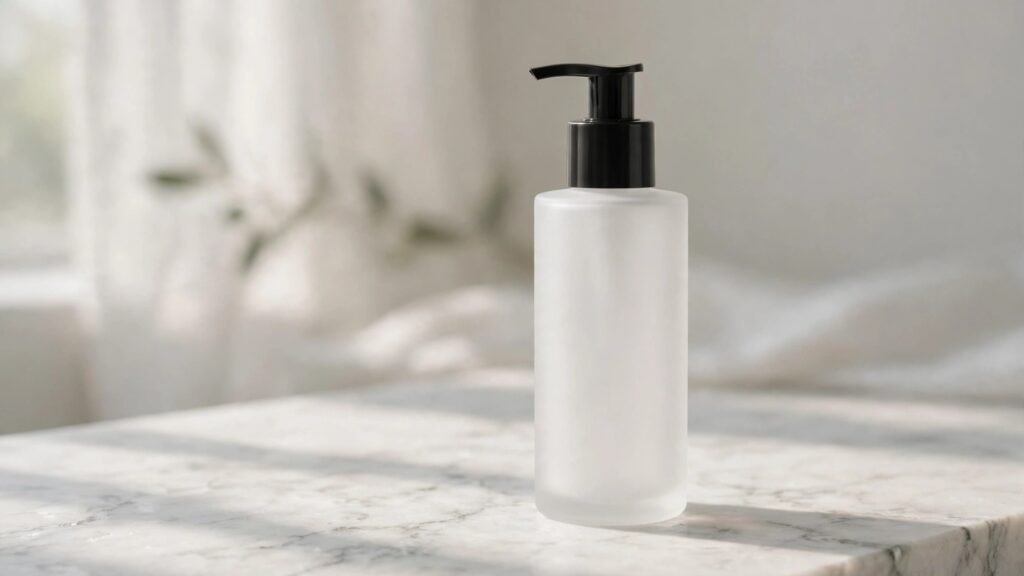
Flair.ai gives you the control Pebblely does not. Instead of picking a preset theme, you place your product on a visual canvas and direct the scene yourself: framing, lighting, props and styling, with drag and drop placement.
Pricing: A free tier covers a small number of images. Paid plans start from around $8 a month, with higher tiers adding more generations and a commercial licence. Note that commercial use is limited to Pro+ and above, so free and entry paid plans do not cover ad or client work. Confirm the current tier list at checkout, because listings differ on the exact generation counts.
Best for: Brands that care about art direction and want every product in a line to share the same visual language.
Watch out for: Generation quotas are tight on the lower tiers, and instant generation burns credits at four times the normal rate. A team that generates in a hurry can burn a month of quota in a week.
Try it at: flair.ai
6. Mokker
Mokker is one of the smaller, newer names in this category, and it earns its place because it does the core job well: instant background replacement plus customisable AI product photography, with a free tier for testing. Smaller tools like this are worth watching, because they often price aggressively to win early users.
Pricing: A free tier is available, with paid plans above it. Exact figures vary across listings, so check checkout for the current tiers before you plan a budget around Mokker.
Best for: Sellers testing AI product photography for the first time, and shops that want a second scene tool for comparison.
Watch out for: As a smaller platform, Mokker has a thinner tutorial library and fewer integrations than Photoroom or Pebblely. Test it on a handful of SKUs before moving a whole catalog.
Try it at: mokker.ai
For the wider picture on AI generated imagery, including the general image generators these tools are built on, see our best AI image generators guide. For a comparison of general design tools that also handle product images, see Canva alternatives.
Lifestyle and on-model shots: fashion needs people
7. Botika
Botika is the established name in AI fashion photography. Upload flat lay, ghost mannequin or hanger photos, and it returns studio quality on-model images with AI models across ethnicities, body types, ages and genders. Two to three retouching rounds are included per photo.
Pricing: Sources disagree here, so treat every figure as provisional. Some listings quote entry plans from around $22 a month, while others list current plans at $40 to $46 a month billed annually, with a custom Enterprise tier above that. One credit covers one photo and five credits cover one video. Check the live pricing page before you budget, and confirm how many credits your plan actually includes.
Best for: Fashion brands with hundreds of flat SKUs that need model imagery without model budgets.
Watch out for: The entry plan limits model and background choice, and per credit costs add up fast at catalog scale. Content filters can also obstruct swimwear and lingerie catalogs, so test those categories before committing.
Try it at: botika.com
8. Modelia
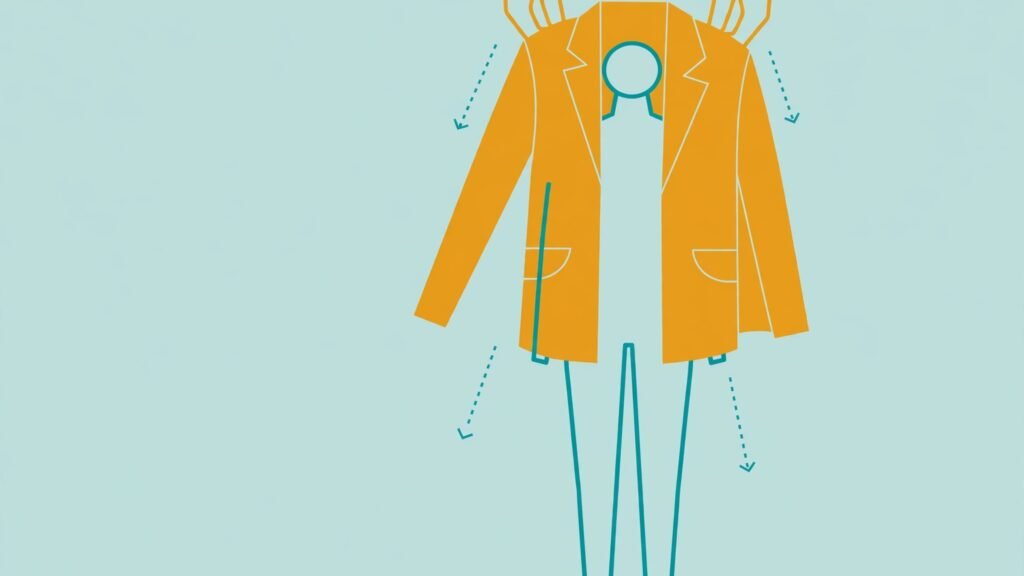
Modelia is the emerging challenger to Botika, and it is worth a look precisely because it is smaller. It covers the same core job, turning garment photos into on-model images, and its Starter plan is free forever at 20 credits a month with full tool access. That free tier is genuinely useful for testing the category, even though most brands outgrow it fast.
Pricing: Starter is free at 20 credits a month. Paid tiers above it add batch generation, API access and consistent character support. Exact paid figures vary across listings, so check checkout for the current tiers.
Best for: Small fashion brands testing on-model AI photography, and any brand comparing Botika alternatives before a seasonal buy.
Watch out for: At catalog scale, the deciding factors are batch generation, API access and consistent character support, not the free tier. Confirm those features exist on the tier you plan to buy, because they are what separate a trial tool from a production tool.
Try it at: modelia.ai
Bulk catalog processing: when you have hundreds of SKUs
9. Claid.ai
Claid.ai is the most operations focused tool in this guide. Its AI Photoshoot offers Precise, Creative, Inspiration, Background and Mockup modes, and the same web suite includes background removal, upscaling, AI shadows, fashion models and five second AI video.
Pricing: Essentials costs $15 a month, or $9 a month billed annually, with 500 credits. Pro costs $49 a month, or $35 a month billed annually, with 2,000 credits and batch processing, priority queue and brand kits. A standard AI Photoshoot uses 4 credits, and higher quality tiers use more. A traditional white background packshot commonly costs $25 to $75 per finished image, so even with several generations per SKU, Claid’s per image cost stays far below studio rates.
Best for: Ecommerce teams and agencies that need catalog scale, API automation and consistent output.
Watch out for: Web subscription credits and API credits are separate pools, so buying one does not fund the other. Creative modes can also alter angle and composition, so label critical work still needs a human review pass before publishing.
Try it at: claid.ai

10. Nightjar
Nightjar is a newer, agency oriented platform built around reusable product photography systems rather than one off generations. Products, visual ingredients, recipes and assets stay separated per client team, which makes it practical for agencies running several brands at once.
Pricing: New accounts start with 6 free credits. Studio costs $25 a month for 150 credits, and Studio+ costs $50 a month for 400 credits, with higher volume and custom plans above that. Single shots and edited images cost one credit at lower resolutions and two at 4K. A four image photoshoot costs two credits, and nothing if no image completes.
Best for: Agencies and larger sellers who need repeatable, client separated product photography workflows.
Watch out for: Nightjar is newer than Claid and Photoroom, so its integration library is thinner and its public documentation is less complete. Confirm Shopify and API availability for your exact workflow before migrating a catalog.
Try it at: nightjar.so
11. LetsEnhance
LetsEnhance does the unglamorous job that saves more listings than any scene generator: it upscales and enhances source photos. LetsEnhance cleans those files up before they reach any other tool in this guide, which improves every downstream result.
Pricing: A limited free tier covers testing, with paid plans above it. Exact figures vary across listings, so check checkout for the current tiers and resolution limits.
Best for: Sellers working with supplier photography, and any catalog where source quality is the bottleneck.
Watch out for: Upscaling cannot invent detail that was never in the photo. A blurry, low resolution supplier image will come out cleaner, but it will not become a studio photograph. Shoot the best source image you can, and use enhancement as a polish step, not a rescue step.
Try it at: letsenhance.io
Video and 360 degree views: the conversion extras
12. Caspa AI
Caspa AI is built for small businesses rather than agencies. It covers AI product photography, AI human models and AI product videos from the same platform, with commercial use rights on paid plans and a money back guarantee that most competitors do not offer.
Pricing: Paid plans are reported from $39 a month. Treat that as a reported figure and check checkout, because Caspa’s tier list has changed across listings and the exact credit allowances vary.
Best for: Small businesses that want product photos, model shots and short videos from one subscription.
Watch out for: Caspa’s breadth means no single feature is the deepest in its category. If video is your main need, test its output against a dedicated video tool first. If model photography is your main need, compare it with Botika on your own garments before committing.
Try it at: caspa.ai
13. Sirv
Sirv is not an AI generator. It is the delivery layer that makes 360 degree spins work on a real store: upload a set of angle photos, and Sirv turns them into an interactive spin viewer, serves the images fast through its CDN, and keeps them responsive across devices. Sirv makes shoppers able to rotate them.
Pricing: A limited free tier covers testing, with paid plans above it based on storage and traffic. Check checkout for the current tiers, because Sirv prices by usage rather than by seat.
Best for: Stores selling products where shape, texture or size is hard to judge from a single photo, such as furniture, bags, shoes and electronics.
Watch out for: Sirv needs a full set of angle photos to build a spin, which means either a turntable shoot or a generation pass for every angle. Budget for that capture step, because the viewer alone does not create the images.
Try it at: sirv.com
For general image generation beyond product work, see our Midjourney alternatives guide, and for the wider creator toolkit, see best AI tools for content creators.
Best pick by job
| Your job | Start with | If that fails, try |
|---|---|---|
| Clean cutouts only | remove.bg | Photoroom |
| Phone to listing in one app | Photoroom | Pixelcut |
| Styled studio scenes, fast | Pebblely | Mokker |
| Styled scenes with full control | Flair.ai | Pebblely |
| Fashion on a model | Botika | Modelia |
| Hundreds of SKUs, API driven | Claid.ai | Nightjar |
| Fixing poor supplier photos | LetsEnhance | Photoroom |
| Short product videos | Caspa AI | Claid.ai |
| 360 degree spins on your store | Sirv | A turntable shoot plus Sirv |
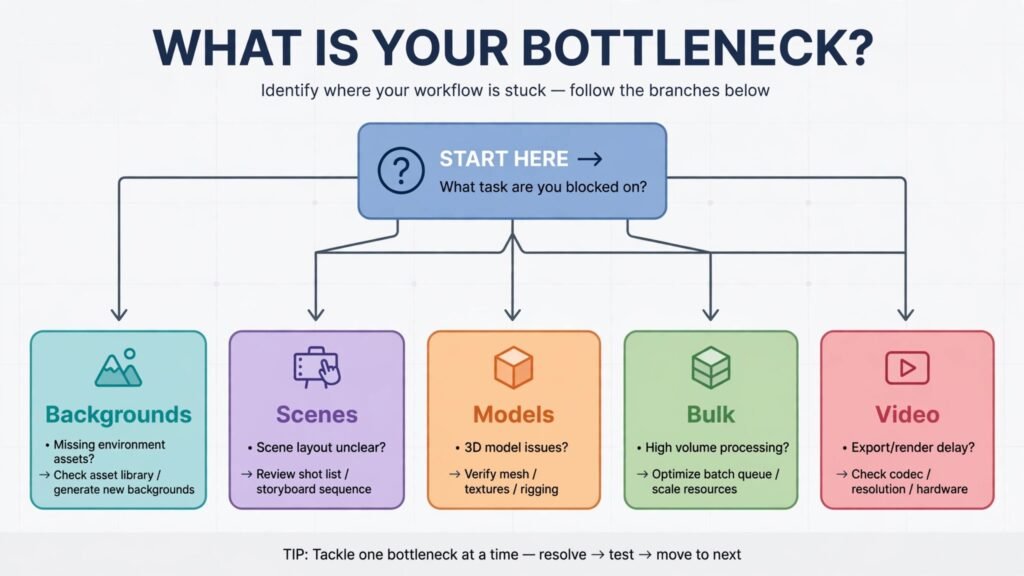
How to choose: start from the bottleneck, not the feature list
First, what is actually slow right now.
Second, count your real monthly volume. A tool priced per image looks cheap at 30 images and expensive at 3,000. Pebblely Pro at $39 a month for 500 images costs about $0.08 per image at full use, but much more per image if you only generate 50. Photoroom’s export caps work the same way. Map your SKU count and your images per SKU before you pick a tier, and remember that most listings need four to six images per product, not one.
Third, check the rights and the marketplace rules. Some free tiers forbid commercial use, and some entry paid tiers exclude it too. Amazon requires a pure white background for the main image, and several marketplaces reject AI images that change a product’s colour, shape or label text. Keep an accurate source photo for every SKU, review generated output against the real product, and never publish an image that shows a feature the product does not have.
Fourth, test on your worst product, not your best. A white mug photographs well in every tool. A black handbag with a shiny clasp, a patterned dress, or a product with small printed text will expose every weakness. Run five difficult SKUs through two finalists before you pay for a year, and judge on those five, not on the demo gallery.
Frequently Asked Questions
Do AI product photos actually convert as well as studio photos?
For standard catalog work, yes, provided the source photo is accurate and the output is reviewed. The conversion risk is not the AI look. It is inaccuracy: wrong colours, altered labels, missing parts, or a shape that does not match the real product.
Can I use AI product photos on Amazon, eBay and Shopify?
Yes, with conditions. Amazon requires a pure white background on the main image and accurate representation of the product. AI backgrounds are generally acceptable for secondary images, but the main image must meet the marketplace standard. Shopify has no equivalent restriction, since it is your own store. Read the current rules for each marketplace before you publish, because they change, and keep your source photos as evidence that the product matches the listing.
How many images do I need per product?
Four to six is the practical range for most products: a clean main packshot, one angled view, one lifestyle or in use shot, one scale or detail shot, and one packaging or contents shot where relevant. Fashion needs one on-model shot plus a flat or detail view.
Will AI tools change my product’s colour or label text?
They can, and this is the most important quality check in the whole workflow. Generative scene tools sometimes shift colours under new lighting, and text on packaging is a known weakness. Claid’s Precise mode and careful prompt control reduce the risk, but no tool removes it entirely. Compare every generated image with the source photo, zoom in on labels, and regenerate anything that alters a material fact about the product.
Is a free plan enough for a small shop?
For testing, yes. For trading, usually no. Most free tiers limit exports, forbid commercial use, watermark output, or cap resolution. Photoroom’s free plan cannot be used commercially, and Pebblely has no ongoing free plan at all. A small shop doing ten listings a month can often run on the cheapest paid tier of one tool. A shop doing fifty listings a month needs to budget for a paid plan and count the per image cost honestly.
Do I still need a photographer at all?
Yes, for source photography. AI tools transform photos. They do not replace the first capture. A well lit, sharp, correctly coloured source photo is the input every tool in this guide depends on. Budget for decent source photography, even if it is just a phone, a lightbox and a consistent setup, and let AI handle everything after that.
Which tool should I start with if I can only pick one?
Start with the tool that matches your biggest bottleneck. For most general sellers, that is Photoroom, because it covers background removal, batch editing and templates in one app. For scene led brands, it is Pebblely. For fashion brands, it is Botika. For catalog teams, it is Claid.ai. One tool used well beats three subscriptions used badly, and you can add a specialist later once the bottleneck moves.
Conclusion
Ecommerce photography used to be a budget decision. Now it is a workflow decision. The best AI tools for ecommerce product photos do not remove the need for good source images, honest review, or marketplace rules.
The stores that win on product photography are not the ones with the most tools. They are the ones whose images a shopper can trust.