
Reading beats vocabulary apps alone for one plain reason. Apps teach words in isolation, while a book teaches each word inside a sentence you already care about, with a character, a motive and a consequence attached to it. When you use Kindle for language learning reading, that advantage gets a practical system behind it. A word you do not know is one long press away, the definition appears without leaving the page, and the word is saved for review later. This guide turns that chain into a daily habit, from dictionary setup and lookup rules to Vocabulary Builder, flashcard export, reading levels and a review routine you can keep.
Apps still have a place, and this guide does not ask you to delete them. Spaced repetition apps are strong for drilling words you already met, and grammar apps are useful for patterns you need explained. The gap they leave is encounter. Most learners do not meet enough new words in real sentences, often enough, to remember them a month later. A novel, a memoir or a graded reader on a Kindle supplies those encounters at a pace a busy adult can sustain, often 20 to 40 minutes a day.
Why Reading Builds Vocabulary Faster Than Drills Alone
A word learned from a flashcard alone is fragile. You know the translation, but you may not know which verb goes with it, whether it sounds formal or rude, or whether it describes a person, an action or a feeling. Reading answers those questions in passing. You see the word used by a narrator, then again in dialogue, then again in a different tense. Each meeting adds a small piece of information, and the pieces add up to usable knowledge rather than a memorised pair.
Set Up Your Kindle Before the First Chapter
Setup takes about 15 minutes and saves frustration for months. Start with dictionaries, because the whole system depends on the right one being active. On a Kindle e-reader, go to Settings, then Language and Dictionaries, then Dictionaries. There you can set a default dictionary for each language. If you are reading a French novel and want French to English definitions, set a French to English dictionary as the default for French. If you are learning English and reading in English, an English to English dictionary is the better choice, because it explains the word in the language you are learning rather than translating it away.
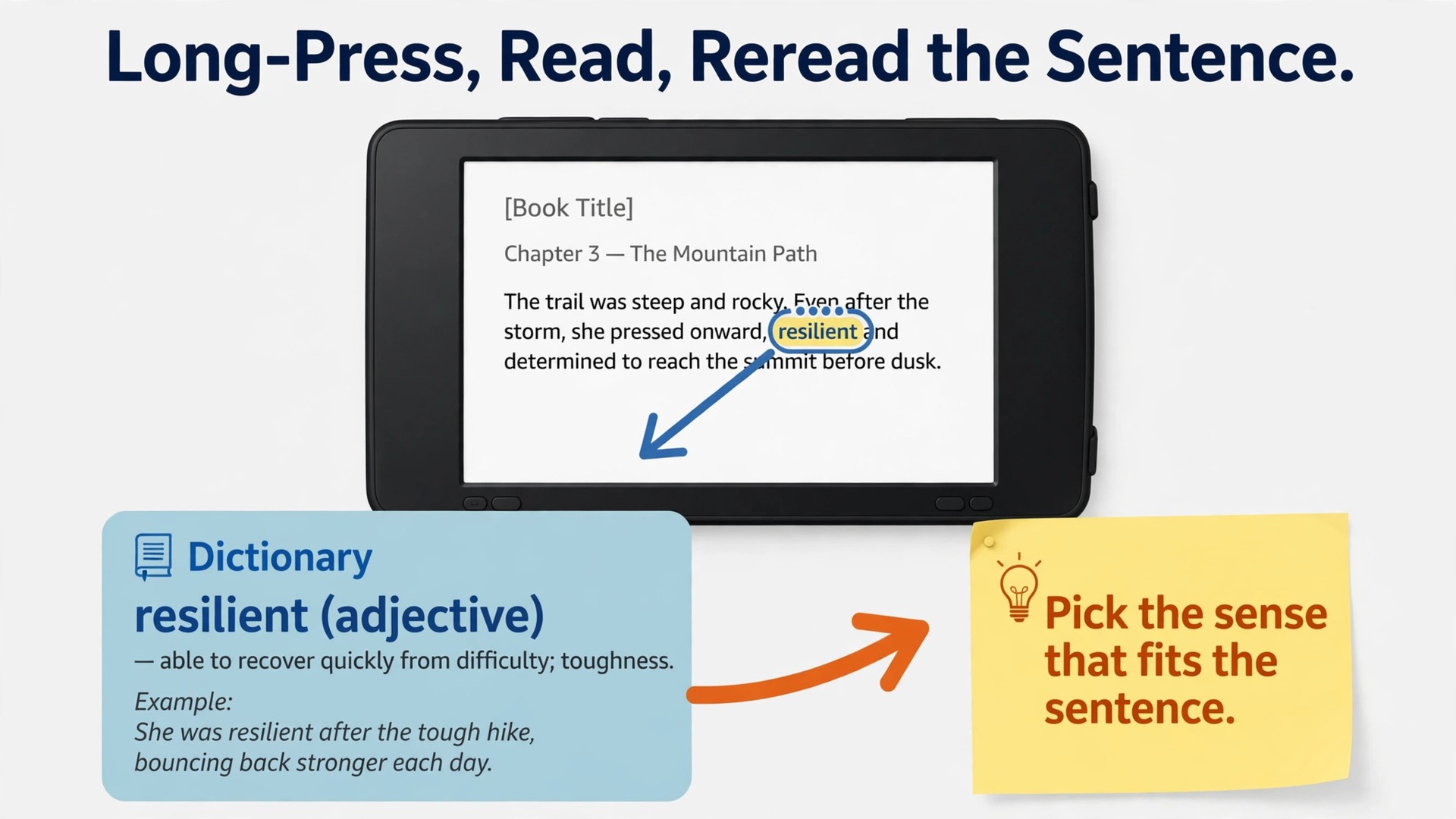
To use Kindle for language learning reading from day one, turn on Vocabulary Builder. On most current Kindle e-readers, go to Settings, then Reading Options, and switch Vocabulary Builder on. Once it is on, every word you look up with the dictionary is added automatically to your Vocabulary Builder list. You do not have to tap an extra save button for each word, and you do not have to remember to copy anything down. The list can be opened from the home screen or the menu while reading, and it groups words by the book they came from, so you can review one book at a time.
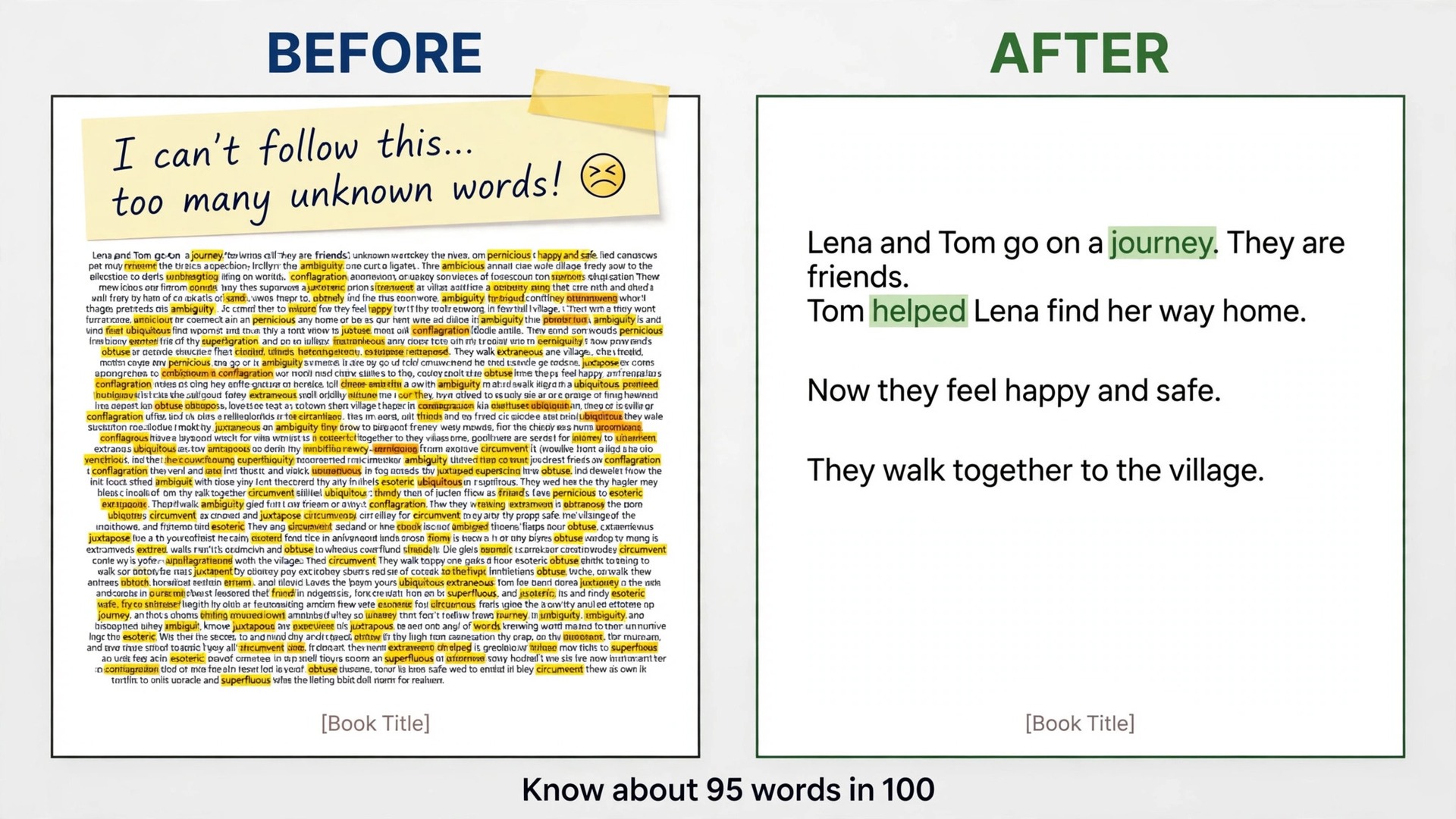
Choose your first book with the same care you would choose a pair of shoes for a long walk. The right level matters more than the right title. A good first book is one where you understand roughly 95 words out of every 100 without a dictionary. At that level, unknown words are frequent enough to learn from but rare enough not to break the story. If you are looking up every second sentence, the book is too hard, no matter how famous it is. Drop a level, finish something easier, and return to the harder book later. Finishing an easier book teaches more than abandoning a harder one.
How to use Kindle for language learning reading without slowing down
The biggest risk with Kindle lookups is not that they fail. It is that they work too well, and you stop reading to chase every unknown word. A lookup habit needs a rule, and the rule below is the one most learners can keep. Look up a word at once if it blocks the sentence, if it repeats within a few pages, or if it looks like a word you will need in your own speaking or writing. Skip it for now if you can guess the sense from context and the story still makes sense. Mark that spot mentally, and if the word returns, look it up then.
A word that returns on its own has already told you it matters.
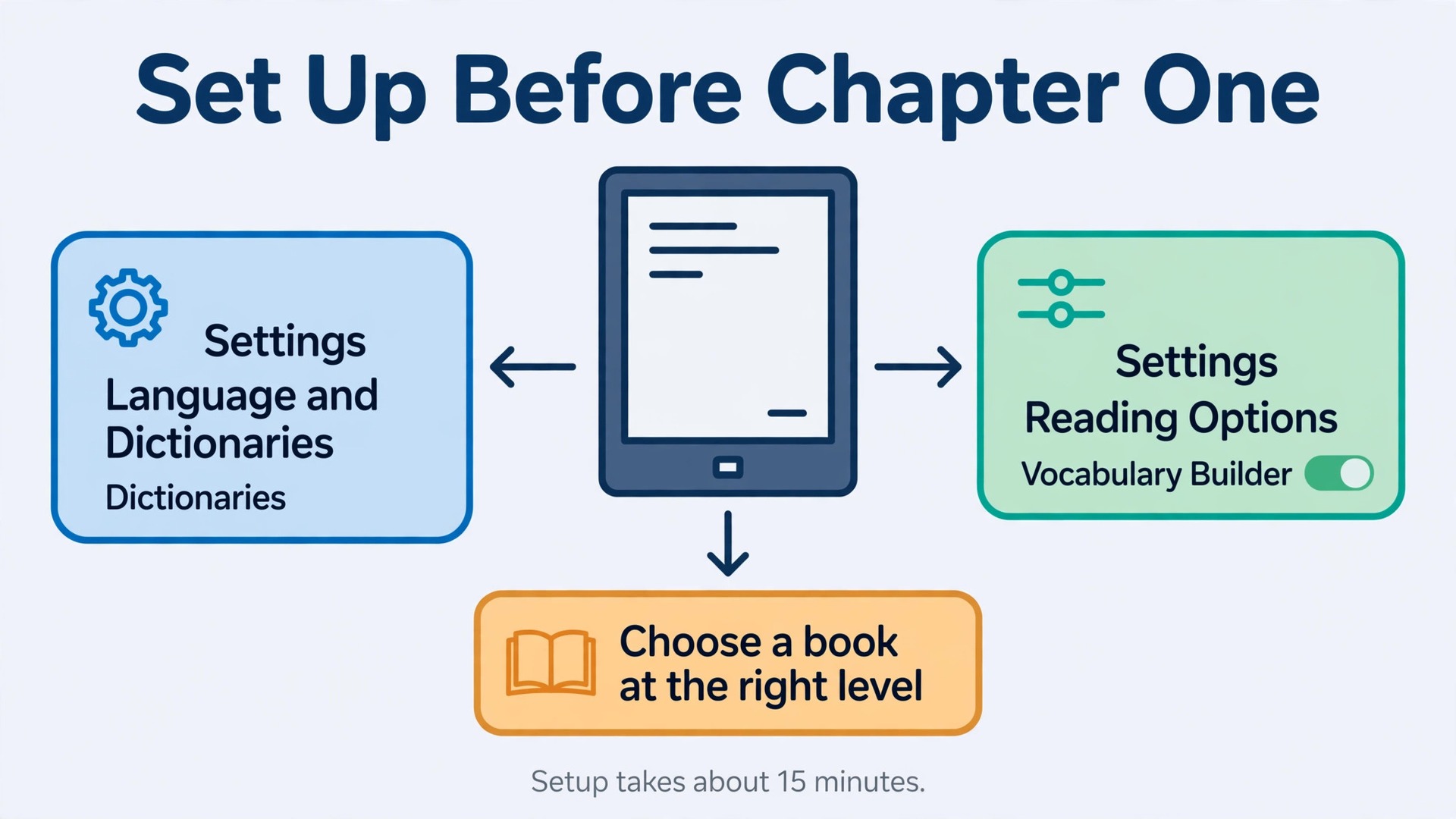
Long press the word to open the dictionary panel. On a touchscreen Kindle, a long press highlights the word and shows a short definition at the bottom or top of the screen. If the panel shows a bilingual definition, read the translation, then glance at any example sentence shown. If it shows a monolingual definition, read the definition in the target language first, and only switch to a translation if the definition itself contains words you do not know. That extra ten seconds is where learning happens, because you are processing the word in the language you want to learn, not converting it and moving on.
For words with several meanings, the dictionary panel may show more than one sense. Pick the sense that fits the sentence, and ignore the rest for now. A common learner error is to memorise the first definition listed, even when the book uses the third. Read the sentence again with your chosen sense in place. If the sentence now makes sense, you chose well. If it still sounds odd, try the next sense. This quick check takes seconds and prevents a wrong meaning from lodging in memory.
Translation lookups work differently from dictionary lookups, and it helps to know which one you are using. A dictionary lookup gives a definition, often with part of speech and examples. A translation lookup, available when you select a phrase or when a bilingual dictionary is active, gives the equivalent in another language. For single words, prefer the dictionary when you can follow it. For phrases, idioms and fixed expressions, prefer translation, because a word by word dictionary reading of an idiom usually misleads. When you meet an idiom, save the whole phrase in your notes, not just one word from it, because the meaning lives in the combination.
Turn Lookups Into a Vocabulary Builder List You Actually Review
Vocabulary Builder is only useful if you open it, and that habit is what makes it possible to use Kindle for language learning reading day after day. Many learners collect hundreds of words and never review them, which is the digital version of underlining a textbook and never returning to it. The fix is to treat Vocabulary Builder as a daily inbox, not an archive. Words go in while you read, and a small number come out for review the next day. The list is not a trophy. A long list you never review is not progress.
Open Vocabulary Builder from the home screen or the reading menu. You will see words grouped by book, with the definition and the sentence where you met the word. Tap a word to see its definition again, and tap the usage tab or the context view to see the original sentence. That sentence matters more than the definition alone, because it shows the word doing real work. When you review, read the sentence first and try to recall the meaning before you reveal the definition. Recall, even failed recall, strengthens memory more than rereading a definition passively.
The built in Flashcards mode turns the list into a simple quiz. Open the list for one book, tap Flashcards, and swipe through the words. Each card shows the word in its original context, and you can tap to see the definition if you are stuck. When you know a word well, mark it as Mastered, which removes it from the active list and moves it to your mastered words. Marking words as mastered is satisfying, but use it honestly. A word counts as mastered when you can recall it from the sentence context without the definition, not when you recognise it after seeing the answer. If you hesitate, leave it in the active list for another round.
A practical review size is 10 to 20 words a day. That number is sustainable, and it matches what most readers at the right level look up in a 30 minute session. If your list grows faster than that, you are reading too hard a book or looking up too many words. Both problems are fixed by the lookup rule in the previous section, not by longer review sessions, which tend to be skipped the next day.
The Lookup to Flashcard Workflow
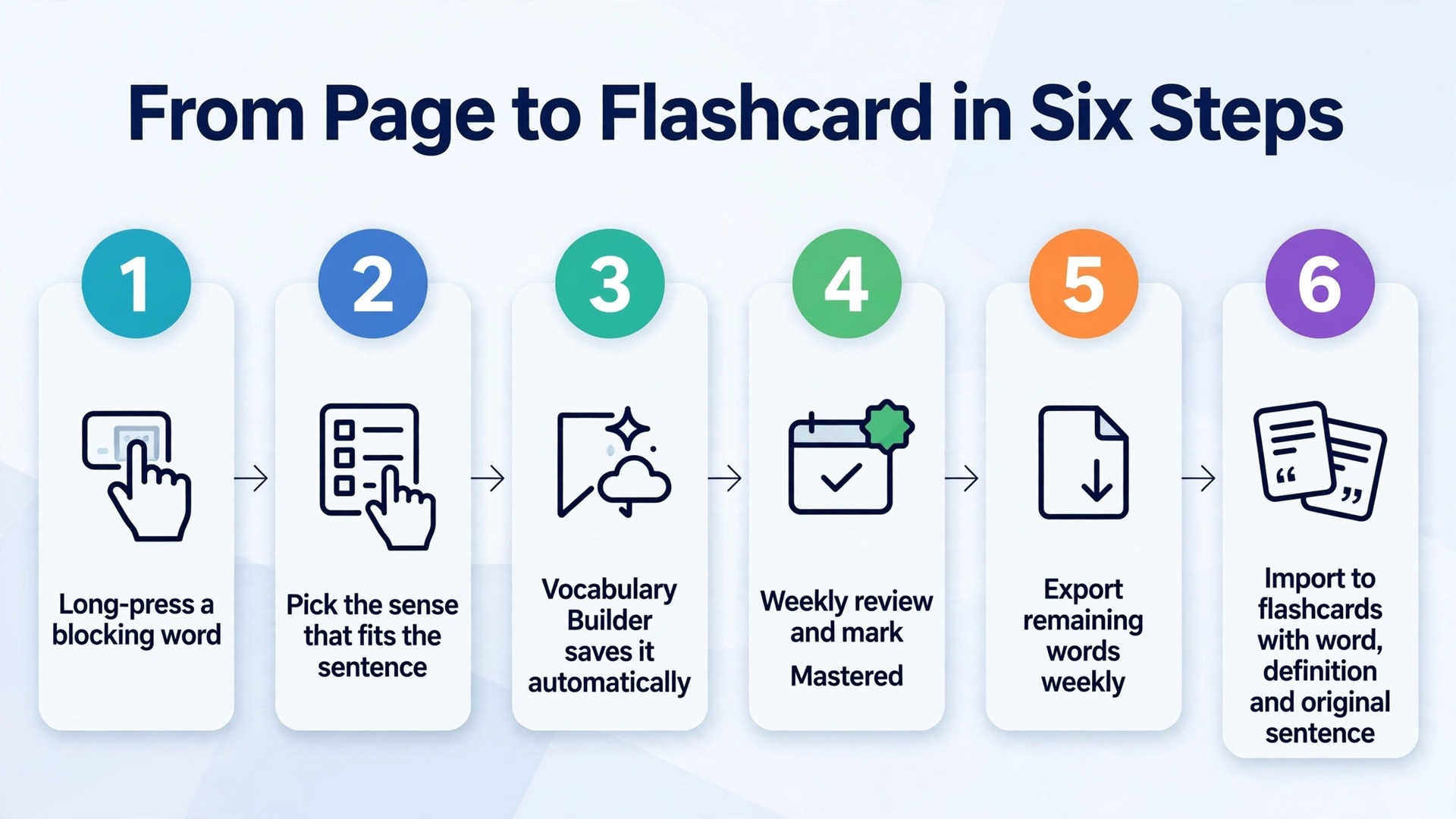
This workflow is the core system for anyone who wants to use Kindle for language learning reading as a daily practice. It takes a word from the page to a flashcard you can review anywhere, in six steps that you repeat until they feel automatic. The first three steps happen on the Kindle. The last three happen once a week on a computer or phone. Keep the weekly export session short and fixed, for example every Sunday evening, so words do not pile up for a month and then feel too numerous to process.
- Read at the right level and long press only words that block meaning, repeat, or look useful for your own speaking and writing. Skip the rest for now and keep reading.
- Read the dictionary definition, pick the sense that fits the sentence, and reread the sentence with that sense in place. Highlight the sentence if the usage is especially clear.
- Let Vocabulary Builder save the word automatically. Do not copy words into a separate notebook while reading, because that breaks flow and duplicates work the device already does.
- Once a week, open Vocabulary Builder and review the new words on the device first. Mark words you already know as Mastered, and leave the words you still need in the active list. This keeps the export small and focused.
- Export the remaining active words. Kindle does not offer a one tap export button for Vocabulary Builder, so connect the Kindle to a computer by USB, locate the vocabulary database file, and copy it, or copy the words from the Vocabulary Builder view into a spreadsheet. Third party tools can read that file and convert it into flashcard format. Check the tool against current reviews before you install it, and keep a backup copy before any conversion.
- Import the exported words into your flashcard app of choice, with the word on the front and the definition plus the original sentence on the back. Add the book title as a tag, so you can filter cards by book later. Set new cards to appear the next day, not at once, so the first review happens after a night of sleep.
The card format matters. A card with only a word and a single translation trains recognition of that one pairing and little else. A better card shows the word, the sentence you met it in, and a short note on usage, such as a common preposition. When you review, try to recall the word from the sentence before you flip the card.
Export Words to Flashcards Outside Kindle
Export is where many learners stall, even though they already use Kindle for language learning reading daily, because they expect a single export button and find none. Amazon designed Vocabulary Builder as an on device review tool, and it syncs the list to a new Kindle when you switch devices, but it does not provide a direct file export in the device menus. Knowing that limit in advance prevents a frustrating search through menus that do not contain the option. The workarounds below are the ones learners actually use, in order from simplest to most technical.
The simplest route is manual copy, and for small lists it is the best route. Open Vocabulary Builder, work through one book at a time, and copy the words you still need into a spreadsheet or a flashcard app by hand. Manual copy sounds slow, but it doubles as a review pass, because you have to read each word and definition to copy it. For a list of 20 words a week, manual copy takes about 15 minutes, which is less time than most learners spend choosing an export tool. If your weekly list is small, do not automate it yet.
The USB route suits larger lists. Connect the Kindle to a computer with a USB cable, open the device as a drive, and look for the vocabulary database file in the system folders. You may need to show hidden files to see it. Copy that file to your computer before you open it with any tool, so the original on the device stays untouched. Third party converters can then read the file and produce a spreadsheet or flashcard import file. The exact file name and folder can vary by model and software version, so search for a current guide for your model before you start, and do not delete files from the device drive.
A third route uses the Kindle app on a computer. The desktop app can show Vocabulary Builder entries for synced books, and words can be copied from that view into a document or spreadsheet. This route avoids touching system files on the device, which some learners prefer, but it still involves copy and paste rather than a true export. Whichever route you choose, the output should be the same. One row per word, with the word, its definition in the sense you met, the original sentence, and the book title.
Once words are in a flashcard app, set a review limit. Most spaced repetition apps let you set a daily new card limit and a daily review limit. A sensible starting point is 10 new cards a day and a review cap that keeps the session under 20 minutes. If reviews pile up beyond that, reduce new cards rather than skipping reviews, because skipped reviews compound quickly. A flashcard system that asks for an hour a day will be abandoned. A system that asks for 15 minutes a day will still be running in six months, and six months of 15 minute days beats three weeks of hour long days.
Move Up Reading Levels Without Getting Stuck
Reading level progression is where learners who use Kindle for language learning reading either grow or plateau. The plateau usually looks like this. A learner finds a comfortable level, stays there for a year, and wonders why new words have stopped appearing. The comfort was the problem. At a comfortable level, almost every word is already known, so lookups stop, Vocabulary Builder stops growing, and learning slows to a crawl. Progression needs a deliberate step up before comfort turns into stagnation.
A workable ladder has four rungs, and most learners spend several weeks or months on each. Graded readers come first, with controlled vocabulary and short chapters written for learners. Next come short stories and novellas written for native readers but with straightforward language, such as contemporary short fiction. Then come full novels in a familiar genre, where the story carries you through harder passages. Finally come nonfiction, newspapers and essays, where vocabulary is more abstract and sentences are longer. You do not have to climb in strict order, but you should know which rung you are on and what the next one looks like.
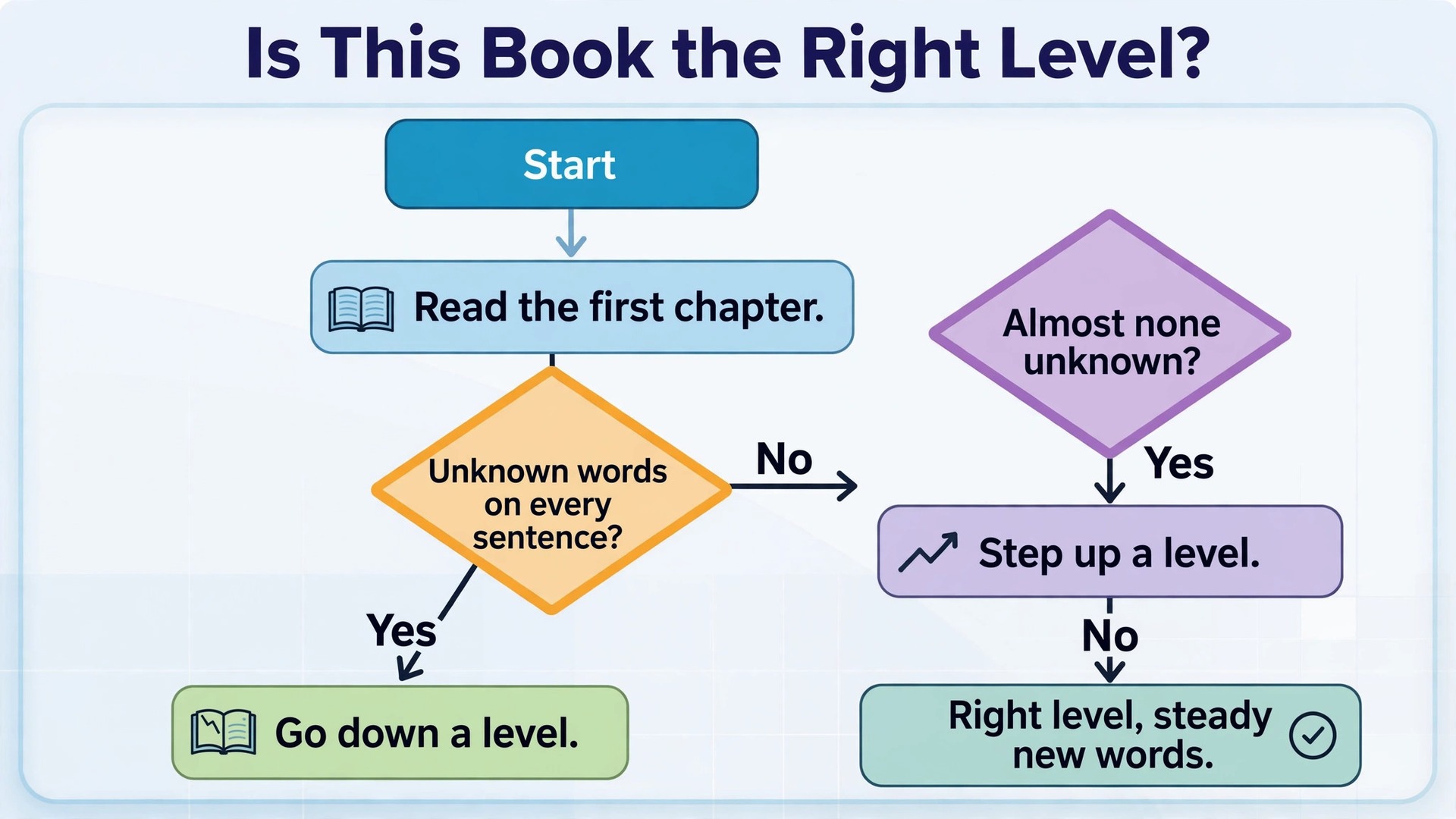
The table below gives a quick way to judge whether a book sits at the right rung. Use it on the first chapter before you commit to a whole book.
| Check | Too easy | Right level | Too hard |
|---|---|---|---|
| Unknown words per page | Almost none | A handful | Every sentence |
| Reading speed | No effort at all | Steady with pauses | Constant stopping |
| Story sense | Clear without effort | Clear with lookups | Lost after a page |
| Vocabulary Builder growth | No new words | Steady new words | Flood of new words |
A Daily Review Routine That Fits in 30 Minutes
A system that needs an hour a day will lose to a busy week. The routine below needs 30 minutes on a reading day and 15 minutes on a non reading day, and it is built around the way memory actually works. New words need a review soon after you meet them, then again after a gap, then again after a longer gap. The Kindle list handles the first review, the flashcard app handles the longer gaps, and the daily routine connects the two without asking you to study all evening.
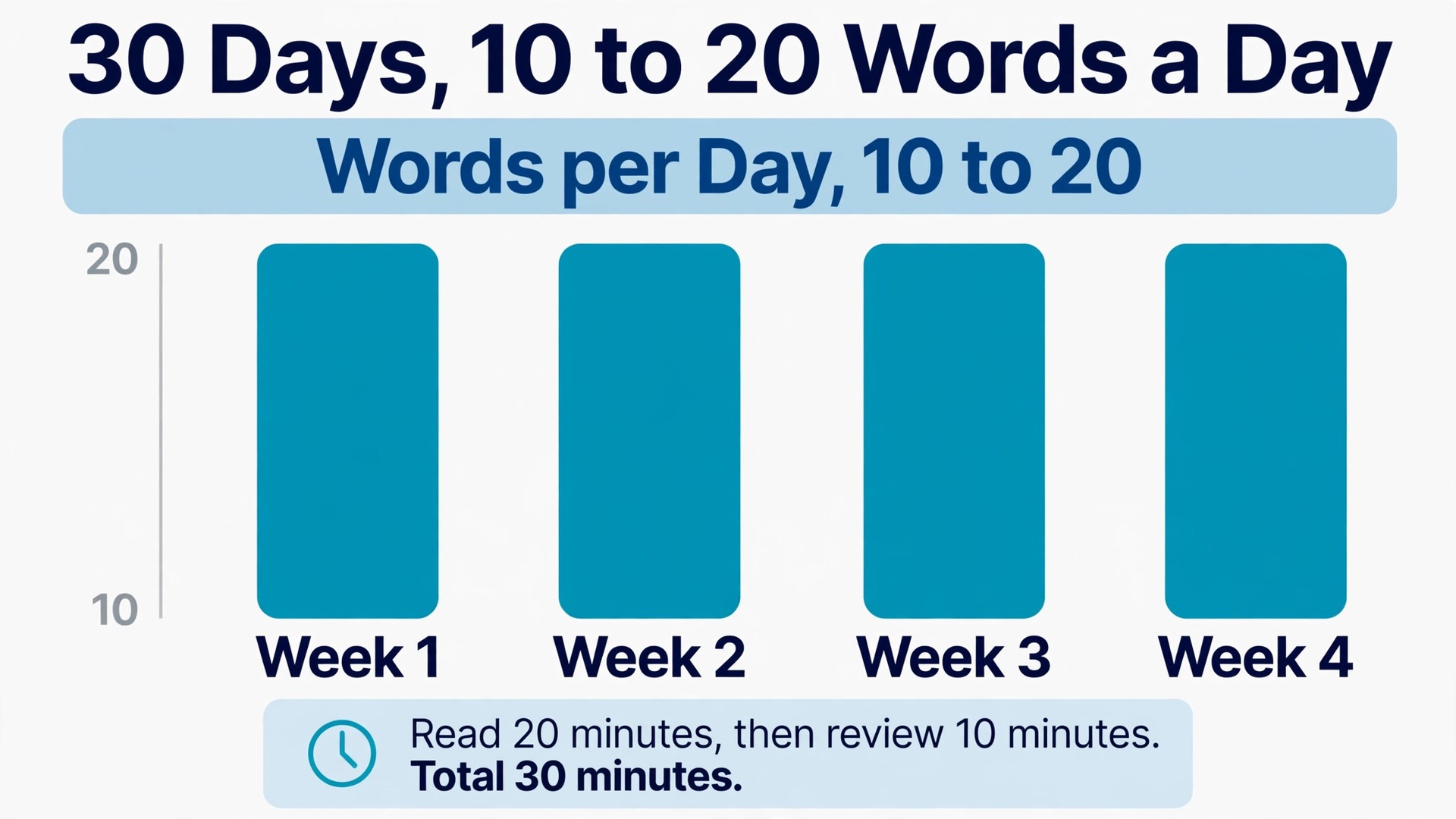
Start with reading, not with review. Read for 20 minutes first, while your attention is fresh, and let lookups happen naturally. Then spend 10 minutes reviewing yesterday’s Vocabulary Builder words on the device, using Flashcards mode. That order matters. Reading first gives you new words to review tomorrow, and reviewing second consolidates what you met yesterday while it is still recent. Learners who review first often run out of energy before they open the book, and the book is the source of all future words.
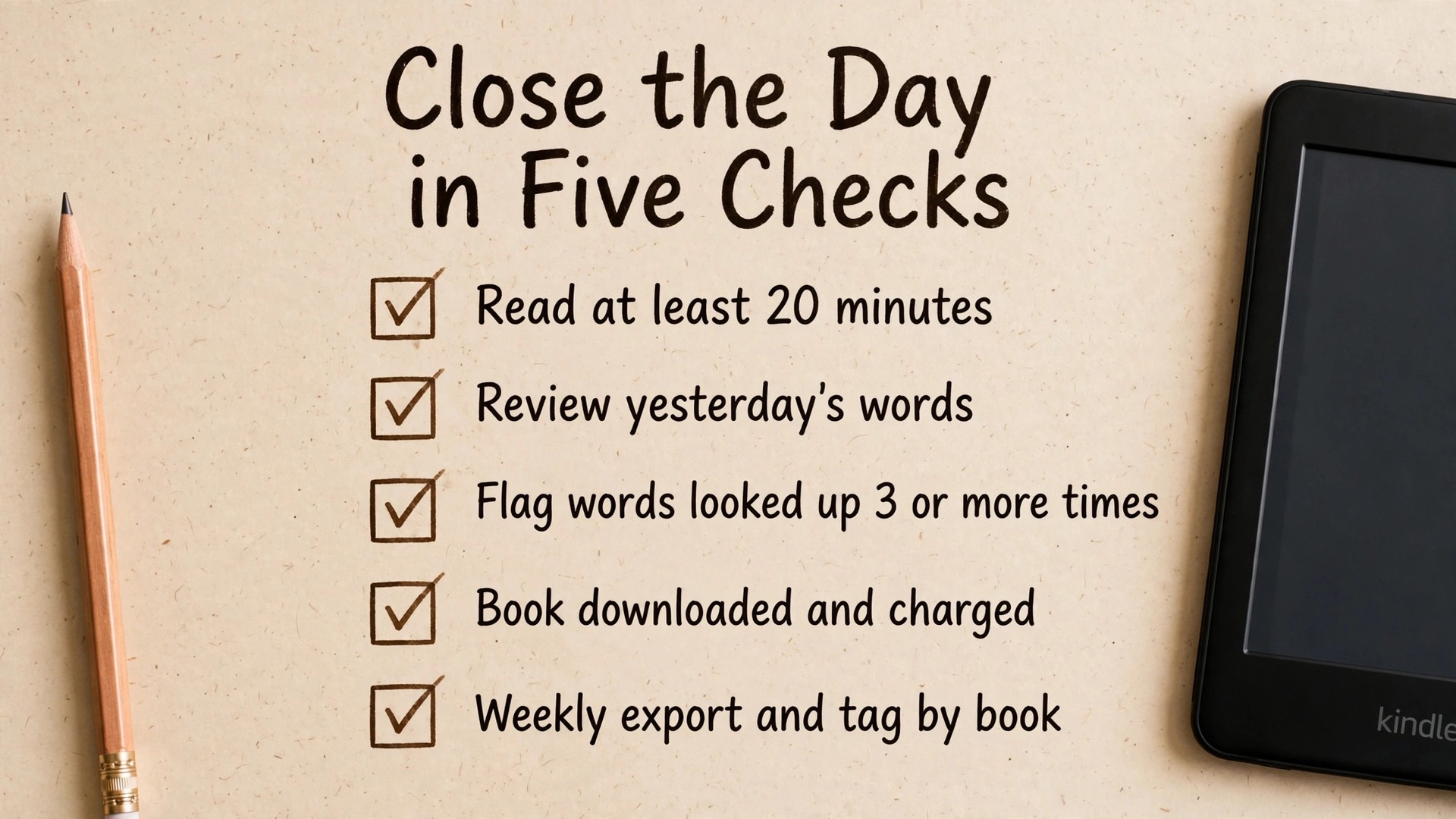
Use this checklist each evening to close the day. It is short on purpose, because a checklist that takes longer than the review itself will be ignored.
- Read for at least 20 minutes, or complete a flashcard review if reading was impossible that day.
- Review yesterday’s Vocabulary Builder words on the device, and mark honestly mastered words as Mastered.
- Note any word that needed three or more lookups, and give it a flashcard with its original sentence.
- Check that tomorrow’s book is downloaded and charged, so a flat battery does not become an excuse.
- Once a week, export new words, tag them by book and theme, and prune words you will not use again.
When you use Kindle for language learning reading in this daily pattern, the device stops being a book you occasionally open and becomes a loop. Reading feeds lookups, lookups feed Vocabulary Builder, Vocabulary Builder feeds flashcards, and flashcards make the next chapter easier to read. Each part of the loop is small, but the loop running daily for months is what produces a large, usable vocabulary. Breaks in the loop matter more than the size of any single session, so protect the daily minimum even on busy days. Ten minutes of review on a hard day keeps the loop alive. Zero minutes for a week usually means restarting from scratch.
Which Kindle to Buy for This Job
Any current Kindle e-reader can run the system in this guide, because Vocabulary Builder, dictionary lookups and highlights are software features shared across the range. The choice is therefore about screen, light, battery and price, not about learning features. Buy the cheapest model that you will enjoy holding for 30 minutes a day, because the best device for language learning is the one you actually pick up.
Amazon announced a refreshed Kindle range on 1 October 2026. The base Kindle, with a 6 inch 300 ppi glare free display and 16 GB of storage, lists from 149.99 US dollars and is rated for up to 6 weeks of battery life. The Paperwhite, with a larger 7 inch display, an adjustable warm light and waterproofing, lists from 199.99 US dollars and is rated for up to 12 weeks. The Paperwhite Signature Edition, with 32 GB and an auto adjusting front light, lists from 249.99 US dollars. Check availability and the price at checkout before you buy, because launch and sale pricing change often.
For most language learners, the Paperwhite is the sweet spot. The larger screen shows longer lines of text, which helps when you are reading a language with long words or unfamiliar script, and the warm light makes evening reading easier on the eyes. Waterproofing matters if you read in the bath, by a pool or in the rain, but it is not a learning feature. The base Kindle is the right pick if budget is tight or if you want the lightest device for commuting, because its smaller screen still shows dictionary panels clearly and its battery still lasts weeks.
Mistakes That Waste Lookups
The first mistake is looking up too much. A reader who looks up 40 words in a chapter has not learned 40 words. They have interrupted the story 40 times, and most of those words will be forgotten by the next day because none received a proper review. The lookup rule from earlier in this guide exists to prevent this. If a word does not block meaning and does not repeat, let it pass. The book will bring it back if it matters, and if it does not bring it back, you have lost nothing important.
The second mistake is the opposite, never looking anything up. Some learners pride themselves on guessing everything from context, and guessing is a useful skill, but unchecked guesses become wrong meanings that feel familiar. If you guessed a word three chapters ago and now realise the story makes no sense with your guess, the error has had time to settle. Look up words that repeat and words that carry plot or argument, even if you think you guessed them. A ten second check beats a chapter of misunderstanding.
The third mistake is reviewing definitions without sentences. A list of words and translations, reviewed out of context, produces learners who can pass a vocabulary test and still freeze in conversation, because they never practised retrieving the word from a sentence. Always review from the original sentence first, and only reveal the definition after you try to recall it. If your flashcard export lost the sentence, go back to Vocabulary Builder and add it before you import, because a card without a sentence is a weak card.
When you use Kindle for language learning reading with these mistakes in mind, the system becomes forgiving. A missed day, a too hard chapter or a messy export week does not break it, because the loop can restart the next day with one chapter and one short review. The learners who succeed with this method are rarely the ones with the most willpower. They are the ones with the smallest daily minimum, the clearest lookup rule and a review habit that survives a busy week.
If you want to pair Kindle reading with other tools, start with a broader comparison before you add another app. Our guide to the best AI language learning tools at https://stratilyze.com/best-ai-language-learning-tools/ compares apps on speaking, grammar and drilling, so you can pick one companion app rather than duplicating what the Kindle already does well. For a wider weekly plan, see our guide on how to learn a language with AI at https://stratilyze.com/how-to-learn-a-language-with-ai/ which balances app time, reading time and conversation practice.
Frequently Asked Questions
Does Vocabulary Builder work for any language I read on Kindle
Vocabulary Builder saves words you look up with the dictionary, whatever language the book is in, provided a suitable dictionary is installed and set as the default for that language. Availability of bilingual dictionaries varies by language pair, so check the Kindle Store for your pair before you start a book. If no dictionary exists for your pair, lookups will be limited, and you may need a phone dictionary alongside the Kindle for rarer words.
Can I use Vocabulary Builder on the Kindle app on my phone
Vocabulary Builder is primarily an e-reader feature, and its full list, flashcards and mastered tracking live on Kindle devices. The phone and desktop apps show highlights and notes, and some versions show vocabulary entries, but the experience is not identical across platforms. For the system in this guide, do the daily review on the e-reader itself, and use the app only to check highlights when the device is not at hand.
How many new words should I learn from reading each day
Aim for 10 to 20 new words a day from reading, which is what most readers at the right level naturally look up in a 30 minute session. More than that usually means the book is too hard or the lookup rule is too loose, and the extra words will not survive review. Fewer than that is fine if you are at an early stage or reading a familiar genre, because steady small gains over months produce a larger vocabulary than bursts that get abandoned.
What should I do when a word has several dictionary meanings
Pick the meaning that fits the sentence you are reading, and ignore the other meanings for now. Reread the sentence with your chosen meaning in place, and check that it makes sense. If it still sounds odd, try the next meaning. Save the word with the sentence attached, so later review reminds you of the correct sense rather than the first definition listed.
Is it better to read in the target language only, or to use bilingual books
Read in the target language only once you can follow a graded reader at that level, because monolingual reading forces you to process words in the language you are learning. Bilingual books are useful at the very start, when a parallel translation prevents frustration, and for short passages where you want to check a tricky paragraph. Move to target language only as soon as you can, and keep bilingual books as a bridge, not a permanent habit.
Do I still need a flashcard app if Kindle already has flashcards
Kindle flashcards are enough for a simple daily review, and many learners never need more. A separate flashcard app becomes useful when you want spaced repetition scheduling, theme tags across several books, or review on a phone when the Kindle is not with you. When you use Kindle for language learning reading alongside an external app, keep the Kindle list as the master record and export weekly, so you never depend on a single tool for words you worked hard to collect.
Your Next 30 Days on the Page
Thirty days is enough to prove this system to yourself. Pick one book at the right level, set up the dictionaries, turn on Vocabulary Builder, and read for 20 minutes a day. Review yesterday’s words for 10 minutes after you read, export once a week, and step up a level only when lookups fall to almost none. At the end of 30 days, count your mastered words and notice how many fewer lookups the first chapter now needs. That change, in a real book you enjoyed, is the measure that matters.