

Entry prices for the six tools in this guide run from about $49 a month to custom quotes that reach five figures a year, a spread of thousands of dollars for the same basic job of pricing a project. That gap is the first lesson of buying the best estimating software for contractors. Price alone says almost nothing, because a cheap tool that misses takeoff quantities and a dear tool that nobody in the office fully uses can both lose money on the same job.
Estimating is where a contracting firm wins or loses its year. A bid that is ten percent too high loses the job to a rival. A bid that is ten percent too low wins the job and loses money on every week of the build. Good software narrows that error by tying takeoff quantities to a price list, by keeping labour, materials, and subcontractor costs in one place, and by producing a proposal the client can sign without a round of confused phone calls.
The third pressure is speed. Clients now expect a detailed proposal in days, not weeks, and the contractor who replies first with a clear number often wins even when the price is not the lowest. Software that turns a plan upload into a measured takeoff and a priced proposal in an afternoon is worth more than a marginally cheaper tool that still needs a weekend of spreadsheet work.
Why the Best Estimating Software for Contractors Must Tie Takeoff to Price
The first quality to test is takeoff accuracy. A good tool measures lengths, areas, and counts from a digital plan and pushes those quantities straight into the estimate, so a changed room size updates the price without retyping. A weak tool leaves takeoff and pricing in separate places, which means every revision is typed twice and every typed revision can drift. Revisions are where estimates quietly go wrong.
The second quality is the price list. Labour rates, material costs, and subcontractor quotes should live in one maintained list that the whole firm uses, so two estimators price the same kitchen the same way. A tool that makes the price list easy to update gets updated. A tool that buries it gets ignored, and an ignored price list is just last year’s prices with this year’s confidence.
The third quality is the proposal itself. A clear proposal shows the scope, the allowances, the exclusions, and the payment schedule in plain language, and it lets the client approve with a signature. A vague proposal creates change-order arguments later, and change-order arguments cost more goodwill than any software subscription. Judge the proposal as a client would read it, not as an estimator would build it.
The fourth quality is job costing after the win. An estimate that never connects to actual costs cannot teach the firm anything, so the same underpricing repeats on the next job. A tool that tracks budget against committed and actual costs turns each finished job into better numbers for the next bid. That feedback loop is the real return on the subscription.
Eight Questions to Ask in a Trial
Run the trial on a real past job, not on demo data. Rebuild an estimate you already priced, ideally one where you know the final costs, and compare the software result with reality. If the tool cannot reproduce a job you understand, it will not handle a job you have not priced yet, and the gap will show up in the bid, not in the demo.
Test a revision mid-trial, because revisions are the daily reality of contracting. Change a room size, swap a finish, and add a subcontractor, then watch whether the price, the proposal, and the budget all update together. If the revision needs retyping in three places, it will need retyping under deadline pressure too, and retyping under pressure creates the errors that eat margins.
Check the accounting link before you fall in love with the takeoff. A tool that syncs estimates, invoices, and job costs to your accounting software saves hours every week. A tool that exports only a spreadsheet creates a weekly reconciliation chore that grows with the firm. Ask for a sample export during the trial and show it to your bookkeeper, not just to the estimator.
Check what happens when a client asks for a cheaper option. Good estimating tools build alternate prices and optional upgrades into the proposal, so the client can choose without a new estimate. That option structure wins jobs that a single take-it-or-leave-it number loses, and it protects margin by making the upgrade visible rather than buried in a lump sum.
Six Tools Compared on Price and Fit
| Tool | Starting price | Best for |
|---|---|---|
| Clear Estimates | about $59 a month billed annually | small remodelers who want fast quotes |
| Buildxact | about $199 a month | small builders moving off spreadsheets |
| Buildertrend | pricing by quote | established residential builders |
| JobTread | about $199 a month plus seats | small remodelers who want live budgets |
| Knowify | about $99 a month billed annually for Core | trade contractors who bill on AIA forms |
| Contractor Foreman | about $49 a month billed annually | budget-conscious small contractors |
Read the table as a shortlist, not as a ranking. Prices change often, so check the vendor page before buying, and price the plan that actually includes the features you need rather than the cheapest headline plan. The cheapest tool may suit a small remodeler perfectly, while a quote-only platform may be the only one that handles a large residential builder cleanly. Use the table to pick three finalists for the best estimating software for contractors, then read their full sections below before deciding.
Six Estimating Tools in Detail
Clear Estimates
Clear Estimates is the pick for small remodelers who want a fast, clean quote without learning a full project platform. It builds estimates from a parts and labour database for common remodeling work, produces a professional proposal, and adds AI plan upload on its Pro tier. A remodeler who prices kitchens and bathrooms all week can turn a site visit into a priced proposal the same day, which is the speed advantage that wins work.
At about $59 a month billed annually, it is the cheapest entry point in this guide, and that price is its main argument. The limit is depth, because it has no accounting sync and no full project management, so a firm that needs budgets, schedules, and client portals will outgrow it. For a small remodeler whose main pain is slow quotes, that limit rarely matters, and the low price leaves room to add a separate project tool later if needed.
Buildxact
Buildxact is the pick for small builders and renovators moving off spreadsheets who want takeoff plus estimating in one place. It covers digital takeoff, estimating, quoting, and job management, with QuickBooks and Xero sync on higher tiers. A builder who still measures plans by hand will feel the biggest time saving here, because takeoff quantities flow into the estimate instead of being typed from a separate measurement.
At about $199 a month for Foundation, with purchase orders and job management from about $399 a month on Pro, it costs more than Clear Estimates but covers more of the workflow. The limit is that budget tracking sits on Pro and above, so a firm should not judge Buildxact on Foundation alone. If takeoff accuracy and a single workflow matter more than the lowest price, Buildxact earns a trial place.
Buildertrend
Buildertrend is the pick for established residential builders and remodelers who want estimating inside a full client-facing platform. It covers estimating, scheduling, budgeting, change orders, and a client portal, with QuickBooks and Xero sync. A builder whose clients expect a portal, selections, and change-order approvals in one place will use breadth that a pure estimating tool cannot offer.
Pricing is by quote, based on annual construction volume, with unlimited users and projects, and its last published plans ran from about $449 a month billed annually for Essential. The limit is budget transparency, because a firm cannot compare Buildertrend against a published rival price without a sales conversation. Book the demo, get the written quote including renewal terms, and compare totals, not headlines.
JobTread
JobTread is the pick for small remodelers who want a live budget that updates as the job runs. It covers estimating, budgets, job costing, change orders, and AIA billing, with two-way QuickBooks Online sync. A remodeler who has been burned by a job that looked profitable at bid time and was not at completion will value the budget view most, because it shows committed and actual costs against the original estimate while there is still time to act.
At about $199 a month plus about $20 per user, it is priced for a small team rather than a solo estimator, and the per-user cost should be modelled at the real team size. The limit is that it is a project platform first and a takeoff tool second, so a firm that lives on complex takeoffs should test its measurement workflow carefully. If live job costing is the gap, JobTread is the strongest answer in this guide.
Knowify
Knowify is the pick for trade and specialty contractors who bill on AIA forms and need job costing tied to billing. It covers estimating, contract management, AIA billing, and QuickBooks sync, with a two-way integration that assigns bills and payments to the right project and cost category. A specialty contractor who spends hours reconciling AIA paperwork will save that time every month, and the books will match the job costs without double entry.
At about $99 a month billed annually for Core, with Advanced at about $329 a month for fuller budgeting, it is affordable at entry and dearer at depth. The limit is that budget features sit on the higher tier, so a firm should price Advanced, not Core, if live budgets matter. If AIA billing is the daily pain, Knowify is the most focused tool in this guide for that job.
Contractor Foreman
Contractor Foreman is the pick for budget-conscious small contractors who want an all-in-one platform at the lowest entry price. It covers estimating, scheduling, job costing, change orders, and client management, with QuickBooks sync, from about $49 a month billed annually for one user. A small firm that needs estimating plus project basics in one subscription can start here without a large monthly commitment.
The limit is polish and depth in places, because a low entry price across so many features means some areas are simpler than a specialist tool. A firm that needs advanced takeoff or complex commercial estimating should trial a specialist alongside it. If the firm mainly needs tidy estimates, schedules, and job costs at a low price, Contractor Foreman works, and the saved subscription money can fund better price-list maintenance.
How Estimating Accuracy Is Won or Lost
Accuracy starts with the price list, not with the software. A firm that updates material prices quarterly and labour rates annually will beat a firm with better software and stale prices, because every estimate inherits the list behind it. Set one owner for the price list, review it on a fixed schedule, and record where each rate came from, so a surprising bid can be traced back to a rate rather than to a guess.
Accuracy also depends on allowances. A proposal that hides allowances in a lump sum invites arguments when the client picks a finish above the allowance. A proposal that states each allowance plainly, with the cost of exceeding it, turns a potential argument into a simple choice. The best estimating software for contractors makes allowances visible by default, and a firm should use that visibility on every proposal, not just on large jobs.
The third accuracy habit is the post-job review. Compare the estimate with the final costs on every completed job, line by line, and note which lines drifted and why. A pattern across jobs, such as electrical always running over or tile always running under, is a pricing signal, not bad luck. Firms that run this review quarterly steadily sharpen their bids, while firms that never look back repeat the same error on the next ten jobs.
Labour rates deserve a separate review, because they move with hiring conditions faster than material prices do. A rate set when the firm had two employees may underprice a job once the firm carries four, with supervision and rework time folded into every week. Review loaded labour cost, meaning wages plus taxes, insurance, and non-billable hours, at least twice a year, and update the price list the same week so the next bid carries the true cost.
Change Orders Done Right
Change orders are where profitable jobs turn unprofitable, because extra work agreed verbally rarely gets priced fully. A good estimating tool treats a change order as a mini estimate, with its own scope, price, and client signature, rather than as a note added to the original bid. That discipline protects both sides, since the client sees the cost before the work starts and the contractor gets paid for work actually done.
The second discipline is timing. A change order priced after the work is finished is a negotiation, while a change order priced before the work starts is a purchase decision. Software that builds a change-order proposal in minutes makes the before-starting version practical, even on a busy site. A firm that waits until the end of the job to price extras will absorb some of them, and absorbed extras are margin given away quietly.
The third discipline is the running total. Every approved change order should update the job budget and the client-facing total at once, so nobody is surprised at final billing. A client who watches the total move with each approved change trusts the final invoice. A client who first sees the extras on the last invoice disputes them, and a disputed final invoice delays payment on the whole job, not just on the extras.
The fourth discipline is documentation. Photos, a short written scope, and a signature for each change order turn a memory into a record. When a question arises months later, the record answers it in seconds, while a verbal agreement becomes two different memories. Estimating software that stores change-order documents with the job file makes this habit easy, and easy habits are the ones that survive a busy season.
Proposal Language That Prevents Arguments
Proposal language should state what is included, what is excluded, and what each allowance covers, in words a non-builder can follow. A scope paragraph that names the rooms, the finishes, and the fixtures leaves little room for a later claim that something was assumed. Vague scope language feels faster to write, but it buys speed now with arguments later, and arguments cost more than the hour saved.
Exclusions deserve the same care as inclusions. A proposal that plainly excludes permits, structural surprises, and existing wiring faults sets honest expectations before work starts. Clients rarely object to an exclusion stated upfront, because they can price it or accept it. They object to an exclusion discovered mid-job, because by then it feels like a price increase rather than a boundary.
Payment language should match the work rhythm. A schedule tied to visible milestones, such as demolition complete, rough-in passed, and finishes installed, gives the client confidence to pay and gives the contractor cash flow to keep the job moving. A schedule that demands most of the money upfront creates distrust, while a schedule that waits until completion starves the job of materials money. Milestone billing is the middle path that keeps both sides comfortable.
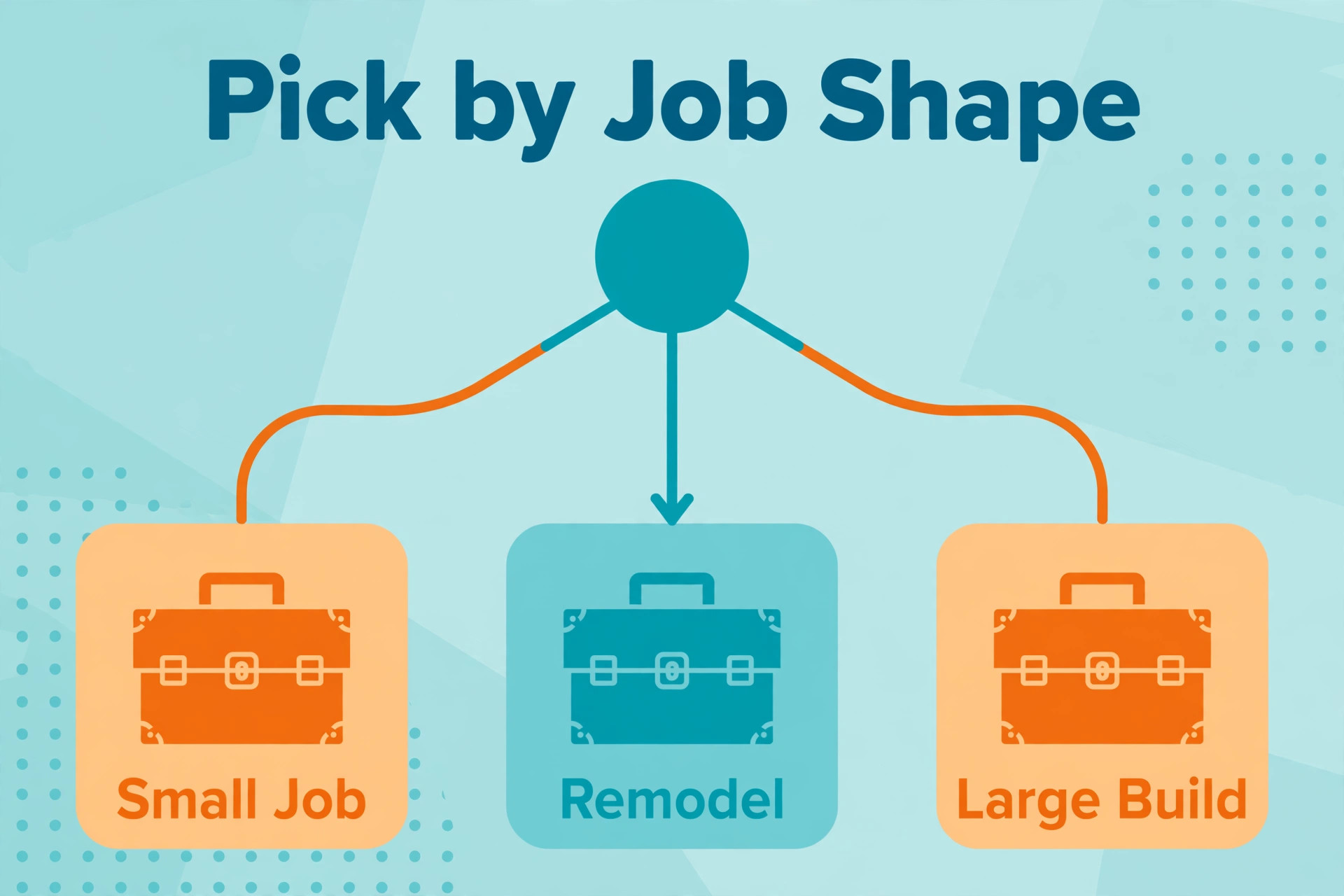
Best Pick by Job for Contractors
| Job shape | Best pick | Why it wins |
|---|---|---|
| Remodel work | Clear Estimates or JobTread | fast quotes, or live budgets that catch drift |
| New build work | Buildxact or Buildertrend | takeoff plus estimating, or full builder platform |
| Repair and small jobs | Contractor Foreman or Knowify | low entry cost, or AIA billing for trade work |
Use the table as a starting point, then test the pick against your own job mix. A remodeler who also runs new builds may prefer Buildxact for its takeoff depth, while a trade contractor doing mostly repair work may prefer Knowify for its billing. The table answers the common case, while the trial answers your case, and the trial answer is the one that counts.
The best estimating software for contractors is therefore not one product but the product that matches the job shape. A remodeler pays for quote speed. A new-build contractor pays for takeoff and budget control. A repair contractor pays for low cost and clean billing. Buying the wrong shape wastes money twice, once on the subscription and once on the workarounds.
The Shortlist Checklist for Contractors
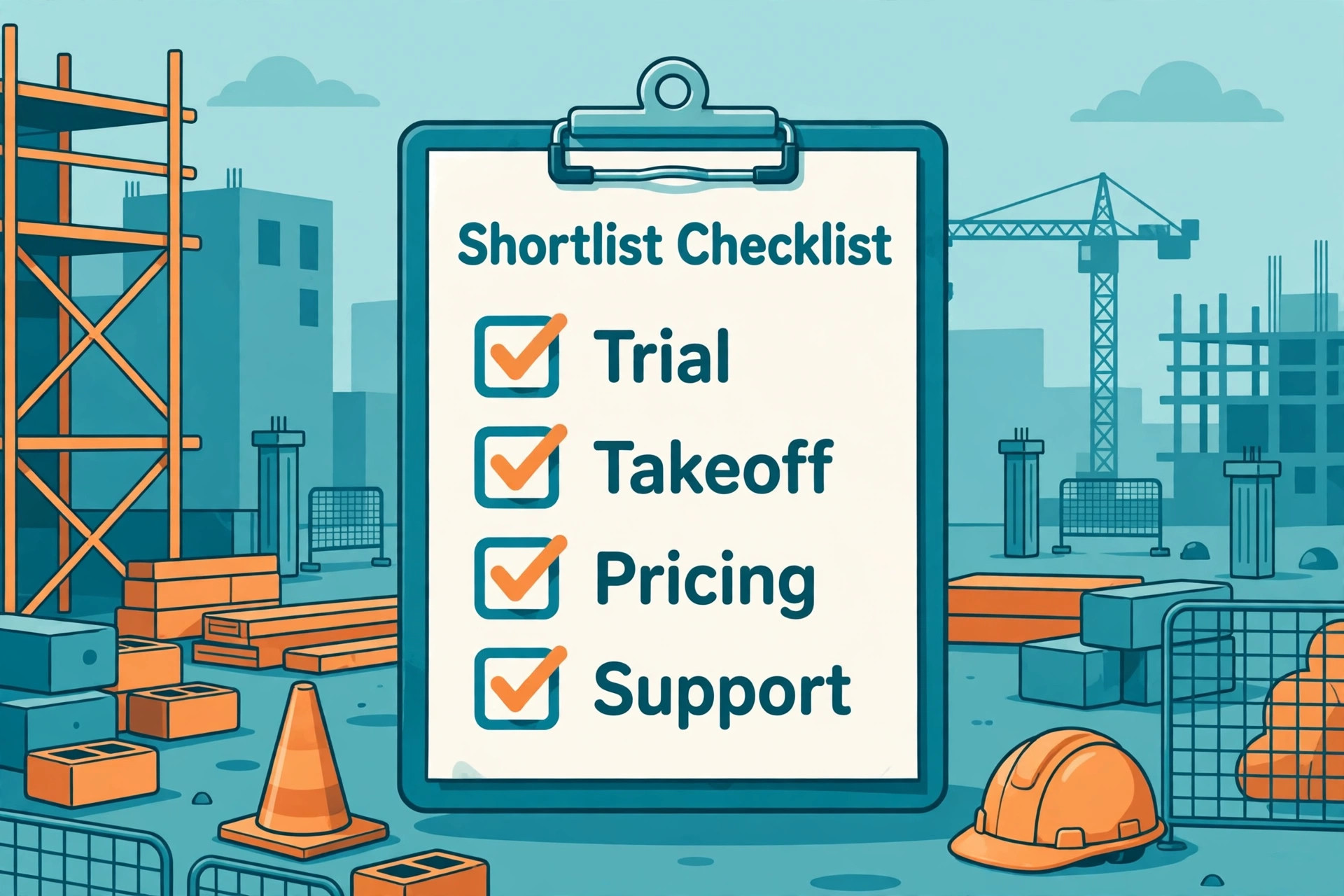
Before signing for the best estimating software for contractors, confirm takeoff flow, price-list maintenance, proposal clarity, change-order handling, accounting sync, and export options. Each item protects a different part of the bid. Takeoff flow protects quantities, the price list protects rates, and proposal clarity protects the client relationship. Change-order handling protects margin mid-job, the accounting sync protects bookkeeping time, and export options protect the firm’s future freedom to leave.
Test the checklist on one real past job. Rebuild it, revise it, issue a change order, and push the costs to accounting. If any step needs a workaround, that workaround becomes daily friction. A tool that passes all six checks on a real job is worth its price, while a cheaper tool that fails two of them will cost more in lost bids and margin drift.
Monthly Costs at Three Different Contractor Sizes
A solo estimator shopping for the best estimating software for contractors can run Clear Estimates at about $59 a month or Contractor Foreman at about $49 a month, which is less than the margin on one small job. The risk at this size is not the subscription but the missing feature, where the tool that looks cheap lacks the takeoff or budgeting the firm actually needs. Price the tier that includes the missing feature, not the tier that merely looks cheap.
A three-person firm faces a wider spread. Buildxact at about $199 a month, JobTread at about $199 a month plus seats, and Knowify at about $99 a month for Core all land in a similar band, while Buildertrend at a quoted rate starts to look competitive once client portals and selections matter. Model each option at your exact user count, because the cheapest headline rarely stays cheapest at three users.
A ten-person firm should expect a serious bill wherever it goes. Buildertrend at a volume-based quote and Buildxact Pro at about $399 a month both cost real money, while per-user tools multiply with every hire. At this size the deciding factor shifts from price to budget control, change-order discipline, and reporting, because a small percentage gain in bid accuracy dwarfs the subscription difference.

Mistakes That Waste Money on Estimating Software
The first mistake is buying for the firm you hope to become rather than the firm you run today. A solo remodeler who buys an enterprise platform pays for reporting nobody runs and a setup nobody owns. Buy for today’s job mix, and switch when project count or team size actually justifies the heavier tool, not before.
The second mistake is letting the price list go stale. Software cannot fix rates that nobody updates, yet many firms buy a new tool and keep last year’s prices inside it. Assign one owner, set a quarterly review, and treat a stale rate as a defect, because a bid built on stale rates is a guess wearing a professional proposal cover.
The third mistake is skipping the export test. A tool that locks estimate history behind a weak export owns the firm’s pricing knowledge, and that hold shows up at renewal time. Ask for a sample export during the trial, keep a monthly export outside the system, and confirm in writing what leaves with you if the contract ends.
The Verdict for Contractors
Start with Clear Estimates if you are a small remodeler who needs fast quotes, with Contractor Foreman if budget matters most, and with JobTread if live job costing is the gap. Move to Buildxact when takeoff depth matters, to Knowify when AIA billing dominates, and to Buildertrend when the firm needs a full client-facing builder platform. That ladder keeps the subscription matched to the firm’s shape at every stage.
Whichever tool you choose, run the real-job trial, price the tier you actually need, and check the change-order and export terms before signing. The best estimating software for contractors earns its keep in bids that are accurate, proposals that clients sign quickly, and jobs that finish near the number that won them. Pick the tool that proves those three wins in your trial week, and the subscription pays for itself.
Start the trial this week with one past job and one live bid. The past job tests accuracy against known costs, while the live bid tests speed under real deadline pressure. A tool that passes both tests has earned the shortlist place, and a tool that fails either one has told you everything you need to know.
More Reading on Stratilyze
Readers comparing contractor tools usually check the neighbouring guides next. The guide to small business CRM software covers the customer records behind the bid, the guide to mobile mechanic invoicing software covers invoicing once work is done, and the guide to locksmith dispatch software helps with the scheduling side of field work.
Frequently Asked Questions
Do contractors need estimating software or just a spreadsheet
A spreadsheet is enough when the firm prices a handful of similar jobs and one person owns the numbers. Estimating software becomes necessary when takeoffs, price lists, proposals, and job costs must stay consistent across several people and many revisions, because a spreadsheet typed twice drifts. If bids are already losing work or margin to errors, a spreadsheet is no longer enough.
How accurate should a contractor estimate be
Accuracy depends on the job stage, but a detailed proposal should land close enough that the finished job costs sit within a small margin of the bid. The honest test is not one job but the pattern across ten jobs, because a firm that reviews estimate against actual costs quarterly will steadily sharpen its numbers. Software helps by keeping quantities and rates consistent, while the price-list habit does the rest.
Is Clear Estimates worth it for a small remodeler
It can be, when the small remodeler wants fast quotes from a parts and labour database at a low entry price. It is harder to justify for a firm that needs full project management and accounting sync, because those features sit elsewhere. Price the whole workflow the firm actually needs, not just the estimating slice, before deciding.
Should a firm pay per user or a flat monthly rate
Per-user pricing suits a firm that will grow and shrink, because the bill follows headcount. A flat rate suits a firm with many users who all need access, because adding staff never raises the subscription. The right meter depends on which number grows fastest in the firm, so model the bill at the current size and at one hire larger.
What happens to estimate history if the firm switches tools later
That depends on export options, so check them before you buy. A good tool exports estimates, price lists, and job histories in a usable format, while a weak one exports only summary figures. Ask for a sample export during the trial, and keep a monthly export outside the system as insurance against any future move.
Does the best estimating software for contractors need takeoff built in
Not always, but it helps a firm that prices from plans more than any other feature. Built-in takeoff pushes measured quantities straight into the estimate, which cuts typing errors and speeds revisions. A firm that prices mostly from site visits and standard jobs can manage without it, while a plan-driven firm should treat takeoff as a core requirement, not an add-on.